bluetooth TOYOTA PRIUS 2017 4.G Workshop Manual
[x] Cancel search | Manufacturer: TOYOTA, Model Year: 2017, Model line: PRIUS, Model: TOYOTA PRIUS 2017 4.GPages: 796, PDF Size: 20.13 MB
Page 498 of 796
4985-10. Bluetooth®
PRIUS_OM_OM47B54U_(U)■
Bluetooth
® antenna
The antenna is built into the display.
If the Bluetooth
® device is behind the seat or in the glove box or console box,
or is touching or covered by metal objects, the connection status may deterio-
rate.
■ Battery charge/signal status
●This display may not correspond exactly with the portable audio player or
cellular phone itself.
● This system does not have a charging function.
● The portable audio player or cellular phone battery will be depleted quickly
when the device is connected to Bluetooth
®.
■ When using the Bluetooth
® audio and hands-free system at the same
time
The following problems may occur.
● The Bluetooth
® audio connection may be interrupted.
● Noise may be heard during Bluetooth
® audio playback.
■ About the contact in this system
The following data is stored for every registered cellular phone. When
another phone is connecting, you cannot read the registered data.
●Contact data
● Call history
● Favorite
● Message
When removing a Bluetooth
® phone from the system, the above-mentioned
data is also deleted.
■ About Bluetooth
®
The Bluetooth® word mark and logos are
registered trademarks owned by
Bluetooth SIG, Inc. and any use of such
marks by Panasonic Corporation is under
license. Other trademarks and trade
names are those of their respective
owners.
Page 499 of 796

PRIUS_OM_OM47B54U_(U)
4995-10. Bluetooth®
5
Audio system
■Compatible models
The Bluetooth® audio system supports portable audio players with the follow-
ing specifications.
● Bluetooth
® specifications:
Ver. 2.0, or higher (Recommended: Ver. 3.0+EDR or higher)
● Profiles:
• A2DP (Advanced Audio Distribution Profile) Ver. 1.0, or higher
(Recommended: Ver. 1.2 or higher)
This is a profile to transmit stereo audio or high quality sound to the audio
system.
• AVRCP (Audio/Video Remote Control Profile) Ver. 1.0 or higher (Recommended: Ver. 1.4 or higher)
This is a profile to allow remote control the A/V equipment.
However, please note that some functions may be limited depending on the
type of portable audio player connected.
The hands-free system supports cellular phones with the following specifica-
tions.
● Bluetooth
® specification:
Ver. 2.0 or higher (Recommended: Ver. 3.0+EDR or higher)
● Profiles:
• HFP (Hands Free Profile) Ver. 1.0 or higher (Recommended: Ver. 1.6 or
higher)
This is a profile to allow hands-free phone calls using a cellular phone or
head set. It has outgoing and incoming call functions.
• OPP (Object Push Profile) Ver. 1. 1 or higher (Recommended: Ver. 1.2)
This is a profile to transfer contact data. When a Bluetooth
® compatible
cellular phone has both PBAP and OPP, OPP cannot be used.
• PBAP (Phone Book Access Profile ) Ver. 1.0 or higher (Recommended:
Ver. 1.1)
This is a profile to transfer contact data.
• MAP (Message Access Profile) Ver.1.0 or higher This is a profile to using phone message.
If the cellular phone does not support HFP, you cannot register it with the
hands-free system. OPP, PBAP or MAP services must be selected individu-
ally.
Page 500 of 796
5005-10. Bluetooth®
PRIUS_OM_OM47B54U_(U)■
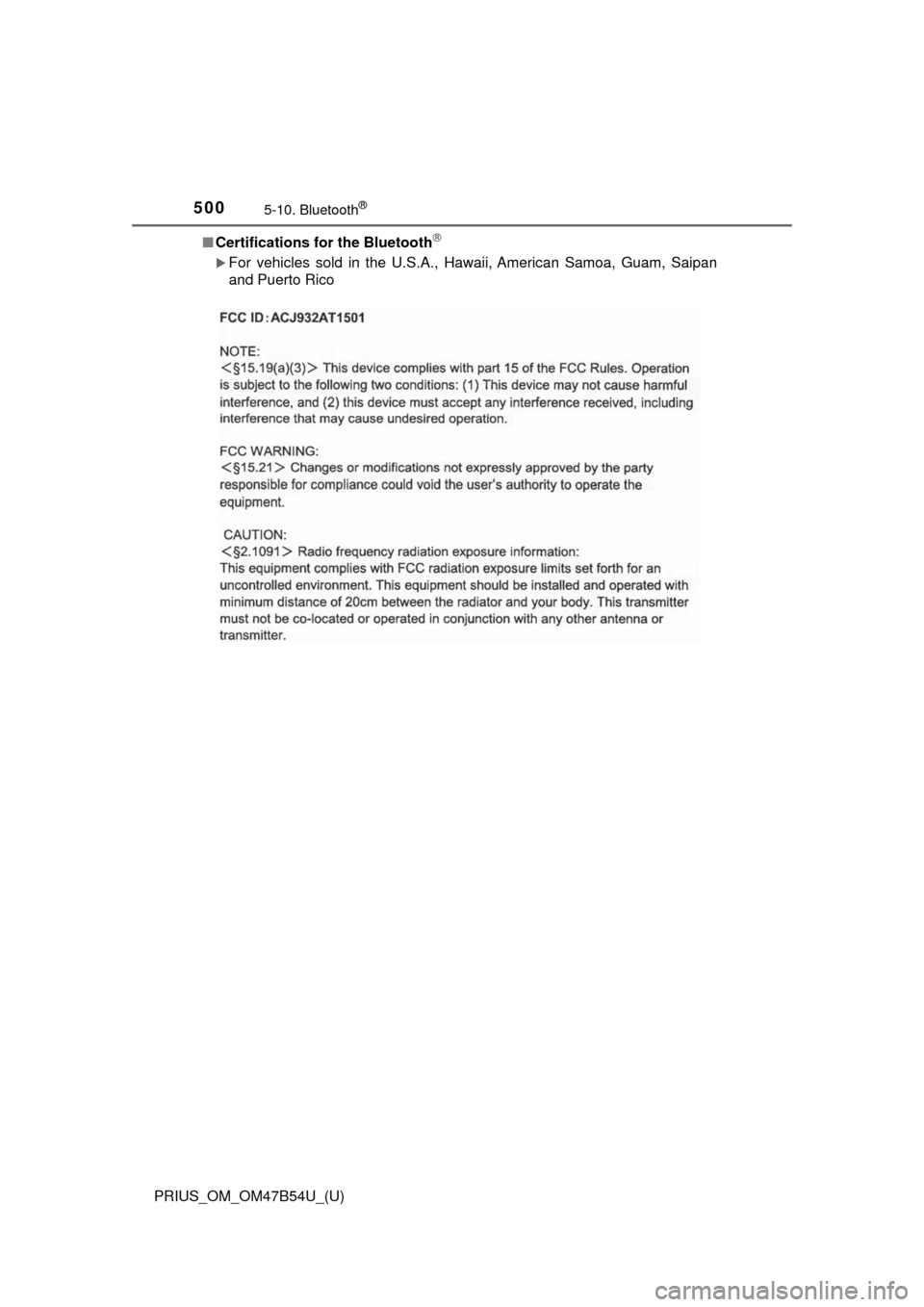
Certifications for the Bluetooth
For vehicles sold in the U.S.A., Hawaii, American Samoa, Guam, Saipan
and Puerto Rico
Page 501 of 796
PRIUS_OM_OM47B54U_(U)
5015-10. Bluetooth®
5
Audio system
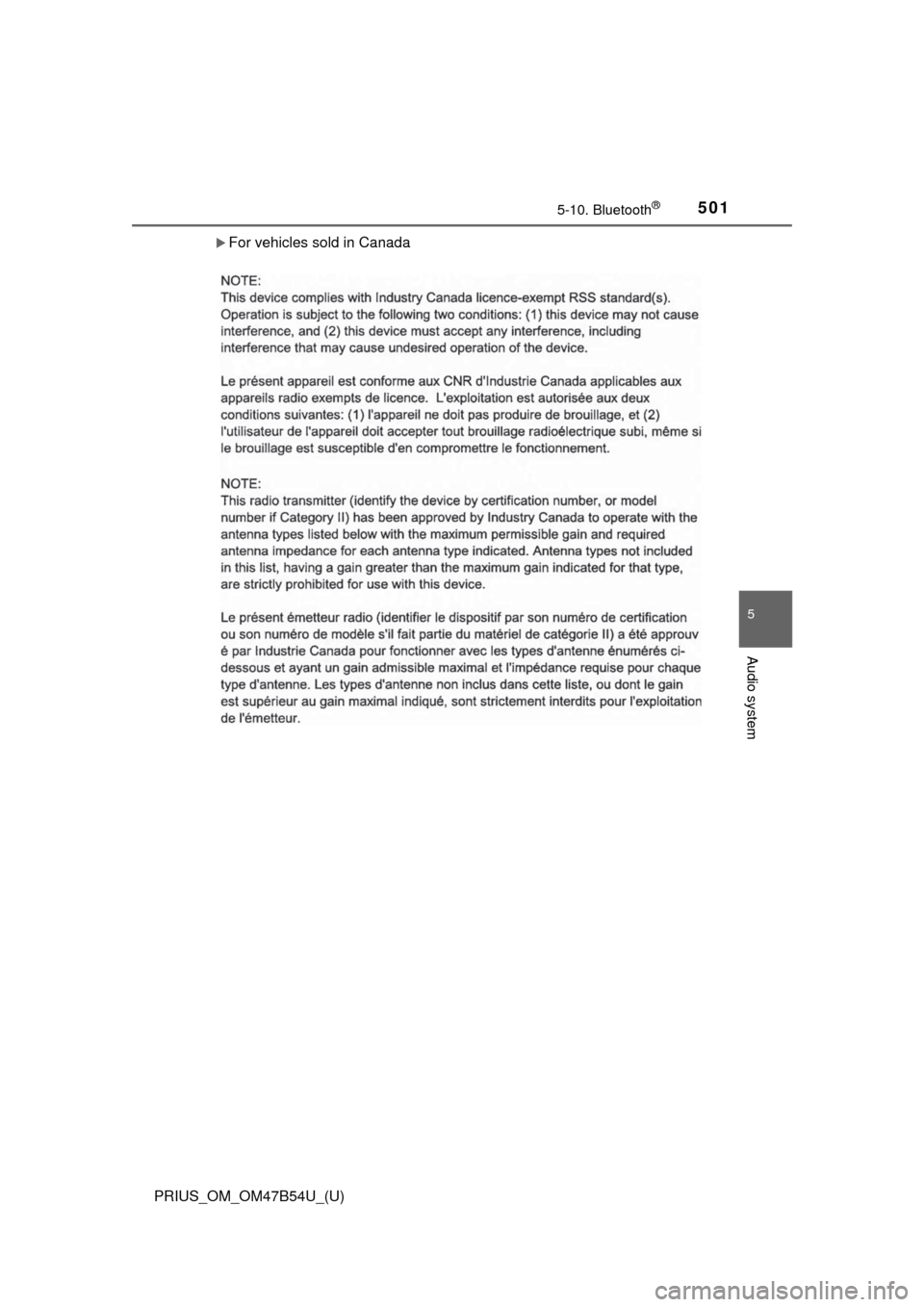
For vehicles sold in Canada
Page 502 of 796
5025-10. Bluetooth®
PRIUS_OM_OM47B54U_(U)■
Reconnecting the portable audio player
If the portable audio player is disconnected due to poor reception, the system
automatically reconnects the portable audio player.
If you have switched off the portable audio player yourself, follow the instruc-
tions below to reconnect:
●Select the portable audio player again
● Enter the portable audio player
■ When you sell your car
Be sure to delete your personal data. ( →P. 428)
WARNING
■While driving
Do not operate the portable audio player, cellular phone or connect a device
to the Bluetooth
® system.
■ Caution regarding interfer ence with electronic devices
● Your audio unit is fitted with Bluetooth
® antennas. People with implantable
cardiac pacemakers, cardiac resynchronization therapy-pacemakers or
implantable cardioverter defibrillators should maintain a reasonable dis-
tance between themselves and the Bluetooth
® antennas. The radio waves
may affect the operation of such devices.
● Before using Bluetooth
® devices, users of any electrical medical device
other than implantable cardiac pacemakers, cardiac resynchronization
therapy-pacemakers or implantable cardioverter defibrillators should con\
-
sult the manufacturer of the device for information about its operation
under the influence of radio waves. Radio waves could have unexpected
effects on the operation of such medical devices.
NOTICE
■ When leaving the vehicle
Do not leave your portable audio player or cellular phone in the vehicle. The
inside of the vehicle may become hot, causing damage to the portable
audio player or cellular phone.
Page 507 of 796
PRIUS_OM_OM47B54U_(U)
5075-11. Using the voice command system
5
Audio system
The Mobile Assistant feature will activate Apple’s Siri® Eyes Free
mode via the steering wheel switc hes. To operate the Mobile Assis-
tant, a compatible cellular phone must be registered and connected to
this system via Bluetooth
®. ( → P. 456)
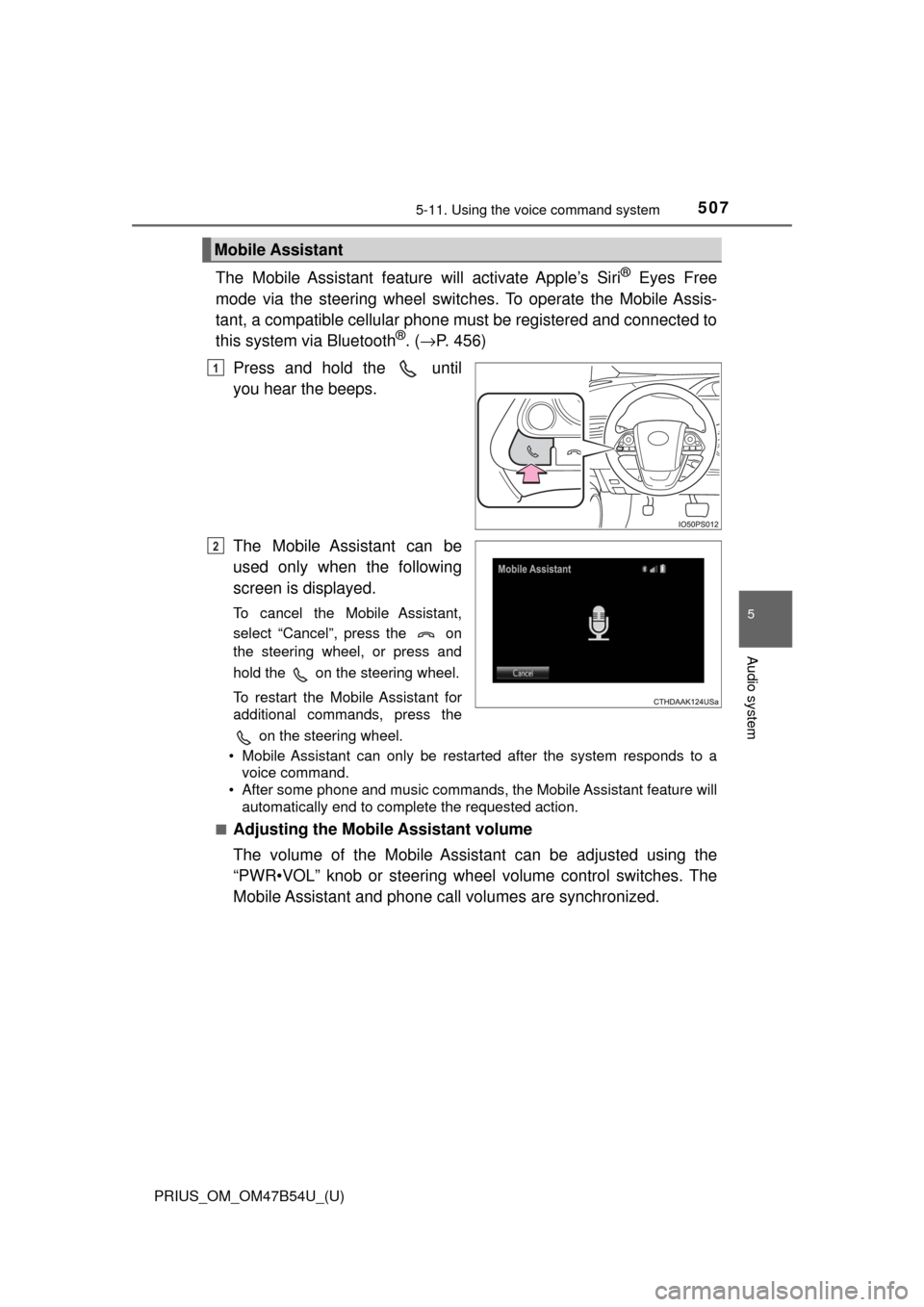
Press and hold the until
you hear the beeps.
The Mobile Assistant can be
used only when the following
screen is displayed.
To cancel the Mobile Assistant,
select “Cancel”, press the on
the steering wheel, or press and
hold the on the steering wheel.
To restart the Mobile Assistant for
additional commands, press the on the steering wheel.
• Mobile Assistant can only be restarted after the system responds to a voice command.
• After some phone and music commands, the Mobile Assistant feature will
automatically end to complete the requested action.
■
Adjusting the Mobile Assistant volume
The volume of the Mobile Assistant can be adjusted using the
“PWR•VOL” knob or steering wheel volume control switches. The
Mobile Assistant and phone call volumes are synchronized.
Mobile Assistant
1
2
Page 508 of 796

5085-11. Using the voice command system
PRIUS_OM_OM47B54U_(U)
■Notes about Mobile Assistant
●The available features and functions may vary based on the iOS version
installed on the connected device.
● Some Siri
® features are limited in Eyes Free mode. If you attempt to use an
unavailable function, Siri® will inform you that the function is not available.
● If Siri
® is not enabled on the cellular phone connected via Bluetooth®, an
error message will be displayed on the screen.
● While a phone call is active, the Mobile Assistant cannot be used.
● If using the navigation feature of the cellular phone, ensure the active audio
source is Bluetooth
® audio or iPod in order to hear turn by turn direction
prompts.
Page 561 of 796
PRIUS_OM_OM47B54U_(U)
5616-4. Using the other interior features
6
Interior features
■Safety Connect Services Information
●Phone calls using the vehicles Bluetooth® technology will not be possible
during Safety Connect.
● Safety Connect is available beginning Fall 2009 on select Toyota models.
Contact with the Safety Connect response center is dependent upon the
telematics device being in operative condition, cellular connection availabil-
ity, and GPS satellite signal reception, which can limit the ability to reach the
response center or receive emergency service support. Enrollment and
Telematics Subscription Service Agreement required. A variety of subscrip-
tion terms is available; charges vary by subscription term selected.
● Automatic Collision Notification, Emergency Assistance, Stolen Vehicle
Location, and Enhanced Roadside Assistance will function in the United
States, including Hawaii and Alaska, and in Canada. No Safety Connect
services will function outside of the United States in countries other than
Canada.
● Safety Connect services are not subject to section 255 of the Telecommuni-
cations Act and the device is not TTY compatible.
■ Languages
The Safety Connect response center will offer support in multiple languages.
The Safety Connect system will offer voice prompts in English and Spanish.
Please indicate your language of choice when enrolling.
■ When contacting th e response center
You may be unable to contact the response center if the network is busy.
When the power switch is turned to ON mode, the red indicator light
comes on for 2 seconds then turns off. Afterward, the green indicator
light comes on, indicating t hat the service is active.
The following indicator light pattern s indicate specific system usage
conditions:
● Green indicator light on = Active service
● Green indicator light flashing = Sa fety Connect call in process
● Red indicator light (except at vehicle start-up) = System malfunction
(contact your Toyota dealer)
● No indicator light (off) = Safety Connect service not active
Safety Connect LE D light Indicators
Page 779 of 796
779Alphabetical index
PRIUS_OM_OM47B54U_(U)
AntennaRadio .................................... 437
Smart key system ................. 176
Anti-lock brake system (ABS) ...................................... 402
Function ................................ 402
Warning light ......................... 654
Approach warning ................... 307
Armrest ..................................... 550
Assist grips .............................. 551
Audio input............................... 423
Audio system
(Entune Audio) ...................... 419 Antenna ................................ 437
Audio input ............................ 423
AUX port ............................... 454
Basic operations ................... 424
Bluetooth
® audio................... 466
CD player .............................. 438
iPod....................................... 444
MP3/WMA disc ..................... 438
Optimal use........................... 435
Portable music player ........... 423
Radio .................................... 436
Steering wheel audio switches.............................. 422
USB memory ........................ 449
Audio system (Entune Premium Audio with Navigation)
*
Automatic air conditioning system Air conditioning filter ............. 620
Automatic air conditioning system ......... ....................... 510
Climate control ...................... 514
Eco score (A/C score)........... 136
Fresh air intake system......... 514
Humidity sensor .................... 517
Settings screen ..................... 513
S-FLOW mode ...................... 512 Automatic door locking
and unlocking systems ........ 168
Automatic High Beam ............. 247
Automatic light control system.................................... 245
AUX port ................................... 423
Auxiliary boxes ........................ 530
Back door ................................. 171
Back-up lights Replacing light bulbs ............ 638
Wattage ................................ 732
Battery (12-volt battery)
Battery checking ................... 597
If the 12-volt battery is discharged.......................... 708
Preparing and checking before winter ...................... 412
Warning light......................... 653
Battery (traction battery) .......... 82
Blind Spot Monitor (BSM) ....... 320
Bluetooth
®............................... 497
Audio system .................. ...... 466
Hands-free system (for cellular phone) ............. 468
Registering/removing
a Bluetooth
® device ........... 460
Selecting a Bluetooth®
device ................................. 462
Wireless communication....... 455
B
*: Refer to the “NAVIGATION SYSTEM OWNER’S MANUAL”.
Page 780 of 796

780Alphabetical index
PRIUS_OM_OM47B54U_(U)
Bluetooth® audio ..................... 466
Bluetooth® phone .................... 468
Deleting the call history......... 488
Making a call ......................... 471
Managing the contacts.......... 484
Message function.................. 478
Phone settings ...................... 483
Receiving a call..................... 474
Speaking on the phone ......... 475
Bottle holders .......................... 528
Brake Fluid ...................................... 729
Parking brake........................ 241
Regenerative braking.............. 80
Warning light ......................... 653
Brake assist ............................. 402
Brake Override System ........... 209
Break-in tips ............................. 210
Brightness control Instrument cluster
light control ........................... 94
BSM (Blind Spot Monitor) ....... 320
Care Aluminum wheels.................. 567
Camera sensor ..................... 271
Exterior ................................. 566
Interior................................... 572
Radar sensor ........................ 270
Seat belts .............................. 574
Water-repellent coating......... 567
Cargo capacity ......................... 222
Catch protection function ....... 199
Cargo hooks............................. 532 CD player.................................. 438
Chains ...................................... 413
Child restraint system............... 58
Fixed with a LATCH system .......... ..................... ... 71
Fixed with a seat belt .............. 65
Front passenger occupant classification syst em ............ 50
Points to remember ................ 59
Riding with children ................ 57
Types of child restraint system installation
method ................................. 61
Using an anchor
bracket ................................. 74
Child safety ................................ 57 12-volt battery precautions ... 598
Airbag precautions.................. 39
Back door precautions .......... 173
Child restraint system ............. 58
How your child should
wear the seat belt ................. 31
Installing child restraints ......... 61
Moon roof precautions .......... 205
Power window lock switch .... 198
Power window precautions ... 200
Rear door child-protectors .... 168
Removed key battery
precautions......................... 629
Riding with children ................ 57
Seat belt extender
precautions........................... 35
Seat belt precautions .............. 70
Seat heater precautions ....... 521
C