AUX TOYOTA PRIUS 2018 Accessories, Audio & Navigation (in English)
[x] Cancel search | Manufacturer: TOYOTA, Model Year: 2018, Model line: PRIUS, Model: TOYOTA PRIUS 2018Pages: 294, PDF Size: 4.43 MB
Page 9 of 294
9
PRIUS_Navi_OM47C01U_(U)
17.08.28 17:43
1
2
3
4
5
6
7
8
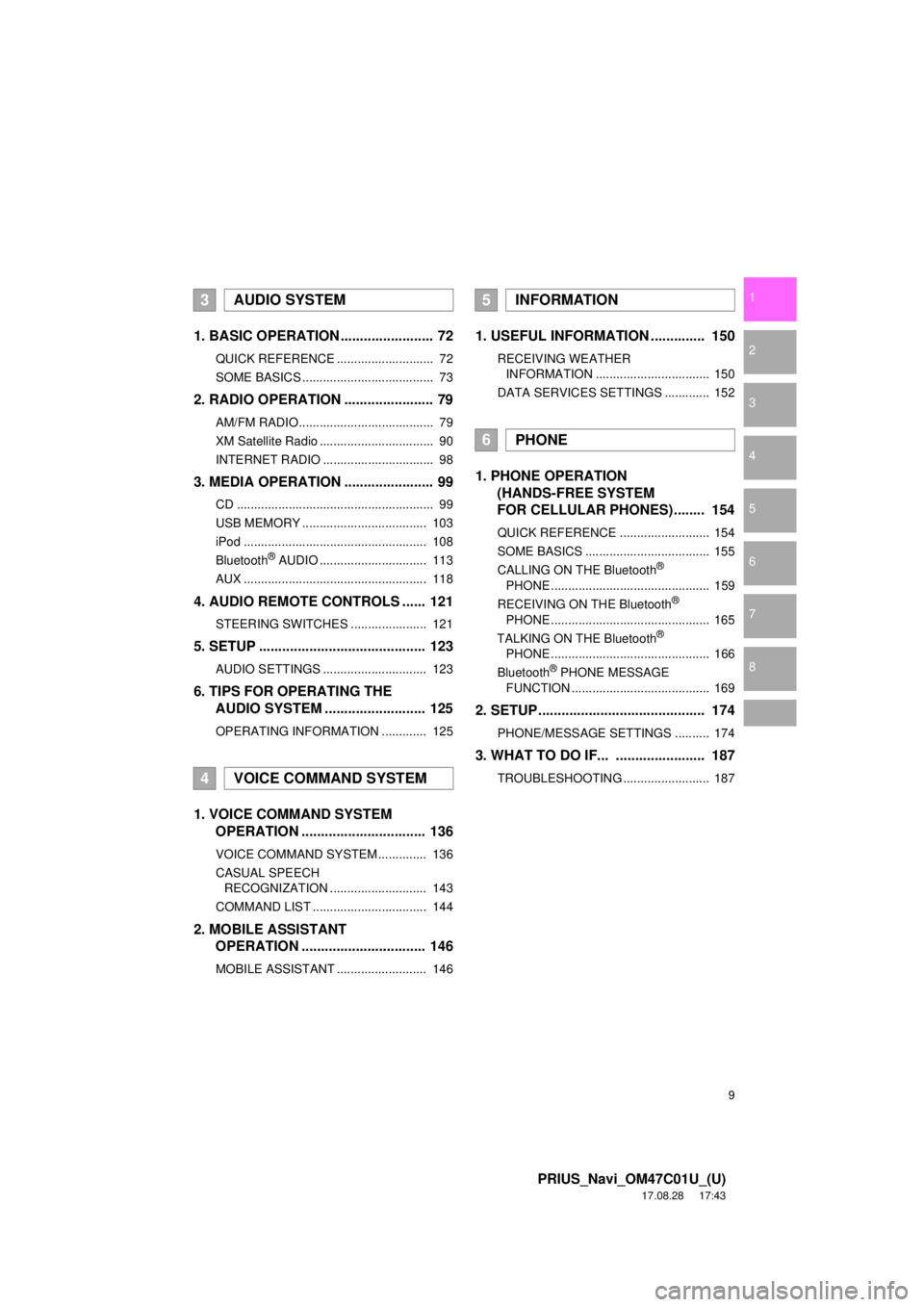
1. BASIC OPERATION ........................ 72
QUICK REFERENCE ............................ 72
SOME BASICS ...................................... 73
2. RADIO OPERATION ....................... 79
AM/FM RADIO....................................... 79
XM Satellite Radio ................................. 90
INTERNET RADIO ................................ 98
3. MEDIA OPERATION ....................... 99
CD ......................................................... 99
USB MEMORY .................................... 103
iPod ..................................................... 108
Bluetooth
® AUDIO ............................... 113
AUX ..................................................... 118
4. AUDIO REMOTE CONTROLS ...... 121
STEERING SWITCHES ...................... 121
5. SETUP ........................................... 123
AUDIO SETTINGS .............................. 123
6. TIPS FOR OPERATING THE AUDIO SYSTEM ........ .................. 125
OPERATING INFORMATION ............. 125
1. VOICE COMMAND SYSTEM
OPERATION ................................ 136
VOICE COMMAND SYSTEM .............. 136
CASUAL SPEECH
RECOGNIZATION ............................ 143
COMMAND LIST ................................. 144
2. MOBILE ASSISTANT OPERATION ................................ 146
MOBILE ASSISTANT .......................... 146
1. USEFUL INFORMATION .............. 150
RECEIVING WEATHER
INFORMATION ................................. 150
DATA SERVICES SETTINGS ............. 152
1. PHONE OPERATION (HANDS-FREE SYSTEM
FOR CELLULAR PHONES)........ 154
QUICK REFERENCE .......................... 154
SOME BASICS .................................... 155
CALLING ON THE Bluetooth
®
PHONE .............................................. 159
RECEIVING ON THE Bluetooth
®
PHONE .............................................. 165
TALKING ON THE Bluetooth
®
PHONE .............................................. 166
Bluetooth
® PHONE MESSAGE
FUNCTION ........................................ 169
2. SETUP........................................... 174
PHONE/MESSAGE SETTINGS .......... 174
3. WHAT TO DO IF... ....................... 187
TROUBLESHOOTING ......................... 187
3AUDIO SYSTEM
4VOICE COMMAND SYSTEM
5INFORMATION
6PHONE
Page 49 of 294

49
2. Bluetooth® SETTINGS
PRIUS_Navi_OM47C01U_(U)
17.09.11 13:53
BASIC FUNCTION
2
Canada
NOTE:
This device complies with Industry
Canada licence-exempt RSS
standard(s). Operation is subject to the
following two conditions: (1) this device
may not cause interference, and (2) this
device must accept any interference,
including interference that may cause
undesired operation of the device.
Le présent appareil est conforme aux
CNR d’Industrie Canada applicables
aux appareils radio exempts de licence.
L’exploitation est autorisée aux deux
conditions suivantes: (1) l’appareil ne
doit pas produire de brouillage, et (2)
l’utilisateur de l’appareil doit accepter
tout brouillage radioélectrique subi,
même si le brouillage est susceptible
d’en compromettre le fonctionnement.
This radio transmitter (identify the
device by certification number, or model
number if Category II) has been
approved by Industry Canada to
operate with the antenna types listed
below with the maximum permissible
gain and required antenna impedance
for each antenna type indicated.
Antenna types not included in this list,
having a gain greater than the maximum
gain indicated for that type, are strictly
prohibited for use with this device.
Le présent émetteur radio (identifier le
dispositif par son numéro de
certification ou son numéro de modèle
s’il fait partie du matériel de catégorie II)
a été approuvé par Industrie Canada
pour fonctionner avec les types
d’antenne énumérés ci-dessous et
ayant un gain admissible maximal et
l’impédance requise pour chaque type
d’antenne. Les types d’antenne non
inclus dans cette liste, ou dont le gain
est supérieur au gain maximal indiqué,
sont strictement interdits pour
l’exploitation de l’émetteur.
CAUTION:
This equipment complies with IC radiation
exposure limits set forth for an
uncontrolled environment and meets RSS-
102 of the IC radio frequency (RF)
Exposure rules. This equipment has very
low levels of RF energy that is deemed to
comply without maximum permissive
exposure evaluation (MPE).
Cet équipement est conforme aux limites
d’exposition aux rayonnements énoncées
pour un environnement non contrôlé et
respecte les règles d’exposition aux
fréquences radioélectriques (RF) CNR-
102 de l’IC. Cet équipement émet une
énergie RF très faible qui est considérée
comme conforme sans évaluation de
l’exposition maximale autorisée (MPE).
Page 70 of 294
70
PRIUS_Navi_OM47C01U_(U)
17.08.28 17:48
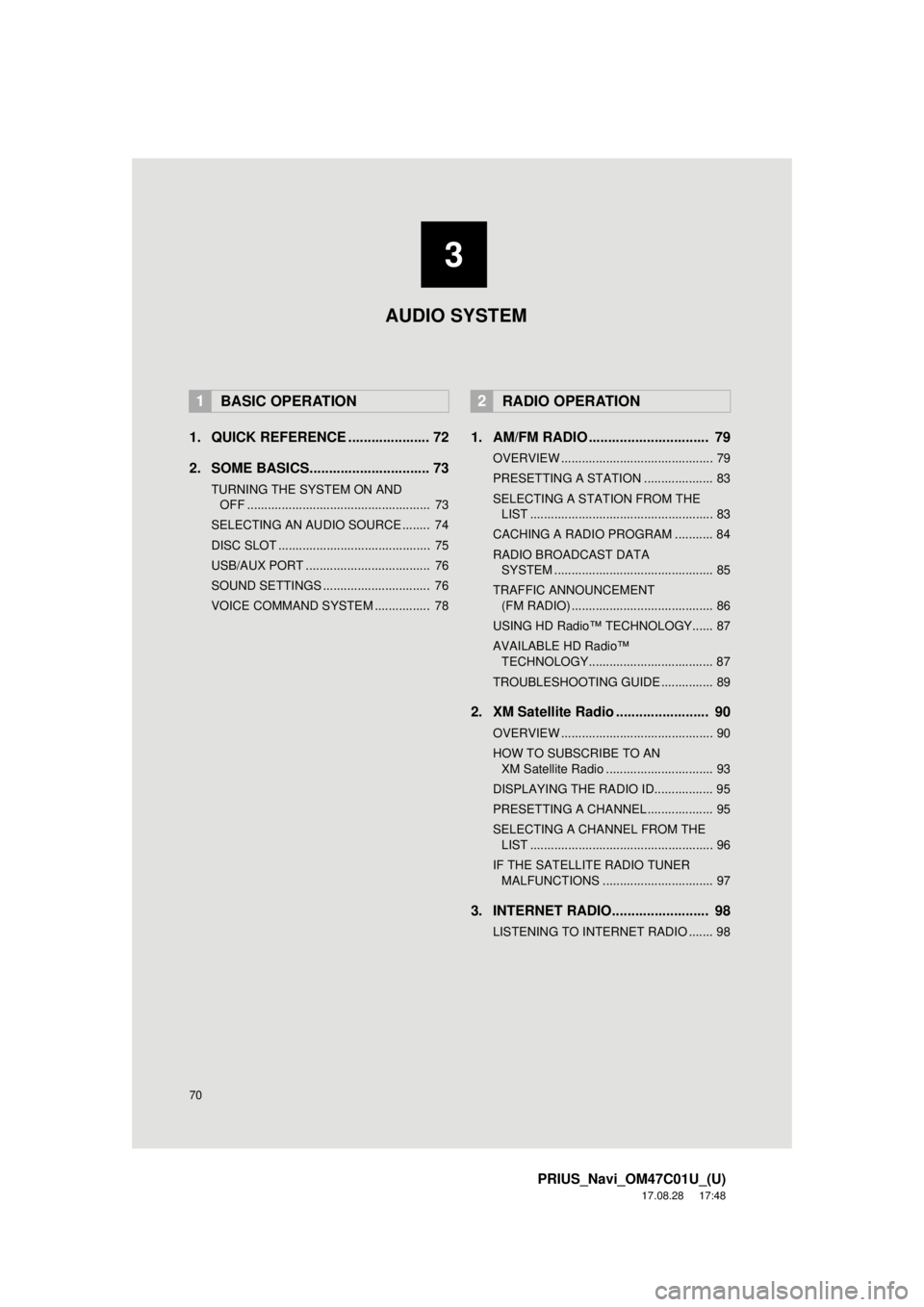
1. QUICK REFERENCE ..................... 72
2. SOME BASICS............................... 73
TURNING THE SYSTEM ON AND OFF ..................................................... 73
SELECTING AN AUDIO SOURCE ........ 74
DISC SLOT ............................................ 75
USB/AUX PORT .................................... 76
SOUND SETTINGS ............................... 76
VOICE COMMAND SYSTEM ................ 78
1. AM/FM RADIO ............................... 79
OVERVIEW ............................................ 79
PRESETTING A STATION .................... 83
SELECTING A STATION FROM THE LIST ..................................................... 83
CACHING A RADIO PROGRAM ........... 84
RADIO BROADCAST DATA SYSTEM .............................................. 85
TRAFFIC ANNOUNCEMENT (FM RADIO) ......................................... 86
USING HD Radio™ TECHNOLOGY...... 87
AVAILABLE HD Radio™ TECHNOLOGY.................................... 87
TROUBLESHOOTING GUIDE ............... 89
2. XM Satellite Radio ........................ 90
OVERVIEW ............................................ 90
HOW TO SUBSCRIBE TO AN XM Satellite Radio ............................... 93
DISPLAYING THE RADIO ID................. 95
PRESETTING A CHANNEL ................... 95
SELECTING A CHANNEL FROM THE LIST ..................................................... 96
IF THE SATELLITE RADIO TUNER MALFUNCTIONS ................................ 97
3. INTERNET RADIO......................... 98
LISTENING TO INTERNET RADIO ....... 98
1BASIC OPERATION2RADIO OPERATION
3
AUDIO SYSTEM
Page 71 of 294
3
71
PRIUS_Navi_OM47C01U_(U)
17.08.28 17:48
1
2
3
4
5
6
7
8
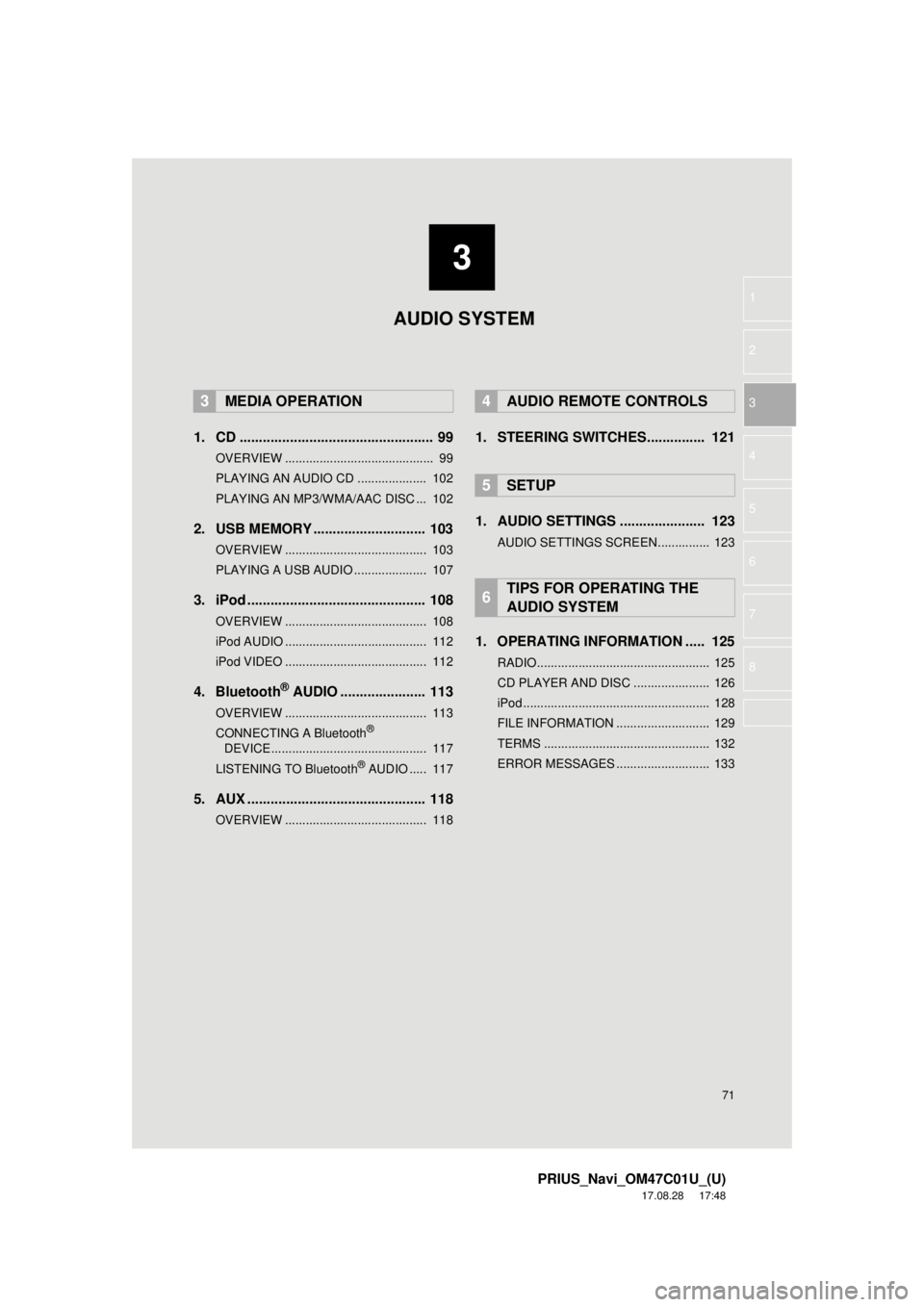
1. CD .................................................. 99
OVERVIEW ........................................... 99
PLAYING AN AUDIO CD .................... 102
PLAYING AN MP3/WMA/AAC DISC ... 102
2. USB MEMORY ............................. 103
OVERVIEW ......................................... 103
PLAYING A USB AUDIO ..................... 107
3. iPod .............................................. 108
OVERVIEW ......................................... 108
iPod AUDIO ......................................... 112
iPod VIDEO ......................................... 112
4. Bluetooth® AUDIO ...................... 113
OVERVIEW ......................................... 113
CONNECTING A Bluetooth®
DEVICE ............................................. 117
LISTENING TO Bluetooth
® AUDIO ..... 117
5. AUX .............................................. 118
OVERVIEW ......................................... 118
1. STEERING SWITCHES............... 121
1. AUDIO SETTINGS ...................... 123
AUDIO SETTINGS SCREEN............... 123
1. OPERATING INFORMATION ..... 125
RADIO.................................................. 125
CD PLAYER AND DISC ...................... 126
iPod ...................................................... 128
FILE INFORMATION ........................... 129
TERMS ................................................ 132
ERROR MESSAGES ........................... 133
3MEDIA OPERATION4AUDIO REMOTE CONTROLS
5SETUP
6TIPS FOR OPERATING THE
AUDIO SYSTEM
AUDIO SYSTEM
Page 72 of 294
72
PRIUS_Navi_OM47C01U_(U)
17.08.28 17:21
1. BASIC OPERATION
1. QUICK REFERENCE
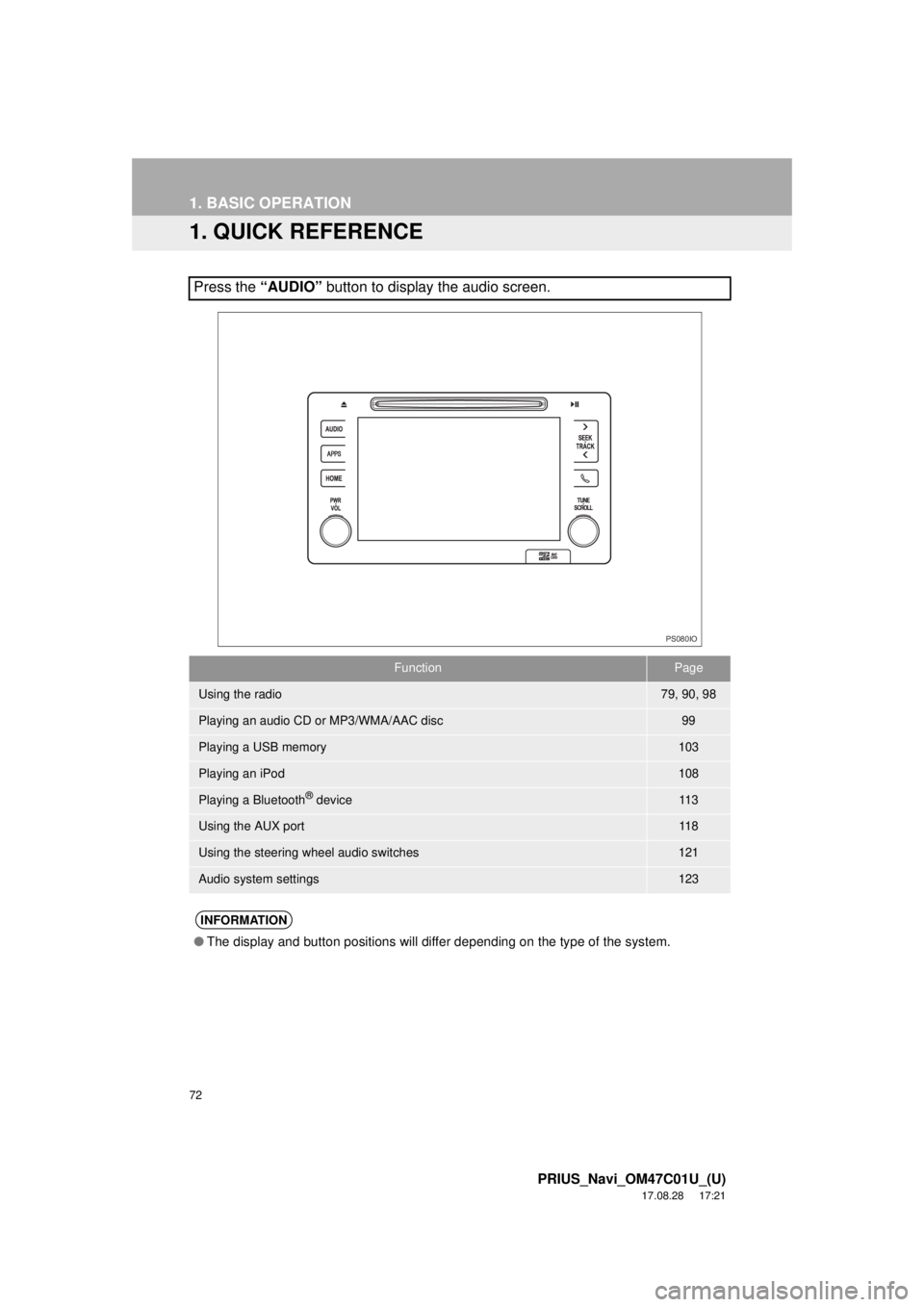
Press the “AUDIO” button to display the audio screen.
FunctionPage
Using the radio79, 90, 98
Playing an audio CD or MP3/WMA/AAC disc99
Playing a USB memory103
Playing an iPod108
Playing a Bluetooth® device11 3
Using the AUX port11 8
Using the steering wheel audio switches121
Audio system settings123
INFORMATION
●The display and button positions will differ depending on the type of the system.
PS080IO
Page 76 of 294
76
1. BASIC OPERATION
PRIUS_Navi_OM47C01U_(U)
17.08.28 17:21
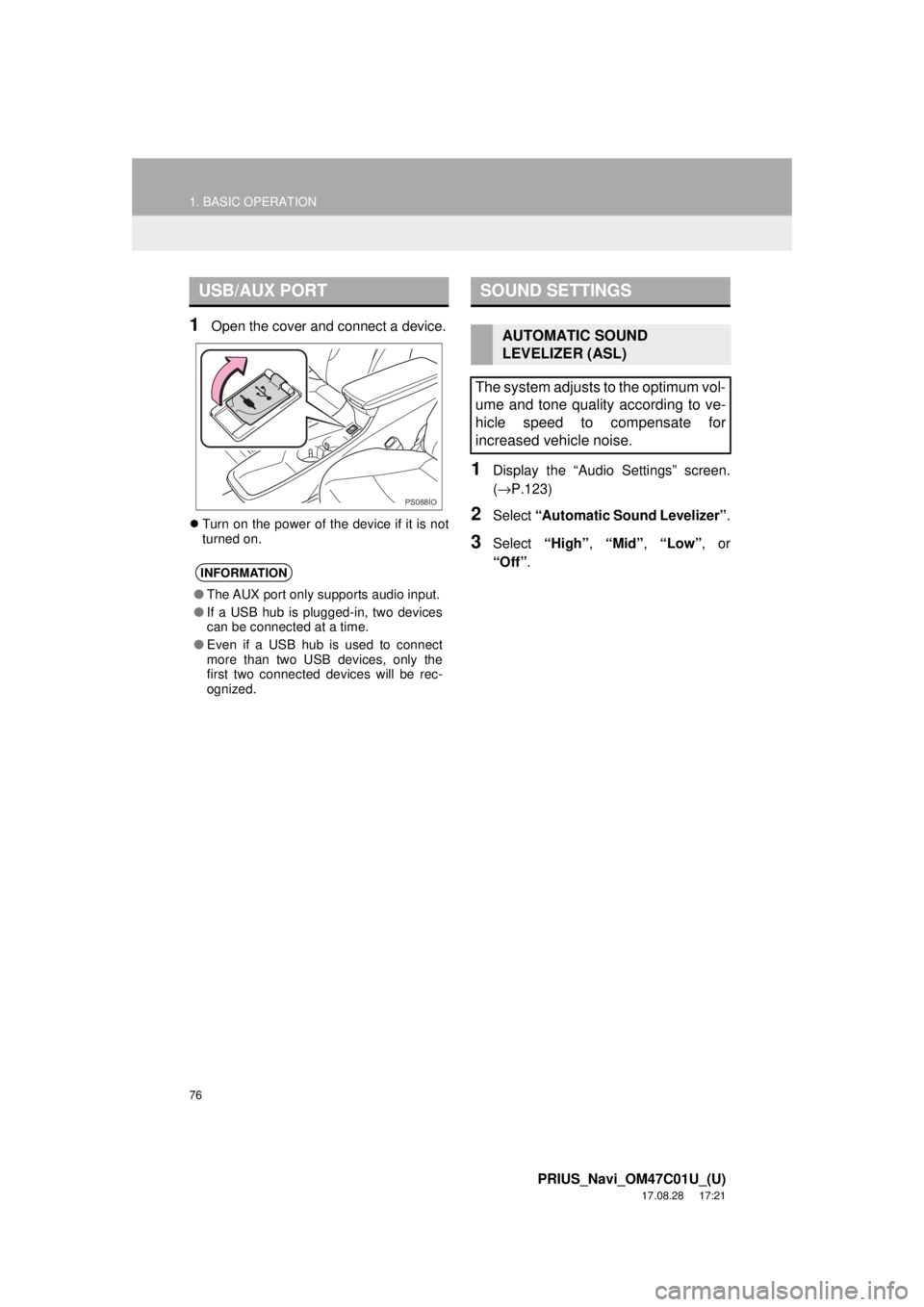
1Open the cover and connect a device.
Turn on the power of the device if it is not
turned on.
1Display the “Audio Settings” screen.
(→ P.123)
2Select “Automatic Sound Levelizer” .
3Select “High”, “Mid” , “Low” , or
“Off” .
USB/AUX PORT
INFORMATION
●The AUX port only supports audio input.
● If a USB hub is plugged-in, two devices
can be connected at a time.
● Even if a USB hub is used to connect
more than two USB devices, only the
first two connected devices will be rec-
ognized.
PS088IO
SOUND SETTINGS
AUTOMATIC SOUND
LEVELIZER (ASL)
The system adjusts to the optimum vol-
ume and tone quality according to ve-
hicle speed to compensate for
increased vehicle noise.
Page 118 of 294
118
3. MEDIA OPERATION
PRIUS_Navi_OM47C01U_(U)
17.08.28 17:21
5. AUX
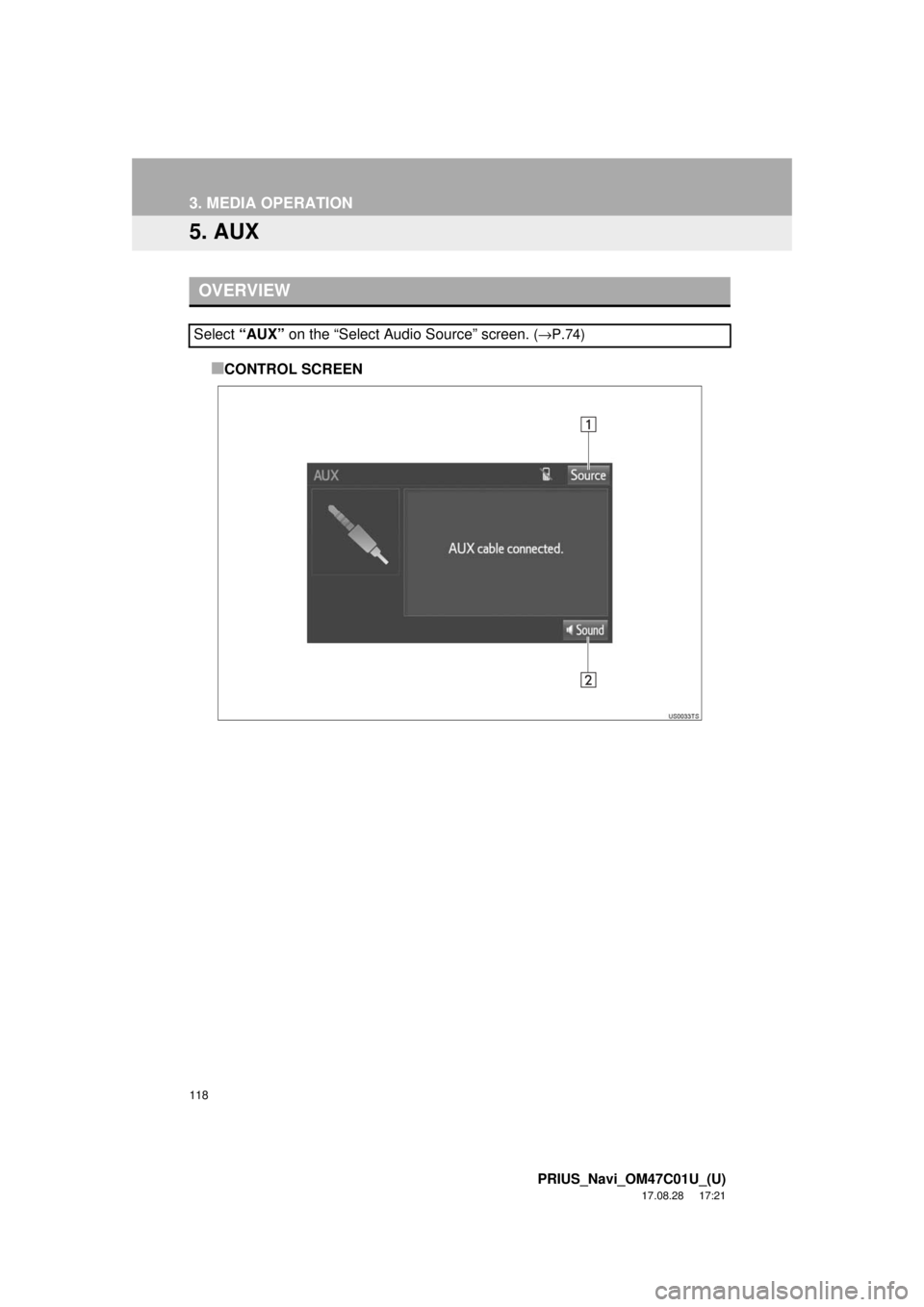
■CONTROL SCREEN
OVERVIEW
Select “AUX” on the “Select Audio Source” screen. (→P.74)
Page 121 of 294
121
PRIUS_Navi_OM47C01U_(U)
17.08.28 17:21
AUDIO SYSTEM
3
4. AUDIO REMOTE CONTROLS
1. STEERING SWITCHES
“MODE” switch
Volume control switch
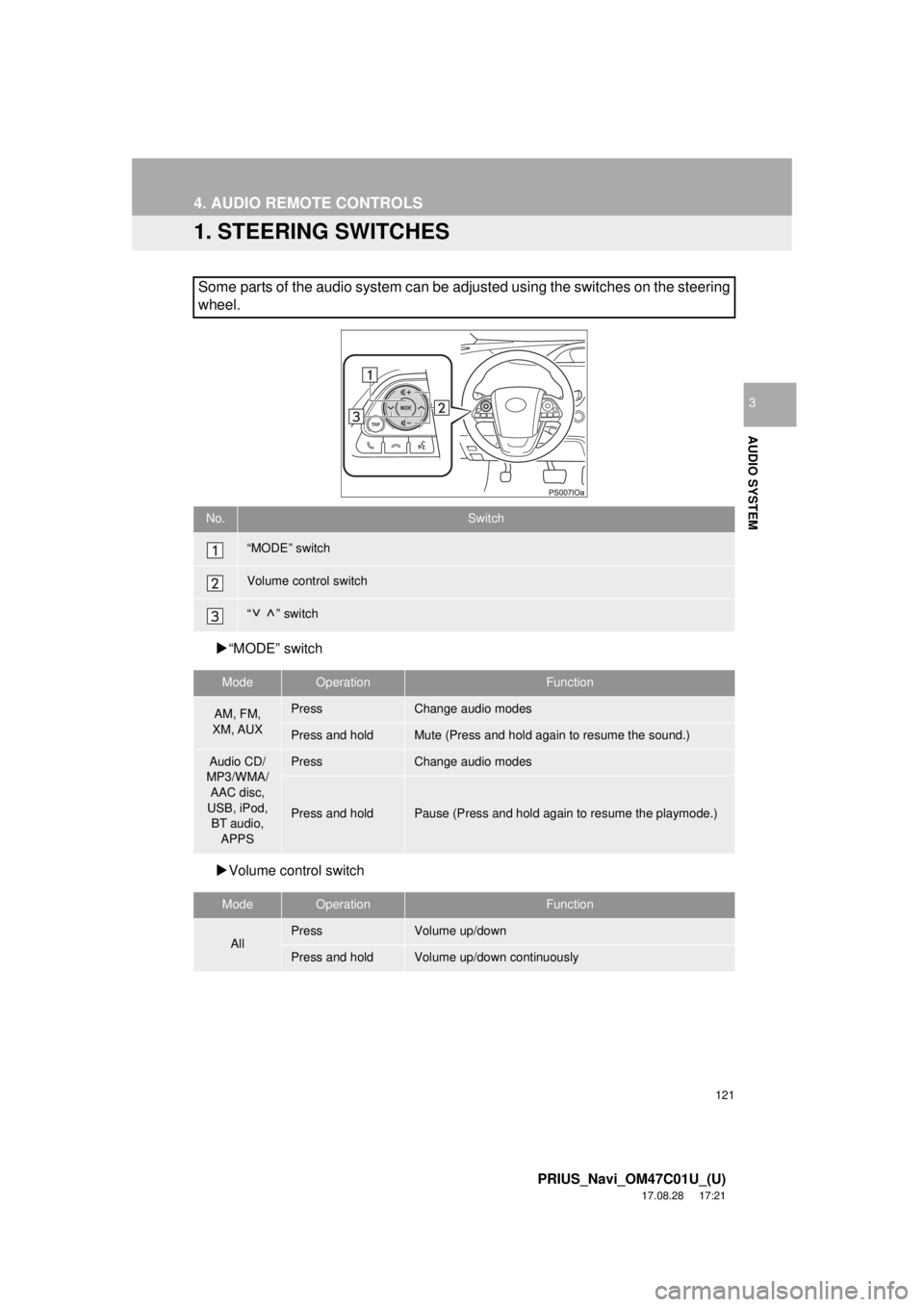
Some parts of the audio system can be adjusted using the switches on the steering
wheel.
No.Switch
“MODE” switch
Volume control switch
“” switch
ModeOperationFunction
AM, FM,
XM, AUXPressChange audio modes
Press and holdMute (Press and hold again to resume the sound.)
Audio CD/
MP3/WMA/
AAC disc,
USB, iPod, BT audio,
APPSPressChange audio modes
Press and holdPause (Press and hold again to resume the playmode.)
ModeOperationFunction
AllPressVolume up/down
Press and holdVolume up/down continuously
Page 280 of 294

280
ALPHABETICAL INDEX
PRIUS_Navi_OM47C01U_(U)
17.08.28 18:01
A
AM/FM radio ............................................. 79Available HD radio™ technology........... 87
Caching a radio program ....................... 84
Overview ............................................... 79
Presetting a station................................ 83
Radio broadcast data system ................ 85
Selecting a station from the list ............. 83
Traffic announcement (FM radio) .......... 86
Troubleshooting guide ........................... 89
Using HD radio™ technology ................ 87
“Apps” screen............................................ 14
Audio remote controls ............................. 121
Audio settings ......................................... 123 Audio settings screen .......................... 123
Audio system ....... ..................................... 71
AUX......................................................... 118 Overview ............................................. 118
B
Basic function...................................... 12, 31
Basic information before operation ........... 32
Basic operation ................................. 72, 196
Bluetooth
® audio ..................................... 113
Connecting a Bluetooth® device ......... 117
Listening to Bluetooth® audio .............. 117
Overview ............................................. 113
Bluetooth
® phone message function ...... 169
Calling the message sender ................ 173
Checking messages ............................ 171
Message inbox screen ........................ 169
Receiving a message .......................... 170
Replying to a message (Quick reply) .................................... 172
Bluetooth
® settings ................................... 44
C
Calling on the Bluetooth® phone .............159
By call history ......................................160
By contacts list.....................................161
By dial pad ...........................................163
By favorites list ....................................160
By “Home” screen................................164
By off hook switch................................163
Capacitive touch switches .........................34
Casual speech recognization ..................143
CD .............................................................99 Overview................................................99
Playing an audio CD ............................102
Playing an MP3/WMA/AAC disc ..........102
Command list ..........................................144
Controls overview......................................12
D
Data services settings .............................152 Setting download methods ..................152
Destination search ..................................212
Destination search screen.......................212
Detailed navigation settings ....................248 Screens for navigation settings ...........248
Driver settings ...........................................65 Manually select linked settings ..............65
ALPHABETICAL INDEX
Page 284 of 294
284
ALPHABETICAL INDEX
PRIUS_Navi_OM47C01U_(U)
17.08.28 18:01
Some basics ..................................... 73, 155About the contacts in the contact list ........................................ 158
Disc slot ................................................. 75
Registering/connecting a Bluetooth
®
phone ............................................... 155
Selecting an audio source ..................... 74
Sound settings....................................... 76
Turning the system on and off ............... 73
USB/AUX port ....................................... 76
Using the phone switch/ microphone ...................................... 156
Voice command system ................ 78, 157
When selling or disposing of the vehicle.............................................. 158
Starting route guidance ........................... 224 Pausing guidance ................................ 227
Starting route guidance ....................... 224
Steering switches .................................... 121
T
Talking on the Bluetooth® phone ............ 166
Incoming call waiting ........................... 168
Tips for operating the audio system ........ 125
Tips for the navigation system ................ 259
Touch screen gestures ............................. 35
Touch screen operation ............................ 36
Traffic information ................................... 209 Displaying traffic information on the map .................................................. 211
Traffic settings......................................... 252 Auto avoid traffic.................................. 253
My traffic routes ................................... 254
Screen for traffic settings..................... 252
Troubleshooting ...................................... 187
Typical voice guidance prompts.............. 233
U
USB memory ...........................................103 Overview..............................................103
Playing a USB audio............................107
Useful information ...................................150
V
Voice command system ... ...............135, 136
Using the voice command system .......136
Voice command system operation ......137
Voice command system operation ..........136
Voice settings ............................................64 Voice settings screen ............................64
W
What to do if... ........................................187
X
XM Satellite Radio.....................................90Displaying the radio ID ..........................95
How to subscribe to an XM Satellite Radio..................................................93
If the satellite radio tuner malfunctions .......................................97
Overview................................................90
Presetting a channel ..............................95
Selecting a channel from the list............96