open TOYOTA PRIUS 2018 Accessories, Audio & Navigation (in English)
[x] Cancel search | Manufacturer: TOYOTA, Model Year: 2018, Model line: PRIUS, Model: TOYOTA PRIUS 2018Pages: 294, PDF Size: 4.43 MB
Page 61 of 294
61
3. OTHER SETTINGS
PRIUS_Navi_OM47C01U_(U)
17.08.28 17:21
BASIC FUNCTION
2
■TRANSFERRING IMAGES
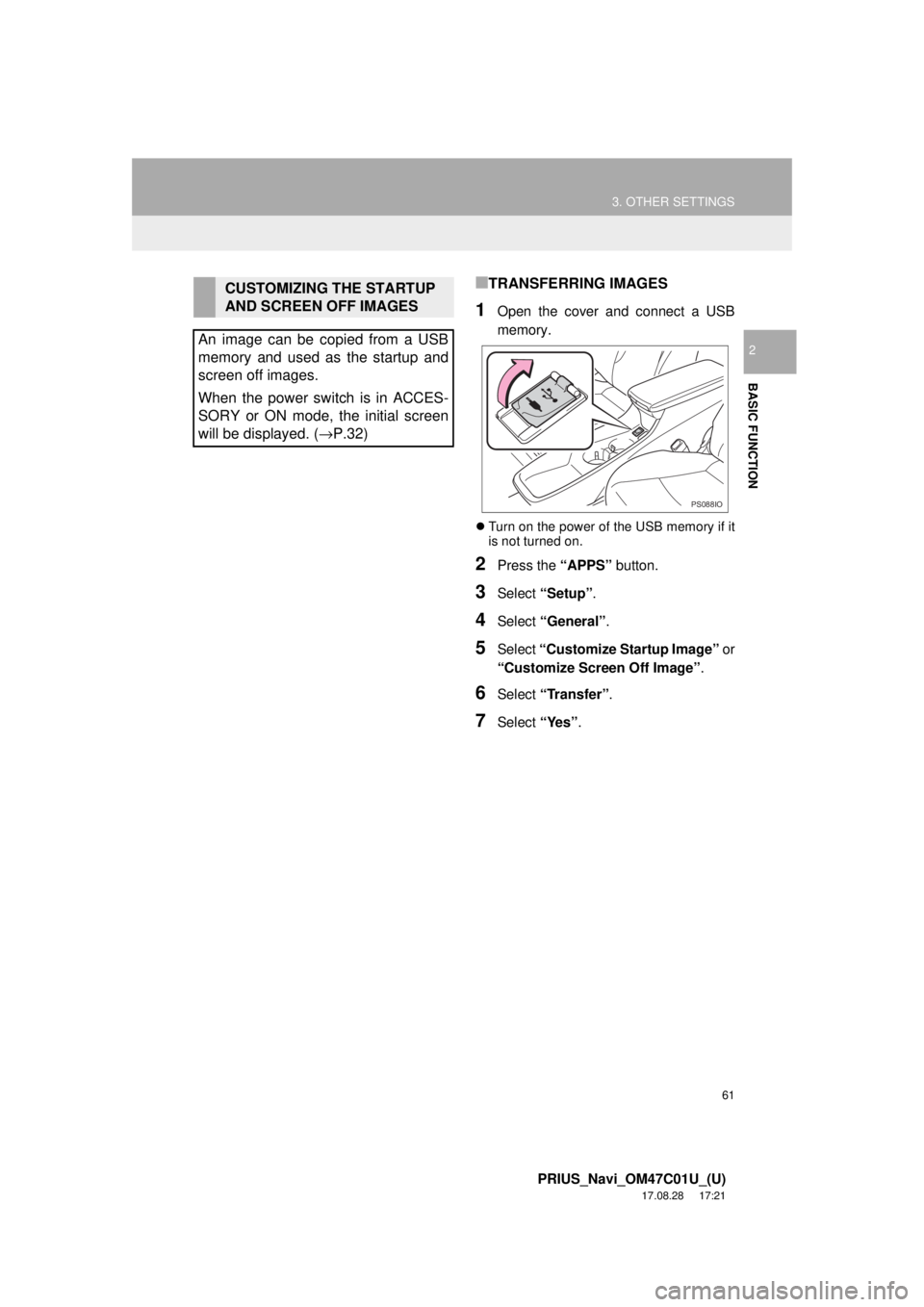
1Open the cover and connect a USB
memory.
Turn on the power of the USB memory if it
is not turned on.
2Press the “APPS” button.
3Select “Setup” .
4Select “General” .
5Select “Customize Startup Image” or
“Customize Screen Off Image” .
6Select “Transfer”.
7Select “Yes”.
CUSTOMIZING THE STARTUP
AND SCREEN OFF IMAGES
An image can be copied from a USB
memory and used as the startup and
screen off images.
When the power switch is in ACCES-
SORY or ON mode, the initial screen
will be displayed. ( →P.32)
PS088IO
Page 73 of 294
73
1. BASIC OPERATION
PRIUS_Navi_OM47C01U_(U)
17.08.28 17:21
AUDIO SYSTEM
3
2. SOME BASICS
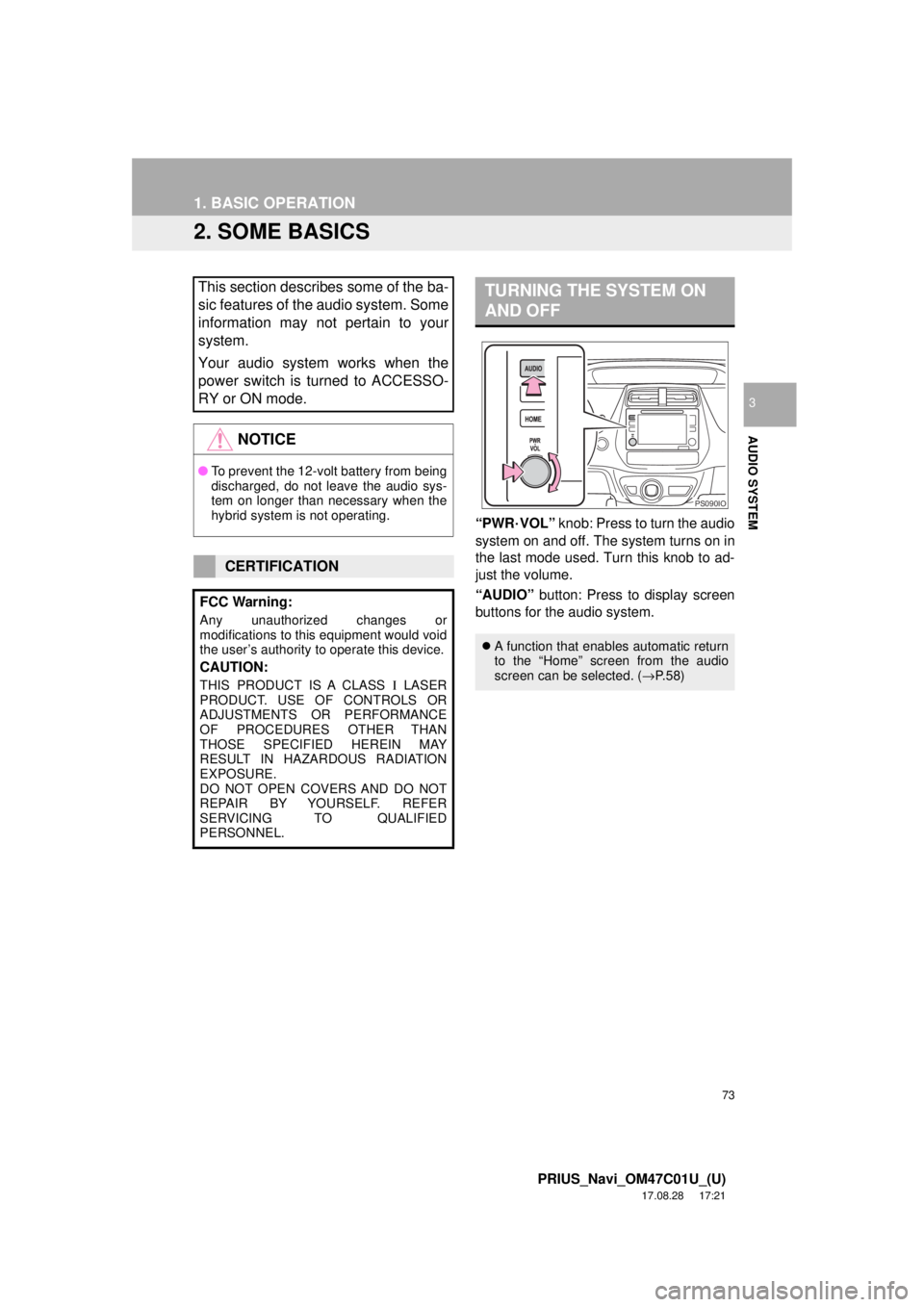
“PWR·VOL” knob: Press to turn the audio
system on and off. The system turns on in
the last mode used. Turn this knob to ad-
just the volume.
“AUDIO” button: Press to display screen
buttons for the audio system.
This section describes some of the ba-
sic features of the audio system. Some
information may not pertain to your
system.
Your audio system works when the
power switch is turned to ACCESSO-
RY or ON mode.
NOTICE
● To prevent the 12-volt battery from being
discharged, do not leave the audio sys-
tem on longer than necessary when the
hybrid system is not operating.
CERTIFICATION
FCC Warning:
Any unauthorized changes or
modifications to this equipment would void
the user’s authority to operate this device.
CAUTION:
THIS PRODUCT IS A CLASS Ι LASER
PRODUCT. USE OF CONTROLS OR
ADJUSTMENTS OR PERFORMANCE
OF PROCEDURES OTHER THAN
THOSE SPECIFIED HEREIN MAY
RESULT IN HAZARDOUS RADIATION
EXPOSURE.
DO NOT OPEN COVERS AND DO NOT
REPAIR BY YOURSELF. REFER
SERVICING TO QUALIFIED
PERSONNEL.
TURNING THE SYSTEM ON
AND OFF
A function that enables automatic return
to the “Home” screen from the audio
screen can be selected. ( →P.58)
PS090IO
Page 76 of 294
76
1. BASIC OPERATION
PRIUS_Navi_OM47C01U_(U)
17.08.28 17:21
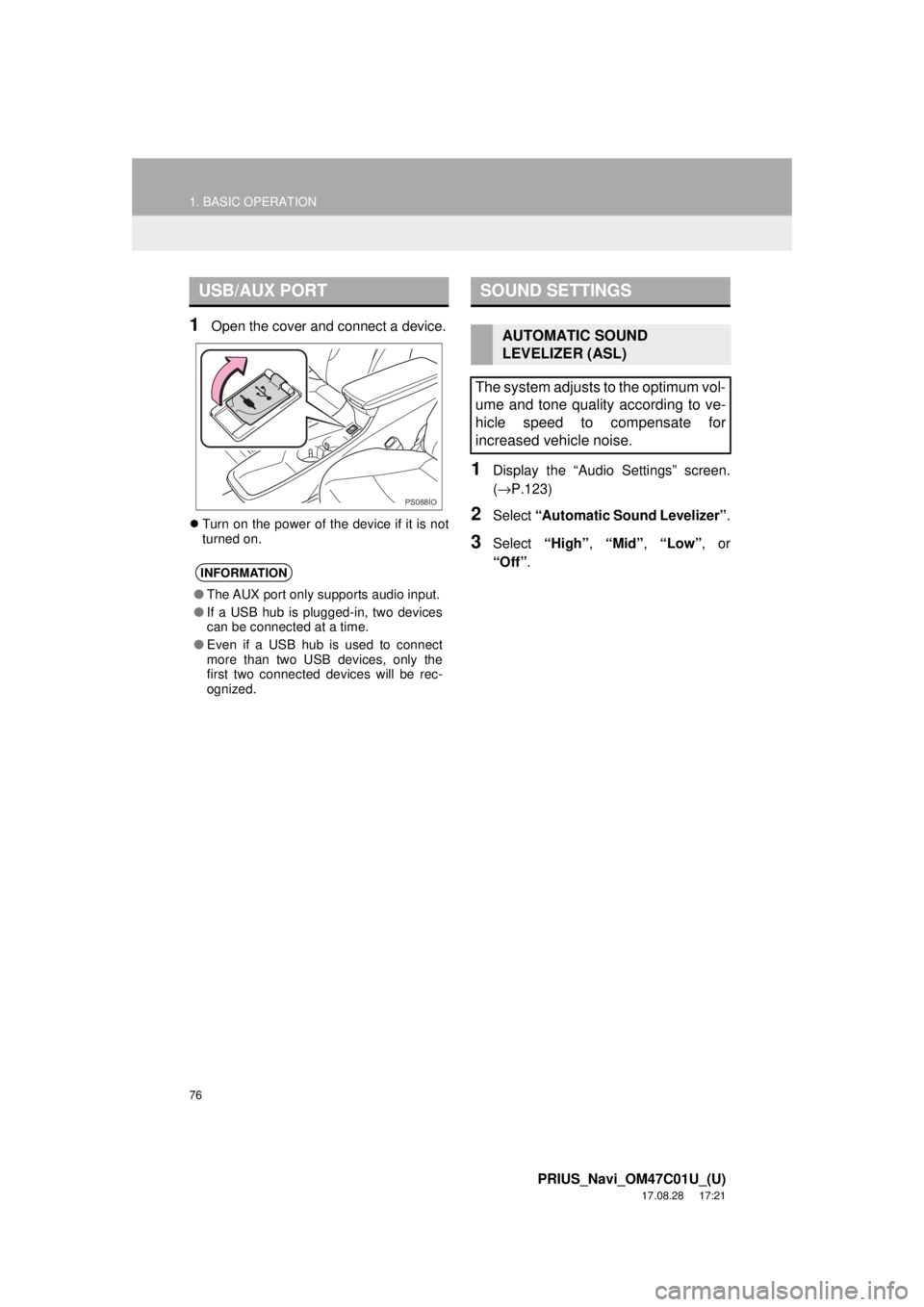
1Open the cover and connect a device.
Turn on the power of the device if it is not
turned on.
1Display the “Audio Settings” screen.
(→ P.123)
2Select “Automatic Sound Levelizer” .
3Select “High”, “Mid” , “Low” , or
“Off” .
USB/AUX PORT
INFORMATION
●The AUX port only supports audio input.
● If a USB hub is plugged-in, two devices
can be connected at a time.
● Even if a USB hub is used to connect
more than two USB devices, only the
first two connected devices will be rec-
ognized.
PS088IO
SOUND SETTINGS
AUTOMATIC SOUND
LEVELIZER (ASL)
The system adjusts to the optimum vol-
ume and tone quality according to ve-
hicle speed to compensate for
increased vehicle noise.
Page 137 of 294
137
1. VOICE COMMAND SYSTEM OPERATION
PRIUS_Navi_OM47C01U_(U)
17.08.28 17:21
VOICE COMMAND SYSTEM
4
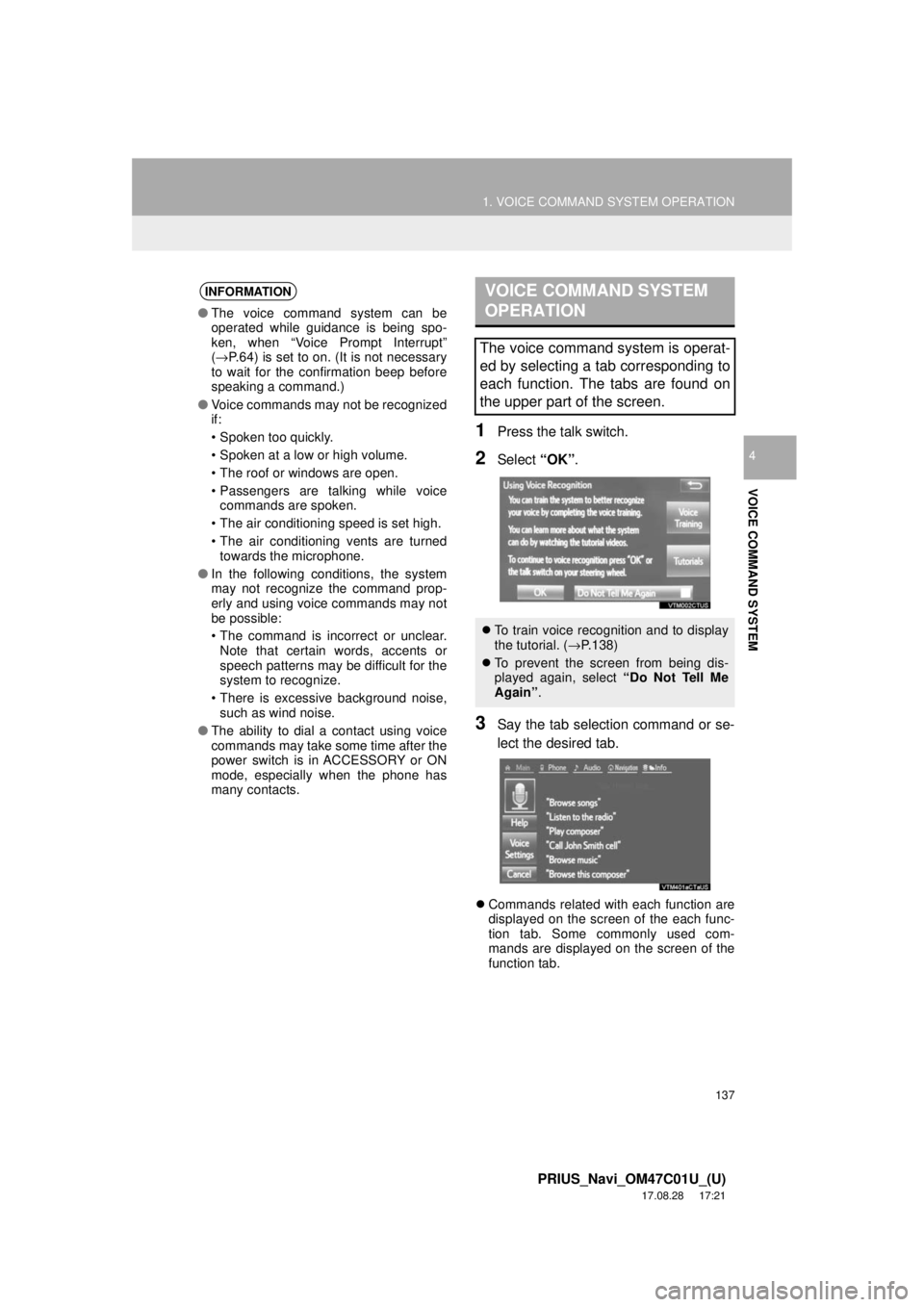
1Press the talk switch.
2Select “OK”.
3Say the tab selection command or se-
lect the desired tab.
Commands related with each function are
displayed on the screen of the each func-
tion tab. Some commonly used com-
mands are displayed on the screen of the
function tab.
INFORMATION
● The voice command system can be
operated while guidance is being spo-
ken, when “Voice Prompt Interrupt”
(→ P.64) is set to on. (It is not necessary
to wait for the confirmation beep before
speaking a command.)
● Voice commands may not be recognized
if:
• Spoken too quickly.
• Spoken at a low or high volume.
• The roof or windows are open.
• Passengers are talking while voice
commands are spoken.
• The air conditioning speed is set high.
• The air conditioning vents are turned towards the microphone.
● In the following conditions, the system
may not recognize the command prop-
erly and using voice commands may not
be possible:
• The command is incorrect or unclear.
Note that certain words, accents or
speech patterns may be difficult for the
system to recognize.
• There is excessive background noise, such as wind noise.
● The ability to dial a contact using voice
commands may take some time after the
power switch is in ACCESSORY or ON
mode, especially when the phone has
many contacts.
VOICE COMMAND SYSTEM
OPERATION
The voice command system is operat-
ed by selecting a tab corresponding to
each function. The tabs are found on
the upper part of the screen.
To train voice recognition and to display
the tutorial. (→ P.138)
To prevent the screen from being dis-
played again, select “Do Not Tell Me
Again” .
Page 147 of 294
147
2. MOBILE ASSISTANT OPERATION
PRIUS_Navi_OM47C01U_(U)
17.08.28 17:21
VOICE COMMAND SYSTEM
4
MICROPHONE
It is not necessary to speak directly into
the microphone when using the Mobile
Assistant. (Microphone location:
→P.136)
INFORMATION
● Wait for the listening beeps before using
the Mobile Assistant.
● The Mobile Assistant may not recognize
commands in the following situations:
• Spoken too quickly.
• Spoken at a low or high volume.
• The roof or windows are open.
• Passengers are talking while the
Mobile Assistant is being used.
• The air conditioning speed is set high.
• The air conditioning vents are turned toward the microphone.
Page 157 of 294
157
1. PHONE OPERATION (HANDS-FREE SYSTEM FOR CELLULAR PHONES)
PRIUS_Navi_OM47C01U_(U)
17.08.28 17:21
PHONE
6
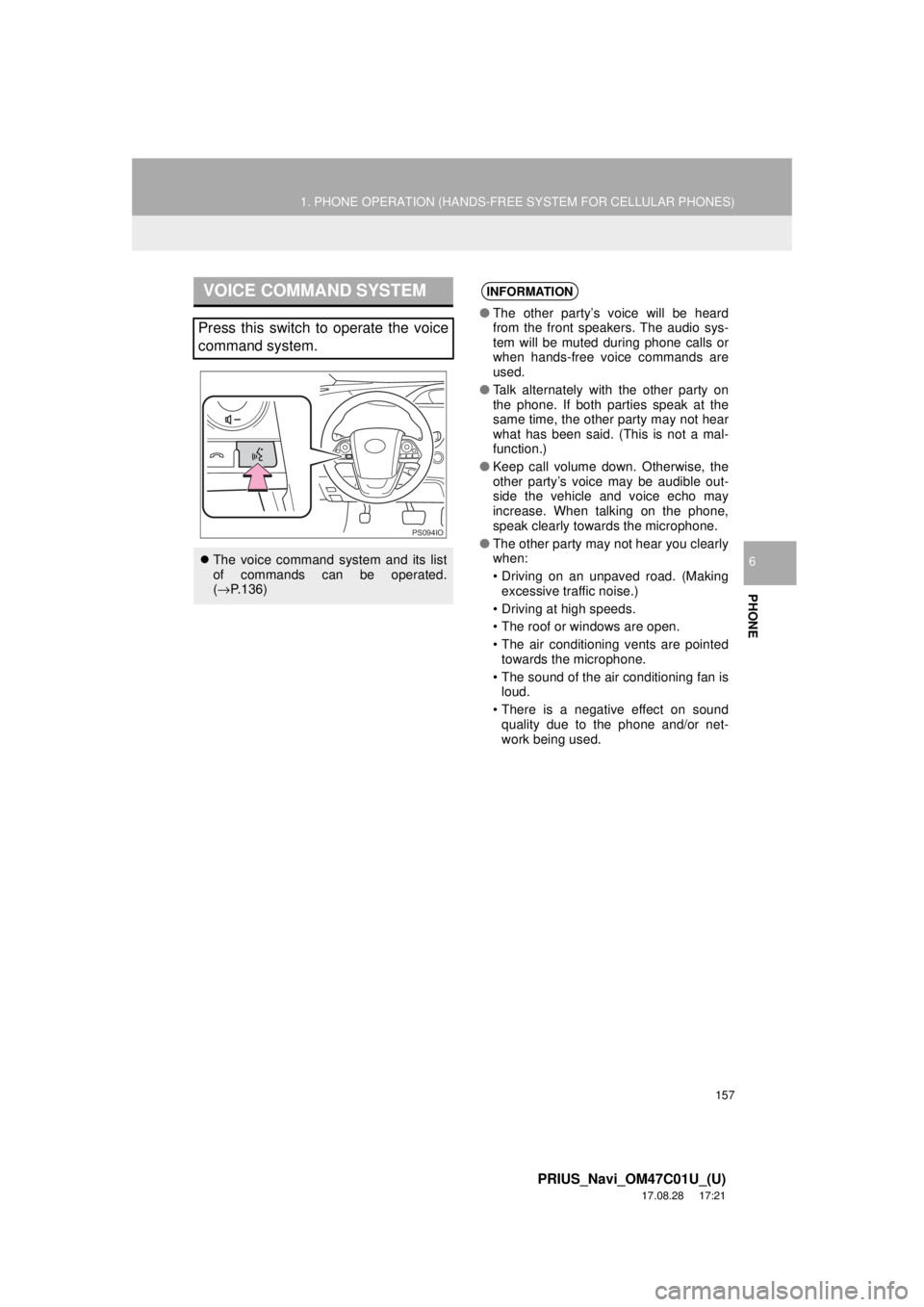
VOICE COMMAND SYSTEM
Press this switch to operate the voice
command system.
The voice command system and its list
of commands can be operated.
(→ P.136)
PS094IO
INFORMATION
● The other party’s voice will be heard
from the front speakers. The audio sys-
tem will be muted during phone calls or
when hands-free voice commands are
used.
● Talk alternately with the other party on
the phone. If both parties speak at the
same time, the other party may not hear
what has been said. (This is not a mal-
function.)
● Keep call volume down. Otherwise, the
other party’s voice may be audible out-
side the vehicle and voice echo may
increase. When talking on the phone,
speak clearly towards the microphone.
● The other party may not hear you clearly
when:
• Driving on an unpaved road. (Making
excessive traffic noise.)
• Driving at high speeds.
• The roof or windows are open.
• The air conditioning vents are pointed towards the microphone.
• The sound of the air conditioning fan is loud.
• There is a negative effect on sound quality due to the phone and/or net-
work being used.
Page 170 of 294
170
1. PHONE OPERATION (HANDS-FREE SYSTEM FOR CELLULAR PHONES)
PRIUS_Navi_OM47C01U_(U)
17.08.28 17:21
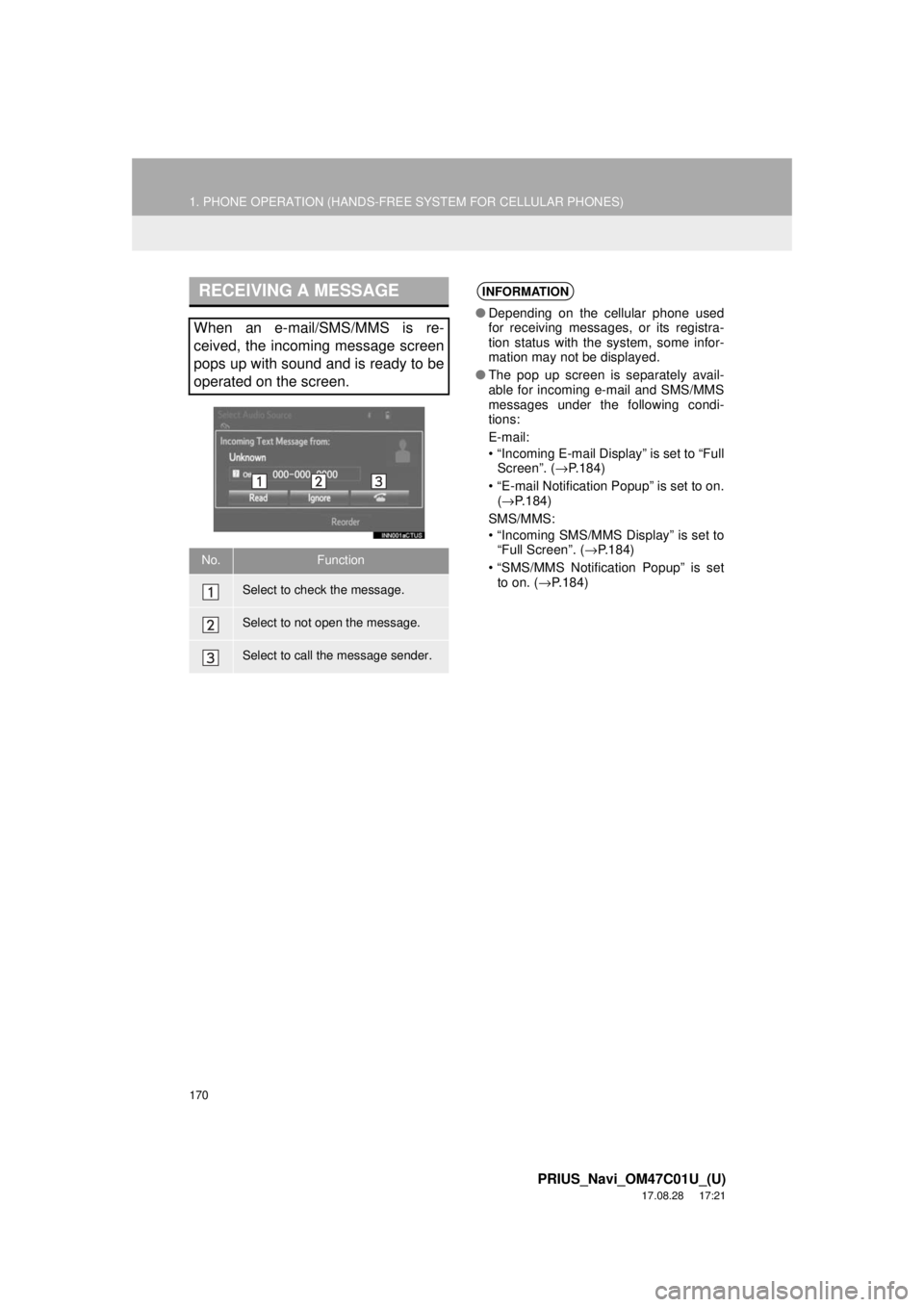
RECEIVING A MESSAGE
When an e-mail/SMS/MMS is re-
ceived, the incoming message screen
pops up with sound and is ready to be
operated on the screen.
No.Function
Select to check the message.
Select to not open the message.
Select to call the message sender.
INFORMATION
●Depending on the cellular phone used
for receiving messages, or its registra-
tion status with the system, some infor-
mation may not be displayed.
● The pop up screen is separately avail-
able for incoming e-mail and SMS/MMS
messages under the following condi-
tions:
E-mail:
• “Incoming E-mail Display” is set to “Full
Screen”. ( →P.184)
• “E-mail Notification Popup” is set to on. (→ P.184)
SMS/MMS:
• “Incoming SMS/MMS Display” is set to “Full Screen”. ( →P.184)
• “SMS/MMS Notification Popup” is set to on. ( →P.184)
Page 286 of 294

286
PRIUS_Navi_OM47C01U_(U)
17.08.28 17:21
Map database information and updates
END-USER LICENSE AGREEMENT
END-USER TERMS
The content provided by HERE (“Data”) is licensed, not sold . By opening this package, or installing, copying, or
otherwise using the Data, you agree to be bound by the terms of this agreement.
The Data is provided for your personal, internal use only a nd may not be resold. It is protected by copyright, and
is subject to the following terms (this “End User Lic ense Agreement”) and conditions which are agreed to by you,
on the one hand, and HERE and its licensors (including their licensors and suppliers) on the other hand. For
purposes of these terms, “HERE” shall mean (a) HERE North America, LLC with respect to Data for the Americas
and/or the Asia Pacific region and (b) HERE Europe B.V. for Data for Europe, the Middle East and/or Africa.
The Data includes certain information and related content provided under license to HERE from third parties and
is subject to the applicable supplier terms and co pyright notices set forth at the following URL:
http://corporate.navteq.com/supplier_terms.html.