warning TOYOTA PRIUS 2018 Accessories, Audio & Navigation (in English)
[x] Cancel search | Manufacturer: TOYOTA, Model Year: 2018, Model line: PRIUS, Model: TOYOTA PRIUS 2018Pages: 292, PDF Size: 5.8 MB
Page 4 of 292
4
PRIUS_Wide Navi_OM47C03U_(U)
17.08.29 10:11
For safety reasons, this manual indicates items requiring particular attention
with the following marks.
IMPORTANT INFORMATION ABOUT THIS MANUAL
WA R N I N G
●This is a warning against anything which may cause injury to people if the warning is
ignored. You are informed about what you must or must not do in order to reduce the risk
of injury to yourself and others.
NOTICE
●This is a warning against anything which may cause damage to the vehicle or its equip-
ment if the warning is ignored. You are informed about what you must or must not do in
order to avoid or reduce the risk of damage to your vehicle and its equipment.
SYMBOLS USED IN ILLUSTRATIONS
Safety symbol
The symbol of a circle with a slash through it means “Do not”, “Do not do
this” or “Do not let this happen”.
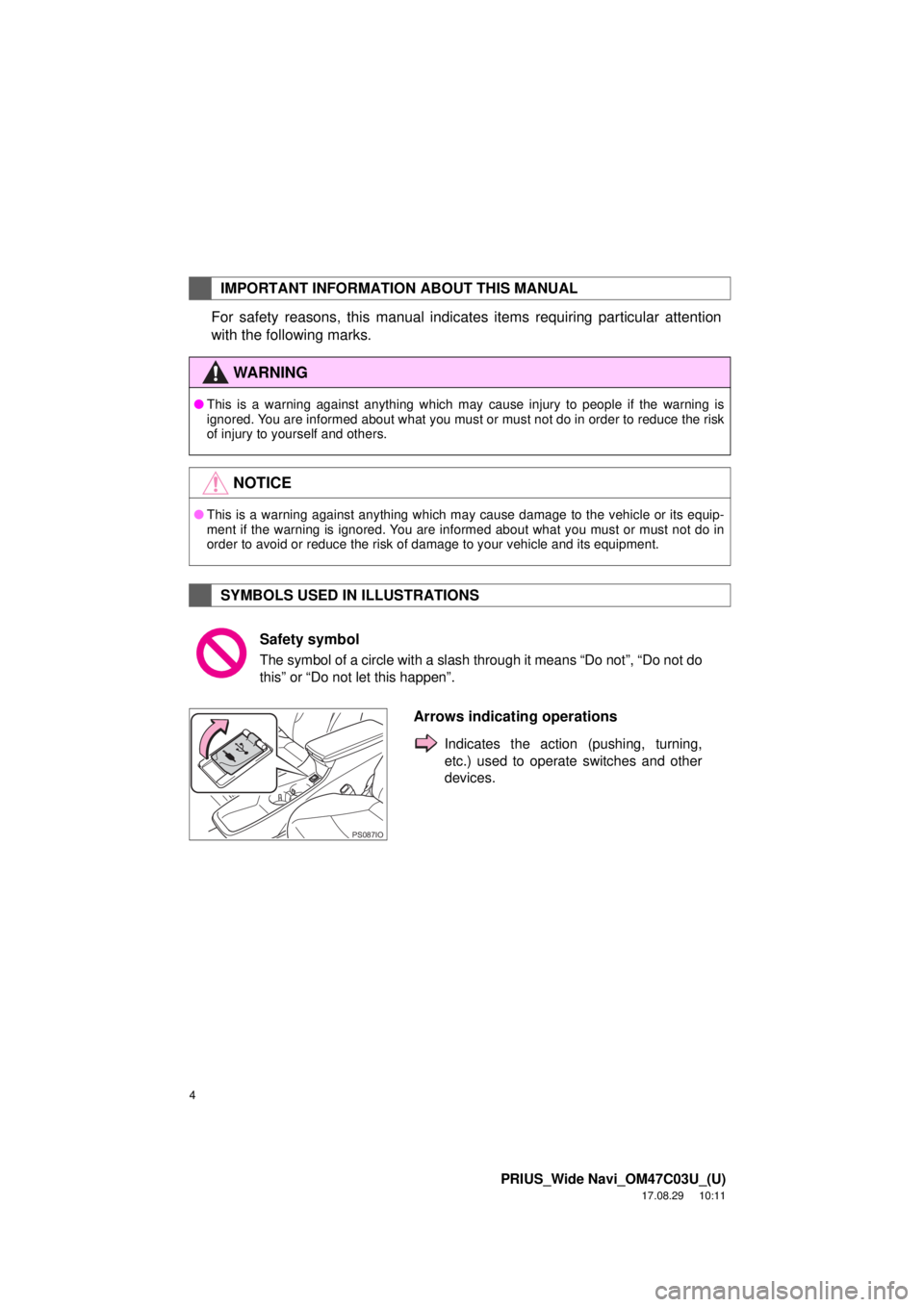
Arrows indicating operations
Indicates the action (pushing, turning,
etc.) used to operate switches and other
devices.
PS087IO
Page 95 of 292
95
2. RADIO OPERATION
PRIUS_Wide Navi_OM47C03U_(U)
17.08.29 10:11
AUDIO SYSTEM
3
WA R N I N G
●FCC WARNING: Changes or modifications in construction not expressly approved by the
party responsible for compliance could void the user’s authority to operate the equip-
ment.
● Radio frequency exposure.
This device is approved for Mobile Application only and, to comply with applicable FCC
radio frequency exposure regulations, must be used with a distance of at least 7.9 in.
(20cm) between the antenna and the body of any person at all time during use.
NOTICE
●THIS DEVICE COMPLIES WITH PART15 OF THE FCC RULES.
● OPERATION IS SUBJECT TO THE FOLLOWING TWO CONDITIONS,
1) THIS DEVICE MAY NOT CAUSE HARMFUL INTERFERENCE AND
2) THIS DEVICE MUST ACCEPT ANY INTERFERENCE RECEIVED, INCLUDING
INTERFERENCE THAT MAY CAUSE UNDESIRED OPERATION.
Page 96 of 292
96
2. RADIO OPERATION
PRIUS_Wide Navi_OM47C03U_(U)
17.08.29 10:11
HOW TO SUBSCRIBE TO AN
XM Satellite Radio
To listen to a satellite radio broadcast
in the vehicle, a subscription to the XM
Satellite Radio service is necessary.
An XM Satellite Radio is a tuner de-
signed exclusively to receive broad-
casts provided under a separate
subscription. Availability is limited to
the 48 contiguous U.S. states and
some Canadian provinces.
HOW TO SUBSCRIBE
It is necessary to enter into a separate
service agreement with XM Satellite
Radio in order to receive satellite
broadcast programming in the vehicle.
Additional activation and service sub-
scription fees apply that are not includ-
ed in the purchase price of the vehicle
and digital satellite tuner.
For complete information on subscrip-
tion rates and terms, or to subscribe to
XM Satellite Radio:
U.S.A.
Refer to www.siriusxm.com
or call
1-877-447-0011.
Canada
Refer to www.siriusxm.ca
or call
1-877-438-9677.
NOTICE
● XM Radio Services ⎯ Legal Disclaimers
and Warnings
• Fees and Taxes ⎯ Subscription fee,
taxes, one time activation fee, and
other fees may apply. Subscription fee
is consumer only. All fees and pro-
gramming subject to change.
Subscriptions subject to Customer
Agreement available at
www.siriusxm.com
(U.S.A.) or
www.siriusxm.ca (Canada) XM ser-
vice only available in the 48 contiguous
United States and Canada*.
*Canada ⎯ some deterioration of ser-
vice may occur in extreme northern lat-
itudes. This is beyond the control of
XM Satellite Radio.
Explicit Language Notice ⎯ Channels
with frequent explicit language are indi-
cated with an “XL” preceding the chan-
nel name. Channel blocking is
available for XM Satellite Radio receiv-
ers by notifying XM at;
U.S.A. Customers:
Visit www.siriusxm.com
or calling
1-877-447-0011
Canadian Customers:
Visit www.siriusxm.ca
or calling
1-877-438-9677
Page 245 of 292
245
PRIUS_Wide Navi_OM47C03U_(U)
17.08.29 10:11
NAVIGATION SYSTEM
7
5. SETUP
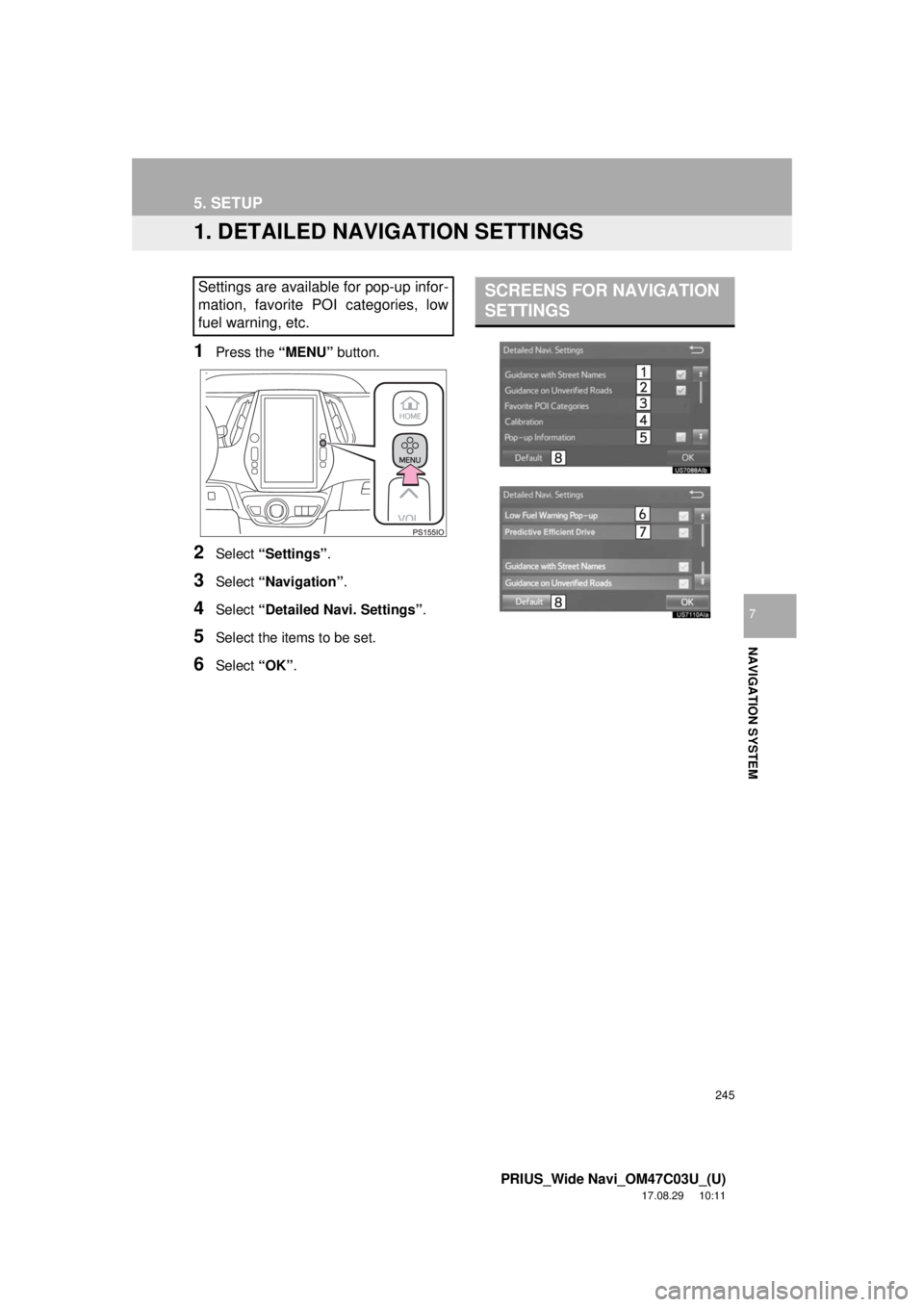
1. DETAILED NAVIGATION SETTINGS
1Press the “MENU” button.
2Select “Settings” .
3Select “Navigation” .
4Select “Detailed Navi. Settings” .
5Select the items to be set.
6Select “OK”.
Settings are available for pop-up infor-
mation, favorite POI categories, low
fuel warning, etc.SCREENS FOR NAVIGATION
SETTINGS
Page 246 of 292
246
5. SETUP
PRIUS_Wide Navi_OM47C03U_(U)
17.08.29 10:11
1Display the “Detailed Navi. Settings”
screen.
(→ P.245)
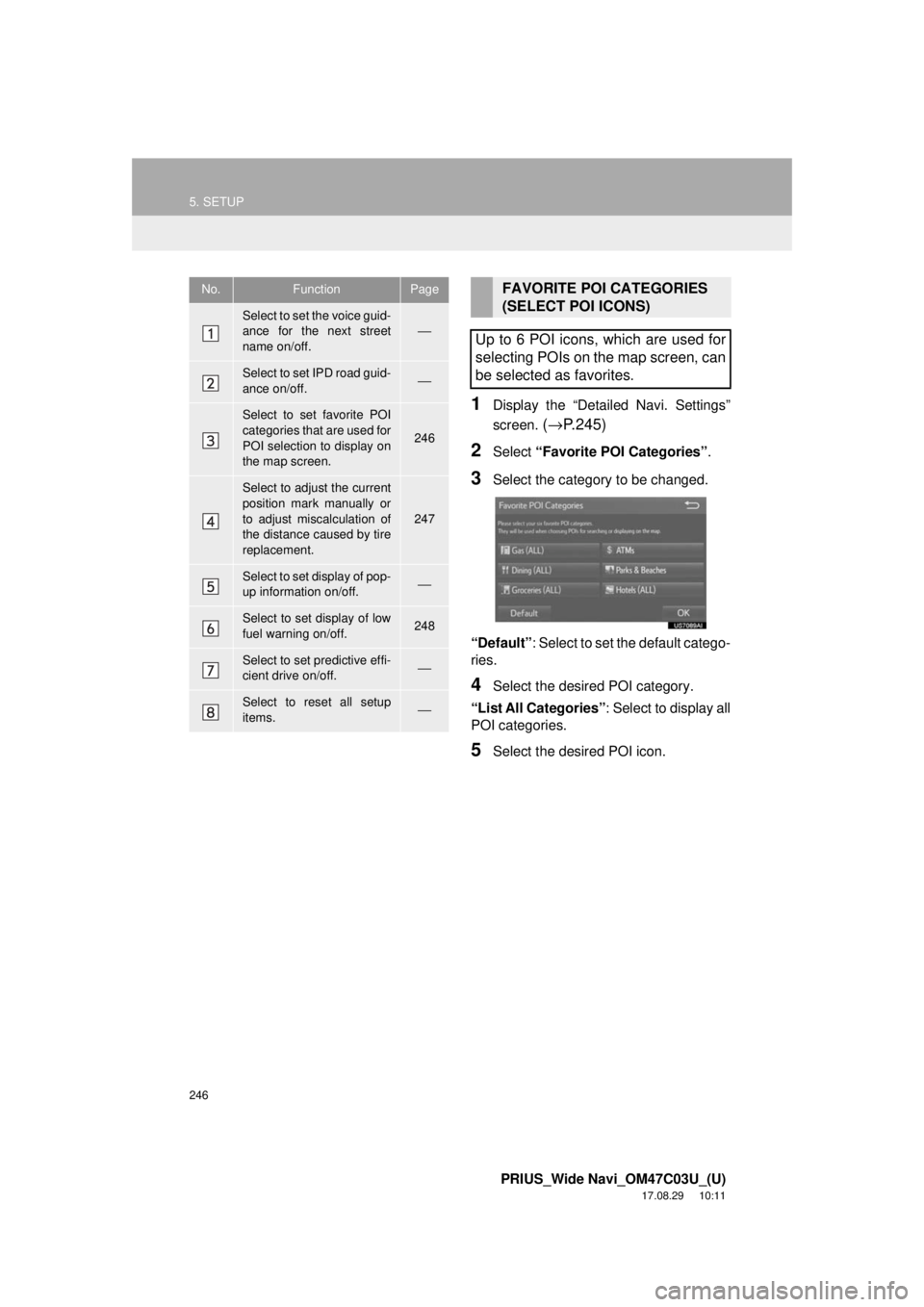
2Select “Favorite POI Categories” .
3Select the category to be changed.
“Default”: Select to set the default catego-
ries.
4Select the desired POI category.
“List All Categories” : Select to display all
POI categories.
5Select the desired POI icon.
No.FunctionPage
Select to set the voice guid-
ance for the next street
name on/off.⎯
Select to set IPD road guid-
ance on/off.⎯
Select to set favorite POI
categories that are used for
POI selection to display on
the map screen.
246
Select to adjust the current
position mark manually or
to adjust miscalculation of
the distance caused by tire
replacement.
247
Select to set display of pop-
up information on/off.⎯
Select to set display of low
fuel warning on/off.248
Select to set predictive effi-
cient drive on/off.⎯
Select to reset all setup
items.⎯
FAVORITE POI CATEGORIES
(SELECT POI ICONS)
Up to 6 POI icons, which are used for
selecting POIs on the map screen, can
be selected as favorites.
Page 248 of 292
248
5. SETUP
PRIUS_Wide Navi_OM47C03U_(U)
17.08.29 10:11
■TIRE CHANGE CALIBRATION
1Select “Tire Change” .
The message appears and the quick dis-
tance calibration starts automatically.
1Display the “Detailed Navi. Settings”
screen.
(→ P.245)
2Select “Low Fuel Warning Pop-up” .
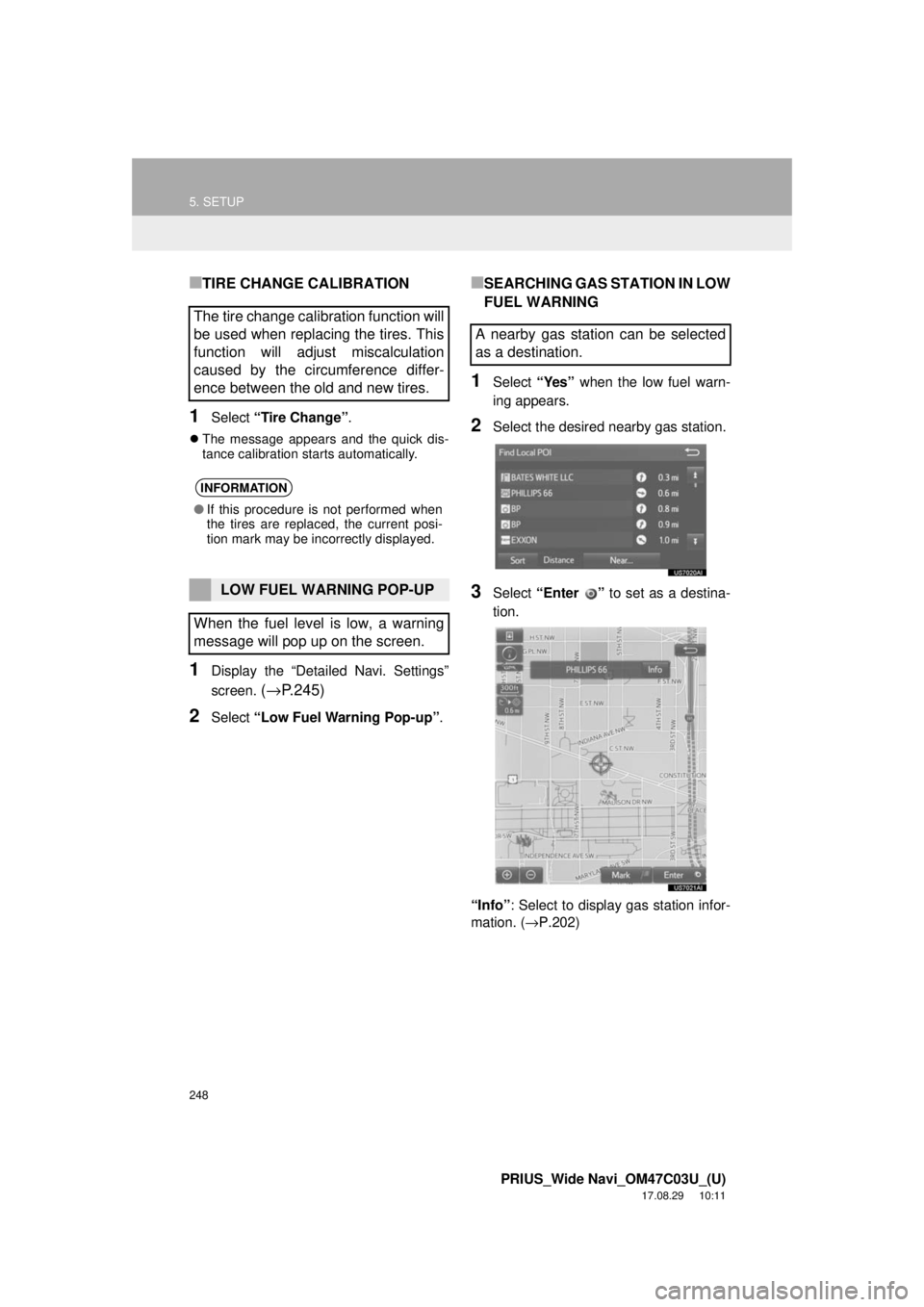
■SEARCHING GAS STATION IN LOW
FUEL WARNING
1Select “Yes” when the low fuel warn-
ing appears.
2Select the desired nearby gas station.
3Select “Enter ” to set as a destina-
tion.
“Info” : Select to display gas station infor-
mation. ( →P.202)
The tire change calibration function will
be used when replacing the tires. This
function will adjust miscalculation
caused by the circumference differ-
ence between the old and new tires.
INFORMATION
●If this procedure is not performed when
the tires are replaced, the current posi-
tion mark may be incorrectly displayed.
LOW FUEL WARNING POP-UP
When the fuel level is low, a warning
message will pop up on the screen.
A nearby gas station can be selected
as a destination.
Page 249 of 292
249
5. SETUP
PRIUS_Wide Navi_OM47C03U_(U)
17.08.29 10:11
NAVIGATION SYSTEM
7
2. TRAFFIC SETTINGS
1Press the “MENU” button.
2Select “Settings” .
3Select “Traffic” .
4Select the items to be set.
5Select “OK”.
Traffic information such as traffic con-
gestion or traffic incident warnings can
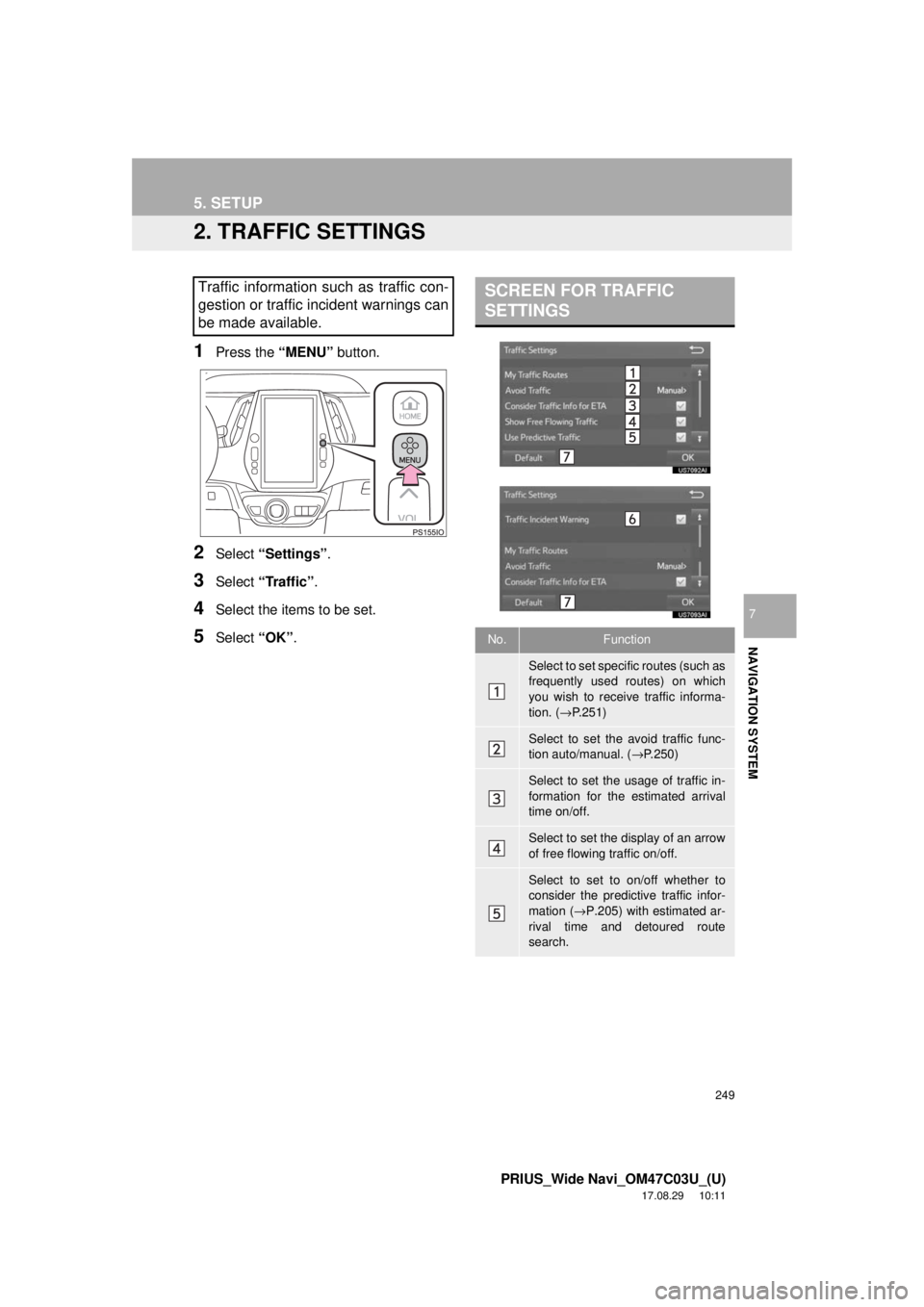
be made available. SCREEN FOR TRAFFIC
SETTINGS
No.Function
Select to set specific routes (such as
frequently used routes) on which
you wish to receive traffic informa-
tion. ( →P.251)
Select to set the avoid traffic func-
tion auto/manual. ( →P.250)
Select to set the usage of traffic in-
formation for the estimated arrival
time on/off.
Select to set the display of an arrow
of free flowing traffic on/off.
Select to set to on/off whether to
consider the predictive traffic infor-
mation ( →P.205) with estimated ar-
rival time and detoured route
search.
Page 250 of 292
250
5. SETUP
PRIUS_Wide Navi_OM47C03U_(U)
17.08.29 10:11
1Display the “Traffic Settings” screen.
(→P.249)
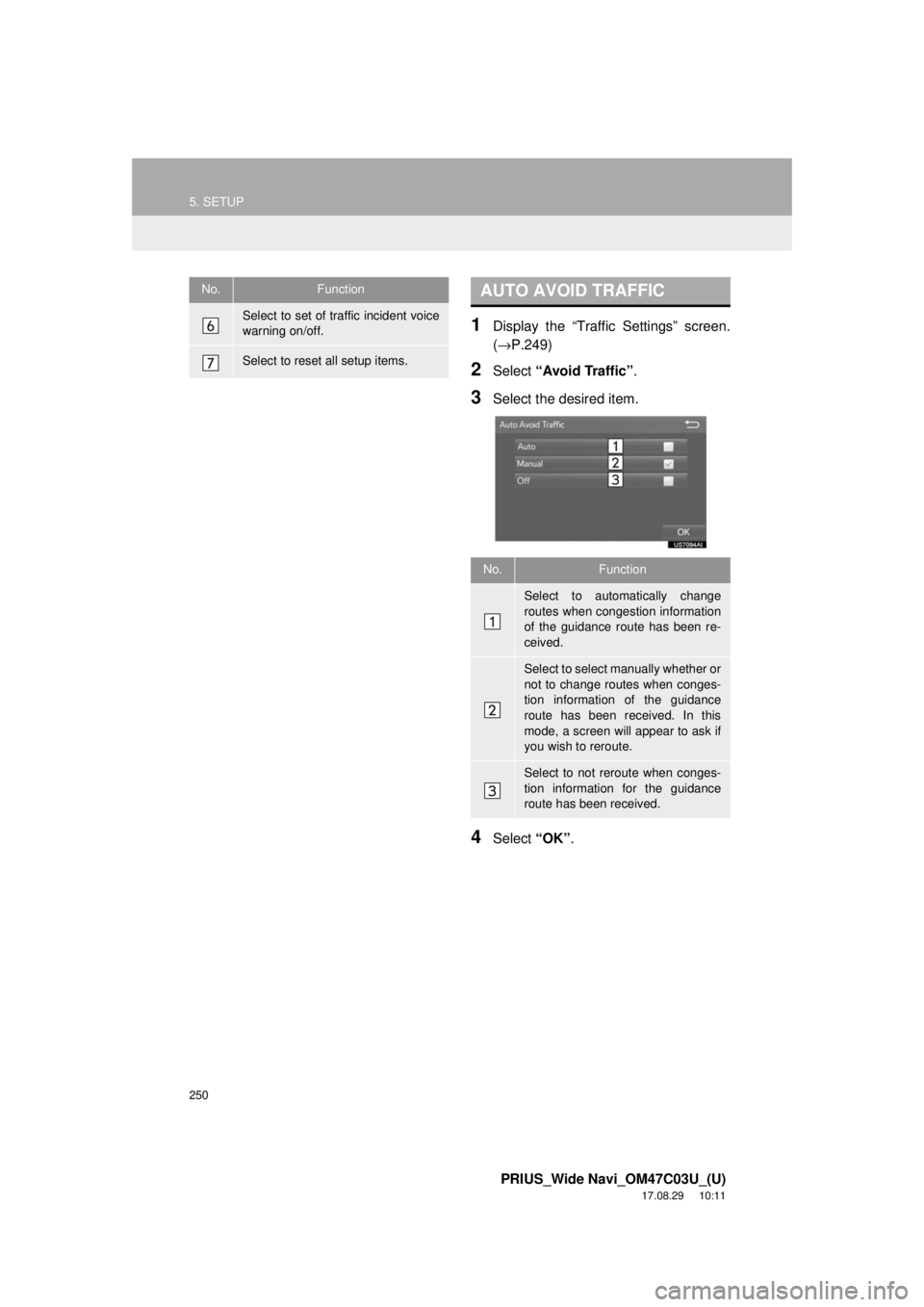
2Select “Avoid Traffic” .
3Select the desired item.
4Select “OK”.
Select to set of traffic incident voice
warning on/off.
Select to reset all setup items.
No.FunctionAUTO AVOID TRAFFIC
No.Function
Select to automatically change
routes when congestion information
of the guidance route has been re-
ceived.
Select to select manually whether or
not to change routes when conges-
tion information of the guidance
route has been received. In this
mode, a screen will appear to ask if
you wish to reroute.
Select to not reroute when conges-
tion information for the guidance
route has been received.