mirror TOYOTA PRIUS 2018 (in English) Owner's Manual
[x] Cancel search | Manufacturer: TOYOTA, Model Year: 2018, Model line: PRIUS, Model: TOYOTA PRIUS 2018Pages: 820, PDF Size: 15.63 MB
Page 331 of 820
PRIUS_OM_OM47B89U_(U)
3314-5. Using the driving support systems
4
Driving
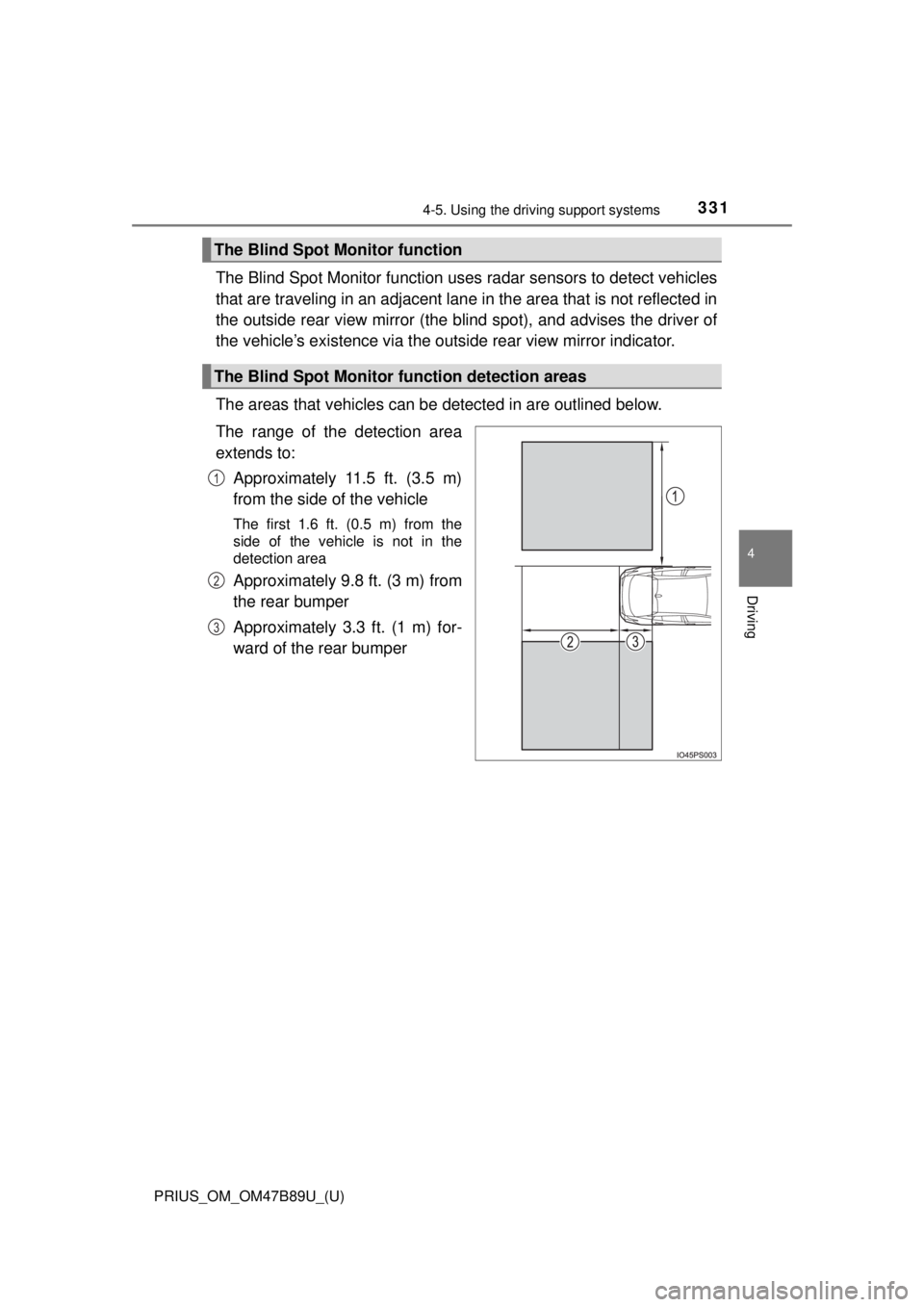
The Blind Spot Monitor function uses radar sensors to detect vehicles
that are traveling in an adjacent lane in the area that is not reflected in
the outside rear view mirror (the b lind spot), and advises the driver of
the vehicle’s existence via the ou tside rear view mirror indicator.
The areas that vehicles can be detected in are outlined below.
The range of the detection area
extends to: Approximately 11.5 ft. (3.5 m)
from the side of the vehicle
The first 1.6 ft. (0.5 m) from the
side of the vehicle is not in the
detection area
Approximately 9.8 ft. (3 m) from
the rear bumper
Approximately 3.3 ft. (1 m) for-
ward of the rear bumper
The Blind Spot Monitor function
The Blind Spot Monitor function detection areas
1
2
3
Page 334 of 820
334
PRIUS_OM_OM47B89U_(U)
4-5. Using the driving support systems
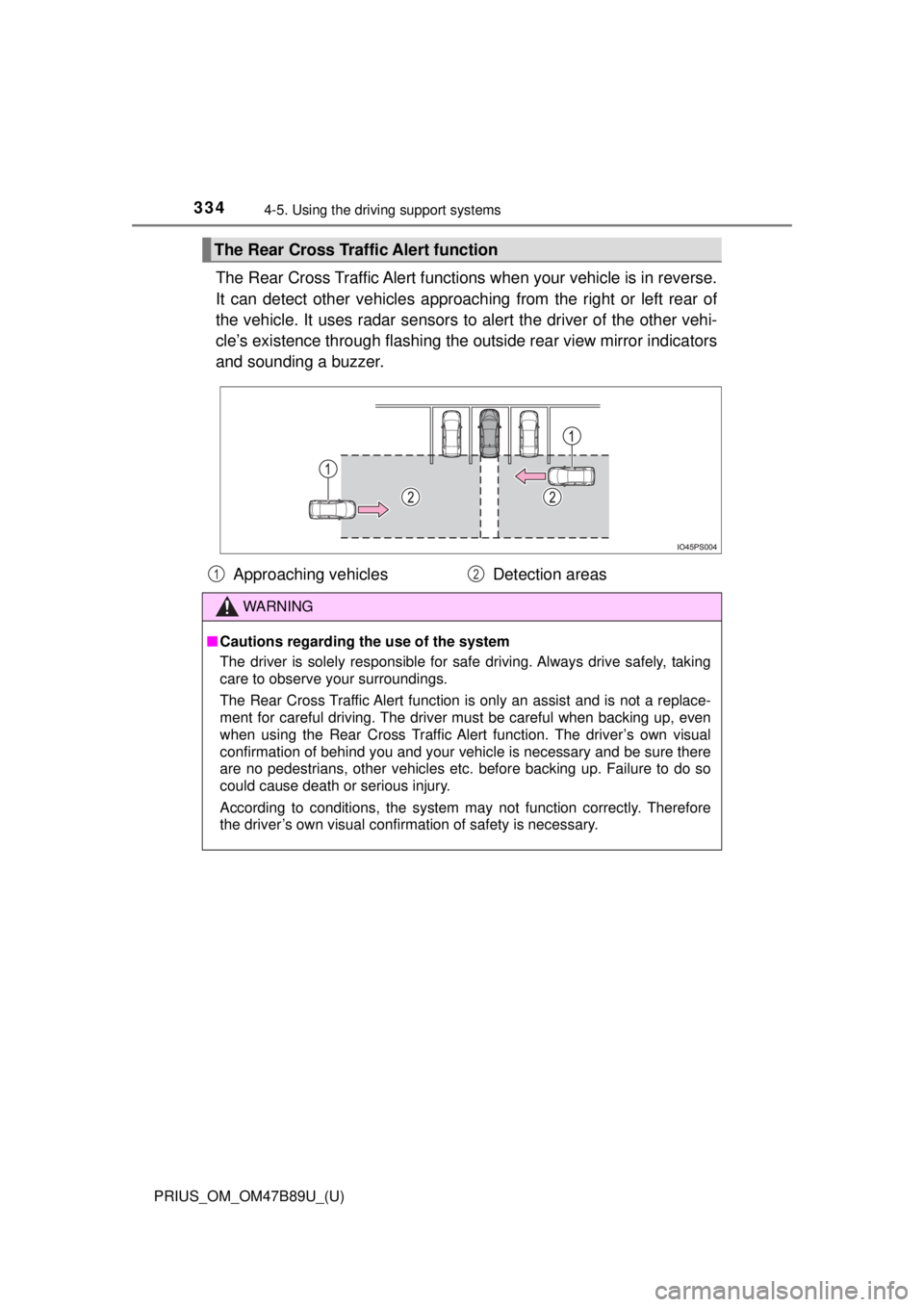
The Rear Cross Traffic Alert functions when your vehicle is in reverse.
It can detect other vehicles approaching from the right or left rear of
the vehicle. It uses radar sensors to alert the driver of the other vehi-
cle’s existence through fl ashing the outside rear view mirror indicators
and sounding a buzzer.
The Rear Cross Traffic Alert function
Approaching vehicles Detection areas
WARNING
■Cautions regarding the use of the system
The driver is solely responsible for safe driving. Always drive safely, taking
care to observe your surroundings.
The Rear Cross Traffic Alert function is only an assist and is not a replace-
ment for careful driving. The driver must be careful when backing up, even
when using the Rear Cross Traffic Alert function. The driver’s own visual
confirmation of behind you and your vehicle is necessary and be sure there
are no pedestrians, other vehicles etc. before backing up. Failure to do so
could cause death or serious injury.
According to conditions, the system may not function correctly. Therefore
the driver’s own visual confirmation of safety is necessary.
12
Page 373 of 820
PRIUS_OM_OM47B89U_(U)
3734-5. Using the driving support systems
4
Driving
Assume an ordinary posture for backing up, rest your hands
lightly on the steering wheel wi thout applying any force, directly
confirm the safety of the area to the rear and around the vehicle
slowly back up while adjusting your speed by depressing the
brake pedal.
Depending on the condition of the parking space, steps to may
need to be repeated.
When the vehicle is almost entirely within the target parking spot,
a high-pitched beep is emitted and the stop display is shown on
the display ( →P. 367), stop the vehicle.
This completes the back-in parking assist mode.
● For safety, the buzzer sounds slightly before the vehicle is
completely entered within the target parking spot. Further-
more, at that point, system o peration will also finish. Firmly
hold the steering wheel and slowly back up while adjusting
your speed by depressing the brake pedal to reach the desired
parking spot.
● Be sure to back up while checking the area to the front and
rear of the vehicle directly and by using the mirrors.
■Back-in parking assist mode operating conditions
●In order to operate the function correctly, drive slowly (at a speed at which
the vehicle can be quickly stopped).
● In order to operate the function correctly, drive slowly (at a speed at which
the vehicle can be quickly stopped). Come to a full stop so that the center of
the parking space is nearly perpendicular to the vehicle, and then operate
the S-APGS switch.
● The function cannot be used when the vehicle speed is approximately
19 mph (30 km/h) or higher.
● The front side sensors and rear side sensors are used to detect parked
vehicles and determine the parking spot. Therefore, when detection is not
possible ( →P. 397), guidance is not issued.
● If there are no parked vehicles, the parking spot cannot be determined.
Therefore, the back-in parking assist mode cannot be operated.
● If unable to detect the environment surrounding the parking space, the
back-in parking assist mode may not be able to operate.
11
611
12
Page 380 of 820
380
PRIUS_OM_OM47B89U_(U)
4-5. Using the driving support systems
When the vehicle is almost entirely within the target parking spot,
a high-pitched beep is emitted and the stop display is shown on
the display, stop the vehicle.
This completes the parallel parking assist mode.
● After stopping, feel free to maneuver the vehicle to reach the
desired parking spot.
● Be sure to back up while checking the area to the front and
rear of the vehicle directly and by using the mirrors.
■Parallel parking assist mode operating conditions
●In order to operate the parallel parking assist mode correctly, drive slowly (at
a speed at which the vehicle can be quickly stopped) parallel to the road (or
shoulder) while maintaining a distance of approximately 3 ft. (1 m) to any
parked vehicles.
● The function cannot be used when the vehicle speed is approximately
19 mph (30 km/h) or higher.
● The front side sensors and rear side sensors are used to detect parked
vehicles and determine the parking spot. Therefore, when detection is not
possible ( →P. 397), guidance is not issued.
● If there are no parked vehicles, the parking spot cannot be determined.
Therefore, the parallel parking assist mode cannot be operated.
● If unable to detect the environment surrounding the parking space, the par-
allel parking assist mode may not be able to operate.
● Guidance will continue until the vehicle speed meets or exceeds approxi-
mately 19 mph (30 km/h) or the function is turned off using the S-APGS
switch.
■ Timing for pressing the S-APGS switch
In the following cases, the assist mode may also operate during the steps
taken to park using the parallel parking assist mode. However, in these
cases, conduct parking procedures according to the information on the multi-
information display.
●In step the S-APGS switch is pressed after already passing over the tar-
get parking spot.
If the vehicle is not stopped in step , pressing the S-APGS switch 1 time
while the vehicle is in motion allows you to select “Parallel Parking” and
proceed directly to step .
● The vehicle is moved up to the position in step without the S-APGS
switch being pressed. Then the S-APGS switch is pressed after having
changed the shift position to R.
12
1
1
2
3
Page 395 of 820
PRIUS_OM_OM47B89U_(U)
3954-5. Using the driving support systems
4
Driving
WARNING
●Do not rely solely upon the Simple Advanced Parking Guidance System.
As with unequipped vehicles, move forward and back up carefully while
directly confirming the safety of your surroundings and the area to the rear
of the vehicle.
● Do not back up while viewing the multi-information display. Backing up
while only viewing the monitor screen may cause a collision or lead to an
accident, as the image displayed on the monitor screen may differ from
actual conditions. Make sure to visually check the surrounding areas and
the area to the rear of the vehicle with and without the mirror while backing
up.
● Drive slowly while adjusting your speed by depressing the brake pedal
when backing up or moving forward.
● If it seems the vehicle may make contact with a pedestrian, another vehi-
cle or any other obstacles, stop the vehicle by depressing the brake pedal,
and then press the S-APGS switch to turn off the system.
● Use the system in a parking lot with a flat surface.
● Observe the following precautions, as the steering wheel automatically
turns during use.
• There is risk of a necktie, scarf, your arm, etc. being caught on the
steering wheel. Please do not allow your upper body to be close to the
steering wheel. Also, do not allow children close to the steering wheel.
• There is a possibility of injury when the steering wheel turns if you have long fingernails.
• In case of an emergency, stop the vehicle by depressing the brake pedal, and then press the S-APGS switch to turn off the system.
● Always confirm that there is appropriate space before attempting to park
the vehicle and operate the system.
Page 406 of 820

406
PRIUS_OM_OM47B89U_(U)
4-5. Using the driving support systems
WARNING
■When using the rear view monitor system
The rear view monitor system is a supplemental device intended to assist
the driver when backing up. When backing up, be sure to visually check all
around the vehicle both directly and using the mirrors before proceeding.
Observe the following precautions to avoid an accident that could result in
death or serious injuries.
● Never depend on the rear view monitor system entirely when backing up.
The image and the position of the guide lines displayed on the screen may
differ from the actual state.
Use caution, just as you would when backing up any vehicle.
● Be sure to back up slowly, depressing the brake pedal to control vehicle
speed.
● The instructions given are only guide lines.
When and how much to turn the steering wheel will vary according to traf-
fic conditions, road surface conditions, vehicle condition, etc. when park-
ing. It is necessary to be fully aware of this before using the rear view
monitor system.
● When parking, be sure to check that the parking space will accommodate
your vehicle before maneuvering into it.
● Do not use the rear view monitor system in the following cases:
• On icy or slick road surfaces, or in snow
• When using tire chains or emergency tires
• When the back door is not closed completely
• On roads that are not flat or straight, such as curves or slopes
● In low temperatures, the screen may darken or the image may become
faint. The image could distort when the vehicle is moving, or you may
become unable to see the image on the screen. Be sure to visually check
all around the vehicle both directly and using the mirrors before proceed-
ing.
● If the tire sizes are changed, the position of the fixed guide lines displayed
on the screen may change.
● The camera uses a special lens. The distances between objects and
pedestrians that appear in the image displayed on the screen will differ
from the actual distances. ( →P. 401)
Page 515 of 820
515
PRIUS_OM_OM47B89U_(U)
6Interior features
6-1. Using the air conditioning system and defogger
Automatic air conditioning system (vehicles without
11.6-inch display) ............ 516
Automatic air conditioning system (vehicles with
11.6-inch display) ............ 526
Seat heaters ...................... 536 6-2. Using the interior lights
Interior lights list ................ 538• Front interior light .......... 539
• Front personal lights ..... 539
• Rear interior light .......... 540
6-3. Using the storage features
List of storage features ..... 541 • Glove box...................... 542
• Console box .................. 542
• Cup holders/bottle holders/
door pockets ................. 543
• Auxiliary boxes.............. 545
Luggage compartment features ........................... 546
6-4. Using the other interior features
Other interior features ....... 555 • Sun visors ..................... 555
• Vanity mirrors................ 555
• Power outlets ................ 556
• Wireless charger ........... 557
• Armrest ......................... 565
• Coat hooks.................... 565
• Assist grips ................... 566
Garage door opener.......... 567
Safety Connect ................. 574
Page 518 of 820
5186-1. Using the air conditioning system and defogger
PRIUS_OM_OM47B89U_(U)■
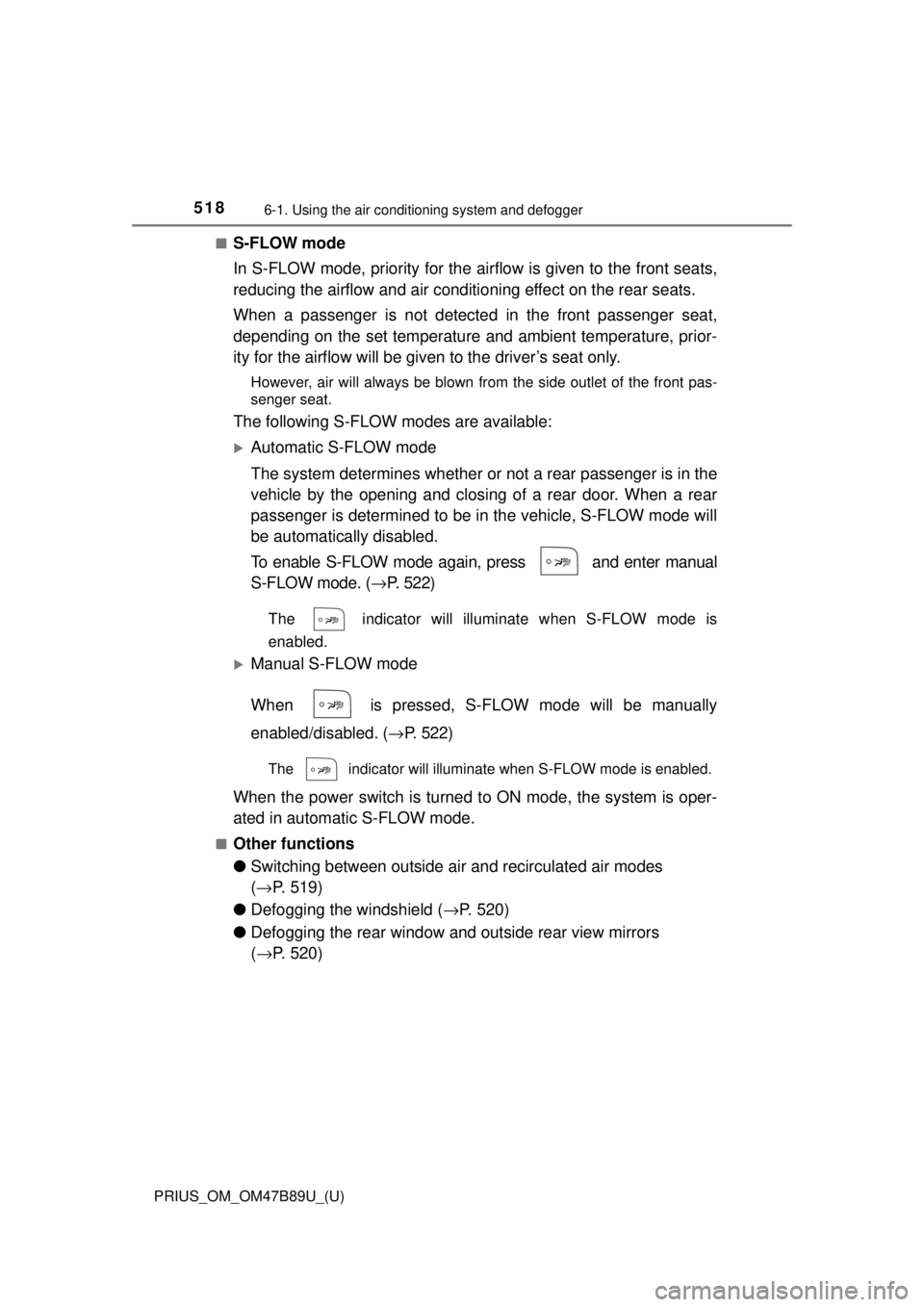
S-FLOW mode
In S-FLOW mode, priority for the ai
rflow is given to the front seats,
reducing the airflow and air conditio ning effect on the rear seats.
When a passenger is not detecte d in the front passenger seat,
depending on the set temperature and ambient temperature, prior-
ity for the airflow will be gi ven to the driver’s seat only.
However, air will always be blown from the side outlet of the front pas-
senger seat.
The following S-FLOW modes are available:
Automatic S-FLOW mode
The system determines whether or not a rear passenger is in the
vehicle by the opening and closing of a rear door. When a rear
passenger is determined to be in the vehicle, S-FLOW mode will
be automatically disabled.
To enable S-FLOW mode again, press and enter manual
S-FLOW mode. (→P. 522)
The indicator will illuminate when S-FLOW mode is
enabled.
Manual S-FLOW mode
When is pressed, S-FLOW mode will be manually
enabled/disabled. ( →P. 522)
The indicator will illuminate when S-FLOW mode is enabled.
When the power switch is turned to ON mode, the system is oper-
ated in automatic S-FLOW mode.
■Other functions
● Switching between outside ai r and recirculated air modes
( → P. 519)
● Defogging the windshield ( →P. 520)
● Defogging the rear window and outside rear view mirrors
(→ P. 520)
Page 520 of 820
5206-1. Using the air conditioning system and defogger
PRIUS_OM_OM47B89U_(U)■
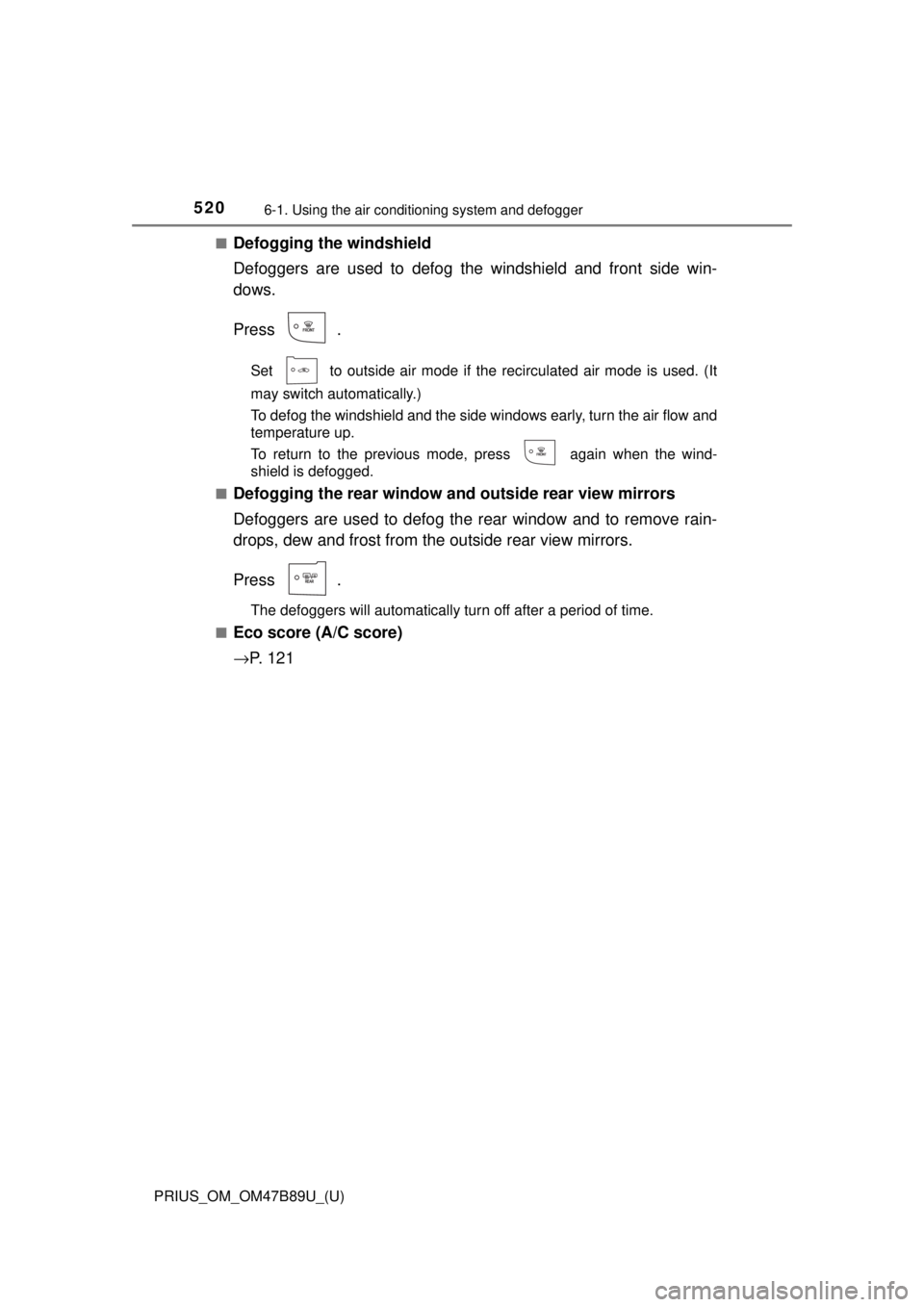
Defogging the windshield
Defoggers are used to defog the windshield and front side win-
dows.
Press .
Set to outside air mode if the recirculated air mode is used. (It
may switch automatically.)
To defog the windshield and the side windows early, turn the air flow and
temperature up.
To return to the previous mode, press again when the wind-
shield is defogged.
■
Defogging the rear window and outside rear view mirrors
Defoggers are used to defog the rear window and to remove rain-
drops, dew and frost from the outside rear view mirrors.
Press .
The defoggers will automatically turn off after a period of time.
■
Eco score (A/C score)
→ P. 1 2 1
Page 524 of 820
5246-1. Using the air conditioning system and defogger
PRIUS_OM_OM47B89U_(U)
WARNING
■To prevent the windshield from fogging up
● Do not use
during cool air operation in extremely humid weather.
The difference between the temperature of the outside air and that of the
windshield can cause the outer surface of the windshield to fog up, block-
ing your vision.
■ To prevent burns
Do not touch the rear view mirror surf aces when the outside rear view mirror
defoggers are on.
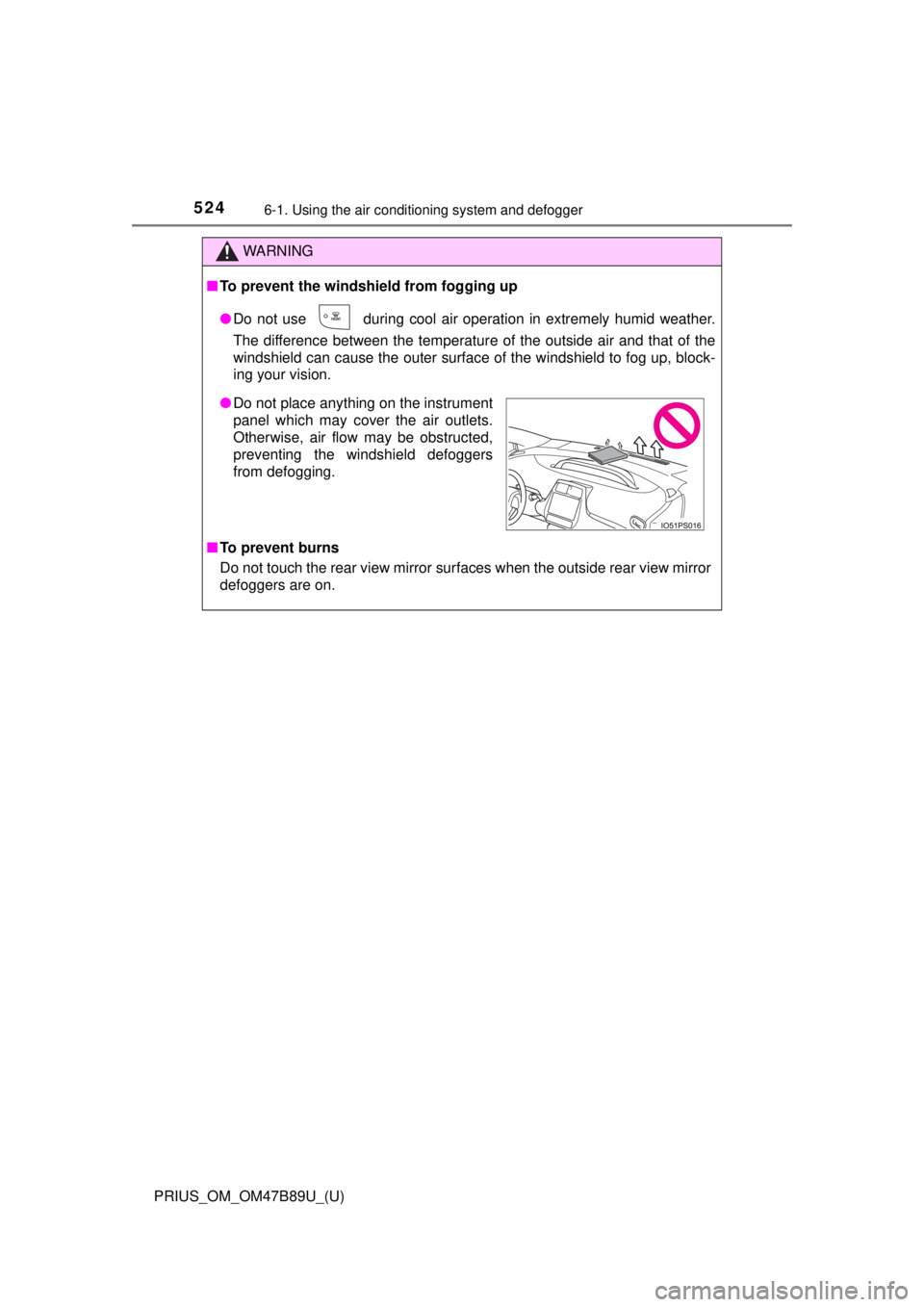
● Do not place anything on the instrument
panel which may cover the air outlets.
Otherwise, air flow may be obstructed,
preventing the windshield defoggers
from defogging.