lane TOYOTA PRIUS 2018 Owners Manual (in English)
[x] Cancel search | Manufacturer: TOYOTA, Model Year: 2018, Model line: PRIUS, Model: TOYOTA PRIUS 2018Pages: 820, PDF Size: 15.63 MB
Page 3 of 820
3
1
9 8
7
6 4 3
2
PRIUS_OM_OM47B89U_(U)
10
5
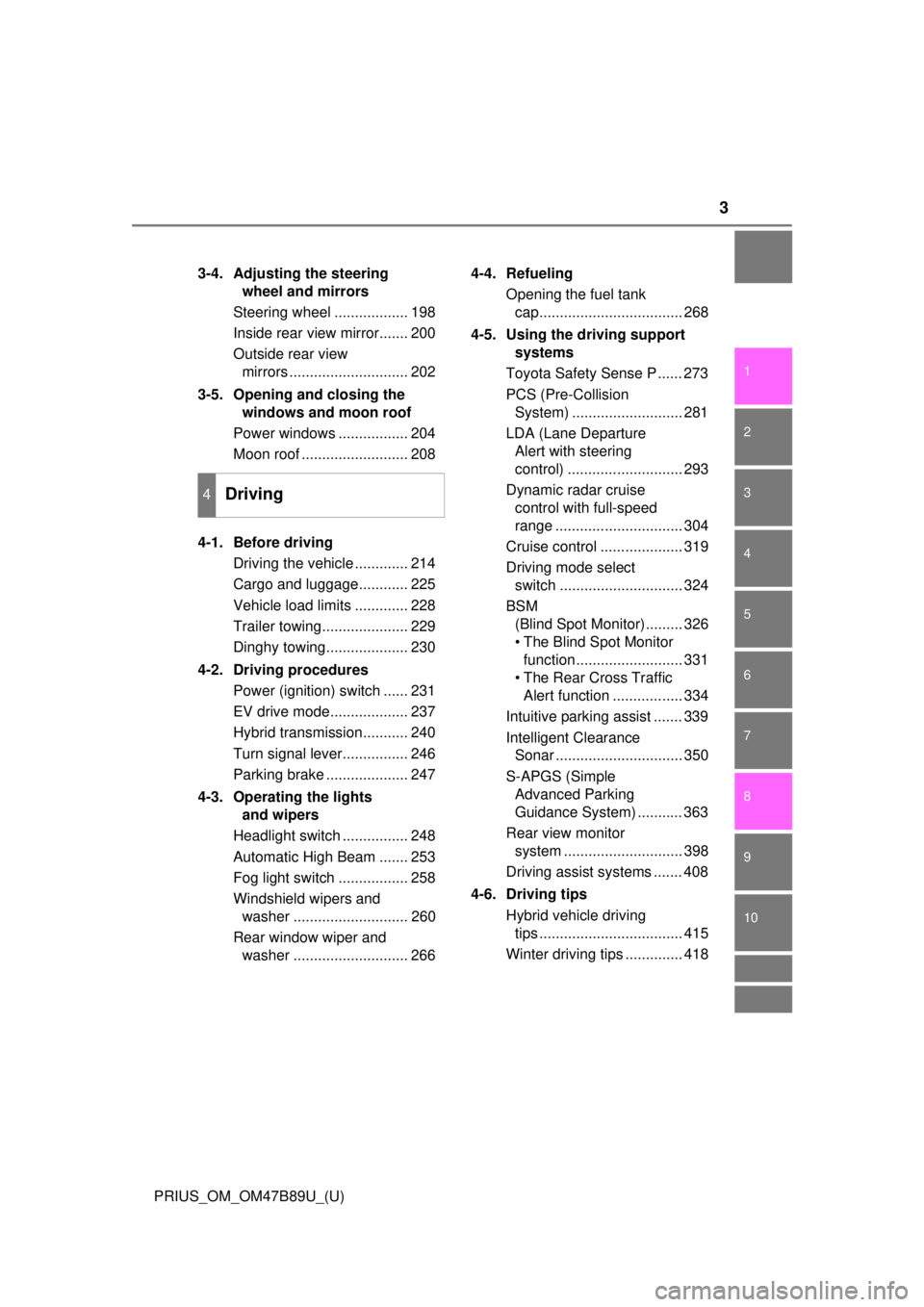
3-4. Adjusting the steering wheel and mirrors
Steering wheel .................. 198
Inside rear view mirror....... 200
Outside rear view mirrors ............................. 202
3-5. Opening and closing the windows and moon roof
Power windows ................. 204
Moon roof .......................... 208
4-1. Before driving Driving the vehicle ............. 214
Cargo and luggage............ 225
Vehicle load limits ............. 228
Trailer towing..................... 229
Dinghy towing.................... 230
4-2. Driving procedures Power (ignition) switch ...... 231
EV drive mode................... 237
Hybrid transmission........... 240
Turn signal lever................ 246
Parking brake .................... 247
4-3. Operating the lights and wipers
Headlight switch ................ 248
Automatic High Beam ....... 253
Fog light switch ................. 258
Windshield wipers and washer ............................ 260
Rear window wiper and washer ............................ 266 4-4. Refueling
Opening the fuel tank cap................................... 268
4-5. Using the driving support systems
Toyota Safety Sense P ...... 273
PCS (Pre-Collision System) ........................... 281
LDA (Lane Departure Alert with steering
control) ............................ 293
Dynamic radar cruise control with full-speed
range ............................... 304
Cruise control .................... 319
Driving mode select switch .............................. 324
BSM (Blind Spot Monitor)......... 326
• The Blind Spot Monitor function.......................... 331
• The Rear Cross Traffic Alert function ................. 334
Intuitive parking assist ....... 339
Intelligent Clearance Sonar ............................... 350
S-APGS (Simple Advanced Parking
Guidance System) ........... 363
Rear view monitor system ............................. 398
Driving assist systems ....... 408
4-6. Driving tips Hybrid vehicle driving tips ................................... 415
Winter driving tips .............. 418
4Driving
Page 21 of 820
21Pictorial index
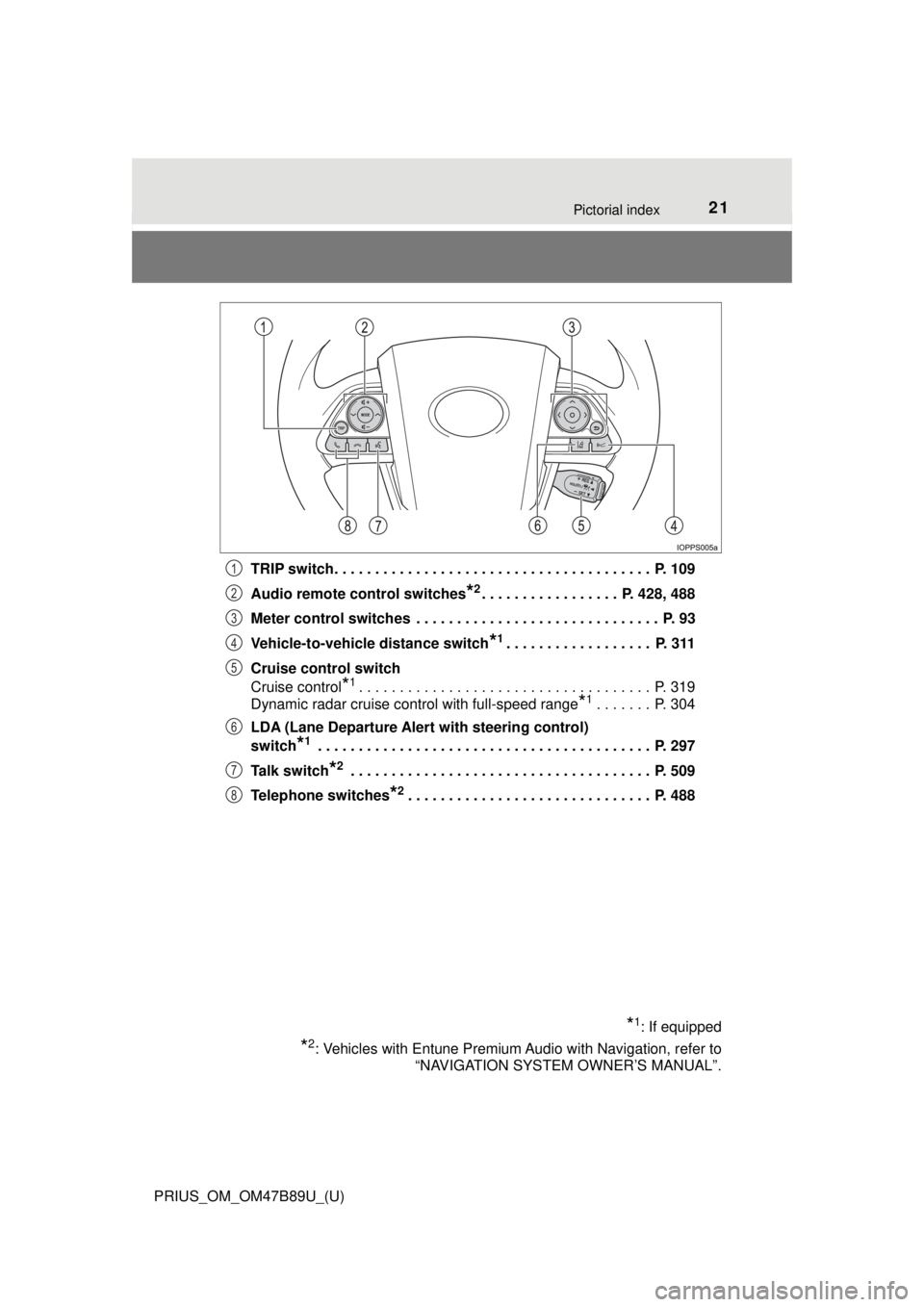
PRIUS_OM_OM47B89U_(U)TRIP switch. . . . . . . . . . . . . . . . . . . . . . . . . . . . . . . . . . . . . . . P. 109
Audio remote control switches
*2. . . . . . . . . . . . . . . . . P. 428, 488
Meter control switches . . . . . . . . . . . . . . . . . . . . . . . . . . . . . . P. 93
Vehicle-to-vehicle distance switch
*1. . . . . . . . . . . . . . . . . . P. 311
Cruise control switch
Cruise control
*1. . . . . . . . . . . . . . . . . . . . . . . . . . . . . . . . . . . . P. 319
Dynamic radar cruise control with full-speed range
*1. . . . . . . P. 304
LDA (Lane Departure Alert with steering control)
switch
*1 . . . . . . . . . . . . . . . . . . . . . . . . . . . . . . . . . . . . . . . . . P. 297
Talk switch
*2 . . . . . . . . . . . . . . . . . . . . . . . . . . . . . . . . . . . . . P. 509
Telephone switches
*2. . . . . . . . . . . . . . . . . . . . . . . . . . . . . . P. 488
*1: If equipped
*2: Vehicles with Entune Premium Audio with Navigation, refer to “NAVIGATION SYSTEM OWNER’S MANUAL”.
1
2
3
4
5
6
7
8
Page 105 of 820
PRIUS_OM_OM47B89U_(U)
1052. Instrument cluster
2
Instrument cluster
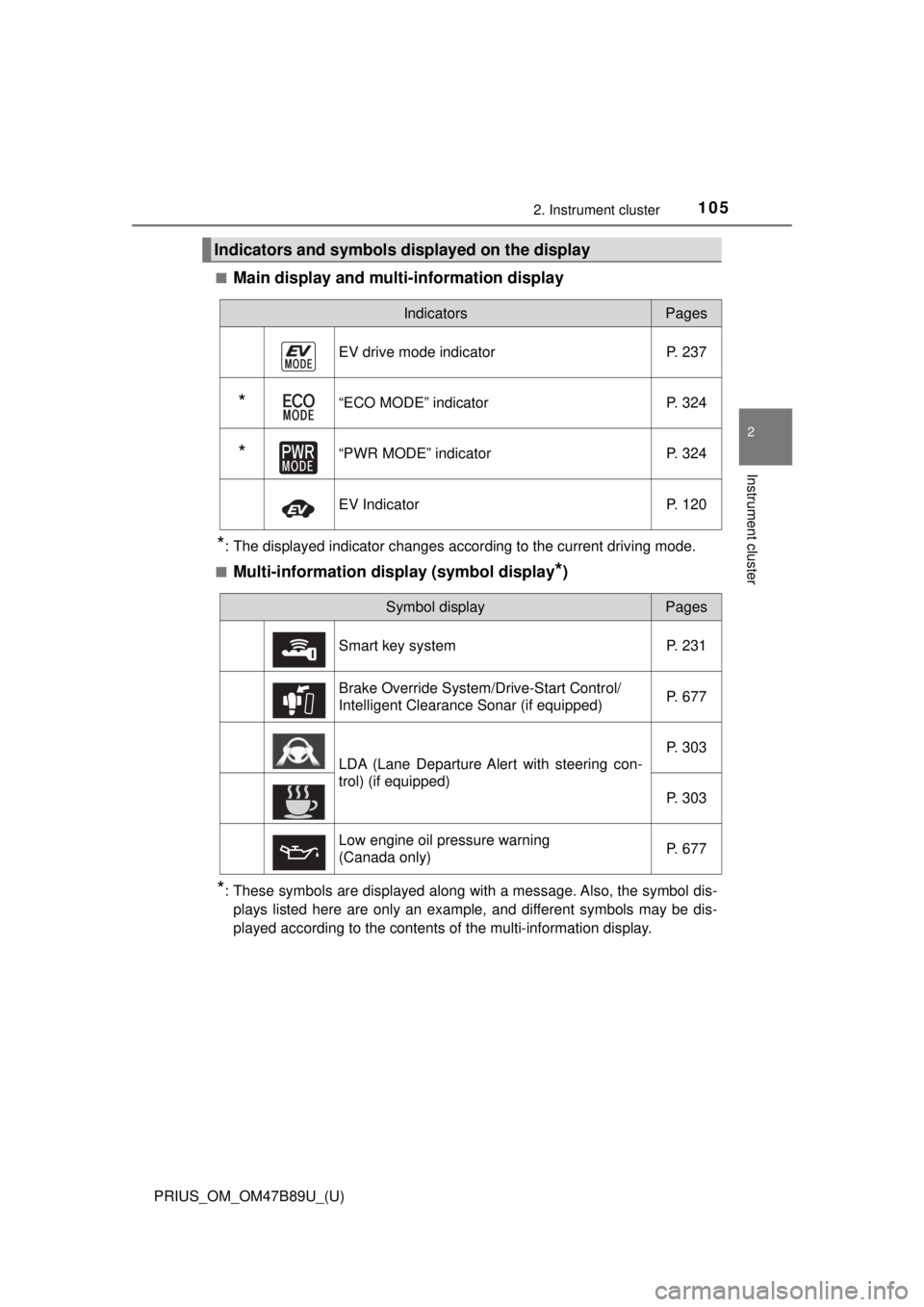
■Main display and multi-information display
*: The displayed indicator changes according to the current driving mode.
■
Multi-information display (symbol display*)
*: These symbols are displayed along with a message. Also, the symbol dis- plays listed here are only an example, and different symbols may be dis-
played according to the contents of the multi-information display.
Indicators and symbols displayed on the display
IndicatorsPages
EV drive mode indicator P. 237
*“ECO MODE” indicator P. 324
*“PWR MODE” indicatorP. 324
EV IndicatorP. 120
Symbol displayPages
Smart key system P. 231
Brake Override System/Drive-Start Control/
Intelligent Clearance Sonar (if equipped) P. 677
LDA (Lane Departure Alert with steering con-
trol) (if equipped)P. 303
P. 303
Low engine oil pressure warning
(Canada only) P. 677
Page 115 of 820
PRIUS_OM_OM47B89U_(U)
1152. Instrument cluster
2
Instrument cluster
*1: If equipped
*2: When there is a warning message that can be displayed, the color of changes to amber.
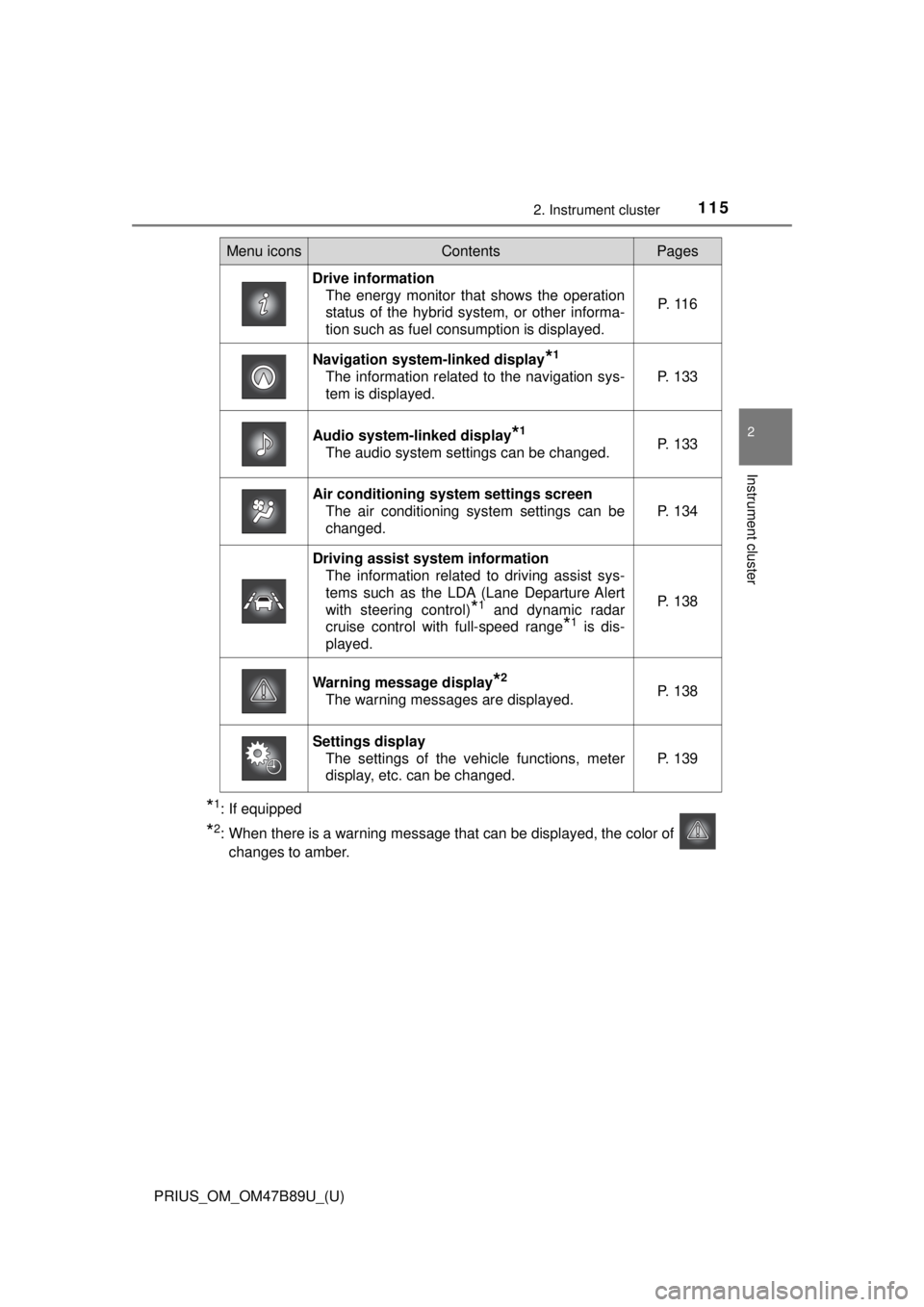
Menu iconsContentsPages
Drive information The energy monitor that shows the operation
status of the hybrid system, or other informa-
tion such as fuel consumption is displayed. P. 1 1 6
Navigation system-linked display*1
The information related to the navigation sys-
tem is displayed.P. 133
Audio system-linked display*1
The audio system settings can be changed.P. 133
Air conditioning system settings screen
The air conditioning system settings can be
changed.
P. 134
Driving assist system informationThe information related to driving assist sys-
tems such as the LDA (Lane Departure Alert
with steering control)
*1 and dynamic radar
cruise control with full-speed range
*1 is dis-
played.
P. 138
Warning message display*2
The warning messages are displayed.P. 138
Settings display The settings of the vehicle functions, meter
display, etc. can be changed.
P. 139
Page 138 of 820
138
PRIUS_OM_OM47B89U_(U)
2. Instrument cluster
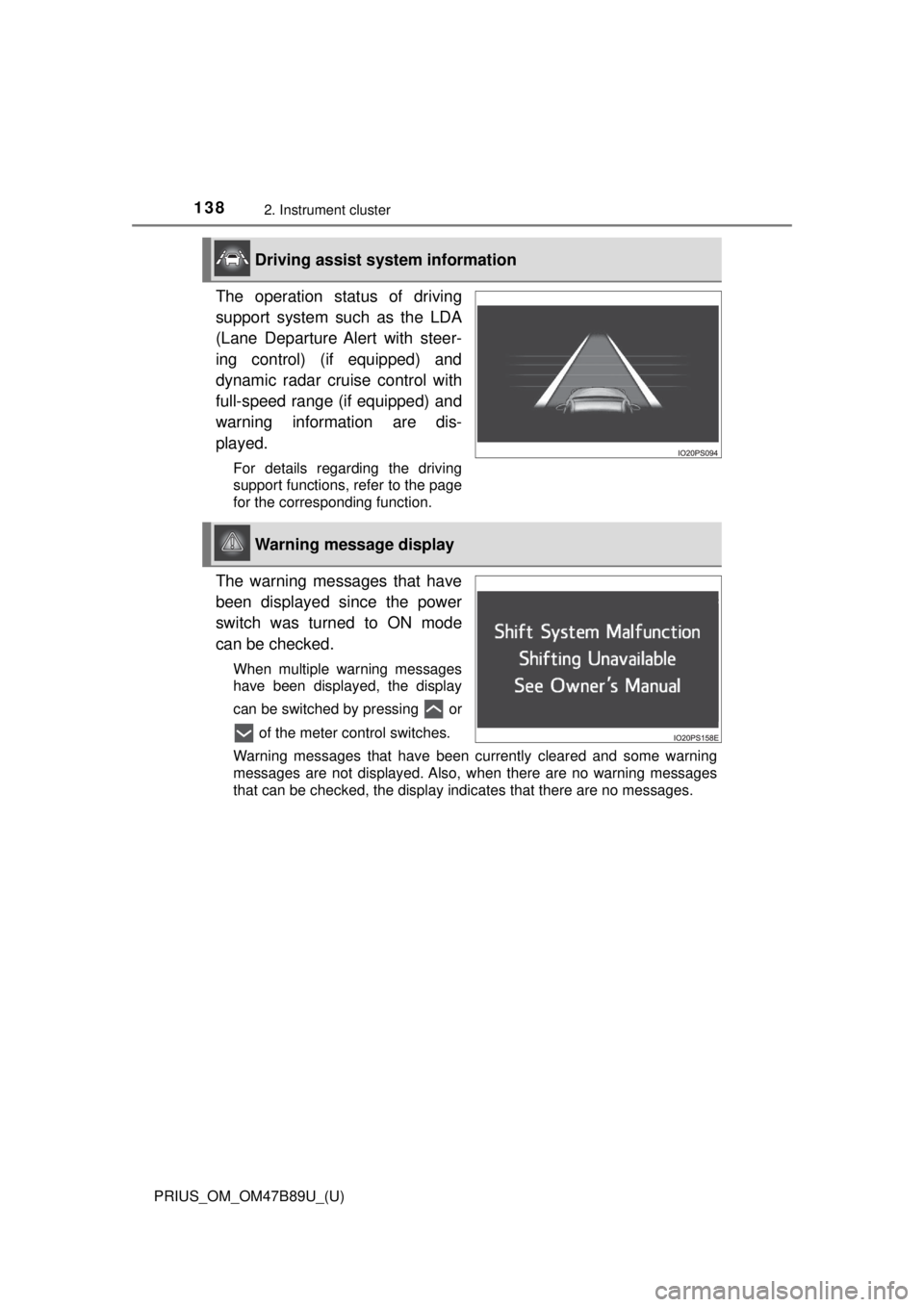
The operation status of driving
support system such as the LDA
(Lane Departure Alert with steer-
ing control) (if equipped) and
dynamic radar cruise control with
full-speed range (if equipped) and
warning information are dis-
played.
For details regarding the driving
support functions, refer to the page
for the corresponding function.
The warning messages that have
been displayed since the power
switch was turned to ON mode
can be checked.
When multiple warning messages
have been displayed, the display
can be switched by pressing or of the meter control switches.
Warning messages that have been currently cleared and some warning
messages are not displayed. Also, when there are no warning messages
that can be checked, the display indicates that there are no messages.
Driving assist system information
Warning message display
Page 140 of 820
140
PRIUS_OM_OM47B89U_(U)
2. Instrument cluster
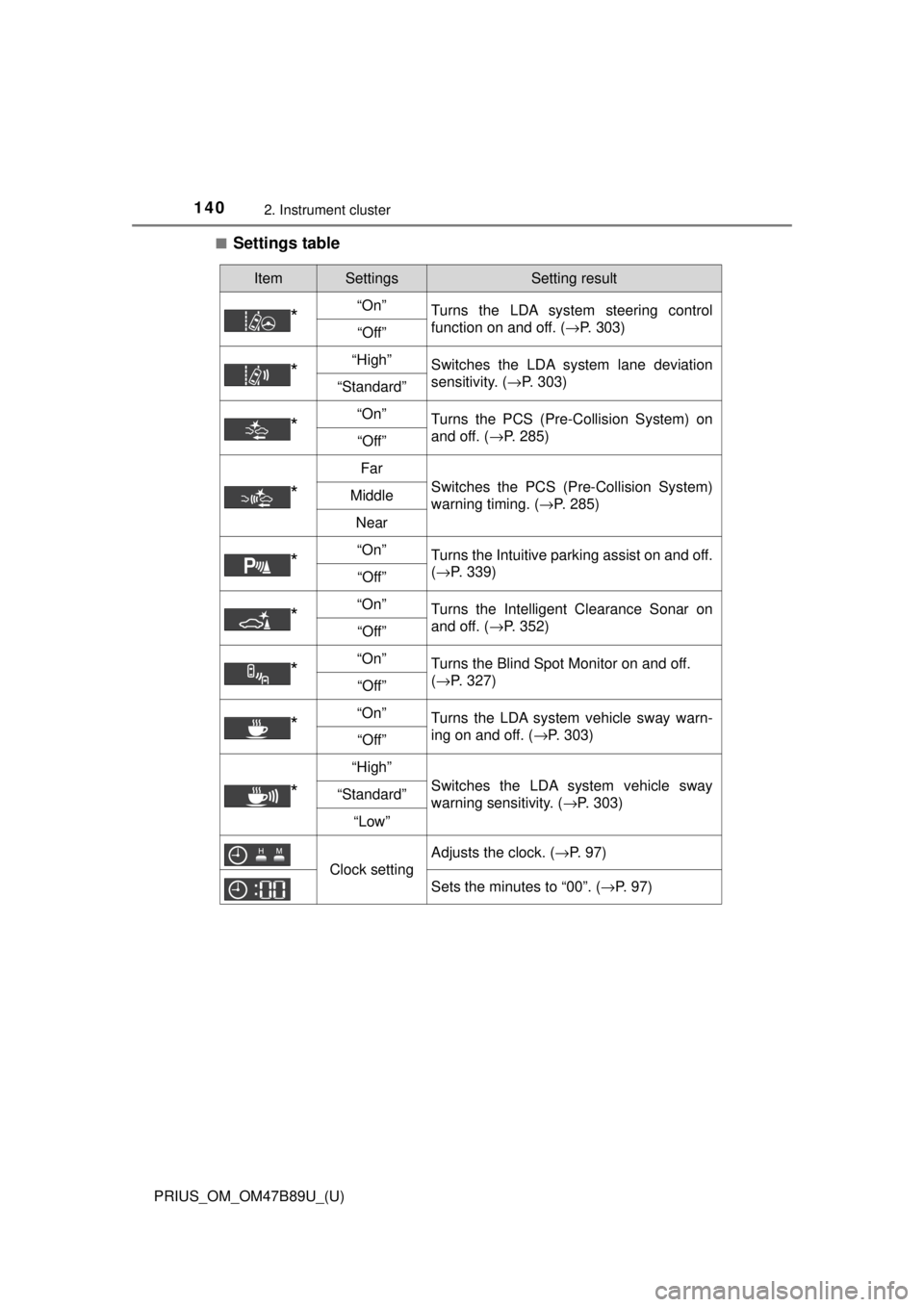
■Settings table
ItemSettingsSetting result
*“On”Turns the LDA system steering control
function on and off. ( →P. 303)
“Off”
*“High”Switches the LDA system lane deviation
sensitivity. (→P. 303)
“Standard”
*“On”Turns the PCS (Pre-Collision System) on
and off. (→P. 285)
“Off”
*
Far
Switches the PCS (Pre-Collision System)
warning timing. ( →P. 285)Middle
Near
*“On”Turns the Intuitive parking assist on and off.
(→P. 339)
“Off”
*“On”Turns the Intelligent Clearance Sonar on
and off. ( →P. 352)
“Off”
*“On”Turns the Blind Spot Monitor on and off.
(→P. 327)
“Off”
*“On”Turns the LDA system vehicle sway warn-
ing on and off. ( →P. 303)
“Off”
*
“High”
Switches the LDA system vehicle sway
warning sensitivity. ( →P. 303)“Standard”
“Low”
Clock setting
Adjusts the clock. (→P. 97)
Sets the minutes to “00”. (→P. 97)
Page 149 of 820
PRIUS_OM_OM47B89U_(U)
1492. Instrument cluster
2
Instrument cluster
■Insert displays of the driving support systems
Insert displays are linked with the operation of the following sys-
tems and used to show some of the information shown on the multi-
information display on the head-up display.
*: If equipped
■
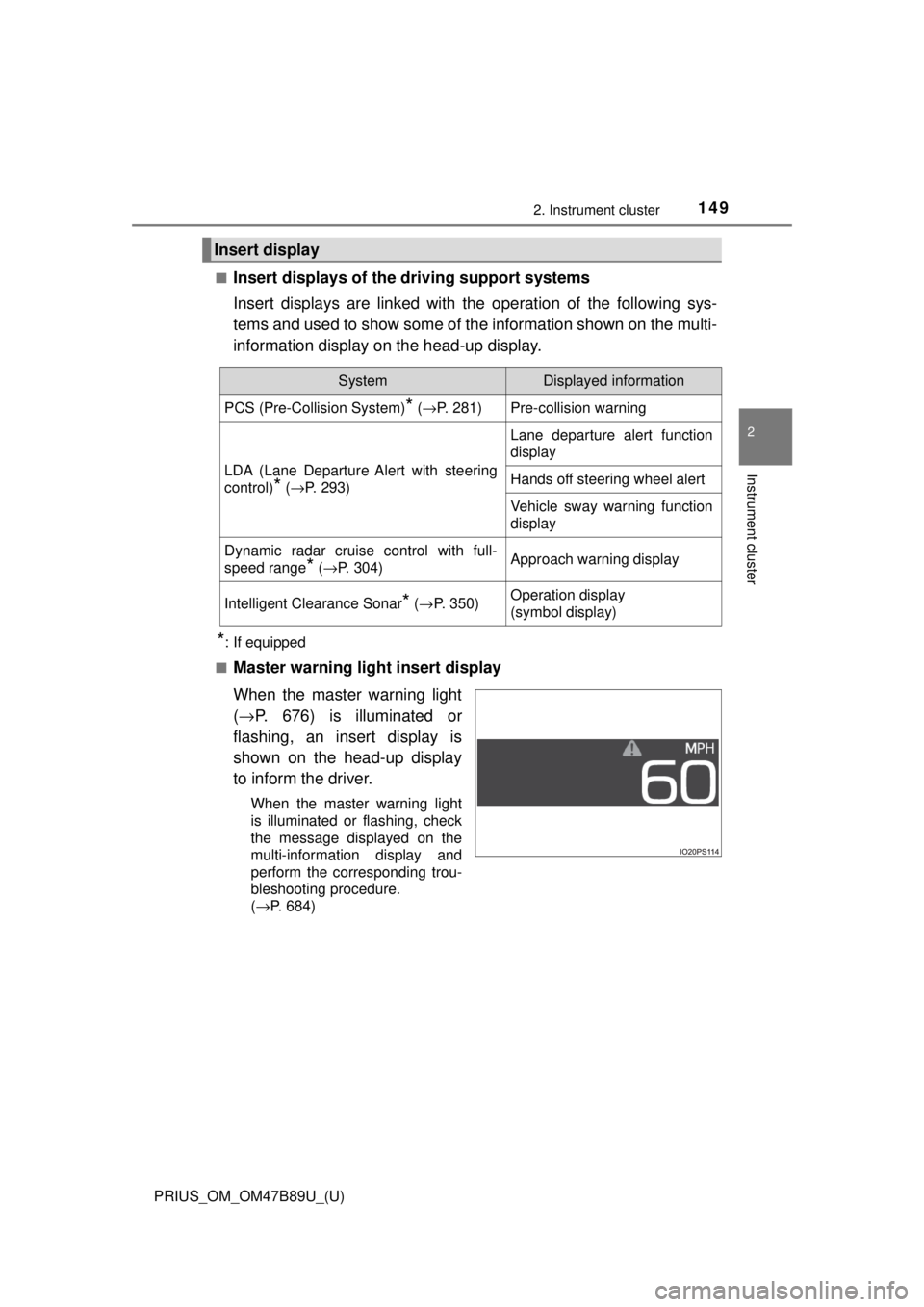
Master warning light insert display
When the master warning light
( → P. 676) is illuminated or
flashing, an insert display is
shown on the head-up display
to inform the driver.
When the master warning light
is illuminated or flashing, check
the message displayed on the
multi-information display and
perform the corresponding trou-
bleshooting procedure.
( →P. 684)
Insert display
SystemDisplayed information
PCS (Pre-Collision System)* ( →P. 281)Pre-collision warning
LDA (Lane Departure Alert with steering
control)
* (→P. 293)
Lane departure alert function
display
Hands off steering wheel alert
Vehicle sway warning function
display
Dynamic radar cruise control with full-
speed range
* (→P. 304)Approach warning display
Intelligent Clearance Sonar* (→ P. 350)Operation display
(symbol display)
Page 213 of 820
213
PRIUS_OM_OM47B89U_(U)
4Driving
4-1. Before drivingDriving the vehicle ............. 214
Cargo and luggage ........... 225
Vehicle load limits ............. 228
Trailer towing..................... 229
Dinghy towing ................... 230
4-2. Driving procedures Power (ignition) switch ...... 231
EV drive mode .................. 237
Hybrid transmission........... 240
Turn signal lever................ 246
Parking brake .................... 247
4-3. Operating the lights and wipers
Headlight switch ................ 248
Automatic High Beam ....... 253
Fog light switch ................. 258
Windshield wipers and washer ............................ 260
Rear window wiper and washer ............................ 266
4-4. Refueling Opening the fuel tank cap .................................. 268 4-5. Using the driving support
systems
Toyota Safety Sense P ..... 273
PCS (Pre-Collision System)........................... 281
LDA (Lane Departure Alert with steering
control) ............................ 293
Dynamic radar cruise control with full-speed
range............................... 304
Cruise control .................... 319
Driving mode select switch .............................. 324
BSM (Blind Spot Monitor) ........ 326
• The Blind Spot Monitor function ......................... 331
• The Rear Cross Traffic Alert function ................. 334
Intuitive parking assist....... 339
Intelligent Clearance Sonar .............................. 350
S-APGS (Simple Advanced Parking
Guidance System) .......... 363
Rear view monitor system ............................ 398
Driving assist systems ...... 408
4-6. Driving tips Hybrid vehicle driving tips .................................. 415
Winter driving tips ............. 418
Page 246 of 820
246
PRIUS_OM_OM47B89U_(U)
4-2. Driving procedures
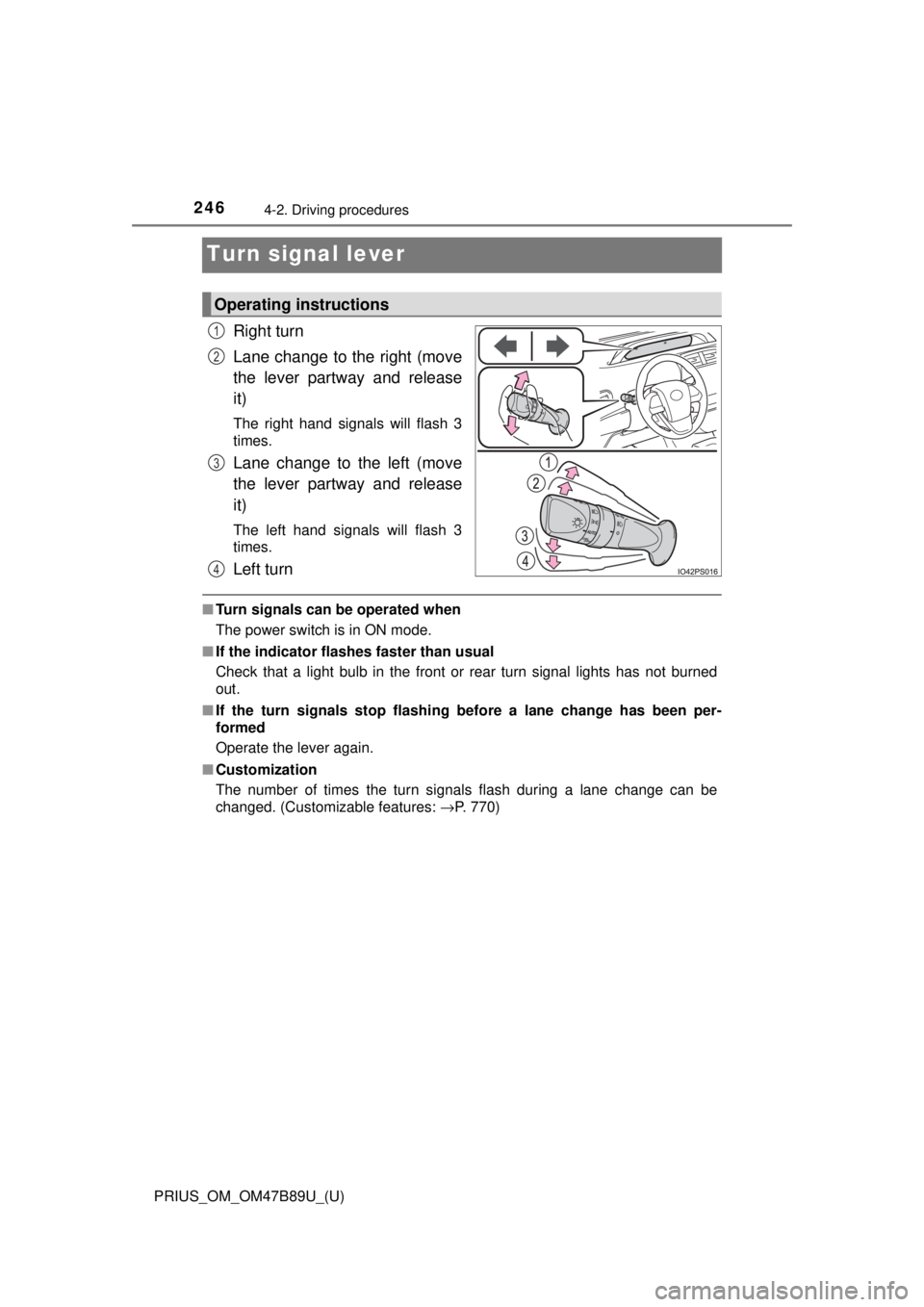
Turn signal lever
Right turn
Lane change to the right (move
the lever partway and release
it)
The right hand signals will flash 3
times.
Lane change to the left (move
the lever partway and release
it)
The left hand signals will flash 3
times.
Left turn
■Turn signals can be operated when
The power switch is in ON mode.
■ If the indicator flashes faster than usual
Check that a light bulb in the front or rear turn signal lights has not burned
out.
■ If the turn signals stop flashing before a lane change has been per-
formed
Operate the lever again.
■ Customization
The number of times the turn signals flash during a lane change can be
changed. (Customizable features: →P. 770)
Operating instructions
1
2
3
4
Page 255 of 820
PRIUS_OM_OM47B89U_(U)
2554-3. Operating the lights and wipers
4
Driving
■High beam automatic turning on or off conditions
●When all of the following conditions are fulfilled, the high beam will be auto-
matically turned on (after approximately 1 second):
• Vehicle speed is above approximately 21 mph (34 km/h).
• The area ahead of the vehicle is dark.
• There are no vehicles ahead with headlights or tail lights turned on.
• There are few streetlights on the road ahead.
● If any of the following conditions are fulfilled, the high beam will be automat-
ically turned off:
• Vehicle speed drops below approximately 17 mph (27 km/h).
• The area ahead of the vehicle is not dark.
• Vehicles ahead have headlights or tail lights turned on.
• There are many streetlights on the road ahead.
■ Camera sensor detection information
●The high beam may not be automatically turned off in the following situa-
tions:
• When oncoming vehicles suddenly appear from a curve
• When the vehicle is cut in front of by another vehicle
• When vehicles ahead are hidden from sight due to repeated curves, road
dividers or roadside trees
• When vehicles ahead appear from the faraway lane on wide road
• When vehicles ahead vehicles have no lights
● The high beam may be turned off if a vehicle ahead that is using fog lights
without using the headlights is detected.
● House lights, street lights, traffic signals, and illuminated billboards or signs
may cause the high beam to switch to the low beams, or the low beams to
remain on.
● The following factors may affect the amount of time taken to turn the high
beam on or off:
• The brightness of headlights, fog lights, and tail lights of vehicles ahe\
ad
• The movement and direction of vehicles ahead
• When a vehicle ahead only has operational lights on one side
• When a vehicle ahead is a two-wheeled vehicle
• The condition of the road (gradient, curve, condition of the road surface
etc.)
• The number of passengers and amount of luggage
● The high beam may be turned on or off when the driver does not expect it.
● Bicycles or similar objects may not be detected.