steering wheel TOYOTA PRIUS C 2015 NHP10 / 1.G Owner's Guide
[x] Cancel search | Manufacturer: TOYOTA, Model Year: 2015, Model line: PRIUS C, Model: TOYOTA PRIUS C 2015 NHP10 / 1.GPages: 552, PDF Size: 9.47 MB
Page 260 of 552
260
PRIUS c_U (OM52E68U)
5-4. Using the Multimedia system
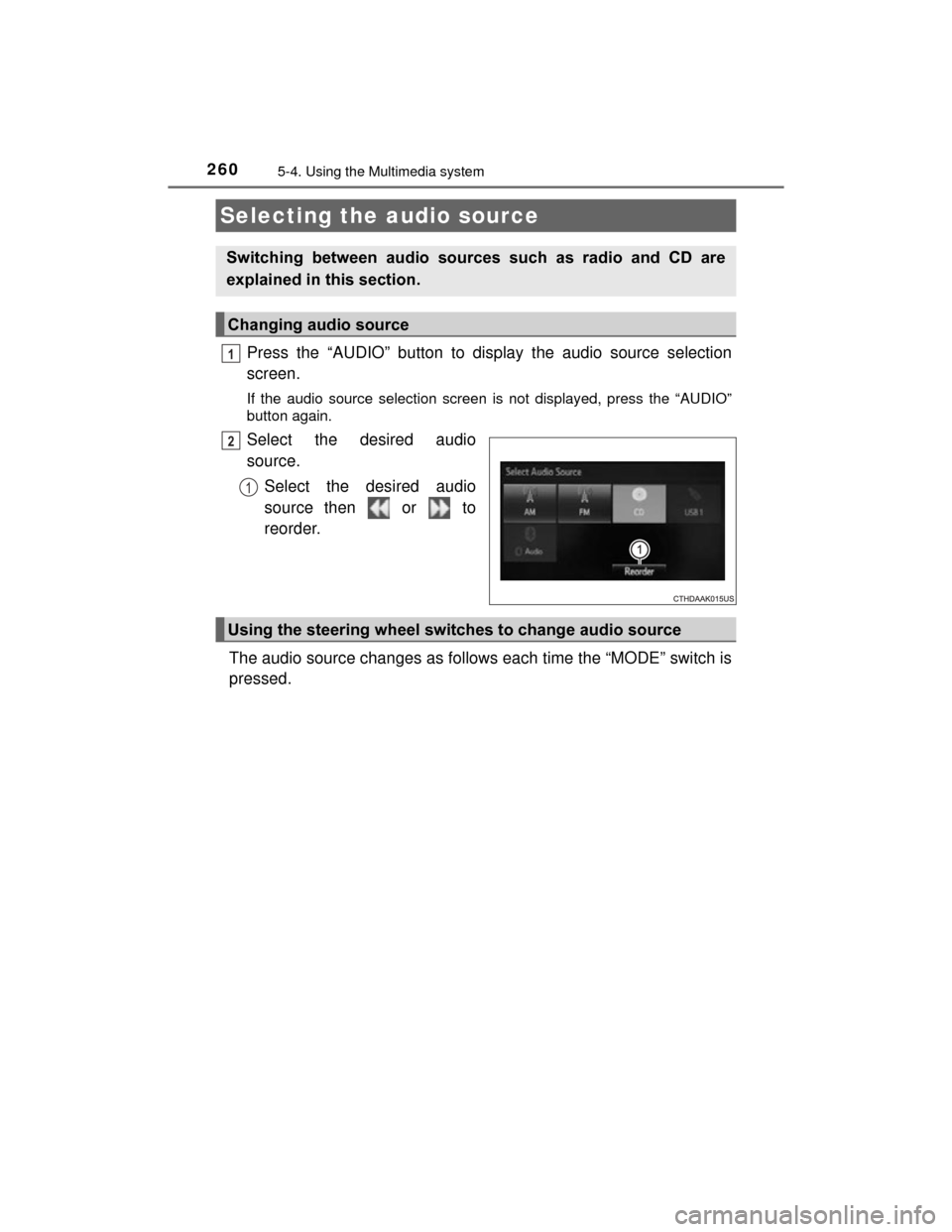
Press the “AUDIO” button to display the audio source selection
screen.
If the audio source selection screen is not displayed, press the “AUDIO”
button again.
Select the desired audio
source.Select the desired audio
source then or to
reorder.
The audio source changes as follows each time the “MODE” switch is
pressed.
Selecting the audio source
Switching between audio sources such as radio and CD are
explained in this section.
Changing audio source
1
2
1
Using the steering wheel switches to change audio source
Page 300 of 552
3005-10. Bluetooth® phone (Multimedia system)
PRIUS c_U (OM52E68U)
Display the phone screen. (P. 297)
Select the “Dial Pad” tab and enter a phone number.
To delete the input phone number, select .
For the first digit, you can enter “+” by selecting “ ” for a while.
Press the switch on the steering wheel or select .
You can dial a number from the contact data imported from your cellu-
lar phone. The system has one contact for each registered phone. Up
to 2500 contacts may be stored in each contact. ( P. 300)
Display the phone screen. ( P. 297)
Select “Contacts” tab.
Choose the desired contact to call from the list.
Choose the number and then press the switch on the steering
wheel or select .
You can transfer the phone numbers in a Bluetooth
® phone to the sys-
tem.
Operation methods differ between PBAP (Phone Book Access Profile)
compatible and PBAP incompatible Bluetooth
® phones. If the cellular
phone does not support either PBAP or OPP (Object Push Profile)
service, you cannot transfer contacts.
Making a call
Once a Bluetooth® phone is registered, you can make a call
using the following procedure:
Dialing
Dialing from the contacts list
When the contact is empty
1
2
3
1
2
3
4
Page 301 of 552
3015-10. Bluetooth® phone (Multimedia system)
5
Audio system
PRIUS c_U (OM52E68U)
Press the switch on the steering wheel.
If the phonebook is empty, a message will be displayed.
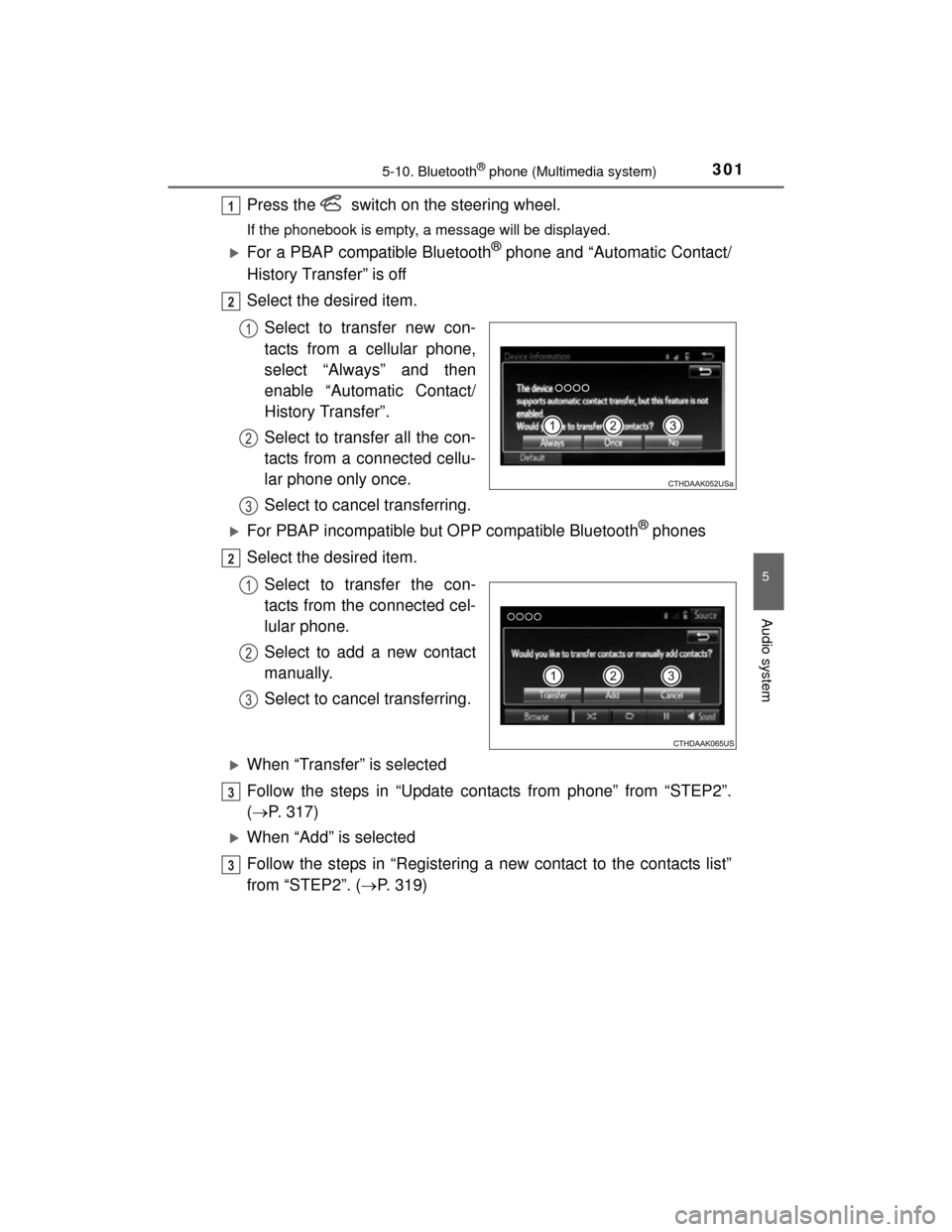
For a PBAP compatible Bluetooth® phone and “Automatic Contact/
History Transfer” is off
Select the desired item.
Select to transfer new con-
tacts from a cellular phone,
select “Always” and then
enable “Automatic Contact/
History Transfer”.
Select to transfer all the con-
tacts from a connected cellu-
lar phone only once.
Select to cancel transferring.
For PBAP incompatible but OPP compatible Bluetooth® phones
Select the desired item.
Select to transfer the con-
tacts from the connected cel-
lular phone.
Select to add a new contact
manually.
Select to cancel transferring.
When “Transfer” is selected
Follow the steps in “Update contacts from phone” from “STEP2”.
( P. 317)
When “Add” is selected
Follow the steps in “Registering a new contact to the contacts list”
from “STEP2”. ( P. 319)
1
2
1
2
3
2
1
2
3
3
3
Page 303 of 552
3035-10. Bluetooth® phone (Multimedia system)
5
Audio system
PRIUS c_U (OM52E68U)
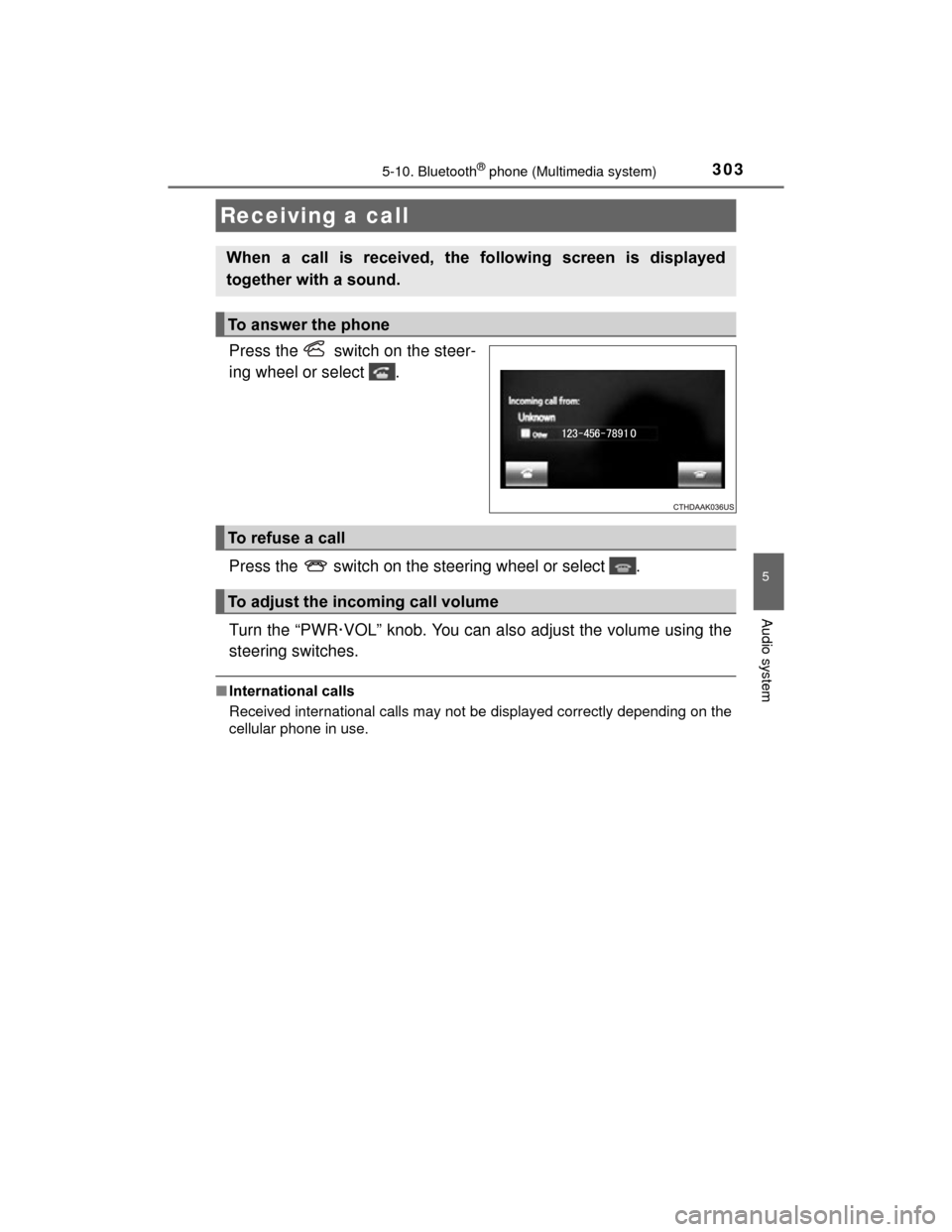
Press the switch on the steer-
ing wheel or select .
Press the switch on the steering wheel or select .
Turn the “PWR·VOL” knob. You can also adjust the volume using the
steering switches.
■International calls
Received international calls may not be displayed correctly depending on the
cellular phone in use.
Receiving a call
When a call is received, the following screen is displayed
together with a sound.
To answer the phone
To refuse a call
To adjust the incoming call volume
Page 306 of 552
3065-10. Bluetooth® phone (Multimedia system)
PRIUS c_U (OM52E68U)
Select “Handset Mode” to on from a hands-free call to a cellular
phone call.
Select “Handset Mode” to off from a cellular phone call to a hands-free
call.Select “Transmit Volume”.
Select the desired level for the transmit volume.
Select “OK”.
Press the switch on the steering wheel or select .
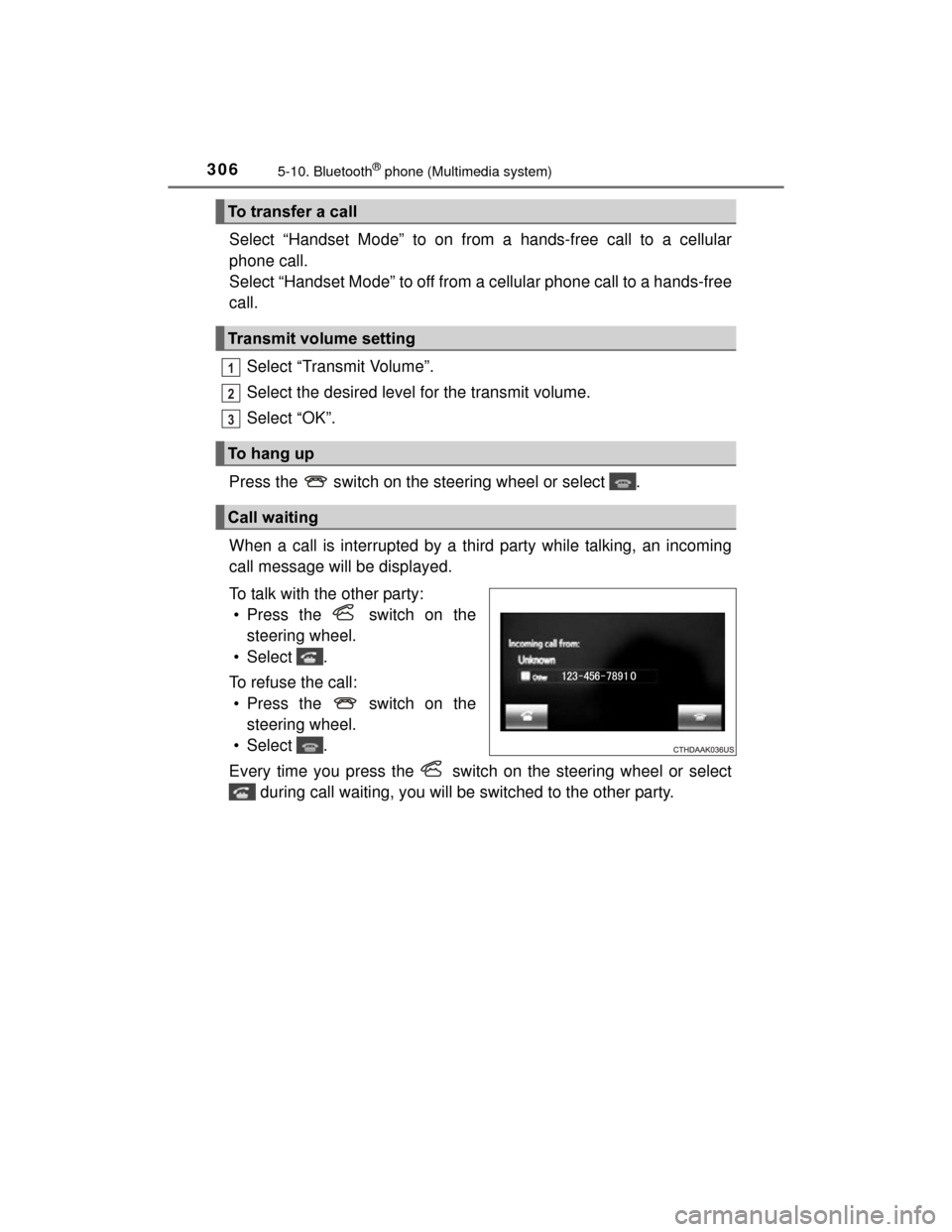
When a call is interrupted by a third party while talking, an incoming
call message will be displayed.
To talk with the other party: • Press the switch on the steering wheel.
• Select .
To refuse the call: • Press the switch on the steering wheel.
• Select .
Every time you press the switch on the steering wheel or select during call waiting, you will be switched to the other party.
To transfer a call
Transmit volume setting
To h a n g u p
Call waiting
1
2
3
Page 311 of 552
3115-10. Bluetooth® phone (Multimedia system)
5
Audio system
PRIUS c_U (OM52E68U)
■Check the messages
●Depending on the type of Bluetooth® phone being connected, it may be nec-
essary to perform additional steps on the phone.
● Messages are displayed in the appropriate connected Bluetooth
® phone’s
registered mail address folder.
Select the tab of the desired folder to be displayed.
● Only received messages on the connected Bluetooth
® phone can be dis-
played.
● The text of the message is not displayed while driving.
● When “Automatic Message Readout” is set to on, messages will be auto-
matically read out. ( P. 324)
● Turn the “PWR·VOL” knob, or use the volume switch on the steering wheel
to adjust the message read out volume.
● The message read out function is available even while driving.
Display the message inbox screen. ( P. 308)
Select the desired message from the list.
Select “Quick Message”.
Select the desired message.
Select “Send”.
■Editing quick reply message Select “Quick Message”.
Select corresponding to the desired message to edit.
Select “OK” when editing is completed.
Replying to a message
1
2
3
4
5
1
2
3
Page 313 of 552
3135-10. Bluetooth® phone (Multimedia system)
5
Audio system
PRIUS c_U (OM52E68U)
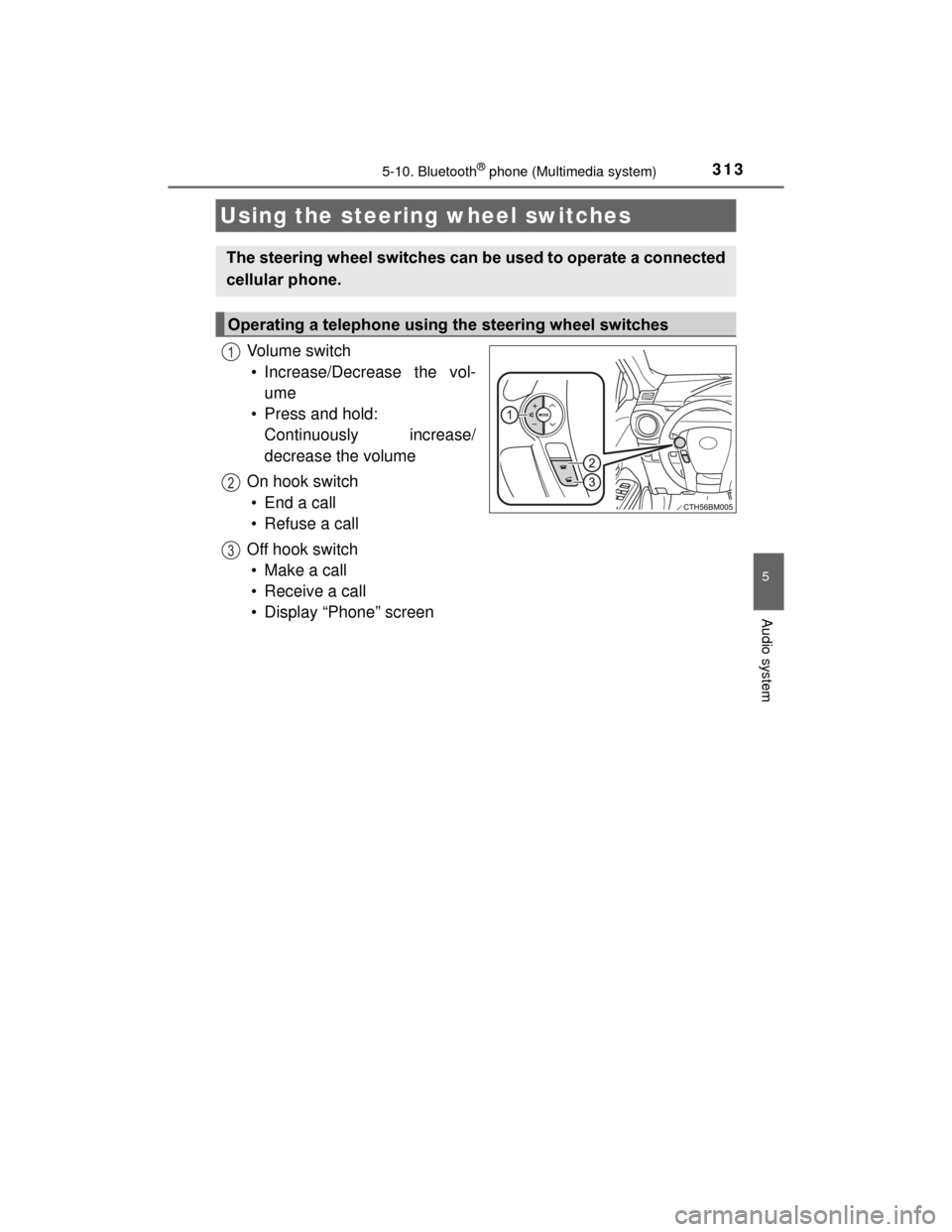
Vol um e s wit ch• Increase/Decrease the vol- ume
• Press and hold: Continuously increase/
decrease the volume
On hook switch •End a call
• Refuse a call
Off hook switch • Make a call
• Receive a call
• Display “Phone” screen
Using the steering wheel switches
The steering wheel switches can be used to operate a connected
cellular phone.
Operating a telephone using the steering wheel switches
1
2
3
Page 344 of 552
3446-1. Using the air conditioning system and defogger
PRIUS c_U (OM52E68U)
Open the vent.
Close the vent.
Right and left side outlets (type B)
Direct air flow to the left or right,
up or down.
Open the vent.
Close the vent.
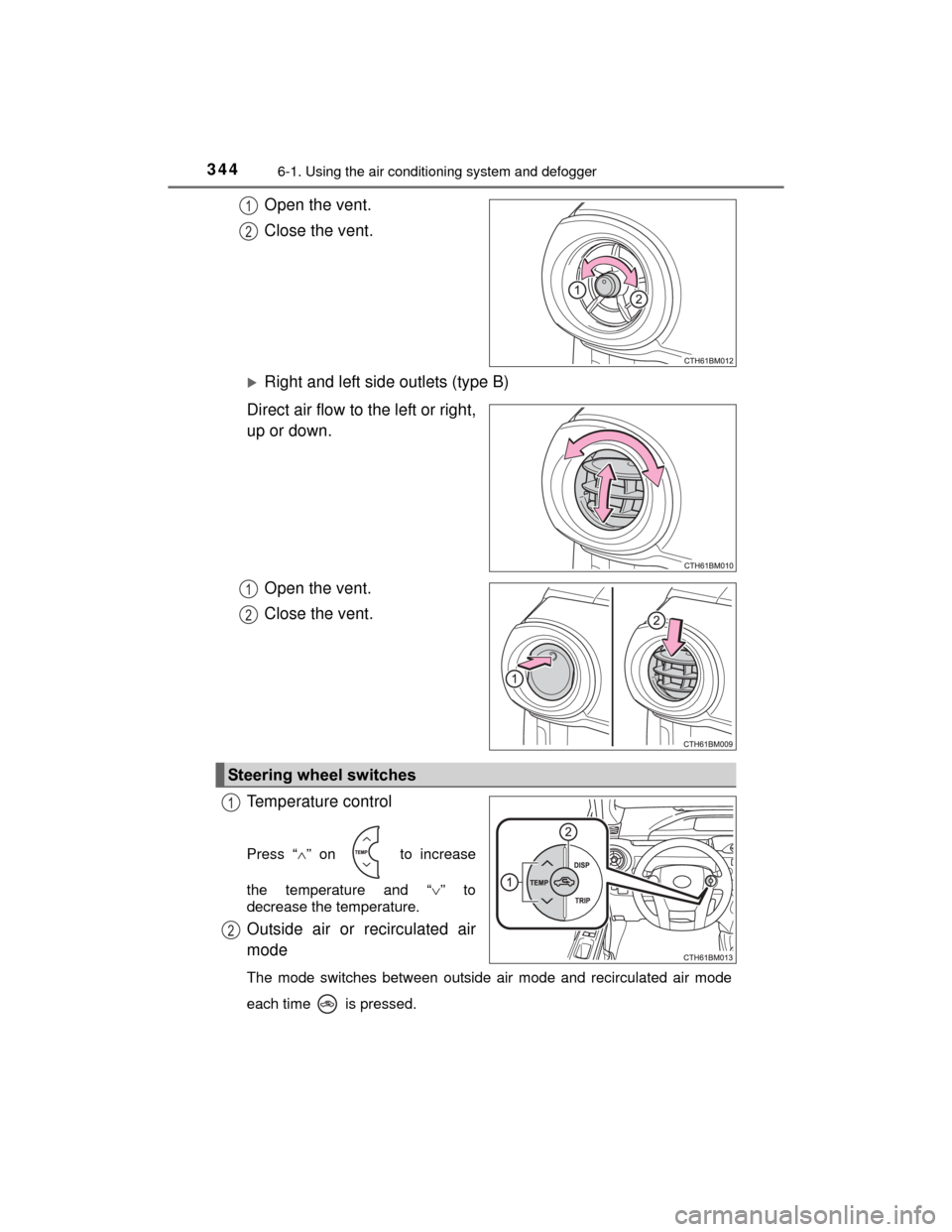
Temperature control
Press “ ” on to increase
the temperature and “ ” to
decrease the temperature.
Outside air or recirculated air
mode
The mode switches between outside air mode and recirculated air mode
each time is pressed.
1
2
1
2
Steering wheel switches
1
2
Page 376 of 552
3767-2. Maintenance
PRIUS c_U (OM52E68U)
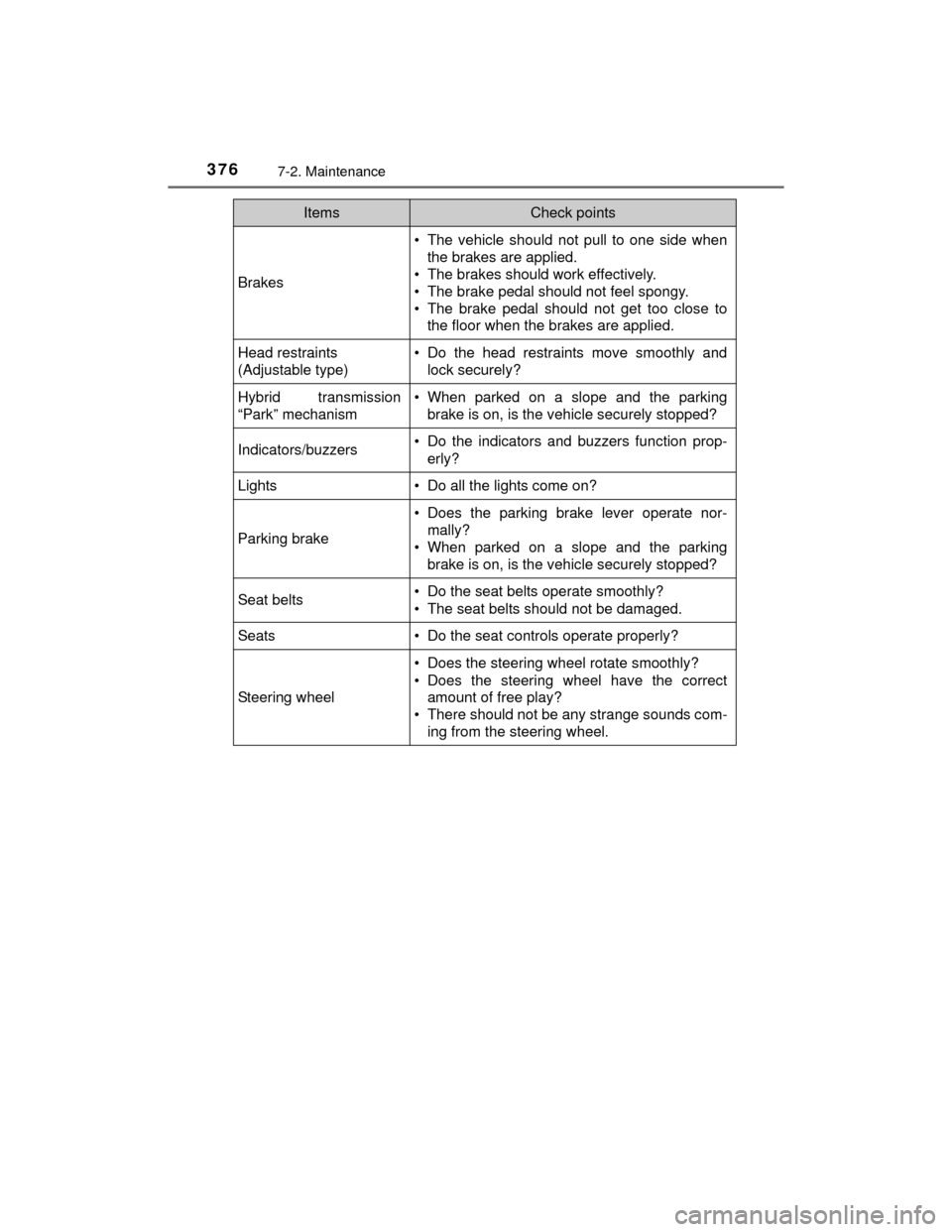
Brakes
• The vehicle should not pull to one side whenthe brakes are applied.
• The brakes should work effectively.
• The brake pedal should not feel spongy.
• The brake pedal should not get too close to the floor when the brakes are applied.
Head restraints
(Adjustable type)• Do the head restraints move smoothly and
lock securely?
Hybrid transmission
“Park” mechanism• When parked on a slope and the parkingbrake is on, is the vehicle securely stopped?
Indicators/buzzers• Do the indicators and buzzers function prop-
erly?
Lights• Do all the lights come on?
Parking brake
• Does the parking brake lever operate nor-mally?
• When parked on a slope and the parking brake is on, is the vehicle securely stopped?
Seat belts• Do the seat belts operate smoothly?
• The seat belts should not be damaged.
Seats• Do the seat controls operate properly?
Steering wheel
• Does the steering wheel rotate smoothly?
• Does the steering wheel have the correctamount of free play?
• There should not be any strange sounds com- ing from the steering wheel.
ItemsCheck points
Page 422 of 552
4227-3. Do-it-yourself maintenance
PRIUS c_U (OM52E68U)■
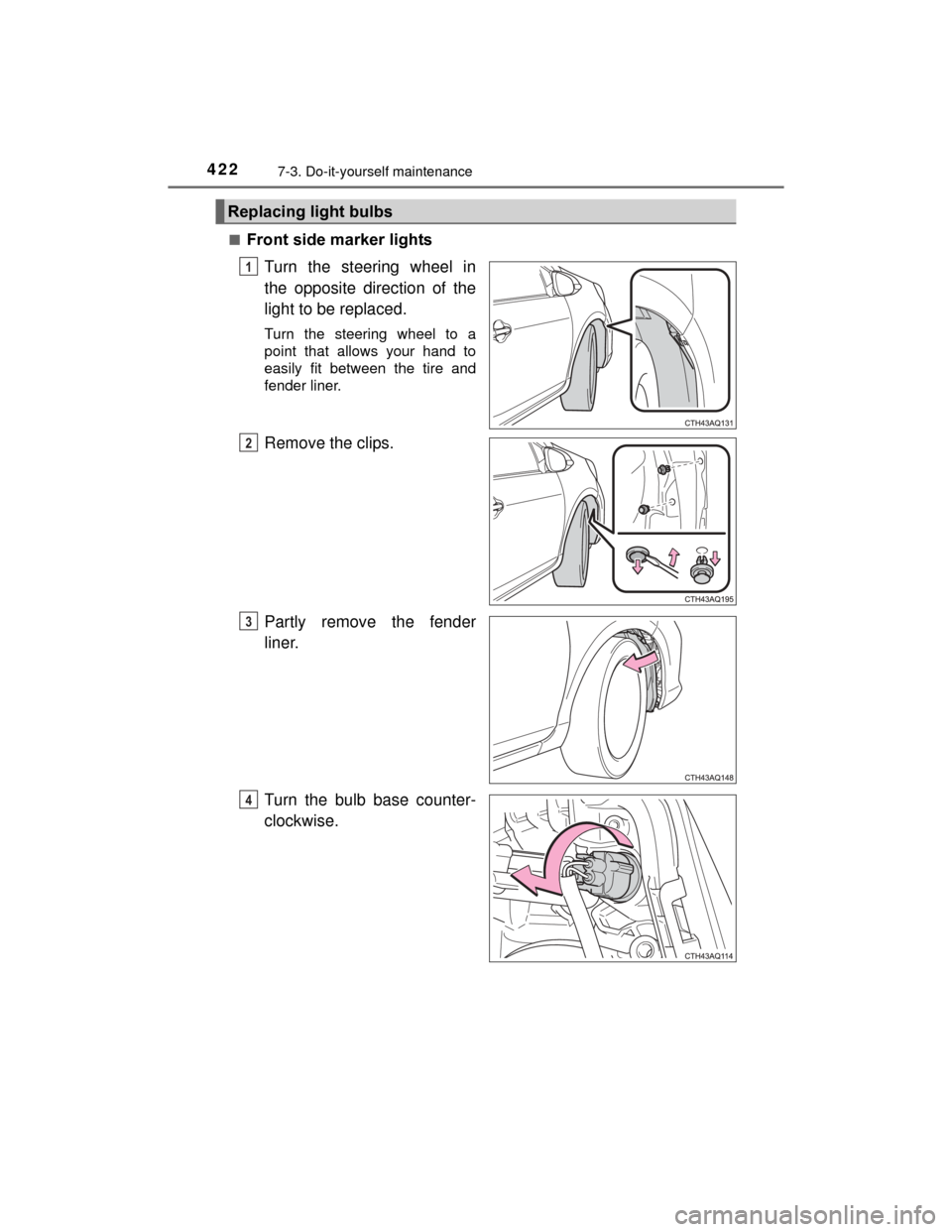
Front side marker lights
Turn the steering wheel in
the opposite direction of the
light to be replaced.
Turn the steering wheel to a
point that allows your hand to
easily fit between the tire and
fender liner.
Remove the clips.
Partly remove the fender
liner.
Turn the bulb base counter-
clockwise.
Replacing light bulbs
1
2
3
4