audio TOYOTA PRIUS C 2016 NHP10 / 1.G Owners Manual
[x] Cancel search | Manufacturer: TOYOTA, Model Year: 2016, Model line: PRIUS C, Model: TOYOTA PRIUS C 2016 NHP10 / 1.GPages: 588, PDF Size: 12.75 MB
Page 1 of 588
PRIUS c_U (OM52F96U)
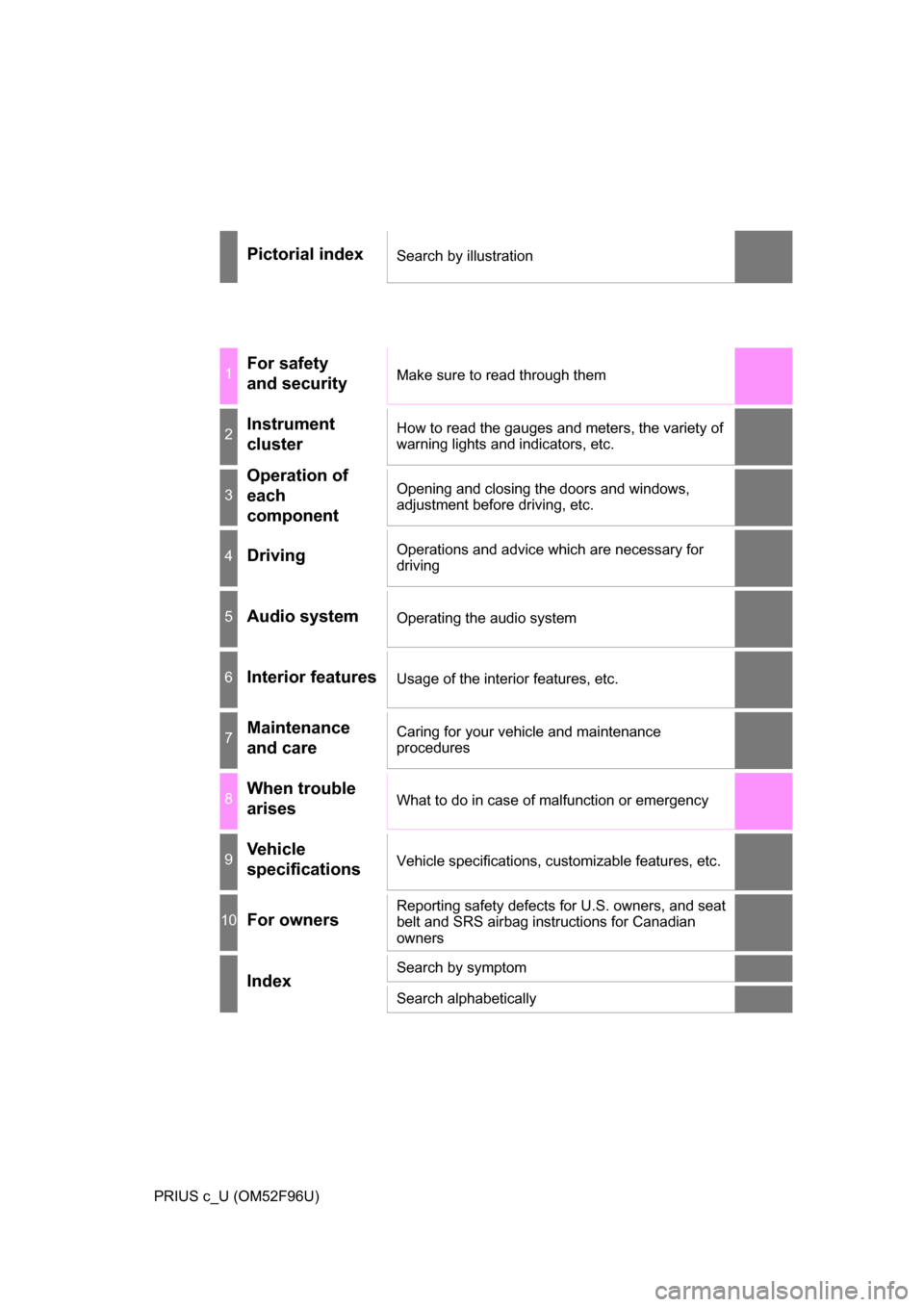
Pictorial indexSearch by illustration
1For safety
and securityMake sure to read through them
2Instrument
clusterHow to read the gauges and meters, the variety of
warning lights and indicators, etc.
3
Operation of
each
componentOpening and closing the doors and windows,
adjustment before driving, etc.
4DrivingOperations and advice which are necessary for
driving
5Audio systemOperating the audio system
6Interior featuresUsage of the interior features, etc.
7Maintenance
and careCaring for your vehicle and maintenance
procedures
8When trouble
arisesWhat to do in case of malfunction or emergency
9Vehicle
specificationsVehicle specifications, customizable features, etc.
10For ownersReporting safety defects for U.S. owners, and seat
belt and SRS airbag instructions for Canadian
owners
IndexSearch by symptom
Search alphabetically
Page 3 of 588
3
1
9 8 6 5
4
3
2
PRIUS c_U (OM52F96U)
10
7
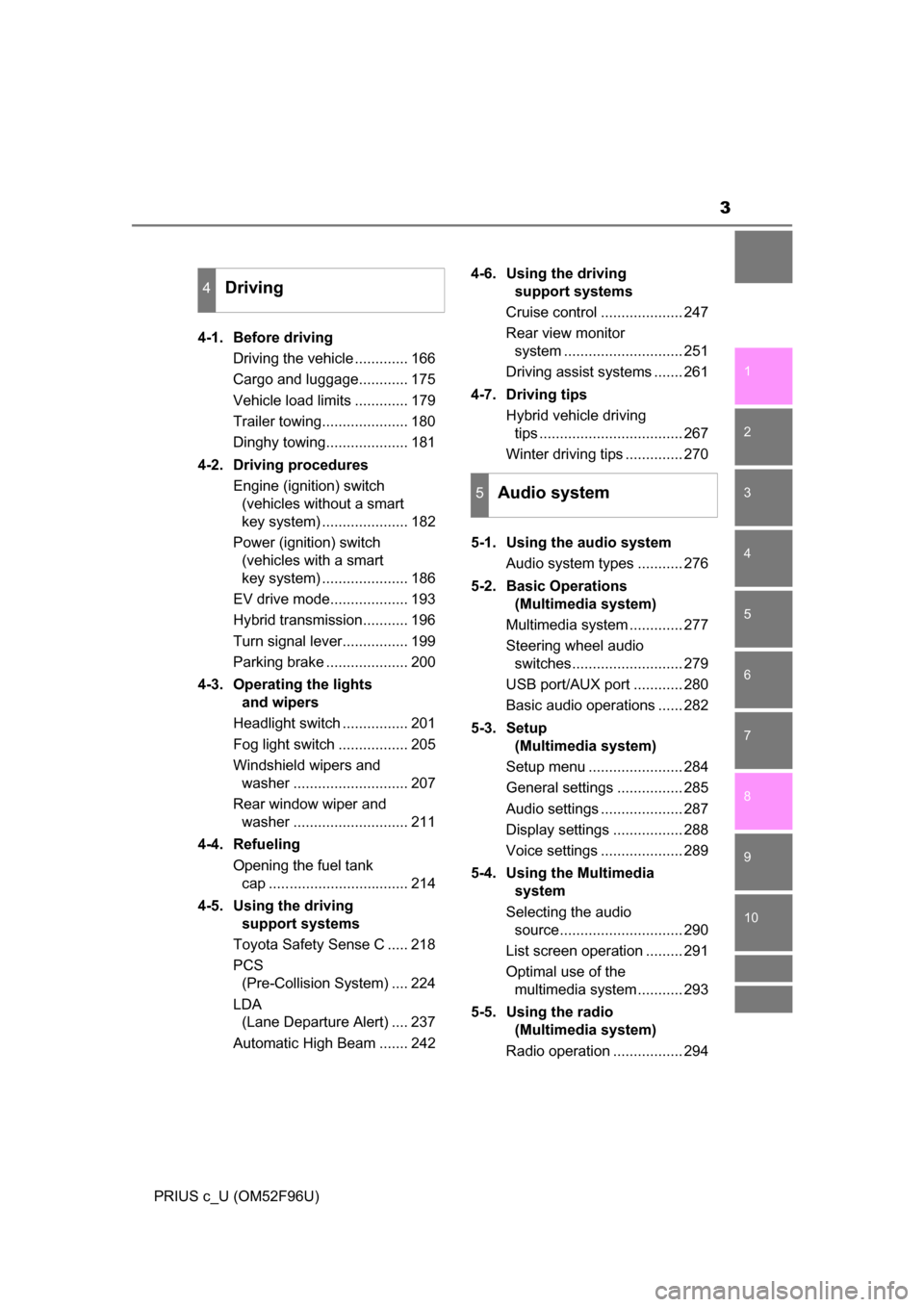
4-1. Before drivingDriving the vehicle ............. 166
Cargo and luggage............ 175
Vehicle load limits ............. 179
Trailer towing..................... 180
Dinghy towing.................... 181
4-2. Driving procedures Engine (ignition) switch (vehicles without a smart
key system) ..................... 182
Power (ignition) switch (vehicles with a smart
key system) ..................... 186
EV drive mode................... 193
Hybrid transmission........... 196
Turn signal lever................ 199
Parking brake .................... 200
4-3. Operating the lights and wipers
Headlight switch ................ 201
Fog light switch ................. 205
Windshield wipers and washer ............................ 207
Rear window wiper and washer ............................ 211
4-4. Refueling Opening the fuel tank cap .................................. 214
4-5. Using the driving support systems
Toyota Safety Sense C ..... 218
PCS (Pre-Collision System) .... 224
LDA (Lane Departure Alert) .... 237
Automatic High Beam ....... 242 4-6. Using the driving
support systems
Cruise control .................... 247
Rear view monitor system ............................. 251
Driving assist systems ....... 261
4-7. Driving tips Hybrid vehicle driving tips ................................... 267
Winter driving tips .............. 270
5-1. Using the audio system Audio system types ........... 276
5-2. Basic Operations (Multimedia system)
Multimedia system ............. 277
Steering wheel audio switches........................... 279
USB port/AUX port ............ 280
Basic audio operations ...... 282
5-3. Setup (Multimedia system)
Setup menu ....................... 284
General settings ................ 285
Audio settings .................... 287
Display settings ................. 288
Voice settings .................... 289
5-4. Using the Multimedia system
Selecting the audio source.............................. 290
List screen operation ......... 291
Optimal use of the multimedia system........... 293
5-5. Using the radio (Multimedia system)
Radio operation ................. 294
4Driving
5Audio system
Page 4 of 588
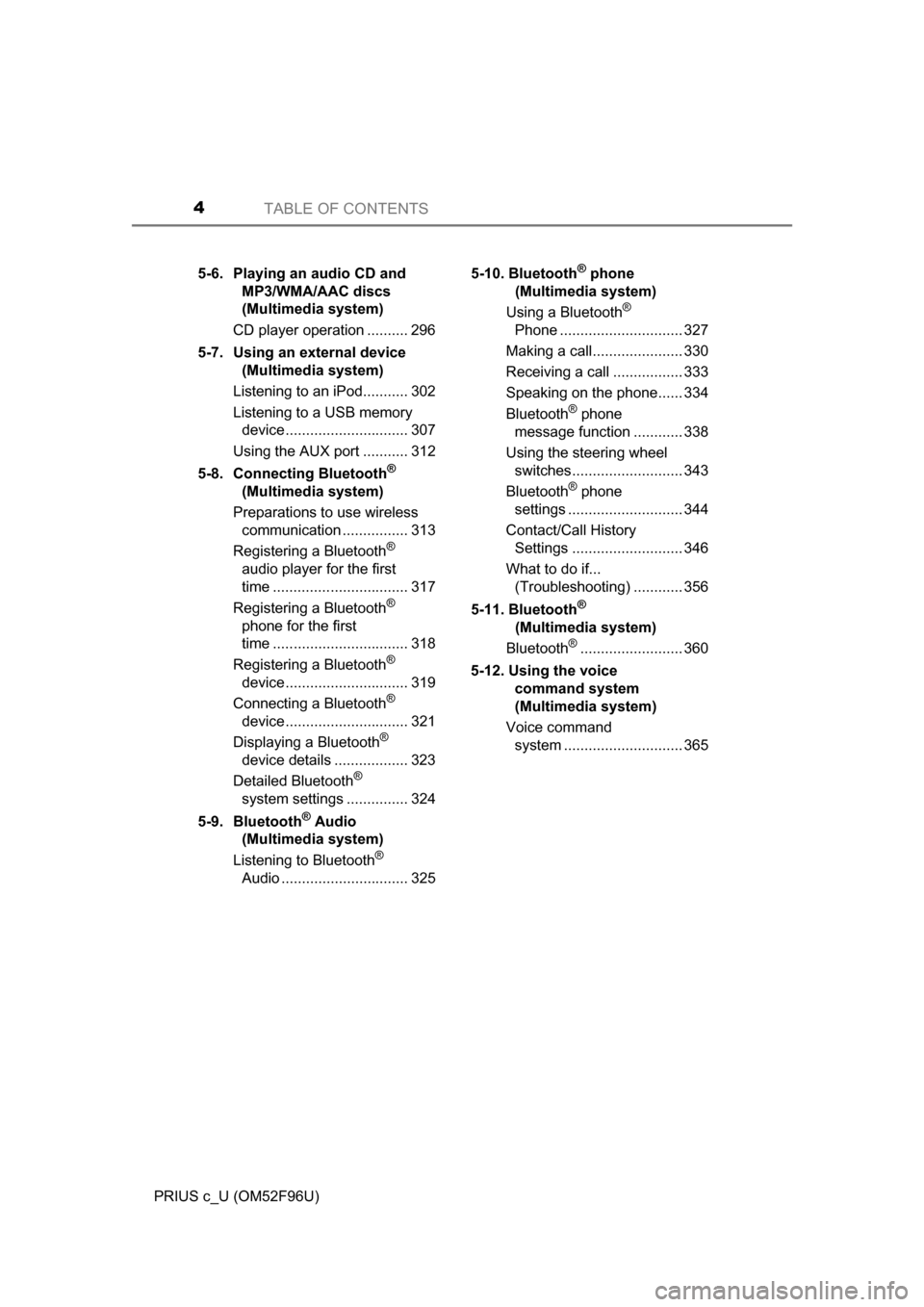
TABLE OF CONTENTS4
PRIUS c_U (OM52F96U)5-6. Playing an audio CD and
MP3/WMA/AAC discs
(Multimedia system)
CD player operation .......... 296
5-7. Using an external device (Multimedia system)
Listening to an iPod........... 302
Listening to a USB memory device.............................. 307
Using the AUX port ........... 312
5-8. Connecting Bluetooth
®
(Multimedia system)
Preparations to use wireless communication ................ 313
Registering a Bluetooth
®
audio player for the first
time ................................. 317
Registering a Bluetooth
®
phone for the first
time ................................. 318
Registering a Bluetooth
®
device.............................. 319
Connecting a Bluetooth
®
device.............................. 321
Displaying a Bluetooth
®
device details .................. 323
Detailed Bluetooth
®
system settings ............... 324
5-9. Bluetooth
® Audio
(Multimedia system)
Listening to Bluetooth
®
Audio ............................... 325 5-10. Bluetooth
® phone
(Multimedia system)
Using a Bluetooth
®
Phone .............................. 327
Making a call...................... 330
Receiving a call ................. 333
Speaking on the phone...... 334
Bluetooth
® phone
message function ............ 338
Using the steering wheel switches........................... 343
Bluetooth
® phone
settings ............................ 344
Contact/Call History Settings ........................... 346
What to do if... (Troubleshooting) ............ 356
5-11. Bluetooth
®
(Multimedia system)
Bluetooth
®......................... 360
5-12. Using the voice command system
(Multimedia system)
Voice command system ............................. 365
Page 19 of 588
19Pictorial index
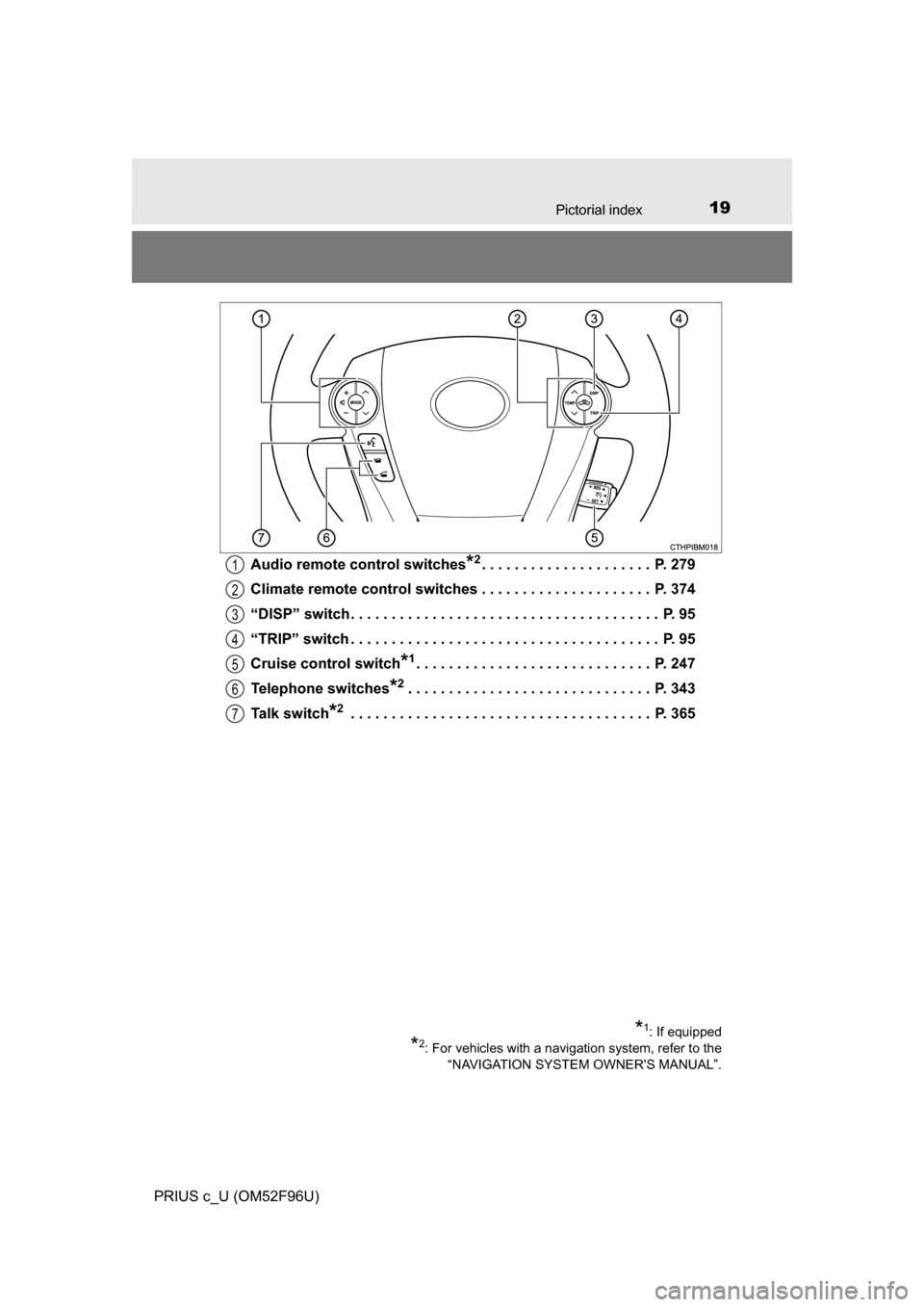
PRIUS c_U (OM52F96U)Audio remote control switches
*2. . . . . . . . . . . . . . . . . . . . . P. 279
Climate remote control switches . . . . . . . . . . . . . . . . . . . . . P. 374
“DISP” switch. . . . . . . . . . . . . . . . . . . . . . . . . . . . . . . . . . . . . . P. 95
“TRIP” switch . . . . . . . . . . . . . . . . . . . . . . . . . . . . . . . . . . . . . . P. 95
Cruise control switch
*1. . . . . . . . . . . . . . . . . . . . . . . . . . . . . P. 247
Telephone switches
*2. . . . . . . . . . . . . . . . . . . . . . . . . . . . . . P. 343
Talk switch
*2 . . . . . . . . . . . . . . . . . . . . . . . . . . . . . . . . . . . . . P. 365
*1: If equipped
*2: For vehicles with a navigation system, refer to the “NAVIGATION SYSTEM OWNER'S MANUAL”.
1
2
3
4
5
6
7
Page 95 of 588
952. Instrument cluster
2
Instrument cluster
PRIUS c_U (OM52F96U)
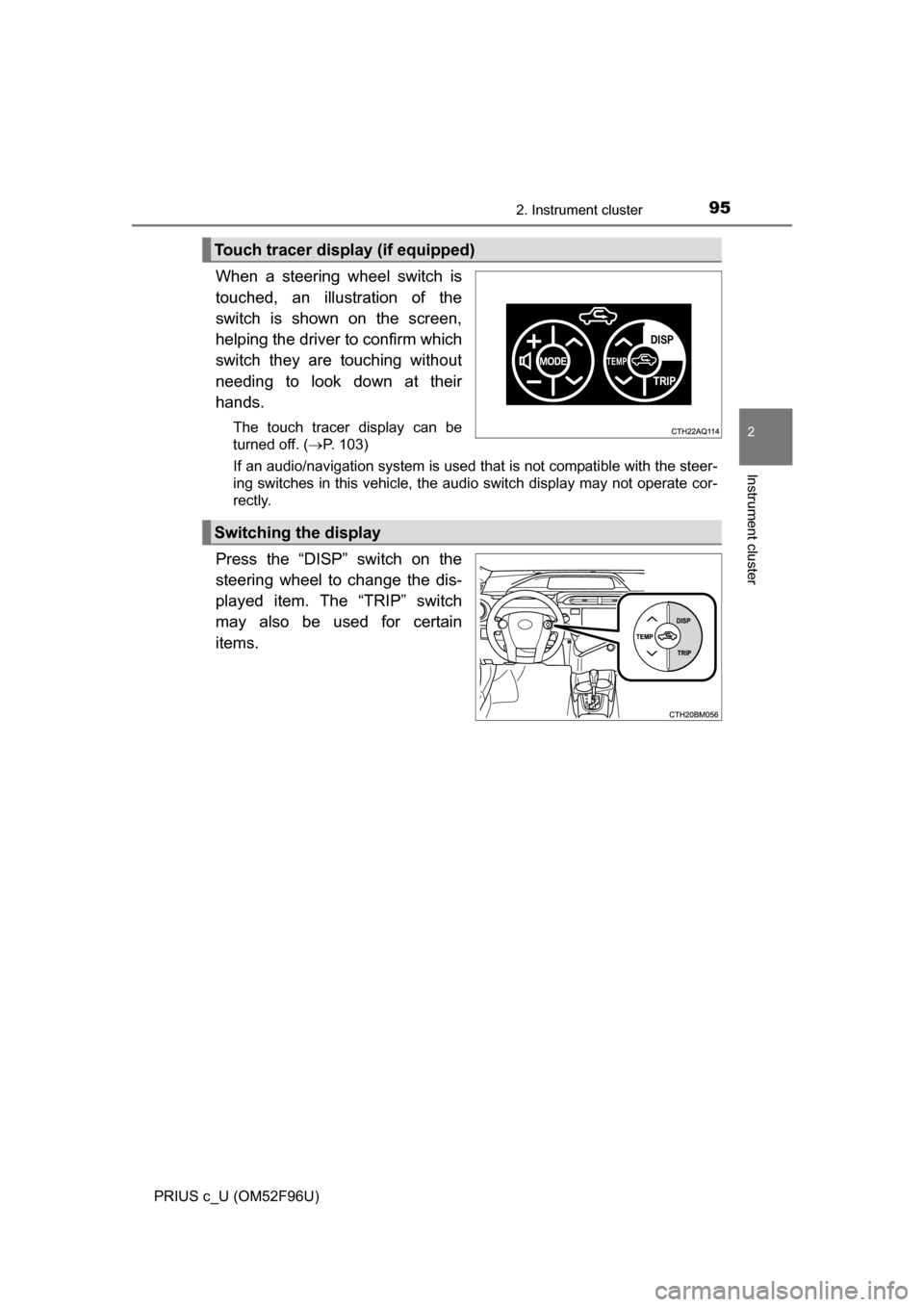
When a steering wheel switch is
touched, an illustration of the
switch is shown on the screen,
helping the driver to confirm which
switch they are touching without
needing to look down at their
hands.
The touch tracer display can be
turned off. (P. 103)
If an audio/navigation system is used that is not compatible with the steer-
ing switches in this vehicle, the audio switch display may not operate cor-
rectly.
Press the “DISP” switch on the
steering wheel to change the dis-
played item. The “TRIP” switch
may also be used for certain
items.
Touch tracer display (if equipped)
Switching the display
Page 108 of 588
1082. Instrument cluster
PRIUS c_U (OM52F96U)
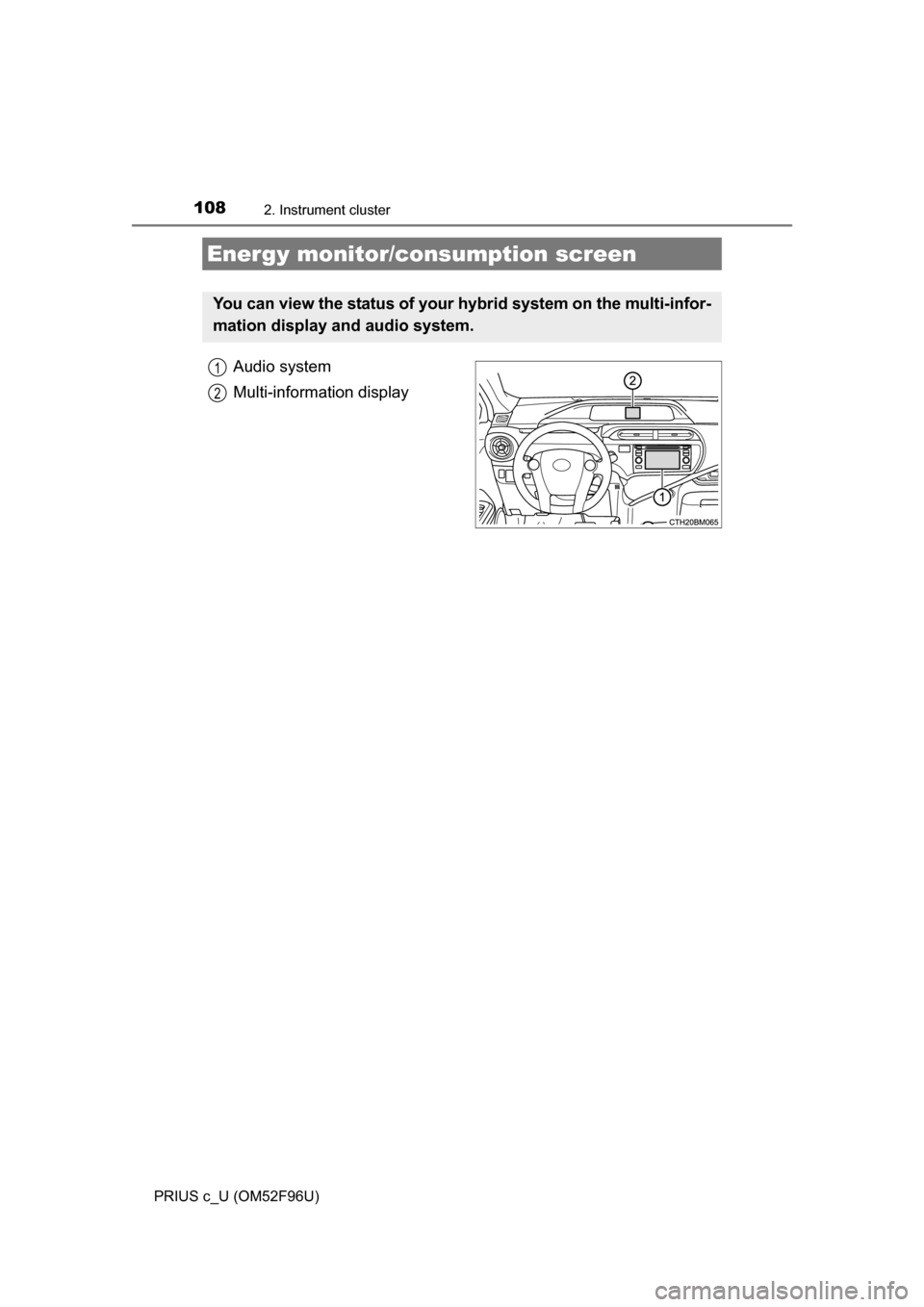
Audio system
Multi-information display
Energy monitor/consumption screen
You can view the status of your hybrid system on the multi-infor-
mation display and audio system.
1
2
Page 110 of 588
1102. Instrument cluster
PRIUS c_U (OM52F96U)Audio system
Multi-information
display
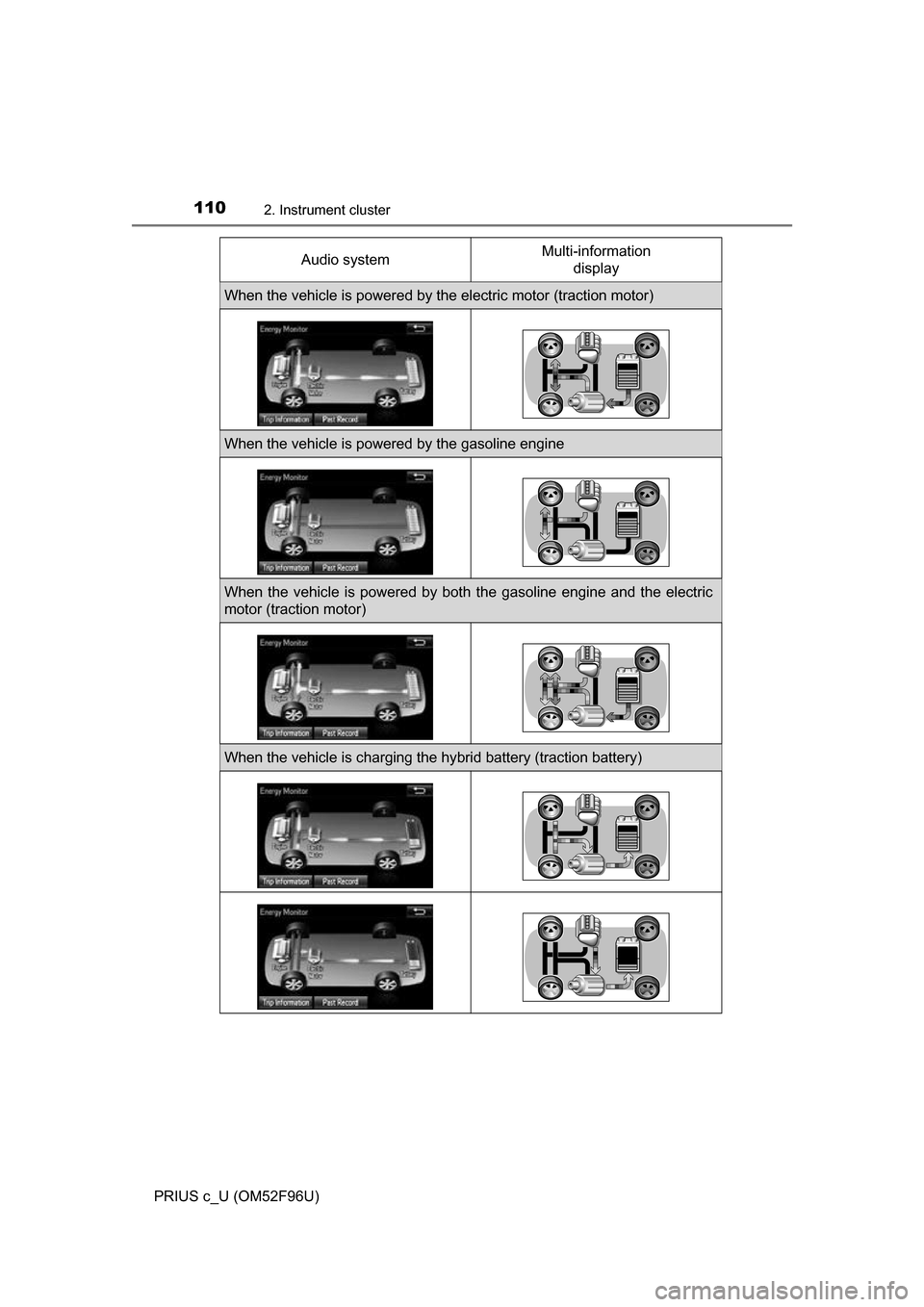
When the vehicle is powered by the electric motor (traction motor)
When the vehicle is powered by the gasoline engine
When the vehicle is powered by both the gasoline engine and the electric
motor (traction motor)
When the vehicle is charging the hybrid battery (traction battery)
Page 111 of 588
1112. Instrument cluster
2
Instrument cluster
PRIUS c_U (OM52F96U)
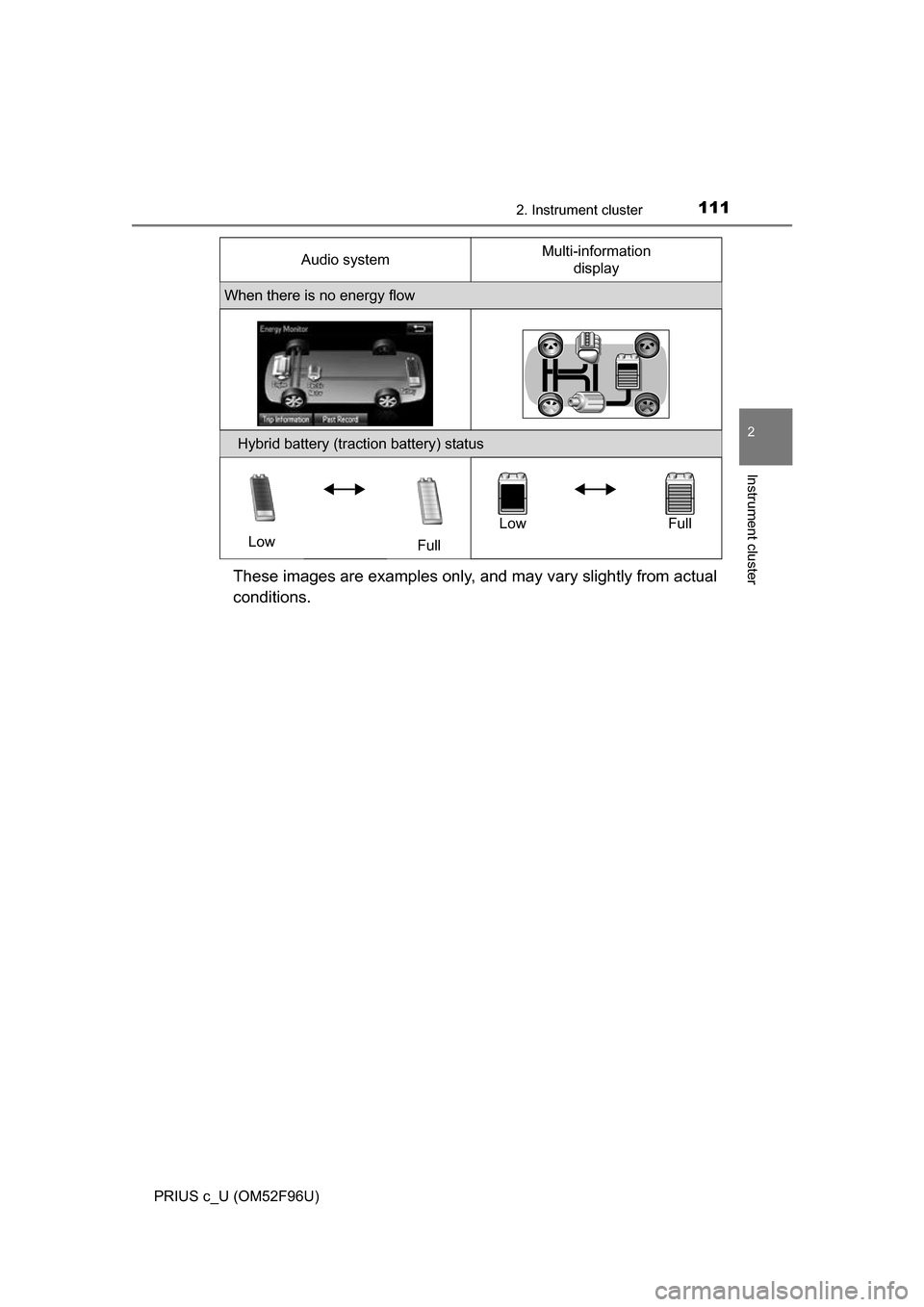
These images are examples only, and may vary slightly from actual
conditions.
When there is no energy flow
Hybrid battery (traction battery) statusLow FullLow Full
Audio system
Multi-information
display
Page 112 of 588
1122. Instrument cluster
PRIUS c_U (OM52F96U)■
Trip information
Multimedia system
Press the “CAR” button. ( P. 109)
If the “Energy Monitor” or “Past Record” screen is displayed, touch “Trip
Information”.
Navigation system
Press the “APPS” button. ( P. 109)
Touch “Eco” on the “Apps” screen.
If the “Energy Monitor” or “Past Record” screen is displayed, touch “Trip
Information”.
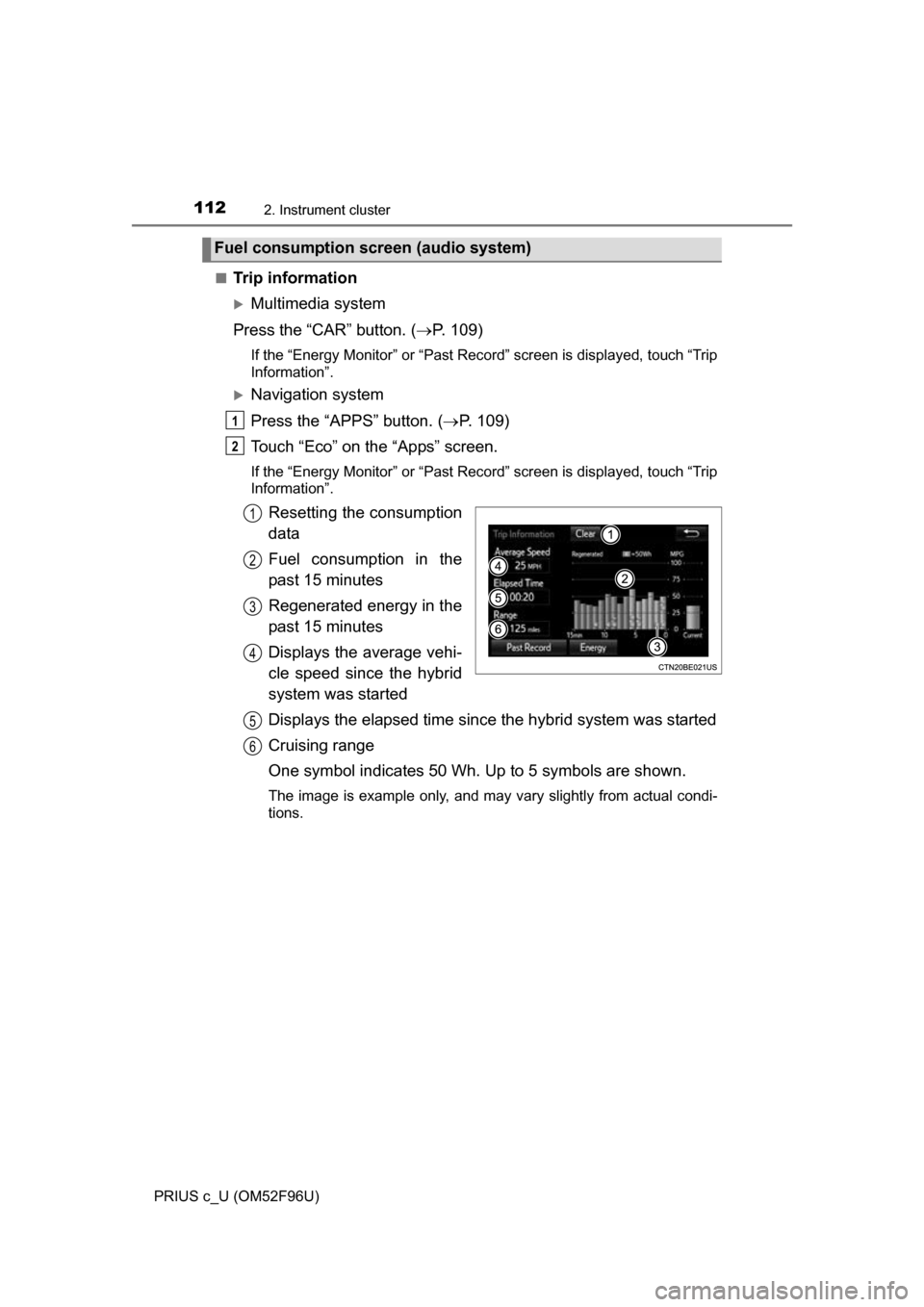
Resetting the consumption
data
Fuel consumption in the
past 15 minutes
Regenerated energy in the
past 15 minutes
Displays the average vehi-
cle speed since the hybrid
system was started
Displays the elapsed time since the hybrid system was started
Cruising range
One symbol indicates 50 Wh. Up to 5 symbols are shown.
The image is example only, and may vary slightly from actual condi-
tions.
Fuel consumption screen (audio system)
1
2
1
2
3
4
5
6
Page 116 of 588
1162. Instrument cluster
PRIUS c_U (OM52F96U)
■Remaining hybrid battery (tract ion battery) charge display
The charge amount of the hybrid battery (traction battery) is automatically
controlled by the hybrid system. For this reason, even if electricity is recov-
ered via the regenerative braking, or el ectricity is generated via the gasoline
engine, the displayed hybrid battery (traction battery) charge amount may not
reach the highest level (level 8). However, this does not indicate a malfunc-
tion.
■ Resetting the consumption data (audio system)
Selecting “Clear” on the “Trip Information” screen will reset the fuel consump-
tion and the regenerated energy for the past 15 minutes. Selecting “Clear” on
the “Past Record” screen will reset the past records and best past fuel con-
sumption. Selecting “Yes” on the following screen will confirm resetting of all
the data.
■ Updating the past reco rd data (audio system)
Selecting “Update” on the “Past Record” screen will update t\
he past record
data.