parking brake TOYOTA PRIUS C 2018 (in English) Owner's Manual
[x] Cancel search | Manufacturer: TOYOTA, Model Year: 2018, Model line: PRIUS C, Model: TOYOTA PRIUS C 2018Pages: 600, PDF Size: 10.14 MB
Page 264 of 600

2644-6. Using the driving support systems
PRIUS c_U (OM52G95U)
WARNING
■When using the rear view monitor system
The rear view monitor system is a supplemental device intended to assist
the driver when backing up. When backing up, be sure to visually check all
around the vehicle both directly and using the mirrors before proceeding. If
you do not, you may hit another vehicle, and could possibly cause an acci-
dent.
Pay attention to the following precautions when using the rear view moni\
tor
system.
● Never depend on the rear view monitor system entirely when backing up.
The image and the position of the guide lines displayed on the screen may
differ from the actual state.
Use caution, just as you would when backing up any vehicle.
● Be sure to back up slowly, depressing the brake pedal to control vehicle
speed.
● The instructions given are only guidelines.
When and how much to turn the steering wheel will vary according to traf-
fic conditions, road surface conditions, vehicle condition, etc. when park-
ing. It is necessary to be fully aware of this before using the rear view
monitor system.
● When parking, be sure to check that the parking space will accommodate
your vehicle before maneuvering into it.
● Do not use the rear view monitor system in the following cases:
• On icy or slick road surfaces, or in snow
• When using tire chains or the compact spare tire
• When the back door is not closed completely
• On roads that are not flat or straight, such as curves or slopes.
● In low temperatures, the screen may darken or the image may become
faint. The image could distort when the vehicle is moving, or you may
become unable to see the image on the screen. Be sure to visually check
all around the vehicle both directly and using the mirrors before proceed-
ing.
● If the tire sizes are changed, the position of the fixed guide lines displayed
on the screen may change.
● The camera uses a special lens. The distances between objects and
pedestrians that appear in the image displayed on the screen will differ
from the actual distances. ( →P. 259)
Page 268 of 600
2684-6. Using the driving support systems
PRIUS c_U (OM52G95U)
■Turning off both TRAC and VSC systems
To turn the TRAC and VSC systems off, press and hold for more than 3
seconds while the vehicle is stopped.
The VSC OFF indicator light will come on and the “TRAC OFF” will be shown
on the multi-information display.
*
Press again to turn the system back on.
*: When the TRAC and VSC systems are tu rned off, pre-collision brake assist
and pre-collision braking will be disabled and the PCS warning light will illu-
minate. ( →P. 241)
■ When the message is displayed on th e multi-information display show-
ing that TRAC has been disable d even if has not been pressed
TRAC cannot be operated. Contact your Toyota dealer.
■ Operating conditions of hill-start assist control
When the following four conditions are met, the hill-start assist control will
operate:
● The shift lever is in a position other than P or N (when starting off forward/
backward on an upward incline)
● The vehicle is stopped
● The accelerator pedal is not depressed
● The parking brake is not engaged
■ Automatic system cancelation of hill-start assist control
The hill-start assist control will turn off in any of the following situations:
● The shift lever is shifted to P or N
● The accelerator pedal is depressed
● The parking brake is engaged
● 2 seconds at maximum elapsed after the brake pedal is released
■ Sounds and vibrations caused by the ABS, brake assist, VSC, TRAC and
hill-start assist control systems
●A sound may be heard from the engine compartment when the brake pedal
is depressed repeatedly, when the hybrid system is started or just after the
vehicle begins to move. This sound does not indicate that a malfunction has
occurred in any of these systems.
● Any of the following conditions may occur when the above systems are
operating. None of these indicates that a malfunction has occurred.
• Vibrations may be felt through the vehicle body and steering.
• A motor sound may be heard also after the vehicle comes to a stop.
Page 270 of 600
2704-6. Using the driving support systems
PRIUS c_U (OM52G95U)
WARNING
■The ABS does not operate effectively when
● The limits of tire gripping performance have been exceeded (such as
excessively worn tires on a snow covered road).
● The vehicle hydroplanes while driving at high speed on wet or slick roads.
■ Stopping distance when the ABS is operating may exceed that of nor-
mal conditions
The ABS is not designed to shorten the vehicle’s stopping distance. Always
maintain a safe distance from the vehicle in front of you, especially in the
following situations:
● When driving on dirt, gravel or snow-covered roads
● When driving with tire chains
● When driving over bumps in the road
● When driving over roads with potholes or uneven surfaces
■ TRAC/VSC may not operate effectively when
Directional control and power may not be achievable while driving on slip-
pery road surfaces, even if the TRAC/VSC system is operating.
Drive the vehicle carefully in conditions where stability and power may be
lost.
■ Hill-start assist control does not operate effectively when
● Do not overly rely on hill-start assist control. Hill-start assist control may
not operate effectively on steep inclines and roads covered with ice.
● Unlike the parking brake, hill-start assist control is not intended to hold the
vehicle stationary for an extended period of time. Do not attempt to use
hill-start assist control to hold the vehicle on an incline, as doing so may
lead to an accident.
■ When the TRAC/ABS /VSC are activated
The slip indicator light flashes. Always drive carefully. Reckless driving may
cause an accident. Exercise particular care when the indicator light flashes.
■ When the TRAC/VSC syst ems are turned off
Be especially careful and drive at a speed appropriate to the road condi-
tions. As these are the systems to help ensure vehicle stability and driving
force, do not turn the TRAC/VSC systems off unless necessary.
Page 272 of 600
272
PRIUS c_U (OM52G95U)
4-7. Driving tips
◆Using Eco drive mode
When using Eco drive mode, the torque corresponding to the accel-
erator pedal depression amount can be generated more smoothly
than it is in normal conditions. In addition, the operation of the air
conditioning system (h eating/cooling) will be minimized, improving
the fuel economy. ( →P. 201)
◆Use of Hybrid System Indicator
The Eco-friendly driving is possible by keeping the needle of Hybrid
System Indicator within Eco area. ( →P. 108)
◆Shift lever operation
Shift the shift lever to D when stopped at a traffic light, or driving in
heavy traffic etc. Shift the shift le ver to P when parking. When using
the N, there is no positive effect on fuel consumption. In the N, the
gasoline engine operates but elec tricity cannot be generated. Also,
when using the air conditioning s ystem, etc., the hybrid battery
(traction battery) power is consumed.
◆Accelerator pedal/brake pedal operation
● Drive your vehicle smoothly. Avoid abrupt acceleration and
deceleration. Gradual accelerati on and deceleration will make
more effective use of the electric motor (traction motor) without
having to use gasoline engine power.
● Avoid repeated acceleration. Repeated acceleration consumes
hybrid battery (traction battery) power, resulting in poor fuel con-
sumption. Battery power can be restored by driving with the
accelerator pedal slightly released.
◆When braking
Make sure to operate the brakes gently and in a timely manner. A
greater amount of electrical energy can be regenerated when slow-
ing down.
Hybrid vehicle driving tips
For economical and ecological driv ing, pay attention to the fol-
lowing points:
Page 276 of 600
2764-7. Driving tips
PRIUS c_U (OM52G95U)
●Park the vehicle and move the shift lever to P without setting the
parking brake. The parking brake may freeze up, preventing it from
being released. If the vehicle is parked without setting the parking
brake, make sure to block the wheels.
Failure to do so may be dangerous because it may cause the vehi-
cle to move unexpectedly, pos sibly leading to an accident.
● If the vehicle is parked without se tting the parking brake, confirm
that the shift lever ca nnot be moved out of P
*.
*: The shift lever will be locked if it is attempted to be shifted from P to any
other position without depressing the brake pedal. If the shift lever can be
shifted from P, there may be a problem with the shift lock system. Have the
vehicle inspected by your Toyota dealer immediately.
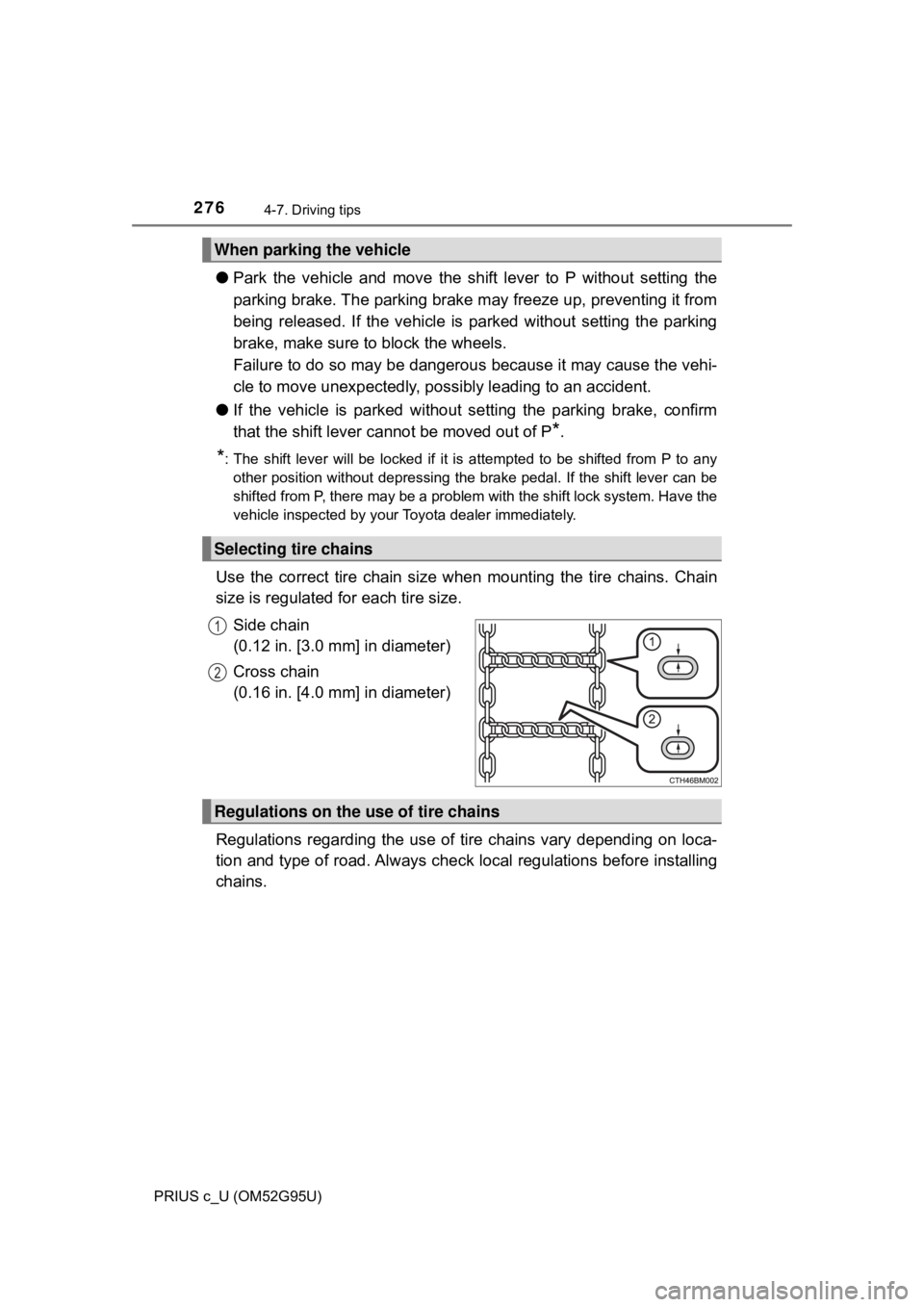
Use the correct tire chain size when mounting the tire chains. Chain
size is regulated for each tire size.
Side chain
(0.12 in. [3.0 mm] in diameter)
Cross chain
(0.16 in. [4.0 mm] in diameter)
Regulations regarding the use of tire chains vary depending on loca-
tion and type of road. Al ways check local regulations before installing
chains.
When parking the vehicle
Selecting tire chains
1
2
Regulations on the use of tire chains
Page 415 of 600
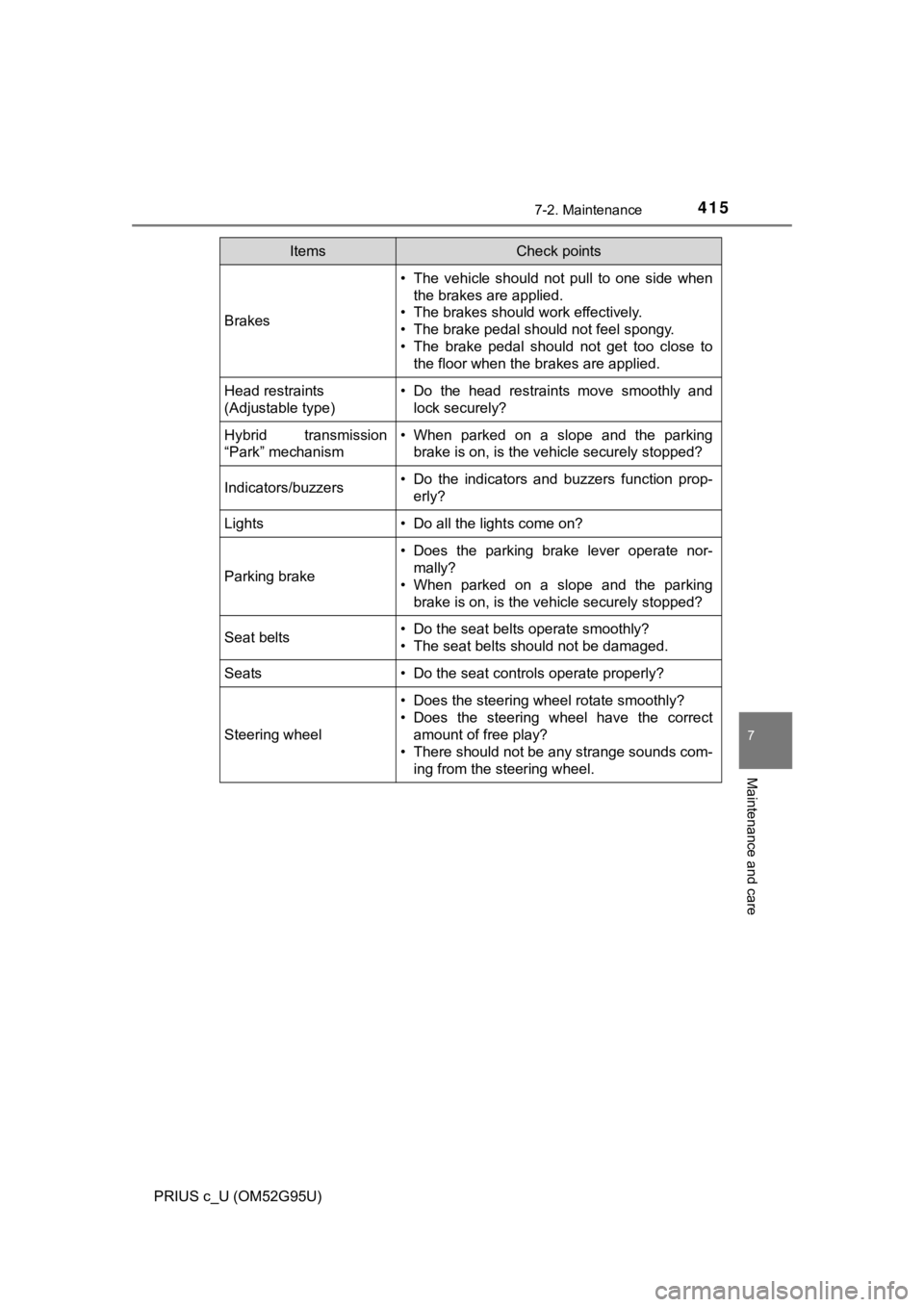
4157-2. Maintenance
7
Maintenance and care
PRIUS c_U (OM52G95U)
Brakes
• The vehicle should not pull to one side whenthe brakes are applied.
• The brakes should work effectively.
• The brake pedal should not feel spongy.
• The brake pedal should not get too close to the floor when the brakes are applied.
Head restraints
(Adjustable type)• Do the head restraints move smoothly andlock securely?
Hybrid transmission
“Park” mechanism• When parked on a slope and the parkingbrake is on, is the vehicle securely stopped?
Indicators/buzzers• Do the indicators and buzzers function prop-erly?
Lights• Do all the lights come on?
Parking brake
• Does the parking brake lever operate nor-mally?
• When parked on a slope and the parking
brake is on, is the vehicle securely stopped?
Seat belts• Do the seat belts operate smoothly?
• The seat belts should not be damaged.
Seats• Do the seat controls operate properly?
Steering wheel
• Does the steering wheel rotate smoothly?
• Does the steering wheel have the correctamount of free play?
• There should not be any strange sounds com-
ing from the steering wheel.
ItemsCheck points
Page 474 of 600
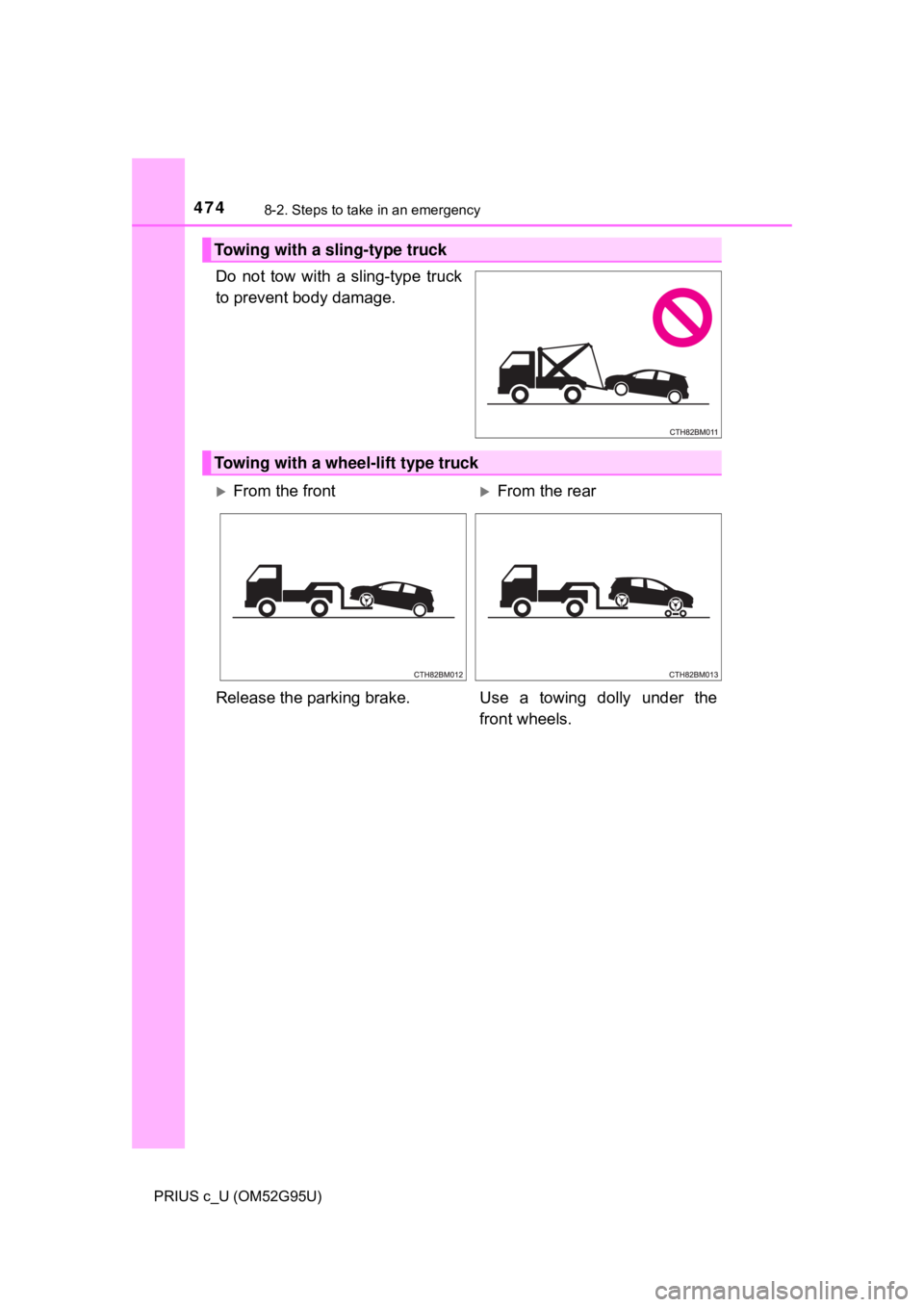
4748-2. Steps to take in an emergency
PRIUS c_U (OM52G95U)
Do not tow with a sling-type truck
to prevent body damage.
Towing with a sling-type truck
Towing with a wheel-lift type truck
From the frontFrom the rear
Release the parking brake. Use a towing dolly under the front wheels.
Page 477 of 600
4778-2. Steps to take in an emergency
8
When trouble arises
PRIUS c_U (OM52G95U)
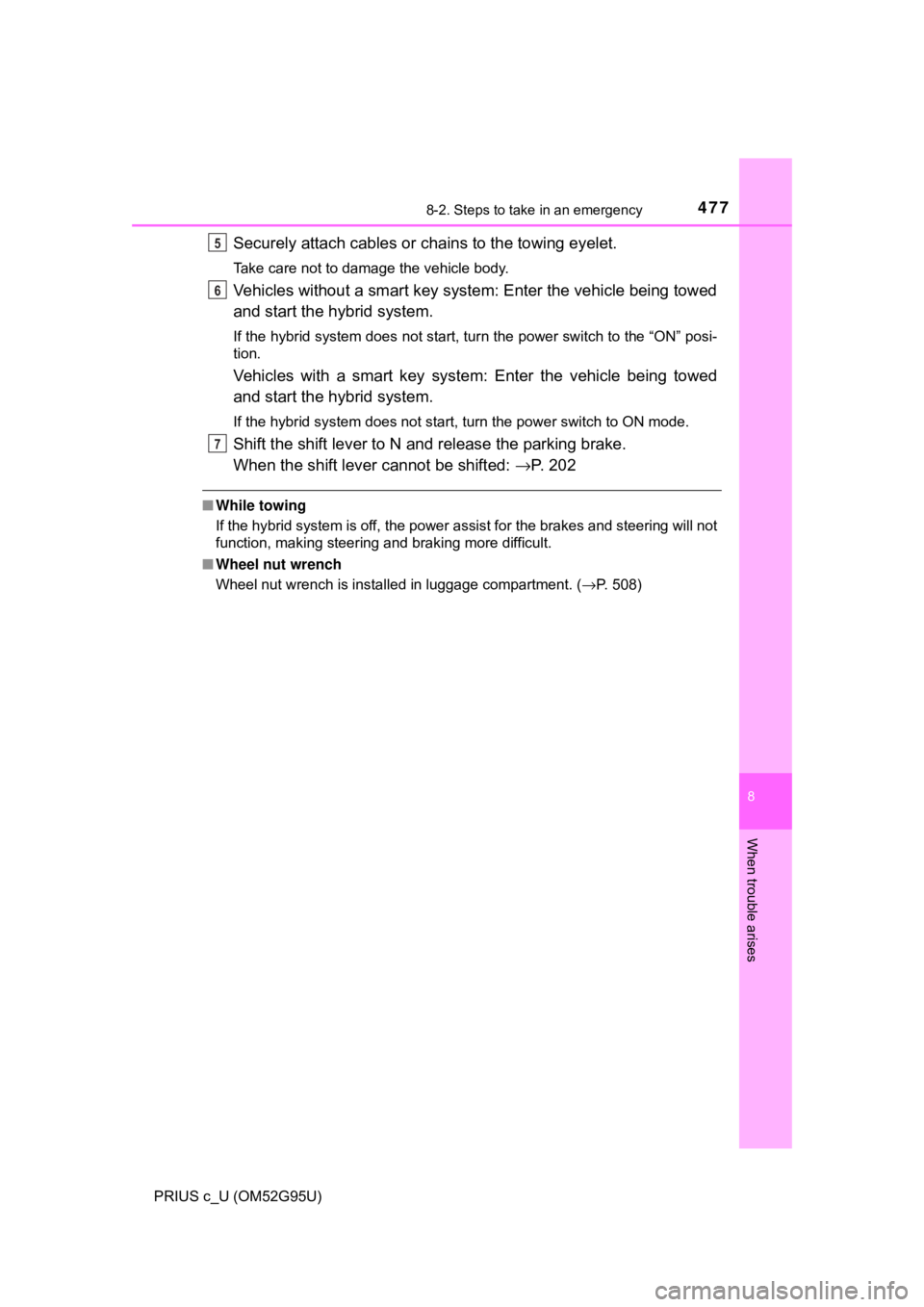
Securely attach cables or chains to the towing eyelet.
Take care not to damage the vehicle body.
Vehicles without a smart key system: Enter the vehicle being towed
and start the hybrid system.
If the hybrid system does not start, turn the power switch to the “ON” posi-
tion.
Vehicles with a smart key system : Enter the vehicle being towed
and start the hybrid system.
If the hybrid system does not start, turn the power switch to ON mode.
Shift the shift lever to N and release the parking brake.
When the shift lever cannot be shifted: →P. 2 0 2
■While towing
If the hybrid system is off, the power assist for the brakes and steering will not
function, making steering and braking more difficult.
■ Wheel nut wrench
Wheel nut wrench is installed in luggage compartment. ( →P. 508)
5
6
7
Page 482 of 600
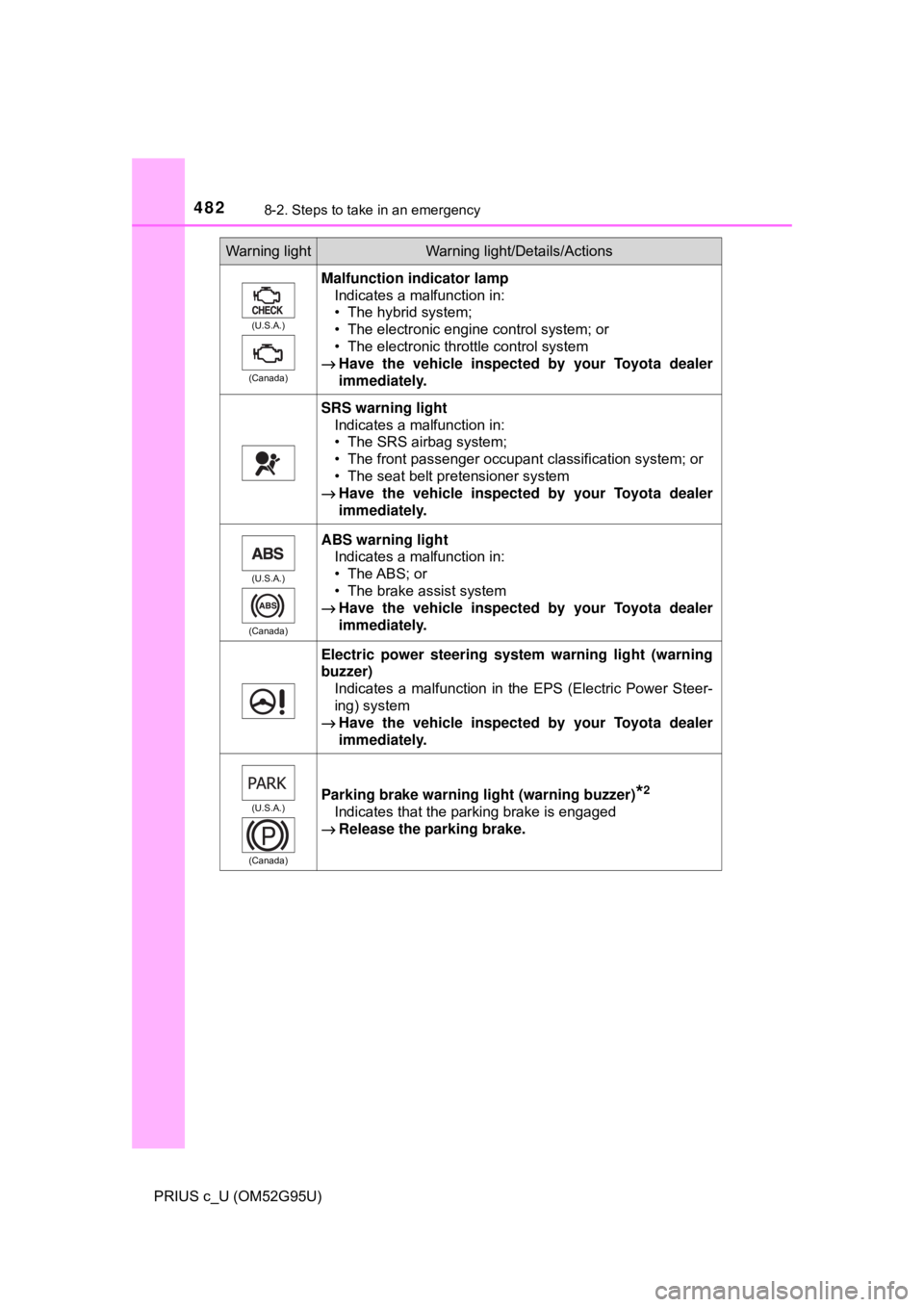
4828-2. Steps to take in an emergency
PRIUS c_U (OM52G95U)
Warning lightWarning light/Details/Actions
(U.S.A.)
(Canada)
Malfunction indicator lamp Indicates a malfunction in:
• The hybrid system;
• The electronic engine control system; or
• The electronic throttle control system
→ Have the vehicle inspected by your Toyota dealer
immediately.
SRS warning light
Indicates a malfunction in:
• The SRS airbag system;
• The front passenger occupant classification system; or
• The seat belt pretensioner system
→ Have the vehicle inspected by your Toyota dealer
immediately.
(U.S.A.)
(Canada)
ABS warning light Indicates a malfunction in:
• The ABS; or
• The brake assist system
→ Have the vehicle inspected by your Toyota dealer
immediately.
Electric power steering system warning light (warning
buzzer)
Indicates a malfunction in the EPS (Electric Power Steer-
ing) system
→ Have the vehicle inspected by your Toyota dealer
immediately.
(U.S.A.)
(Canada)Parking brake warning light (warning buzzer)*2
Indicates that the parking brake is engaged
→ Release the parking brake.
Page 484 of 600
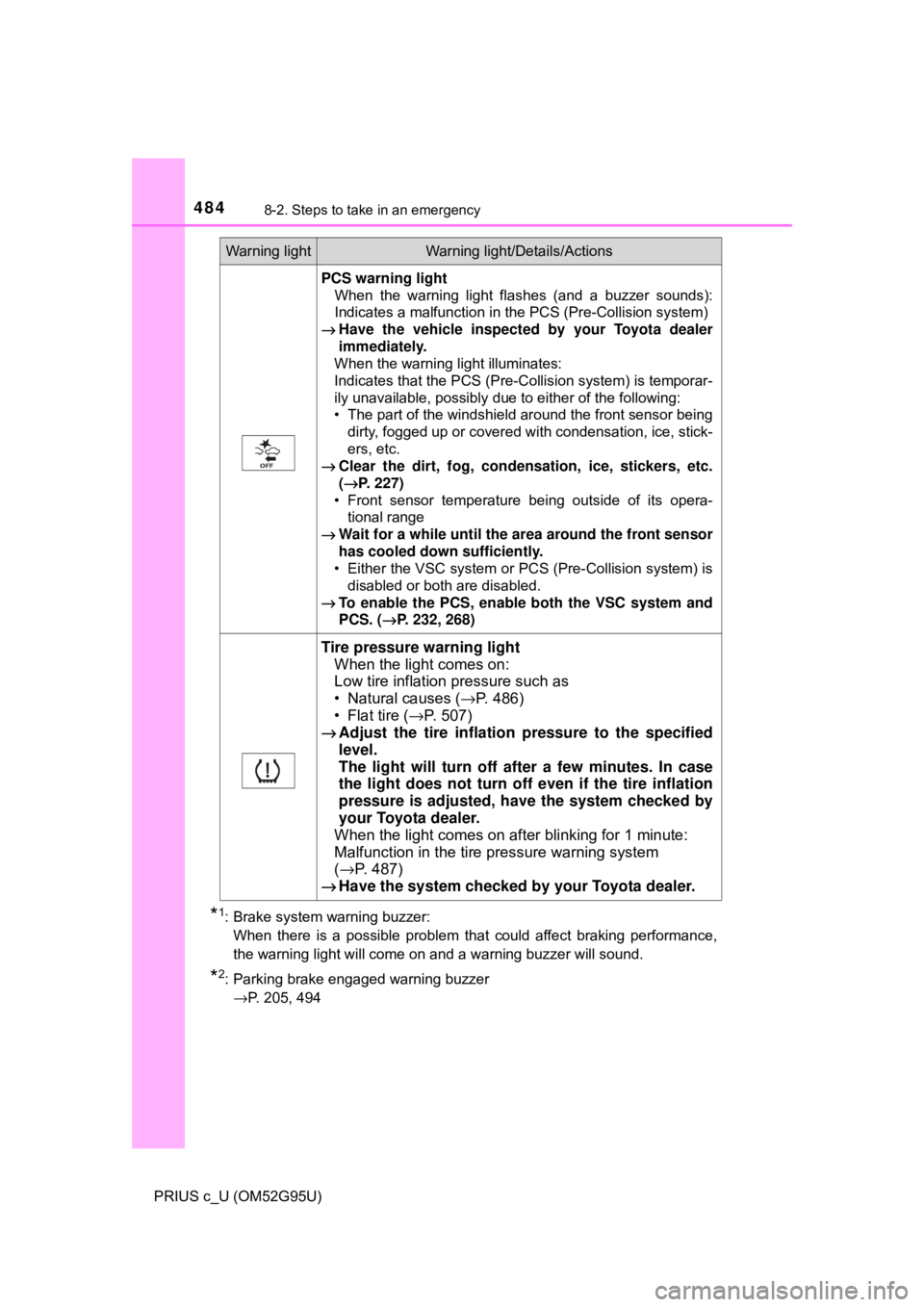
4848-2. Steps to take in an emergency
PRIUS c_U (OM52G95U)
*1: Brake system warning buzzer: When there is a possible problem that could affect braking performance,
the warning light will come on and a warning buzzer will sound.
*2: Parking brake engaged warning buzzer →P. 205, 494
PCS warning light When the warning light flashes (and a buzzer sounds):
Indicates a malfunction in the PCS (Pre-Collision system)
→ Have the vehicle inspected by your Toyota dealer
immediately.
When the warning light illuminates:
Indicates that the PCS (Pre-Collision system) is temporar-
ily unavailable, possibly due to either of the following:
• The part of the windshield around the front sensor being
dirty, fogged up or covered with condensation, ice, stick-
ers, etc.
→ Clear the dirt, fog, conden sation, ice, stickers, etc.
( →P. 227)
• Front sensor temperature being outside of its opera- tional range
→ Wait for a while until the area around the front sensor
has cooled down sufficiently.
• Either the VSC system or PCS (Pre-Collision system) is
disabled or both are disabled.
→ To enable the PCS, enable both the VSC system and
PCS. ( →P. 232, 268)
Tire pressure warning light
When the light comes on:
Low tire inflation pressure such as
• Natural causes ( →P. 486)
• Flat tire ( →P. 507)
→ Adjust the tire inflation pressure to the specified
level.
The light will turn off af ter a few minutes. In case
the light does not turn off even if the tire inflation
pressure is adjusted, have the system checked by
your Toyota dealer.
When the light comes on after blinking for 1 minute:
Malfunction in the tire pressure warning system
( → P. 487)
→ Have the system checked by your Toyota dealer.
Warning lightWarning light/Details/Actions