fuel TOYOTA PRIUS PHV 2013 Owner's Guide
[x] Cancel search | Manufacturer: TOYOTA, Model Year: 2013, Model line: PRIUS PHV, Model: TOYOTA PRIUS PHV 2013Pages: 684, PDF Size: 12.83 MB
Page 247 of 684
247
2-1. Driving procedures
PRIUS PHV_OM_OM47787U_(U)
2
When driving
■
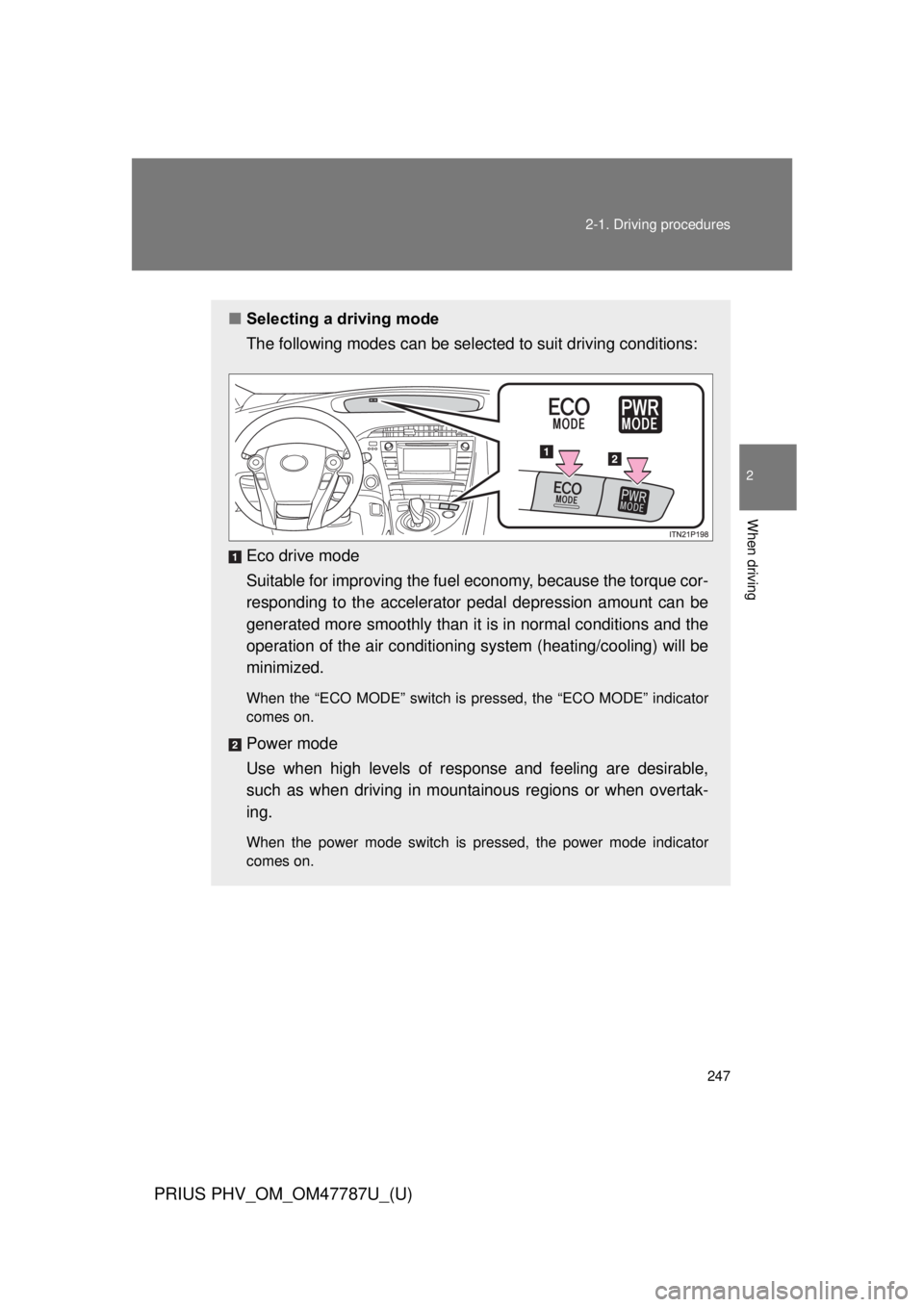
Selecting a driving mode
The following modes can be selected to suit driving conditions:
Eco drive mode
Suitable for improving the fuel economy, because the torque cor-
responding to the accelerator pedal depression amount can be
generated more smoothly than it is in normal conditions and the
operation of the air conditioning system (heating/cooling) will be
minimized.
When the “ECO MODE” switch is pressed, the “ECO MODE” indicator
comes on.
Power mode
Use when high levels of response and feeling are desirable,
such as when driving in mountainous regions or when overtak-
ing.
When the power mode switch is pressed, the power mode indicator
comes on.
Page 249 of 684
249
2-1. Driving procedures
PRIUS PHV_OM_OM47787U_(U)
2
When driving
■
Operation of the air conditio ning system in Eco drive mode
Eco drive mode controls the heating/cooling operations and fan speed of the
air conditioning system to enhance fuel efficiency. ( P. 247) To improve air
conditioning performance, adjust the fan speed or turn off Eco drive mode.
■ For the shift positions
● When the “POWER” switch is off, the shift position cannot be changed.
● When the “POWER” switch is in ON mode (the hybrid system is not oper-
ating), the shift position can only be changed to N. The shift position will
be changed to N even if the shift lever is shifted to D or R and held in that
position.
However, immediately after turning the “POWER” switch to ON mode,
the shift position may not change to N.
● When the “READY” indicator is on, the shift position can be changed
from P to D, N or R.
● When the “READY” indicator is flashing, the shift position cannot be
changed from P to other position even if the shift lever is operated. Wait
until the “READY” indicator changes from a flashing to a solid light, and
then operate the shift lever again.
● The shift position can only be changed to B directly from D.
In addition, if an attempt is made to change the shift position by moving the
shift lever or by pressing the P position switch in any of the following situa-
tions, the buzzer will sound and the shifting operation will be disabled or the
shift position will automatically change to N. When this happens, select an
appropriate shift position.
● Situations where the shifting operation will be disabled:
• When an attempt is made to change the shift position from P to other
position by moving the shift lever without depressing the brake pedal.
• When an attempt is made to change the shift position from P or N to B by moving the shift lever.
• When an attempt is made to change the shift position from P to another position by moving the shift lever while the charging cable is connected
to the vehicle.
Page 251 of 684
251
2-1. Driving procedures
PRIUS PHV_OM_OM47787U_(U)
2
When driving
■
About engine braking
When shift position B is selected, releasing the accelerator pedal will apply
engine braking.
● When the vehicle is driven at high speeds, compared to ordinary gaso-
line-fueled vehicles, the engine braking deceleration is felt less than that
of other vehicles.
● The vehicle can be accelerated even when shift position B is selected.
If the vehicle is driven continuously in the B position, fuel efficiency will
become low. Usually, shift the shift position to D.
■ When driving with cruise control or radar cruise control activated
Even if switching the driving mode to power mode with the intent of enabling
engine braking, engine braking will not activate because cruise control or
radar cruise control will not be canceled.
■ When canceling Eco drive mode/power mode
● Press the switch again. Also, power mode will be canceled automatically
when the “POWER” switch is turned off. However, Eco drive mode will
not be canceled automatically until the switch is pressed, even if the
“POWER” switch is turned off.
● When in Eco drive mode, if the power mode switch is pressed or the
operation is reversed, the mode will switch to that of the last switch to be
pressed.
■ After charging/reconnecting the 12-volt battery
P. 473
■ Customization
Settings (e.g. Reverse warning buzzer) can be changed.
(Customizable features P. 639)
Page 257 of 684
257
PRIUS PHV_OM_OM47787U_(U)
2
When driving
2-2. Instrument cluster
Gauges and meters
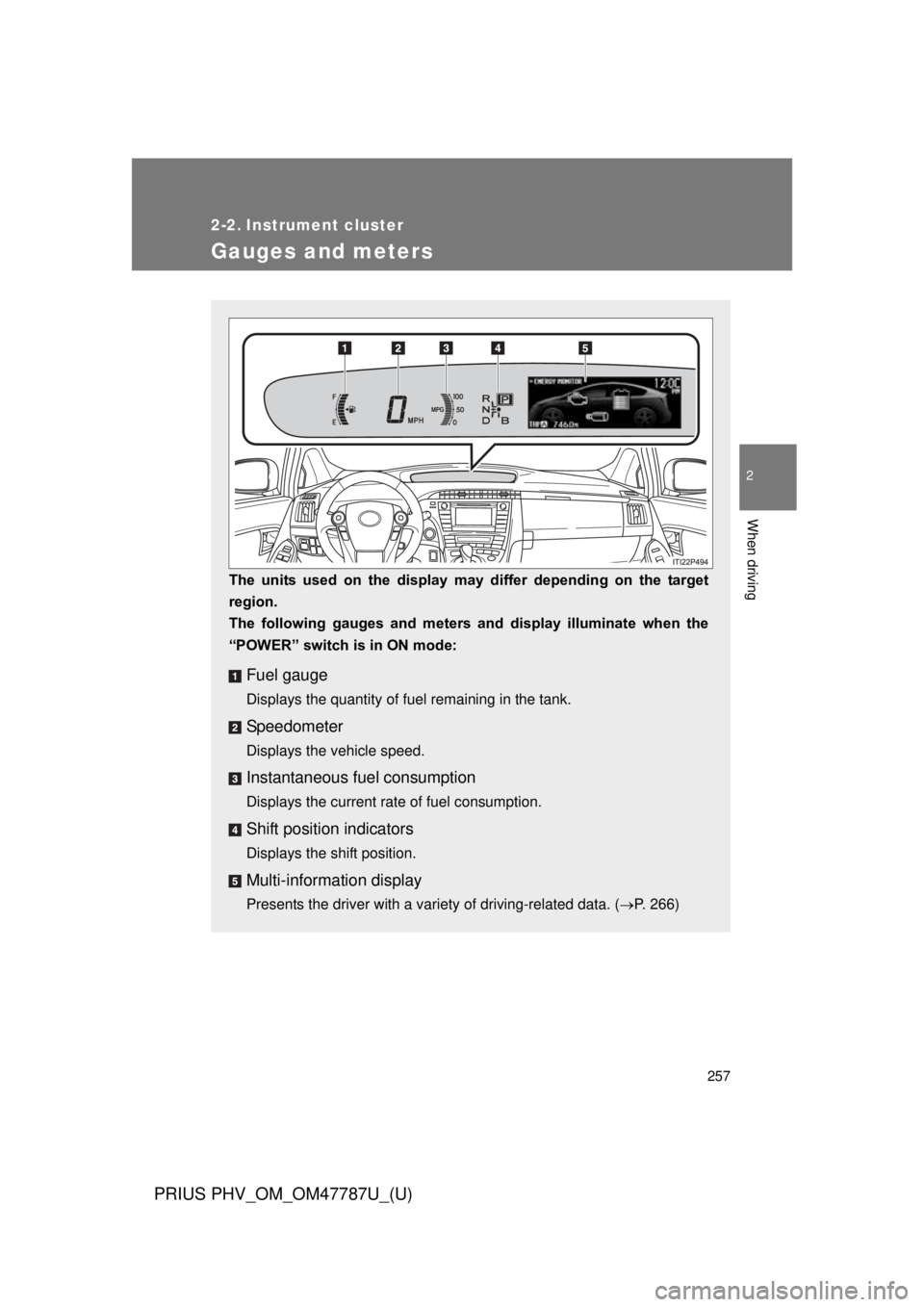
The units used on the display may differ depending on the target
region.
The following gauges and meters and display illuminate when the
“POWER” switch is in ON mode:
Fuel gauge
Displays the quantity of fuel remaining in the tank.
Speedometer
Displays the vehicle speed.
Instantaneous fuel consumption
Displays the current rate of fuel consumption.
Shift position indicators
Displays the shift position.
Multi-information display
Presents the driver with a variety of driving-related data. ( P. 266)
Page 266 of 684
266
2-2. Instrument cluster
PRIUS PHV_OM_OM47787U_(U)
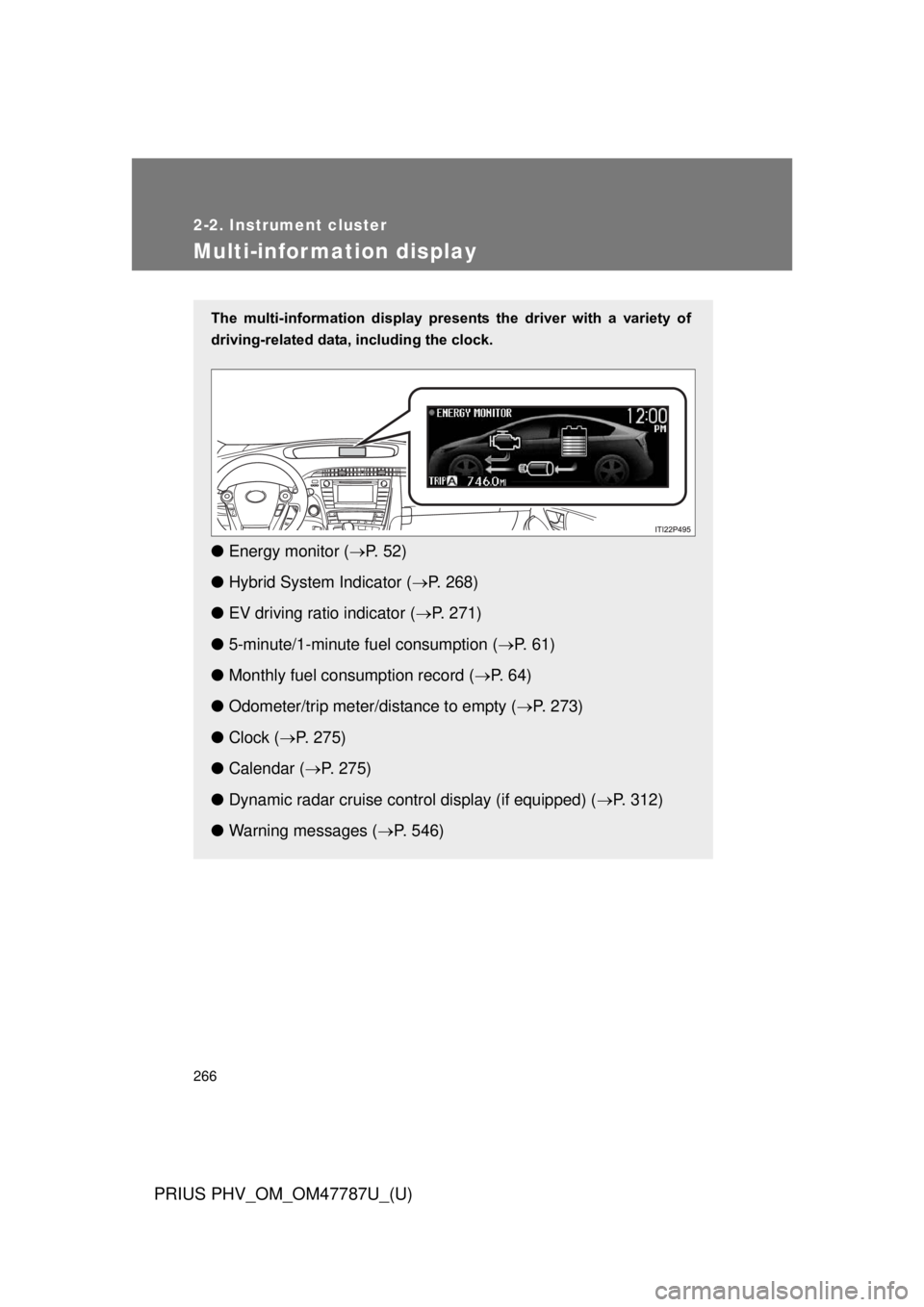
Multi-information display
The multi-information display presents the driver with a variety of
driving-related data, including the clock.
● Energy monitor ( P. 5 2 )
● Hybrid System Indicator ( P. 268)
● EV driving ratio indicator ( P. 271)
● 5-minute/1-minute fu el consumption (P. 6 1 )
● Monthly fuel consumption record ( P. 6 4 )
● Odometer/trip meter/distance to empty ( P. 273)
● Clock ( P. 275)
● Calendar ( P. 275)
● Dynamic radar cruise control display (if equipped) ( P. 312)
● Warning messages ( P. 546)
Page 268 of 684
268 2-2. Instrument cluster
PRIUS PHV_OM_OM47787U_(U)
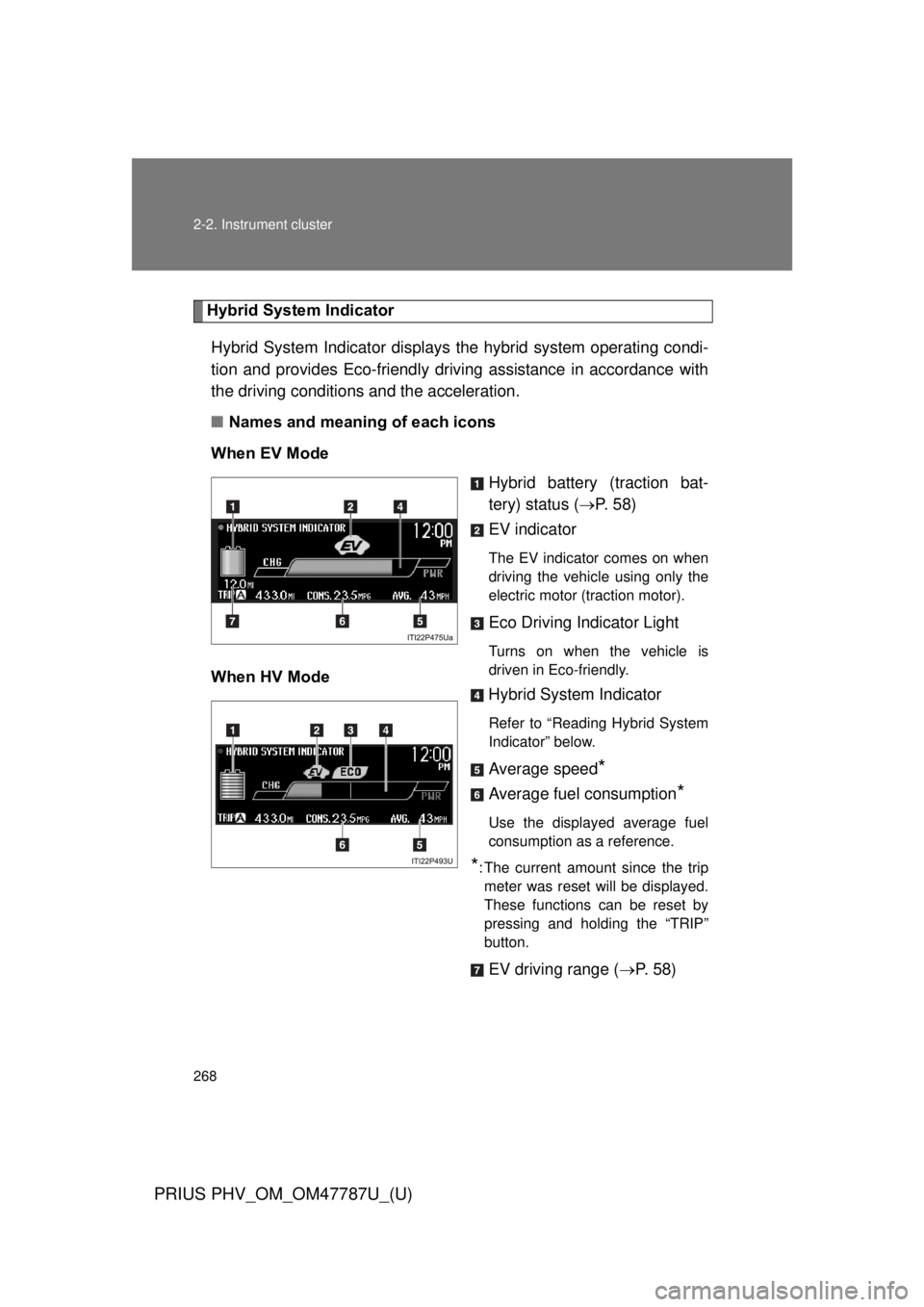
Hybrid System IndicatorHybrid System Indicator displays the hybrid system operating condi-
tion and provides Eco-friendly driving assistance in accordance with
the driving conditions and the acceleration.
■ Names and meaning of each icons
When EV Mode Hybrid battery (traction bat-
tery) status (P. 5 8 )
EV indicator
The EV indicator comes on when
driving the vehicle using only the
electric motor (traction motor).
Eco Driving Indicator Light
Turns on when the vehicle is
driven in Eco-friendly.
When HV Mode Hybrid System Indicator
Refer to “Reading Hybrid System
Indicator” below.
Average speed*
Average fuel consumption*
Use the displayed average fuel
consumption as a reference.
*: The current amount since the trip
meter was reset will be displayed.
These functions can be reset by
pressing and holding the “TRIP”
button.
EV driving range ( P. 58)
Page 272 of 684
272 2-2. Instrument cluster
PRIUS PHV_OM_OM47787U_(U)
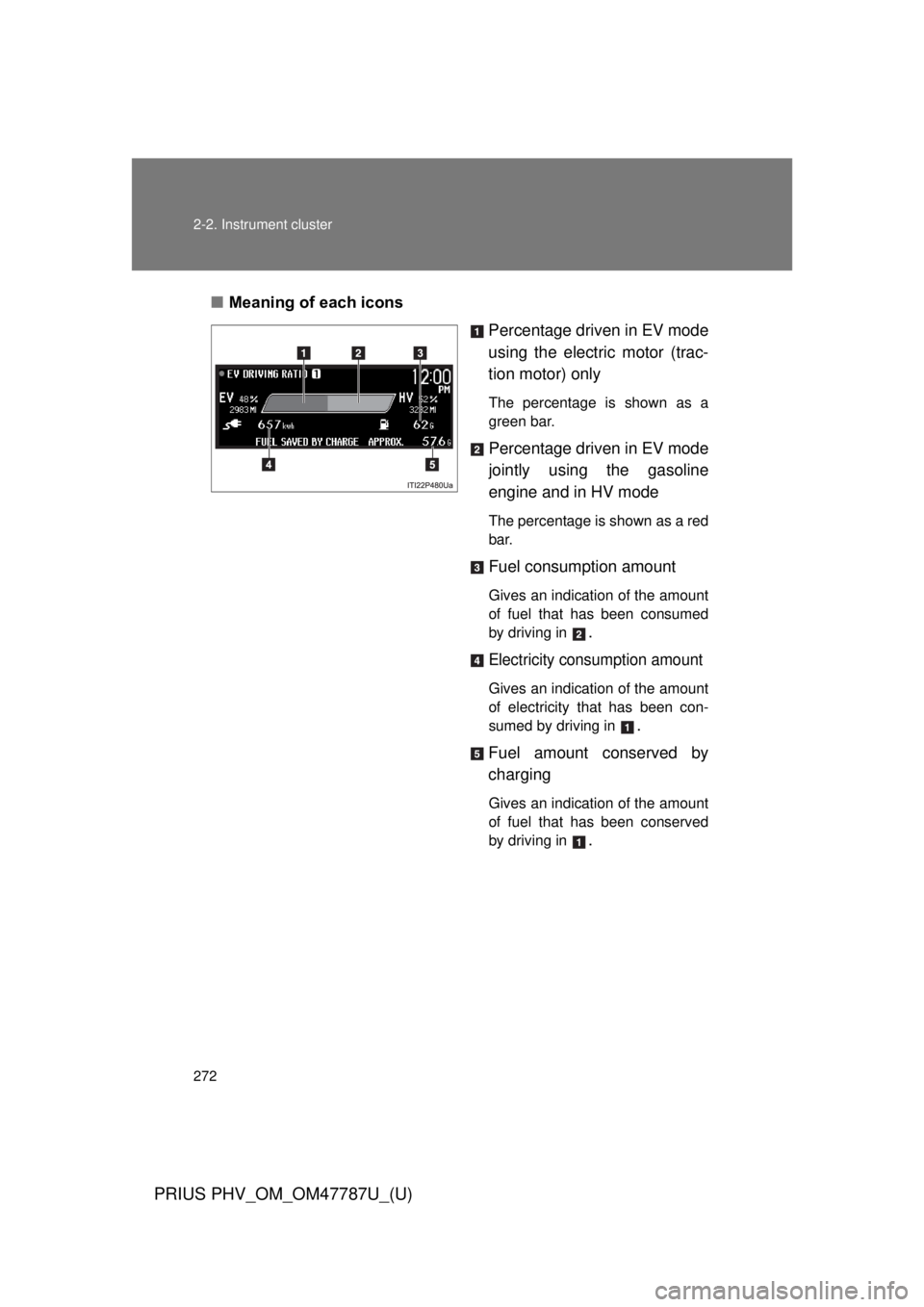
■Meaning of each icons
Percentage driven in EV mode
using the electric motor (trac-
tion motor) only
The percentage is shown as a
green bar.
Percentage driven in EV mode
jointly using the gasoline
engine and in HV mode
The percentage is shown as a red
bar.
Fuel consumption amount
Gives an indication of the amount
of fuel that has been consumed
by driving in
.
Electricity consumption amount
Gives an indication of the amount
of electricity that has been con-
sumed by driving in
.
Fuel amount conserved by
charging
Gives an indication of the amount
of fuel that has been conserved
by driving in
.
Page 273 of 684
273
2-2. Instrument cluster
PRIUS PHV_OM_OM47787U_(U)
2
When driving
■
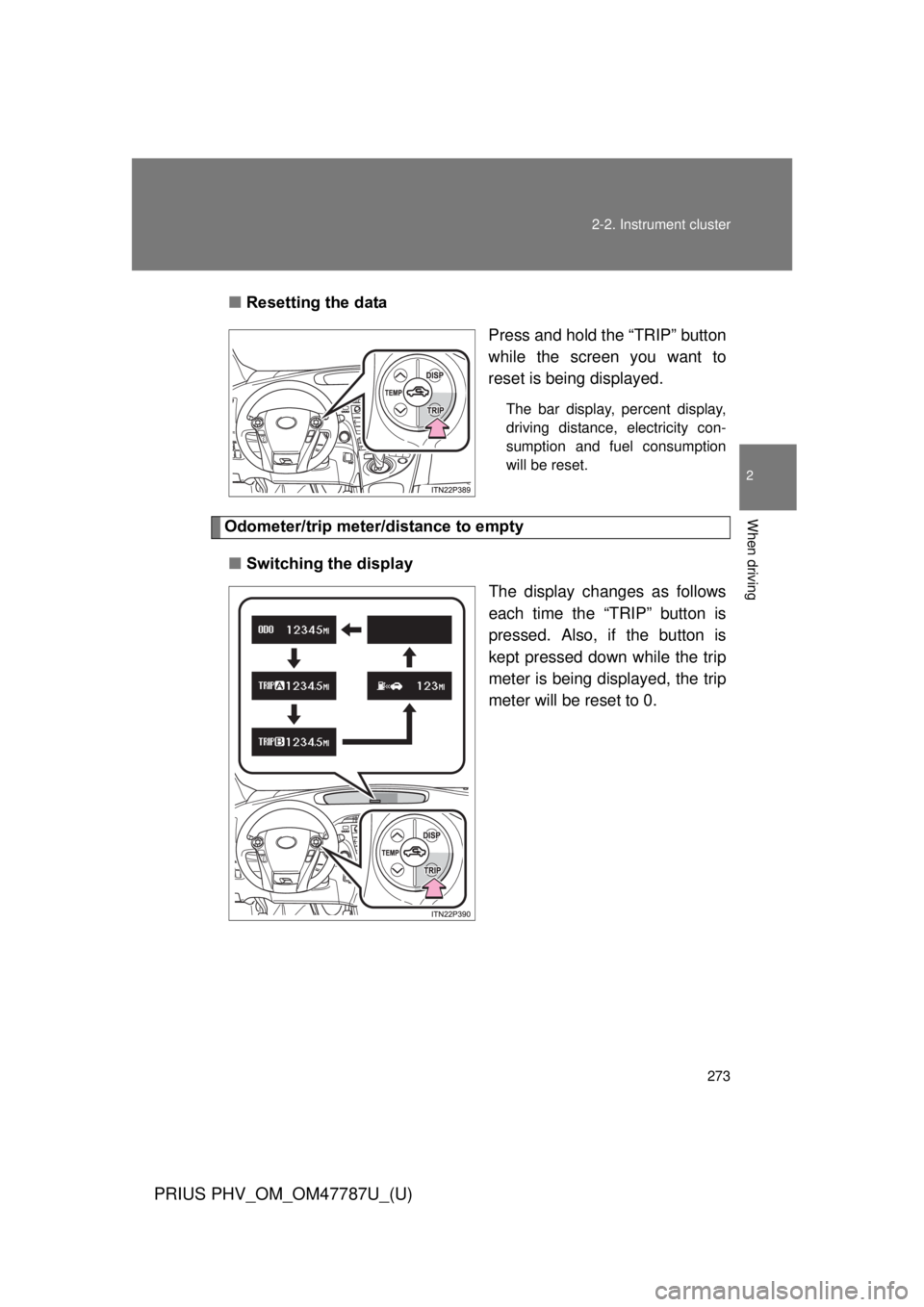
Resetting the data
Press and hold the “TRIP” button
while the screen you want to
reset is being displayed.
The bar display, percent display,
driving distance, electricity con-
sumption and fuel consumption
will be reset.
Odometer/trip meter/distance to empty
■ Switching the display
The display changes as follows
each time the “TRIP” button is
pressed. Also, if the button is
kept pressed down while the trip
meter is being displayed, the trip
meter will be reset to 0.
Page 274 of 684
274 2-2. Instrument cluster
PRIUS PHV_OM_OM47787U_(U)
■Display items
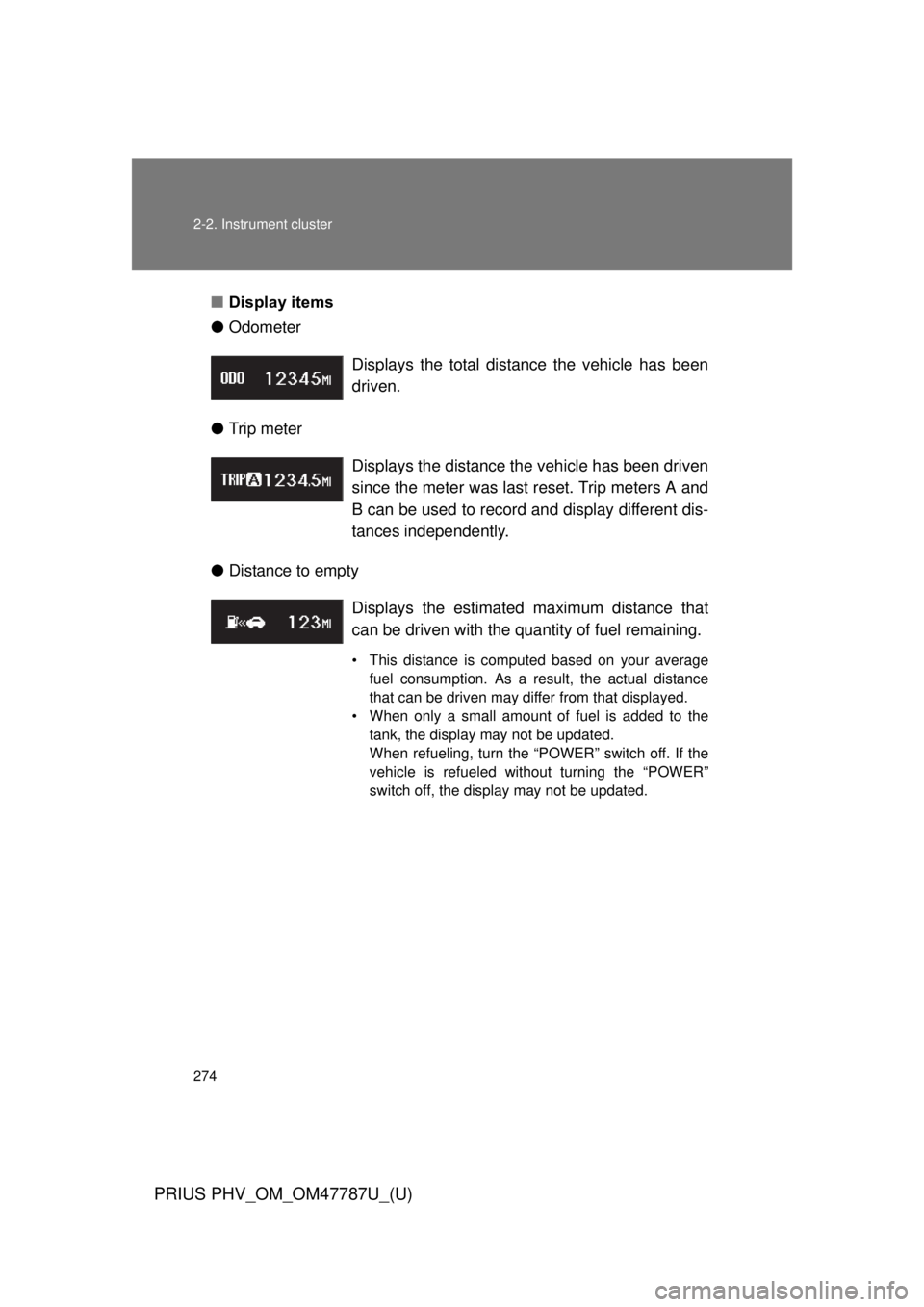
● Odometer
● Trip meter
● Distance to empty Displays the total distance the vehicle has been
driven.
Displays the distance the vehicle has been driven
since the meter was last reset. Trip meters A and
B can be used to record and display different dis-
tances independently.
Displays the estimate
d maximum distance that
can be driven with the quantity of fuel remaining.
• This distance is computed based on your average fuel consumption. As a result, the actual distance
that can be driven may differ from that displayed.
• When only a small amount of fuel is added to the tank, the display may not be updated.
When refueling, turn the “POWER” switch off. If the
vehicle is refueled without turning the “POWER”
switch off, the display may not be updated.
Page 282 of 684
282 2-2. Instrument cluster
PRIUS PHV_OM_OM47787U_(U)
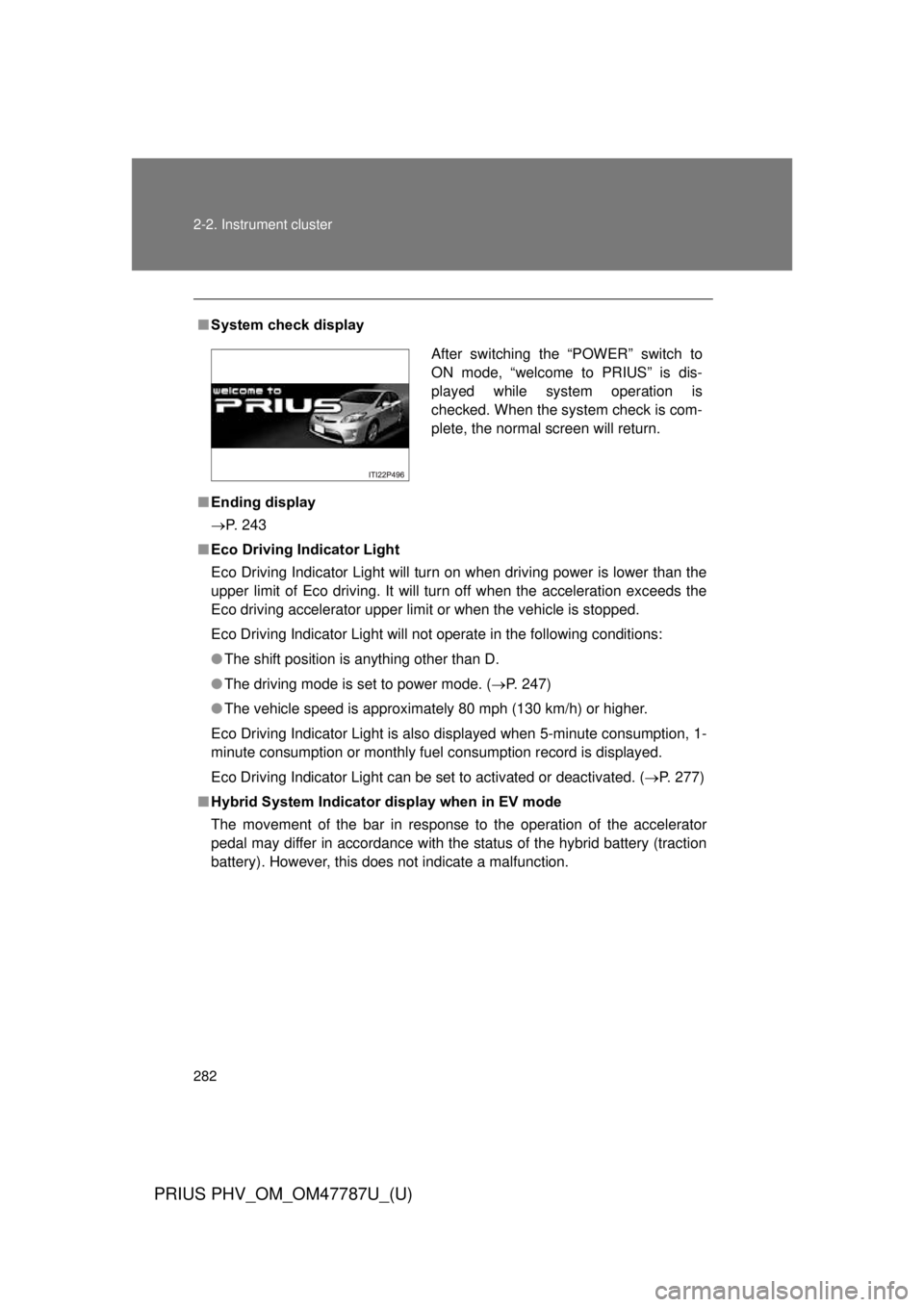
■System check display
■ Ending display
P. 243
■ Eco Driving Indicator Light
Eco Driving Indicator Light will turn on when driving power is lower than the
upper limit of Eco driving. It will turn off when the acceleration exceeds the
Eco driving accelerator upper limit or when the vehicle is stopped.
Eco Driving Indicator Light will not operate in the following conditions:
● The shift position is anything other than D.
● The driving mode is set to power mode. ( P. 247)
● The vehicle speed is approximately 80 mph (130 km/h) or higher.
Eco Driving Indicator Light is also displayed when 5-minute consumption, 1-
minute consumption or monthly fuel consumption record is displayed.
Eco Driving Indicator Light can be set to activated or deactivated. ( P. 277)
■ Hybrid System Indicator display when in EV mode
The movement of the bar in response to the operation of the accelerator
pedal may differ in accordance with the status of the hybrid battery (traction
battery). However, this does not indicate a malfunction.
After switching the “POWER” switch to
ON mode, “welcome to PRIUS” is dis-
played while system operation is
checked. When the system check is com-
plete, the normal screen will return.