warning TOYOTA PRIUS PLUG-IN 2014 User Guide
[x] Cancel search | Manufacturer: TOYOTA, Model Year: 2014, Model line: PRIUS PLUG-IN, Model: TOYOTA PRIUS PLUG-IN 2014Pages: 724, PDF Size: 20.28 MB
Page 125 of 724
82
1-2. Charging
PRIUS PHV_OM_OM47856U_(U)
■The charging environment
For safe charging, the following charging equipment and settings are recom-
mended.
●Weatherproof outlet
When charging outdoors, connect the plug to a weatherproof outlet, and
ensure that the plug remains waterproof while the plug is connected.
●Dedicated circuit
• To reduce the risk of fire, connect only to an at least 15A branch circuit
with an over-current protection in accordance with the National Electric
Code, ANSI/NFPA 70.
•To reduce the risk of electric shock when working with the plug, con-
nect to a outlet with a Ground-Fault Circuit-Interrupter (GFCI) or that
has an Earth Leakage Circuit Breaker installed.
CAUTION
■Warnings for electrical faults
Make sure to observe the following precautions when charging the vehicle.
Failure to use a power source that fulfills the requirements, or failure to
observe regulations while charging could lead to an accident, possibly
resulting in death or serious injury.
Page 129 of 724
86
1-2. Charging
PRIUS PHV_OM_OM47856U_(U)
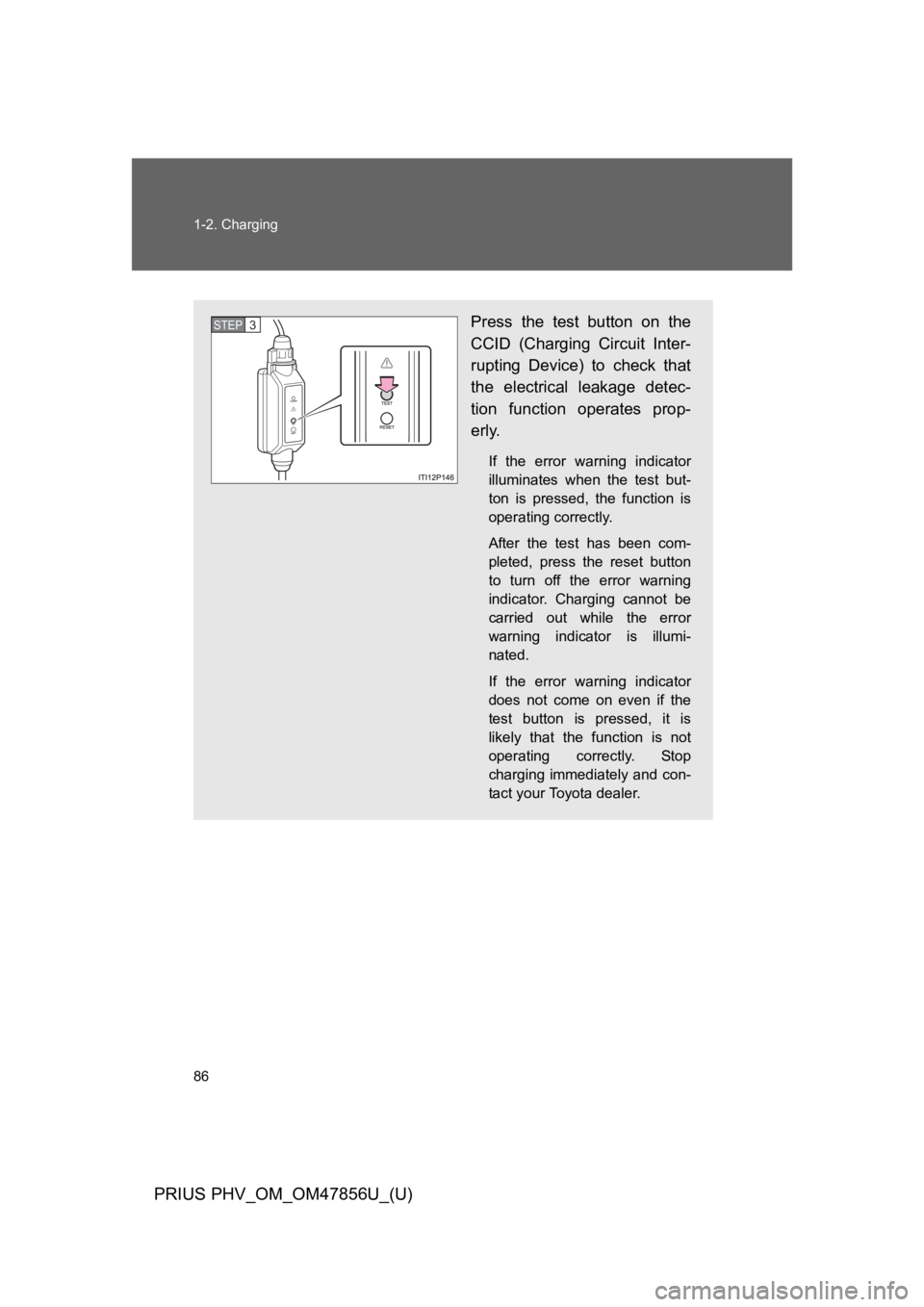
Press the test button on the
CCID (Charging Circuit Inter-
rupting Device) to check that
the electrical leakage detec-
tion function operates prop-
erly.
If the error warning indicator
illuminates when the test but-
ton is pressed, the function is
operating correctly.
After the test has been com-
pleted, press the reset button
to turn off the error warning
indicator. Charging cannot be
carried out while the error
warning indicator is illumi-
nated.
If the error warning indicator
does not come on even if the
test button is pressed, it is
likely that the function is not
operating correctly. Stop
charging immediately and con-
tact your Toyota dealer.
STEP 3
Page 131 of 724

88
1-2. Charging
PRIUS PHV_OM_OM47856U_(U)
Confirm that the charging indi-
cator is illuminated. (When the
charging timer function is in
use, the light will turn off sev-
eral seconds after illuminat-
ing.)
Charging will not start if the
charging indicator does not illu-
minate when the charging con-
nector is inserted. (→P. 1 0 3 )
The amount of time until charg-
ing is completed can be
checked on the energy monitor
by turning the “POWER” switch
to ON mode. (→P. 9 3 )
The error warning indicator of
the CCID (Charging Circuit
Interrupting Device) has illumi-
nated during charging:
→P. 1 0 6
The charging indicator will turn
off when charging is com-
pleted.
STEP7
Page 137 of 724
94
1-2. Charging
PRIUS PHV_OM_OM47856U_(U)
■Charging messages
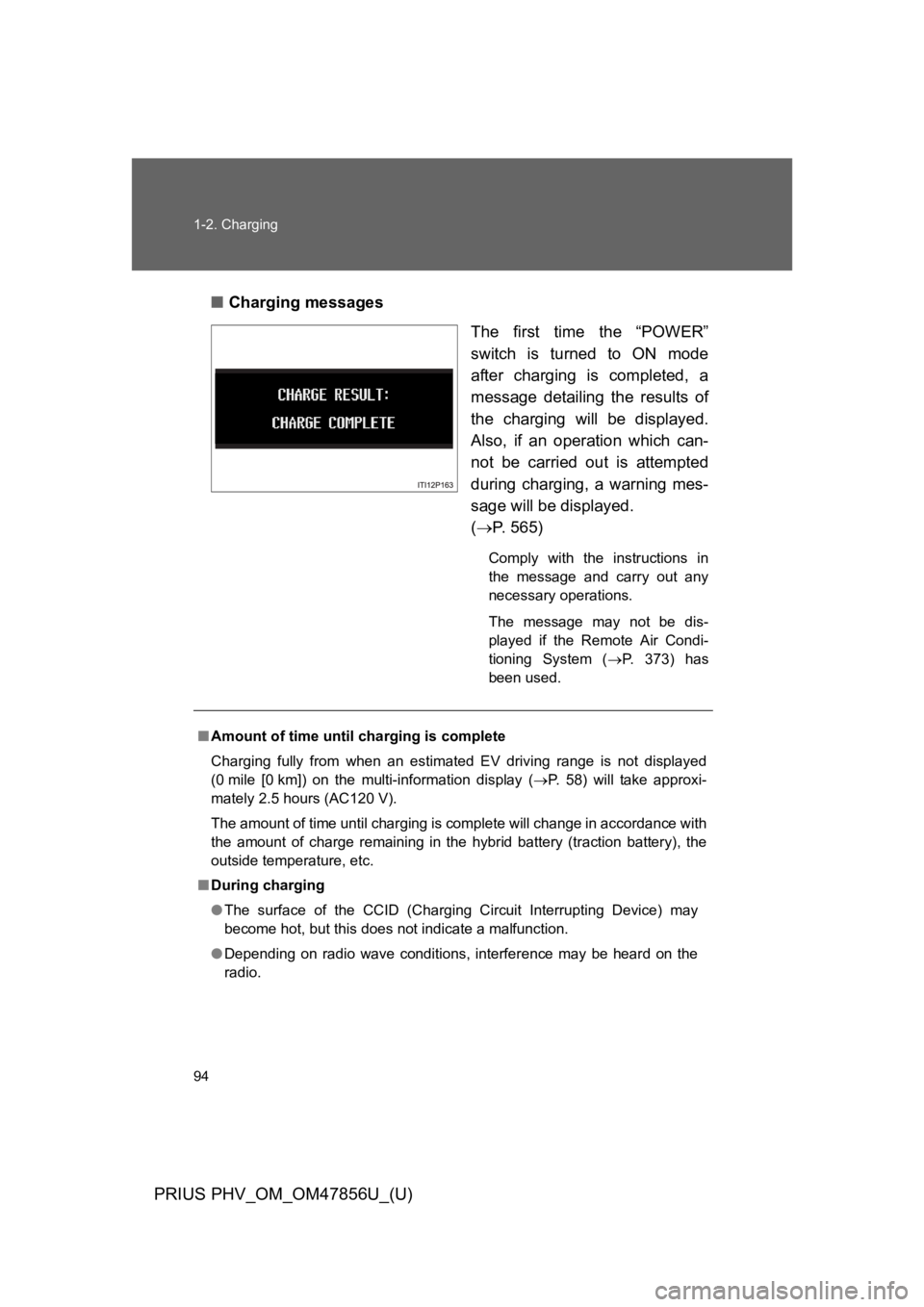
The first time the “POWER”
switch is turned to ON mode
after charging is completed, a
message detailing the results of
the charging will be displayed.
Also, if an operation which can-
not be carried out is attempted
during charging, a warning mes-
sage will be displayed.
(→P. 5 6 5 )
Comply with the instructions in
the message and carry out any
necessary operations.
The message may not be dis-
played if the Remote Air Condi-
tioning System (→P. 3 7 3 ) h a s
been used.
■Amount of time until charging is complete
Charging fully from when an estimated EV driving range is not displayed
(0 mile [0 km]) on the multi-information display (→P. 5 8 ) w i l l t a k e a p p r o x i -
mately 2.5 hours (AC120 V).
The amount of time until charging is complete will change in accordance with
the amount of charge remaining in the hybrid battery (traction battery), the
outside temperature, etc.
■During charging
●The surface of the CCID (Charging Circuit Interrupting Device) may
become hot, but this does not indicate a malfunction.
●Depending on radio wave conditions, interference may be heard on the
radio.
Page 143 of 724
100
1-2. Charging
PRIUS PHV_OM_OM47856U_(U)
CAUTION
■Battery charger
The battery charger is located under the luggage compartment. Observe the
following precautions.
Failure to do so may cause death or serious injury from burns or electric
shocks.
●Do not touch the battery charger during charging, as it becomes hot.
●Do not disassemble, repair or modify the battery charger.
If repair is necessary, consult your Toyota dealer.
■If the error warning indicator on the CCID (Charging Circuit Interrupt-
ing Device) stays on during charging
Press the reset button on the CCID (Charging Circuit Interrupting Device)
(→P. 1 0 6 ) . I f t h e e r r o r w a r n i n g i n d i c a t o r d o e s n o t t u r n o f f e v e n w h e n t h e
reset button is pressed, an electrical leakage may be occurring in the path to
the power source, or there may be a problem with the charging cable or the
charging system. In this event, stop charging immediately, remove the
charging cable and contact your Toyota dealer. An accident may occur or
damage may be inflicted if charging continues.
■When the charging cable is connected to the vehicle
Do not operate the shift lever.
In the unlikely event that the charging cable has been damaged, the shift
position may change from P to another position and the vehicle could move,
possibly leading to an accident.
Page 147 of 724

104
1-2. Charging
PRIUS PHV_OM_OM47856U_(U)
SituationReasonCorrection procedure
The error warning indi-
cator on the CCID
(Charging Circuit Inter-
rupting Device) comes
on
•The electrical leakage
detection function or
the self-test function
has operated and the
power supply has been
interrupted.
•The test button has
been pressed.
Reset the CCID (Charg-
ing Circuit Interrupting
Device). (→P. 1 0 6 )
The charging indicator
does not illuminate
even though the charg-
ing connector is con-
nected
The latch release but-
ton is being pressed.
For safety purposes,
charging will be inter-
rupted when the latch
release button is
pressed. (→P. 9 5 )
When connecting the
charging connector to
the vehicle, insert it into
the charging inlet with-
out pressing the latch
release button.
The charging connec-
tor is not properly con-
nected to the charging
inlet.
Check that the charg-
ing connector is firmly
connected to the
charging inlet.
If the charging indicator
does not illuminate
even though the charg-
ing connector is firmly
connected, there may
be a problem in the
system. Stop charging
immediately and con-
sult your Toyota dealer.
The hybrid battery
(traction battery) is
already fully charged.
⎯
Page 148 of 724
105
1-2. Charging
1
Before driving
PRIUS PHV_OM_OM47856U_(U)
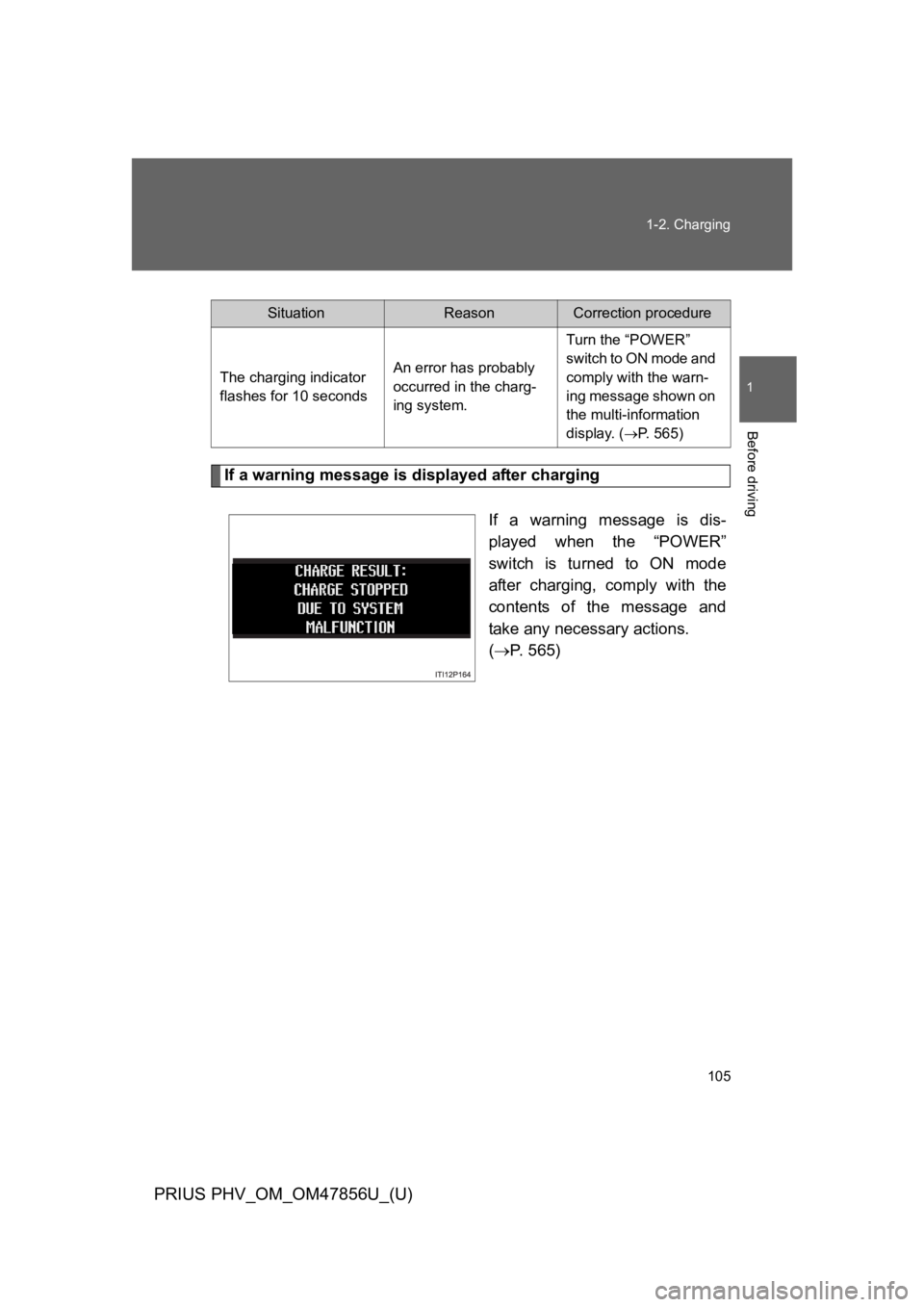
If a warning message is displayed after charging
If a warning message is dis-
played when the “POWER”
switch is turned to ON mode
after charging, comply with the
contents of the message and
take any necessary actions.
(→P. 5 6 5 )
SituationReasonCorrection procedure
The charging indicator
flashes for 10 seconds
An error has probably
occurred in the charg-
ing system.
Turn the “POWER”
switch to ON mode and
comply with the warn-
ing message shown on
the multi-information
display. (→P. 5 6 5 )
Page 149 of 724
106
1-2. Charging
PRIUS PHV_OM_OM47856U_(U)
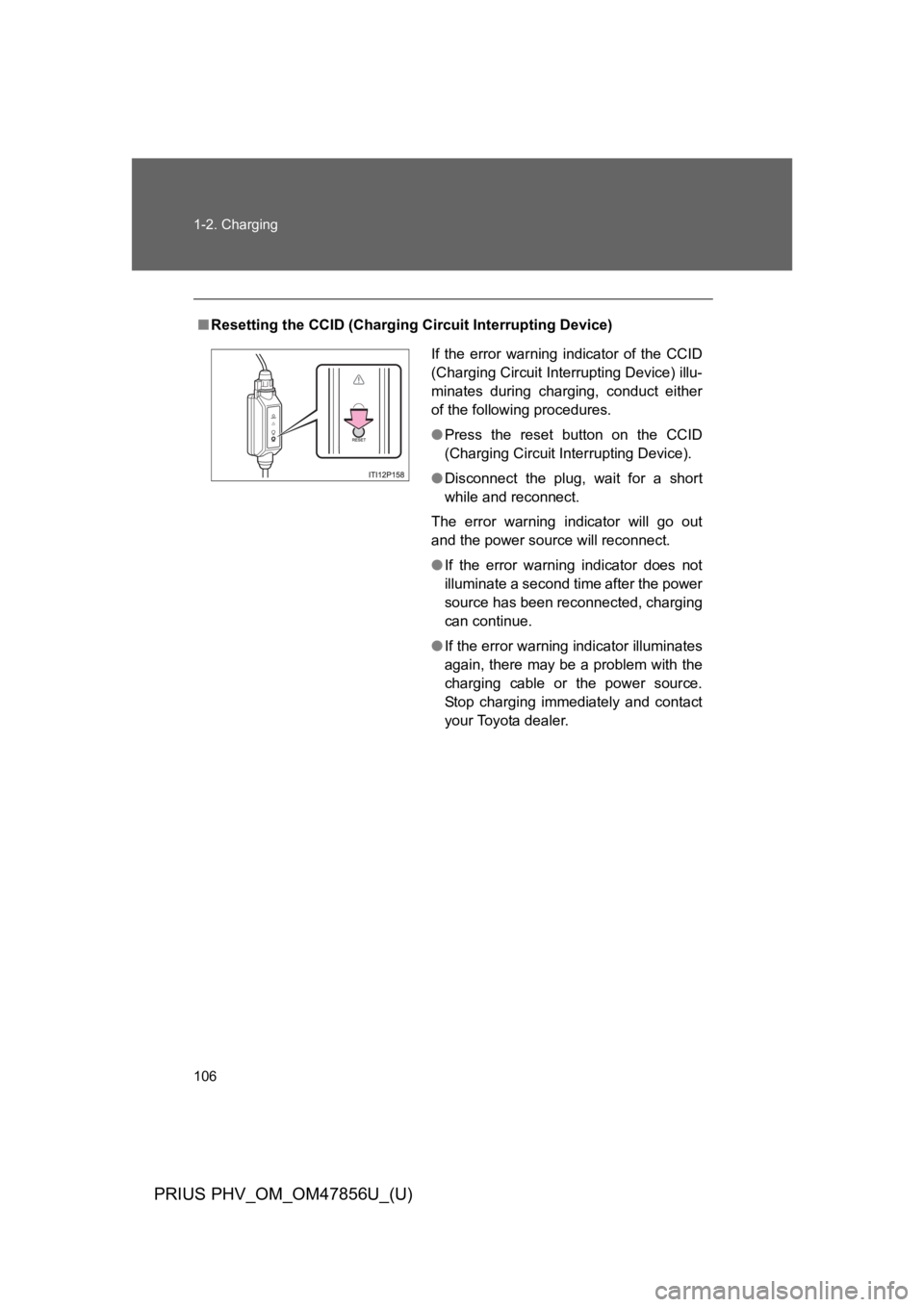
■Resetting the CCID (Charging Circuit Interrupting Device)
If the error warning indicator of the CCID
(Charging Circuit Interrupting Device) illu-
minates during charging, conduct either
of the following procedures.
●Press the reset button on the CCID
(Charging Circuit Interrupting Device).
●Disconnect the plug, wait for a short
while and reconnect.
The error warning indicator will go out
and the power source will reconnect.
●If the error warning indicator does not
illuminate a second time after the power
source has been reconnected, charging
can continue.
●If the error warning indicator illuminates
again, there may be a problem with the
charging cable or the power source.
Stop charging immediately and contact
your Toyota dealer.
Page 150 of 724
107
1
1-2. Charging
Before driving
PRIUS PHV_OM_OM47856U_(U)
Inspecting the charging cable
Inspecting the electrical leakage detection function
Check that the electrical leakage detection function operates properly
by following the procedure below.
In the unlikely event that the electrical leakage detection function
does not operate properly, contact your Toyota dealer as soon as
possible.
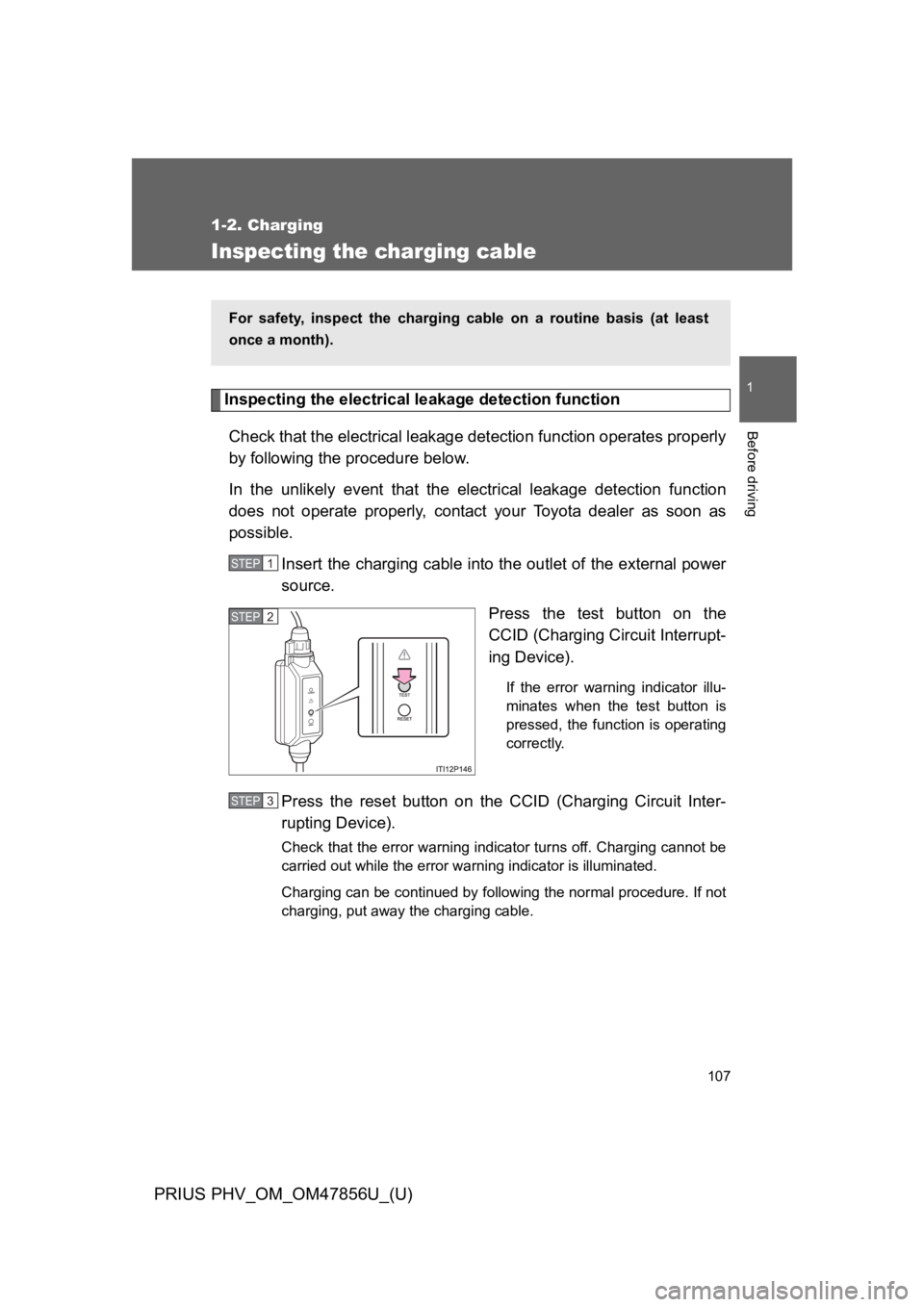
Insert the charging cable into the outlet of the external power
source.
Press the test button on the
CCID (Charging Circuit Interrupt-
ing Device).
If the error warning indicator illu-
minates when the test button is
pressed, the function is operating
correctly.
Press the reset button on the CCID (Charging Circuit Inter-
rupting Device).
Check that the error warning indicator turns off. Charging cannot be
carried out while the error warning indicator is illuminated.
Charging can be continued by following the normal procedure. If not
charging, put away the charging cable.
For safety, inspect the charging cable on a routine basis (at least
once a month).
STEP 1
STEP 2
STEP 3
Page 161 of 724
118
1-4. Opening, closing and locking the doors
PRIUS PHV_OM_OM47856U_(U)
■Alarms and warning lights
A combination of exterior and interior alarms as well as warning lights are
used to prevent theft of the vehicle and accidents resulting from erroneous
operation. Take appropriate measures in response to any warning message
shown on the multi-information display. (→P. 5 5 9 )
The following table describes circumstances and correction procedures
when only alarms are sounded.
AlarmSituationCorrection procedure
Interior alarm
pings once and
exterior alarm
sounds once for
5 seconds*1
An attempt was made to
lock the doors using the
entry function while the
electronic key was still
inside the passenger com-
partment
Retrieve the elec-
tronic key from the
passenger compart-
ment and lock the
doors again
An attempt was made to
exit the vehicle and lock
the doors without first turn-
ing the “POWER” switch
off
Turn the “POWER”
switch off and lock the
doors again
Exterior alarm
sounds once for
5 seconds
An attempt was made to
lock the vehicle while a
door is open
Close all of the doors
and lock the doors
again