instrument cluster TOYOTA PRIUS PLUG-IN HYBRID 2018 Manual Online
[x] Cancel search | Manufacturer: TOYOTA, Model Year: 2018, Model line: PRIUS PLUG-IN HYBRID, Model: TOYOTA PRIUS PLUG-IN HYBRID 2018Pages: 772, PDF Size: 107.88 MB
Page 352 of 772
3525-2. Driving procedures
PRIUS PHV_OM_OM47C99E_(EE)
Stop the vehicle completely.
Set the parking brake. (P. 364)
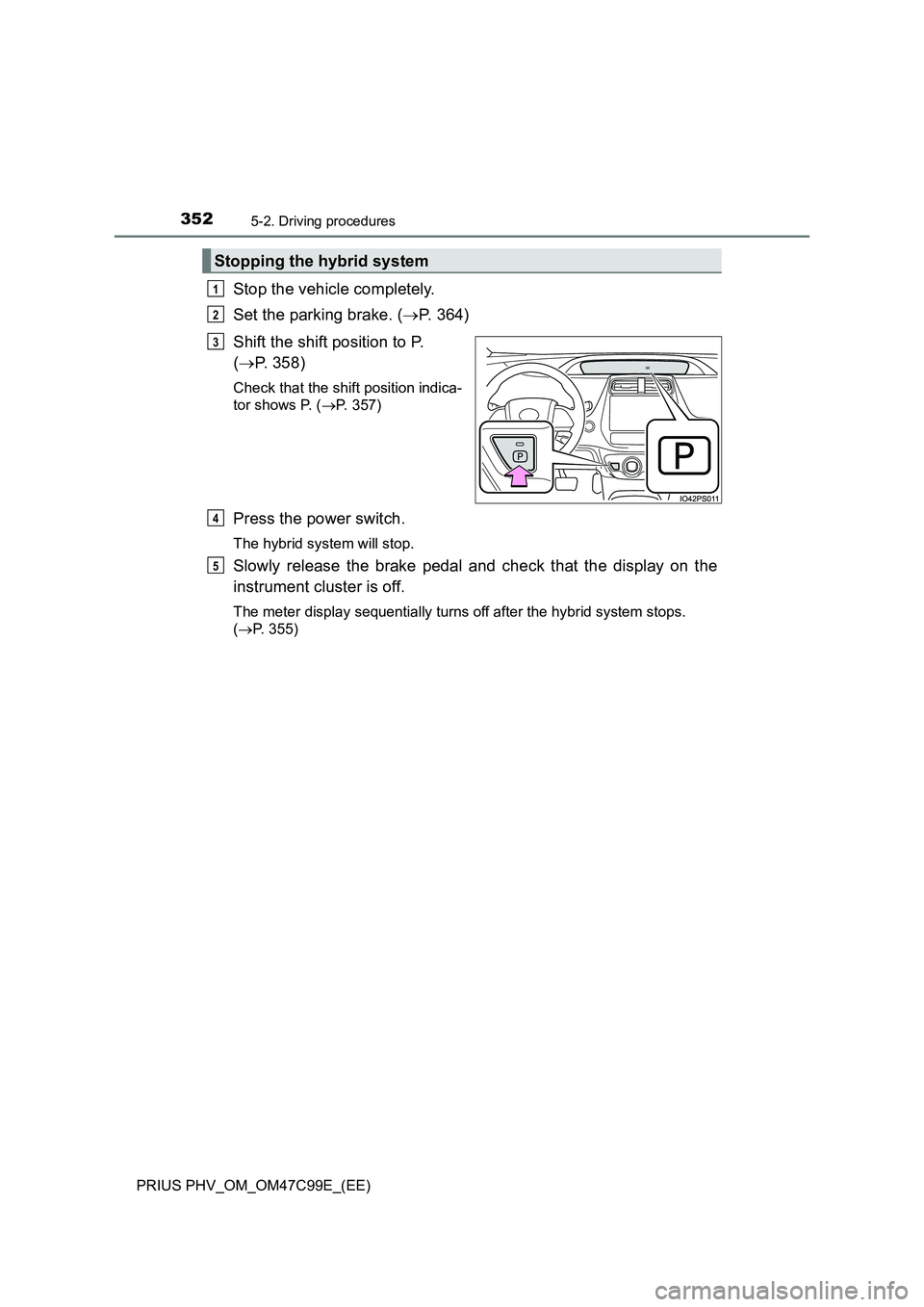
Shift the shift position to P.
(P. 358)
Check that the shift position indica-
tor shows P. (P. 357)
Press the power switch.
The hybrid system will stop.
Slowly release the brake pedal and check that the display on the
instrument cluster is off.
The meter display sequentially turns off after the hybrid system stops.
(P. 355)
Stopping the hybrid system
1
2
3
4
5
Page 357 of 772
3575-2. Driving procedures
PRIUS PHV_OM_OM47C99E_(EE)
5
Driving
Hybrid transmission
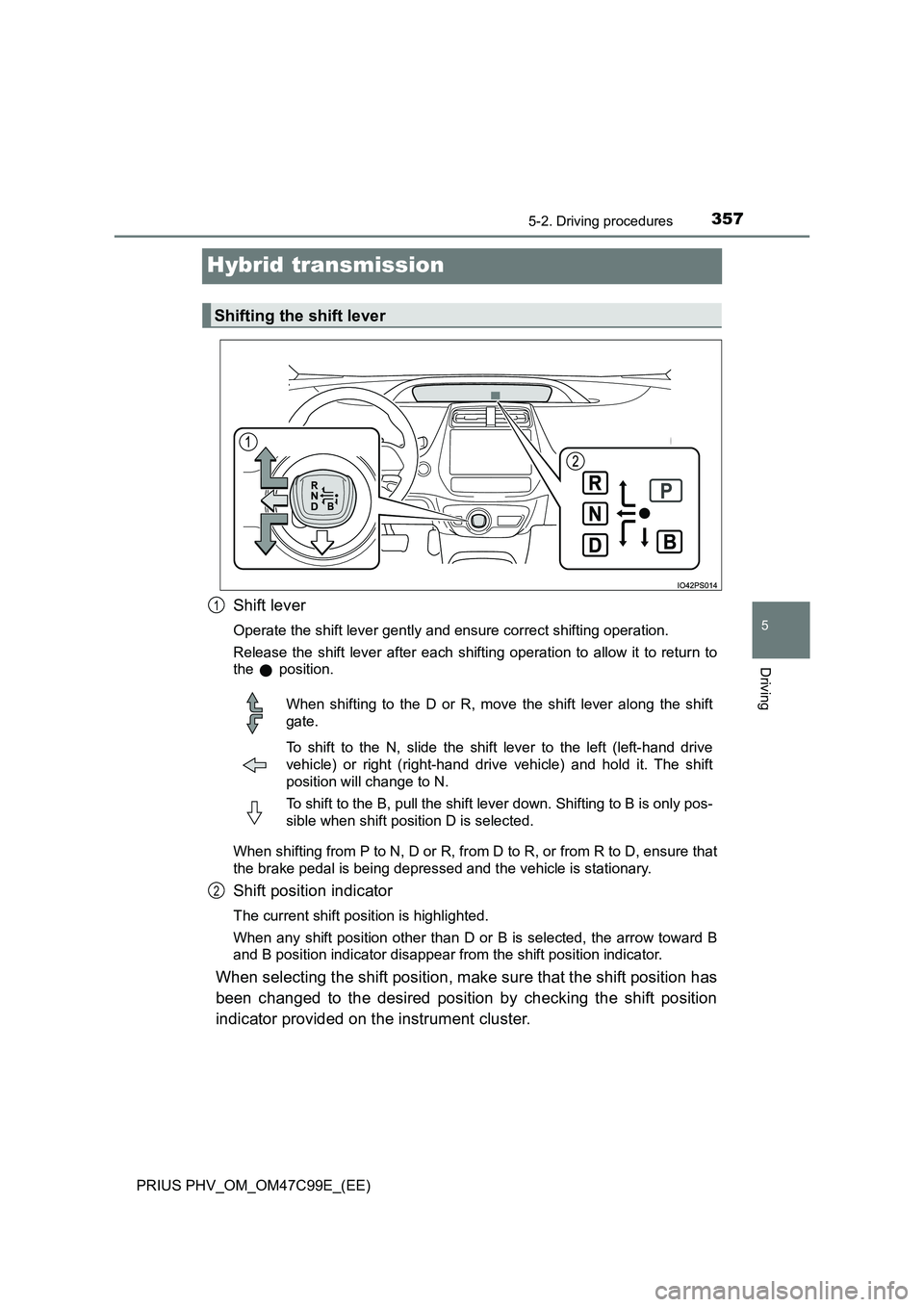
Shift lever
Operate the shift lever gently and ensure correct shifting operation.
Release the shift lever after each shifting operation to allow it to return to
the position.
When shifting from P to N, D or R, from D to R, or from R to D, ensure that
the brake pedal is being depressed and the vehicle is stationary.
Shift position indicator
The current shift position is highlighted.
When any shift position other than D or B is selected, the arrow toward B
and B position indicator disappear from the shift position indicator.
When selecting the shift position, make sure that the shift position has
been changed to the desired position by checking the shift position
indicator provided on the instrument cluster.
Shifting the shift lever
1
When shifting to the D or R, move the shift lever along the shift
gate.
To shift to the N, slide the shift lever to the left (left-hand drive
vehicle) or right (right-hand driv e vehicle) and hold it. The shift
position will change to N.
To shift to the B, pull the shift lever down. Shifting to B is only pos-
sible when shift position D is selected.
2
Page 358 of 772
3585-2. Driving procedures
PRIUS PHV_OM_OM47C99E_(EE)
*: For good fuel economy and noise reduction, the D position should usually
be used.
P. 4 3 7
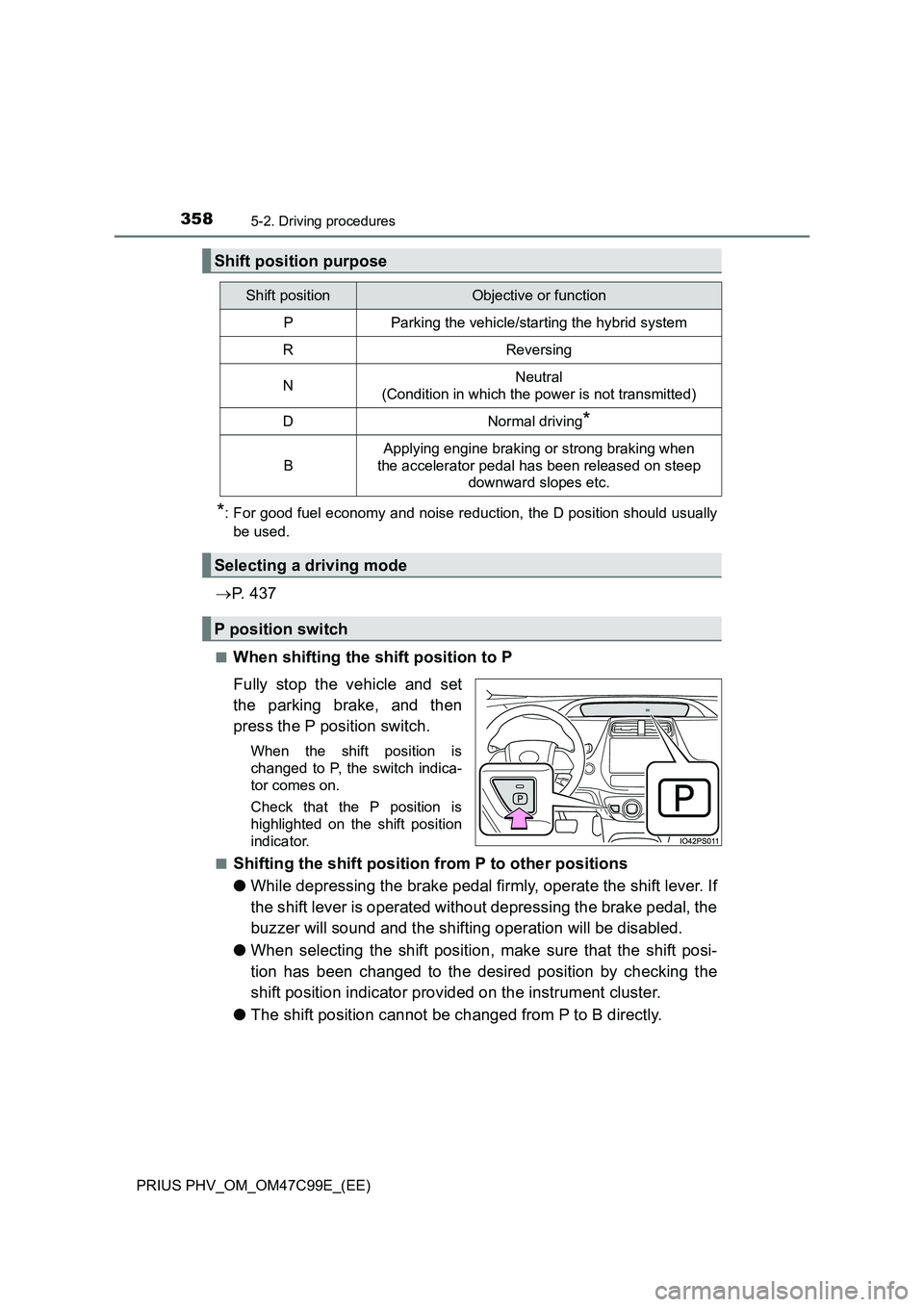
■When shifting the shift position to P
Fully stop the vehicle and set
the parking brake, and then
press the P position switch.
When the shift position is
changed to P, the switch indica-
tor comes on.
Check that the P position is
highlighted on the shift position
indicator.
■
Shifting the shift position from P to other positions
●While depressing the brake pedal firmly, operate the shift lever. If
the shift lever is operated without depressing the brake pedal, the
buzzer will sound and the shifting operation will be disabled.
●When selecting the shift position, make sure that the shift posi-
tion has been changed to the desired position by checking the
shift position indicator provided on the instrument cluster.
●The shift position cannot be changed from P to B directly.
Shift position purpose
Shift positionObjective or function
PParking the vehicle/starting the hybrid system
RReversing
NNeutral
(Condition in which the power is not transmitted)
DNormal driving*
B
Applying engine braking or strong braking when
the accelerator pedal has been released on steep
downward slopes etc.
Selecting a driving mode
P position switch
Page 739 of 772
7399-2. Customization
PRIUS PHV_OM_OM47C99E_(EE)
9
Vehicle specifications
■Changing using the navigation system
Press on the navigation system.
Select “Vehicle” on the “Setup” screen and select “Vehicle cus-
tomization”.
Various settings can be changed. Refer to the list of settings that
can be changed for details.
Settings that can be changed using the multi-information display
Settings that can be changed using the navigation system
Settings that can be changed by any authorized Toyota retailer or
Toyota authorized repairer, or any reliable repairer
Definition of symbols: O = Available, – = Not available
■Instrument cluster (P. 198)
Customizable features
1
2
1
2
3
FunctionDefault
settingCustomized
setting
Sensor sensitivity for darken-
ing the brightness of the
instrument cluster depending
on the outside brightness
Standard-2 to 2––O
Sensor sensitivity for returning
the brightness of the instru-
ment cluster to the original
level depending on the outside
brightness
Standard-2 to 2––O
123
Page 755 of 772
755Alphabetical index
PRIUS PHV_OM_OM47C99E_(EE)
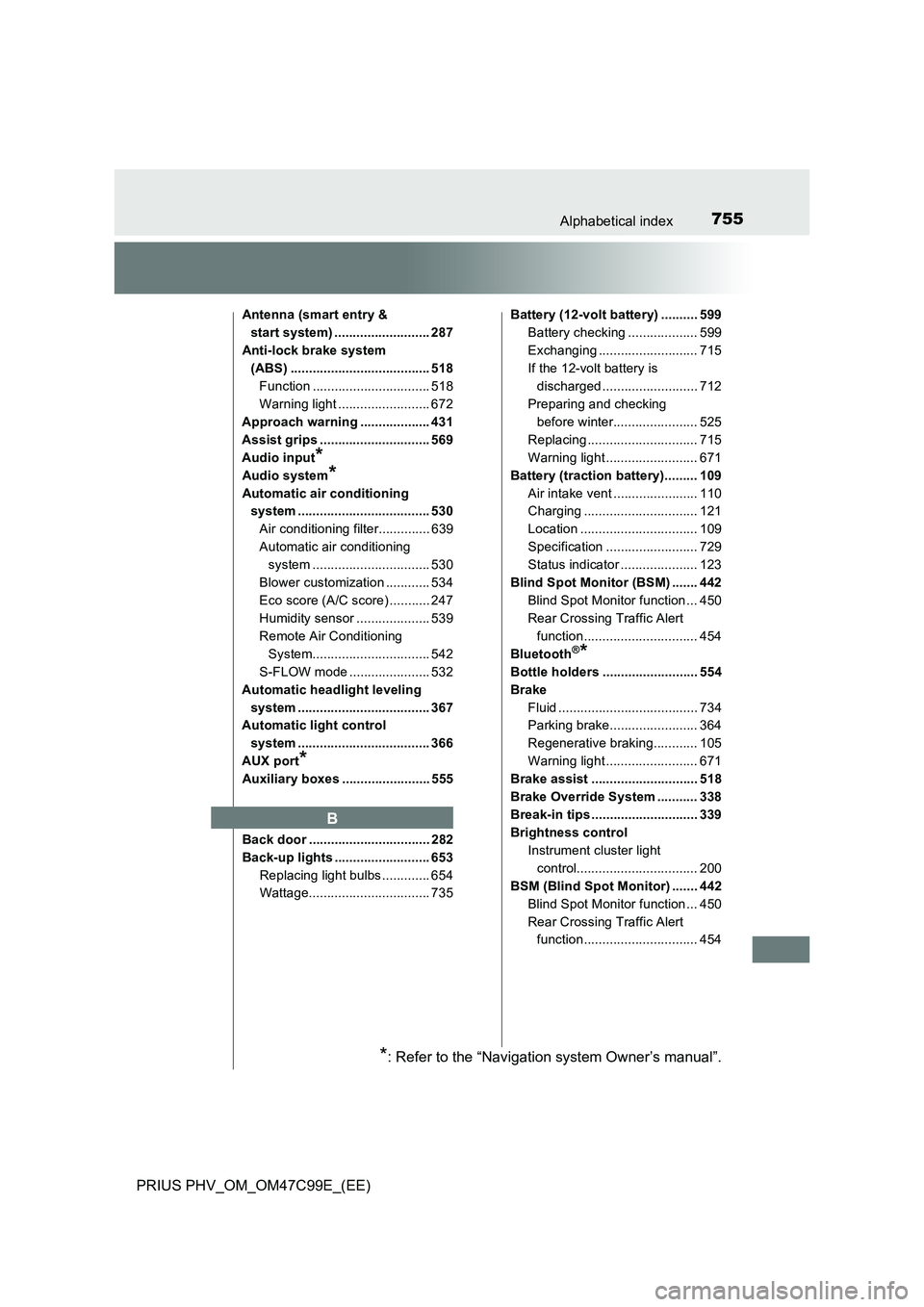
Antenna (smart entry &
start system) .......................... 287
Anti-lock brake system
(ABS) ...................................... 518
Function ................................ 518
Warning light ......................... 672
Approach warning ................... 431
Assist grips .............................. 569
Audio input
*
Audio system*
Automatic air conditioning
system .................................... 530
Air conditioning filter.............. 639
Automatic air conditioning
system ................................ 530
Blower customization ............ 534
Eco score (A/C score) ........... 247
Humidity sensor .................... 539
Remote Air Conditioning
System................................ 542
S-FLOW mode ...................... 532
Automatic headlight leveling
system .................................... 367
Automatic light control
system .................................... 366
AUX port
*
Auxiliary boxes ........................ 555
Back door ................................. 282
Back-up lights .......................... 653
Replacing light bulbs ............. 654
Wattage................................. 735Battery (12-volt battery) .......... 599
Battery checking ................... 599
Exchanging ........................... 715
If the 12-volt battery is
discharged .......................... 712
Preparing and checking
before winter....................... 525
Replacing .............................. 715
Warning light ......................... 671
Battery (traction battery)......... 109
Air intake vent ....................... 110
Charging ............................... 121
Location ................................ 109
Specification ......................... 729
Status indicator ..................... 123
Blind Spot Monitor (BSM) ....... 442
Blind Spot Monitor function ... 450
Rear Crossing Traffic Alert
function ............................... 454
Bluetooth
®*
Bottle holders .......................... 554
Brake
Fluid ...................................... 734
Parking brake........................ 364
Regenerative braking............ 105
Warning light ......................... 671
Brake assist ............................. 518
Brake Override System ........... 338
Break-in tips ............................. 339
Brightness control
Instrument cluster light
control................................. 200
BSM (Blind Spot Monitor) ....... 442
Blind Spot Monitor function ... 450
Rear Crossing Traffic Alert
function ............................... 454
B
*: Refer to the “Navigation system Owner’s manual”.
Page 761 of 772
761Alphabetical index
PRIUS PHV_OM_OM47C99E_(EE)
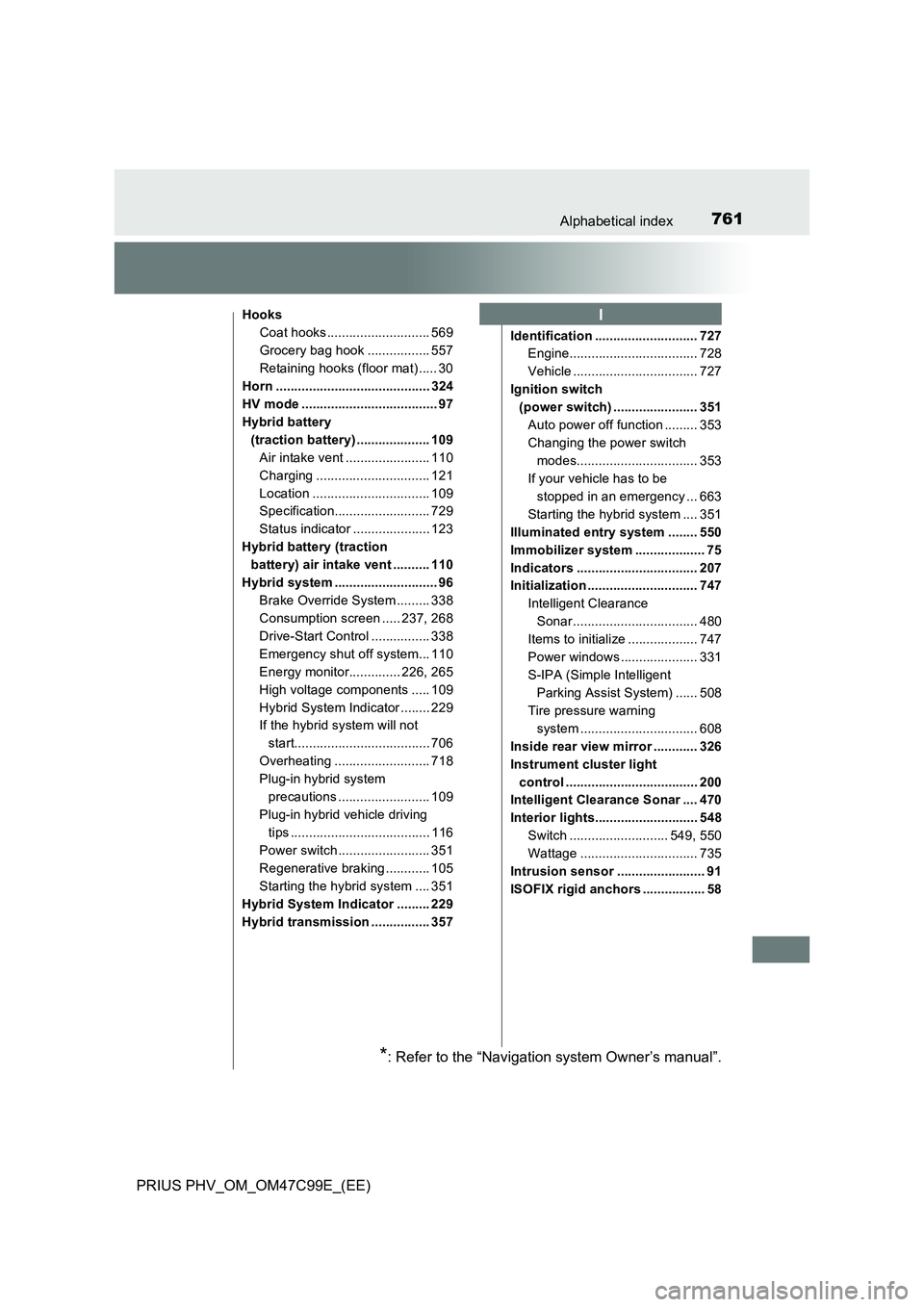
Hooks
Coat hooks ............................ 569
Grocery bag hook ................. 557
Retaining hooks (floor mat) ..... 30
Horn .......................................... 324
HV mode ..................................... 97
Hybrid battery
(traction battery) .................... 109
Air intake vent ....................... 110
Charging ............................... 121
Location ................................ 109
Specification.......................... 729
Status indicator ..................... 123
Hybrid battery (traction
battery) air intake vent .......... 110
Hybrid system ............................ 96
Brake Override System ......... 338
Consumption screen ..... 237, 268
Drive-Start Control ................ 338
Emergency shut off system... 110
Energy monitor.............. 226, 265
High voltage components ..... 109
Hybrid System Indicator ........ 229
If the hybrid system will not
start..................................... 706
Overheating .......................... 718
Plug-in hybrid system
precautions ......................... 109
Plug-in hybrid vehicle driving
tips ...................................... 116
Power switch ......................... 351
Regenerative braking ............ 105
Starting the hybrid system .... 351
Hybrid System Indicator ......... 229
Hybrid transmission ................ 357Identification ............................ 727
Engine................................... 728
Vehicle .................................. 727
Ignition switch
(power switch) ....................... 351
Auto power off function ......... 353
Changing the power switch
modes................................. 353
If your vehicle has to be
stopped in an emergency ... 663
Starting the hybrid system .... 351
Illuminated entry system ........ 550
Immobilizer system ................... 75
Indicators ................................. 207
Initialization .............................. 747
Intelligent Clearance
Sonar.................................. 480
Items to initialize ................... 747
Power windows ..................... 331
S-IPA (Simple Intelligent
Parking Assist System) ...... 508
Tire pressure warning
system ................................ 608
Inside rear view mirror ............ 326
Instrument cluster light
control .................................... 200
Intelligent Clearance Sonar .... 470
Interior lights............................ 548
Switch ........................... 549, 550
Wattage ................................ 735
Intrusion sensor ........................ 91
ISOFIX rigid anchors ................. 58I
*: Refer to the “Navigation system Owner’s manual”.
Page 763 of 772
763Alphabetical index
PRIUS PHV_OM_OM47C99E_(EE)
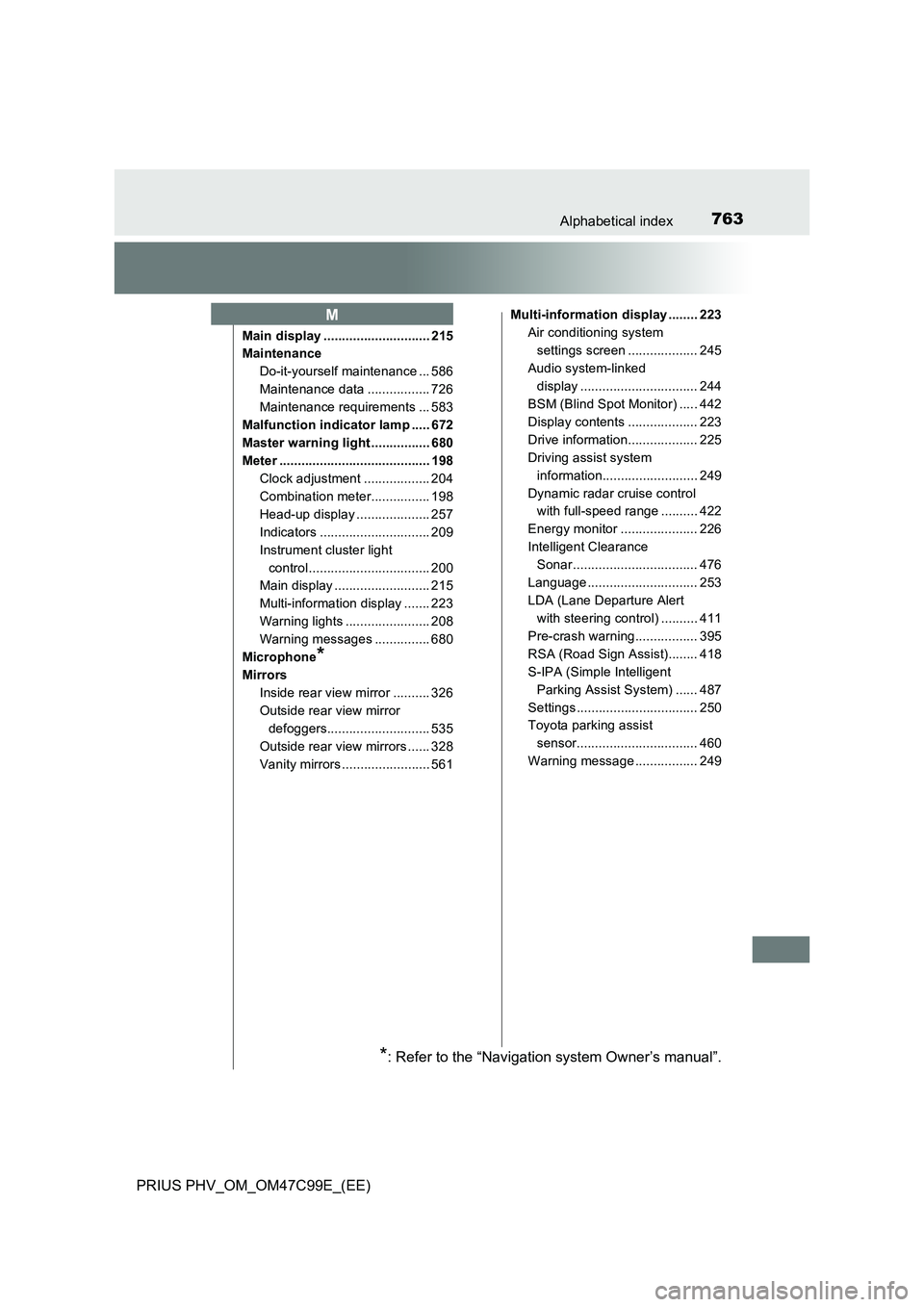
Main display ............................. 215
Maintenance
Do-it-yourself maintenance ... 586
Maintenance data ................. 726
Maintenance requirements ... 583
Malfunction indicator lamp ..... 672
Master warning light ................ 680
Meter ......................................... 198
Clock adjustment .................. 204
Combination meter................ 198
Head-up display .................... 257
Indicators .............................. 209
Instrument cluster light
control................................. 200
Main display .......................... 215
Multi-information display ....... 223
Warning lights ....................... 208
Warning messages ............... 680
Microphone
*
Mirrors
Inside rear view mirror .......... 326
Outside rear view mirror
defoggers............................ 535
Outside rear view mirrors ...... 328
Vanity mirrors ........................ 561Multi-information display ........ 223
Air conditioning system
settings screen ................... 245
Audio system-linked
display ................................ 244
BSM (Blind Spot Monitor) ..... 442
Display contents ................... 223
Drive information................... 225
Driving assist system
information.......................... 249
Dynamic radar cruise control
with full-speed range .......... 422
Energy monitor ..................... 226
Intelligent Clearance
Sonar.................................. 476
Language .............................. 253
LDA (Lane Departure Alert
with steering control) .......... 411
Pre-crash warning................. 395
RSA (Road Sign Assist)........ 418
S-IPA (Simple Intelligent
Parking Assist System) ...... 487
Settings ................................. 250
Toyota parking assist
sensor................................. 460
Warning message ................. 249
M
*: Refer to the “Navigation system Owner’s manual”.