lane assist TOYOTA PRIUS PLUG-IN HYBRID 2018 Owners Manual
[x] Cancel search | Manufacturer: TOYOTA, Model Year: 2018, Model line: PRIUS PLUG-IN HYBRID, Model: TOYOTA PRIUS PLUG-IN HYBRID 2018Pages: 772, PDF Size: 107.88 MB
Page 4 of 772
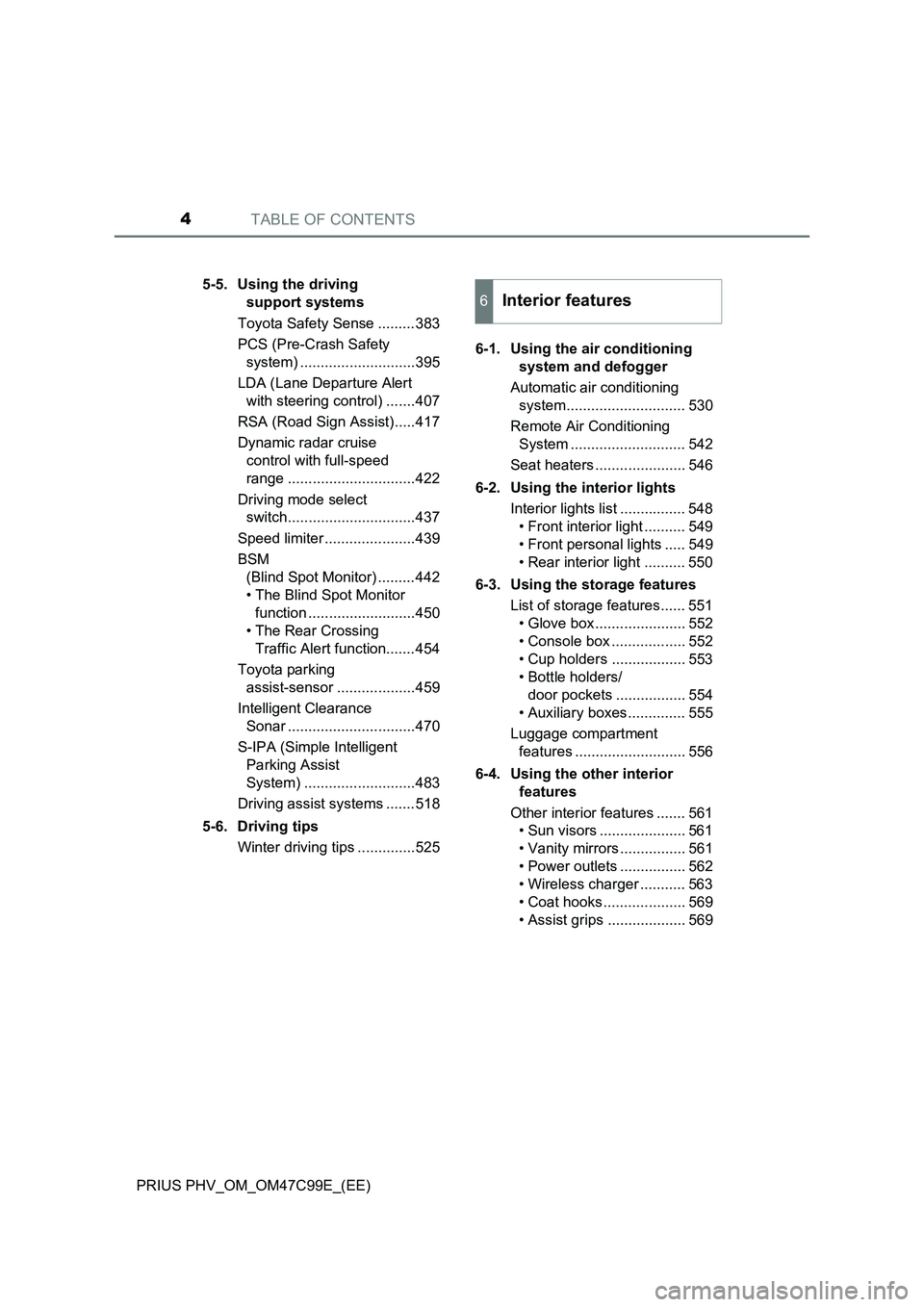
TABLE OF CONTENTS4
PRIUS PHV_OM_OM47C99E_(EE)5-5. Using the driving
support systems
Toyota Safety Sense .........383
PCS (Pre-Crash Safety
system) ............................395
LDA (Lane Departure Alert
with steering control) .......407
RSA (Road Sign Assist).....417
Dynamic radar cruise
control with full-speed
range ...............................422
Driving mode select
switch...............................437
Speed limiter ......................439
BSM
(Blind Spot Monitor) .........442
• The Blind Spot Monitor
function ..........................450
• The Rear Crossing
Traffic Alert function.......454
Toyota parking
assist-sensor ...................459
Intelligent Clearance
Sonar ...............................470
S-IPA (Simple Intelligent
Parking Assist
System) ...........................483
Driving assist systems .......518
5-6. Driving tips
Winter driving tips ..............5256-1. Using the air conditioning
system and defogger
Automatic air conditioning
system............................. 530
Remote Air Conditioning
System ............................ 542
Seat heaters ...................... 546
6-2. Using the interior lights
Interior lights list ................ 548
• Front interior light .......... 549
• Front personal lights ..... 549
• Rear interior light .......... 550
6-3. Using the storage features
List of storage features...... 551
• Glove box ...................... 552
• Console box .................. 552
• Cup holders .................. 553
• Bottle holders/
door pockets ................. 554
• Auxiliary boxes .............. 555
Luggage compartment
features ........................... 556
6-4. Using the other interior
features
Other interior features ....... 561
• Sun visors ..................... 561
• Vanity mirrors ................ 561
• Power outlets ................ 562
• Wireless charger ........... 563
• Coat hooks .................... 569
• Assist grips ................... 569
6Interior features
Page 224 of 772
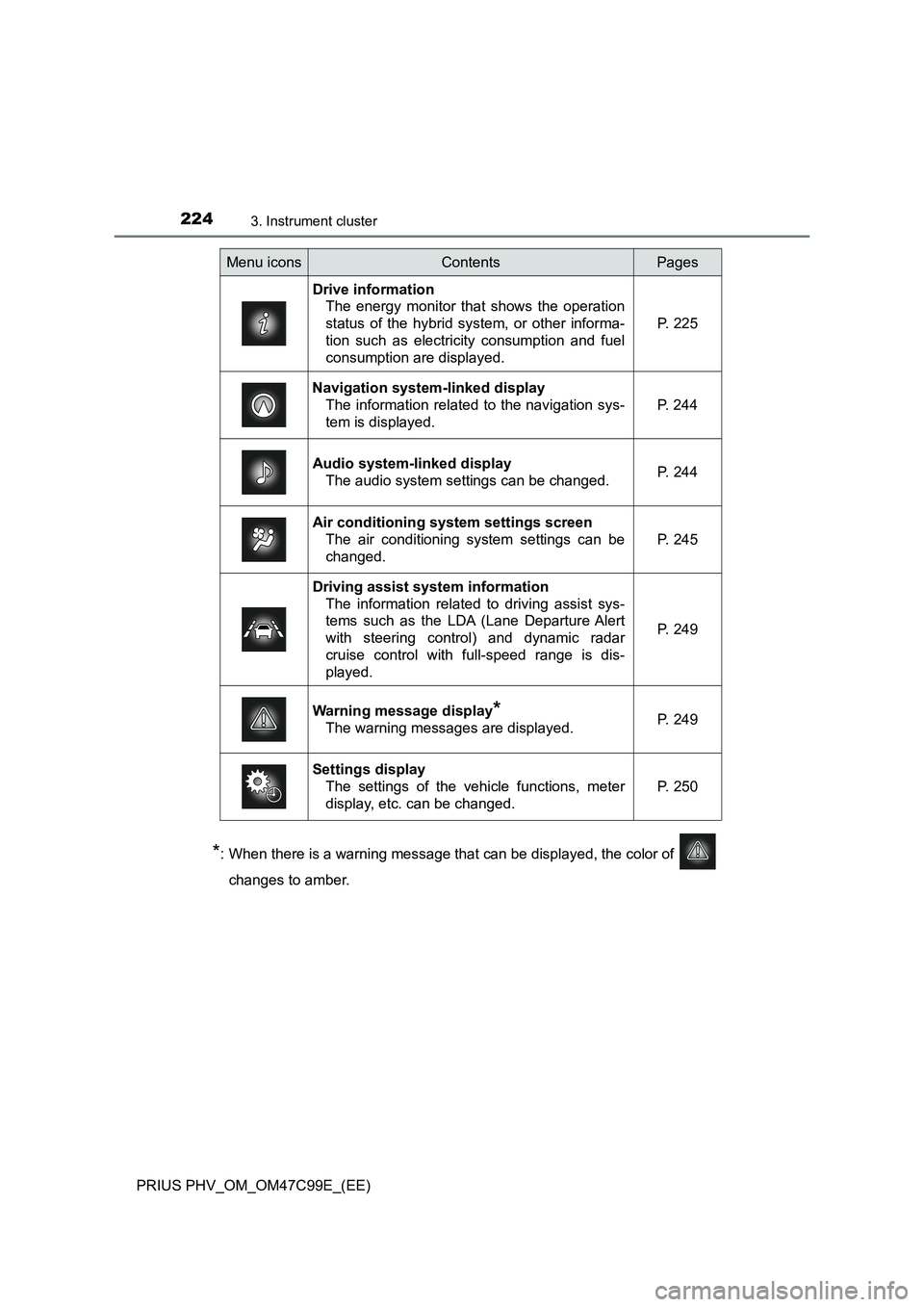
2243. Instrument cluster
PRIUS PHV_OM_OM47C99E_(EE)
*: When there is a warning message that can be displayed, the color of
changes to amber.
Menu iconsContentsPages
Drive information
The energy monitor that shows the operation
status of the hybrid system, or other informa-
tion such as electricity consumption and fuel
consumption are displayed.P. 225
Navigation system-linked display
The information related to the navigation sys-
tem is displayed.P. 244
Audio system-linked display
The audio system settings can be changed.P. 244
Air conditioning system settings screen
The air conditioning system settings can be
changed.
P. 245
Driving assist system information
The information related to driving assist sys-
tems such as the LDA (Lane Departure Alert
with steering control) and dynamic radar
cruise control with full-speed range is dis-
played.
P. 249
Warning message display*
The warning messages are displayed.P. 249
Settings display
The settings of the vehicle functions, meter
display, etc. can be changed.
P. 250
Page 249 of 772

2493. Instrument cluster
3
Instrument cluster
PRIUS PHV_OM_OM47C99E_(EE)
The operation status of driving
support system such as the LDA
(Lane Departure Alert with steer-
ing control) and dynamic radar
cruise control with full-speed
range and warning information are
displayed.
For details regarding the driving
support functions, refer to the page
for the corresponding function.
The warning messages that have
been displayed since the power
switch was turned to ON mode
can be checked.
When multiple warning messages
have been displayed, the display
can be switched by pressing or
of the meter control switches.
Warning messages that have been currently cleared and some warning
messages are not displayed. Also, when there are no warning messages
that can be checked, the display indicates that there are no messages.
Driving assist system information
Warning message display
Page 251 of 772

2513. Instrument cluster
3
Instrument cluster
PRIUS PHV_OM_OM47C99E_(EE)■
Settings table
ItemSettingsSetting result
“On”
Turns the LDA system steering control
function on and off. (P. 416)
“Off”
“High”Switches the LDA system lane deviation
sensitivity. (P. 416)
“Standard”
“On”
Turns the PCS (Pre-Crash Safety system)
on and off. (P. 399)
“Off”
Far
Switches the PCS (Pre-Crash Safety sys-
tem) warning timing. (P. 399)Middle
Near
*1“On”Turns the Toyota parking assist-sensor on
and off. (P. 459)
“Off”
*1“On”Turns the Intelligent Clearance Sonar on
and off. (P. 472)
“Off”
*1“On”Turns the Blind Spot Monitor on and off.
(P. 443)
“Off”
“On”
Turns the LDA system vehicle sway warn-
ing on and off. (P. 416)
“Off”
“High”
Switches the LDA system vehicle sway
warning sensitivity. (P. 416)“Standard”
“Low”
Clock setting
Adjusts the clock. (P. 204)
Sets the minutes to “00”. (P. 204)
*1HeightChanges the display position and bright-
ness of the head-up display. (P. 260)
Brightness
“On”
Turns the RSA (Road Sign Assist) system
on and off. (P. 421)
“Off”
Page 261 of 772
2613. Instrument cluster
3
Instrument cluster
PRIUS PHV_OM_OM47C99E_(EE)■
Insert displays of the driving support systems
Insert displays are linked with the operation of the following sys-
tems and used to show some of the information shown on the multi-
information display on the head-up display.
*: If equipped
■
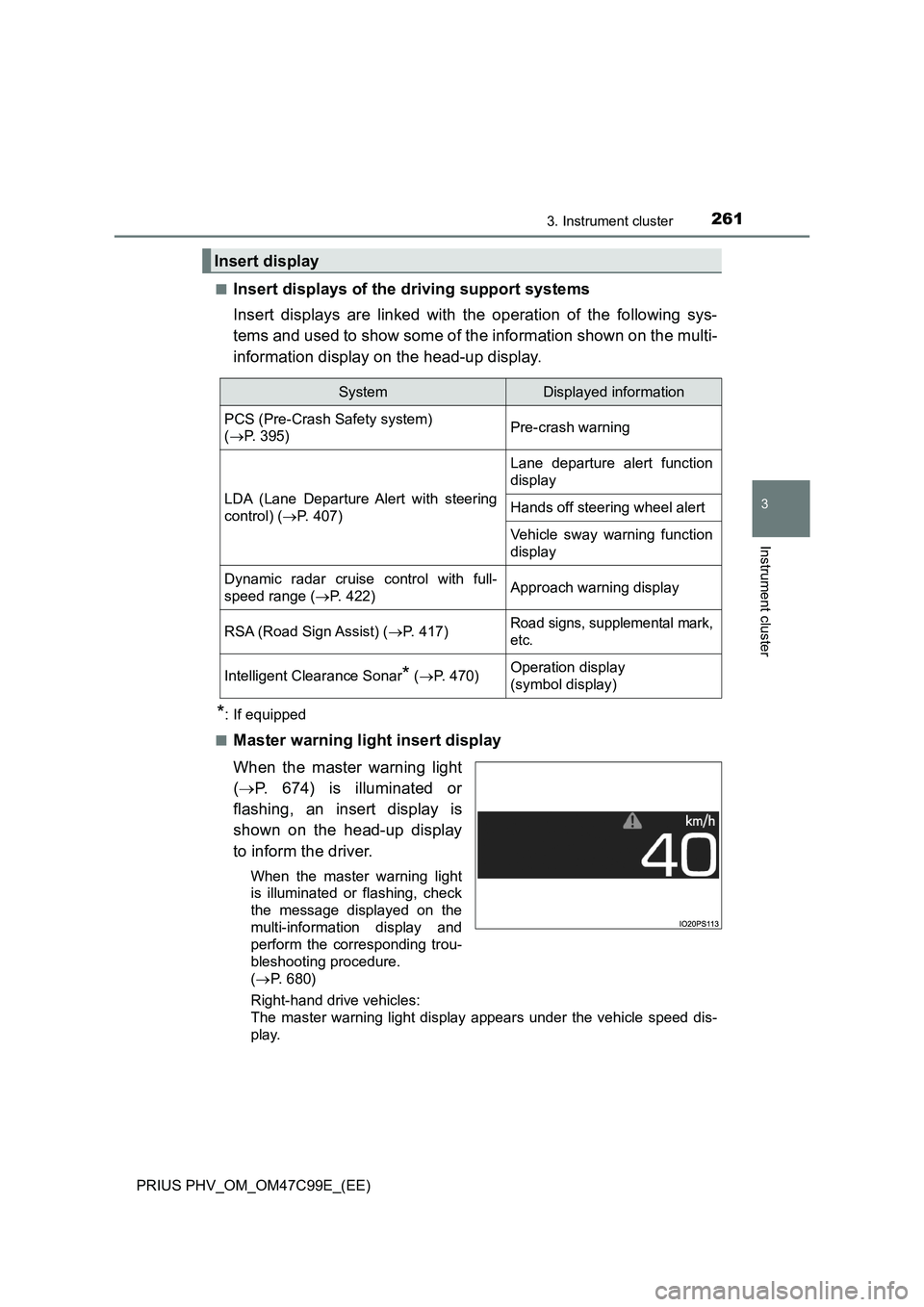
Master warning light insert display
When the master warning light
(P. 674) is illuminated or
flashing, an insert display is
shown on the head-up display
to inform the driver.
When the master warning light
is illuminated or flashing, check
the message displayed on the
multi-information display and
perform the corresponding trou-
bleshooting procedure.
(P. 680)
Right-hand drive vehicles:
The master warning light display appears under the vehicle speed dis-
play.
Insert display
SystemDisplayed information
PCS (Pre-Crash Safety system)
(P. 395)Pre-crash warning
LDA (Lane Departure Alert with steering
control) (P. 407)
Lane departure alert function
display
Hands off steering wheel alert
Vehicle sway warning function
display
Dynamic radar cruise control with full-
speed range (P. 422)Approach warning display
RSA (Road Sign Assist) (P. 417)Road signs, supplemental mark,
etc.
Intelligent Clearance Sonar* (P. 470)Operation display
(symbol display)
Page 335 of 772
335
5Driving
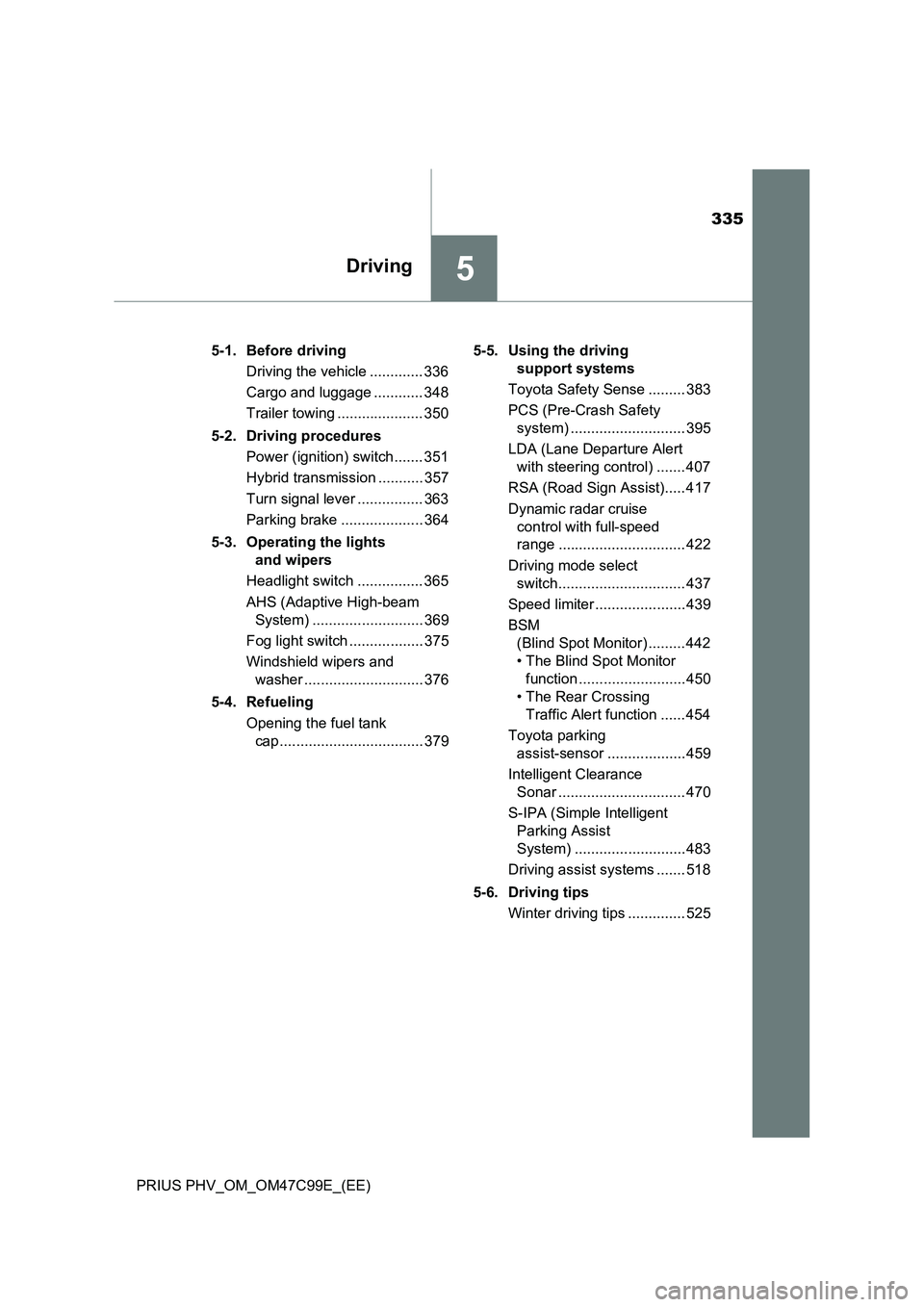
PRIUS PHV_OM_OM47C99E_(EE)5-1. Before driving
Driving the vehicle ............. 336
Cargo and luggage ............ 348
Trailer towing ..................... 350
5-2. Driving procedures
Power (ignition) switch ....... 351
Hybrid transmission ........... 357
Turn signal lever ................ 363
Parking brake .................... 364
5-3. Operating the lights
and wipers
Headlight switch ................ 365
AHS (Adaptive High-beam
System) ........................... 369
Fog light switch .................. 375
Windshield wipers and
washer ............................. 376
5-4. Refueling
Opening the fuel tank
cap ................................... 3795-5. Using the driving
support systems
Toyota Safety Sense ......... 383
PCS (Pre-Crash Safety
system) ............................ 395
LDA (Lane Departure Alert
with steering control) ....... 407
RSA (Road Sign Assist)..... 417
Dynamic radar cruise
control with full-speed
range ............................... 422
Driving mode select
switch............................... 437
Speed limiter ...................... 439
BSM
(Blind Spot Monitor) ......... 442
• The Blind Spot Monitor
function .......................... 450
• The Rear Crossing
Traffic Alert function ...... 454
Toyota parking
assist-sensor ................... 459
Intelligent Clearance
Sonar ............................... 470
S-IPA (Simple Intelligent
Parking Assist
System) ........................... 483
Driving assist systems ....... 518
5-6. Driving tips
Winter driving tips .............. 525
Page 383 of 772
3835-5. Using the driving support systems
PRIUS PHV_OM_OM47C99E_(EE)
5
Driving
Toyota Safety Sense
◆PCS (Pre-Crash Safety system)
P. 3 9 5
◆LDA (Lane Departure Alert with steering control)
P. 4 0 7
◆AHS (Adaptive High-beam System)
P. 3 6 9
◆RSA (Road Sign Assist)
P. 4 1 7
◆Dynamic radar cruise control with full-speed range
P. 4 2 2
The Toyota Safety Sense consists of the following drive assist
systems and contributes to a safe and comfortable driving expe-
rience:
WARNING
■ Toyota Safety Sense
The Toyota Safety Sense is designed to operate under the assumption that
the driver will drive safely, and is designed to help reduce the impact to the
occupants and the vehicle in the case of a collision or assist the driver in
normal driving conditions.
As there is a limit to the degree of recognition accuracy and control perfor-
mance that this system can provide, do not overly rely on this system. The
driver is always responsible for paying attention to the vehicle’s surround-
ings and driving safely.
Page 407 of 772
4075-5. Using the driving support systems
PRIUS PHV_OM_OM47C99E_(EE)
5
Driving
LDA (Lane Departure Alert with steering
control)
When driving on highways and freeways with white (yellow) lines, this
function alerts the driver when the vehicle might depart from its lane
and provides assistance by operating the steering wheel to keep the
vehicle in its lane.
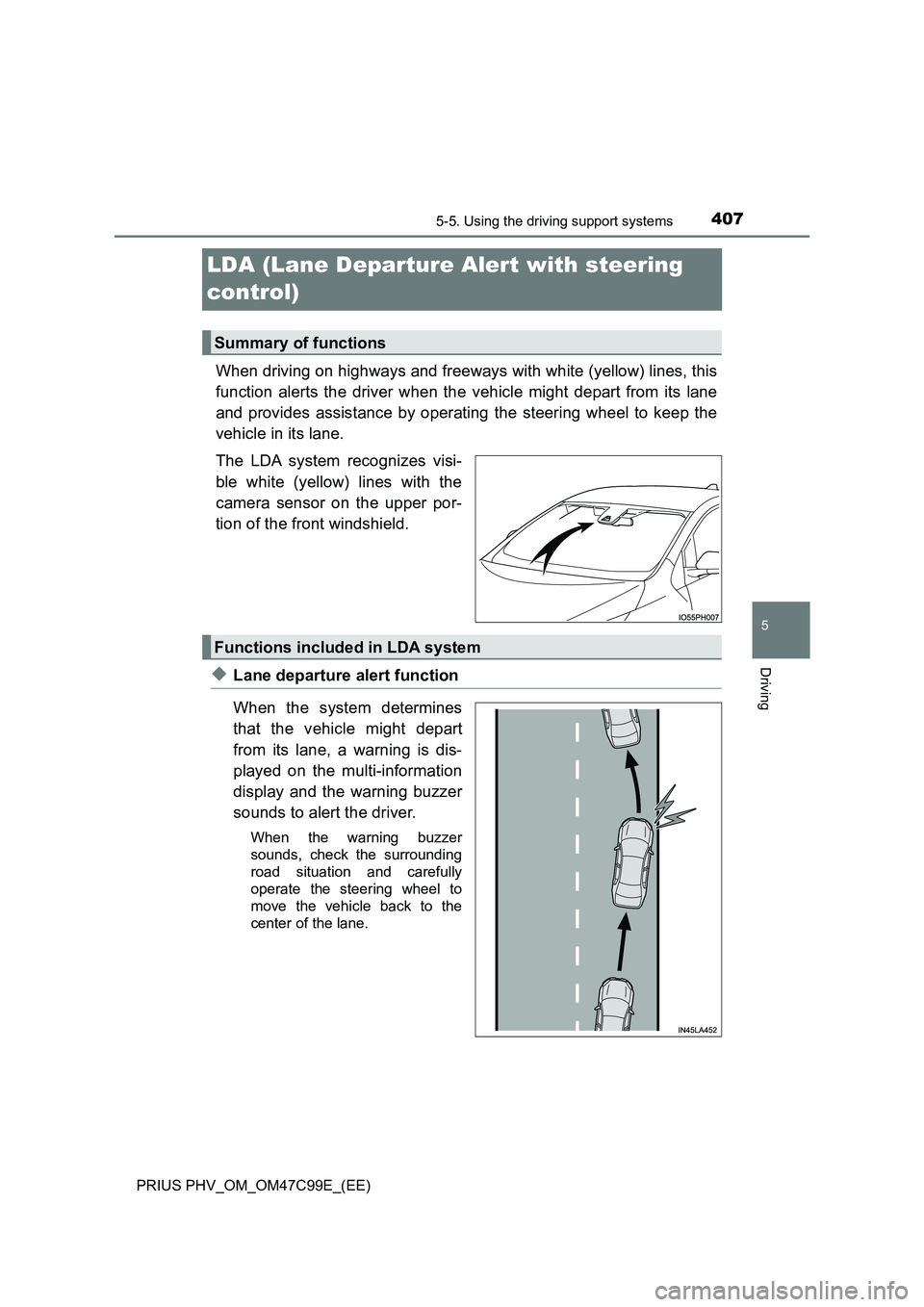
The LDA system recognizes visi-
ble white (yellow) lines with the
camera sensor on the upper por-
tion of the front windshield.
◆Lane departure alert function
When the system determines
that the vehicle might depart
from its lane, a warning is dis-
played on the multi-information
display and the warning buzzer
sounds to alert the driver.
When the warning buzzer
sounds, check the surrounding
road situation and carefully
operate the steering wheel to
move the vehicle back to the
center of the lane.
Summary of functions
Functions included in LDA system
Page 408 of 772
4085-5. Using the driving support systems
PRIUS PHV_OM_OM47C99E_(EE)
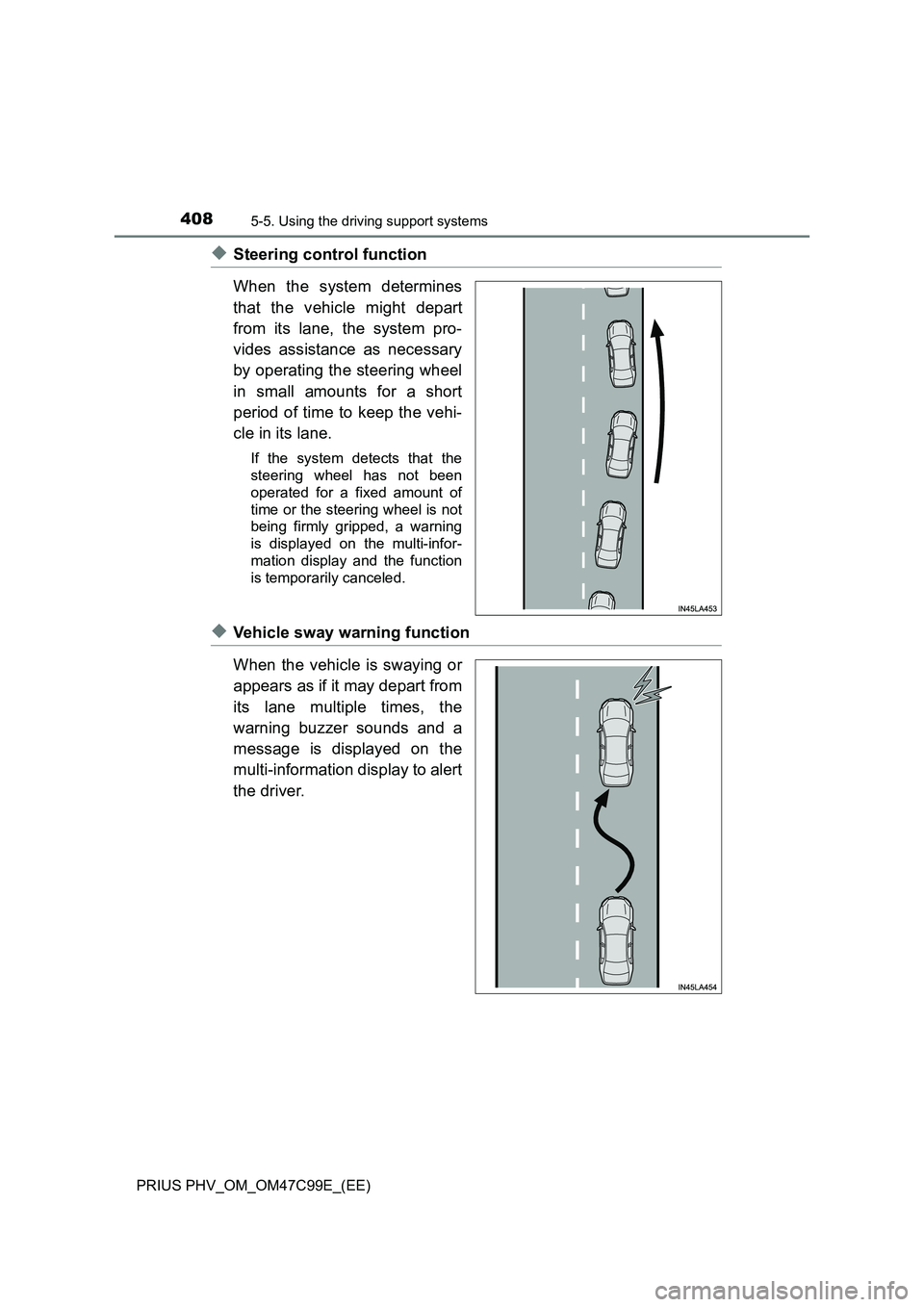
◆Steering control function
When the system determines
that the vehicle might depart
from its lane, the system pro-
vides assistance as necessary
by operating the steering wheel
in small amounts for a short
period of time to keep the vehi-
cle in its lane.
If the system detects that the
steering wheel has not been
operated for a fixed amount of
time or the steering wheel is not
being firmly gripped, a warning
is displayed on the multi-infor-
mation display and the function
is temporarily canceled.
◆Vehicle sway warning function
When the vehicle is swaying or
appears as if it may depart from
its lane multiple times, the
warning buzzer sounds and a
message is displayed on the
multi-information display to alert
the driver.
Page 411 of 772
4115-5. Using the driving support systems
PRIUS PHV_OM_OM47C99E_(EE)
5
Driving
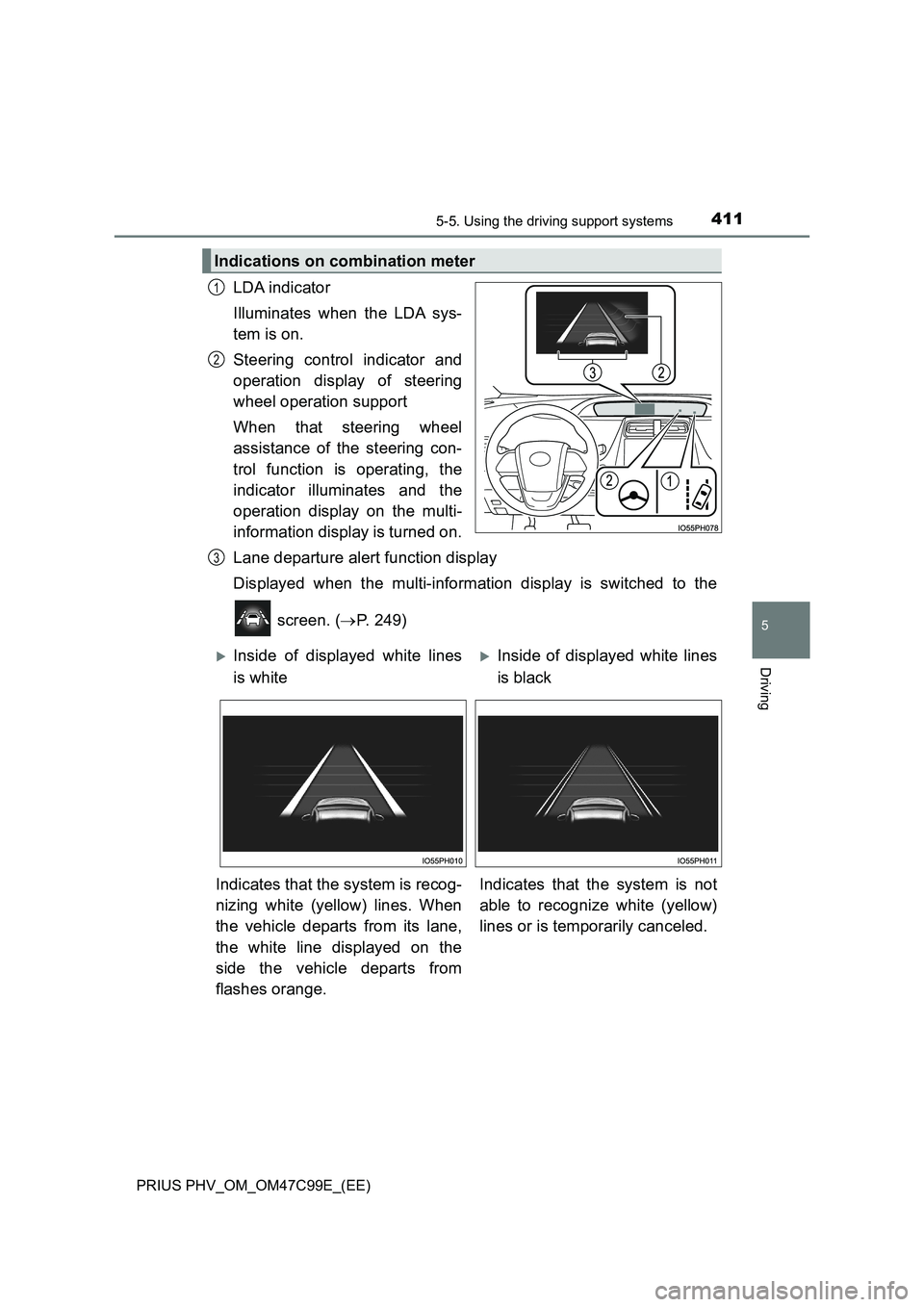
LDA indicator
Illuminates when the LDA sys-
tem is on.
Steering control indicator and
operation display of steering
wheel operation support
When that steering wheel
assistance of the steering con-
trol function is operating, the
indicator illuminates and the
operation display on the multi-
information display is turned on.
Lane departure alert function display
Displayed when the multi-information display is switched to the
screen. (P. 249)
Indications on combination meter
1
2
3
Inside of displayed white lines
is whiteInside of displayed white lines
is black
Indicates that the system is recog-
nizing white (yellow) lines. When
the vehicle departs from its lane,
the white line displayed on the
side the vehicle departs from
flashes orange.Indicates that the system is not
able to recognize white (yellow)
lines or is temporarily canceled.