lock TOYOTA PRIUS PLUS 2017 Owners Manual
[x] Cancel search | Manufacturer: TOYOTA, Model Year: 2017, Model line: PRIUS PLUS, Model: TOYOTA PRIUS PLUS 2017Pages: 509, PDF Size: 27.68 MB
Page 256 of 509
2564-5. Using the driving support systems
PRIUS +_OM_OM47B24E_(EE)
Driving assist systems
◆ECB (Electronically Controlled Brake System)
The electronically controlled system generates braking force corre-
sponding to the brake operation
◆ABS (Anti-lock Brake System)
Helps to prevent wheel lock when the brakes are applied suddenly,
or if the brakes are applied while driving on a slippery road surface
◆Brake assist
Generates an increased level of braking force after the brake pedal
is depressed when the system detects a panic stop situation
◆VSC (Vehicle Stability Control)
Helps the driver to control skidding when swerving suddenly or
turning on slippery road surfaces
◆TRC (Traction Control)
Helps to maintain drive power and prevent the drive wheels from
spinning when starting the vehicle or accelerating on slippery roads
◆EPS (Electric Power Steering)
Employs an electric motor to reduce the amount of effort needed to
turn the steering wheel
To help enhance driving safety and performance, the following
systems operate automatically in response to various driving
situations. Be aware, however, that these systems are supple-
mentary and should not be relied upon too heavily when operat-
ing the vehicle.
Page 275 of 509
2754-6. Driving tips
4
Driving
PRIUS +_OM_OM47B24E_(EE)
Accelerate the vehicle slowly, keep a safe distance between you and
the vehicle ahead, and drive at a reduced speed suitable to road con-
ditions.
Park the vehicle and shift the shift position to P and block the wheel
under the vehicle without setting the parking brake. The parking brake
may freeze up, preventing it from being released. If the vehicle is
parked without setting the parking brake, make sure to block the
wheels.
Failure to do so may be dangerous because it may cause the vehicle
to move unexpectedly, leading to an accident.
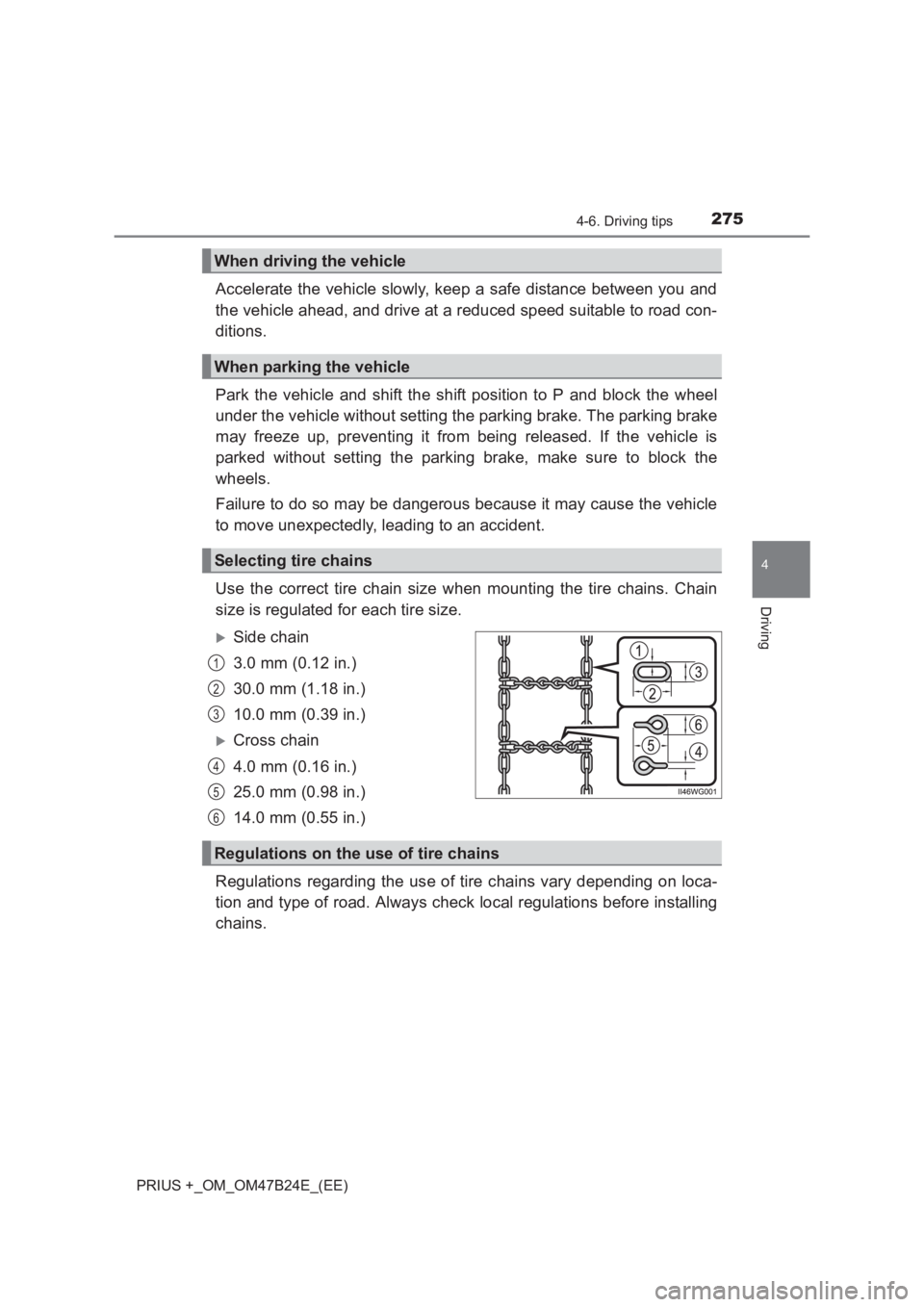
Use the correct tire chain size when mounting the tire chains. Chain
size is regulated for each tire size.
XSide chain
3.0 mm (0.12 in.)
30.0 mm (1.18 in.)
10.0 mm (0.39 in.)
XCross chain
4.0 mm (0.16 in.)
25.0 mm (0.98 in.)
14.0 mm (0.55 in.)
Regulations regarding the use of tire chains vary depending on loca-
tion and type of road. Always check local regulations before installing
chains.
When driving the vehicle
When parking the vehicle
Selecting tire chains
1
2
3
4
5
6
Regulations on the use of tire chains
Page 279 of 509
279
5Interior features
PRIUS +_OM_OM47B24E_(EE)5-1. Using the air conditioning
system and defogger
Automatic air conditioning system ............................. 280
Using the steering wheel climate remote control
switches ........................... 288
Seat heaters ...................... 289
5-2. Using the interior lights Interior lights list................. 290• Front interior light .......... 291
• Front personal lights ...... 291
• Rear interior light ........... 292 5-3. Using the storage features
List of storage features ...... 293• Glove boxes .................. 294
• Console box .................. 294
• Cup holders/
bottle holders/
door pockets .................. 295
• Auxiliary boxes .............. 297
• Card holders .................. 298
Luggage compartment features............................ 299
5-4. Using the other interior features
Other interior features ........ 302 • Sun visors...................... 302
• Vanity mirrors ................ 302
• Clock ............................. 303
• Power outlet .................. 304
• Coat hooks .................... 305
• Assist grips .................... 305
• Panoramic roof shades ........................... 306
• Rear sunshades ............ 308
Page 282 of 509
2825-1. Using the air conditioning system and defogger
PRIUS +_OM_OM47B24E_(EE)
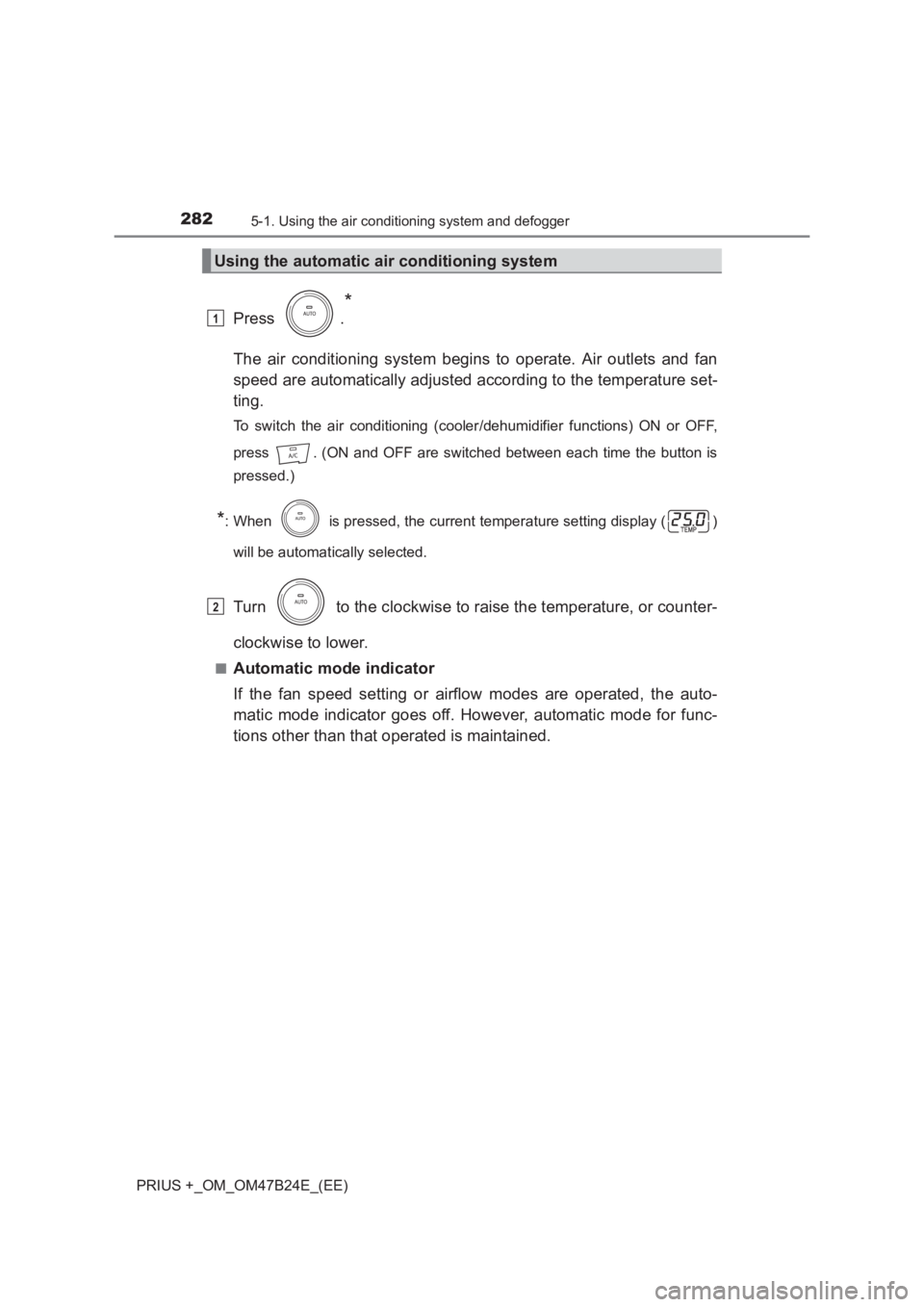
Press .
*
The air conditioning system begins to operate. Air outlets and fan
speed are automatically adjusted according to the temperature set-
ting.
To switch the air conditioning (cooler/dehumidifier functions) ON or OFF,
press . (ON and OFF are switched between each time the button is
pressed.)
*: When is pressed, the current temperature setting display ( )
will be automatically selected.
Turn to the clockwise to raise the temperature, or counter-
clockwise to lower.
■Automatic mode indicator
If the fan speed setting or airflow modes are operated, the auto-
matic mode indicator goes off. However, automatic mode for func-
tions other than that operated is maintained.
Using the automatic air conditioning system
1
2
Page 287 of 509
2875-1. Using the air conditioning system and defogger
PRIUS +_OM_OM47B24E_(EE)
5
Interior features
WARNING
■ To prevent the windshield from fogging up
●Do not use during cool air operation in extremely humid weather.
The difference between the temperature of the outside air and that of the
windshield can cause the outer surface of the windshield to fog up, block-
ing your vision.
■ To prevent burns
Do not touch the rear view mirror surfaces when the outside rear view mirror
defoggers are on.
NOTICE
■To prevent 12-volt battery discharge
Do not leave the air conditioning syst em on longer than necessary when the
hybrid system is off.
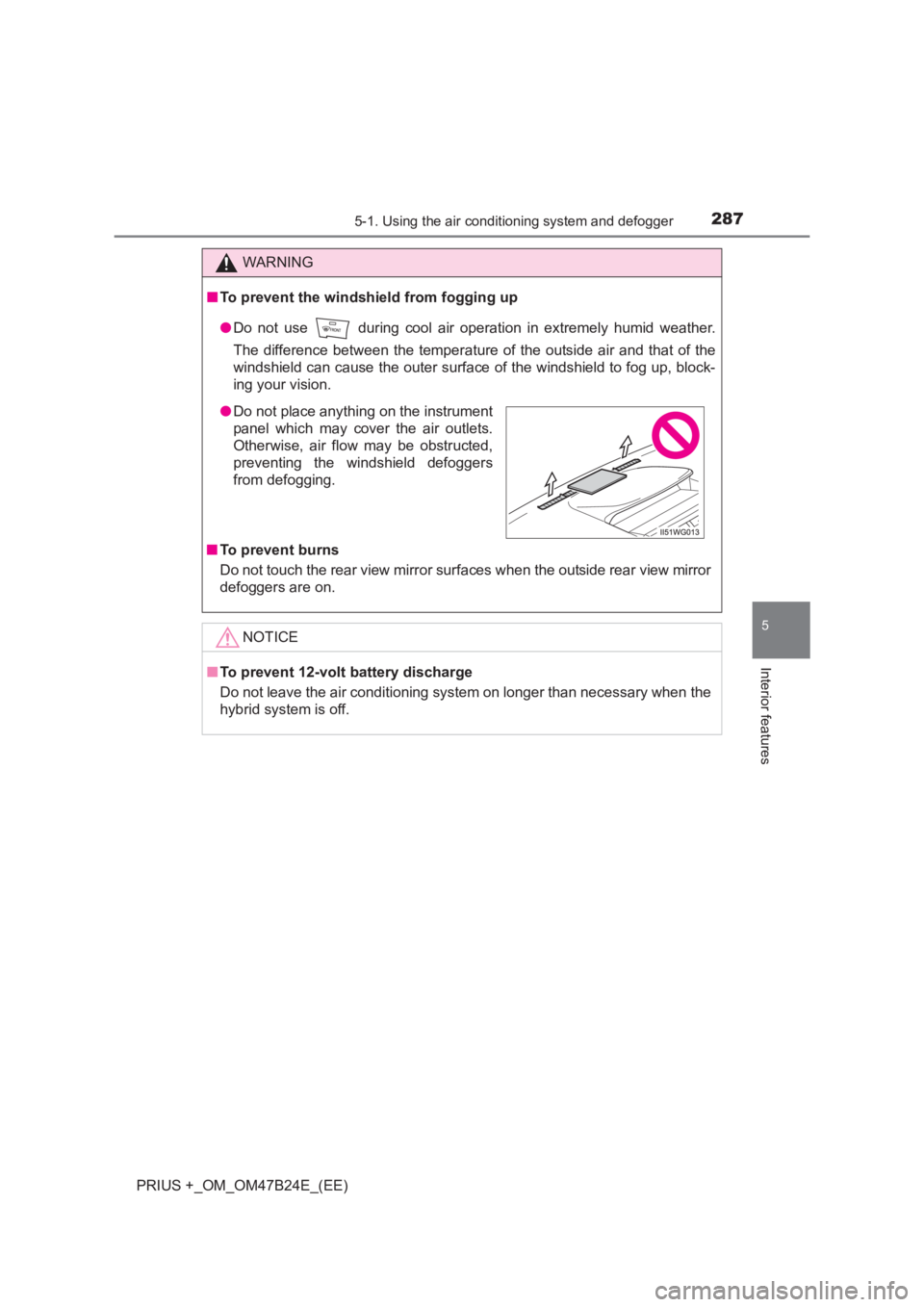
● Do not place anything on the instrument
panel which may cover the air outlets.
Otherwise, air flow may be obstructed,
preventing the windshield defoggers
from defogging.
Page 292 of 509
2925-2. Using the interior lights
PRIUS +_OM_OM47B24E_(EE)
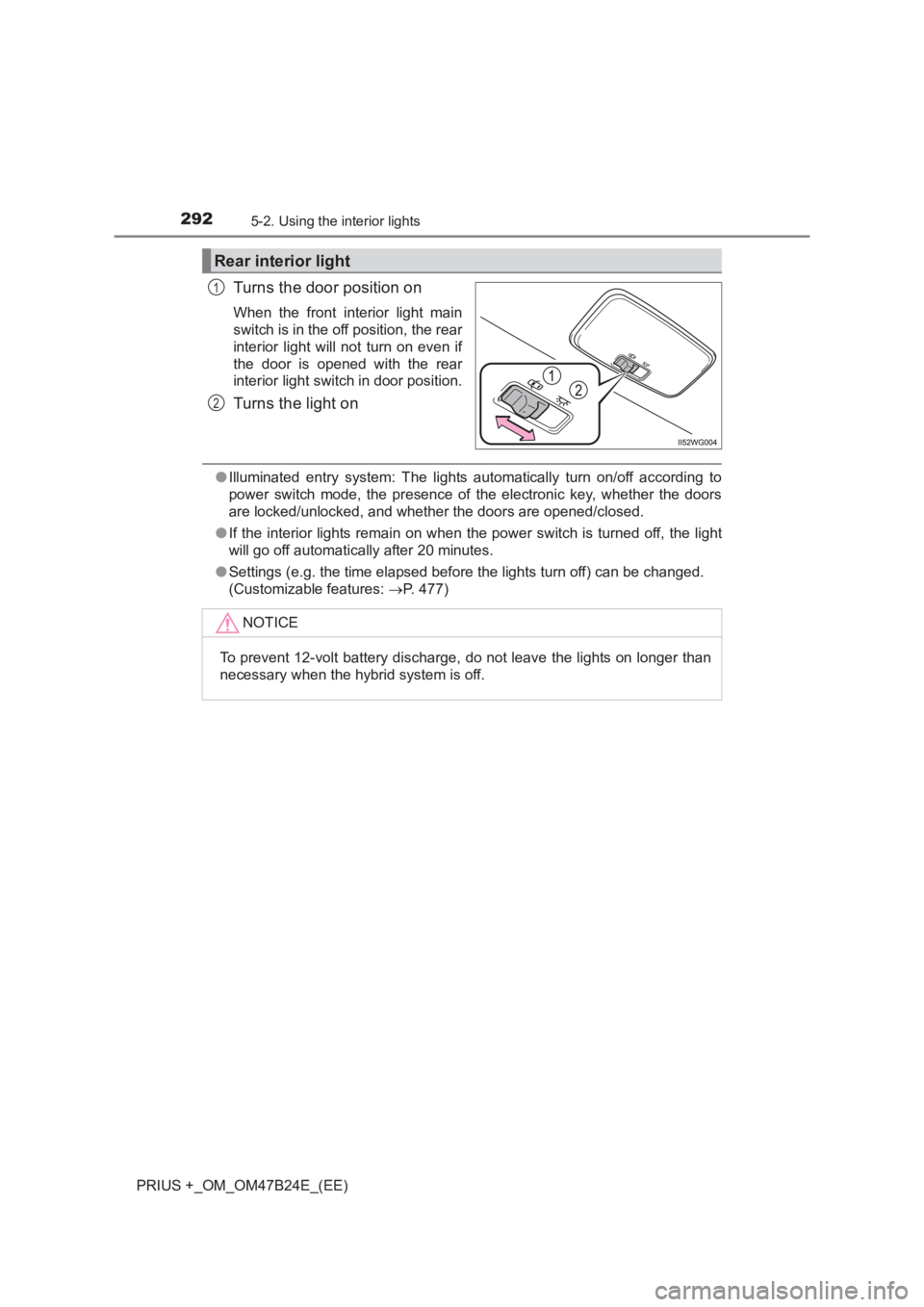
Turns the door position on
When the front interior light main
switch is in the off position, the rear
interior light will not turn on even if
the door is opened with the rear
interior light switch in door position.
Turns the light on
●Illuminated entry system: The lights automatically turn on/off according to
power switch mode, the presence of the electronic key, whether the doors
are locked/unlocked, and whether the doors are opened/closed.
● If the interior lights remain on when the power switch is turned off, the light
will go off automatically after 20 minutes.
● Settings (e.g. the time elapsed before the lights turn off) can be changed.
(Customizable features: →P. 477)
Rear interior light
1
2
NOTICE
To prevent 12-volt battery discharge, do not leave the lights on longer than
necessary when the hybrid system is off.
Page 303 of 509
3035-4. Using the other interior features
PRIUS +_OM_OM47B24E_(EE)
5
Interior features
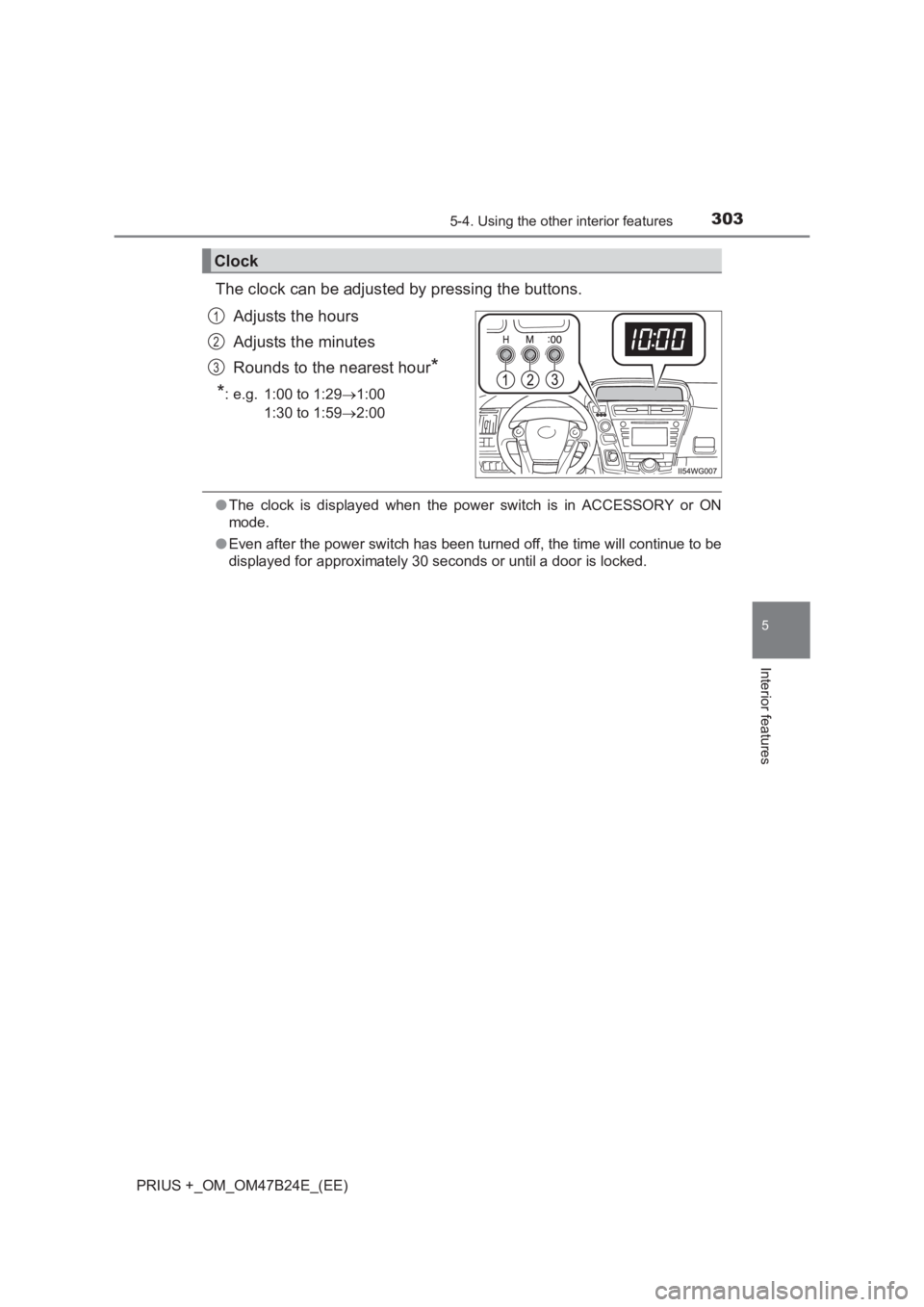
The clock can be adjusted by pressing the buttons.Adjusts the hours
Adjusts the minutes
Rounds to the nearest hour
*
*
: e.g. 1:00 to 1:29 →1:00
1:30 to 1:59 →2:00
●The clock is displayed when the power switch is in ACCESSORY or ON
mode.
● Even after the power switch has been turned off, the time will continue to be
displayed for approximately 30 seconds or until a door is locked.
Clock
1
2
3
Page 306 of 509
306
PRIUS +_OM_OM47B24E_(EE)
5-4. Using the other interior features
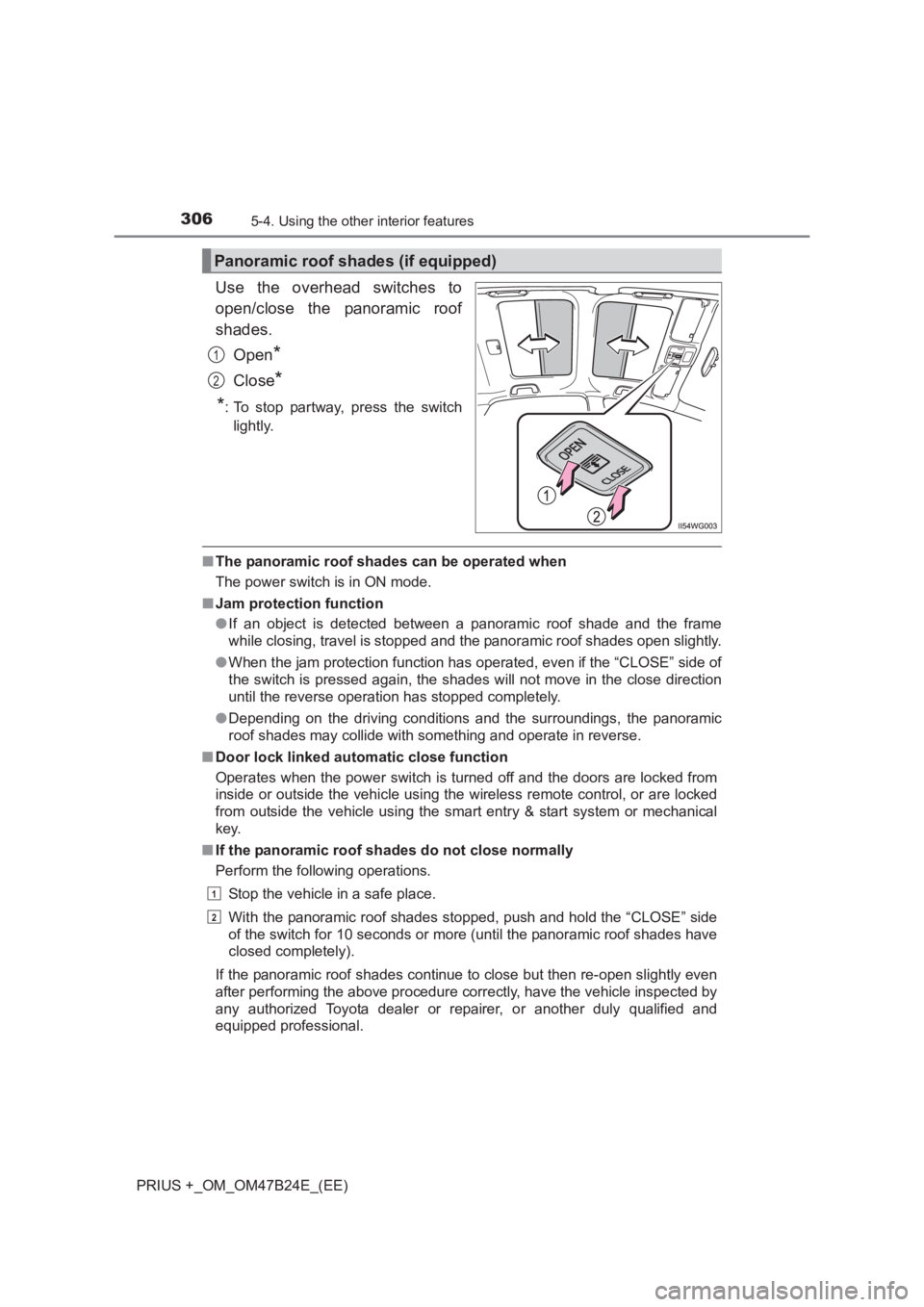
Use the overhead switches to
open/close the panoramic roof
shades.Open
*
Close*
*
: To stop partway, press the switch lightly.
■ The panoramic roof shades can be operated when
The power switch is in ON mode.
■ Jam protection function
●If an object is detected between a panoramic roof shade and the frame
while closing, travel is stopped and the panoramic roof shades open slightly.
● When the jam protection function has operated, even if the “CLOSE” side of
the switch is pressed again, the shades will not move in the close direction
until the reverse operation has stopped completely.
● Depending on the driving conditions and the surroundings, the panoramic
roof shades may collide with something and operate in reverse.
■ Door lock linked automatic close function
Operates when the power switch is turned off and the doors are locked from
inside or outside the vehicle using the wireless remote control, or are locked
from outside the vehicle using the smart entry & start system or mechanical
key.
■ If the panoramic roof shades do not close normally
Perform the following operations.
Stop the vehicle in a safe place.
With the panoramic roof shades stopped, push and hold the “CLOSE” side
of the switch for 10 seconds or more (until the panoramic roof shades have
closed completely).
If the panoramic roof shades continue to close but then re-open slightly even
after performing the above procedure correctly, have the vehicle inspected by
any authorized Toyota dealer or re pairer, or another duly qualified and
equipped professional.
Panoramic roof shades (if equipped)
1
2
1
2
Page 307 of 509
3075-4. Using the other interior features
PRIUS +_OM_OM47B24E_(EE)
5
Interior features
■Customization
The door lock linked automatic close function can be disabled.
(Customizable features: →P. 477)
WARNING
Observe the following precautions.
Failing to do so may result in death or serious injury.
■ When closing the panoramic roof shades
■ Jam protection function
●Never try jamming any part of your body to activate the jam protection
function intentionally.
● The jam protection function may not work if something gets caught just
before the panoramic roof shades fully close.
■ To prevent burns or injuries
Do not touch the gaps between the underside of the roof and the panoramic
roof shades.
Your hand may get caught and you could injure yourself. Also, if the vehicle
is left in direct sunlight for a long time, the underside of the roof could
become very hot and could cause burns.
NOTICE
The panoramic roof is made of resin. Follow these precautions to prevent
damage to the roof.
●When cleaning the roof, use a mild soap and a soft cloth or sponge to
remove dirt, then wash clean with plenty of water. ( →P. 314)
● When loading luggage onto the roof, make sure to use a roof rack
designed for this vehicle. ( →P. 205)
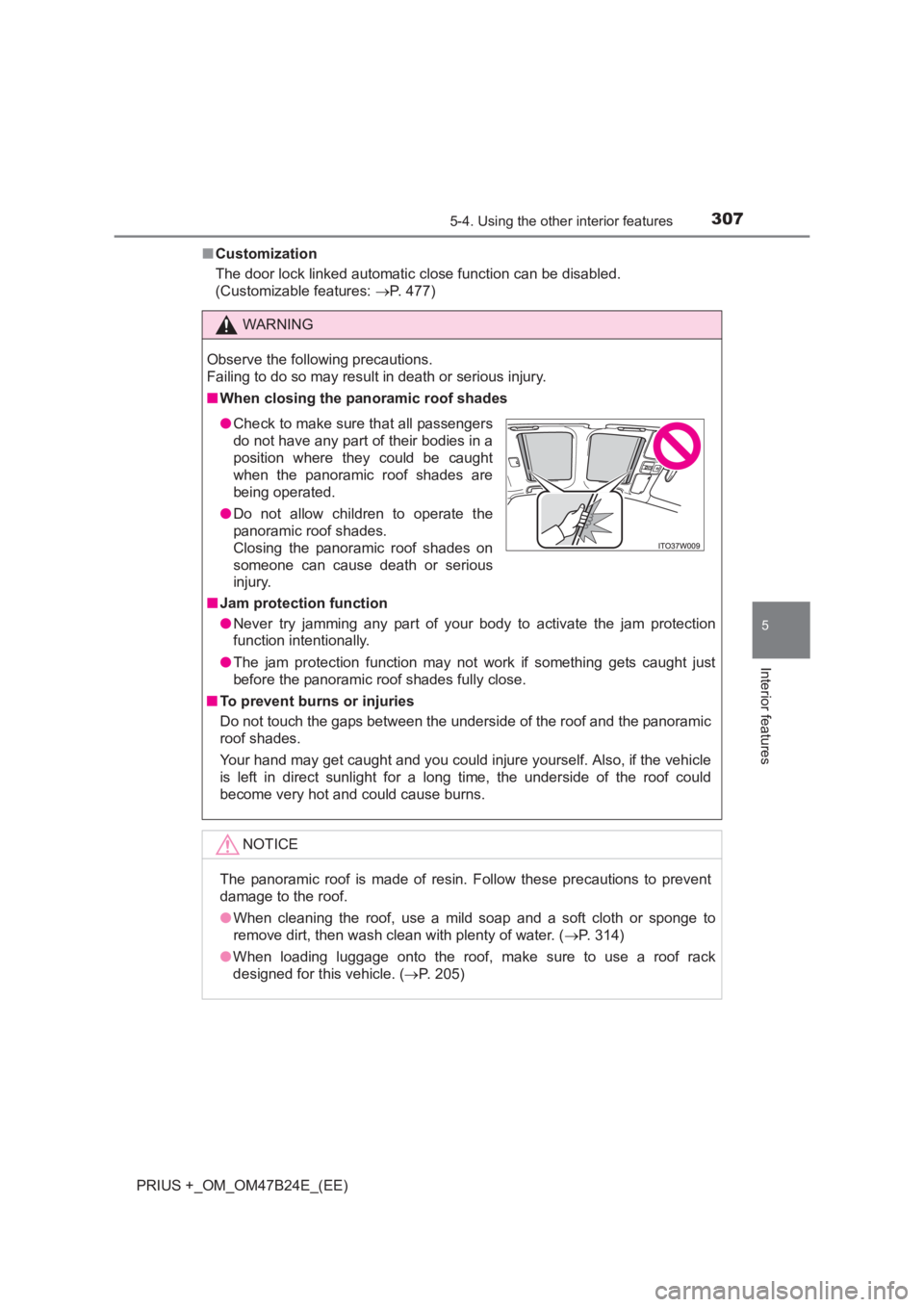
●Check to make sure that all passengers
do not have any part of their bodies in a
position where they could be caught
when the panoramic roof shades are
being operated.
● Do not allow children to operate the
panoramic roof shades.
Closing the panoramic roof shades on
someone can cause death or serious
injury.
Page 311 of 509
3116-1. Maintenance and care
PRIUS +_OM_OM47B24E_(EE)
6
Maintenance and care
■Note for a smart entry & start system
If the door handle becomes wet while the electronic key is within the effective
range, the door may lock and unlock repeatedly. In that case, follow the fol-
lowing correction procedures to wash the vehicle:
●Place the key in a position 2 m (6 ft.) or more separate from the vehicle
while the vehicle is being washed. (Take care to ensure that the key is not
stolen.)
● Set the electronic key to battery-saving mode to disable the smart entry &
start system. ( →P. 155)
■ Aluminum wheels
●Remove any dirt immediately by using a neutral detergent. Do not use hard
brushes or abrasive cleaners. Do not use strong or harsh chemical clean-
ers.
Use the same mild detergent and wax as used on the paint.
● Do not use detergent on the wheels when they are hot, for example after
driving for long distance in the hot weather.
● Wash detergent from the wheels immediately after use.
■ Bumpers
Do not scrub with abrasive cleaners.
■ Front side windows water-repe llent coating (if equipped)
● The following precautions can extend the effectiveness of the water-repel-
lent coating.
• Remove any dirt, etc. from the front side windows regularly.
• Do not allow dirt and dust to accumulate on the windows for a long
period.
Clean the windows with a soft, damp cloth as soon as possible.
• Do not use wax or glass cleaners that contain abrasives when cleaning the windows.
• Do not use any metallic objects to remove condensation build up.
● When the water-repellent performance has become insufficient, the coating
can be repaired. Contact any authoriz ed Toyota dealer or repairer, or
another duly qualified and equipped professional.