alarm TOYOTA PRIUS PLUS 2017 User Guide
[x] Cancel search | Manufacturer: TOYOTA, Model Year: 2017, Model line: PRIUS PLUS, Model: TOYOTA PRIUS PLUS 2017Pages: 509, PDF Size: 27.68 MB
Page 155 of 509
1553-2. Opening, closing and locking the doors
3
Operation of each component
PRIUS +_OM_OM47B24E_(EE)■
Battery-saving function
The battery-saving function will be activated in order to prevent the electronic
key battery and the 12-volt battery from being discharged while the vehicle is
not in operation for a long time.
●In the following situations, the smart entry & start system may take some
time to unlock the doors.
• The electronic key has been left in an area of approximately 2 m (6 ft.) of
the outside of the vehicle for 10 minutes or longer.
• The smart entry & start system has not been used for 5 days or longer.
● If the smart entry & start system has not been used for 14 days or longer,
the doors cannot be unlocked at any doors except the driver’s door. In this
case, take hold of the driver’s door handle, or use the wireless remote con-
trol or the mechanical key, to unlock the doors.
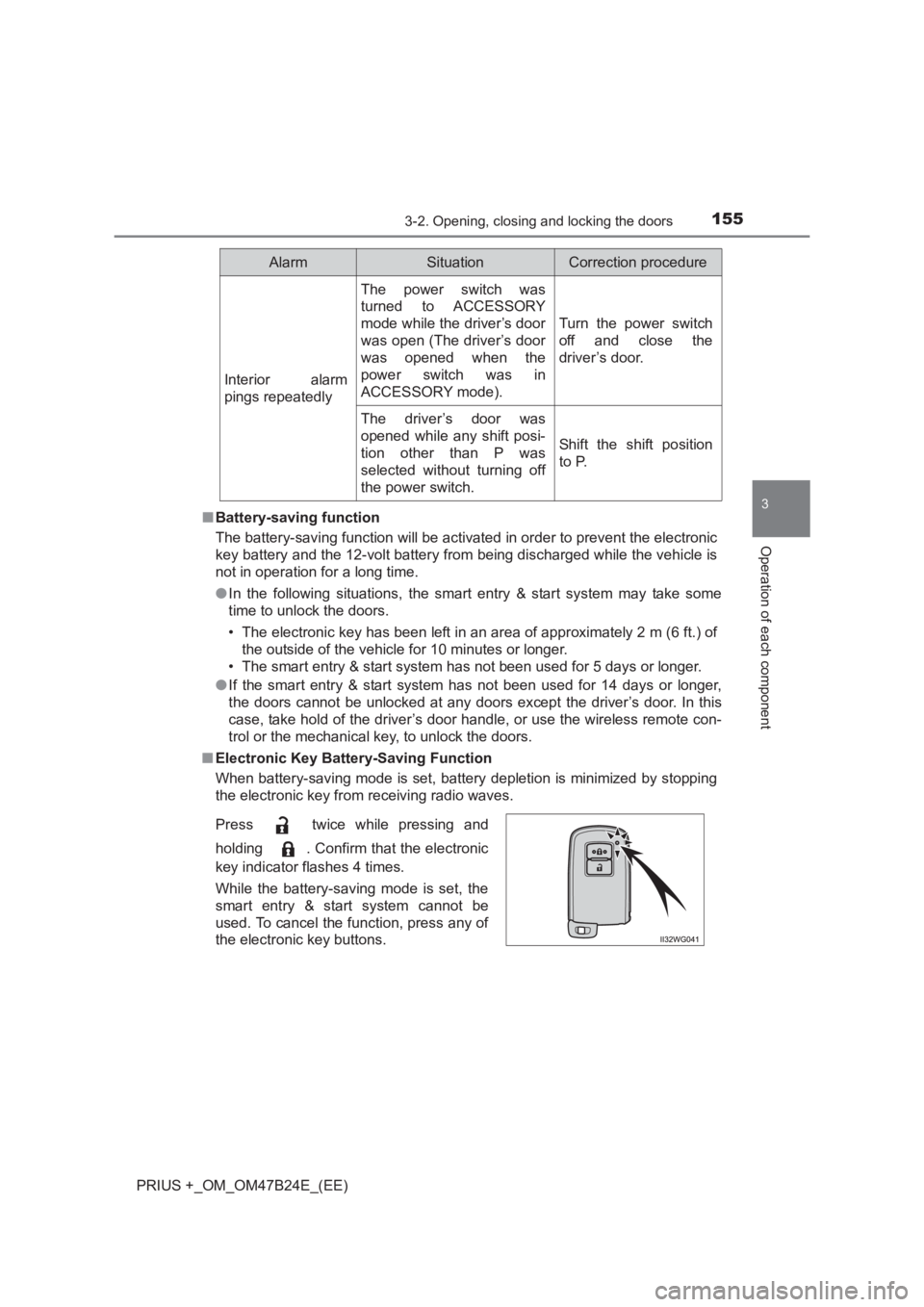
■ Electronic Key Battery-Saving Function
When battery-saving mode is set, battery depletion is minimized by stopping
the electronic key from receiving radio waves.
Interior alarm
pings repeatedly
The power switch was
turned to ACCESSORY
mode while the driver’s door
was open (The driver’s door
was opened when the
power switch was in
ACCESSORY mode).
Turn the power switch
off and close the
driver’s door.
The driver’s door was
opened while any shift posi-
tion other than P was
selected without turning off
the power switch.
Shift the shift position
to P.
Press twice while pressing and
holding . Confirm that the electronic
key indicator flashes 4 times.
While the battery-saving mode is set, the
smart entry & start system cannot be
used. To cancel the function, press any of
the electronic key buttons.
AlarmSituationCorrection procedure
Page 157 of 509
1573-2. Opening, closing and locking the doors
3
Operation of each component
PRIUS +_OM_OM47B24E_(EE)■
Note for the entry function
●Even when the electronic key is within the effective range (detection areas),
the system may not operate properly in the following cases:
• The electronic key is too close to the window or outside door handle, near
the ground, or in a high place w hen the doors are locked or unlocked.
• The electronic key is on the instrument panel, luggage room, floor, or in the door pockets or glove box when the hybrid system is started or power
switch modes are changed.
● Do not leave the electronic key on top of the instrument panel or near the
door pockets when exiting the vehicle. Depending on the radio wave recep-
tion conditions, it may be detected by the antenna outside the cabin and the
door will become lockable from the outside, possibly trapping the electronic
key inside the vehicle.
● As long as the electronic key is within the effective range, the doors may be
unlocked or locked by anyone. However, only the doors detecting the elec-
tronic key can be used to unlock the vehicle.
● Even if the electronic key is not inside the vehicle, it may be possible to start
the hybrid system if the electronic key is near the window.
● The doors may unlock if a large amount of water splashes on the door han-
dle, such as in the rain or in a car wash when the electronic key is within the
effective range. (The doors will automatically be locked after approximately
30 seconds if the doors are not opened and closed.)
● If the wireless remote control is used to lock the doors when the electronic
key is near the vehicle, there is a possibility that the door may not be
unlocked by the entry function. (Use the wireless remote control to unlock
the doors.)
● Touching the door lock or unlock sensor while wearing gloves may delay or
prevent lock or unlock operation.
● If the door handle becomes wet while the electronic key is within the effec-
tive range, the door may lock and unlock repeatedly. In that case, follow the
following correction procedures to wash the vehicle:
• Place the electronic key in a location 2 m (6 ft.) or more away from the
vehicle. (Take care to ensure that the key is not stolen.)
• Set the electronic key to battery-saving mode to disable the smart entry & start system. ( →P. 155)
● If the electronic key is inside the vehicle and a door handle becomes wet
during a car wash, a message may be shown on the multi-information dis-
play (if equipped) and a buzzer will sound outside the vehicle. To turn off the
alarm, lock all the doors.
● The lock sensor may not work properly if it comes into contact with ice,
snow, mud, etc. Clean the lock sensor and attempt to operate it again, or
use the lock sensor on the lower part of the door handle.
Page 158 of 509
1583-2. Opening, closing and locking the doors
PRIUS +_OM_OM47B24E_(EE)●
A sudden approach to the effective range or door handle may prevent the
doors from being unlocked. In this case, return the door handle to the origi-
nal position and check that the doors unlock before pulling the door handle
again.
● If there is another electronic key in the detection area, it may take slightly
longer to unlock the doors after the door handle is gripped.
■ When the vehicle is not driven for extended periods
●To prevent theft of the vehicle, do not leave the electronic key within 2 m
(6 ft.) of the vehicle.
● The smart entry & start system can be deactivated in advance. ( →P. 477)
■ To operate the system properly
Make sure to carry the electronic key when operating the system. Do not get
the electronic key too close to the vehicle when operating the system from the
outside of the vehicle.
Depending on the position and holding condition of the electronic key, the key
may not be detected correctly and the system may not operate properly. (The
alarm may go off accidentally, or the door lock prevention may not operate.)
■ If the smart entry & start system does not operate properly
●Locking and unlocking the doors: Use the mechanical key. ( →P. 450)
● Starting the hybrid system: →P. 450
■ Customization
Settings (e.g. smart entry & start system) can be changed.
(Customizable features: →P. 477)
■ If the smart entry & start system h as been deactivated in a customized
setting
● Unlocking and locking the doors:
Use the wireless remote control or mechanical key. ( →P. 144, 450)
● Starting the hybrid system and changing power switch modes: →P. 450
● Stopping the hybrid system: →P. 209
Page 270 of 509
2704-5. Using the driving support systems
PRIUS +_OM_OM47B24E_(EE)
WARNING
■ Cautions regarding the assist contents of the system
By means of alarms and brake control, the pre-crash safety system is
intended to assist the driver in avoiding collisions through the process of
LOOK-JUDGE-ACT. There are limits to the degree of assistance the system
can provide, so please keep in mind the following important points.
● Assisting the driver in watching the road
The pre-crash safety system is only able to detect obstacles directly in
front of the vehicle, and only within a limited range. It is not a mechanism
that allows careless or inattentive driv ing, and it is not a system that can
assist the driver in low-visibility conditions. It is still necessary for the driver
to pay close attention to the vehicle’s surroundings.
● Assisting the driver in making correct judgement
When attempting to estimate the possibility of a collision, the only data
available to the pre-crash safety system is that from obstacles it has
detected directly in front of the vehicle. Therefore, it is absolutely neces-
sary for the driver to remain vigila nt and to determine whether or not there
is a possibility of collision in any given situation.
● Assisting the driver in taking action
The pre-crash safety system’s braking assist feature is designed to help
reduce the severity of a collision, and so only acts when the system has
judged that a collision is unavoidable. This system is not capable of auto-
matically avoiding a collision or bringing the vehicle to a stop safely with-
out appropriate operations performed by the driver. For this reason, when
encountering a dangerous situation the driver must take direct and imme-
diate action in order to ensure the safety of all involved.
Page 451 of 509
4517-2. Steps to take in an emergency
PRIUS +_OM_OM47B24E_(EE)
7
When trouble arises
Press the power switch.
In the event that the hybrid system still cannot be operated, contact
any authorized Toyota dealer or repairer, or another duly qualified and
equipped professional.
■ Stopping the hybrid system
Set the parking brake, shift the shift position to P and press the power switch
as you normally do when stopping the hybrid system.
■ Replacing the key battery
As the above procedure is a temporary measure, it is recommended that the
electronic key battery be replaced imm ediately when the battery is depleted.
( → P. 361)
■ Alarm (if equipped)
Using the mechanical key to lock the doors will not set the alarm system.
If a door is unlocked using the mechanical key when the alarm system is set,
the alarm may be triggered. ( →P. 98)
■ Changing power switch modes
Release the brake pedal and press the power switch in step
above.
The hybrid system does not start and modes will be changed each time the
switch is pressed. ( →P. 210)
■ When the electronic key does not work properly
●Make sure that the smart entry & start system has not been deactivated in
the customization setting. If it is off, turn the function on.
(Customizable features: →P. 477)
● Check if battery-saving mode is set. If it is set, cancel the function.
(→ P. 155)
4
3
Page 452 of 509
4527-2. Steps to take in an emergency
PRIUS +_OM_OM47B24E_(EE)
If the 12-volt batter y is discharged
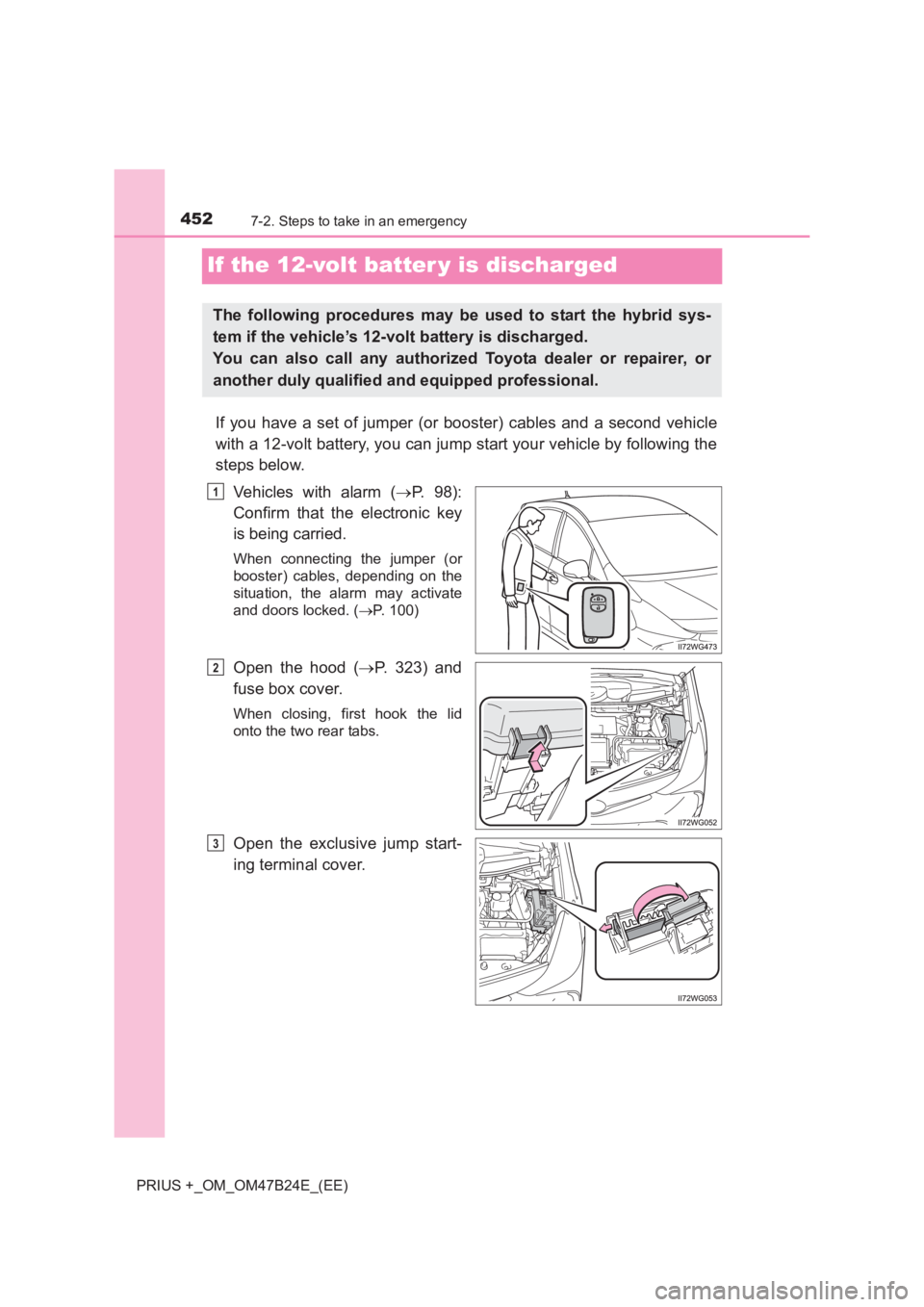
If you have a set of jumper (or booster) cables and a second vehicle
with a 12-volt battery, you can jump start your vehicle by following the
steps below.Vehicles with alarm ( →P. 98):
Confirm that the electronic key
is being carried.
When connecting the jumper (or
booster) cables, depending on the
situation, the alarm may activate
and doors locked. ( →P. 100)
Open the hood ( →P. 323) and
fuse box cover.
When closing, first hook the lid
onto the two rear tabs.
Open the exclusive jump start-
ing terminal cover.
The following procedures may be used to start the hybrid sys-
tem if the vehicle’s 12-volt battery is discharged.
You can also call any authorized Toyota dealer or repairer, or
another duly qualified and equipped professional.
1
2
3
Page 481 of 509
4818-2. Customization
PRIUS +_OM_OM47B24E_(EE)
8
Vehicle specifications
■Panoramic roof shades* (→ P. 306)
*: If equipped
■
Reverse buzzer ( →P. 218)
■Alarm* (→ P. 9 8 )
*: If equipped
FunctionDefault
settingCustomized setting
Door lock linked automatic
closing functionOnOff––O
123
FunctionDefault
settingCustomized setting
Signal (buzzer) when the
shift position is in RIntermittentSingle––O
123
FunctionDefault settingCustomized setting
Deactivates the alarm
when the doors are
unlocked using the
mechanical key
OffOn––O
123
Page 488 of 509
488What to do if... (Troubleshooting)
PRIUS +_OM_OM47B24E_(EE)
●The seat belt reminder light is flashing
Are the driver and the front passenger wearing the seat belts? (→P. 392)
●The parking brake indicator is on
Is the parking brake released? ( →P. 222)
Depending on the situation, other types of warning buzzer may also sound.
( → P. 387, 400)
●Did anyone inside the vehicle open a door during setting the alarm?
The sensor detects it and the alarm sounds. ( →P. 98)
To stop the alarm, turn the power switch to ON mode or start the hybrid sys-
tem.
●Is the electronic key left inside the vehicle?
Vehicles without multi-information display: →P. 154
Vehicles with multi-information display: →P. 414
●When a warning light turns on or a warning message is displayed, refer to
P. 387, 400.
A warning buzzer sounds during driving
An alarm is activated and the horn sounds (vehicles with
alarm)
A warning buzzer sounds when leaving the vehicle
A warning light turns on or a warning message is displayed
Page 491 of 509
491Alphabetical index
PRIUS +_OM_OM47B24E_(EE)
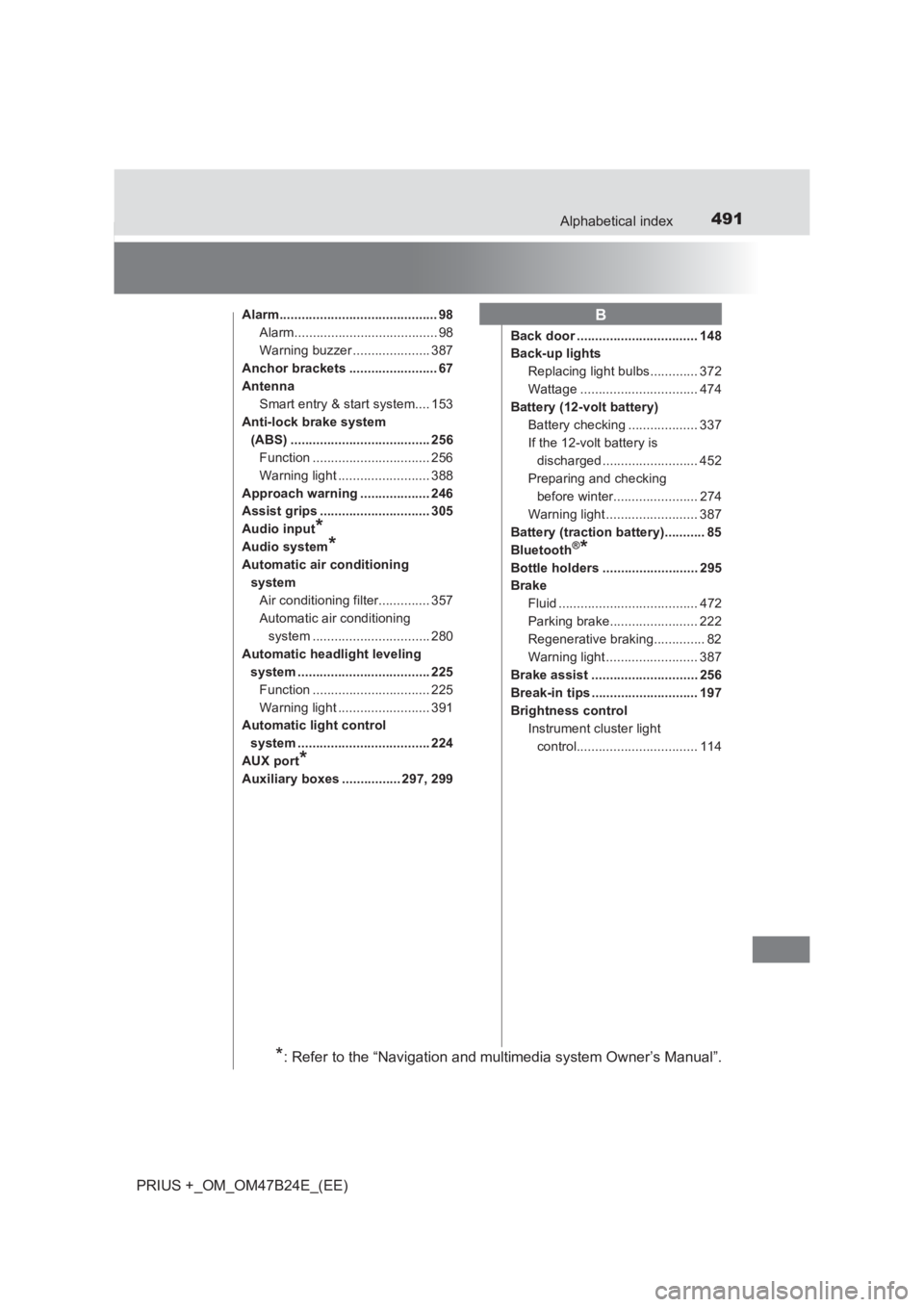
Alarm........................................... 98Alarm....................................... 98
Warning buzzer ..................... 387
Anchor brackets ........................ 67
Antenna Smart entry & start system.... 153
Anti-lock brake system (ABS) ...................................... 256Function ................................ 256
Warning light ......................... 388
Approach warning ................... 246
Assist grips .............................. 305
Audio input
*
Audio system*
Automatic air conditioning systemAir conditioning filter.............. 357
Automatic air conditioning system ................................ 280
Automatic headlight leveling system .................................... 225Function ................................ 225
Warning light ......................... 391
Automatic light control
system .................................... 224
AUX port
*
Auxiliary boxes ................ 297, 299 Back door ................................. 148
Back-up lights
Replacing light bulbs............. 372
Wattage ................................ 474
Battery (12-volt battery) Battery checking ................... 337
If the 12-volt battery is discharged .......................... 452
Preparing and checking before winter....................... 274
Warning light ......................... 387
Battery (traction battery)........... 85
Bluetooth
®*
Bottle holders .......................... 295
Brake Fluid ...................................... 472
Parking brake........................ 222
Regenerative braking.............. 82
Warning light ......................... 387
Brake assist ............................. 256
Break-in tips ............................. 197
Brightness control Instrument cluster light control................................. 114
B
*: Refer to the “Navigation and multimedia system Owner’s Manual”.
Page 503 of 509
503Alphabetical index
PRIUS +_OM_OM47B24E_(EE)
Tail lightsLight switch ........................... 223
Replacing light bulbs ............. 374
Talk switch
*
Telephone switch*
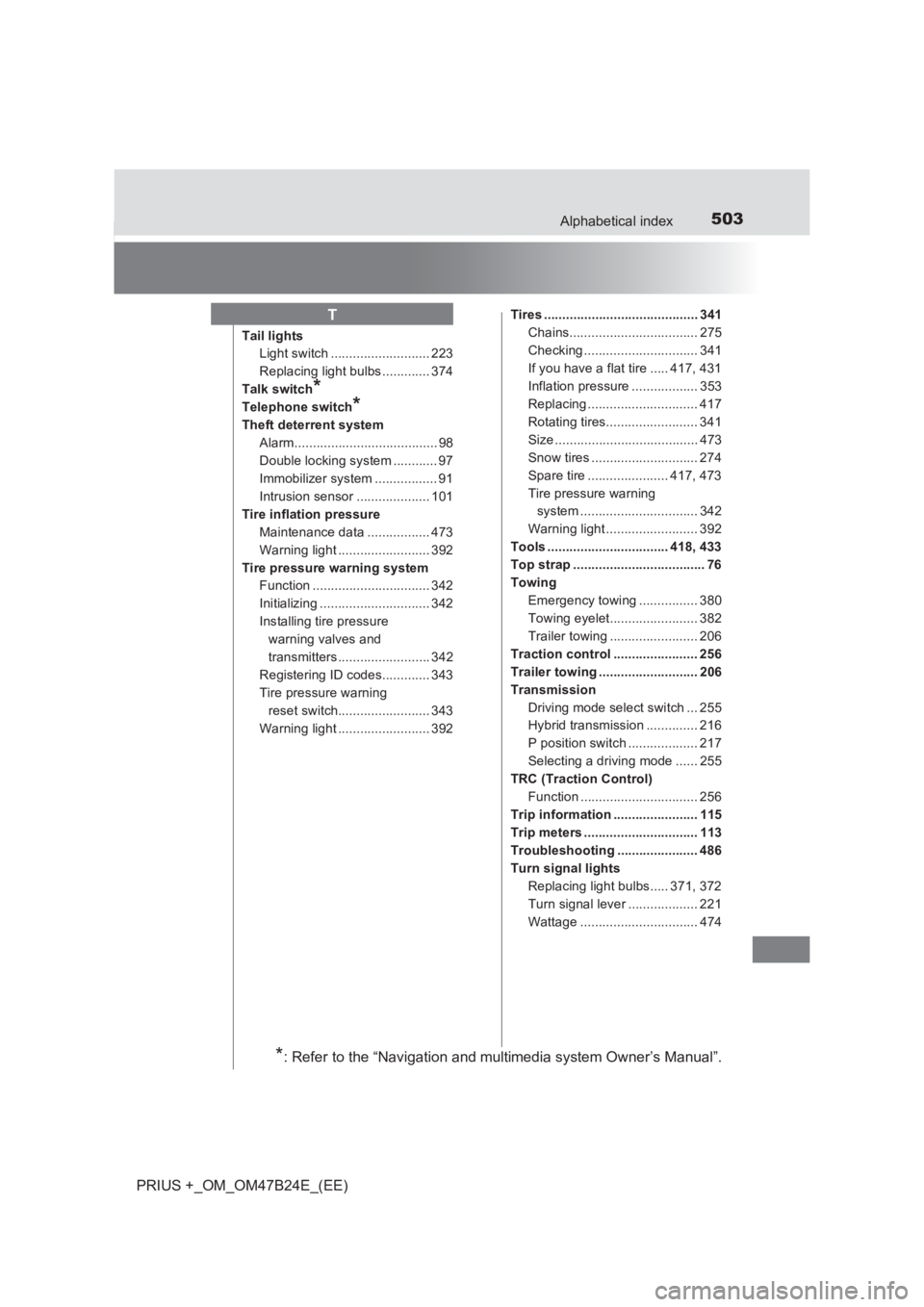
Theft deterrent system Alarm....................................... 98
Double locking system ............ 97
Immobilizer system ................. 91
Intrusion sensor .................... 101
Tire inflation pressure Maintenance data ................. 473
Warning light ......................... 392
Tire pressure warning system Function ................................ 342
Initializing .............................. 342
Installing tire pressure
warning valves and
transmitters......................... 342
Registering ID codes............. 343
Tire pressure warning reset switch......................... 343
Warning light ......................... 392 Tires .......................................... 341
Chains................................... 275
Checking ............................... 341
If you have a flat tire ..... 417, 431
Inflation pressure .................. 353
Replacing .............................. 417
Rotating tires......................... 341
Size ....................................... 473
Snow tires ............................. 274
Spare tire ...................... 417, 473
Tire pressure warning system ................................ 342
Warning light ......................... 392
Tools ................................. 418, 433
Top strap .................................... 76
Towing Emergency towing ................ 380
Towing eyelet........................ 382
Trailer towing ........................ 206
Traction control ....................... 256
Trailer towing ........................... 206
Transmission Driving mode select switch ... 255
Hybrid transmission .............. 216
P position switch ................... 217
Selecting a driving mode ...... 255
TRC (Traction Control) Function ................................ 256
Trip information ....................... 115
Trip meters ............................... 113
Troubleshooting ...................... 486
Turn signal lights Replacing light bulbs..... 371, 372
Turn signal lever ................... 221
Wattage ................................ 474
T
*: Refer to the “Navigation and multimedia system Owner’s Manual”.