open TOYOTA PRIUS PLUS 2017 User Guide
[x] Cancel search | Manufacturer: TOYOTA, Model Year: 2017, Model line: PRIUS PLUS, Model: TOYOTA PRIUS PLUS 2017Pages: 509, PDF Size: 27.68 MB
Page 75 of 509
751-1. For safe use
1
PRIUS +_OM_OM47B24E_(EE)
For safety and security
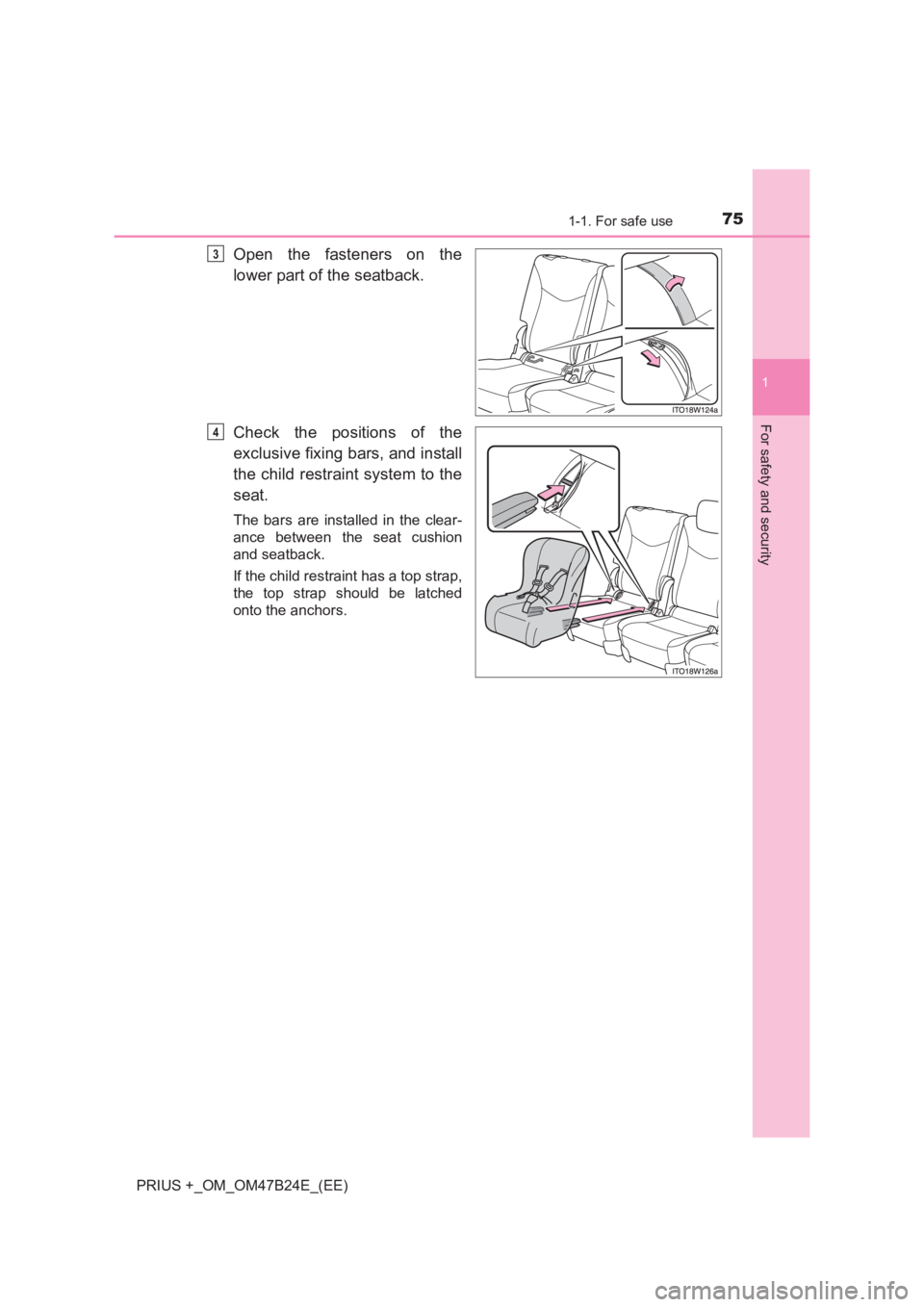
Open the fasteners on the
lower part of the seatback.
Check the positions of the
exclusive fixing bars, and install
the child restraint system to the
seat.
The bars are installed in the clear-
ance between the seat cushion
and seatback.
If the child restraint has a top strap,
the top strap should be latched
onto the anchors.
3
4
Page 80 of 509
801-1. For safe use
PRIUS +_OM_OM47B24E_(EE)
Exhaust gas precautions
Harmful substance to the human body is included in exhaust
gases if inhaled.
WARNING
Exhaust gases include harmful carbon monoxide (CO), which is colorless and
odorless. Observe the following precautions.
Failure to do so may cause exhaust gases enter the vehicle and may lead to
an accident caused by light-headedness, or may lead to death or a serious
health hazard.
■ Important points while driving
●Keep the back door closed.
● If you smell exhaust gases in the vehicle even when the back door is
closed, open the windows and have the vehicle inspected at any autho-
rized Toyota dealer or repairer, or another duly qualified and equipped pro-
fessional as soon as possible.
■ When parking
●If the vehicle is in a poorly ventilated area or a closed area, such as a
garage, stop the hybrid system.
● Do not leave the vehicle with the hybrid system on for a long time.
If such a situation cannot be avoided, park the vehicle in an open space
and ensure that exhaust fumes do not enter the vehicle interior.
● Do not leave the hybrid system operating in an area with snow build-up, or
where it is snowing. If snowbanks build up around the vehicle while the
hybrid system is operating, exhaust gases may collect and enter the vehi-
cle.
■ Exhaust pipe
The exhaust system needs to be checked periodically. If there is a hole or
crack caused by corrosion, damage to a joint or abnormal exhaust noise, be
sure to have the vehicle inspected and repaired by any authorized Toyota
dealer or repairer, or another duly qualified and equipped professional.
Page 84 of 509
841-2. Hybrid system
PRIUS +_OM_OM47B24E_(EE)■
Sounds and vibrations specific to a hybrid vehicle
There may be no engine sound or vibration even though the vehicle is able to
move with the “READY” indicator is illuminated. For safety, apply the parking
brake and make sure to shift the shift position to P when parked.
The following sounds or vibrations may occur when the hybrid system is
operating and are not a malfunction:
●Motor sounds may be heard from the engine compartment.
● Sounds may be heard from the hybrid battery (traction battery) when the
hybrid system starts or stops.
● Relay operating sounds such as a snap or soft clank will be emitted from the
hybrid battery (traction battery), behind the rear seats, when the hybrid sys-
tem is started or stopped.
● Sounds from the hybrid system may be heard when the back door is open.
● Sounds may be heard from the transmission when the gasoline engine
starts or stops, when driving at low speeds, or during idling.
● Engine sounds may be heard when accelerating sharply.
● Sounds may be heard due to regenerative braking when the brake pedal is
depressed or as the accelerator pedal is released.
● Vibration may be felt when the gasoline engine starts or stops.
● Cooling fan sounds may be heard from the air intake vent under the right-
hand front seat.
■ Maintenance, repair, recycling, and disposal
Contact any authorized Toyota dealer or repairer, or another duly qualified
and equipped professional regarding maintenance, repair, recycling and dis-
posal. Do not dispose of the vehicle yourself.
Page 88 of 509
881-2. Hybrid system
PRIUS +_OM_OM47B24E_(EE)
WARNING
■ High voltage precautions
This vehicle has high voltage DC and AC systems as well as a 12-volt sys-
tem. DC and AC high voltage is very dangerous and can cause severe
burns and electric shock that may result in death or serious injury.
●Never touch, disassemble, remove or replace the high voltage parts,
cables or their connectors.
● The hybrid system will become hot after starting as the system uses high
voltage. Be careful of both the high voltage and the high temperature, and
always obey the warning labels attached to the vehicle.
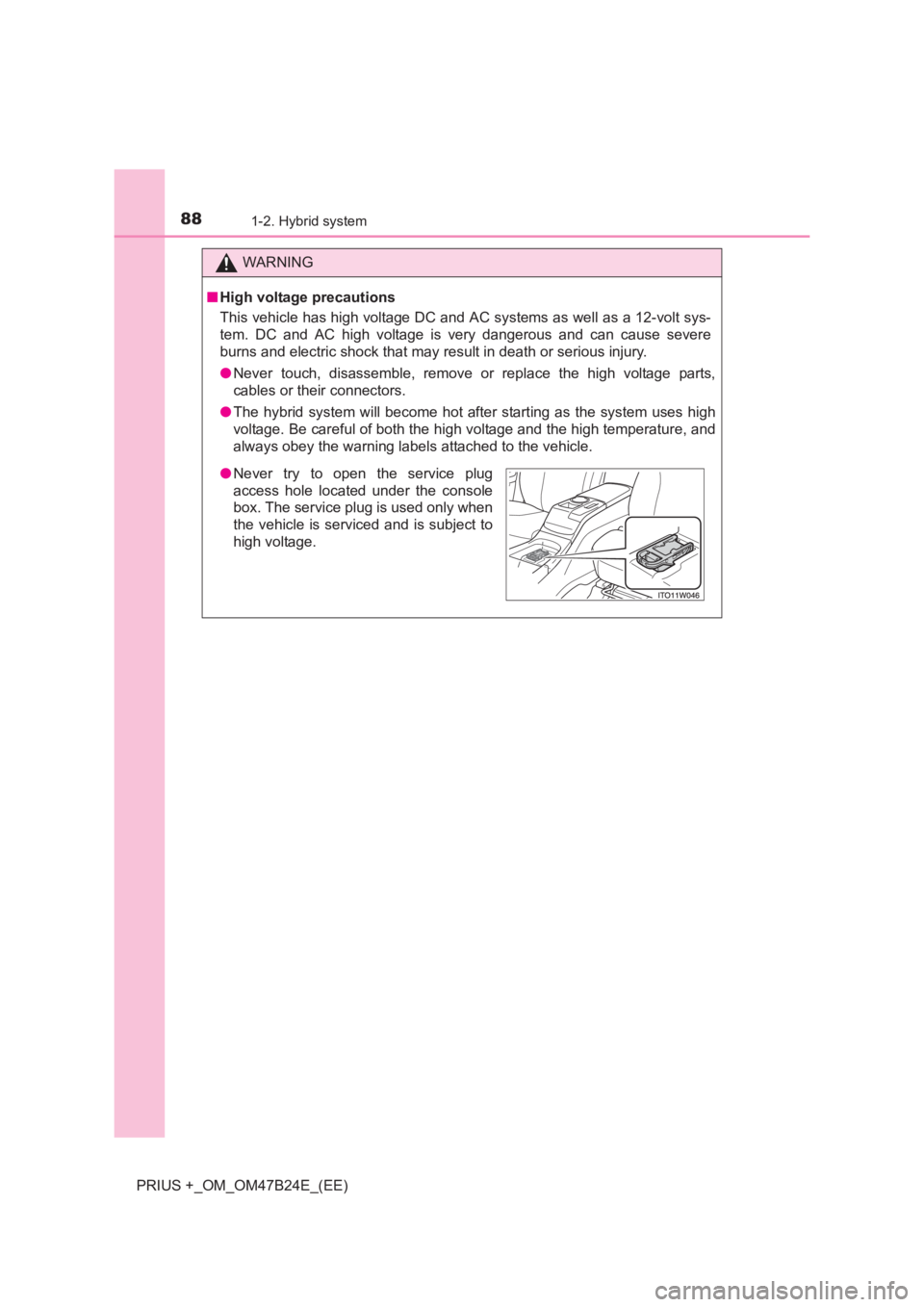
●Never try to open the service plug
access hole located under the console
box. The service plug is used only when
the vehicle is serviced and is subject to
high voltage.
Page 97 of 509
97
1
1-3. Theft deterrent system
PRIUS +_OM_OM47B24E_(EE)
For safety and security
Double locking system∗
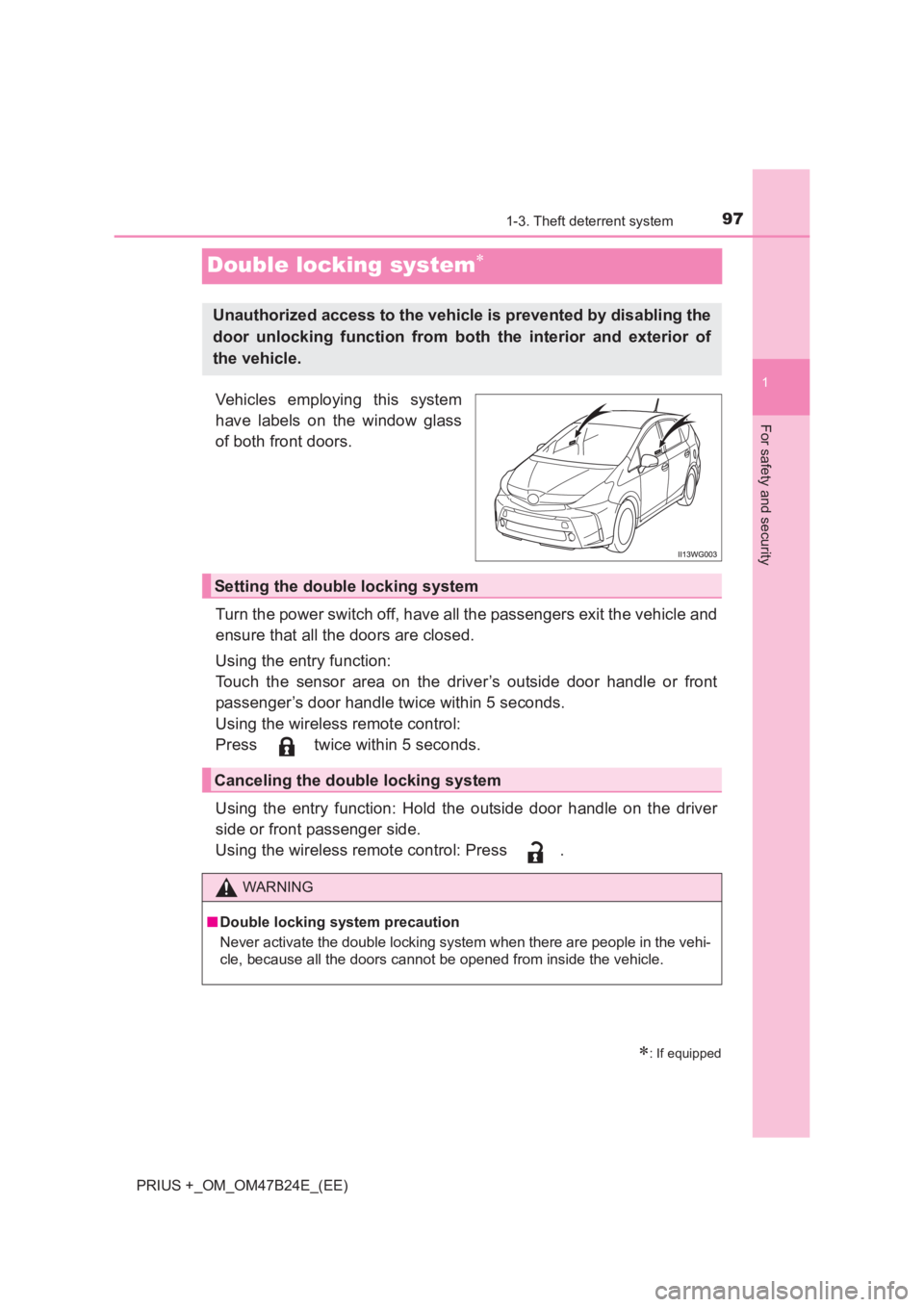
Vehicles employing this system
have labels on the window glass
of both front doors.
Turn the power switch off, have all the passengers exit the vehicle and
ensure that all the doors are closed.
Using the entry function:
Touch the sensor area on the driver’s outside door handle or front
passenger’s door handle twice within 5 seconds.
Using the wireless remote control:
Press twice within 5 seconds.
Using the entry function: Hold the outside door handle on the driver
side or front passenger side.
Using the wireless remote control: Press .
∗: If equipped
Unauthorized access to the vehicle is prevented by disabling the
door unlocking function from both the interior and exterior of
the vehicle.
Setting the double locking system
Canceling the double locking system
WARNING
■ Double locking system precaution
Never activate the double locking system when there are people in the vehi-
cle, because all the doors cannot be opened from inside the vehicle.
Page 98 of 509
981-3. Theft deterrent system
PRIUS +_OM_OM47B24E_(EE)
Alar m∗
The alarm uses light and sound to give an alert when an intrusion is
detected.
The alarm is triggered in the following situations when the alarm is
set:
●A locked door or back door is unlocked or opened in any way other
than using the entry function or wireless remote control.
● The hood is opened.
● The quarter windows or back door window are tapped or broken. (if
equipped)
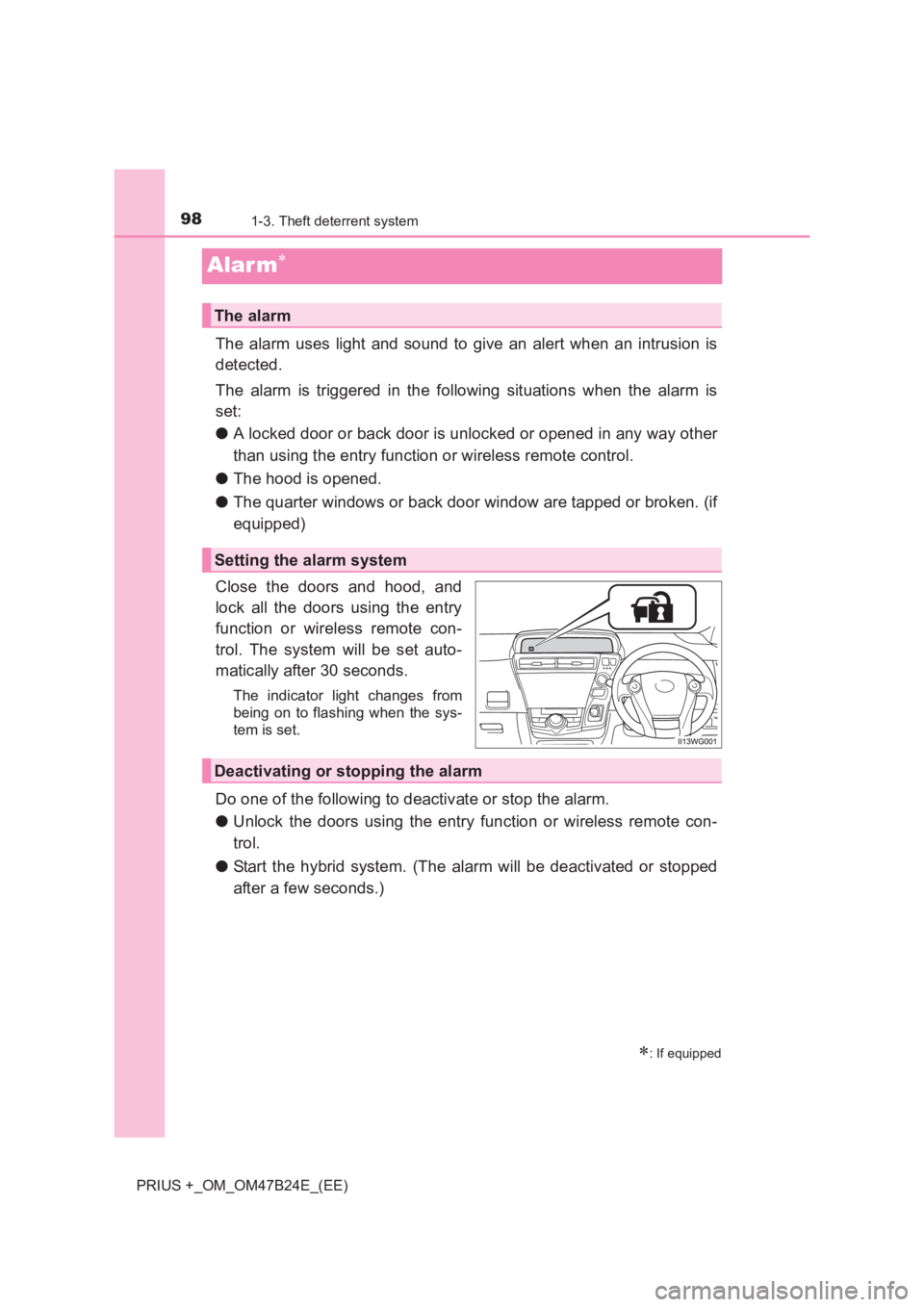
Close the doors and hood, and
lock all the doors using the entry
function or wireless remote con-
trol. The system will be set auto-
matically after 30 seconds.
The indicator light changes from
being on to flashing when the sys-
tem is set.
Do one of the following to deactivate or stop the alarm.
● Unlock the doors using the entry function or wireless remote con-
trol.
● Start the hybrid system. (The alarm will be deactivated or stopped
after a few seconds.)
∗: If equipped
The alarm
Setting the alarm system
Deactivating or stopping the alarm
Page 99 of 509
991-3. Theft deterrent system
1
PRIUS +_OM_OM47B24E_(EE)
For safety and security
■System maintenance
The vehicle has a maintenance-free type alarm system.
■ Items to check before locking the vehicle
To prevent unexpected triggering of the alarm and vehicle theft, make sure of
the following.
● Nobody is in the vehicle.
● The windows is closed before the alarm is set.
● No valuables or other personal items are left in the vehicle.
■ Triggering of the alarm
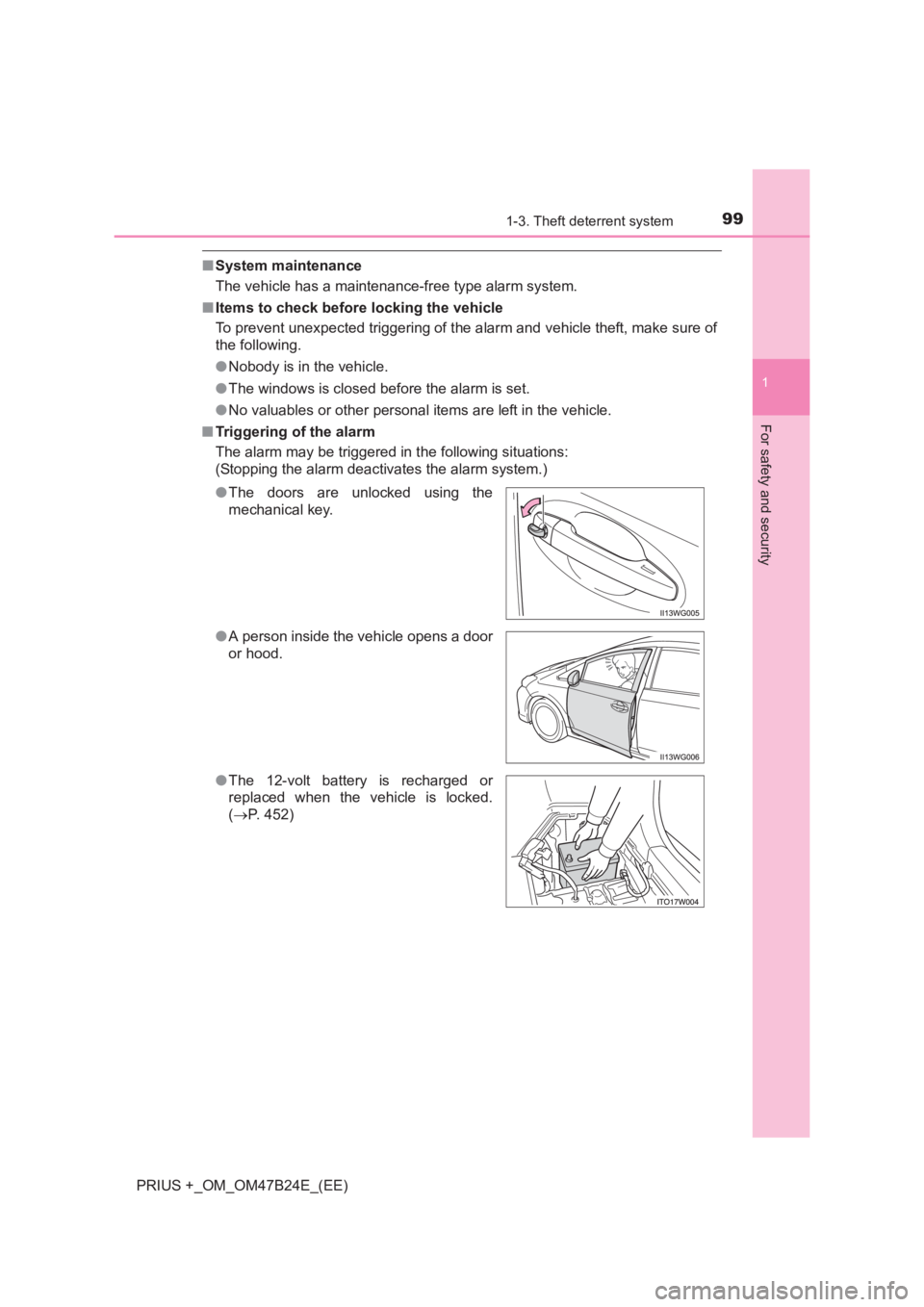
The alarm may be triggered in the following situations:
(Stopping the alarm deactivates the alarm system.)
●The doors are unlocked using the
mechanical key.
● A person inside the vehicle opens a door
or hood.
● The 12-volt battery is recharged or
replaced when the vehicle is locked.
(→ P. 452)
Page 102 of 509
1021-3. Theft deterrent system
PRIUS +_OM_OM47B24E_(EE)
■Canceling and automatic re-enabling of the intrusion sensor
●The alarm will still be set even when the intrusion sensor are canceled.
● After the intrusion sensor are canc eled, pressing the power switch or
unlocking the doors using the entry function or wireless remote control will
re-enable the intrusion sensor.
● The intrusion sensor will automatically be re-enabled when the alarm sys-
tem is deactivated.
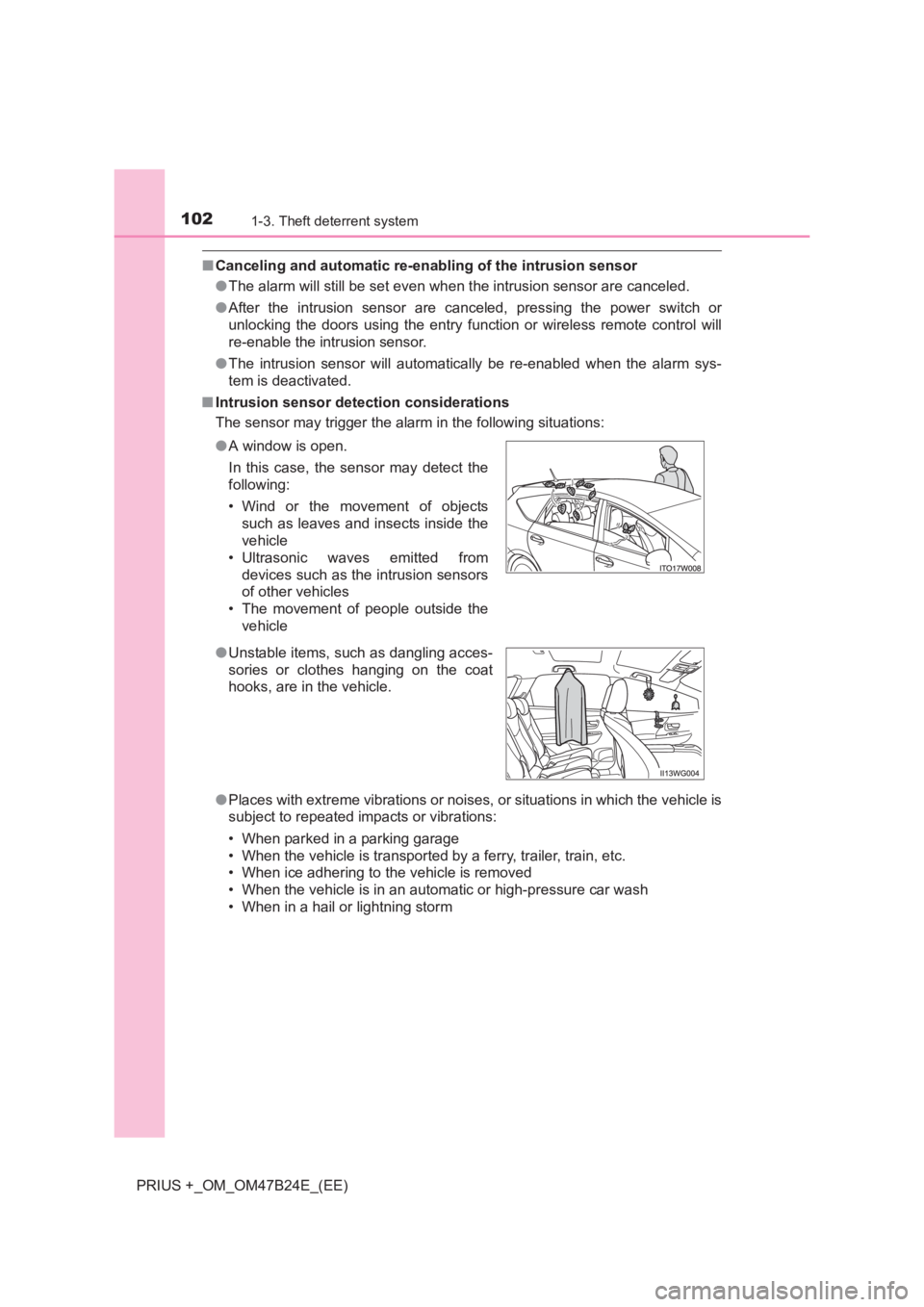
■ Intrusion sensor detection considerations
The sensor may trigger the alar m in the following situations:
● Places with extreme vibrations or noises, or situations in which the vehicle is
subject to repeated impacts or vibrations:
• When parked in a parking garage
• When the vehicle is transported by a ferry, trailer, train, etc.
• When ice adhering to the vehicle is removed
• When the vehicle is in an automatic or high-pressure car wash
• When in a hail or lightning storm
●
A window is open.
In this case, the sensor may detect the
following:
• Wind or the movement of objects
such as leaves and insects inside the
vehicle
• Ultrasonic waves emitted from devices such as the intrusion sensors
of other vehicles
• The movement of people outside the vehicle
● Unstable items, such as dangling acces-
sories or clothes hanging on the coat
hooks, are in the vehicle.
Page 108 of 509
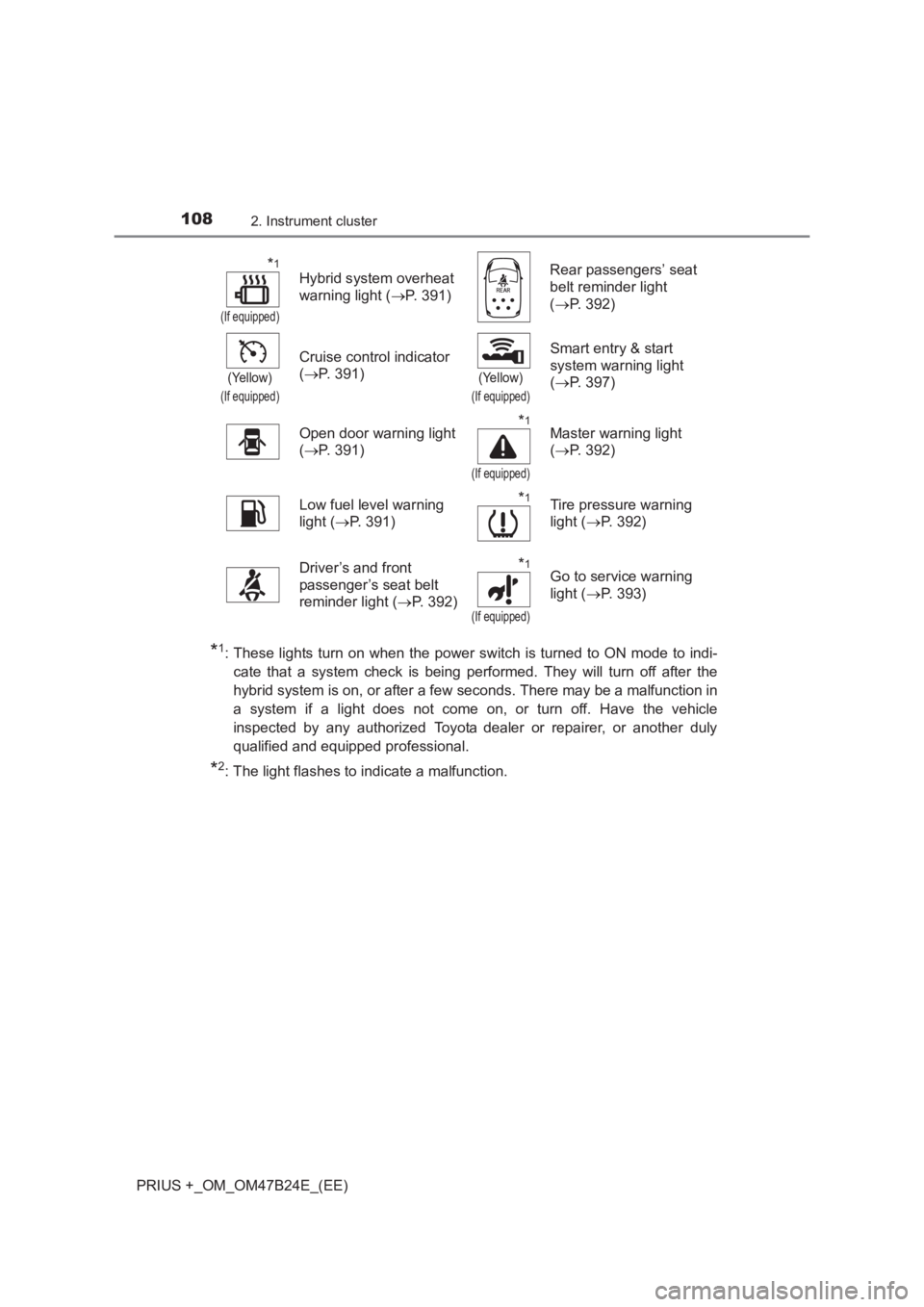
1082. Instrument cluster
PRIUS +_OM_OM47B24E_(EE)
*1: These lights turn on when the power switch is turned to ON mode to indi-cate that a system check is being performed. They will turn off after the
hybrid system is on, or after a few seconds. There may be a malfunction in
a system if a light does not come on, or turn off. Have the vehicle
inspected by any authorized Toyota dealer or repairer, or another duly
qualified and equipped professional.
*2: The light flashes to indicate a malfunction.
*1
(If equipped)
Hybrid system overheat
warning light ( →P. 391) Rear passengers’ seat
belt reminder light
(
→ P. 392)
(Yellow)
(If equipped)
Cruise control indicator
(→ P. 391)
(Yellow)
(If equipped)
Smart entry & start
system warning light
(→ P. 397)
Open door warning light
( → P. 391)
*1
(If equipped)
Master warning light
(→ P. 392)
Low fuel level warning
light ( →P. 391)
*1Tire pressure warning
light ( →P. 392)
Driver’s and front
passenger’s seat belt
reminder light ( →P. 392)
*1
(If equipped)
Go to service warning
light ( →P. 393)
Page 127 of 509
1272. Instrument cluster
2
Instrument cluster
PRIUS +_OM_OM47B24E_(EE)
■System check display
After turning the power switch to ON mode, opening image is displayed while
system operation is checked. When the system check is complete, the nor-
mal screen will return.
■ Pop-up display
When a system that supports pop-up displays, such as the air conditioning
system, is operated, a pop-up display will be temporarily displayed.
■ When disconnecting and reconnect ing 12-volt battery terminals
The fuel consumption display and average vehicle speed will be reset.
■ Liquid crystal display
Small spots or light spots may appear on the display. This phenomenon is
characteristic of liquid crystal displays, and there is no problem continuing to
use the display.
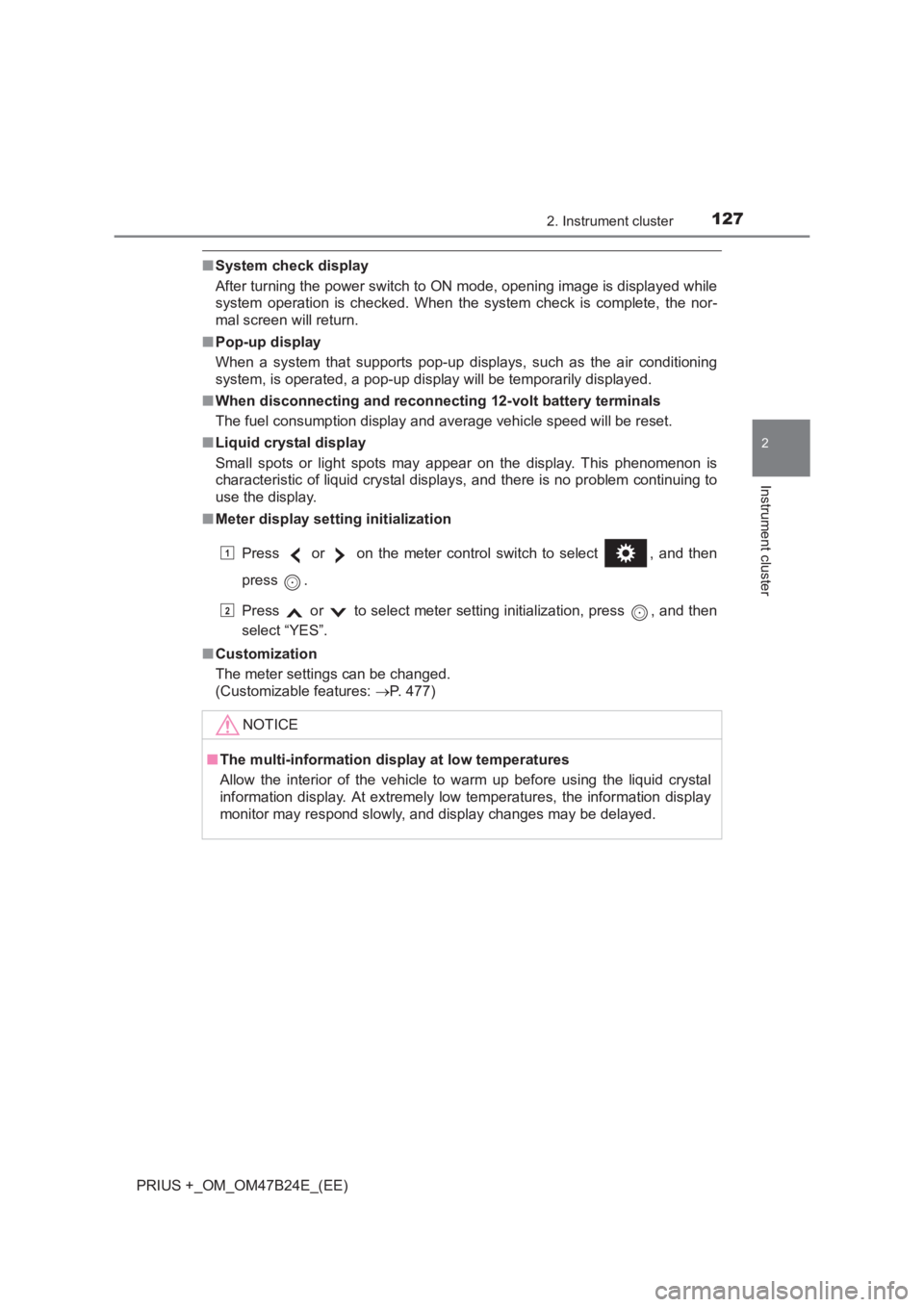
■ Meter display setting initialization
Press or on the meter control switch to select , and then
press .
Press or to select meter setting initialization, press , and then
select “YES”.
■ Customization
The meter settings can be changed.
(Customizable features: →P. 477)
NOTICE
■ The multi-information disp lay at low temperatures
Allow the interior of the vehicle to warm up before using the liquid crystal
information display. At extremely low temperatures, the information display
monitor may respond slowly, and display changes may be delayed.
1
2