change time TOYOTA PRIUS PLUS 2019 Owners Manual
[x] Cancel search | Manufacturer: TOYOTA, Model Year: 2019, Model line: PRIUS PLUS, Model: TOYOTA PRIUS PLUS 2019Pages: 568, PDF Size: 73.58 MB
Page 8 of 568
8
PRIUS +_OM_OM47D30E_(EE)
For your information
Please note that this manual applies to all models and explains all equipment,
including options. Therefore, you may find some explanations for equipment
not installed on your vehicle.
All specifications provided in this manual are current at the time of printing.
However, because of the Toyota policy of continual product improvement, we
reserve the right to make changes at any time without notice.
Depending on specifications, the vehicle shown in the illustrations may differ
from your vehicle in terms of color and equipment.
Both genuine Toyota and a wide variety of other spare parts and accessories
for Toyota vehicles are currently available on the market. Should it be deter-
mined that any of the genuine Toyota parts or accessories supplied with the
vehicle need to be replaced, Toyota recommends that genuine Toyota parts
or accessories, be used to replace them. Other parts or accessories of
matching quality can also be used.
Toyota cannot accept any liability or guarantee spare parts and accessories
which are not genuine Toyota products, nor for replacement or installation
involving such parts. In addition, damage or performance problems resulting
from the use of non-genuine Toyota spare parts or accessories may not be
covered under warranty.
Main Owner’s Manual
Accessories, spare parts and modification of your Toyota
Page 83 of 568
831-2. Hybrid system
1
PRIUS +_OM_OM47D30E_(EE)
For safety and security
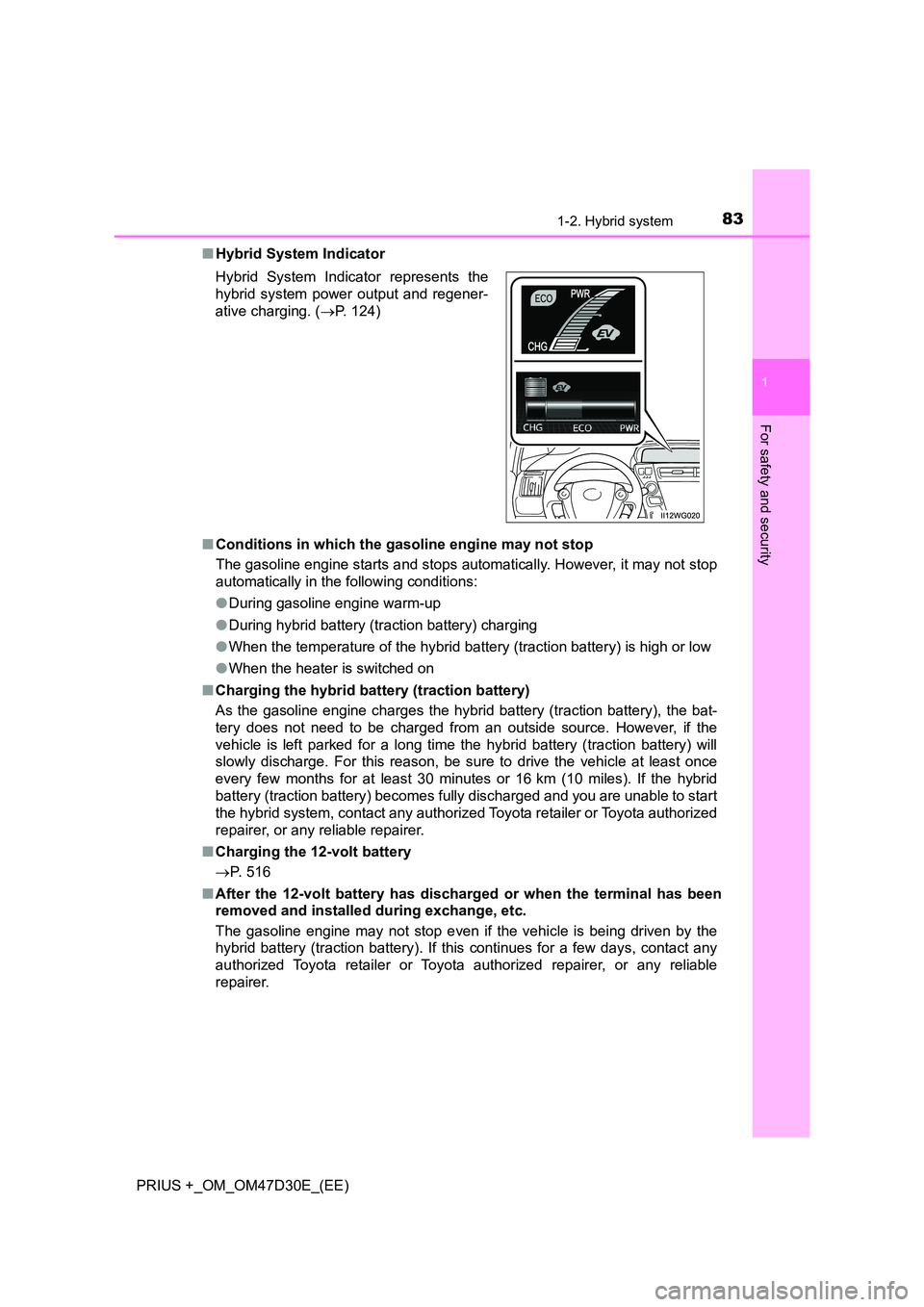
■Hybrid System Indicator
■ Conditions in which the gasoline engine may not stop
The gasoline engine starts and stops automatically. However, it may not stop
automatically in the following conditions:
● During gasoline engine warm-up
● During hybrid battery (traction battery) charging
● When the temperature of the hybrid battery (traction battery) is high or low
● When the heater is switched on
■ Charging the hybrid battery (traction battery)
As the gasoline engine charges the hybrid battery (traction battery), the bat-
tery does not need to be charged from an outside source. However, if the
vehicle is left parked for a long time the hybrid battery (traction battery) will
slowly discharge. For this reason, be sure to drive the vehicle at least once
every few months for at least 30 minutes or 16 km (10 miles). If the hybrid
battery (traction battery) becomes fully discharged and you are unable to start
the hybrid system, contact any authorized Toyota retailer or Toyota authorized
repairer, or any reliable repairer.
■ Charging the 12-volt battery
P. 516
■ After the 12-volt battery has discharged or when the terminal has been
removed and installed during exchange, etc.
The gasoline engine may not stop even if the vehicle is being driven by the
hybrid battery (traction battery). If this continues for a few days, contact any
authorized Toyota retailer or Toyota authorized repairer, or any reliable
repairer.
Hybrid System Indicator represents the
hybrid system power output and regener-
ative charging. ( P. 124)
Page 127 of 568
1272. Instrument cluster
2
Instrument cluster
PRIUS +_OM_OM47D30E_(EE)
Audio system-linked display (if equipped)
Select to enable selection of an audio source or track on the display
using the meter control switches.
Clock
Show the current time on the display.
Driving assist system information (if equipped)
The information related to driving assist systems such as the LDA
(Lane Departure Alert with steering control), cruise control and
dynamic radar cruise control is displayed. (P. 284, 299)
Warning message display
Select to display warning messages and measures to be taken if a
malfunction is detected. (P. 458)
Settings display
Select to change the meter display settings. (P. 539)
Page 220 of 568
2204-1. Before driving
PRIUS +_OM_OM47D30E_(EE)
NOTICE
■Avoiding damage to vehicle parts
● Do not turn the steering wheel fully in either direction and hold it there for
an extended period of time.
Doing so may damage the power steering motor.
● When driving over bumps in the road, drive as slowly as possible to avoid
damaging the wheels, underside of the vehicle, etc.
■ If you get a flat tire while driving
A flat or damaged tire may cause the following situations. Hold the steering
wheel firmly and gradually depress the brake pedal to slow down the vehi-
cle.
● It may be difficult to control your vehicle.
● The vehicle will make abnormal sounds or vibrations.
● The vehicle will lean abnormally.
Information on what to do in case of a flat tire: P. 478, 492
■ When encountering flooded roads
Do not drive on a road that has flooded after heavy rain etc. Doing so may
cause the following serious damage to the vehicle:
● Engine stalling
● Short in electrical components
● Engine damage caused by water immersion
In the event that you drive on a flooded road and the vehicle is flooded, be
sure to have any authorized Toyota retailer or Toyota authorized repairer, or
any reliable repairer check the following:
● Brake function
● Changes in quantity and quality of oil and fluid used for the engine, hybrid
transmission, etc.
● Lubricant condition for the bearings and suspension joints (where possi-
ble), and the function of all joints, bearings, etc.
If the shift control system is damaged by flooding, it may not be possible to
shift the shift position to P, or from P to other positions. When the shift posi-
tion cannot be changed from P to any other position, the front wheels will
lock, and you will be unable to tow the vehicle with the front wheels on the
ground, as the front wheels may be locked. In this case, transport the vehi-
cle with both front wheels or all four wheels lifted.
Page 227 of 568
2274-2. Driving procedures
4
Driving
PRIUS +_OM_OM47D30E_(EE)
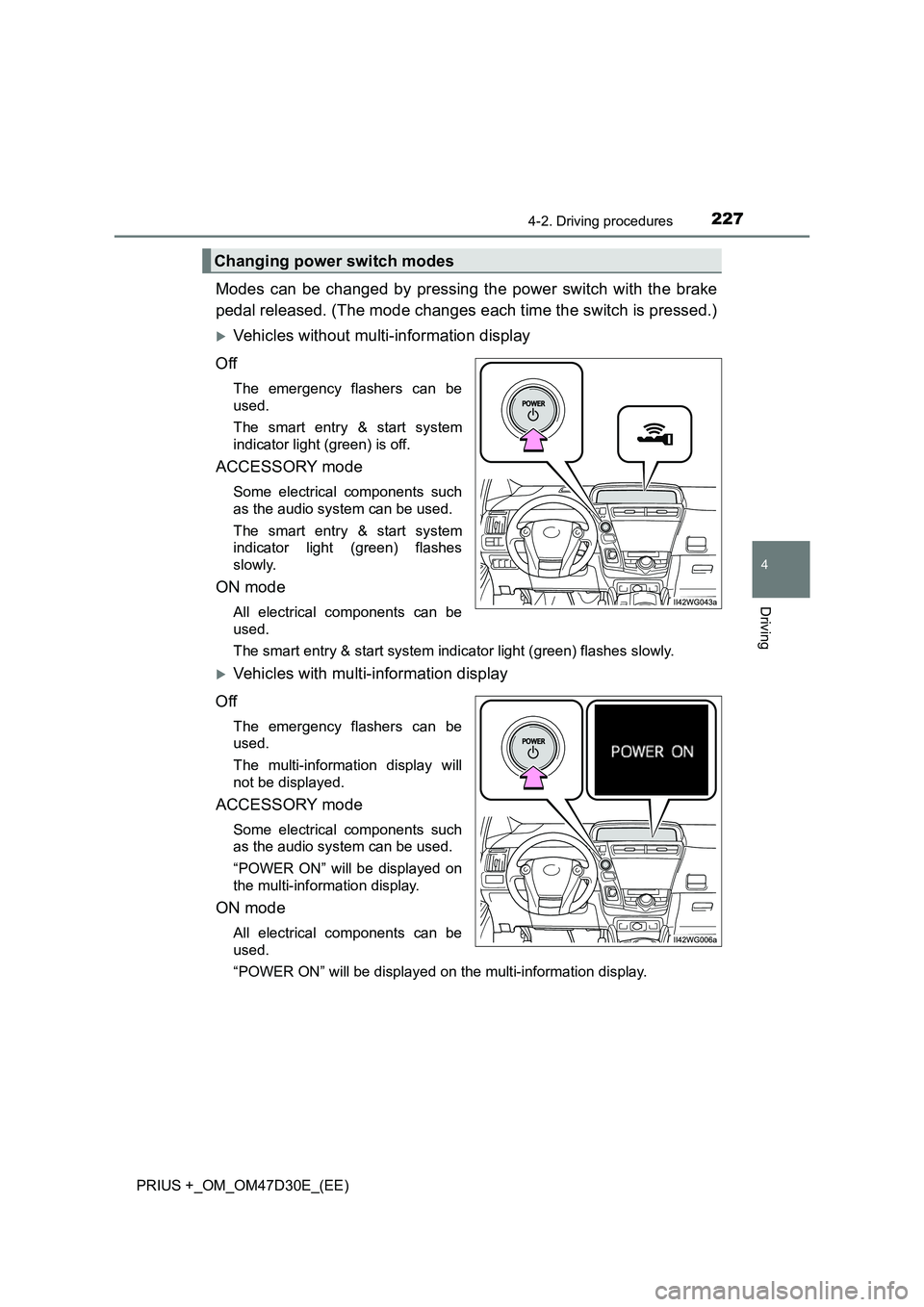
Modes can be changed by pressing the power switch with the brake
pedal released. (The mode changes each time the switch is pressed.)
Vehicles without multi-information display
Off
The emergency flashers can be
used.
The smart entry & start system
indicator light (green) is off.
ACCESSORY mode
Some electrical components such
as the audio system can be used.
The smart entry & start system
indicator light (green) flashes
slowly.
ON mode
All electrical components can be
used.
The smart entry & start system indicator light (green) flashes slowly.
Vehicles with multi-information display
Off
The emergency flashers can be
used.
The multi-information display will
not be displayed.
ACCESSORY mode
Some electrical components such
as the audio system can be used.
“POWER ON” will be displayed on
the multi-information display.
ON mode
All electrical components can be
used.
“POWER ON” will be displayed on the multi-information display.
Changing power switch modes
Page 238 of 568
2384-2. Driving procedures
PRIUS +_OM_OM47D30E_(EE)
NOTICE
■Hybrid battery (traction battery) charge
If the shift position is in N, the hybrid battery (traction battery) will not be
charged. To help prevent the battery fr om discharging, avoid leaving the N
position selected for a certain period of time.
■ Situations where shift control system malfunctions are possible
If any of the following situations occurs, shift control system malfunctions
are possible.
Immediately stop the vehicle in a safe place on level ground, apply the park-
ing brake, and then contact any authorized Toyota retailer or Toyota autho-
rized repairer, or any reliable repairer.
● Vehicles without multi-information display:
When the “WHEN PARKING, APPLY PARKING BRAKE SECURELY”
warning message appears on the instrument cluster. ( P. 448)
● Vehicles without multi-information display:
When the parking lock system warning light is illuminated.
● Vehicles with multi-information display:
When the warning message indicating the shift control system appears on
the multi-information display. ( P. 460)
● When the shift position indicator remains off.
■ Notes regarding shift lever and P position switch operation
Avoid repeatedly operating the shift lever and P position switch in quick suc-
cession.
The system protection function may activate and it will not be temporarily
possible to shift the shift position other than P. If this happens, please wait
for approximately 20 seconds before attempting to change the shift position
again.
Page 253 of 568
2534-3. Operating the lights and wipers
4
Driving
PRIUS +_OM_OM47D30E_(EE)
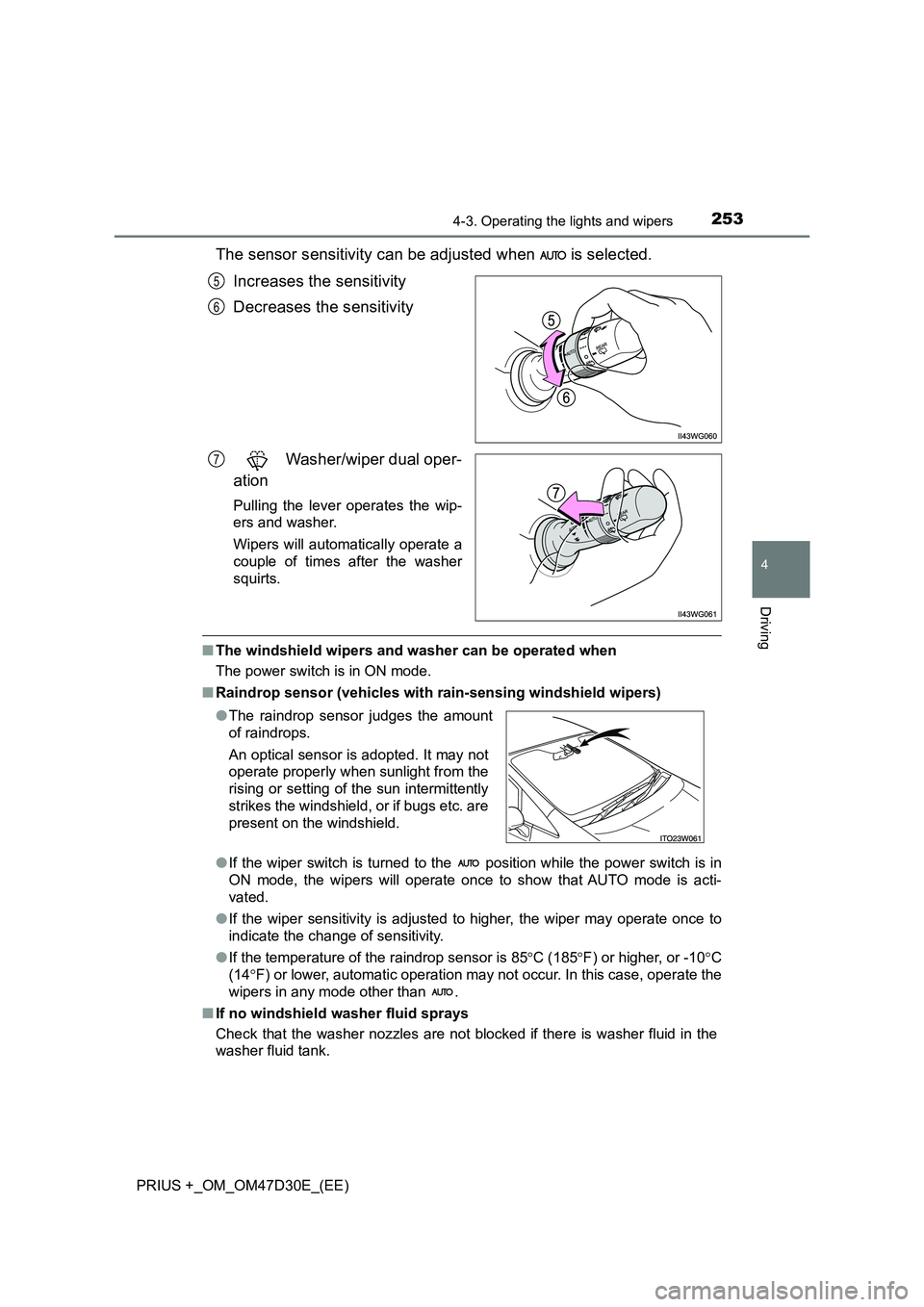
The sensor sensitivity can be adjusted when is selected.
Increases the sensitivity
Decreases the sensitivity
Washer/wiper dual oper-
ation
Pulling the lever operates the wip-
ers and washer.
Wipers will automatically operate a
couple of times after the washer
squirts.
■ The windshield wipers and washer can be operated when
The power switch is in ON mode.
■ Raindrop sensor (vehicles with rain-sensing windshield wipers)
● If the wiper switch is turned to the position while the power switch is in
ON mode, the wipers will operate once to show that AUTO mode is acti-
vated.
● If the wiper sensitivity is adjusted to higher, the wiper may operate once to
indicate the change of sensitivity.
● If the temperature of the raindrop sensor is 85C (185F) or higher, or -10C
(14 F) or lower, automatic operation may not occur. In this case, operate the
wipers in any mode other than .
■ If no windshield washer fluid sprays
Check that the washer nozzles are not blocked if there is washer fluid in the
washer fluid tank.
5
6
7
● The raindrop sensor judges the amount
of raindrops.
An optical sensor is adopted. It may not
operate properly when sunlight from the
rising or setting of the sun intermittently
strikes the windshield, or if bugs etc. are
present on the windshield.
Page 281 of 568
2814-5. Using the driving support systems
4
Driving
PRIUS +_OM_OM47D30E_(EE)• When driving in inclement weather such as heavy rain, fog, snow or a
sandstorm
• When the vehicle is hit by water, snow, dust, etc. from a vehicle ahead
• When driving through steam or smoke
• When driving in a place where the surrounding brightness changes sud-
denly, such as at the entrance or exit of a tunnel
• When a very bright light, such as the sun or the headlights of oncoming
traffic, shines directly into the camera sensor
• When the surrounding area is dim, such as at dawn or dusk, or while at
night or in a tunnel
• After the hybrid system has started the vehicle has not been driven for a
certain amount of time
• While making a left/right turn and for a few seconds after making a left/
right turn
• While driving on a curve and for a few seconds after driving on a curve
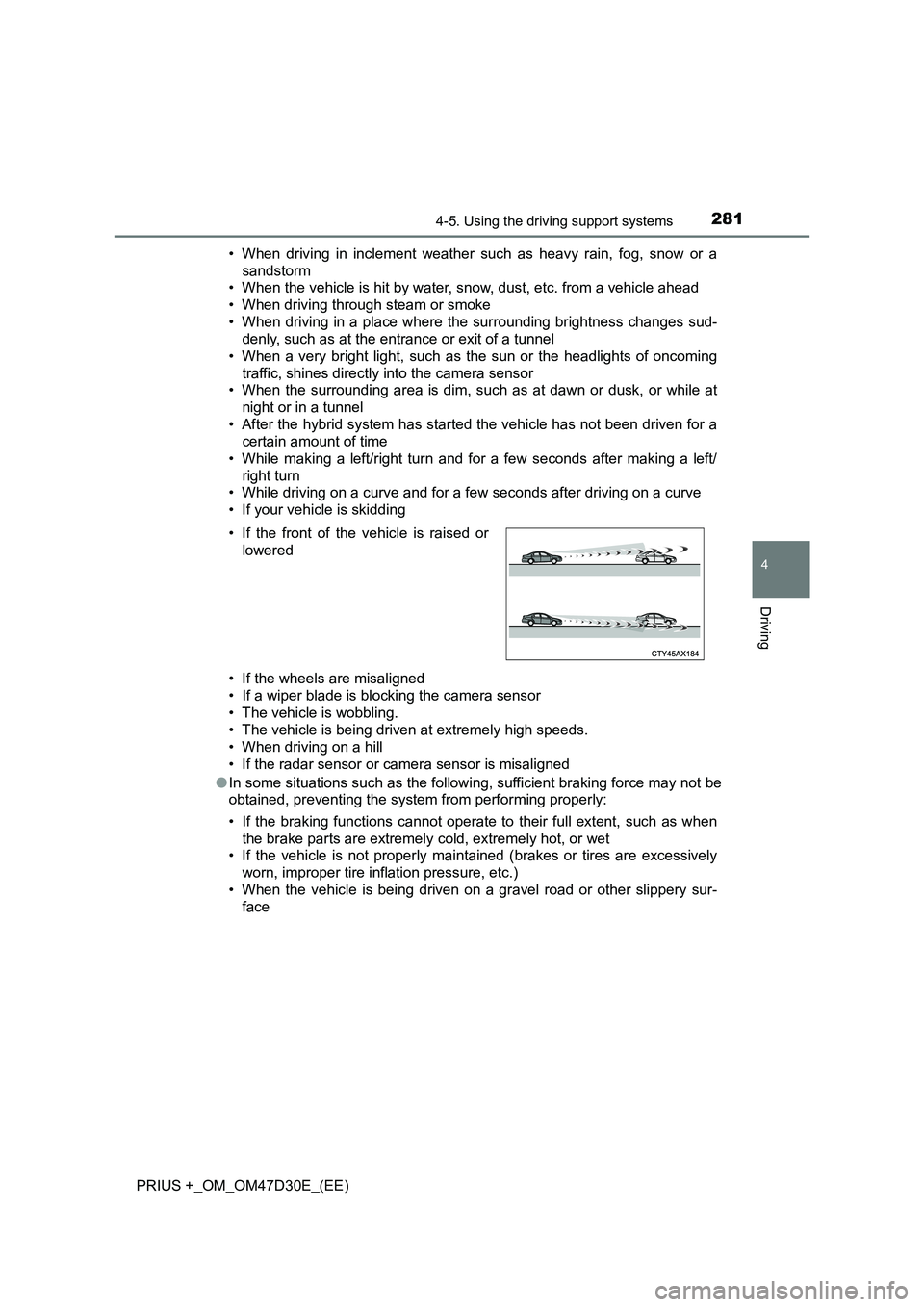
• If your vehicle is skidding
• If the wheels are misaligned
• If a wiper blade is blocking the camera sensor
• The vehicle is wobbling.
• The vehicle is being driven at extremely high speeds.
• When driving on a hill
• If the radar sensor or camera sensor is misaligned
●In some situations such as the following, sufficient braking force may not be
obtained, preventing the system from performing properly:
• If the braking functions cannot operate to their full extent, such as when
the brake parts are extremely cold, extremely hot, or wet
• If the vehicle is not properly maintained (brakes or tires are excessively
worn, improper tire inflation pressure, etc.)
• When the vehicle is being driven on a gravel road or other slippery sur-
face • If the front of the vehicle is raised or
lowered
Page 297 of 568
2974-5. Using the driving support systems
4
Driving
PRIUS +_OM_OM47D30E_(EE)
In the following situations, the RSA system alerts the driver using a
warning display.
●When the vehicle speed exceeds the speed warning threshold
applied to the speed limit of the sign displayed on the main display
or multi-information display, the sign color becomes inverted.
●If it is detected that your vehicle is overtaking when a no overtaking
sign is displayed on the multi-information display, the sign flashes.
Depending on the situation, traffic environment (traffic direction,
speed, unit) may be detected incorrectly and a warning display may
not operate properly.
■Automatic turn-off of RSA sign display
One or more signs automatically turn off in the following situations.
●A new sign is not recognized for a certain distance.
●The road changes due to a left or right turn, etc.
■Conditions in which the function may not operate or detect correctly
In the following situations, RSA does not operate normally and may not rec-
ognize signs, display the incorrect sign, etc. However, this does not indicate a
malfunction.
●The camera sensor is misaligned due to a strong impact being applied to
the sensor, etc.
●Dirt, snow, stickers, etc., are on the windshield near the camera sensor.
●In inclement weather such as heavy rain, fog, snow or sand storms
●Light from an oncoming vehicle, the sun, etc., enters the camera sensor.
●The sign is dirty, faded, tilted or bent, and if an electronic sign, the contrast
is poor.
●All or part of the sign is hidden by the leaves of a tree, a pole, etc.
●The sign is only visible to the camera sensor for a short amount of time.
●The driving scene (turning, lane change, etc.) is judged incorrectly.
●Even if it is a sign not appropriate for the currently traveled lane, such a sign
exists directly after a freeway branches, or in an adjacent lane just before
merging.
●Stickers are attached to the rear of the preceding vehicle.
●A sign resembling a system compatible sign is recognized.
●The vehicle is driven in a country with a different direction of traffic.
●Side road speed signs may be detected and displayed (if positioned in sight
of the camera sensor) while the vehicle is traveling on the main road.
Warning display
Page 303 of 568
3034-5. Using the driving support systems
4
Driving
PRIUS +_OM_OM47D30E_(EE)
Example of constant speed cruising
When there are no vehicles ahead
The vehicle travels at the speed set by the driver. The desired vehicle-to-
vehicle distance can also be set by operating the vehicle-to-vehicle dis-
tance switch.
Example of deceleration cruising and follow-up cruising
When a preceding vehicle driving slower than the set speed
appears
When a vehicle is detected running ahead of you, the system automatically
decelerates your vehicle. When a greater reduction in vehicle speed is
necessary, the system applies the brakes (the stop lights will come on at
this time). The system will respond to changes in the speed of the vehicle
ahead in order to maintain the vehicle-to-vehicle distance set by the driver.
Approach warning warns you when the system cannot decelerate suffi-
ciently to prevent your vehicle from closing in on the vehicle ahead.
Example of acceleration
When there are no longer any preceding vehicles driving slower
than the set speed
The system accelerates until the set speed is reached. The system then
returns to constant speed cruising.
1
2
3