battery-saving mode TOYOTA PRIUS PRIME 2023 Owners Manual
[x] Cancel search | Manufacturer: TOYOTA, Model Year: 2023, Model line: PRIUS PRIME, Model: TOYOTA PRIUS PRIME 2023Pages: 680, PDF Size: 14.97 MB
Page 204 of 680
2044-2. Opening, closing and locking the doors
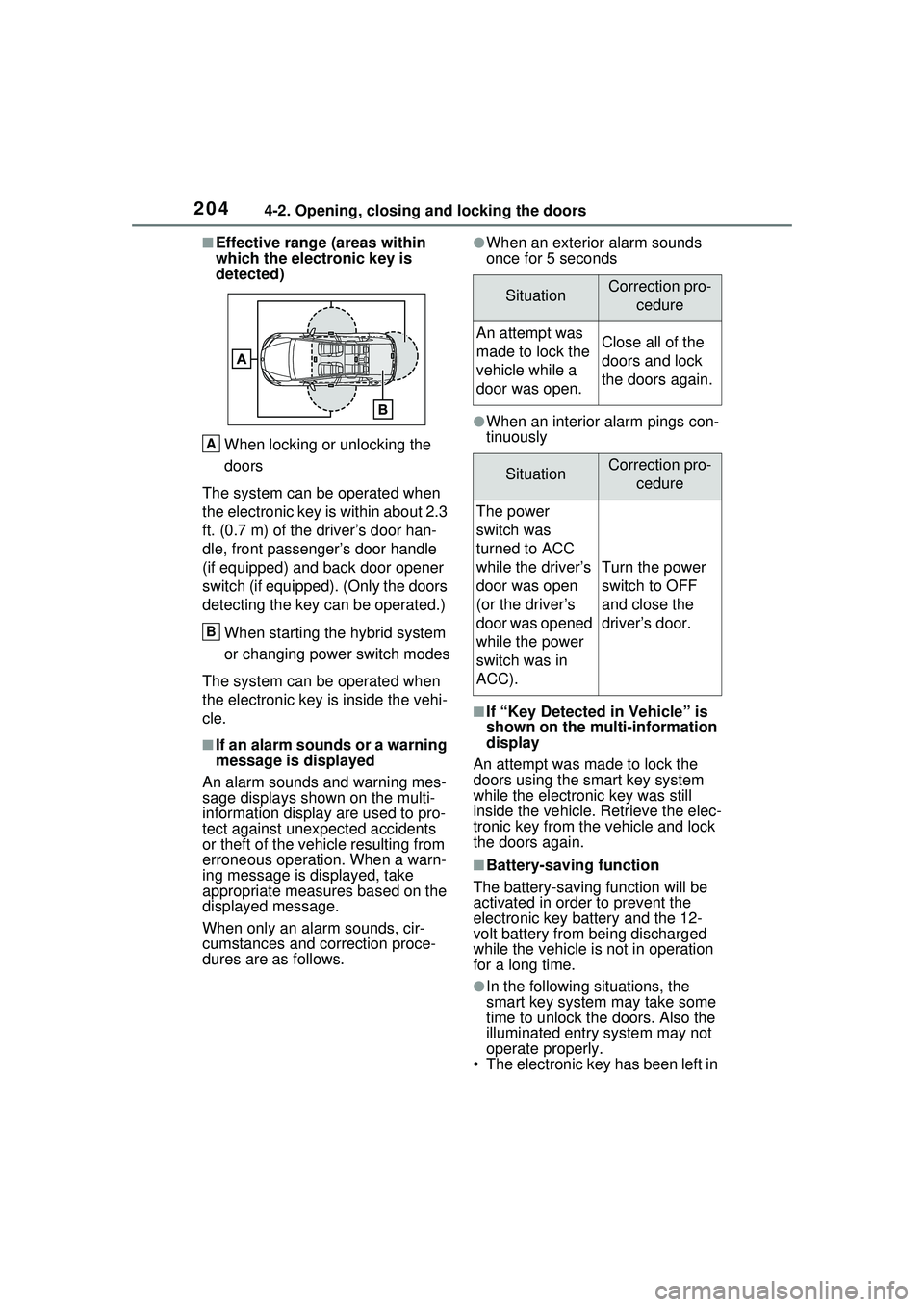
■Effective range (areas within
which the electronic key is
detected)When locking or unlocking the
doors
The system can be operated when
the electronic key is within about 2.3
ft. (0.7 m) of the driver’s door han-
dle, front passenger’s door handle
(if equipped) and back door opener
switch (if equipped). (Only the doors
detecting the key can be operated.)
When starting the hybrid system
or changing power switch modes
The system can be operated when
the electronic key is inside the vehi-
cle.
■If an alarm sounds or a warning
message is displayed
An alarm sounds and warning mes-
sage displays shown on the multi-
information display are used to pro-
tect against unexpected accidents
or theft of the vehicle resulting from
erroneous operation. When a warn-
ing message is displayed, take
appropriate measures based on the
displayed message.
When only an alarm sounds, cir-
cumstances and correction proce-
dures are as follows.
●When an exterior alarm sounds
once for 5 seconds
●When an interior alarm pings con-
tinuously
■If “Key Detected in Vehicle” is
shown on the multi-information
display
An attempt was made to lock the
doors using the smart key system
while the electronic key was still
inside the vehicle. Retrieve the elec-
tronic key from the vehicle and lock
the doors again.
■Battery-saving function
The battery-saving function will be
activated in order to prevent the
electronic key battery and the 12-
volt battery from being discharged
while the vehicle is not in operation
for a long time.
●In the following situations, the
smart key system may take some
time to unlock the doors. Also the
illuminated entry system may not
operate properly.
• The electronic key has been left in
A
B
SituationCorrection pro-
cedure
An attempt was
made to lock the
vehicle while a
door was open.Close all of the
doors and lock
the doors again.
SituationCorrection pro-cedure
The power
switch was
turned to ACC
while the driver’s
door was open
(or the driver’s
door was opened
while the power
switch was in
ACC).
Turn the power
switch to OFF
and close the
driver’s door.
Page 205 of 680
2054-2. Opening, closing and locking the doors
4
Before driving
an area of approximately 11.5 ft.
(3.5 m) of the outside of the vehi-
cle for 40 seconds or longer.
• The smart key system has not been used for 5 days or longer.
●If the smart key system has not
been used for 14 days or longer,
the doors cannot be unlocked at
any doors except the driver’s
door. In this case, take hold of the
driver’s door handle, or use the
wireless remote control or the
mechanical key, to unlock the
doors.
■Turning an electronic key to
battery-saving mode
●When battery-saving mode is set,
battery depletion is minimized by
stopping the electronic key from
receiving radio waves.
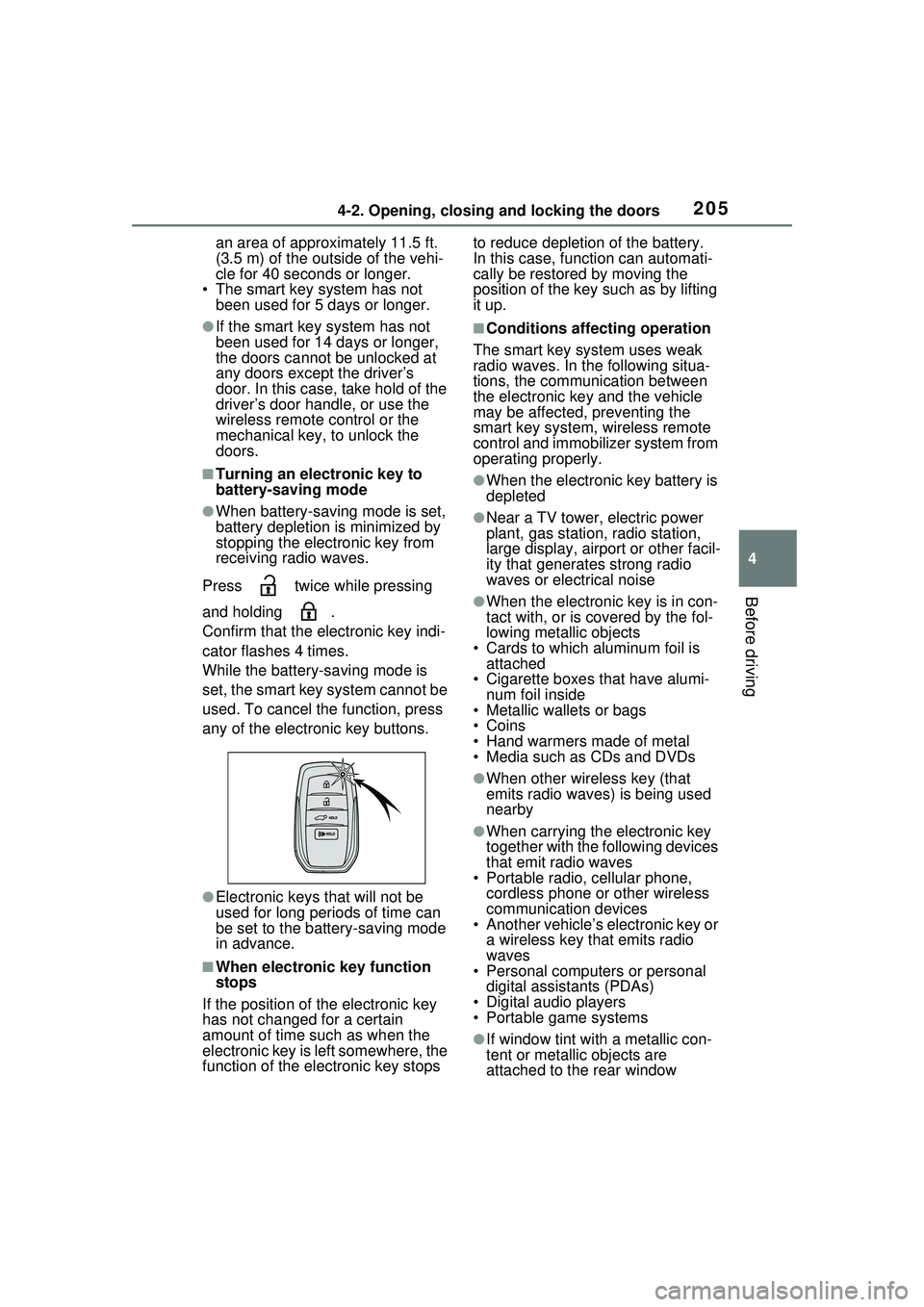
Press twice while pressing
and holding .
Confirm that the electronic key indi-
cator flashes 4 times.
While the battery-saving mode is
set, the smart key system cannot be
used. To cancel the function, press
any of the electronic key buttons.
●Electronic keys that will not be
used for long periods of time can
be set to the battery-saving mode
in advance.
■When electronic key function
stops
If the position of the electronic key
has not changed for a certain
amount of time such as when the
electronic key is left somewhere, the
function of the electronic key stops to reduce depletion of the battery.
In this case, function can automati-
cally be restored by moving the
position of the key such as by lifting
it up.
■Conditions affecting operation
The smart key system uses weak
radio waves. In the following situa-
tions, the communication between
the electronic key and the vehicle
may be affected, preventing the
smart key system, wireless remote
control and immobilizer system from
operating properly.
●When the electronic key battery is
depleted
●Near a TV tower, electric power
plant, gas station, radio station,
large display, airport or other facil-
ity that generates strong radio
waves or electrical noise
●When the electronic key is in con-
tact with, or is covered by the fol-
lowing metallic objects
• Cards to which aluminum foil is attached
• Cigarette boxes that have alumi-
num foil inside
• Metallic wallets or bags
•Coins
• Hand warmers made of metal
• Media such as CDs and DVDs
●When other wireless key (that
emits radio waves) is being used
nearby
●When carrying the electronic key
together with the following devices
that emit radio waves
• Portable radio, cellular phone, cordless phone or other wireless
communication devices
• Another vehicle’s electronic key or a wireless key that emits radio
waves
• Personal computers or personal digital assistants (PDAs)
• Digital audio players
• Portable game systems
●If window tint with a metallic con-
tent or metallic objects are
attached to the rear window
Page 207 of 680
2074-2. Opening, closing and locking the doors
4
Before driving
vehicle and a door handle
becomes wet during a car wash, a
message may be shown on the
multi-information display and a
buzzer will sound outside the vehi-
cle. To turn off the alarm, lock all
the doors.
●The lock sensor may not work
properly if it comes into contact
with ice, snow, mud, etc. Clean
the lock sensor and attempt to
operate it again.
●A sudden approach to the effec-
tive range or door handle may pre-
vent the doors from being
unlocked. In this case, return the
door handle to the original position
and check that the doors unlock
before pulling the door handle
again.
●If there is another electronic key in
the detection area, it may take
slightly longer to unlock the doors
after the door handle is gripped.
■When the vehicle is not driven
for extended periods
●To prevent theft of the vehicle, do
not leave the electronic key within
6 ft. (2 m) of the vehicle.
●The smart key system can be
deactivated in advance. ( P.622)
●Battery-saving mode can reduce
the power consumption of elec-
tronic keys. ( P.205)
■To operate the system properly
Make sure to carry the electronic
key when operating the system. Do
not get the electronic key too close
to the vehicle when operating the
system from the outside of the vehi-
cle.
Depending on the position and hold-
ing condition of the electronic key,
the key may not be detected cor-
rectly and the system may not oper-
ate properly. (The alarm may go off
accidentally, or the door lock pre-
vention may not operate.)
■If the smart key system does
not operate properly
●Locking and unlocking the doors:
Use the mechanical key.
( P.587)
●Starting the hybrid system:
P.588
■Customization
Settings (e.g. smart key system)
can be changed.
(Customizable features: P.622)
If the smart key system has been
deactivated in a customized setting,
refer to the explanations for the fol-
lowing operations.
●Locking and unlocking the doors:
Use the wireless remote control or
mechanical key. ( P.185, 587)
●Starting the hybrid system and
changing power switch modes:
P.588
●Stopping the hybrid system:
P.253
WARNING
■Caution regarding interfer-
ence with electronic devices
●People with implantable car-
diac pacemakers, cardiac
resynchronization therapy-
pacemakers or implantable car-
dioverter defibrillators should
keep away from the smart key
system antennas. ( P.203)
The radio waves may affect the
operation of such devices. If
necessary, the entry function
can be disabled. Ask your
Toyota dealer fo r details, such
as the frequency of radio waves
and timing of the emitted radio
waves. Then, consult your doc-
tor to see if you should disable
the entry function.
Page 587 of 680
5878-2. Steps to take in an emergency
8
When trouble arises
■When the electronic key does
not work properly
●Make sure that the smart key sys-
tem has not been deactivated in
the customization setting. If it is
off, turn the function on.
(Customizable features: P.622)
●Check if battery-saving mode is
set. If it is set, cancel the function.
( P.205)
●The electronic key function may
have stopped. ( P.205)
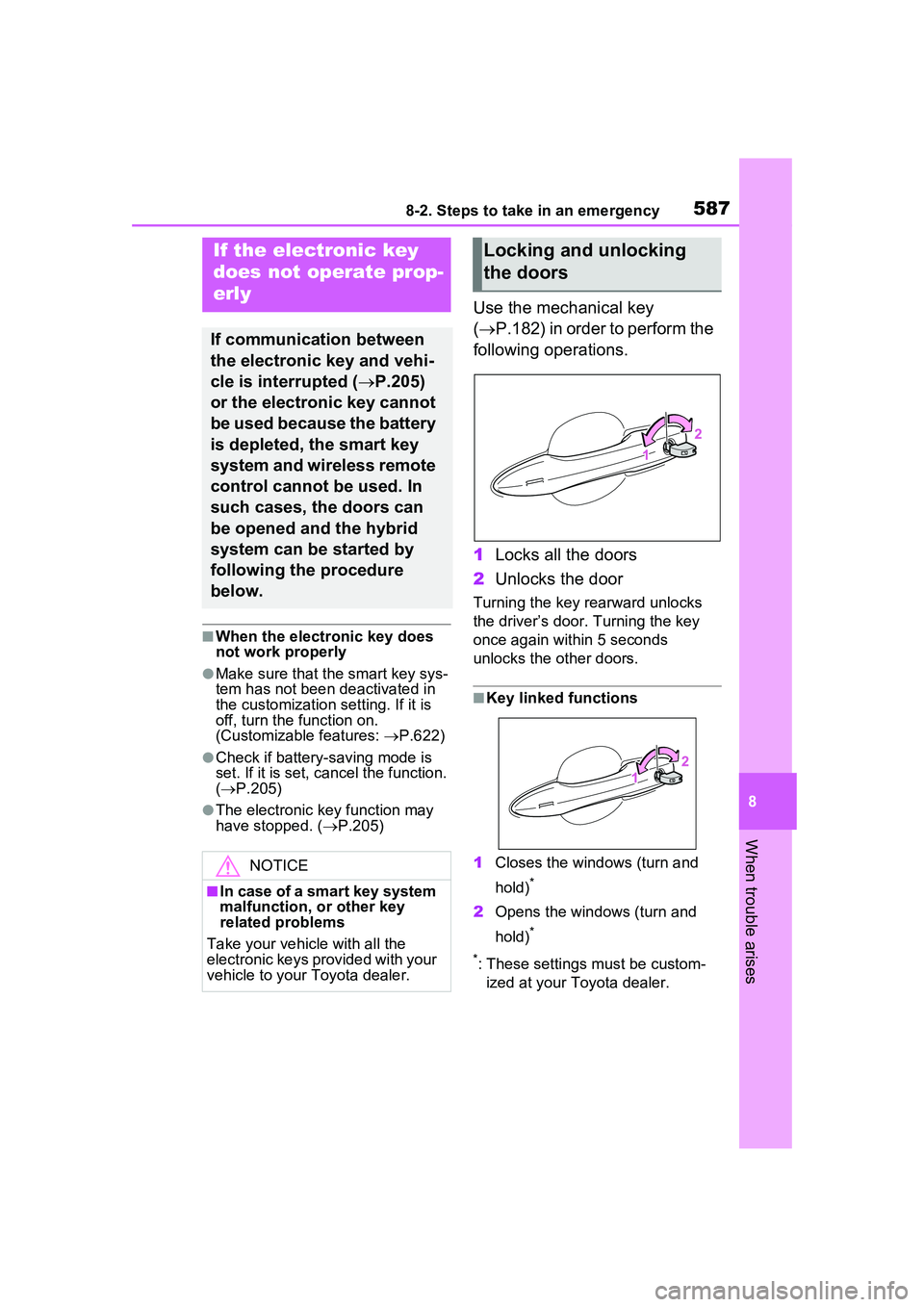
Use the mechanical key
( P.182) in order to perform the
following operations.
1 Locks all the doors
2 Unlocks the door
Turning the key rearward unlocks
the driver’s door. Turning the key
once again within 5 seconds
unlocks the other doors.
■Key linked functions
1 Closes the windows (turn and
hold)
*
2Opens the windows (turn and
hold)
*
*
: These settings must be custom- ized at your Toyota dealer.
If the electronic key
does not op erate prop-
erly
If communication between
the electronic key and vehi-
cle is interrupted ( P.205)
or the electronic key cannot
be used because the battery
is depleted, the smart key
system and wireless remote
control cannot be used. In
such cases, the doors can
be opened and the hybrid
system can be started by
following the procedure
below.
NOTICE
■In case of a smart key system
malfunction, or other key
related problems
Take your vehicle with all the
electronic keys provided with your
vehicle to your Toyota dealer.
Locking and unlocking
the doors
Page 653 of 680
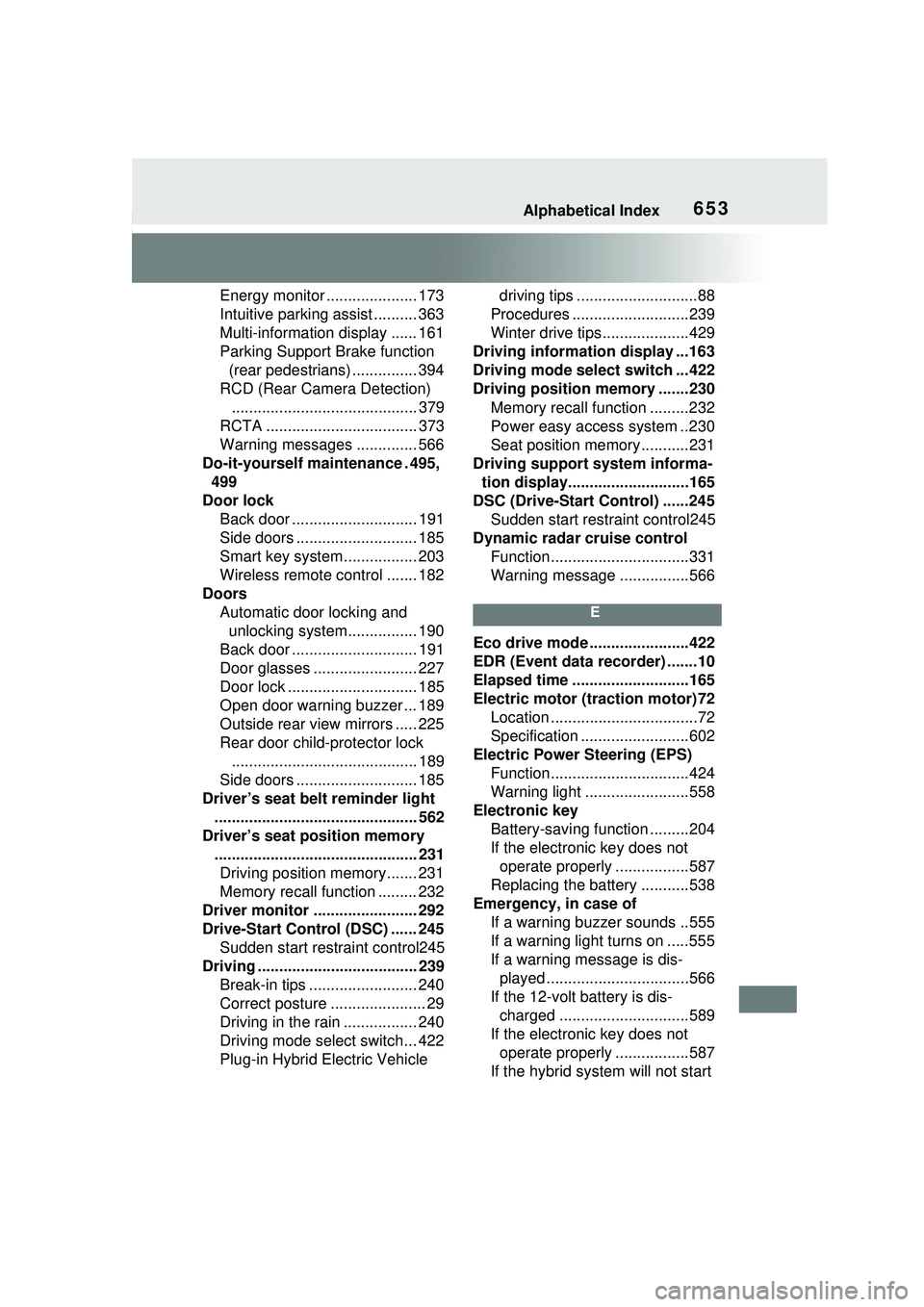
Alphabetical Index653
Energy monitor ..................... 173
Intuitive parking assist .......... 363
Multi-information display ...... 161
Parking Support Brake function (rear pedestrians) ............... 394
RCD (Rear Camera Detection) ........................................... 379
RCTA ................................... 373
Warning messages .............. 566
Do-it-yourself maintenance . 495, 499
Door lock Back door ............................. 191
Side doors ............................ 185
Smart key system................. 203
Wireless remote control ....... 182
Doors Automatic door locking and unlocking system................ 190
Back door ............................. 191
Door glasses ........................ 227
Door lock .............................. 185
Open door warning buzzer ... 189
Outside rear view mirrors ..... 225
Rear door child-protector lock ........................................... 189
Side doors ............................ 185
Driver’s seat belt reminder light ............................................... 562
Driver’s seat position memory ............................................... 231Driving position memory....... 231
Memory recall function ......... 232
Driver monitor ........................ 292
Drive-Start Control (DSC) ...... 245 Sudden start restraint control245
Driving ..................................... 239 Break-in tips ......................... 240
Correct posture ...................... 29
Driving in the rain ................. 240
Driving mode select switch... 422
Plug-in Hybrid Electric Vehicle driving tips ............................88
Procedures ...........................239
Winter drive tips....................429
Driving information display ...163
Driving mode select switch ...422
Driving position memory .......230 Memory recall function .........232
Power easy access system ..230
Seat position memory...........231
Driving support system informa- tion display............................165
DSC (Drive-Start Control) ......245 Sudden start restraint control245
Dynamic radar cruise control Function................................331
Warning message . ...............566
E
Eco drive mode .......................422
EDR (Event data recorder) .......10
Elapsed time ...........................165
Electric motor (traction motor)72
Location ..................................72
Specification .........................602
Electric Power Steering (EPS)
Function................................424
Warning light ........................558
Electronic key Battery-saving function .........204
If the electronic key does not operate properly .................587
Replacing the battery ...........538
Emergency, in case of If a warning buzzer sounds ..555
If a warning light turns on .....555
If a warning message is dis-played .................................566
If the 12-volt battery is dis- charged ..............................589
If the electronic key does not operate properly .................587
If the hybrid system will not start
Page 656 of 680
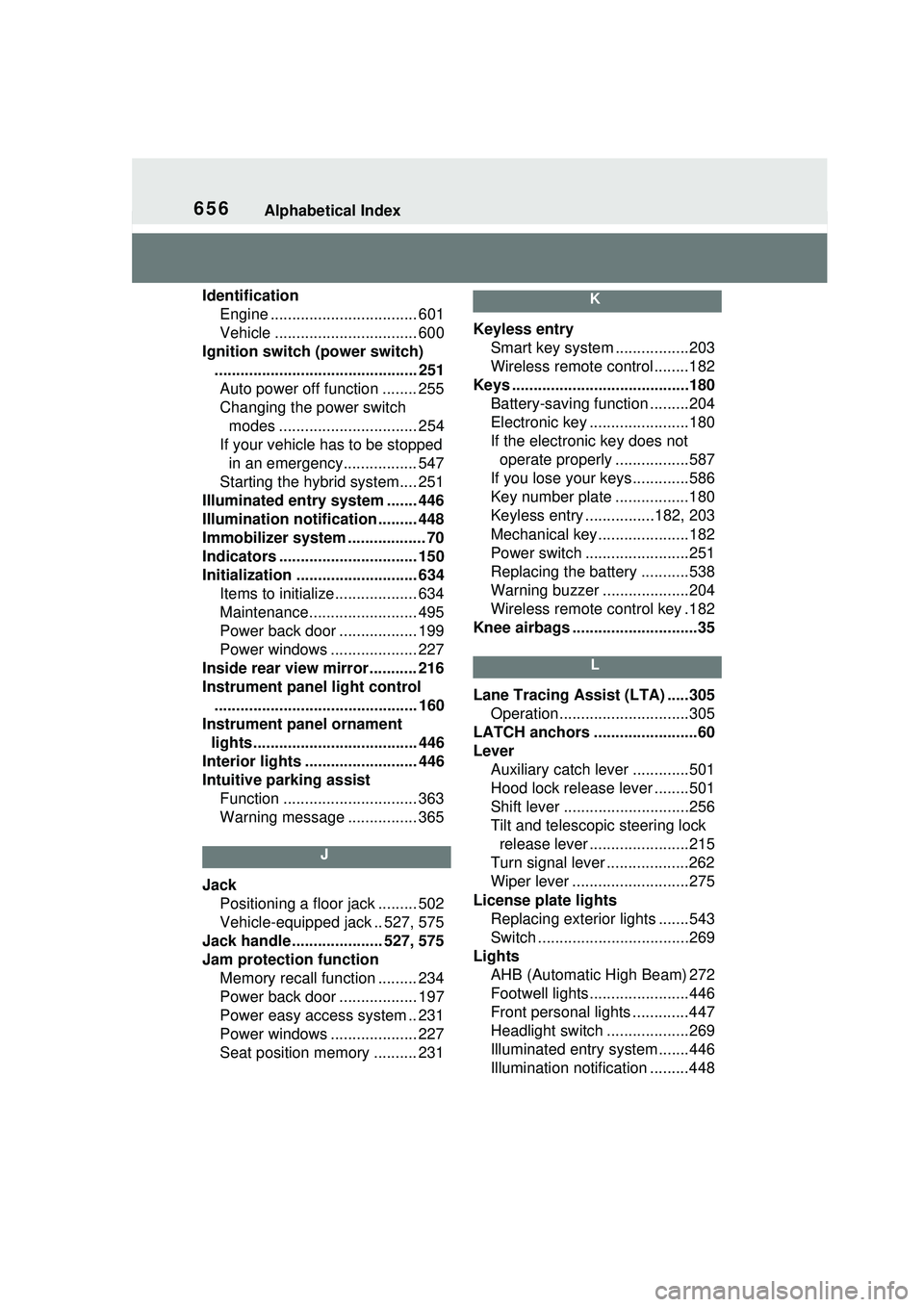
656Alphabetical Index
IdentificationEngine .................................. 601
Vehicle ................................. 600
Ignition switch (power switch) ............................................... 251Auto power off function ........ 255
Changing the power switch modes ................................ 254
If your vehicle has to be stopped in an emergency................. 547
Starting the hybrid system.... 251
Illuminated entry system ....... 446
Illumination notification ......... 448
Immobilizer system .................. 70
Indicators ................................ 150
Initialization ............................ 634 Items to initialize................... 634
Maintenance......................... 495
Power back door .................. 199
Power windows .................... 227
Inside rear view mirror........... 216
Instrument panel light control ............................................... 160
Instrument panel ornament lights...................................... 446
Interior lights .......................... 446
Intuitive parking assist Function ............................... 363
Warning message ................ 365
J
JackPositioning a floor jack ......... 502
Vehicle-equipped jack .. 527, 575
Jack handle ..................... 527, 575
Jam protection function Memory recall function ......... 234
Power back door .................. 197
Power easy access system .. 231
Power windows .................... 227
Seat position memory .......... 231
K
Keyless entrySmart key system .................203
Wireless remote control........182
Keys .........................................180 Battery-saving function .........204
Electronic key .......................180
If the electronic key does not operate properly .................587
If you lose your keys.............586
Key number plate .................180
Keyless entry ................182, 203
Mechanical key.....................182
Power switch ........................251
Replacing the battery ...........538
Warning buzzer .. ..................204
Wireless remote control key .182
Knee airbags .............................35
L
Lane Tracing Assist (LTA) .....305 Operation..............................305
LATCH anchors ........................60
Lever Auxiliary catch le ver .............501
Hood lock releas e lever ........501
Shift lever .............................256
Tilt and telescopic steering lock release lever .......................215
Turn signal lever ...................262
Wiper lever ...........................275
License plate lights Replacing exterior lights .......543
Switch ...................................269
Lights AHB (Automatic High Beam) 272
Footwell lights.......................446
Front personal lights .............447
Headlight switch ...................269
Illuminated entry system .......446
Illumination notification .........448
Page 664 of 680
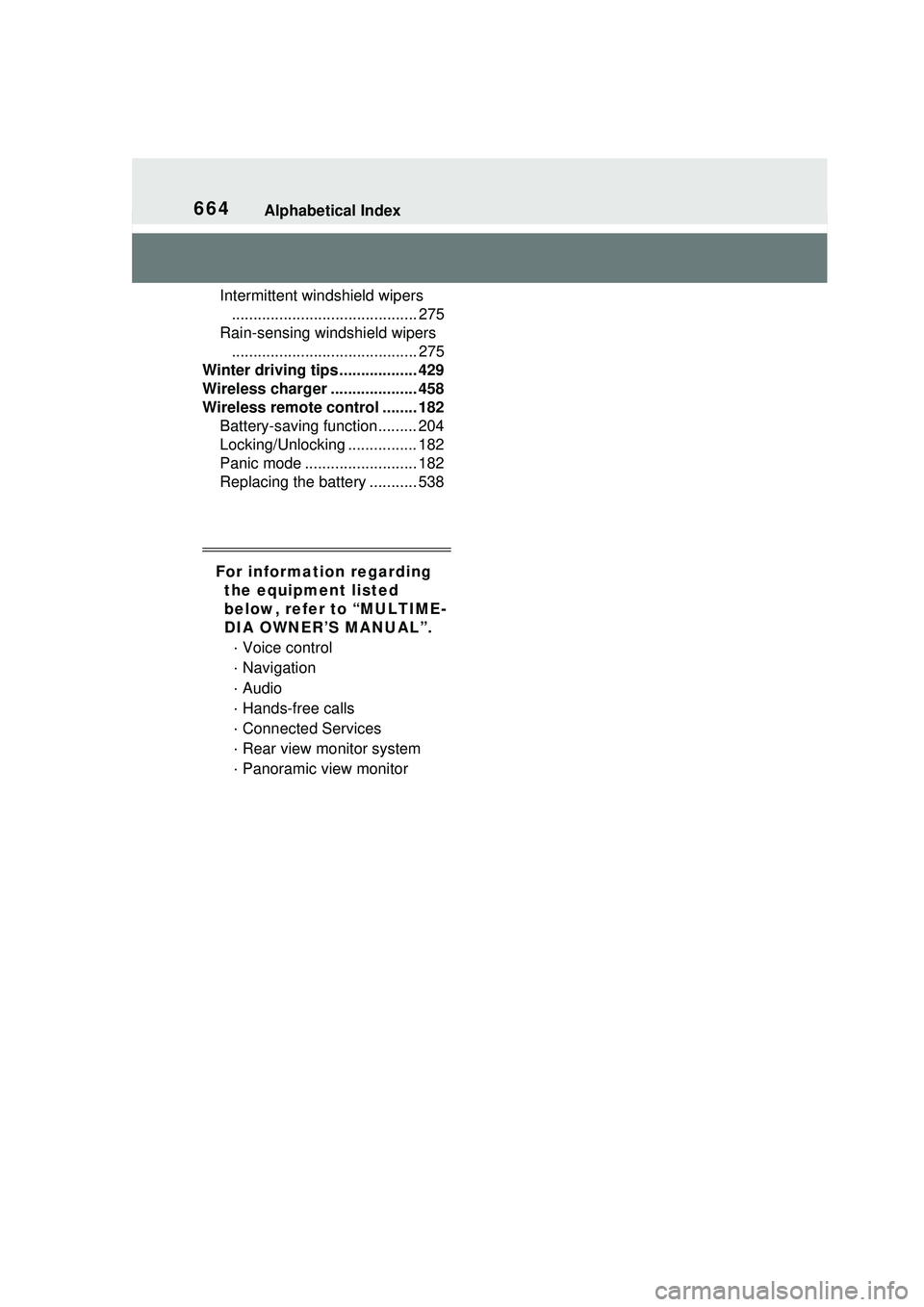
664Alphabetical Index
Intermittent windshield wipers........................................... 275
Rain-sensing windshield wipers ........................................... 275
Winter driving tips .................. 429
Wireless charger .................... 458
Wireless remote c ontrol ........ 182
Battery-saving function......... 204
Locking/Unlocking ................ 182
Panic mode .......................... 182
Replacing the battery ........... 538
For information regarding the equipment listed
below, refer to “MULTIME-
DIA OWNER’S MANUAL”.
· Voice control
· Navigation
· Audio
· Hands-free calls
· Connected Services
· Rear view monitor system
· Panoramic view monitor