tow TOYOTA PRIUS PRIME 2023 Owners Manual
[x] Cancel search | Manufacturer: TOYOTA, Model Year: 2023, Model line: PRIUS PRIME, Model: TOYOTA PRIUS PRIME 2023Pages: 680, PDF Size: 14.97 MB
Page 3 of 680
3TABLE OF CONTENTS
1
2
3
4
5
6
7
8
9
10
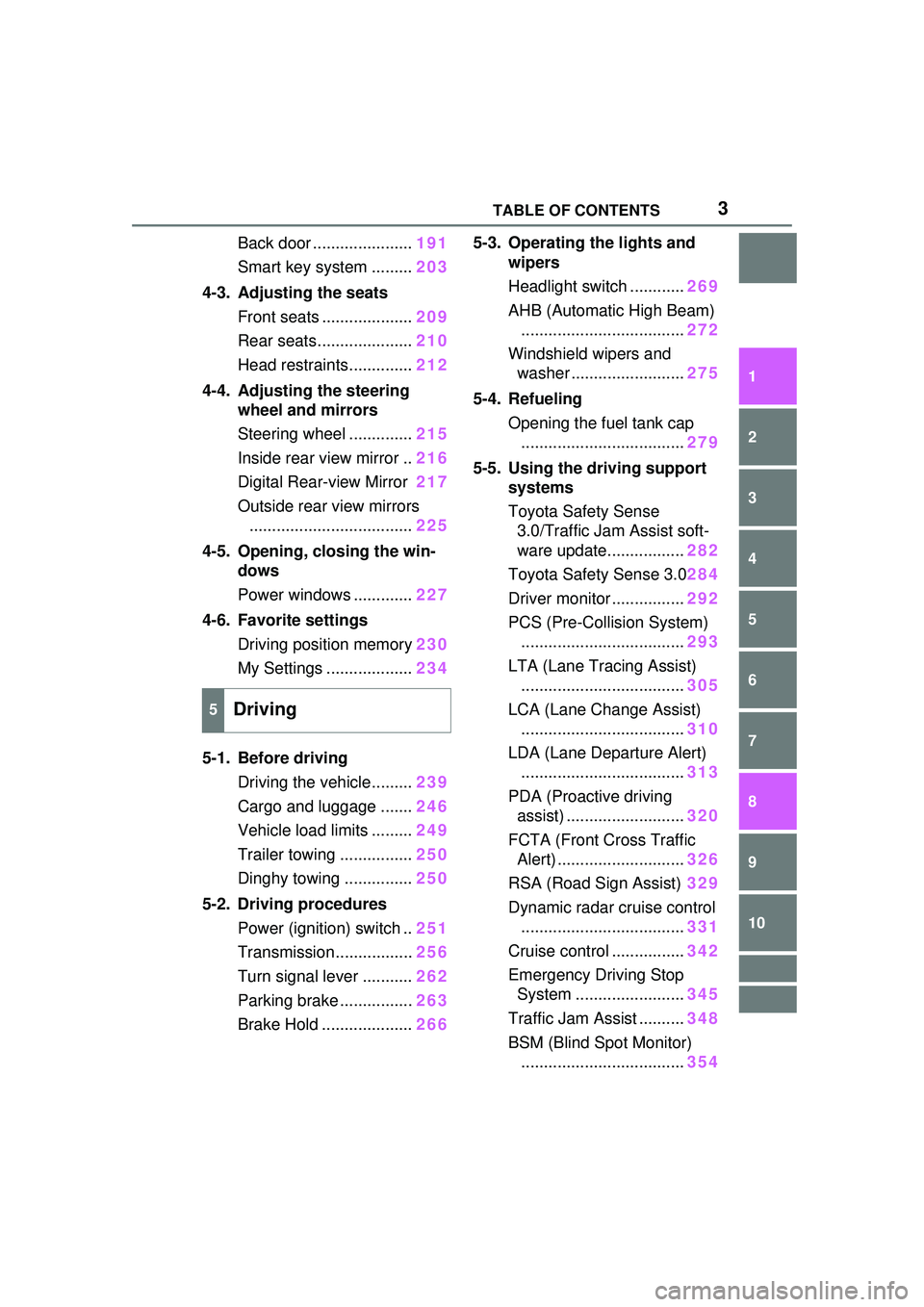
Back door ......................191
Smart key system ......... 203
4-3. Adjusting the seats Front seats .................... 209
Rear seats..................... 210
Head restraints.............. 212
4-4. Adjusting the steering wheel and mirrors
Steering wheel .............. 215
Inside rear view mirror .. 216
Digital Rear-view Mirror 217
Outside rear view mirrors .................................... 225
4-5. Opening, closing the win- dows
Power windows ............. 227
4-6. Favorite settings Driving position memory 230
My Settings ................... 234
5-1. Before driving Driving the vehicle......... 239
Cargo and luggage ....... 246
Vehicle load limits ......... 249
Trailer towing ................ 250
Dinghy towing ............... 250
5-2. Driving procedures Power (ignition) switch .. 251
Transmission................. 256
Turn signal lever ........... 262
Parking brake ................ 263
Brake Hold .................... 2665-3. Operating the lights and
wipers
Headlight switch ............ 269
AHB (Automatic High Beam) .................................... 272
Windshield wipers and washer ......................... 275
5-4. Refueling Opening the fuel tank cap.................................... 279
5-5. Using the driving support systems
Toyota Safety Sense 3.0/Traffic Jam Assist soft-
ware update................. 282
Toyota Safety Sense 3.0 284
Driver monitor ................ 292
PCS (Pre-Collision System) .................................... 293
LTA (Lane Tracing Assist) .................................... 305
LCA (Lane Change Assist) .................................... 310
LDA (Lane Departure Alert) .................................... 313
PDA (Proactive driving assist) .......................... 320
FCTA (Front Cross Traffic Alert) ............................ 326
RSA (Road Sign Assist) 329
Dynamic radar cruise control .................................... 331
Cruise control ................ 342
Emerge
ncy Driving Stop
System ........................ 345
Traffic Jam Assist .......... 348
BSM (Blind Spot Monitor) .................................... 354
5Driving
Page 5 of 680
5TABLE OF CONTENTS
1
2
3
4
5
6
7
8
9
10
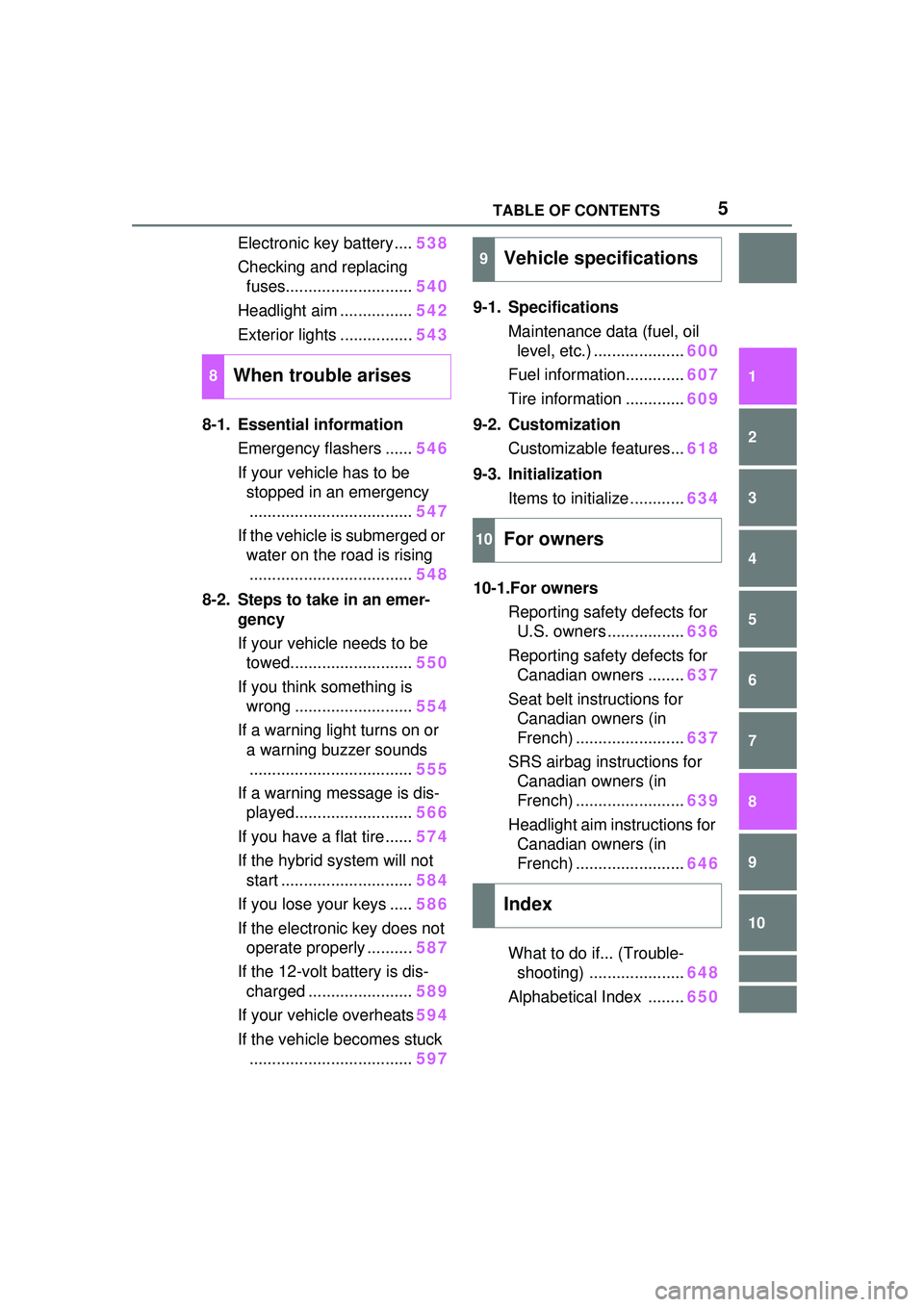
Electronic key battery....538
Checking and replacing fuses............................ 540
Headlight aim ................ 542
Exterior lights ................ 543
8-1. Essential information Emergency flashers ...... 546
If your vehicle has to be stopped in an emergency.................................... 547
If the vehicle is submerged or water on the road is rising.................................... 548
8-2. Steps to take in an emer- gency
If your vehicle needs to be towed........................... 550
If you think something is wrong .......................... 554
If a warning light turns on or a warning buzzer sounds.................................... 555
If a warning message is dis- played.......................... 566
If you have a flat tire...... 574
If the hybrid system will not start ............................. 584
If you lose your keys ..... 586
If the electronic key does not operate properly .......... 587
If the 12-volt battery is dis- charged ....................... 589
If your vehicle overheats 594
If the vehicle becomes stuck .................................... 5979-1. Specifications
Maintenance data (fuel, oil level, etc.) .................... 600
Fuel information............. 607
Tire information ............. 609
9-2. Customization Customizable features... 618
9-3. Initialization Items to initialize ............ 634
10-1.For owners Reporting safety defects for U.S. owners ................. 636
Reporting safety defects for Canadian owners ........ 637
Seat belt instructions for Canadian owners (in
French) ........................ 637
SRS airbag instructions for Canadian owners (in
French) ........................ 639
Headlight aim instructions for Canadian owners (in
French) ........................ 646
What to do if... (Trouble- shooting) ..................... 648
Alphabetical Index ........ 650
8When trouble arises
9Vehicle specifications
10For owners
Index
Page 20 of 680
20Pictorial index
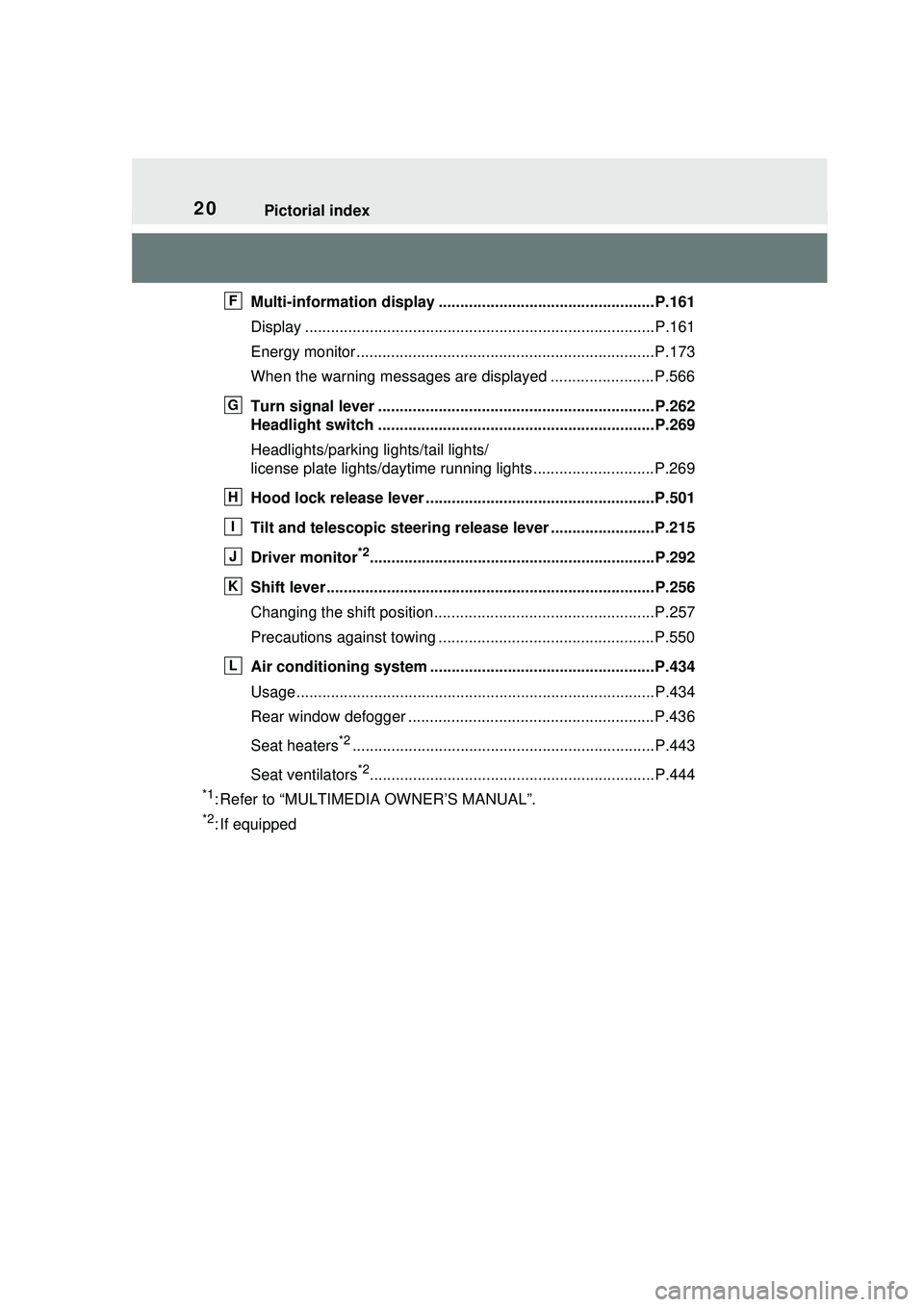
Multi-information display ..................................................P.161
Display .................................................................................P.161
Energy monitor.....................................................................P.173
When the warning messages are displayed ........................P.566
Turn signal lever ................................................................P.262
Headlight switch ................................................................P.269
Headlights/parking lights/tail lights/
license plate lights/dayti me running lights ............................P.269
Hood lock releas e lever .............................................. .......P.501
Tilt and telescopic steering rele ase lever ........................P.215
Driver monitor
*2..................................................................P.292
Shift lever............................................................................P.256
Changing the shift position...................................................P.257
Precautions against towing ..................................................P.550
Air conditioning system ............. .......................................P.434
Usage...................................................................................P.434
Rear window defogger .........................................................P.436
Seat heaters
*2......................................................................P.443
Seat ventilators
*2..................................................................P.444
*1: Refer to “MULTIMEDIA OWNER’S MANUAL”.
*2: If equipped
F
G
H
I
J
K
L
Page 40 of 680
401-1. For safe use
WARNING
■SRS airbag precautions
Observe the following precau-
tions. Failure to do so may result
in death or serious injury.
●The driver and all passengers
must wear their seat belts cor-
rectly.
The SRS airbags are supple-
mental devices to be used with
the seat belts.
●The SRS driver airbag deploys
with considerable force, and
can cause death or serious
injury, especially if the driver is
very close to the airbag. The
National Highway Traffic Safety
Administration (NHTSA)
advises:
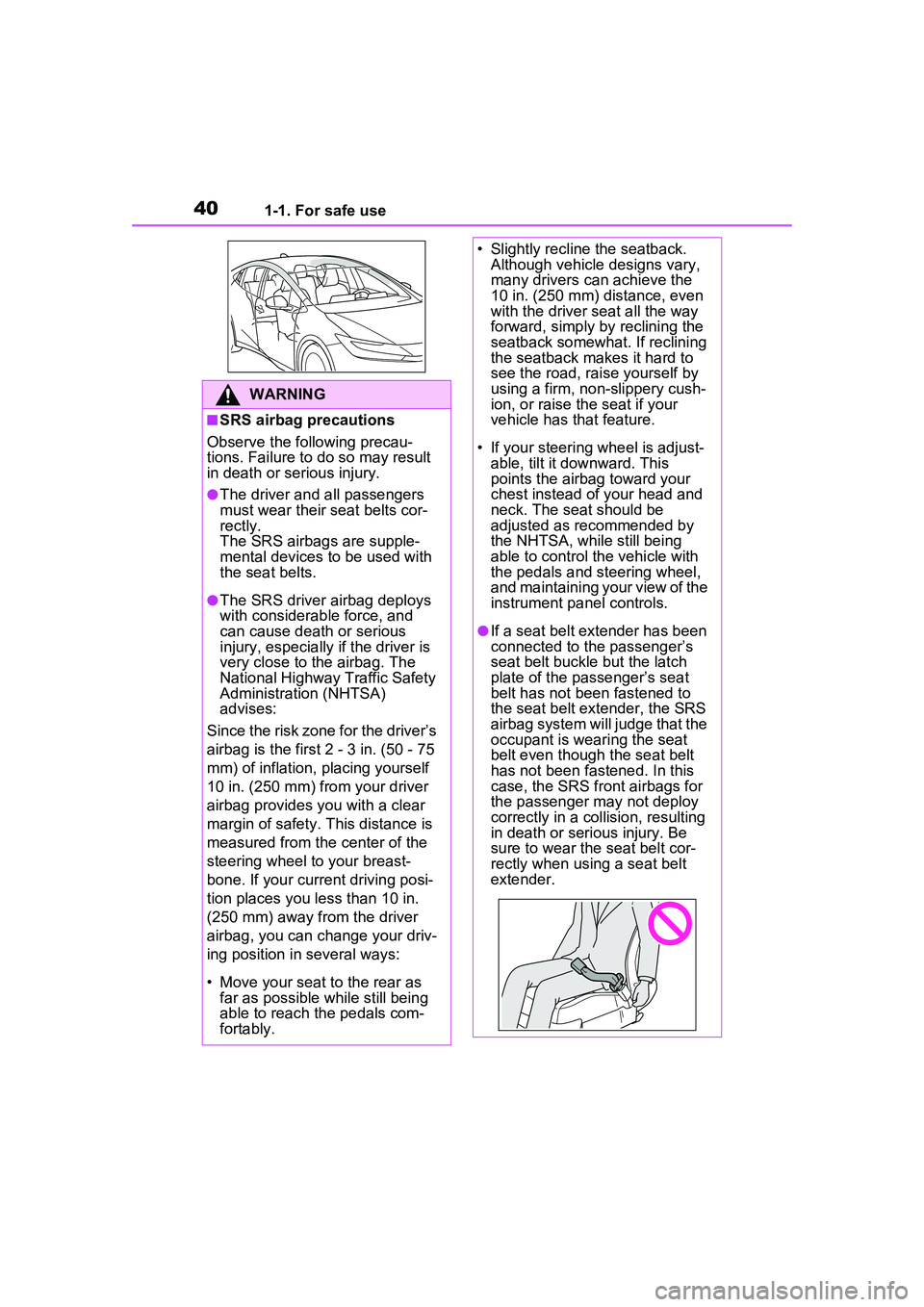
Since the risk zone for the driver’s
airbag is the first 2 - 3 in. (50 - 75
mm) of inflation, placing yourself
10 in. (250 mm) from your driver
airbag provides you with a clear
margin of safety. This distance is
measured from the center of the
steering wheel to your breast-
bone. If your current driving posi-
tion places you less than 10 in.
(250 mm) away from the driver
airbag, you can change your driv-
ing position in several ways:
• Move your seat to the rear as far as possible while still being
able to reach the pedals com-
fortably.
• Slightly recline the seatback. Although vehicle designs vary,
many drivers can achieve the
10 in. (250 mm) distance, even
with the driver seat all the way
forward, simply by reclining the
seatback somewhat. If reclining
the seatback makes it hard to
see the road, raise yourself by
using a firm, non-slippery cush-
ion, or raise the seat if your
vehicle has that feature.
• If your steering wheel is adjust- able, tilt it downward. This
points the airbag toward your
chest instead of your head and
neck. The seat should be
adjusted as recommended by
the NHTSA, while still being
able to control the vehicle with
the pedals and steering wheel,
and maintaining your view of the
instrument panel controls.
●If a seat belt extender has been
connected to the passenger’s
seat belt buckle but the latch
plate of the passenger’s seat
belt has not been fastened to
the seat belt extender, the SRS
airbag system will judge that the
occupant is wearing the seat
belt even though the seat belt
has not been fastened. In this
case, the SRS front airbags for
the passenger may not deploy
correctly in a collision, resulting
in death or serious injury. Be
sure to wear the seat belt cor-
rectly when using a seat belt
extender.
Page 41 of 680
411-1. For safe use
1
For safety and security
WARNING
●The SRS front passenger air-
bag deploys with considerable
force, and can cause death or
serious injury, especially if the
front passenger is very close to
the airbag. The front passenger
seat should be positioned as far
possible from the airbag with
the seatback adjusted so that
the passenger is sat upright.
●Improperly seated and/or
restrained infants and children
can be killed or seriously injured
by a deploying airbag. An infant
or child who is too small to use
a seat belt should be properly
secured using a child restraint
system. Toyota strongly recom-
mends that all infants and chil-
dren be placed in the rear seats
of the vehicle and properly
restrained. The rear seats are
safer for infants and children
than the front passenger seat.
( P.51)
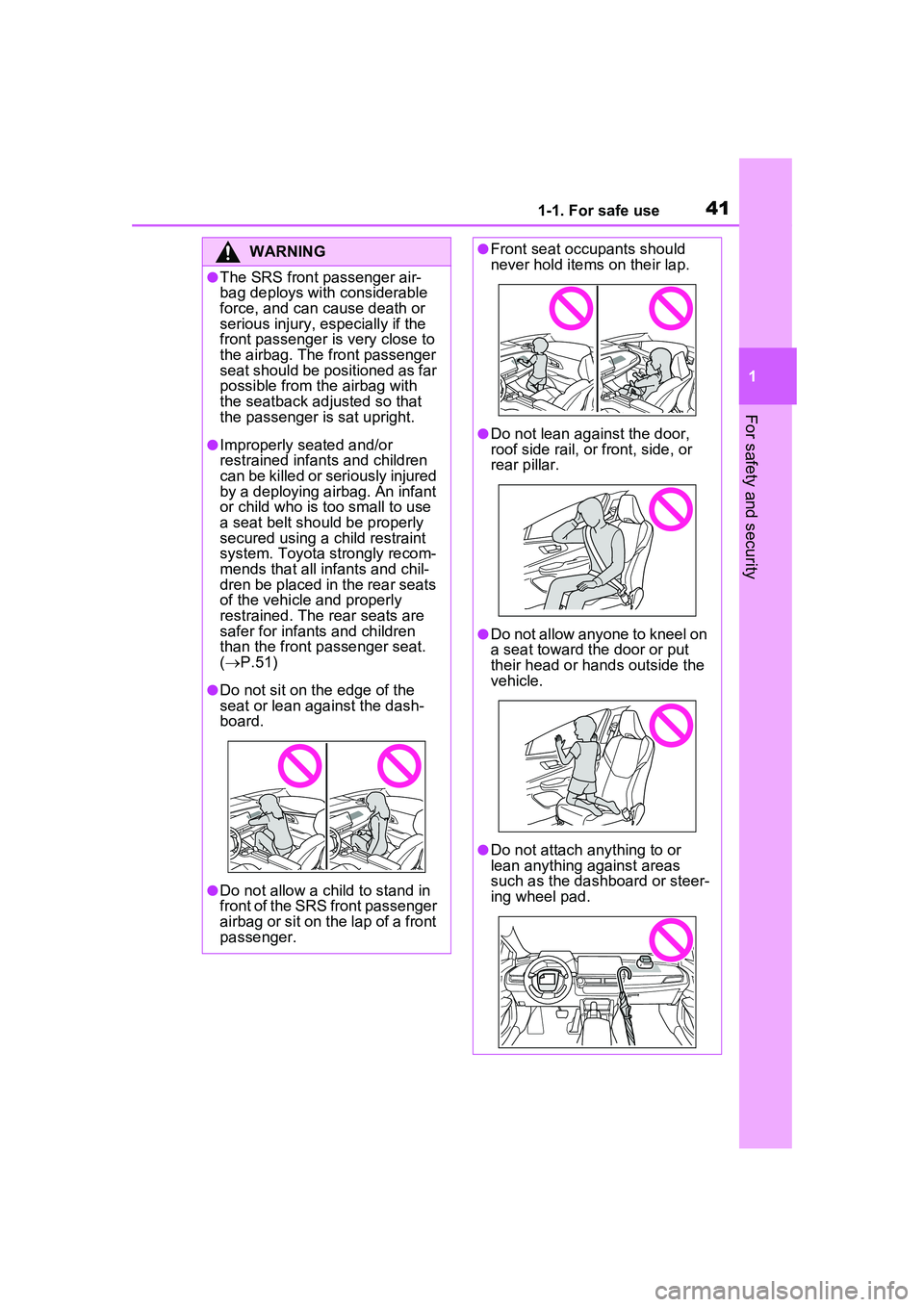
●Do not sit on the edge of the
seat or lean against the dash-
board.
●Do not allow a child to stand in
front of the SRS front passenger
airbag or sit on the lap of a front
passenger.
●Front seat occupants should
never hold items on their lap.
●Do not lean against the door,
roof side rail, or front, side, or
rear pillar.
●Do not allow anyone to kneel on
a seat toward the door or put
their head or hands outside the
vehicle.
●Do not attach anything to or
lean anything against areas
such as the dashboard or steer-
ing wheel pad.
Page 59 of 680
591-2. Child safety
1
For safety and security
buckle. Make sure that the
belt is not twisted.
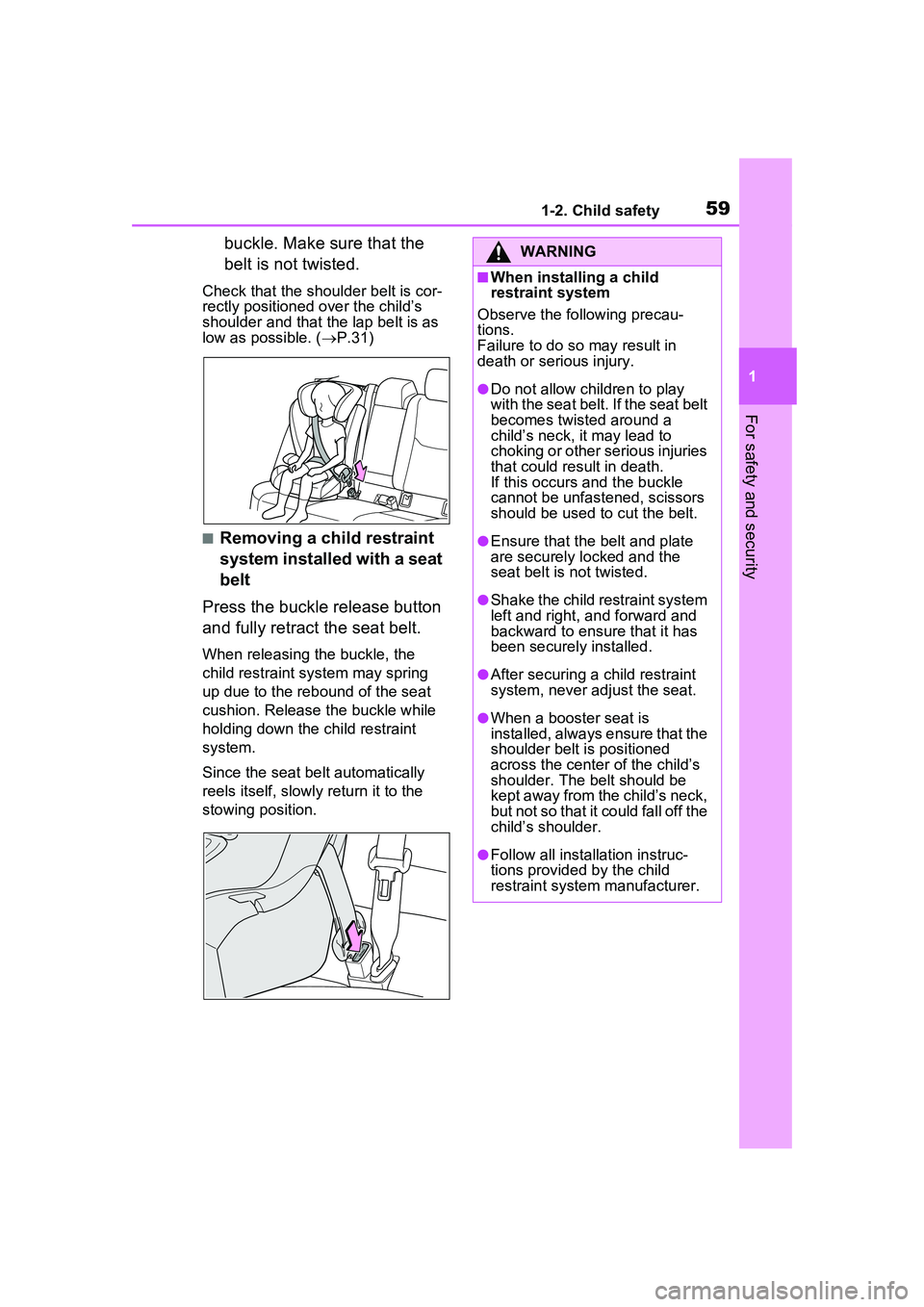
Check that the shoulder belt is cor-
rectly positioned over the child’s
shoulder and that the lap belt is as
low as possible. (P.31)
■Removing a child restraint
system installed with a seat
belt
Press the buckle release button
and fully retract the seat belt.
When releasing the buckle, the
child restraint system may spring
up due to the rebound of the seat
cushion. Release the buckle while
holding down the child restraint
system.
Since the seat belt automatically
reels itself, slowly return it to the
stowing position.
WARNING
■When installing a child
restraint system
Observe the following precau-
tions.
Failure to do so may result in
death or serious injury.
●Do not allow children to play
with the seat belt. If the seat belt
becomes twisted around a
child’s neck, it may lead to
choking or other serious injuries
that could result in death.
If this occurs and the buckle
cannot be unfastened, scissors
should be used to cut the belt.
●Ensure that the belt and plate
are securely locked and the
seat belt is not twisted.
●Shake the child restraint system
left and right, and forward and
backward to ensure that it has
been securely installed.
●After securing a child restraint
system, never adjust the seat.
●When a booster seat is
installed, always ensure that the
shoulder belt is positioned
across the center of the child’s
shoulder. The belt should be
kept away from the child’s neck,
but not so that it could fall off the
child’s shoulder.
●Follow all installation instruc-
tions provided by the child
restraint system manufacturer.
Page 68 of 680
681-3. Emergency assistance
■Enhanced Roadside Assis-
tance
Enhanced Roadside Assistance
adds GPS data to the already
included warranty-based Toyota
roadside service.
Subscribers can press the
“SOS” button to reach a Safety
Connect response-center agent,
who can help with a wide range
of needs, such as: towing, flat
tire, fuel delivery, etc. For a
description of the Enhanced
Roadside Assistance services
and their limitations, please see
the Safety Connect Terms and
Conditions, which are available
at Toyota.com in the United
States, Toyotapr.com in Puerto
Rico and Toyota.ca in Canada.
Important! Read this informa-
tion before using Safety Con-
nect.
■Exposure to radio fre-
quency signals
The Safety Connect system
installed in your vehicle is a low-
power radio transmitter and
receiver. It receives and also
sends out radio frequency (RF)
signals.
In August 1996, the Federal
Communications Commission
(FCC) adopted RF exposure
guidelines with safety levels for mobile wireless phones. Those
guidelines are consistent with
the safety standards previously
set by the following U.S. and
international standards bodies.
ANSI (American National
Standards Institute) C95.1
[1992]
NCRP (National Council on
Radiation Protection and
Measurement) Report 86
[1986]
ICNIRP (International Com-
mission on Non-Ionizing Radi-
ation Protection) [1996]
Those standards were based on
comprehensive and periodic
evaluations of the relevant sci-
entific literature. Over 120 scien-
tists, engineers, and physicians
from universities, and govern-
ment health agencies and
industries reviewed the avail-
able body of research to
develop the ANSI Standard
(C95.1).
The design of Safety Connect
complies with the FCC guide-
lines in addition to those stan-
dards.
■Free/Open Source Soft-
ware Information
This product contains
Free/Open Source Software
(FOSS). The license information
and/or the source code of such
FOSS can be found at the fol-
lowing URL.
Safety information for
Safety Connect
Page 85 of 680
852-1. Plug-in hybrid system
2
Plug-in hybrid system
WARNING
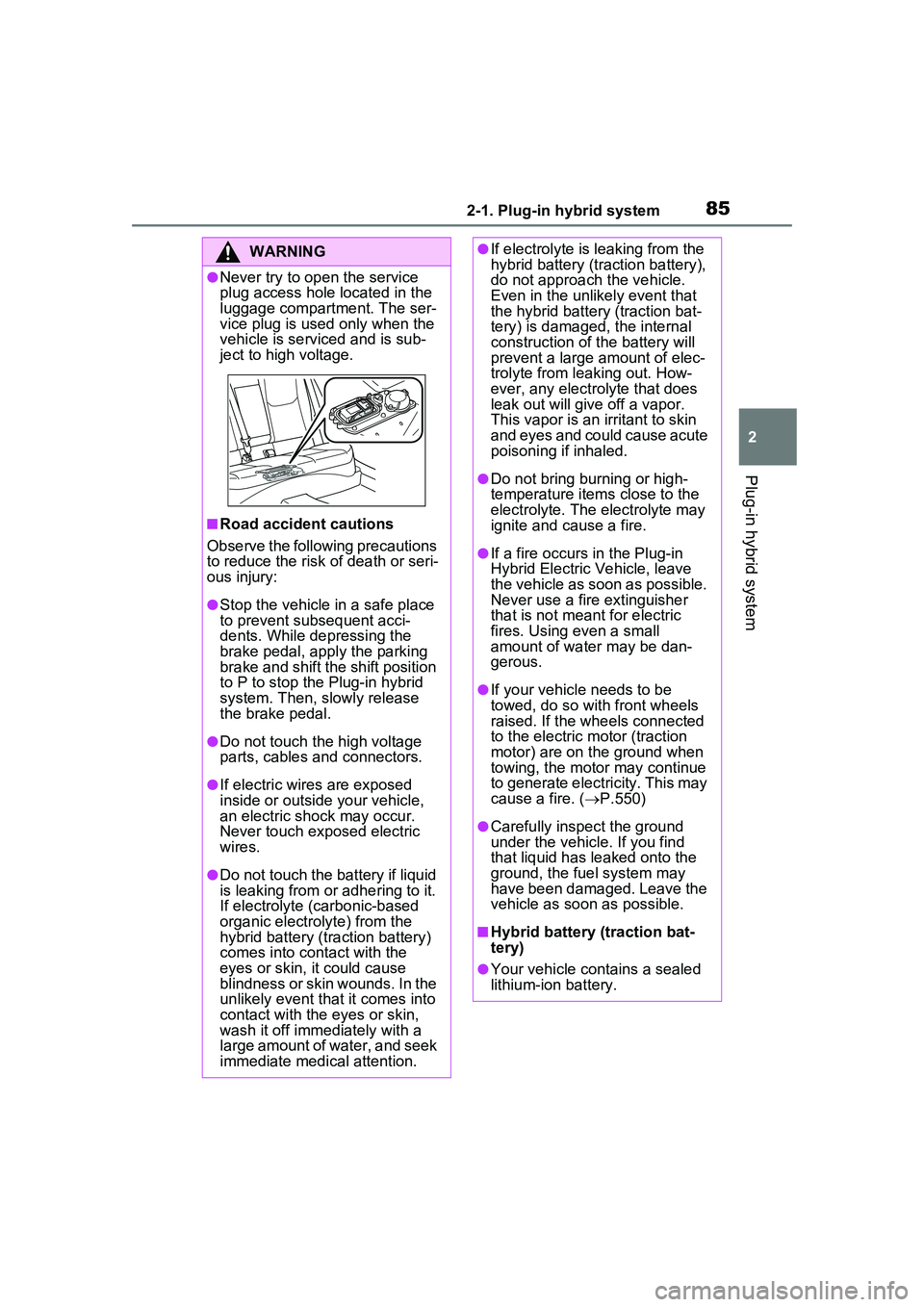
●Never try to open the service
plug access hole located in the
luggage compartment. The ser-
vice plug is used only when the
vehicle is serviced and is sub-
ject to high voltage.
■Road accident cautions
Observe the following precautions
to reduce the risk of death or seri-
ous injury:
●Stop the vehicle in a safe place
to prevent subsequent acci-
dents. While depressing the
brake pedal, apply the parking
brake and shift the shift position
to P to stop the Plug-in hybrid
system. Then, slowly release
the brake pedal.
●Do not touch the high voltage
parts, cables and connectors.
●If electric wires are exposed
inside or outside your vehicle,
an electric shock may occur.
Never touch exposed electric
wires.
●Do not touch the battery if liquid
is leaking from or adhering to it.
If electrolyte (carbonic-based
organic electrolyte) from the
hybrid battery (traction battery)
comes into contact with the
eyes or skin, it could cause
blindness or skin wounds. In the
unlikely event that it comes into
contact with the eyes or skin,
wash it off immediately with a
large amount of water, and seek
immediate medical attention.
●If electrolyte is leaking from the
hybrid battery (traction battery),
do not approach the vehicle.
Even in the unlikely event that
the hybrid battery (traction bat-
tery) is damaged, the internal
construction of the battery will
prevent a large amount of elec-
trolyte from leaking out. How-
ever, any electrolyte that does
leak out will give off a vapor.
This vapor is an irritant to skin
and eyes and could cause acute
poisoning if inhaled.
●Do not bring burning or high-
temperature items close to the
electrolyte. The electrolyte may
ignite and cause a fire.
●If a fire occurs in the Plug-in
Hybrid Electric Vehicle, leave
the vehicle as soon as possible.
Never use a fire extinguisher
that is not meant for electric
fires. Using even a small
amount of water may be dan-
gerous.
●If your vehicle needs to be
towed, do so with front wheels
raised. If the wheels connected
to the electric motor (traction
motor) are on the ground when
towing, the motor may continue
to generate electricity. This may
cause a fire. ( P.550)
●Carefully inspect the ground
under the vehicle. If you find
that liquid has leaked onto the
ground, the fuel system may
have been damaged. Leave the
vehicle as soon as possible.
■Hybrid battery (traction bat-
tery)
●Your vehicle contains a sealed
lithium-ion battery.
Page 122 of 680
1222-2. Charging
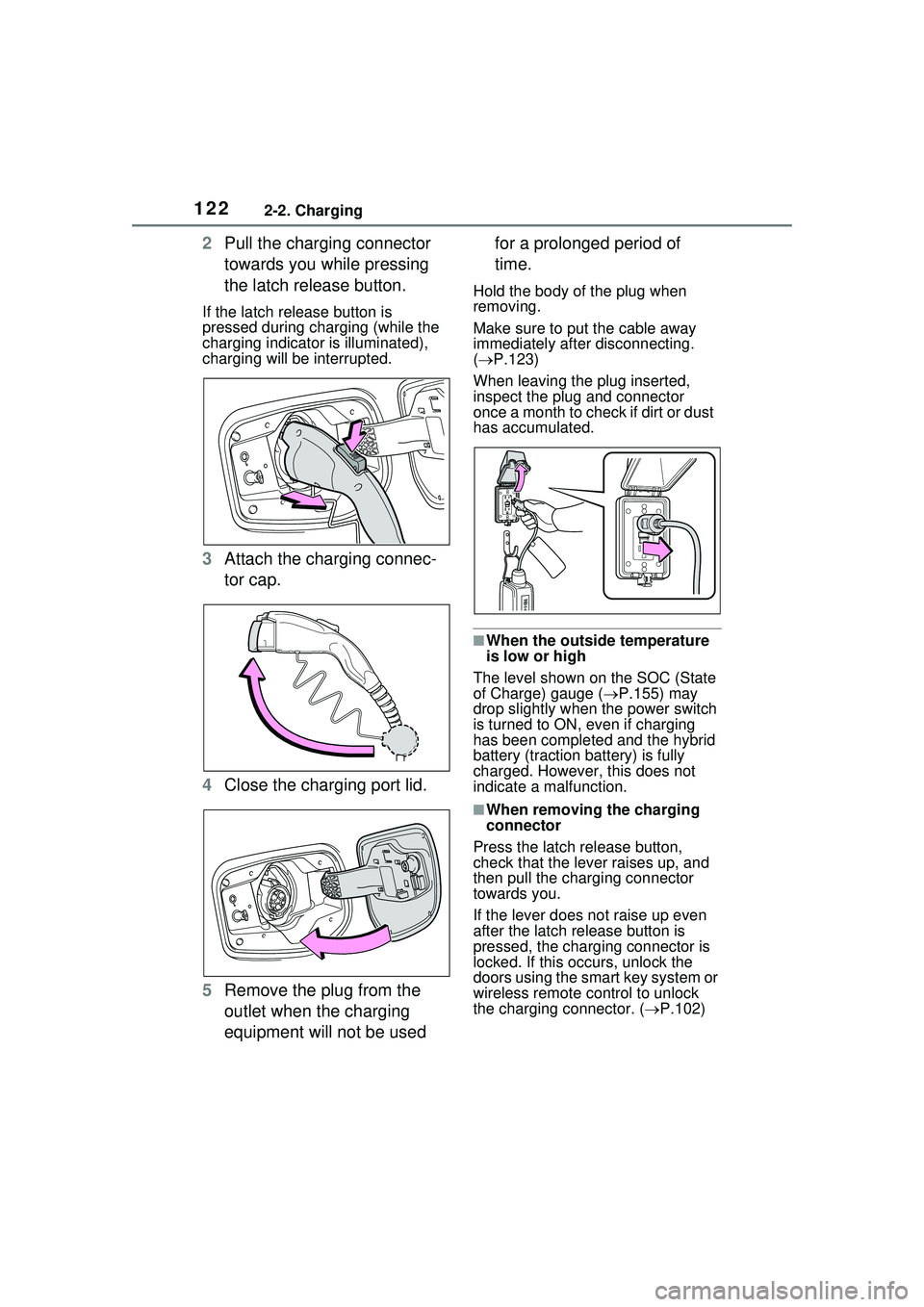
2Pull the charging connector
towards you while pressing
the latch release button.
If the latch release button is
pressed during charging (while the
charging indicator is illuminated),
charging will be interrupted.
3Attach the charging connec-
tor cap.
4 Close the charging port lid.
5 Remove the plug from the
outlet when the charging
equipment will not be used for a prolonged period of
time.
Hold the body of the plug when
removing.
Make sure to put the cable away
immediately after disconnecting.
(
P.123)
When leaving the plug inserted,
inspect the plug and connector
once a month to check if dirt or dust
has accumulated.
■When the outside temperature
is low or high
The level shown on the SOC (State
of Charge) gauge ( P.155) may
drop slightly when the power switch
is turned to ON, even if charging
has been completed and the hybrid
battery (traction battery) is fully
charged. However, this does not
indicate a malfunction.
■When removing the charging
connector
Press the latch release button,
check that the lever raises up, and
then pull the charging connector
towards you.
If the lever does not raise up even
after the latch release button is
pressed, the charging connector is
locked. If this occurs, unlock the
doors using the smart key system or
wireless remote control to unlock
the charging connector. ( P.102)
Page 205 of 680
2054-2. Opening, closing and locking the doors
4
Before driving
an area of approximately 11.5 ft.
(3.5 m) of the outside of the vehi-
cle for 40 seconds or longer.
• The smart key system has not been used for 5 days or longer.
●If the smart key system has not
been used for 14 days or longer,
the doors cannot be unlocked at
any doors except the driver’s
door. In this case, take hold of the
driver’s door handle, or use the
wireless remote control or the
mechanical key, to unlock the
doors.
■Turning an electronic key to
battery-saving mode
●When battery-saving mode is set,
battery depletion is minimized by
stopping the electronic key from
receiving radio waves.
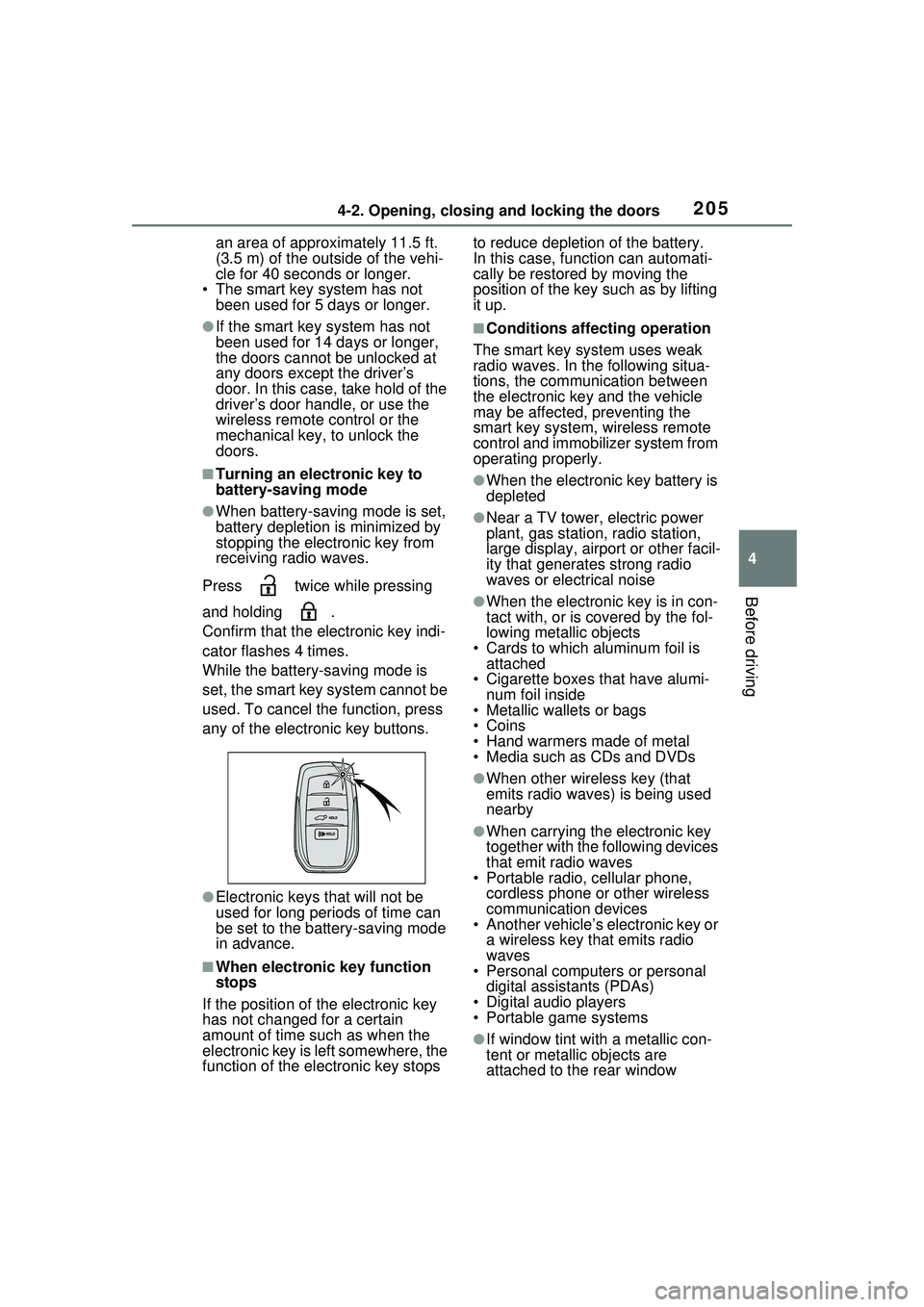
Press twice while pressing
and holding .
Confirm that the electronic key indi-
cator flashes 4 times.
While the battery-saving mode is
set, the smart key system cannot be
used. To cancel the function, press
any of the electronic key buttons.
●Electronic keys that will not be
used for long periods of time can
be set to the battery-saving mode
in advance.
■When electronic key function
stops
If the position of the electronic key
has not changed for a certain
amount of time such as when the
electronic key is left somewhere, the
function of the electronic key stops to reduce depletion of the battery.
In this case, function can automati-
cally be restored by moving the
position of the key such as by lifting
it up.
■Conditions affecting operation
The smart key system uses weak
radio waves. In the following situa-
tions, the communication between
the electronic key and the vehicle
may be affected, preventing the
smart key system, wireless remote
control and immobilizer system from
operating properly.
●When the electronic key battery is
depleted
●Near a TV tower, electric power
plant, gas station, radio station,
large display, airport or other facil-
ity that generates strong radio
waves or electrical noise
●When the electronic key is in con-
tact with, or is covered by the fol-
lowing metallic objects
• Cards to which aluminum foil is attached
• Cigarette boxes that have alumi-
num foil inside
• Metallic wallets or bags
•Coins
• Hand warmers made of metal
• Media such as CDs and DVDs
●When other wireless key (that
emits radio waves) is being used
nearby
●When carrying the electronic key
together with the following devices
that emit radio waves
• Portable radio, cellular phone, cordless phone or other wireless
communication devices
• Another vehicle’s electronic key or a wireless key that emits radio
waves
• Personal computers or personal digital assistants (PDAs)
• Digital audio players
• Portable game systems
●If window tint with a metallic con-
tent or metallic objects are
attached to the rear window