pairing phone TOYOTA PRIUS V 2012 Accessories, Audio & Navigation (in English)
[x] Cancel search | Manufacturer: TOYOTA, Model Year: 2012, Model line: PRIUS V, Model: TOYOTA PRIUS V 2012Pages: 24, PDF Size: 1.61 MB
Page 4 of 24
3
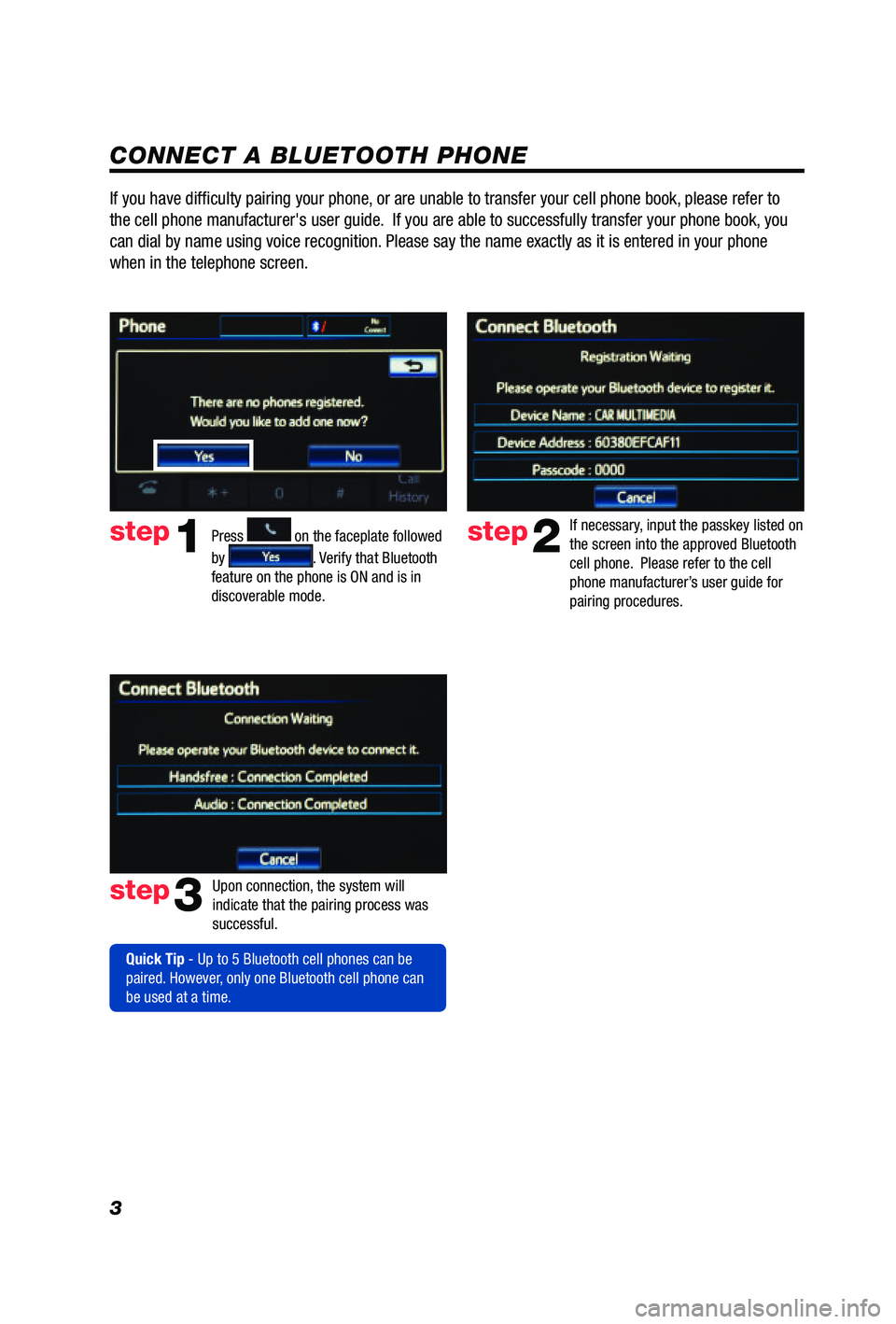
CONNECT A BLUETOOTH PHONE
Press
1
2
3
6
7
5
4
APPS
on the faceplate followed
by
. Verify that Bluetooth
feature on the phone is ON and is in
discoverable mode.
step2
step3
step1
If necessary, input the passkey listed on
the screen into the approved Bluetooth
cell phone. Please refer to the cell
phone manufacturer’s user guide for
pairing procedures.
Upon connection, the system will
indicate that the pairing process was
successful.
Quick Tip - Up to 5 Bluetooth cell phones can be
paired. However, only one Bluetooth cell phone can
be used at a time.
If you have difficulty pairing your phone, or are unable to transfer your cell phone book, please refer to
the cell phone manufacturer's user guide. If you are able to successfully transfer your phone book, you
can dial by name using voice recognition. Please say the name exactly as it is entered in your phone
when in the telephone screen.
Page 6 of 24
5
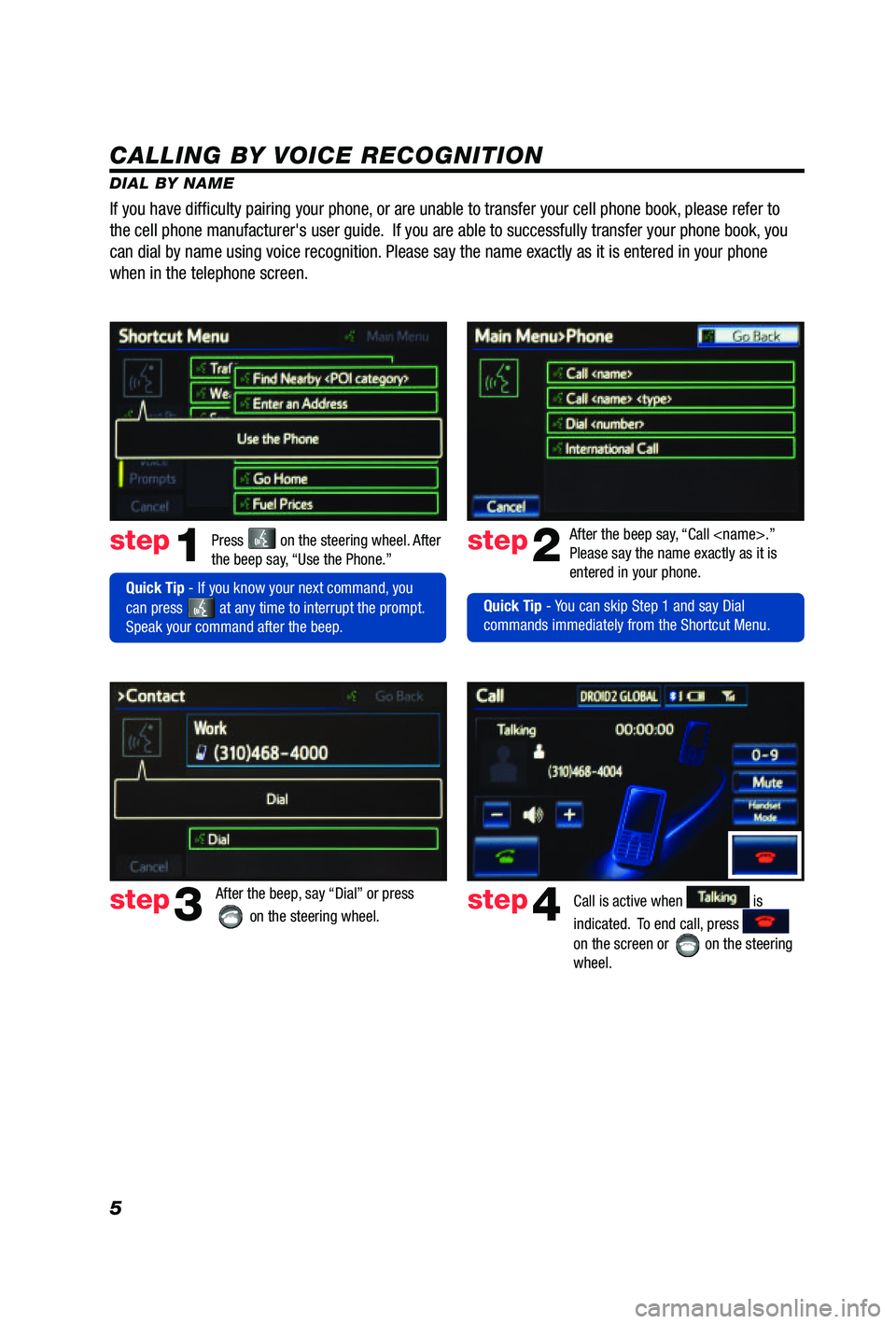
CALLING BY VOICE RECOGNITION
DIAL BY NAMEPress
on the steering wheel. After
the beep say, “Use the Phone.”step1
Quick Tip - If you know your next command, you
can press
at any time to interrupt the prompt.
Speak your command after the beep. After the beep say, “Call
Please say the name exactly as it is
entered in your phone.
step2
step3
After the beep, say “Dial” or press
on the steering wheel. step4Call is active when is
indicated. To end call, press
on the screen or
on the steering
wheel.
If you have diffi culty pairing your phone, or are unable to transfer your cell phone book, please refer to
the cell phone manufacturer's user guide. If you are able to successfully transfer your phone book, you
can dial by name using voice recognition. Please say the name exactly as it is entered in your phone
when in the telephone screen.
Quick Tip - You can skip Step 1 and say Dial
commands immediately from the Shortcut Menu.
Page 22 of 24
21
- NEW CUSTOMER REGISTRATION
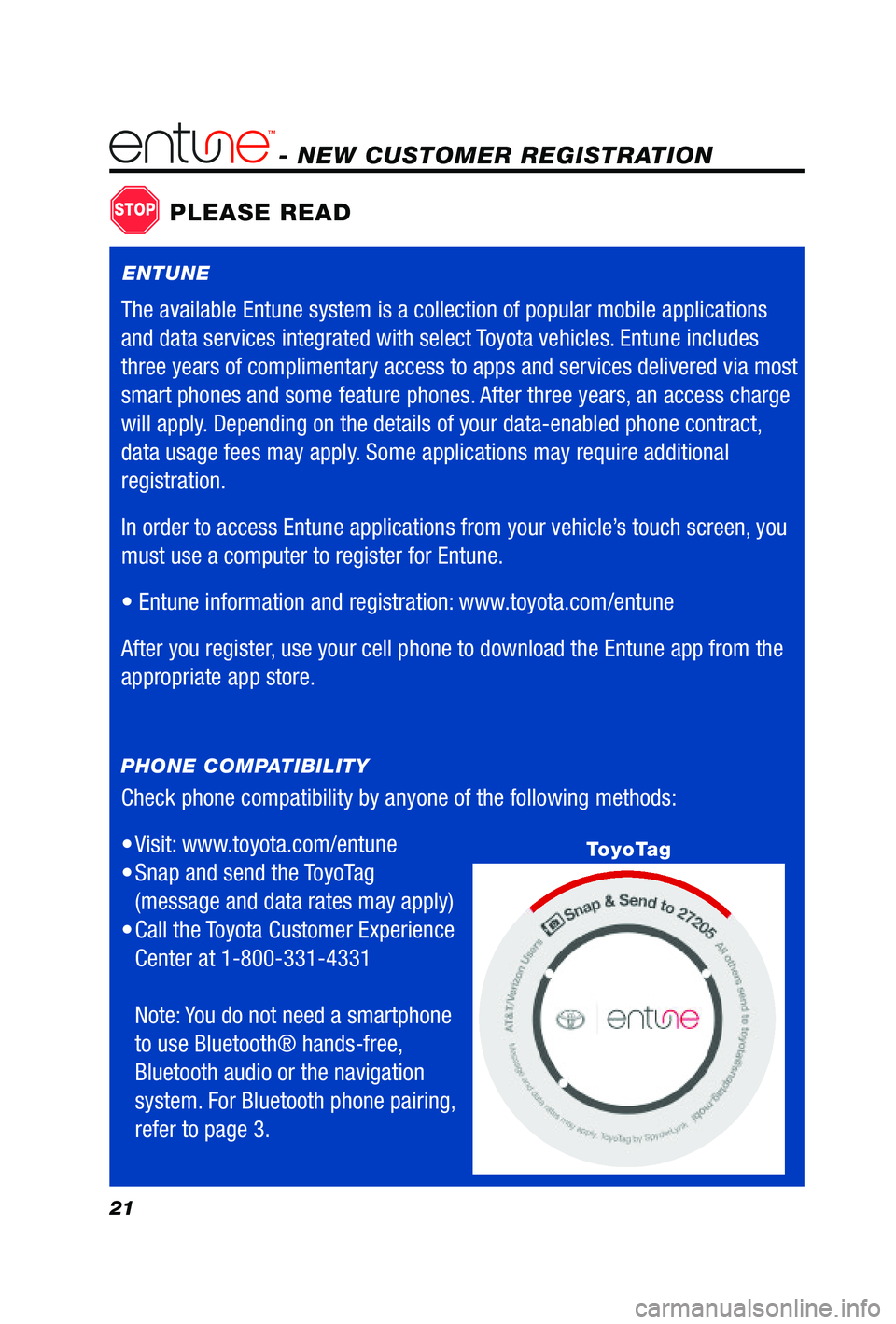
Check phone compatibility by anyone of the following methods:
• Visit:
www.toyota.com/entune
• Snap and send the ToyoTag
(message and data rates may apply)
• Call
the Toyota Customer Experience
Center at 1-800-331-4331
Note: You do not need a smartphone
to use Bluetooth® hands-free,
Bluetooth audio or the navigation
system. For Bluetooth phone pairing,
refer to page 3.
PHONE COMPATIBILITY
STOPPLEASE READ
ToyoTag
ENTUNE
The available Entune system is a collection of popular mobile applications
and data services integrated with select Toyota vehicles. Entune includes
three years of complimentary access to apps and services delivered via most
smart phones and some feature phones. After three years, an access charge
will apply. Depending on the details of your data-enabled phone contract,
data usage fees may apply. Some applications may require additional
registration.
In order to access Entune applications from your vehicle’s touch screen, you
must use a computer to register for Entune.
•
Entune information and registration: www.toyota.com/entune
After you register, use your cell phone to download the Entune app from the
appropriate app store.