TOYOTA PRIUS V 2012 Owners Manual (in English)
PRIUS V 2012
TOYOTA
TOYOTA
https://www.carmanualsonline.info/img/14/42706/w960_42706-0.png
TOYOTA PRIUS V 2012 Owners Manual (in English)
Page 9 of 564
9
PRIUS v_U (OM47674U)
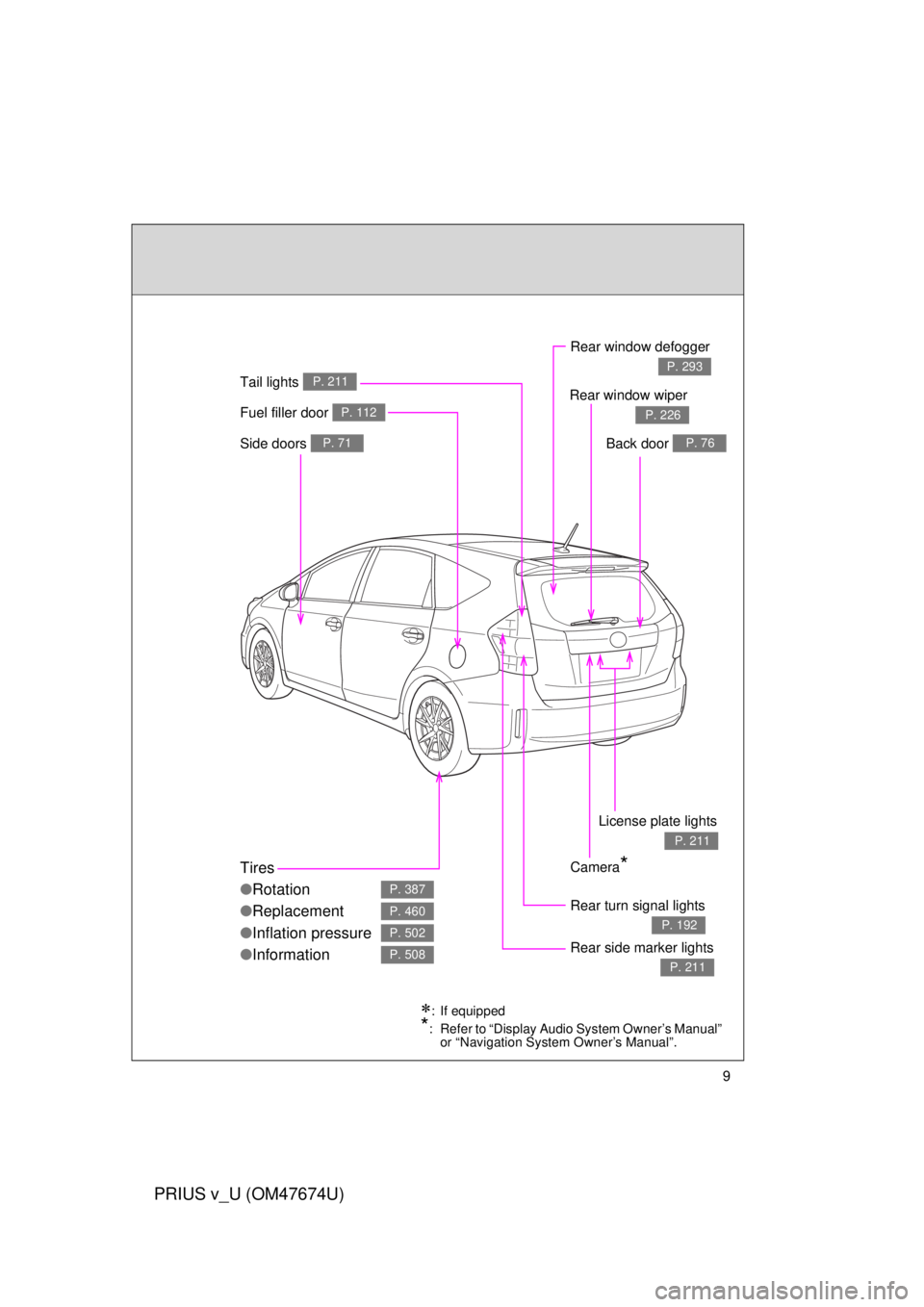
Fuel filler door P. 112
Rear turn signal lights
P. 192
Rear window defogger
P. 293
Tires
●Rotation
● Replacement
● Inflation pressure
● Information
P. 387
P. 460
P. 502
P. 508Rear side marker lights
P. 211
Tail lights P. 211
Camera*
Side doors P. 71Back door P. 76
Rear window wiper
P. 226
License plate lights
P. 211
: If equipped
*: Refer to “Display Audio System Owner’s Manual”
or “Navigation System Owner’s Manual”.
Page 11 of 564
11
PRIUS v_U (OM47674U)
A
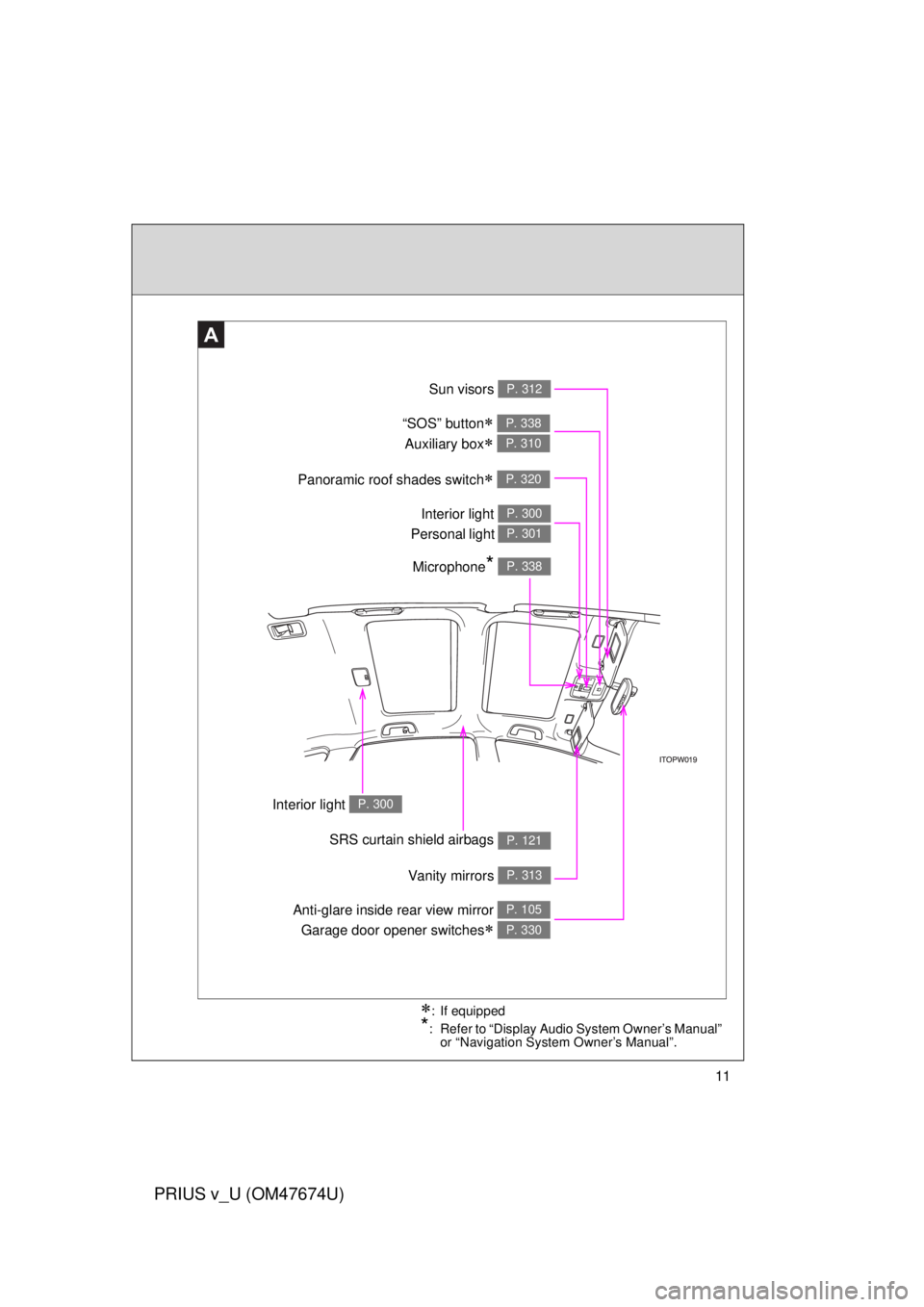
Anti-glare inside rear view mirror Garage door opener switches
P. 105
P. 330
Sun visors P. 312
SRS curtain shield airbags P. 121
Interior light P. 300
Panoramic roof shades switch P. 320
Vanity mirrors P. 313
Interior light
Personal light P. 300
P. 301
: If equipped
*: Refer to “Display Audio System Owner’s Manual” or “Navigation System Owner’s Manual”.
Microphone* P. 338
“SOS” button
Auxiliary box
P. 338
P. 310
Page 14 of 564
14
PRIUS v_U (OM47674U)
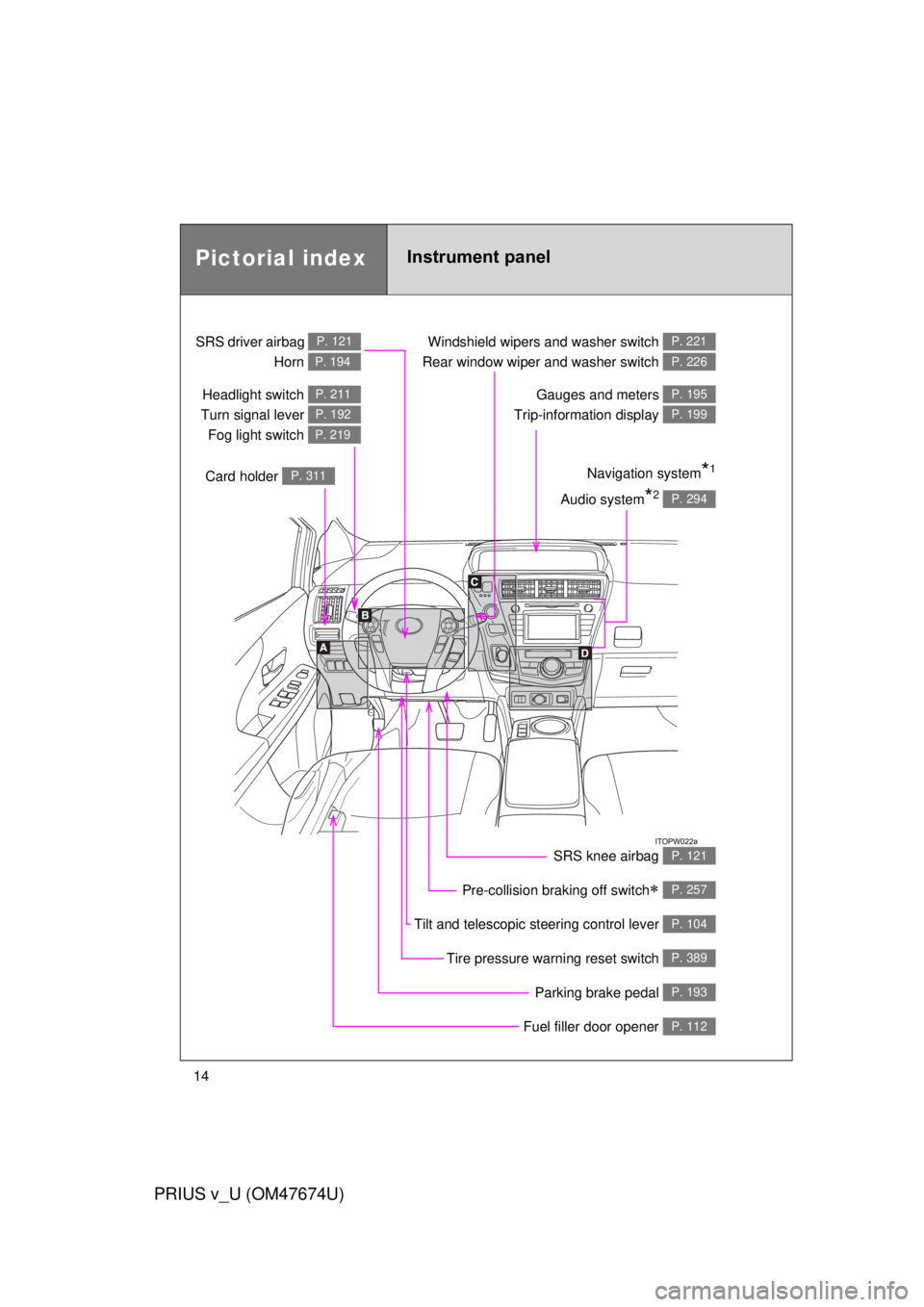
Pictorial indexInstrument panel
Headlight switch
Turn signal lever Fog light switch P. 211
P. 192
P. 219
Pre-collision braking off switch P. 257
Parking brake pedal P. 193
Fuel filler door opener P. 112
Tire pressure warning reset switch P. 389
Windshield wipers and washer switch
Rear window wiper and washer switch P. 221
P. 226
Gauges and meters
Trip-information display P. 195
P. 199
Audio system*2 P. 294
Navigation system*1
SRS driver airbag
Horn P. 121
P. 194
Card holder P. 311
Tilt and telescopic steering control lever P. 104
SRS knee airbag P. 121
Page 15 of 564
15
PRIUS v_U (OM47674U)
A
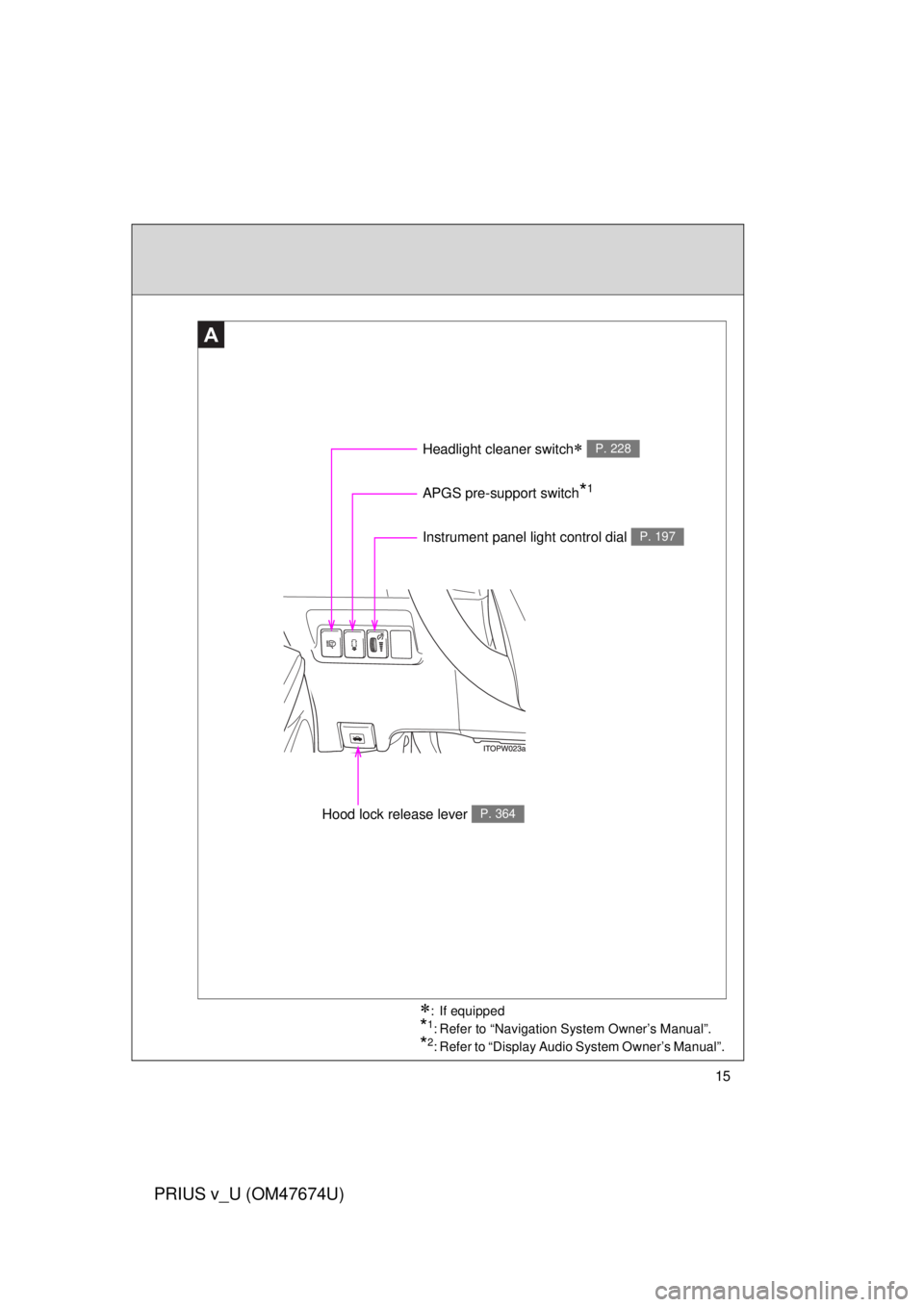
Instrument panel light control dial P. 197
Headlight cleaner switch P. 228
Hood lock release lever P. 364
APGS pre-support switch*1
: If equipped
*1: Refer to “Navigation System Owner’s Manual”.
*2: Refer to “Display Audio System Owner’s Manual”.
Page 17 of 564
17
PRIUS v_U (OM47674U)
C
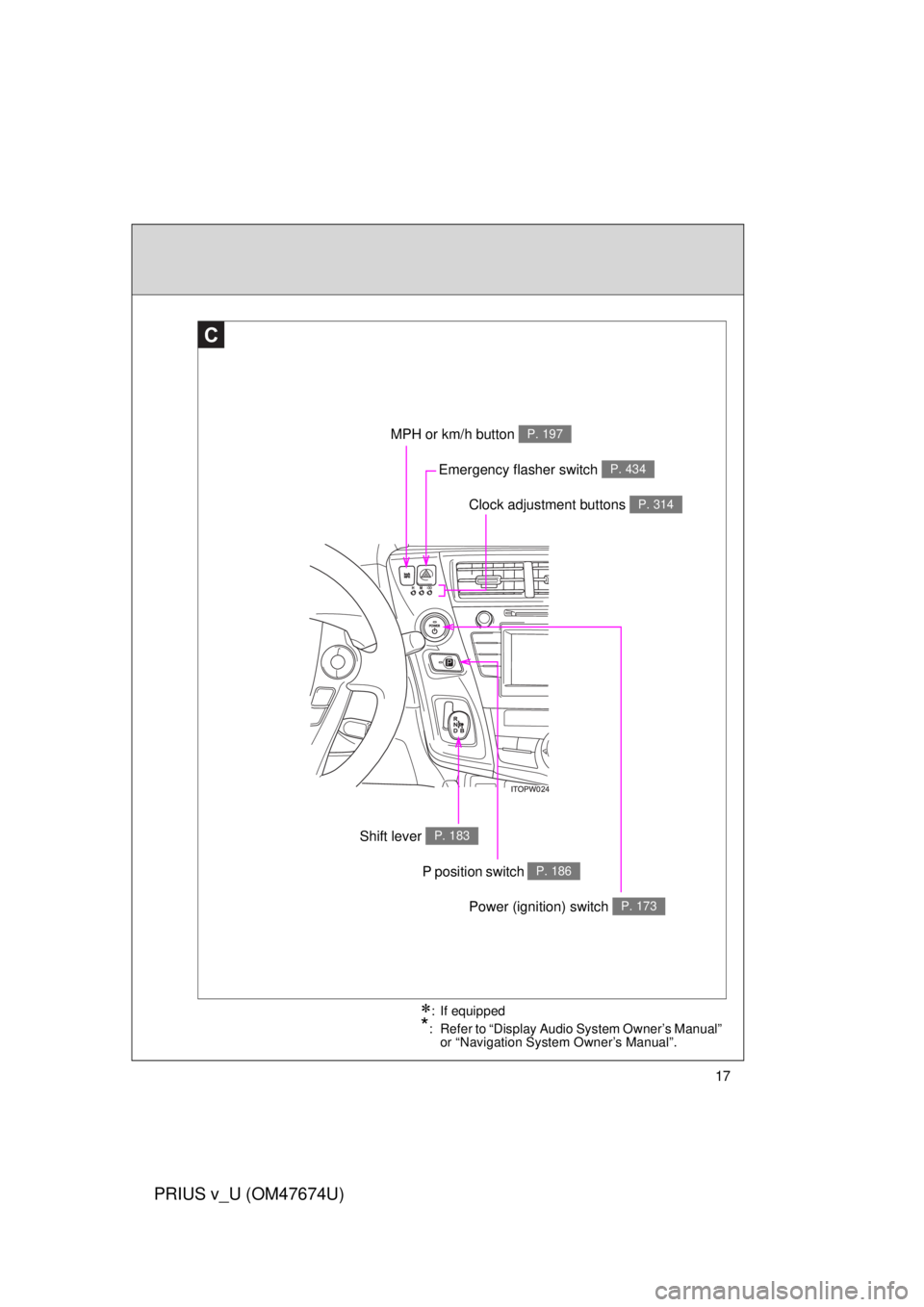
Clock adjustment buttons P. 314
MPH or km/h button P. 197
Shift lever P. 183
Emergency flasher switch P. 434
: If equipped
*: Refer to “Display Audio System Owner’s Manual” or “Navigation System Owner’s Manual”.
P position switch P. 186
Power (ignition) switch P. 173
Page 19 of 564
19
PRIUS v_U (OM47674U)
: If equipped
*: Refer to “Display Audio System Owner’s Manual” or “Navigation System Owner’s Manual”.
Page 40 of 564
40
1-1. Hybrid system
PRIUS v_U (OM47674U)
Energy monitor/consumption screen
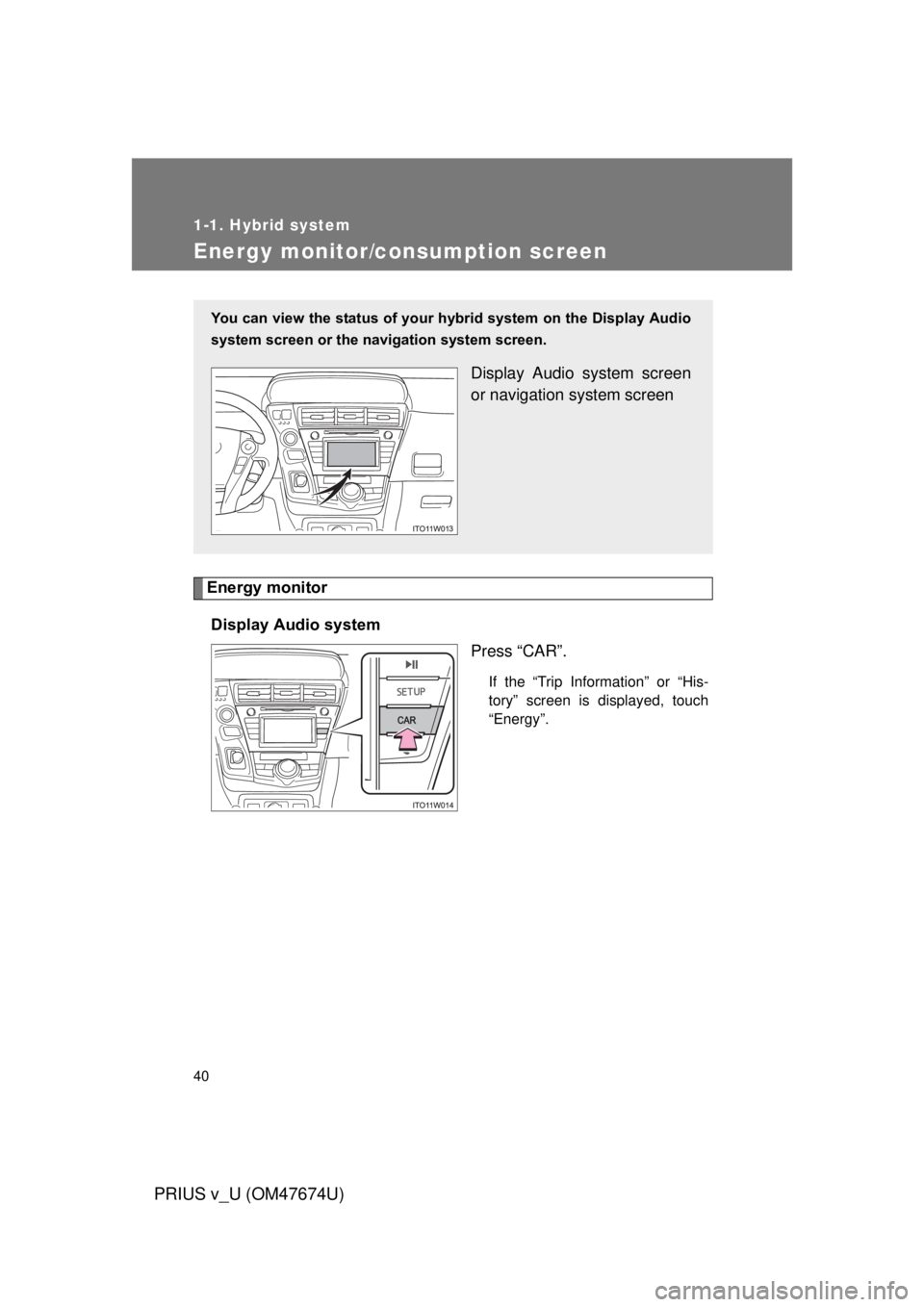
Energy monitorDisplay Audio system Press “CAR”.
If the “Trip Information” or “His-
tory” screen is displayed, touch
“Energy”.
You can view the status of your hybrid system on the Display Audio
system screen or the navigation system screen.
Display Audio system screen
or navigation system screen
Page 43 of 564
43
1-1. Hybrid system
1
Before driving
PRIUS v_U (OM47674U)
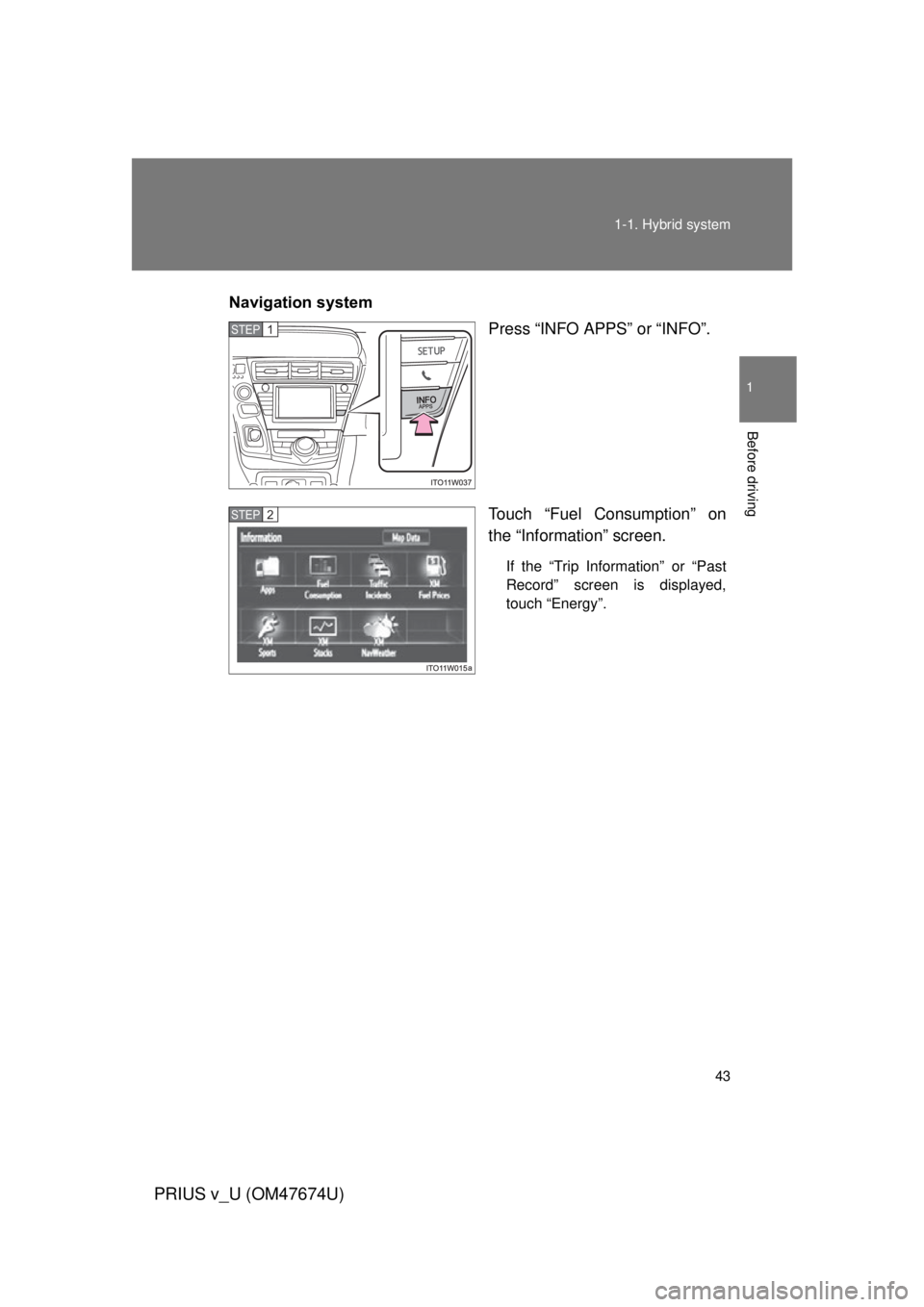
Navigation system
Press “INFO APPS” or “INFO”.
Touch “Fuel Consumption” on
the “Information” screen.
If the “Trip Information” or “Past
Record” screen is displayed,
touch “Energy”.
STEP 1
STEP 2
Page 47 of 564
47
1-1. Hybrid system
1
Before driving
PRIUS v_U (OM47674U)
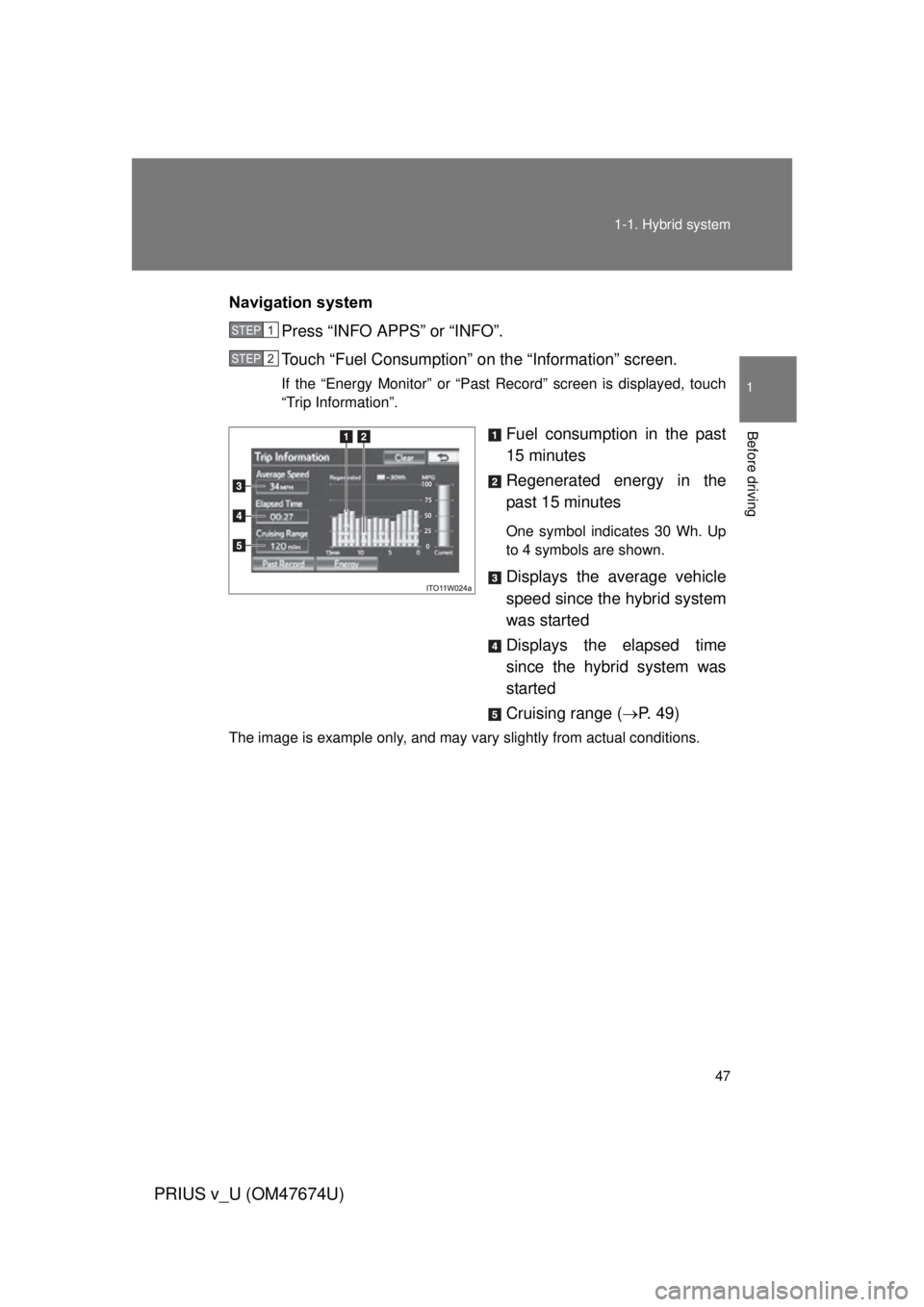
Navigation system
Press “INFO APPS” or “INFO”.
Touch “Fuel Consumption” on the “Information” screen.
If the “Energy Monitor” or “Past Record” screen is displayed, touch
“Trip Information”.
Fuel consumption in the past
15 minutes
Regenerated energy in the
past 15 minutes
One symbol indicates 30 Wh. Up
to 4 symbols are shown.
Displays the average vehicle
speed since the hybrid system
was started
Displays the elapsed time
since the hybrid system was
started
Cruising range (P. 4 9 )
The image is example only, and may vary slightly from actual conditions.
STEP 1
STEP 2
Page 48 of 564
48 1-1. Hybrid system
PRIUS v_U (OM47674U)
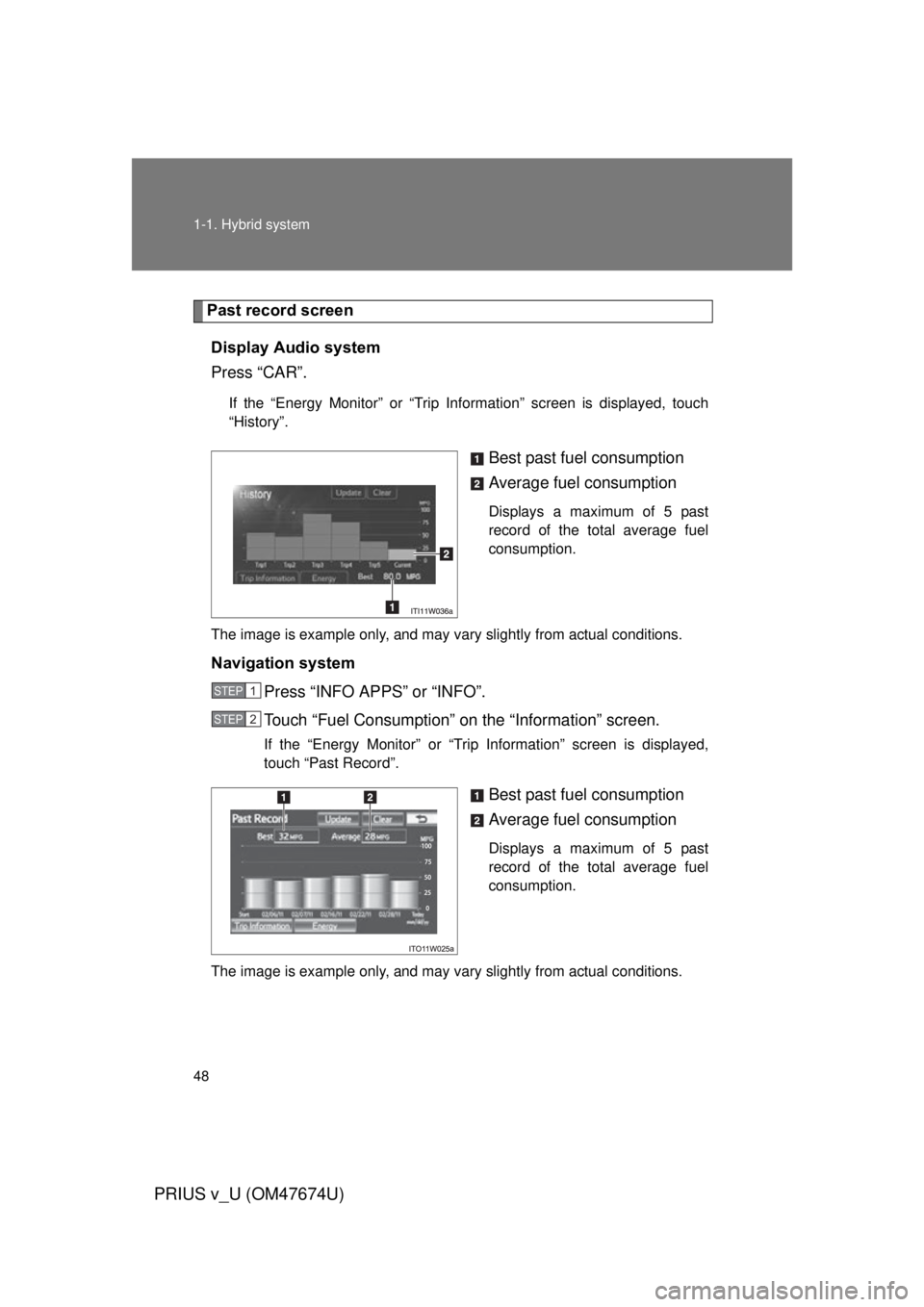
Past record screenDisplay Audio system
Press “CAR”.
If the “Energy Monitor” or “Trip Information” screen is displayed, touch
“History”.
Best past fuel consumption
Average fuel consumption
Displays a maximum of 5 past
record of the total average fuel
consumption.
The image is example only, and may vary slightly from actual conditions.
Navigation system Press “INFO APPS” or “INFO”.
Touch “Fuel Consumption” on the “Information” screen.
If the “Energy Monitor” or “Trip Information” screen is displayed,
touch “Past Record”.
Best past fuel consumption
Average fuel consumption
Displays a maximum of 5 past
record of the total average fuel
consumption.
The image is example only, and may vary slightly from actual conditions.
STEP 1
STEP 2