ECU TOYOTA PRIUS V 2012 (in English) Owner's Guide
[x] Cancel search | Manufacturer: TOYOTA, Model Year: 2012, Model line: PRIUS V, Model: TOYOTA PRIUS V 2012Pages: 568, PDF Size: 10.53 MB
Page 270 of 568
270 2-5. Driving information
PRIUS v_U (OM47784U)
CAUTION
●Secure all items in the occupant compartment, as they may shift and
injure someone in the event of an accident or sudden braking.
●When you fold down the rear seats, long items should not be place
directly behind the front seats.
●Never allow anyone to ride in the luggage compartment. It is not
designed for passengers. They should ride in their seats with their seat
belts properly fastened. Otherwise, they are much more likely to suffer
death or serious bodily injury, in the event of sudden braking or an
accident.
■Capacity and distribution
●Do not exceed the maximum axle weight rating or the total vehicle
weight rating.
●Even if the total load of occupant’s weight and the cargo load is less
than the total load capacity, do not apply the load unevenly. Improper
loading may cause deterioration of steering or braking control which
may cause death or serious injury.
Page 326 of 568
326
3-5. Other interior features
PRIUS v_U (OM47784U)
Floor mats
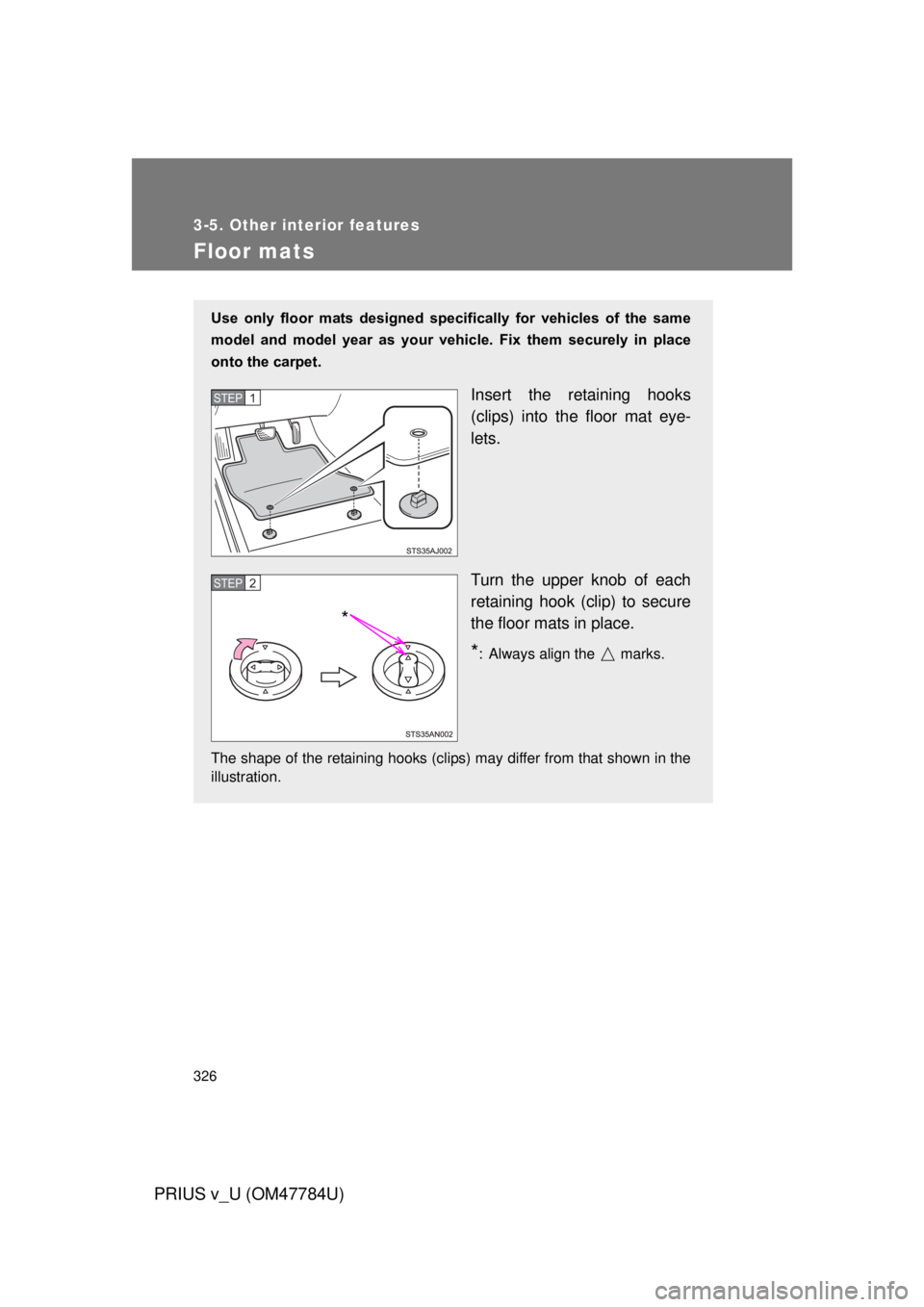
Use only floor mats designed specifically for vehicles of the same
model and model year as your vehicle. Fix them securely in place
onto the carpet.
Insert the retaining hooks
(clips) into the floor mat eye-
lets.
Turn the upper knob of each
retaining hook (clip) to secure
the floor mats in place.
*: Always align the marks.
The shape of the retaining hooks (clips) may differ from that shown in the
illustration.
STEP 1
STEP 2
*
Page 327 of 568
327
3-5. Other interior features
PRIUS v_U (OM47784U)
3
Interior features
CAUTION
Observe the following precautions.
Failure to do so may cause the driver’s floor mat to slip, possibly interfering
with the pedals while driving. An unexpectedly high speed may result or it may
become difficult to stop the vehicle, leading to a serious accident.
■
When installing the driver’s floor mat
● Do not use floor mats designed for other models or different model year
vehicles, even if they are Toyota Genuine floor mats.
● Only use floor mats designed for the driver’s seat.
● Always install the floor mat securely using the retaining hooks (clips) pro-
vided.
● Do not use two or more floor mats on top of each other.
● Do not place the floor mat bottom-side up or upside-down.
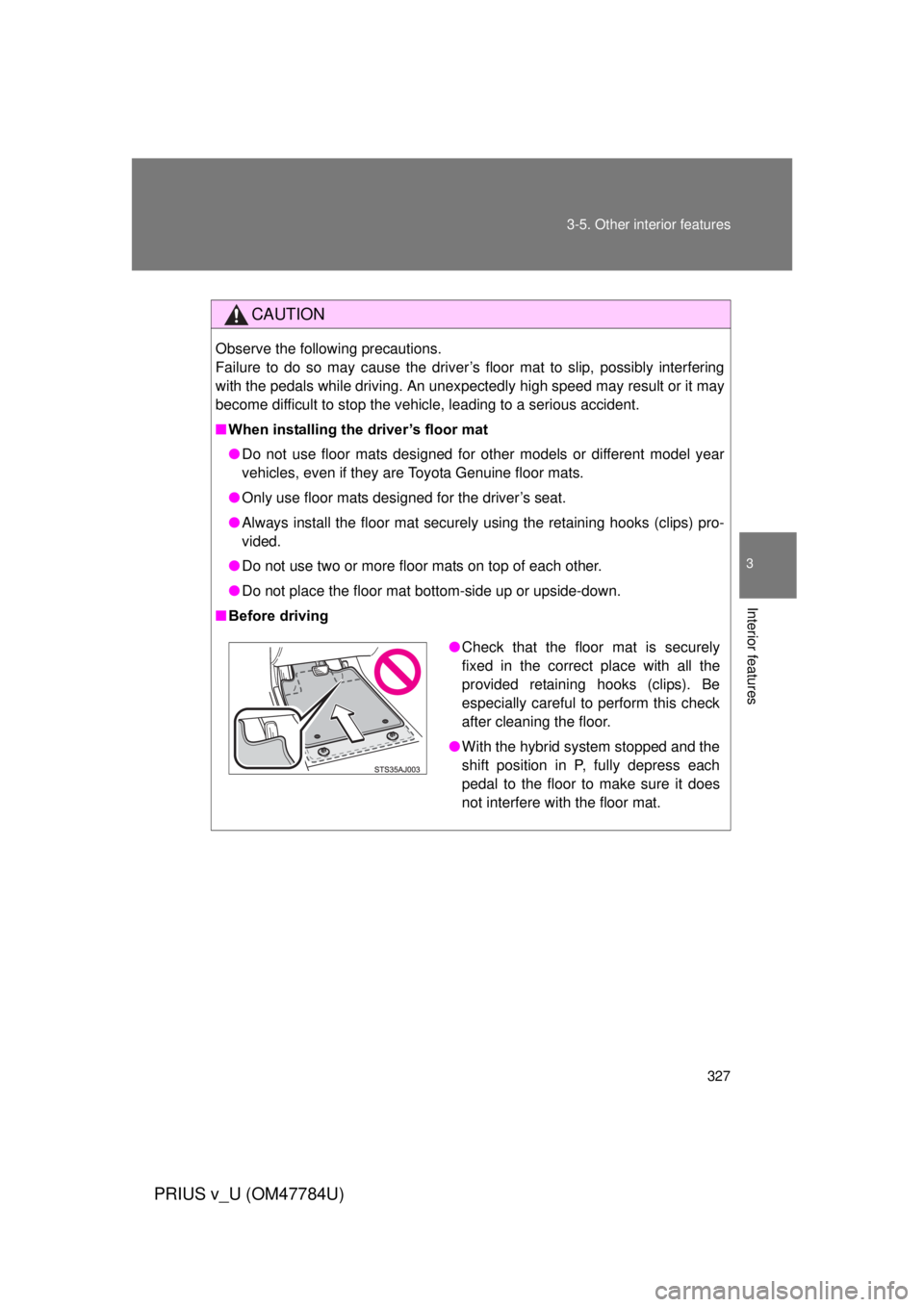
■ Before driving
●Check that the floor mat is securely
fixed in the correct place with all the
provided retaining hooks (clips). Be
especially careful to perform this check
after cleaning the floor.
● With the hybrid system stopped and the
shift position in P, fully depress each
pedal to the floor to make sure it does
not interfere with the floor mat.
Page 328 of 568
328
3-5. Other interior features
PRIUS v_U (OM47784U)
Luggage compartment features
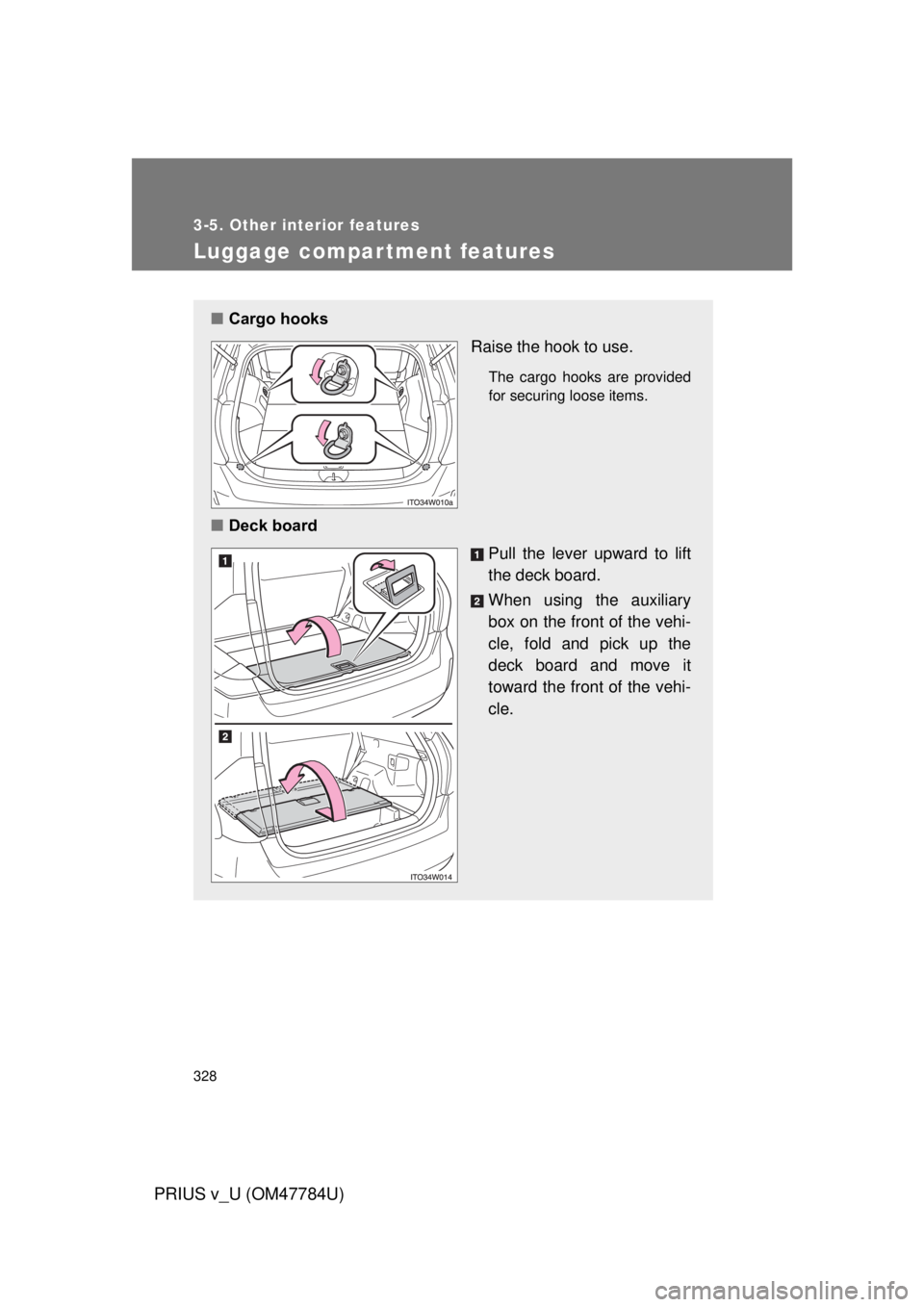
■Cargo hooks
Raise the hook to use.
The cargo hooks are provided
for securing loose items.
■Deck board
Pull the lever upward to lift
the deck board.
When using the auxiliary
box on the front of the vehi-
cle, fold and pick up the
deck board and move it
toward the front of the vehi-
cle.
Page 330 of 568
330 3-5. Other interior features
PRIUS v_U (OM47784U)
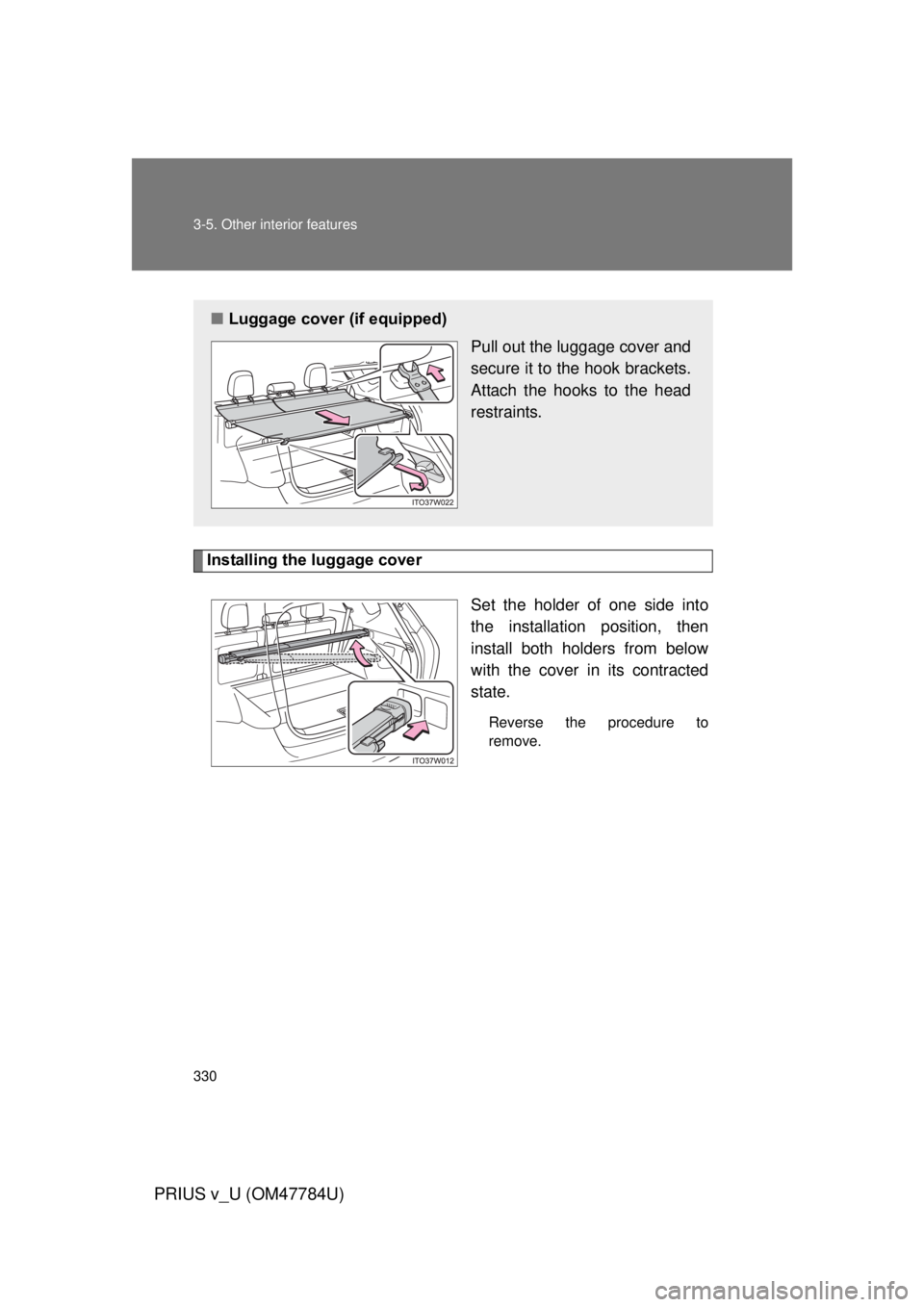
Installing the luggage coverSet the holder of one side into
the installation position, then
install both holders from below
with the cover in its contracted
state.
Reverse the procedure to
remove.
■Luggage cover (if equipped)
Pull out the luggage cover and
secure it to the hook brackets.
Attach the hooks to the head
restraints.
Page 331 of 568
331
3-5. Other interior features
PRIUS v_U (OM47784U)
3
Interior features
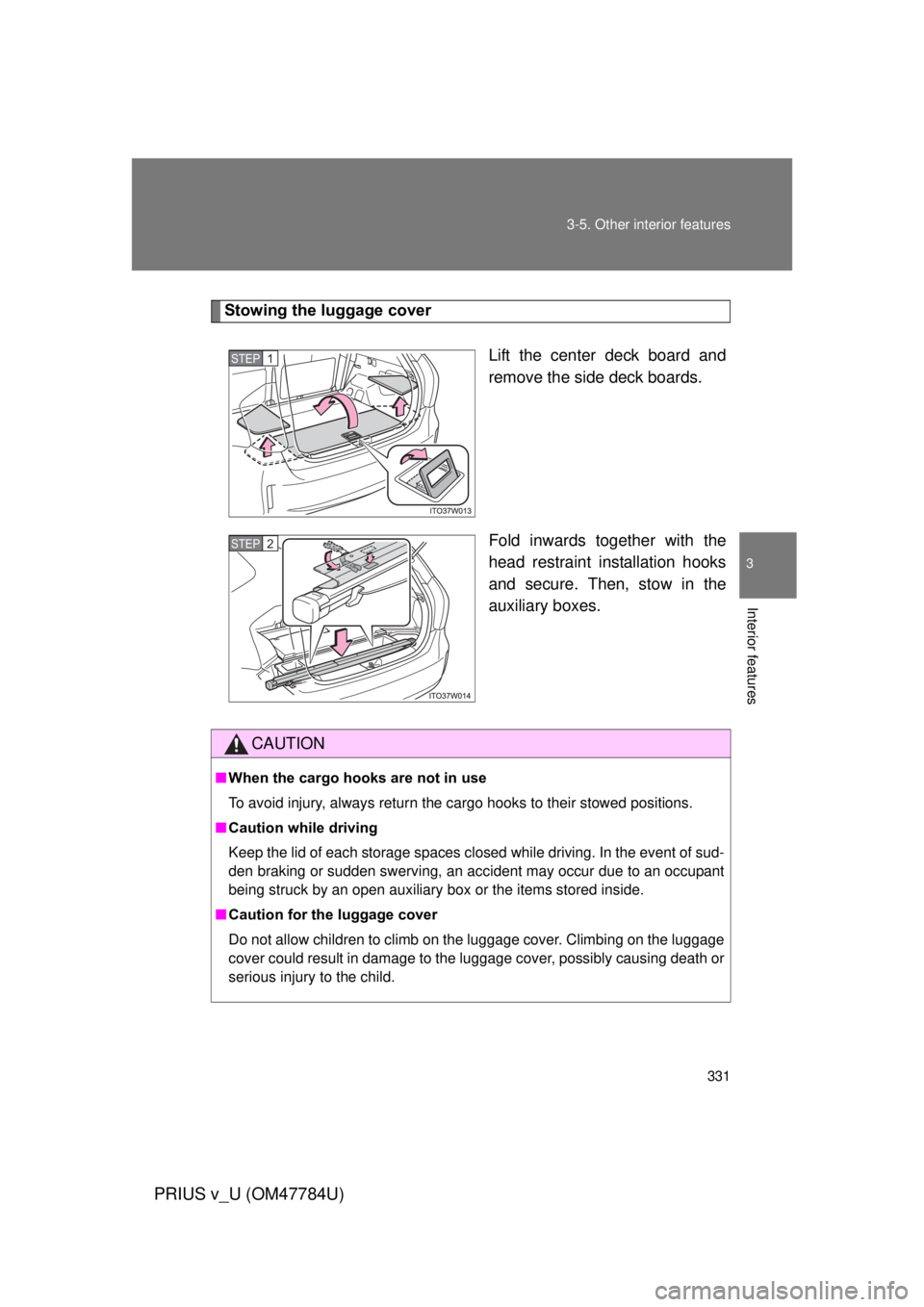
Stowing the luggage cover
Lift the center deck board and
remove the side deck boards.
Fold inwards together with the
head restraint installation hooks
and secure. Then, stow in the
auxiliary boxes.
STEP 1
STEP 2
CAUTION
■When the cargo hooks are not in use
To avoid injury, always return the cargo hooks to their stowed positions.
■ Caution while driving
Keep the lid of each storage spaces closed while driving. In the event of sud-
den braking or sudden swerving, an accident may occur due to an occupant
being struck by an open auxiliary box or the items stored inside.
■ Caution for the luggage cover
Do not allow children to climb on the luggage cover. Climbing on the luggage
cover could result in damage to the luggage cover, possibly causing death or
serious injury to the child.
Page 332 of 568
332
3-5. Other interior features
PRIUS v_U (OM47784U)
Garage door opener
The garage door opener (HomeLink® Universal Transceiver) is manufac-
tured under license from HomeLink®.
Programming the HomeLink® (for U.S.A. owners)
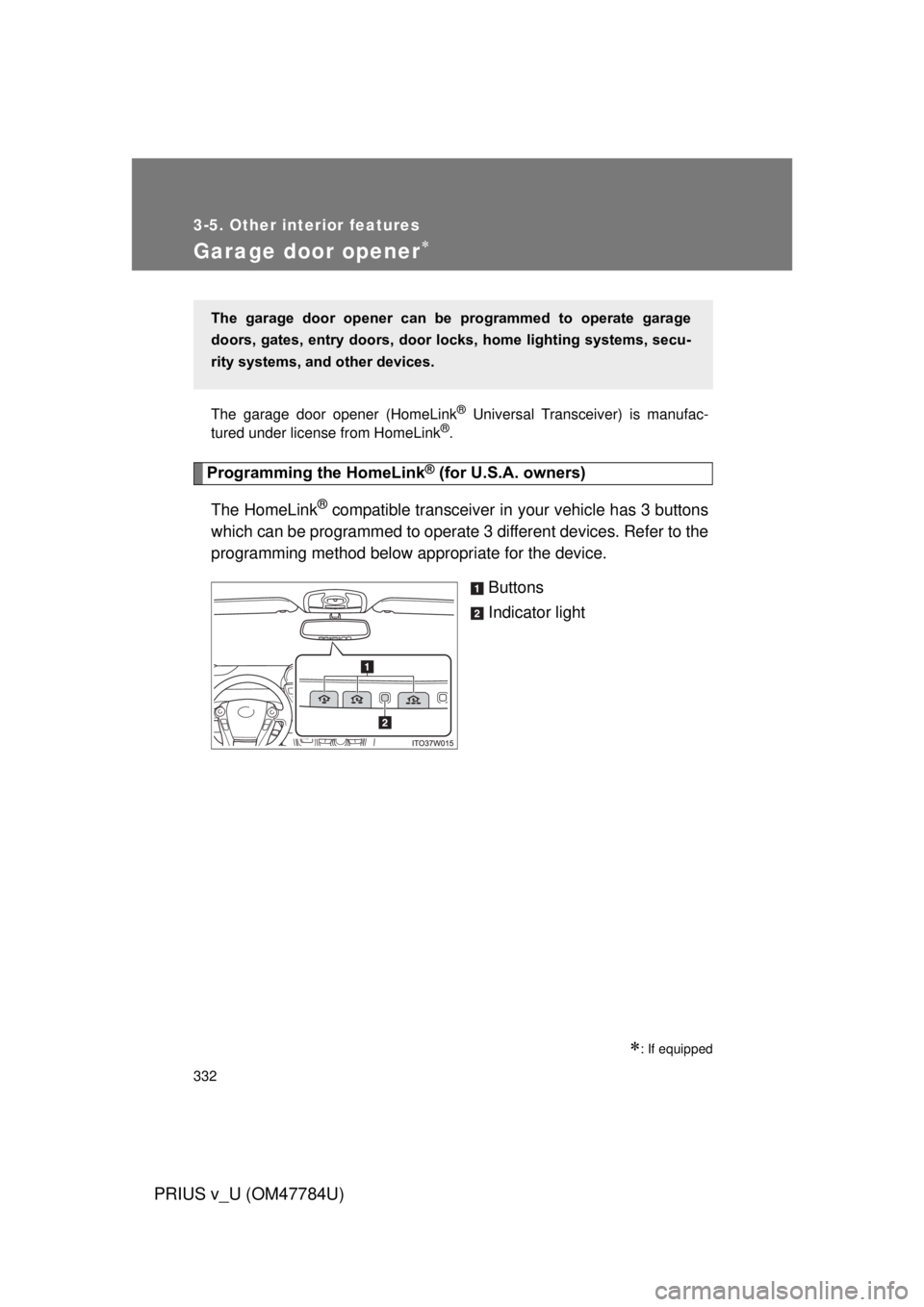
The HomeLink
® compatible transceiver in your vehicle has 3 buttons
which can be programmed to operate 3 different devices. Refer to the
programming method below appropriate for the device.
Buttons
Indicator light
: If equipped
The garage door opener can be programmed to operate garage
doors, gates, entry doors, door locks, hom e lighting systems, secu-
rity systems, and other devices.
Page 336 of 568
336 3-5. Other interior features
PRIUS v_U (OM47784U)
■Programming an entry gate (f or U.S.A. owners)/Programming
a devices in the Canadian market
Place the remote control transmitter 1 to 3 in. (25 to 75 mm)
away from the HomeLink
® buttons.
Keep the HomeLink® indicator light in view while programming.
Press and hold the selected HomeLink® button.
Repeatedly press and release (cycle) the remote control
transmitter for 2 seconds each until step 4 is completed.
When the HomeLink
® indicator light starts to flash rapidly,
release the buttons.
Test the HomeLink
® operation by pressing the newly pro-
grammed button. Check to see if the gate/device operates
correctly.
Repeat the steps above to program another device for any of
the remaining HomeLink
® buttons.
■ Programming other devices
To program other devices such as home security systems, home
door locks and lighting, contact your Toyota dealer for assistance.
■ Reprogramming a button
The individual HomeLink
® buttons cannot be erased but can be
reprogrammed. To reprogram a button, follow the “Reprogramming
a HomeLink
® button” instructions.
STEP 1
STEP 2
STEP 3
STEP 4
STEP 5
STEP 6
Page 340 of 568
340
3-5. Other interior features
PRIUS v_U (OM47784U)
Safety Connect
: If equipped
Safety Connect is a subscription-based telematics service that uses
Global Positioning System (GPS) data and embedded cellular tech-
nology to provide safety and security features to subscribers. Safety
Connect is supported by Toyota ’s designated response center,
which operates 24 hours per day, 7 days per week.
Safety Connect service is available by subscription on select,
telematics hardware-equipped vehicles.
By using the Safety Connect servi ce, you are agreeing to be bound
by the Telematics Subscription Serv ice Agreement and its Terms and
Conditions, as in effect and amende d from time to time, a current
copy of which is available at Toyota.com. All use of the Safety Con-
nect service is subject to such then-applicable Terms and Condi-
tions.
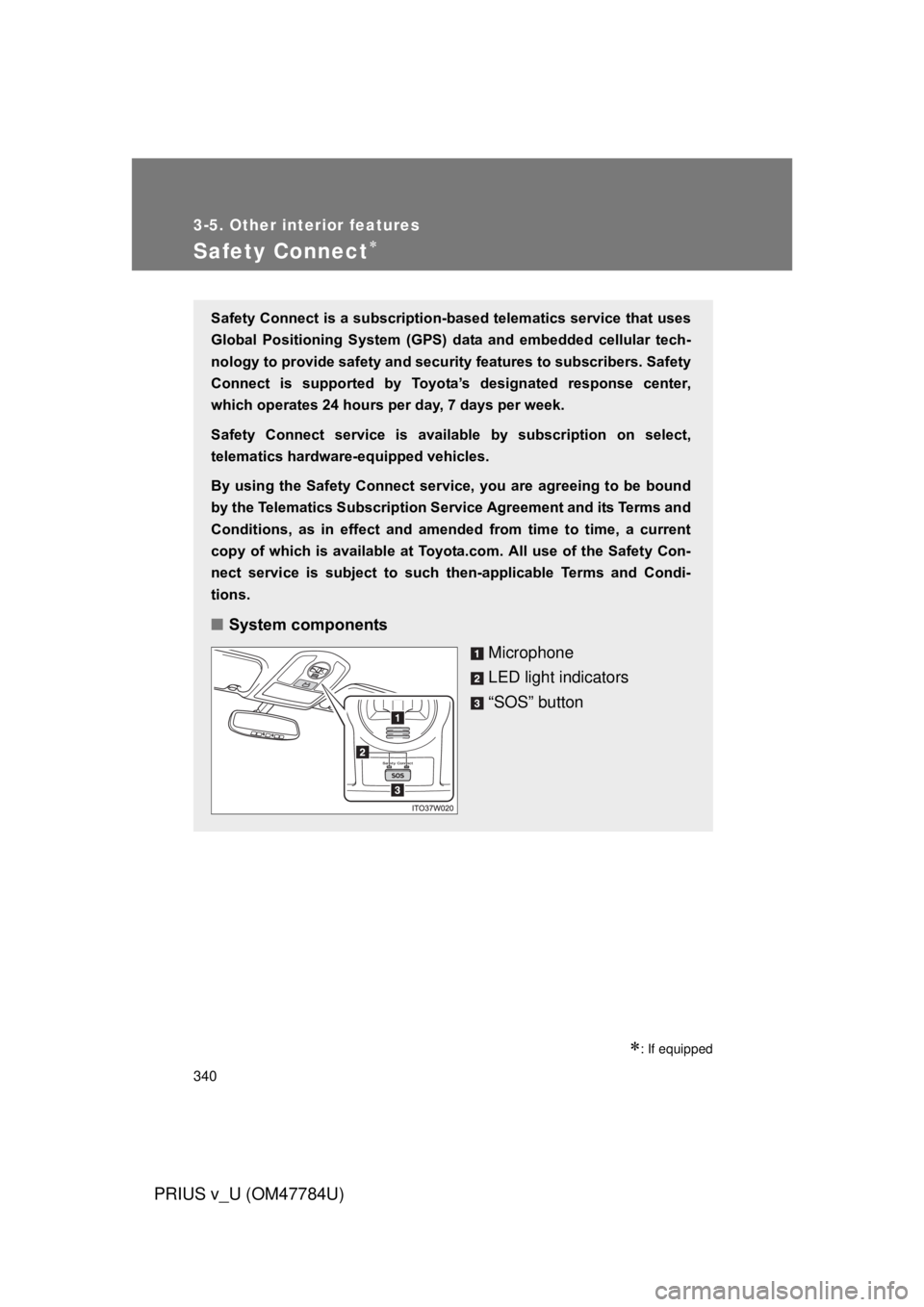
■ System components
Microphone
LED light indicators
“SOS” button
Page 359 of 568
359
4-2. Maintenance
PRIUS v_U (OM47784U)
4
Maintenance and care
Luggage compartment
Vehicle interior
ItemsCheck points
12-volt battery Check the connections. (P. 384)
ItemsCheck points
Accelerator pedal
• The accelerator pedal should
move smoothly (without uneven
pedal effort or catching).
Hybrid transmission “Park” mech-
anism • When parked on a slope and the
shift position is in P, is the vehicle
securely stopped?
Brake pedal • Does the brake pedal move
smoothly?
• Does the brake pedal have appro- priate clearance from the floor?
(P. 503)
• Does the brake pedal have the correct amount of free play?
(P. 503)
Brakes • The vehicle should not pull to one
side when the brakes are applied.
• The brakes should work effec- tively.
• The brake pedal should not feel spongy.
• The brake pedal should not get too close to the floor when the
brakes are applied.