TOYOTA PRIUS V 2012 Owners Manual (in English)
PRIUS V 2012
TOYOTA
TOYOTA
https://www.carmanualsonline.info/img/14/42707/w960_42707-0.png
TOYOTA PRIUS V 2012 Owners Manual (in English)
Page 9 of 568
9
PRIUS v_U (OM47784U)
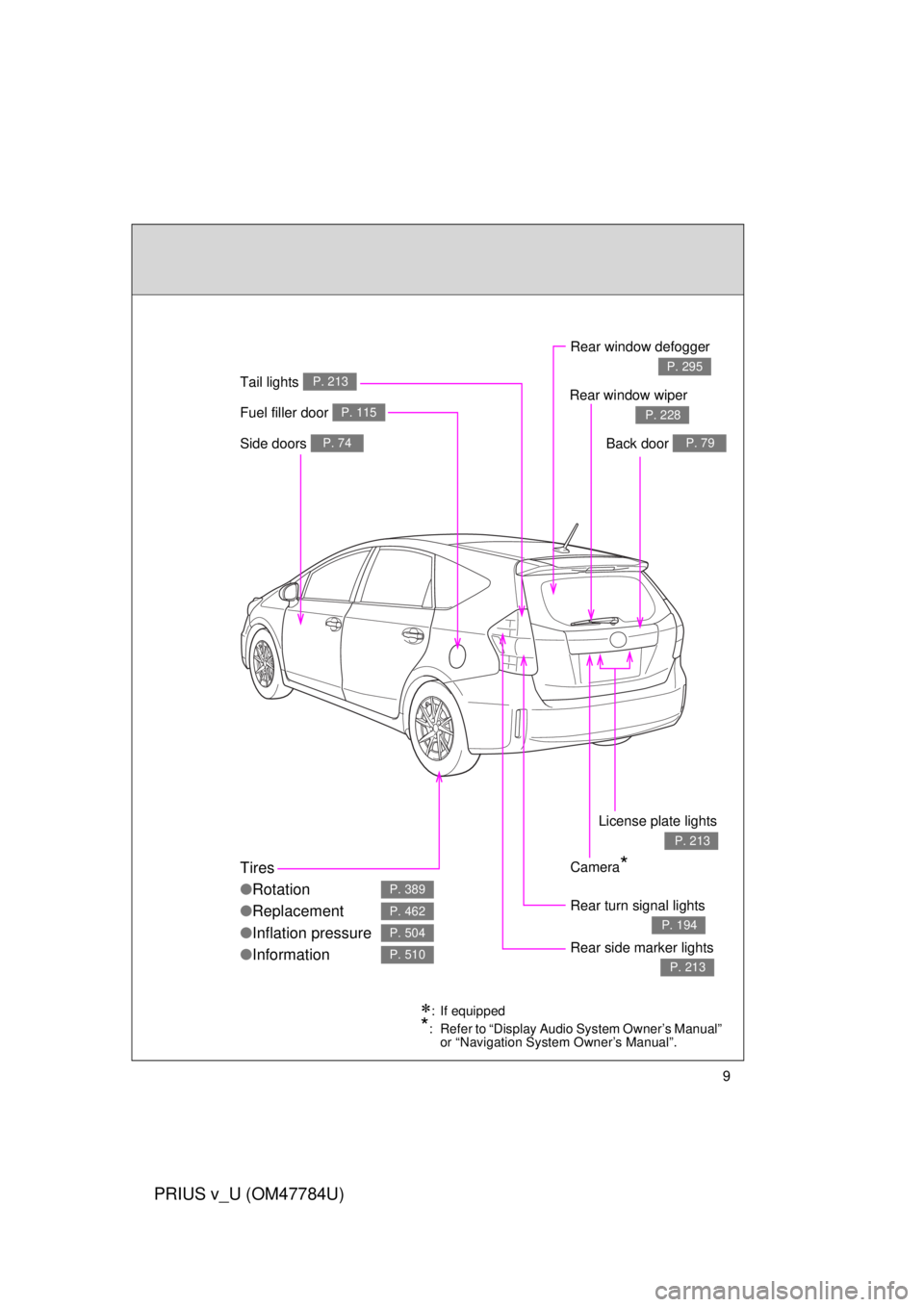
Fuel filler door P. 115
Rear turn signal lights
P. 194
Rear window defogger
P. 295
Tires
●Rotation
● Replacement
● Inflation pressure
● Information
P. 389
P. 462
P. 504
P. 510Rear side marker lights
P. 213
Tail lights P. 213
Camera*
Side doors P. 74Back door P. 79
Rear window wiper
P. 228
License plate lights
P. 213
: If equipped
*: Refer to “Display Audio System Owner’s Manual”
or “Navigation System Owner’s Manual”.
Page 11 of 568
11
PRIUS v_U (OM47784U)
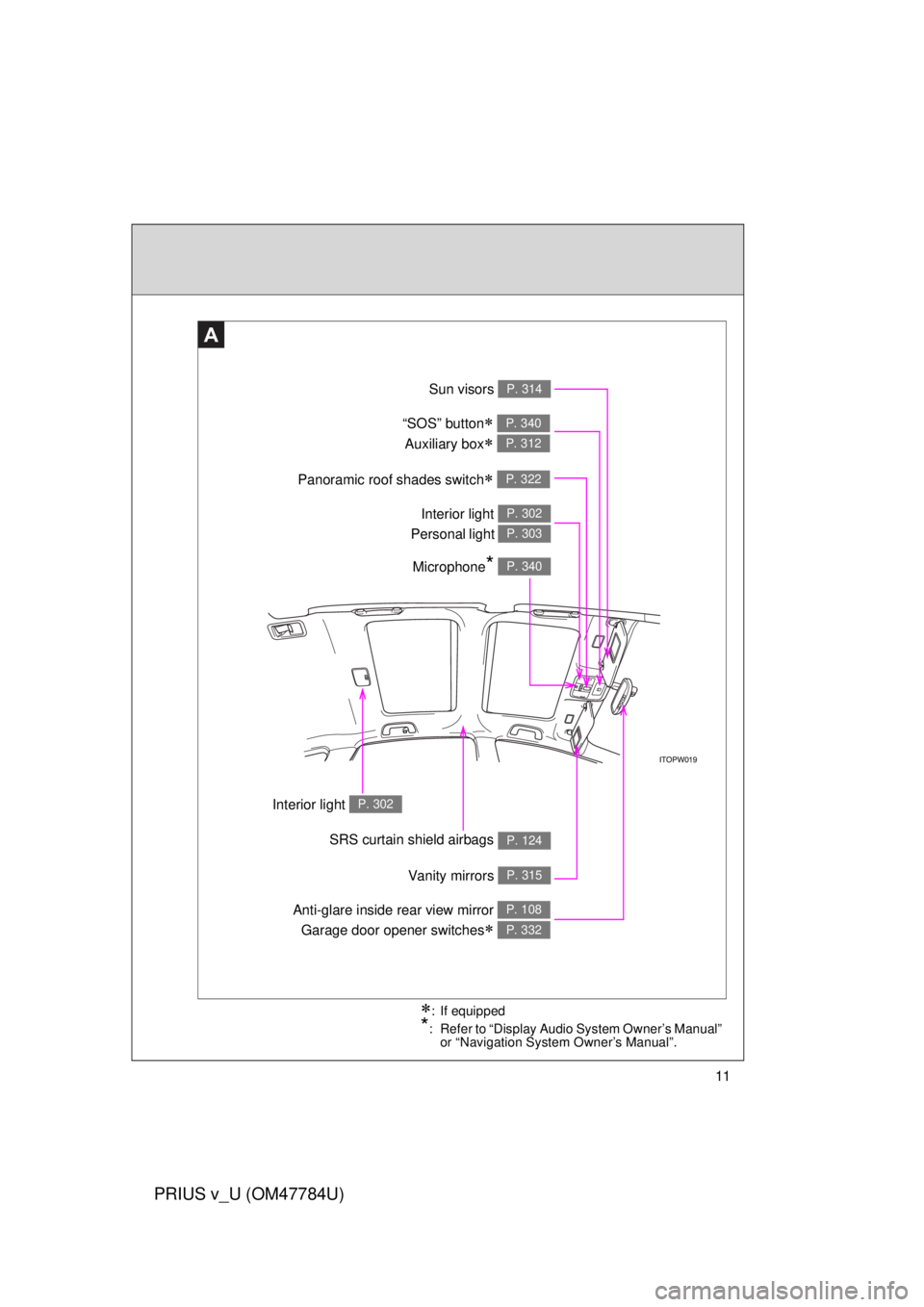
A
Anti-glare inside rear view mirror Garage door opener switches
P. 108
P. 332
Sun visors P. 314
SRS curtain shield airbags P. 124
Interior light P. 302
Panoramic roof shades switch P. 322
Vanity mirrors P. 315
Interior light
Personal light P. 302
P. 303
: If equipped
*: Refer to “Display Audio System Owner’s Manual” or “Navigation System Owner’s Manual”.
Microphone* P. 340
“SOS” button
Auxiliary box
P. 340
P. 312
Page 14 of 568
14
PRIUS v_U (OM47784U)
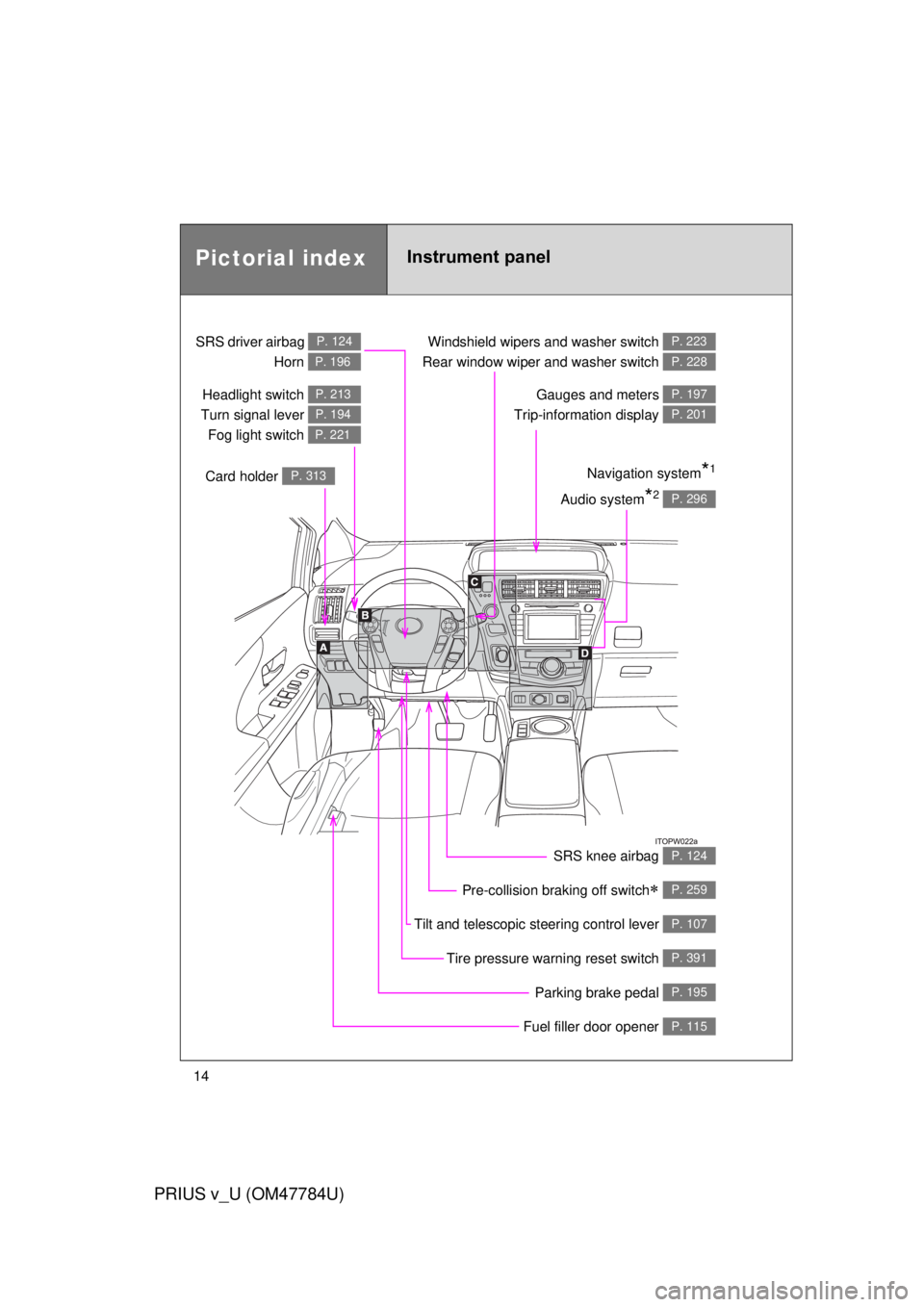
Pictorial indexInstrument panel
Headlight switch
Turn signal lever Fog light switch P. 213
P. 194
P. 221
Pre-collision braking off switch P. 259
Parking brake pedal P. 195
Fuel filler door opener P. 115
Tire pressure warning reset switch P. 391
Windshield wipers and washer switch
Rear window wiper and washer switch P. 223
P. 228
Gauges and meters
Trip-information display P. 197
P. 201
Audio system*2 P. 296
Navigation system*1
SRS driver airbag
Horn P. 124
P. 196
Card holder P. 313
Tilt and telescopic steering control lever P. 107
SRS knee airbag P. 124
Page 15 of 568
15
PRIUS v_U (OM47784U)
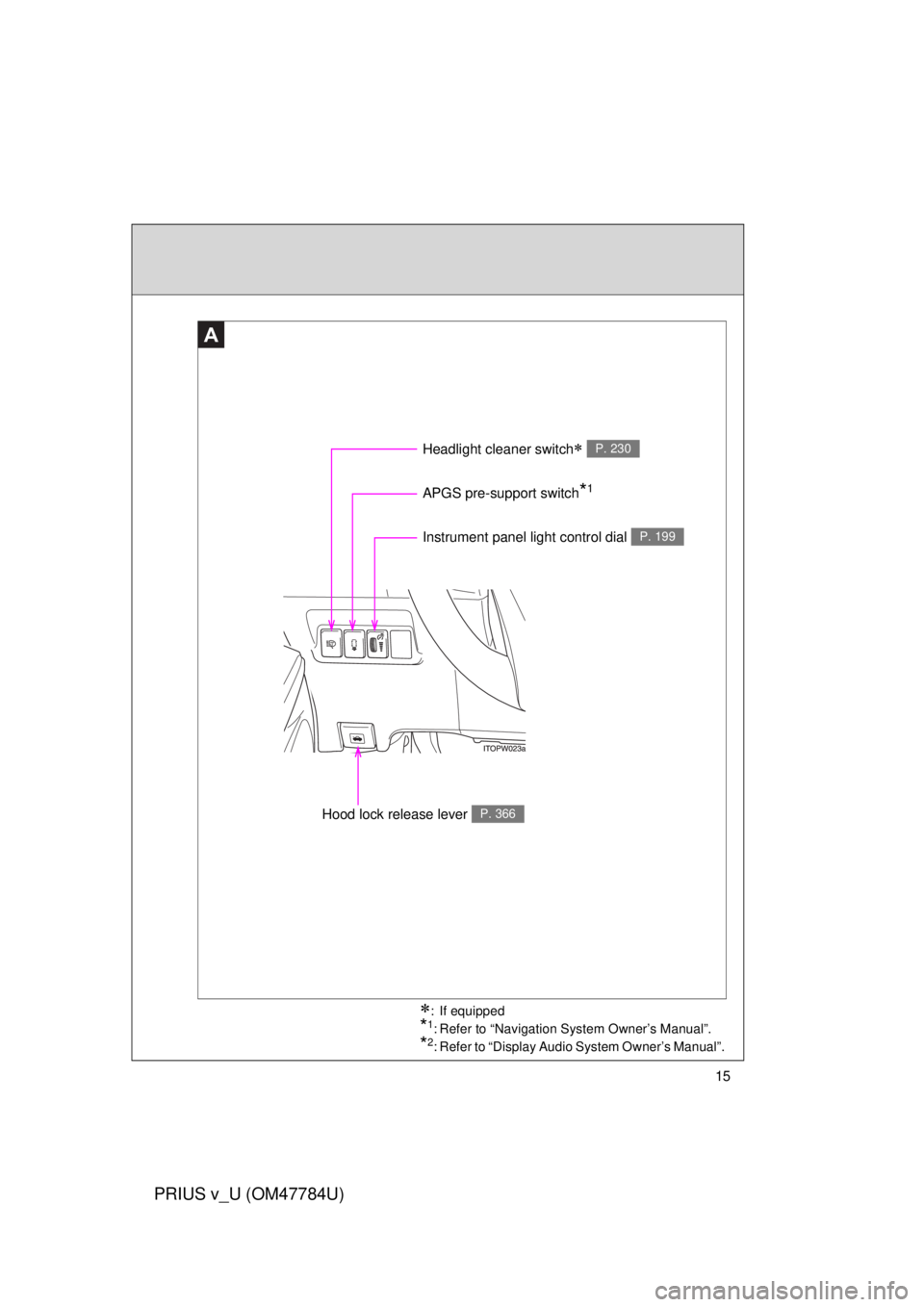
A
Instrument panel light control dial P. 199
Headlight cleaner switch P. 230
Hood lock release lever P. 366
APGS pre-support switch*1
: If equipped
*1: Refer to “Navigation System Owner’s Manual”.
*2: Refer to “Display Audio System Owner’s Manual”.
Page 17 of 568
17
PRIUS v_U (OM47784U)
C
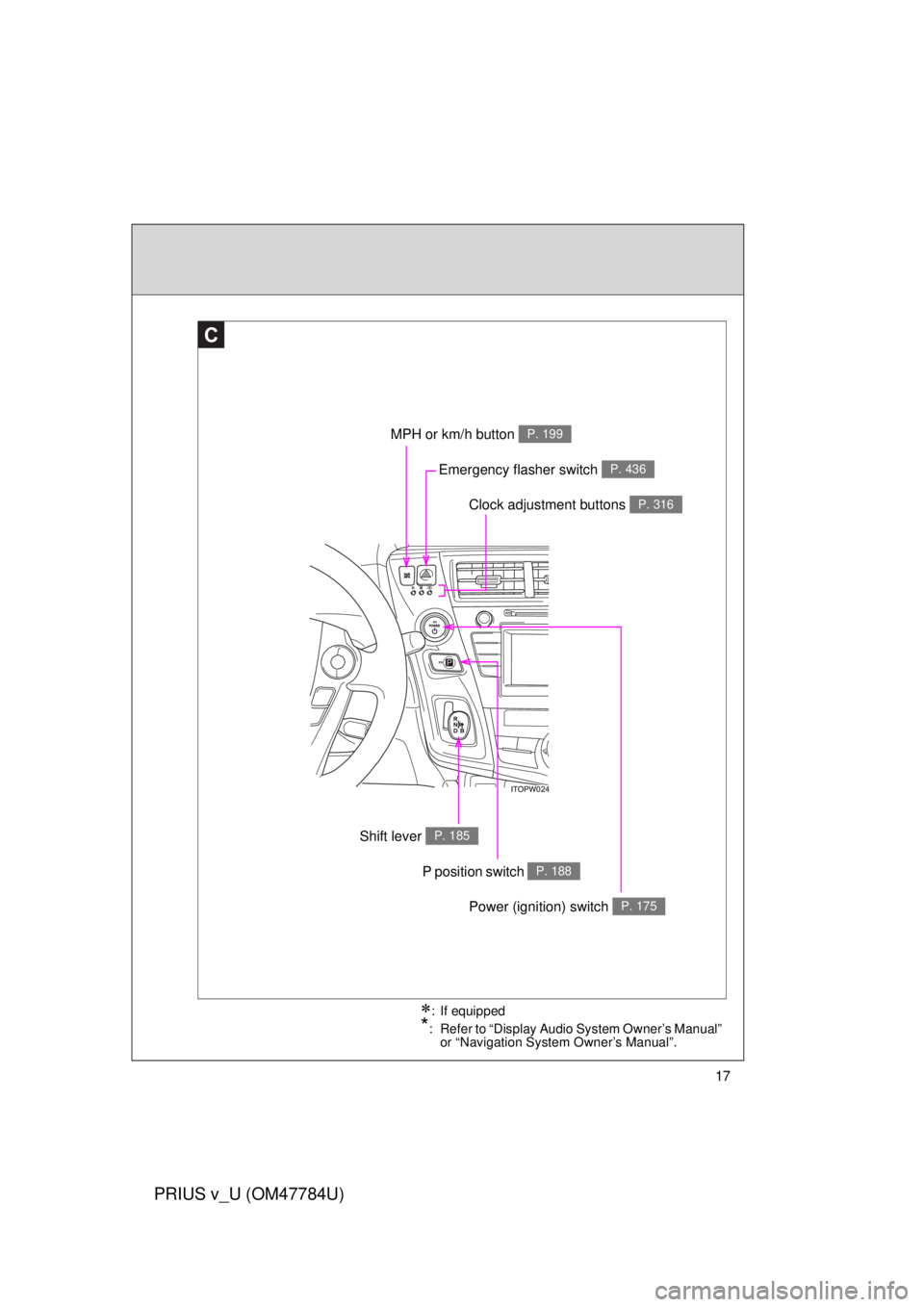
Clock adjustment buttons P. 316
MPH or km/h button P. 199
Shift lever P. 185
Emergency flasher switch P. 436
: If equipped
*: Refer to “Display Audio System Owner’s Manual” or “Navigation System Owner’s Manual”.
P position switch P. 188
Power (ignition) switch P. 175
Page 19 of 568
19
PRIUS v_U (OM47784U)
: If equipped
*: Refer to “Display Audio System Owner’s Manual” or “Navigation System Owner’s Manual”.
Page 42 of 568
42
1-1. Hybrid system
PRIUS v_U (OM47784U)
Energy monitor/consumption screen
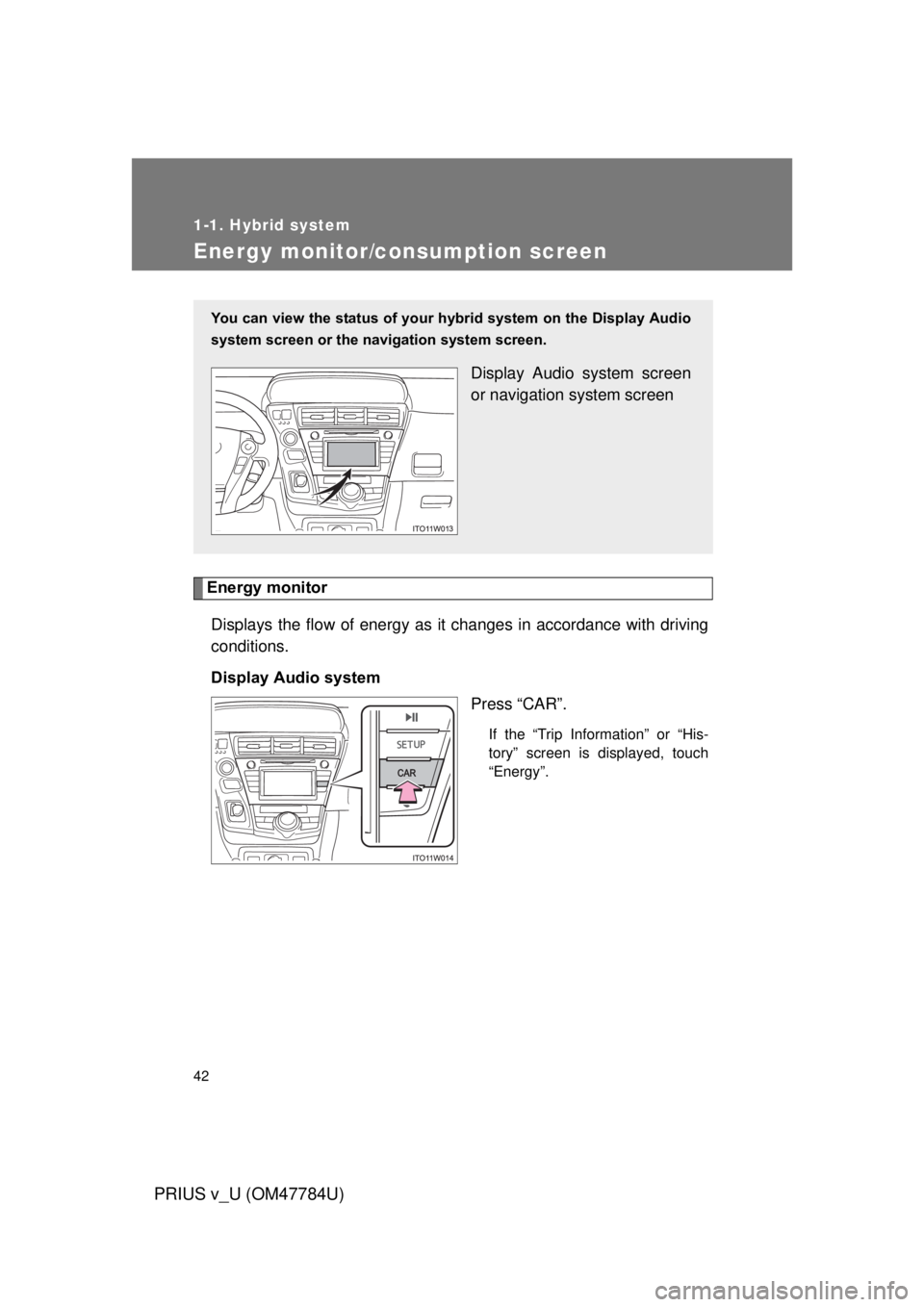
Energy monitorDisplays the flow of energy as it changes in accordance with driving
conditions.
Display Audio system Press “CAR”.
If the “Trip Information” or “His-
tory” screen is displayed, touch
“Energy”.
You can view the status of your hybrid system on the Display Audio
system screen or the navigation system screen.
Display Audio system screen
or navigation system screen
Page 45 of 568
45
1-1. Hybrid system
1
Before driving
PRIUS v_U (OM47784U)
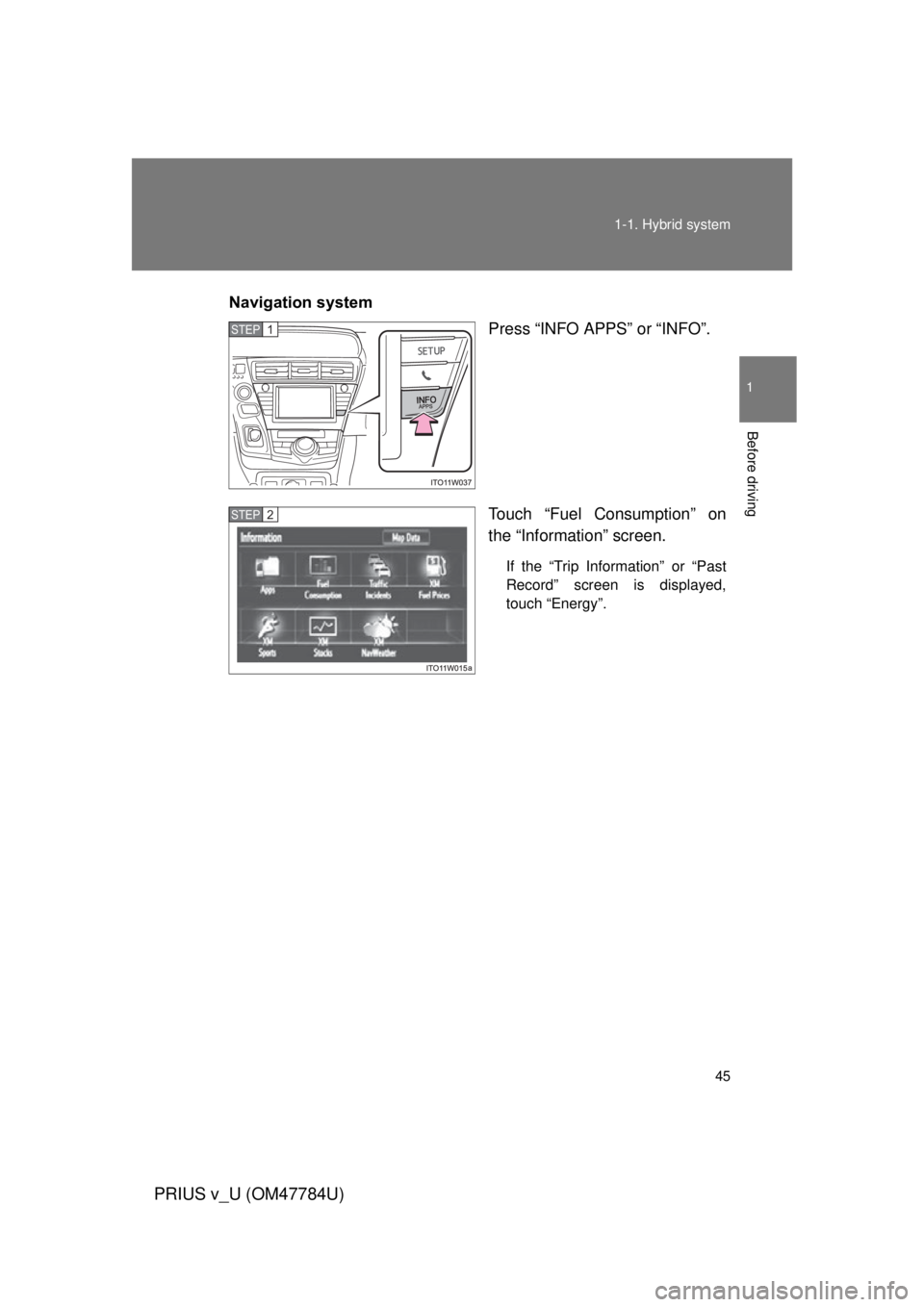
Navigation system
Press “INFO APPS” or “INFO”.
Touch “Fuel Consumption” on
the “Information” screen.
If the “Trip Information” or “Past
Record” screen is displayed,
touch “Energy”.
STEP 1
STEP 2
Page 49 of 568
49
1-1. Hybrid system
1
Before driving
PRIUS v_U (OM47784U)
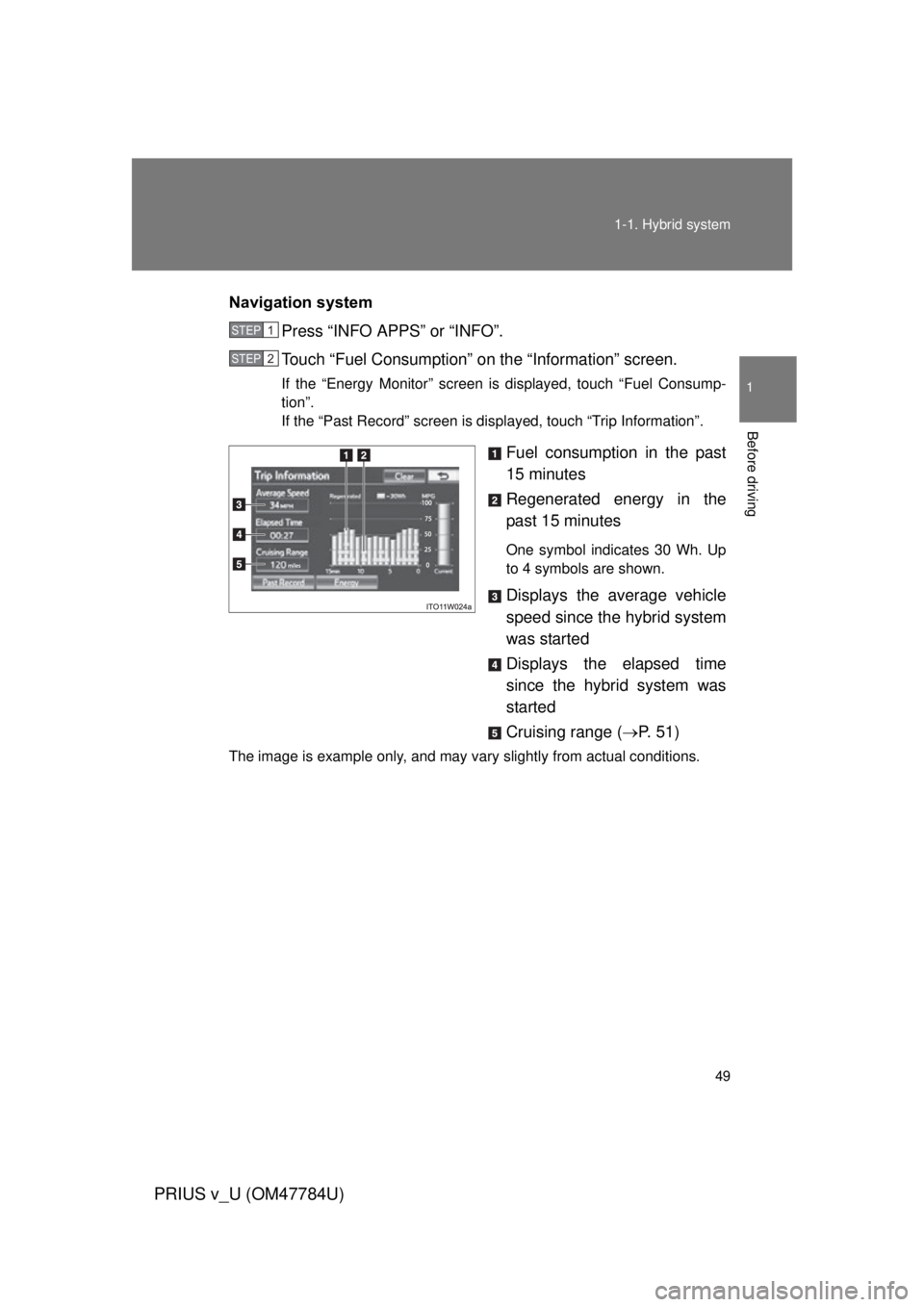
Navigation system
Press “INFO APPS” or “INFO”.
Touch “Fuel Consumption” on the “Information” screen.
If the “Energy Monitor” screen is displayed, touch “Fuel Consump-
tion”.
If the “Past Record” screen is displayed, touch “Trip Information”.
Fuel consumption in the past
15 minutes
Regenerated energy in the
past 15 minutes
One symbol indicates 30 Wh. Up
to 4 symbols are shown.
Displays the average vehicle
speed since the hybrid system
was started
Displays the elapsed time
since the hybrid system was
started
Cruising range (P. 5 1 )
The image is example only, and may vary slightly from actual conditions.
STEP 1
STEP 2
Page 50 of 568
50 1-1. Hybrid system
PRIUS v_U (OM47784U)
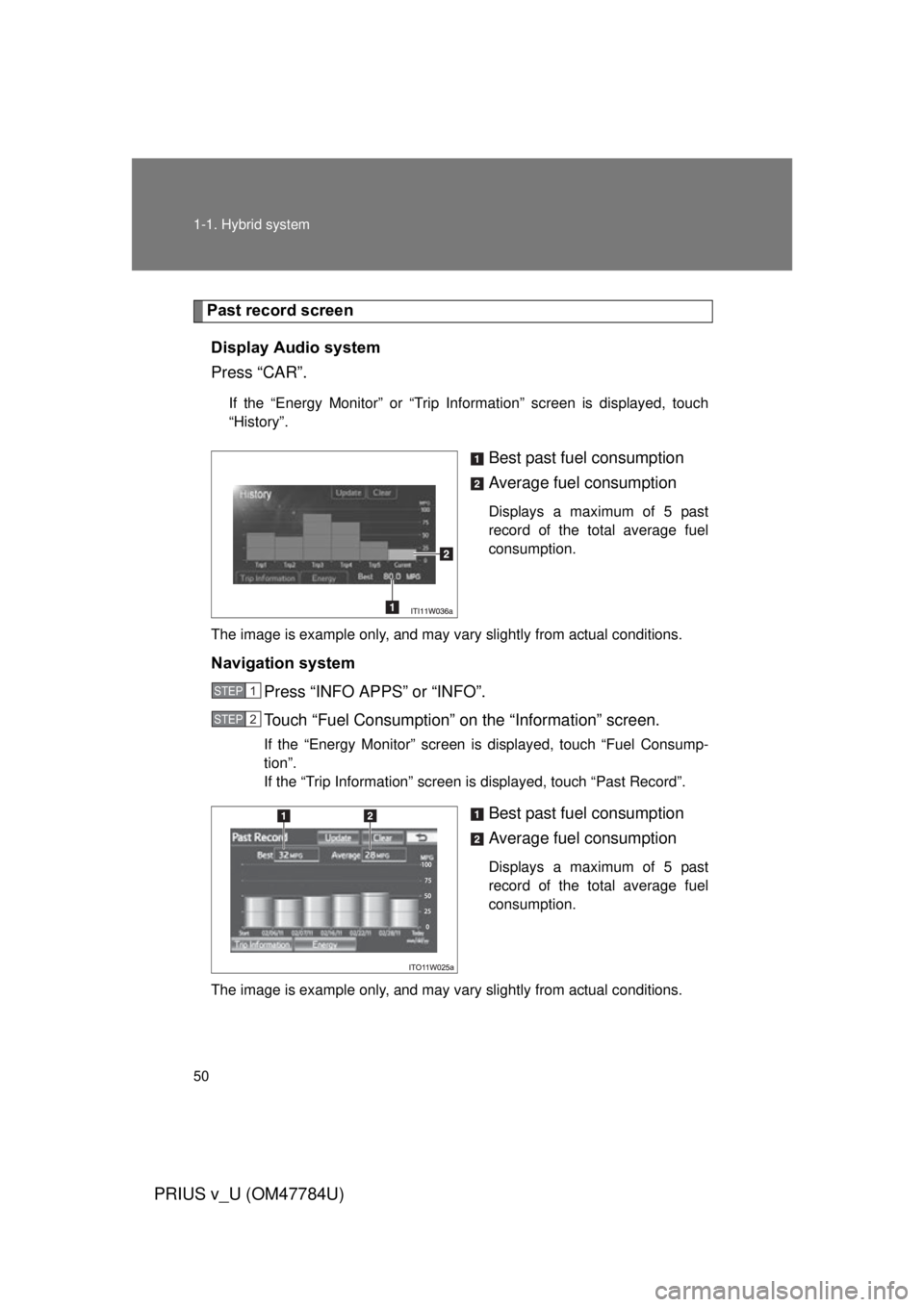
Past record screenDisplay Audio system
Press “CAR”.
If the “Energy Monitor” or “Trip Information” screen is displayed, touch
“History”.
Best past fuel consumption
Average fuel consumption
Displays a maximum of 5 past
record of the total average fuel
consumption.
The image is example only, and may vary slightly from actual conditions.
Navigation system Press “INFO APPS” or “INFO”.
Touch “Fuel Consumption” on the “Information” screen.
If the “Energy Monitor” screen is displayed, touch “Fuel Consump-
tion”.
If the “Trip Information” screen is displayed, touch “Past Record”.
Best past fuel consumption
Average fuel consumption
Displays a maximum of 5 past
record of the total average fuel
consumption.
The image is example only, and may vary slightly from actual conditions.
STEP 1
STEP 2