cruise control TOYOTA PRIUS V 2012 Owners Manual (in English)
[x] Cancel search | Manufacturer: TOYOTA, Model Year: 2012, Model line: PRIUS V, Model: TOYOTA PRIUS V 2012Pages: 32, PDF Size: 2.37 MB
Page 3 of 32
OVERVIEW
FEATURES/OPERATIONS
SAFETY AND EMERGENCY FEATURES
1
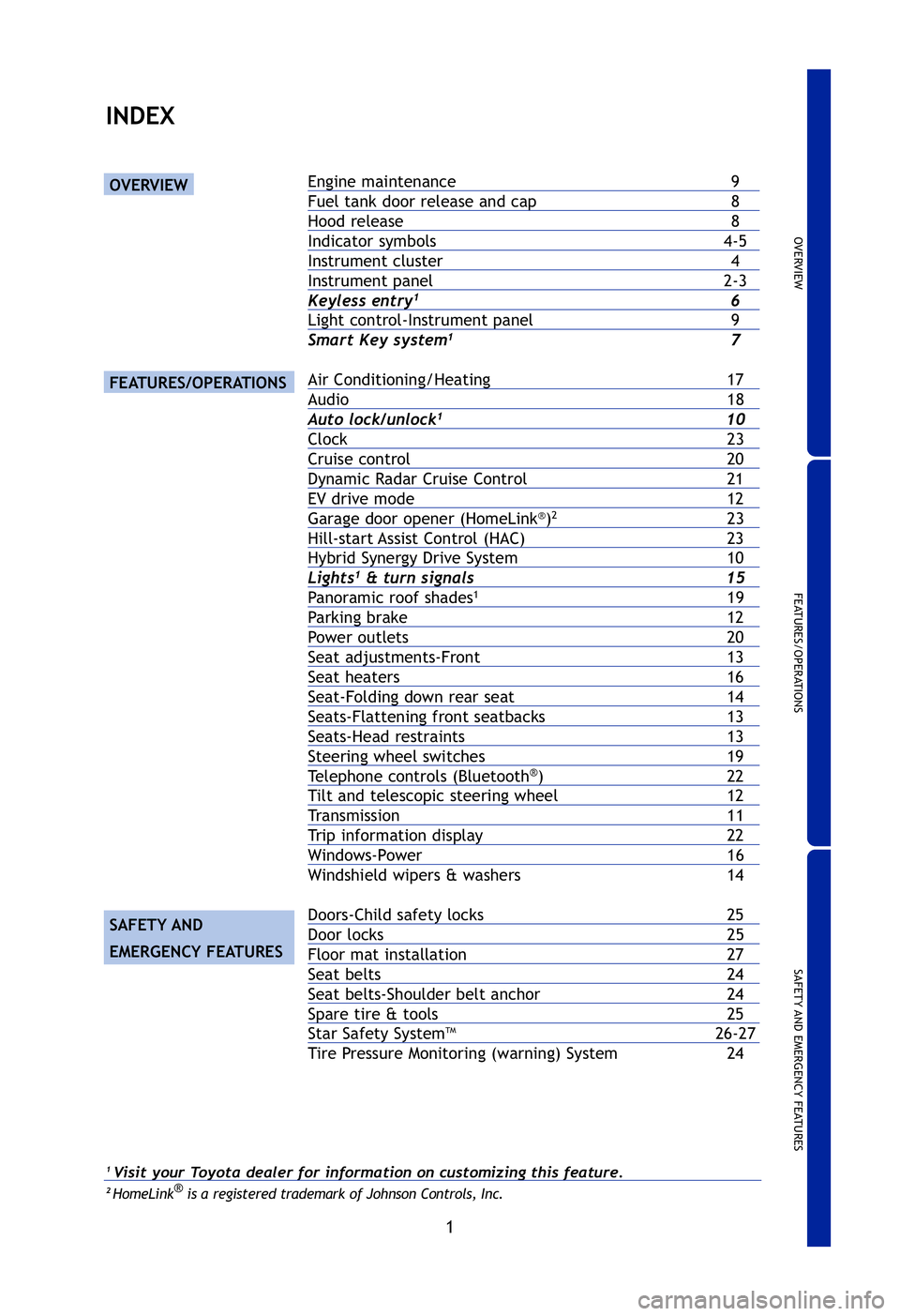
INDEX
OVERVIEW
FEATURES/OPERATIONS
SAFETY AND
EMERGENCY FEATURES
Engine maintenance 9
Fuel tank door release and cap8
Hood release 8
Indicator symbols4-5
Instrument cluster 4
Instrument panel2-3
Keyless entry16
Light control-Instrument panel 9
Smart Key system17
Air Conditioning/Heating 17
Audio 18
Auto lock/unlock110
Clock23
Cruise control20
Dynamic Radar Cruise Control21
EV drive mode 12
Garage door opener (HomeLink®)223
Hill-start Assist Control (HAC) 23
Hybrid Synergy Drive System10
Lights1& turn signals15
Panoramic roof shades119
Parking brake 12
Power outlets 20
Seat adjustments-Front13
Seat heaters 16
Seat-Folding down rear seat14
Seats-Flattening front seatbacks13
Seats-Head restraints 13
Steering wheel switches19
Telephone controls (Bluetooth®)22
Tilt and telescopic steering wheel 12
Transmission 11
Trip information display22
Windows-Power 16
Windshield wipers & washers 14
Doors-Child safety locks 25
Door locks 25
Floor mat installation27
Seat belts24
Seat belts-Shoulder belt anchor24
Spare tire & tools 25
Star Safety SystemTM26-27
Tire Pressure Monitoring (warning) System 24
1Visit your Toyota dealer for information on customizing this feature.2HomeLink®is a registered trademark of Johnson Controls, Inc.
2012-Prius-v-QRG.qxd:2012-Prius-v-QRG 9/13/11 5:13 PM Page 1
Page 4 of 32
2
OVERVIEW
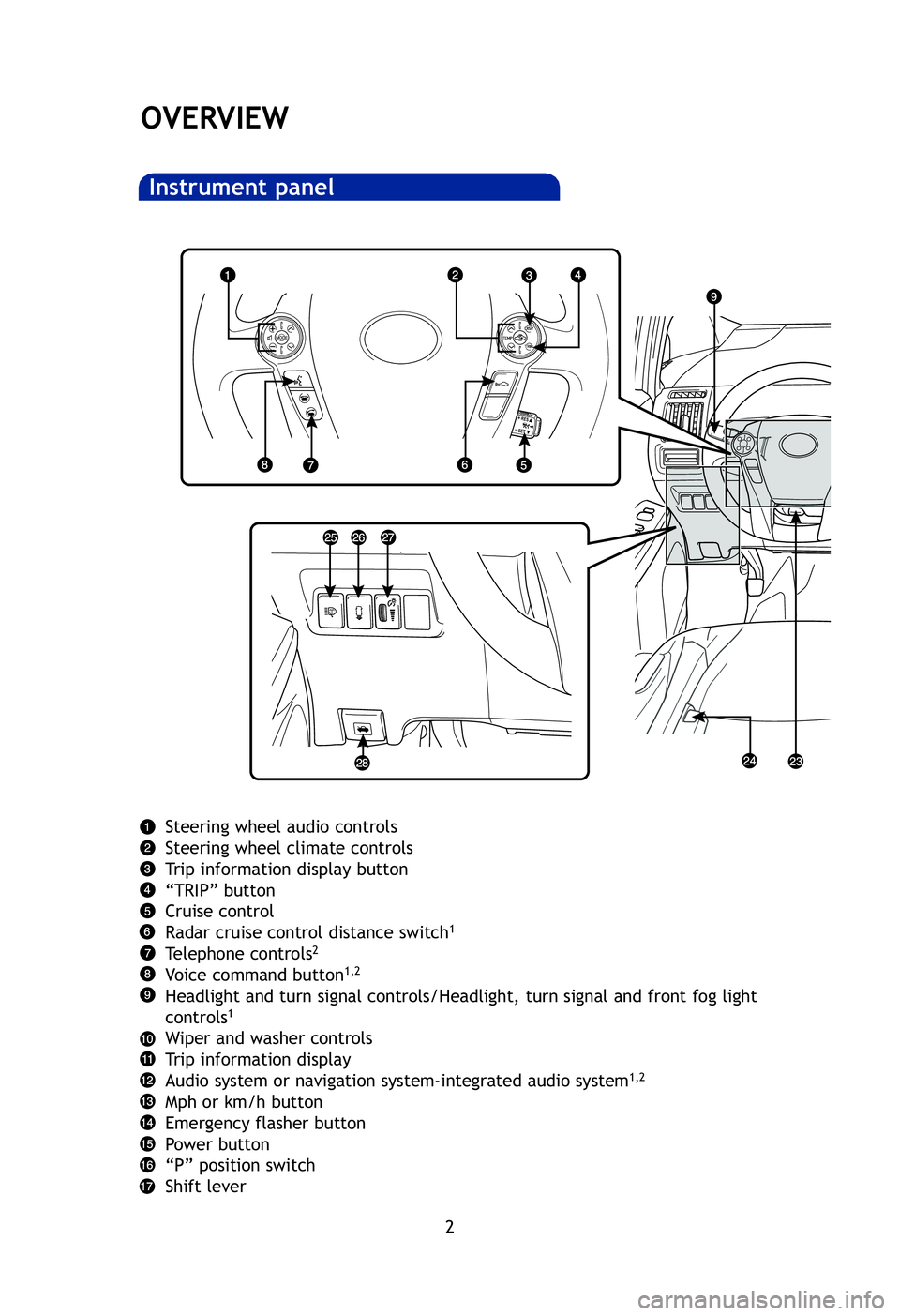
Instrument panel
A
O
A
P
S
T
F
H
A
In
H
1
2
NOT
Syste
Steering wheel audio controls
Steering wheel climate controls
Trip information display button
“TRIP” button
Cruise control
Radar cruise control distance switch
1
Telephone controls2
Voice command button1,2
Headlight and turn signal controls/Headlight, turn signal and front fog \
light
controls1
Wiper and washer controls
Trip information display
Audio system or navigation system-integrated audio system
1,2
Mph or km/h button
Emergency flasher button
Power button
“P” position switch
Shift lever
2012-Prius-v-QRG.qxd:2012-Prius-v-QRG 9/13/11 5:14 PM Page 2
Page 7 of 32
 OVERVIEW
FEATURES/OPERATIONS
SAFETY AND EMERGENCY FEATURES
5
FF
2If this light flashes, refer to “Cruise control,” Section 2-4, 201\
2 Owner’s Manual.
Anti-lock Brake System warning1
Headligh")
OVERVIEW
FEATURES/OPERATIONS
SAFETY AND EMERGENCY FEATURES
5
FF
2If this light flashes, refer to “Cruise control,” Section 2-4, 201\
2 Owner’s Manual.
Anti-lock Brake System warning1
Headlight low/high beam indicators
Turn signal indicator
Slip indicator/Hill-start Assist Control indicator
1
Cruise control indicators2
READY indicator
Front fog light indicator
Eco Mode indicator
EV drive mode indicator
Automatic headlight leveling system warning
1
a
Pre-Collision System warning light1
High coolant temperature warning light1
Power Mode indicator
EV indicator
Eco driving indicator1
Low engine oil pressure warning1
Maintenance required reminder1
Hybrid System warning1
Smart Key system warning
Hybrid System overheat warning1
P position request indicator1
Low Hybrid battery (traction battery) warning
LED headlight warning1
Parking lock system warning1
Parking lock system warning message
2012-Prius-v-QRG.qxd:2012-Prius-v-QRG 9/13/11 5:19 PM Page 5
Page 22 of 32
20
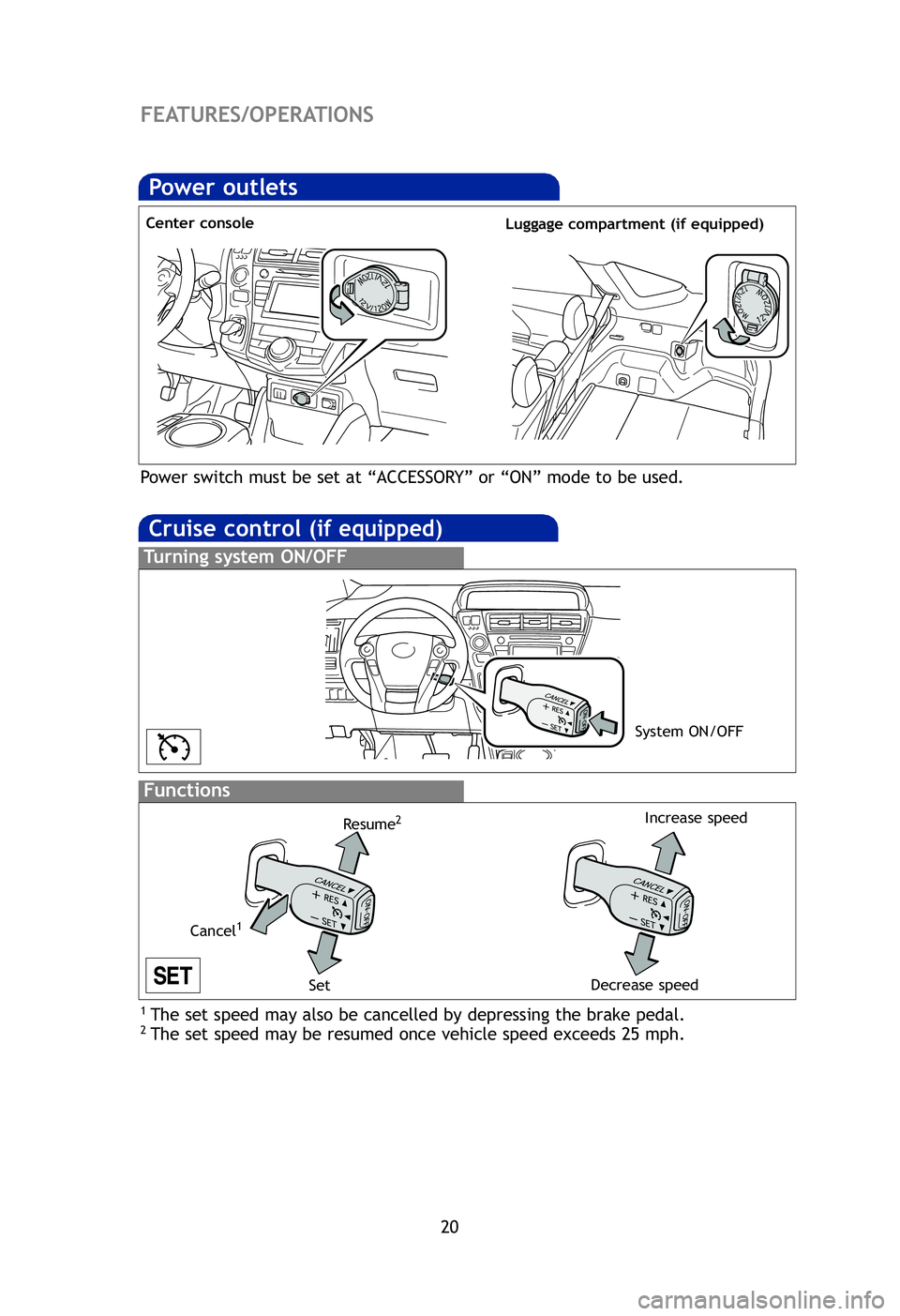
Cruise control (if equipped)
1 The set speed may also be cancelled by depressing the brake pedal.2 The set speed may be resumed once vehicle speed exceeds 25 mph.
Turning system ON/OFF
Functions
System ON/OFF
Increase speed
Decrease speed
Cancel1
Resume2
Set
Dista
dista
the s
(1) Tc
(2) Ts
(3) T
P
p
(1) T
P
(2) Ts
Fixe
Refe
befo
Dist
FEATURES/OPERATIONS
Dy
(if
Power outlets
Center console Luggage compartment (if equipped)
Power switch must be set at “ACCESSORY” or “ON” mode to be used.
2012-Prius-v-QRG.qxd:2012-Prius-v-QRG 9/13/11 5:58 PM Page 20
Page 23 of 32
 OVERVIEW
FEATURES/OPERATIONS
SAFETY AND EMERGENCY FEATURES
21
Distance control mode will cruise at a set speed, decelerate to maintain\
selected
distance from a slower vehicle traveling in front of y")
OVERVIEW
FEATURES/OPERATIONS
SAFETY AND EMERGENCY FEATURES
21
Distance control mode will cruise at a set speed, decelerate to maintain\
selected
distance from a slower vehicle traveling in front of you, and accelerate\
back up to
the selected speed if the vehicle in front of you changes lanes or speed\
s up.
(1) To select distance control mode Push the ON-OFF button. The “ ” will
come on.
(2) To set, cancel or resume a speed Refer to instructions for Cruise Control
section.
(3) To change the vehicle-to-vehicle distance
Push the distance button to cycle through the settings, which will chang\
e
progressively from LONG to MIDDLE to SHORT.
(1)
To select conventional/fixed speed control Push the ON-OFF button.
Push the lever forward and hold until the “ ” indicator appears.
(2) To set, cancel and resume a speed Refer to instructions in the Cruise Control
section.
Fixed speed mode
Refer to the Owner’s Manual for more details and complete safety precautions
before attempting to use “Dynamic Radar Cruise Control.”
Distance control mode
Dynamic Radar Cruise Control
(if equipped)
LONG
MIDDLE SHORT
)
2012-Prius-v-QRG.qxd:2012-Prius-v-QRG 9/13/11 6:00 PM Page 21