remote control TOYOTA PRIUS V 2014 ZVW40 / 1.G User Guide
[x] Cancel search | Manufacturer: TOYOTA, Model Year: 2014, Model line: PRIUS V, Model: TOYOTA PRIUS V 2014 ZVW40 / 1.GPages: 568, PDF Size: 11.03 MB
Page 73 of 568
73
1-3. Opening, closing and locking the doors
1
Before driving
PRIUS v_OM_OM47840U_(U)
■
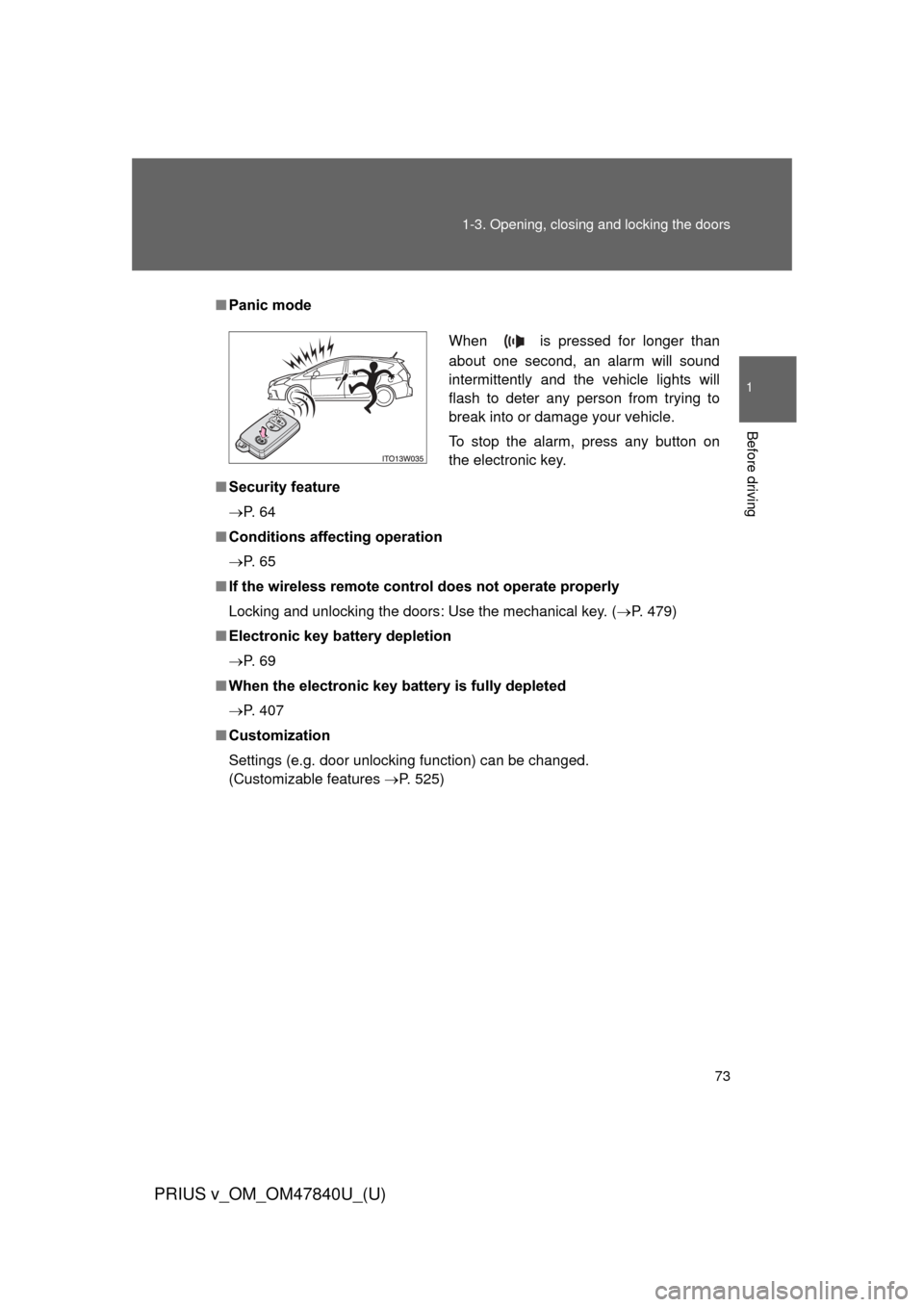
Panic mode
■ Security feature
P. 6 4
■ Conditions aff ecting operation
P. 6 5
■ If the wireless remote control does not operate properly
Locking and unlocking the doors: Use the mechanical key. ( P. 479)
■ Electronic key battery depletion
P. 6 9
■ When the electronic key battery is fully depleted
P. 407
■ Customization
Settings (e.g. door unlocking function) can be changed.
(Customizable features P. 525)
When is pressed for longer than
about one second, an alarm will sound
intermittently and the vehicle lights will
flash to deter any person from trying to
break into or damage your vehicle.
To stop the alarm, press any button on
the electronic key.
Page 74 of 568
74
1-3. Opening, closing and locking the doors
PRIUS v_OM_OM47840U_(U)
Side doors
The vehicle can be locked and unlocked using the entry function,
wireless remote control or door lock switch.
■Entry function
P. 5 7
■ Wireless remote control
P. 7 2
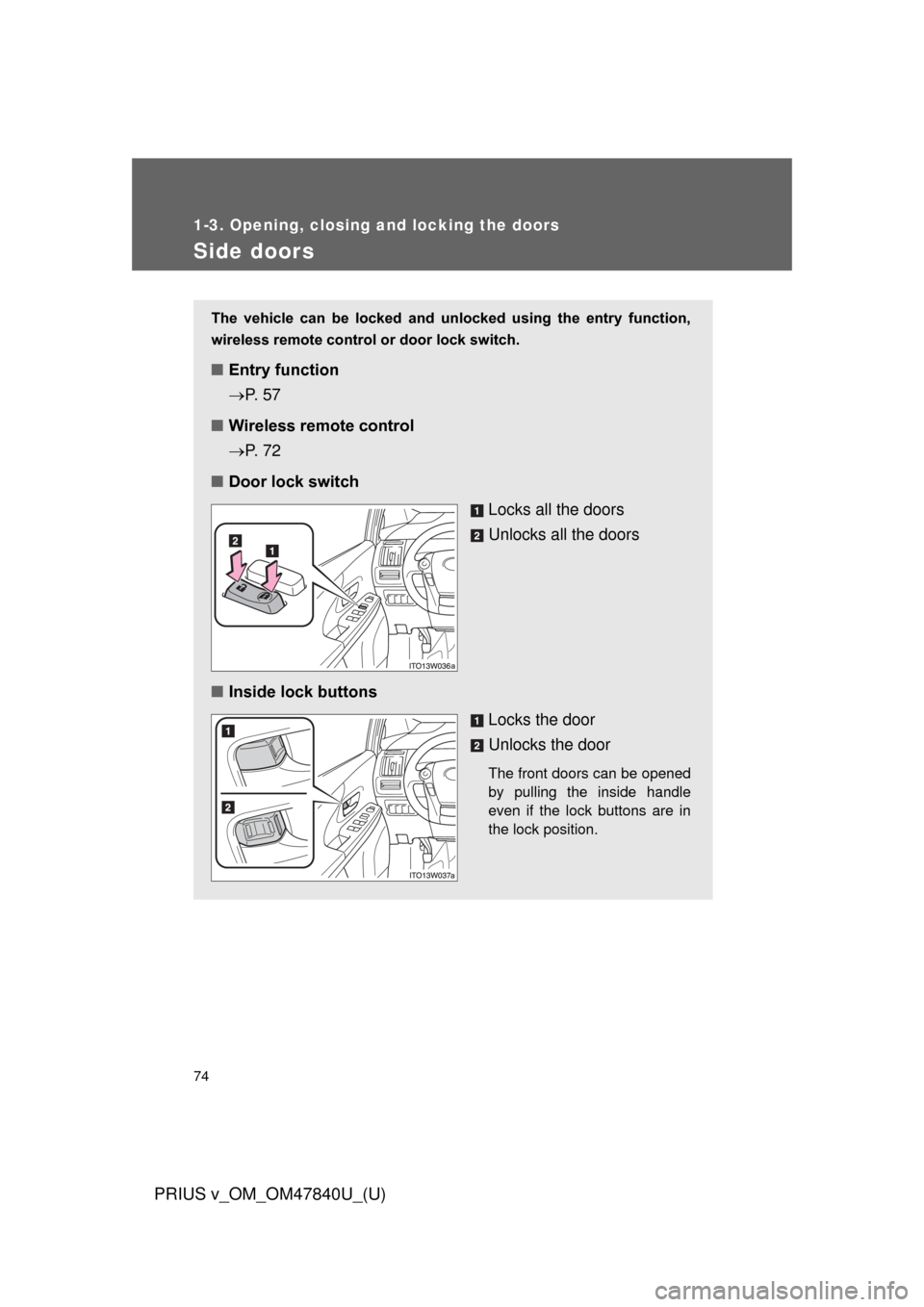
■ Door lock switch
Locks all the doors
Unlocks all the doors
■ Inside lock buttons
Locks the door
Unlocks the door
The front doors can be opened
by pulling the inside handle
even if the lock buttons are in
the lock position.
Page 79 of 568
79
1
1-3. Opening, closing and locking the doors
Before driving
PRIUS v_OM_OM47840U_(U)
Back door
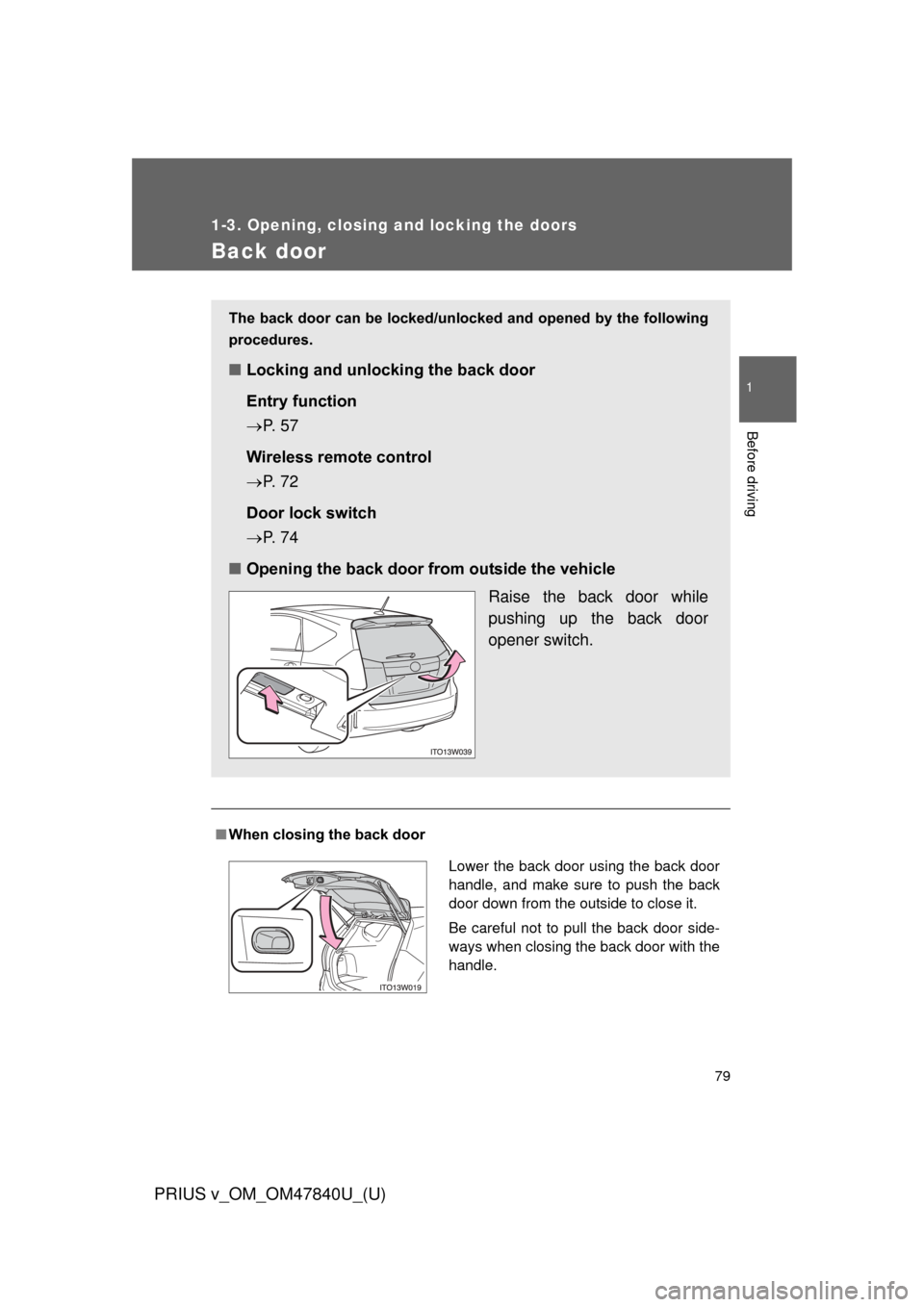
■When closing the back door
The back door can be locked/unlocked and opened by the following
procedures.
■ Locking and unlocking the back door
Entry function
P. 5 7
Wireless remote control
P. 7 2
Door lock switch
P. 7 4
■ Opening the back door from outside the vehicle
Raise the back door while
pushing up the back door
opener switch.
Lower the back door using the back door
handle, and make sure to push the back
door down from the outside to close it.
Be careful not to pull the back door side-
ways when closing the back door with the
handle.
Page 277 of 568
Interior features3
277
PRIUS v_OM_OM47840U_(U)
3-1. Using the air conditioning system and defogger
Automatic air conditioning system ....... 278
Using the steering wheel climate remote control
switches ......................... 291
Rear window and outside rear view mirror
defogger switch.............. 293 3-2. Using the audio system
Audio system types .......... 294
3-3. Using the interior lights Interior lights list ............... 299
• Interior lights .................. 300
• Personal lights ............... 301
3-4. Using the storage features List of storage features .... 303
• Glove boxes ................... 305
• Console box ................... 306
• Cup holders ................... 307
• Bottle holders ................. 309
• Auxiliary boxes ............... 310
• Door pockets .................. 311
• Card holder .................... 311
3-5. Other interior features Sun visors ........................ 312
Vanity mirrors ................... 313
Clock ................................ 314
Power outlets ................... 315
Seat heaters..................... 317
Armrest ............................ 319
Panoramic roof shades .... 320
Assist grips....................... 324
Floor mats ........................ 325
Luggage compartment features .......................... 327
Garage door opener......... 331
Safety Connect ................ 339
Page 291 of 568
291
3-1. Using the air conditioning system and defogger
PRIUS v_OM_OM47840U_(U)
3
Interior features
Using the steering wheel climate remote control switches
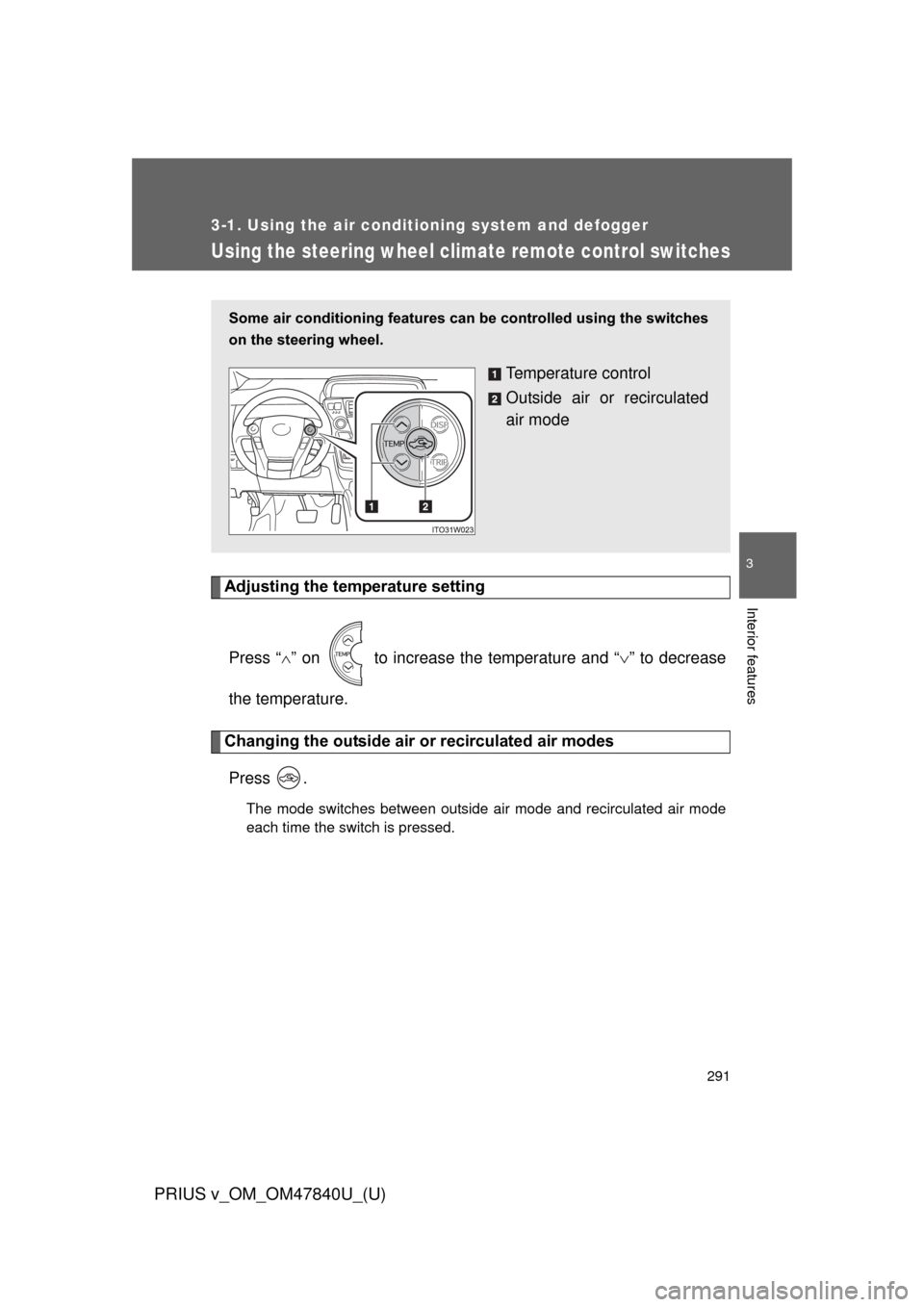
Adjusting the temperature settingPress “ ” on to increase the temperature and “ ” to decrease
the temperature.
Changing the outside air or recirculated air modes
Press .
The mode switches between outside air mode and recirculated air mode
each time the switch is pressed.
Some air conditioning features can be controlled using the switches
on the steering wheel.
Temperature control
Outside air or recirculated
air mode
Page 321 of 568
321
3-5. Other interior features
PRIUS v_OM_OM47840U_(U)
3
Interior features
■
Jam protection function
●If an object is detected between a panoramic roof shade and the frame
while closing, travel is stopped and the panoramic roof shades open
slightly.
● When the jam protection function has operated, even if the “CLOSE” side
of the switch is pressed again, the shade will not move in the close direc-
tion until the reverse operation has stopped completely.
● Depending on the driving conditions and the surroundings, the pan-
oramic roof shades may collide with something and operate in reverse.
■ Door lock linked automatic close function
When the “POWER” switch is off, the panoramic roof shades will close auto-
matically if the vehicle is locked from the outside or from the inside using the
wireless remote control.
■ If the panoramic roof shades do not close normally
Perform the following operations.
Stop the vehicle in a safe place.
With the panoramic roof shades stopped, push and hold the
“CLOSE” side of the switch for 10 seconds or more (until the pan-
oramic roof shades have closed completely).
If the panoramic roof shades continue to close but then re-open slightly even
after performing the above procedure correctly, have the vehicle inspected
by your Toyota dealer.
■ Customization
The door lock linked automatic close function can be disabled.
(Customizable features P. 530)
STEP 1
STEP 2
Page 332 of 568
332 3-5. Other interior features
PRIUS v_OM_OM47840U_(U)
■Programming HomeLink®
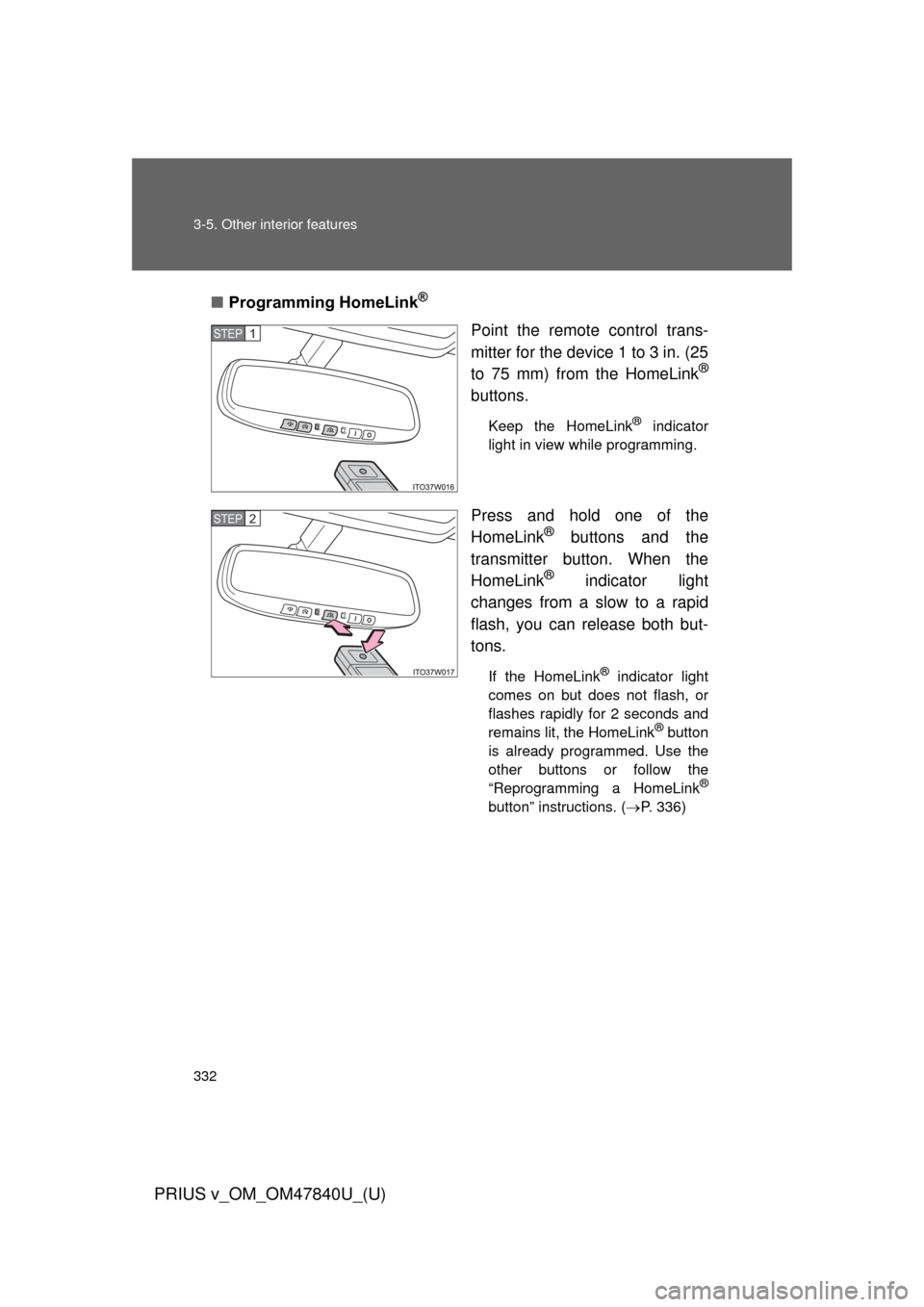
Point the remote control trans-
mitter for the device 1 to 3 in. (25
to 75 mm) from the HomeLink
®
buttons.
Keep the HomeLink® indicator
light in view while programming.
Press and hold one of the
HomeLink® buttons and the
transmitter button. When the
HomeLink
® indicator light
changes from a slow to a rapid
flash, you can release both but-
tons.
If the HomeLink® indicator light
comes on but does not flash, or
flashes rapidly for 2 seconds and
remains lit, the HomeLink
® button
is already programmed. Use the
other buttons or follow the
“Reprogramming a HomeLink
®
button” instructions. ( P. 336)
STEP 1
STEP 2
Page 333 of 568
333
3-5. Other interior features
PRIUS v_OM_OM47840U_(U)
3
Interior features
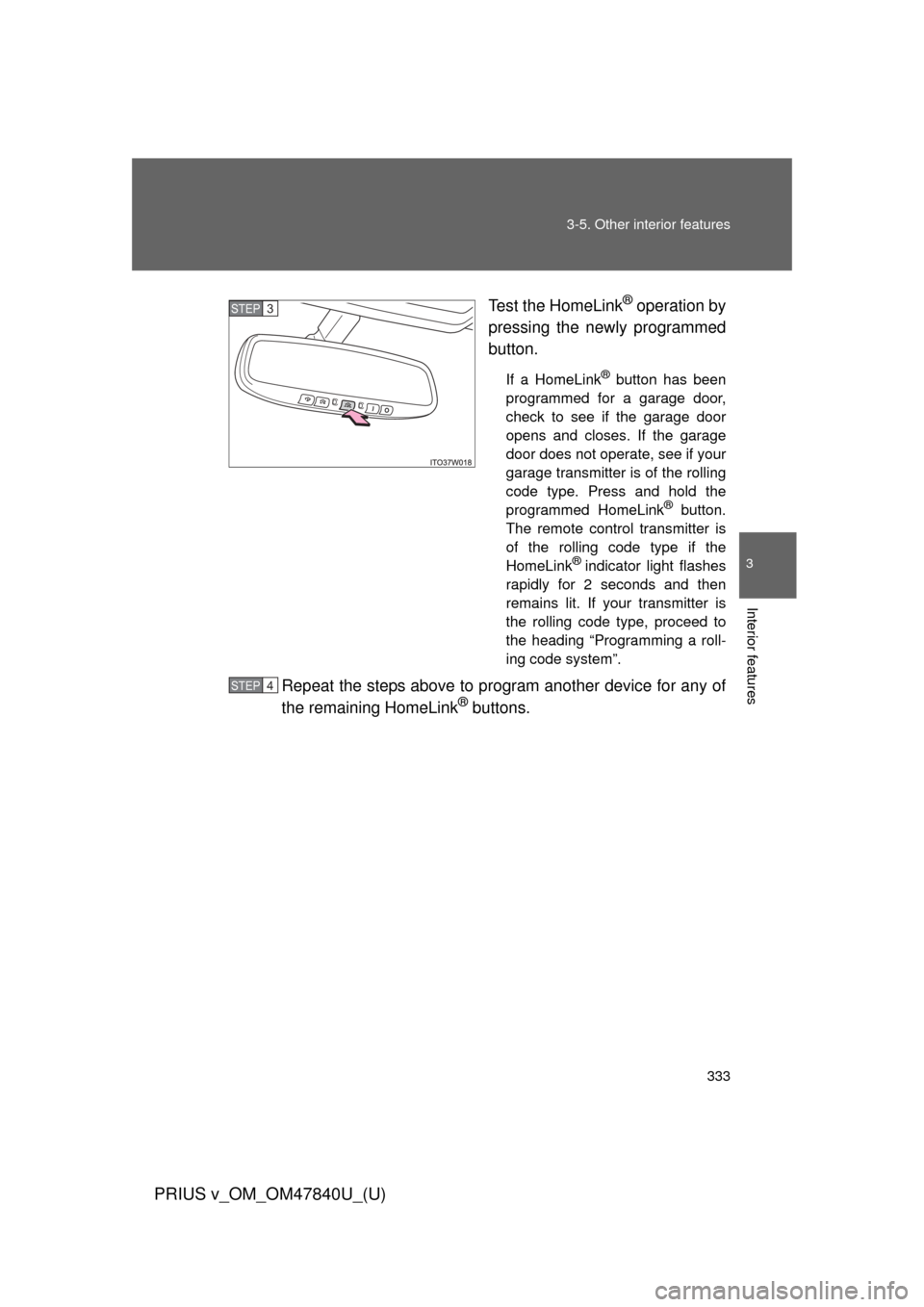
Test the HomeLink® operation by
pressing the newly programmed
button.
If a HomeLink® button has been
programmed for a garage door,
check to see if the garage door
opens and closes. If the garage
door does not operate, see if your
garage transmitter is of the rolling
code type. Press and hold the
programmed HomeLink
® button.
The remote control transmitter is
of the rolling code type if the
HomeLink
® indicator light flashes
rapidly for 2 seconds and then
remains lit. If your transmitter is
the rolling code type, proceed to
the heading “Programming a roll-
ing code system”.
Repeat the steps above to program another device for any of
the remaining HomeLink® buttons.
STEP 3
STEP 4
Page 335 of 568
335
3-5. Other interior features
PRIUS v_OM_OM47840U_(U)
3
Interior features
■
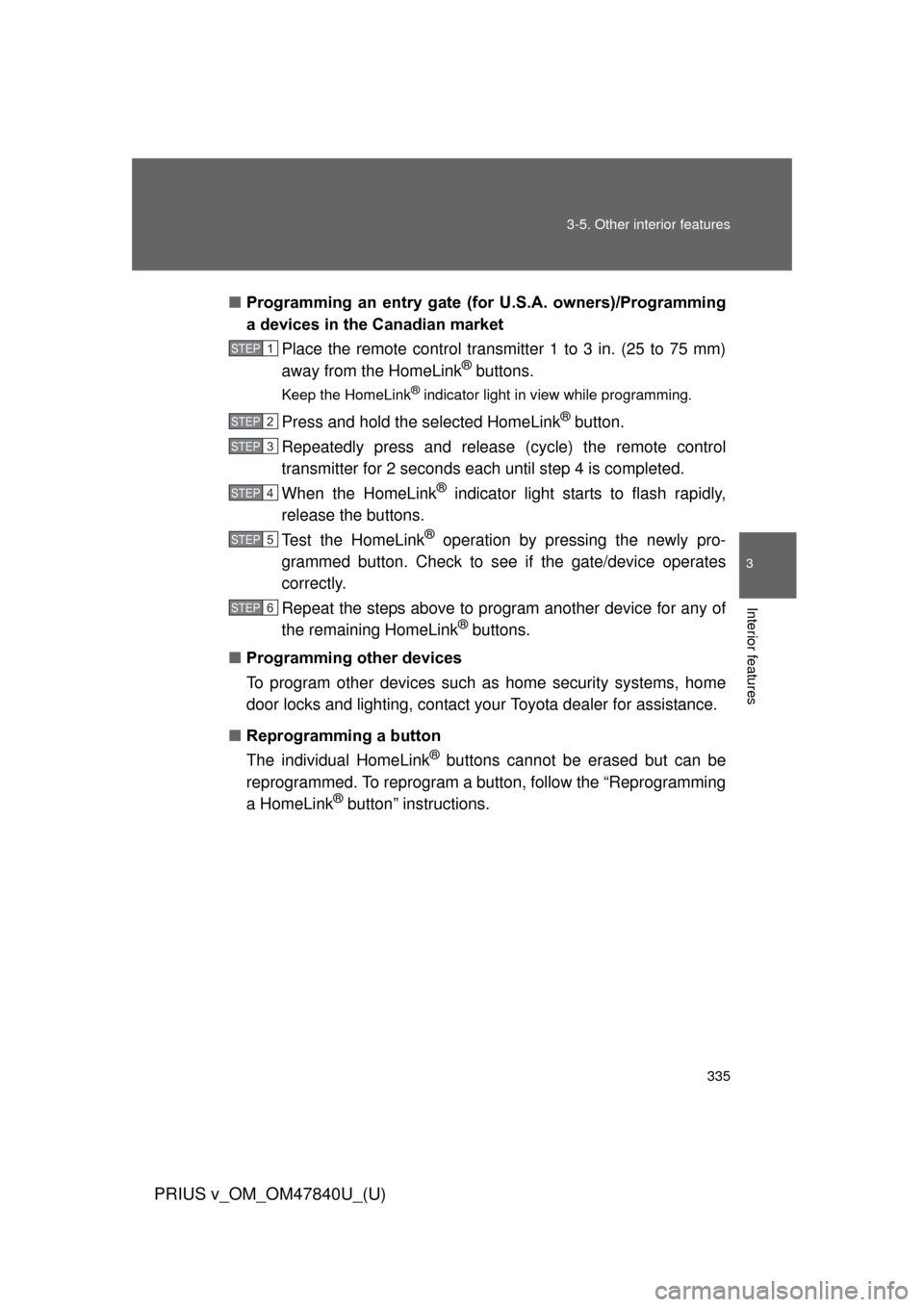
Programming an entry gate (f or U.S.A. owners)/Programming
a devices in the Canadian market
Place the remote control transmitter 1 to 3 in. (25 to 75 mm)
away from the HomeLink
® buttons.
Keep the HomeLink® indicator light in view while programming.
Press and hold the selected HomeLink® button.
Repeatedly press and release (cycle) the remote control
transmitter for 2 seconds each until step 4 is completed.
When the HomeLink
® indicator light starts to flash rapidly,
release the buttons.
Test the HomeLink
® operation by pressing the newly pro-
grammed button. Check to see if the gate/device operates
correctly.
Repeat the steps above to program another device for any of
the remaining HomeLink
® buttons.
■ Programming other devices
To program other devices such as home security systems, home
door locks and lighting, contact your Toyota dealer for assistance.
■ Reprogramming a button
The individual HomeLink
® buttons cannot be erased but can be
reprogrammed. To reprogram a button, follow the “Reprogramming
a HomeLink
® button” instructions.
STEP 1
STEP 2
STEP 3
STEP 4
STEP 5
STEP 6
Page 337 of 568
337
3-5. Other interior features
PRIUS v_OM_OM47840U_(U)
3
Interior features
■
Before programming
●Install a new battery in the remote control transmitter.
● The battery side of the remote control transmitter must be pointed away
from the HomeLink
® button.
■ Certification for the garage door opener
For vehicles sold in the U.S.A.
FCC ID: NZLOBIHL4
NOTE:
This device complies with part 15 of the FCC Rules.
Operation is subject to the following two conditions: (1) This device may not
cause harmful interference, and (2) this device must accept any interference
received, including interference that may cause undesired operation.
FCC WARNING:
Changes or modifications not expressly approved by the party responsible
for compliance could void the user’s authority to operate the equipment.
For vehicles sold in Canada
NOTE:
This device complies with Industry Canada licence-exempt RSS stan-
dard(s). Operation is subject to the following two conditions: (1) this device
may not cause interference, and (2) this device must accept any interfer-
ence, including interference that may cause undesired operation of the
device.
■ When support is necessary
Visit on the web at www.homelink.com
or call 1-800-355-3515.