display TOYOTA PRIUS V 2018 Owners Manual
[x] Cancel search | Manufacturer: TOYOTA, Model Year: 2018, Model line: PRIUS V, Model: TOYOTA PRIUS V 2018Pages: 607, PDF Size: 41.96 MB
Page 532 of 607
5308-2. Steps to take in an emergency
PRIUS v_OM_OM47B78U_(U)■
If the hybrid system overheat warning light comes on or the
warning message indicating overheat is shown on the multi-
information display
Stop the vehicle in a safe place.
Stop the hybrid system and carefully lift the hood.
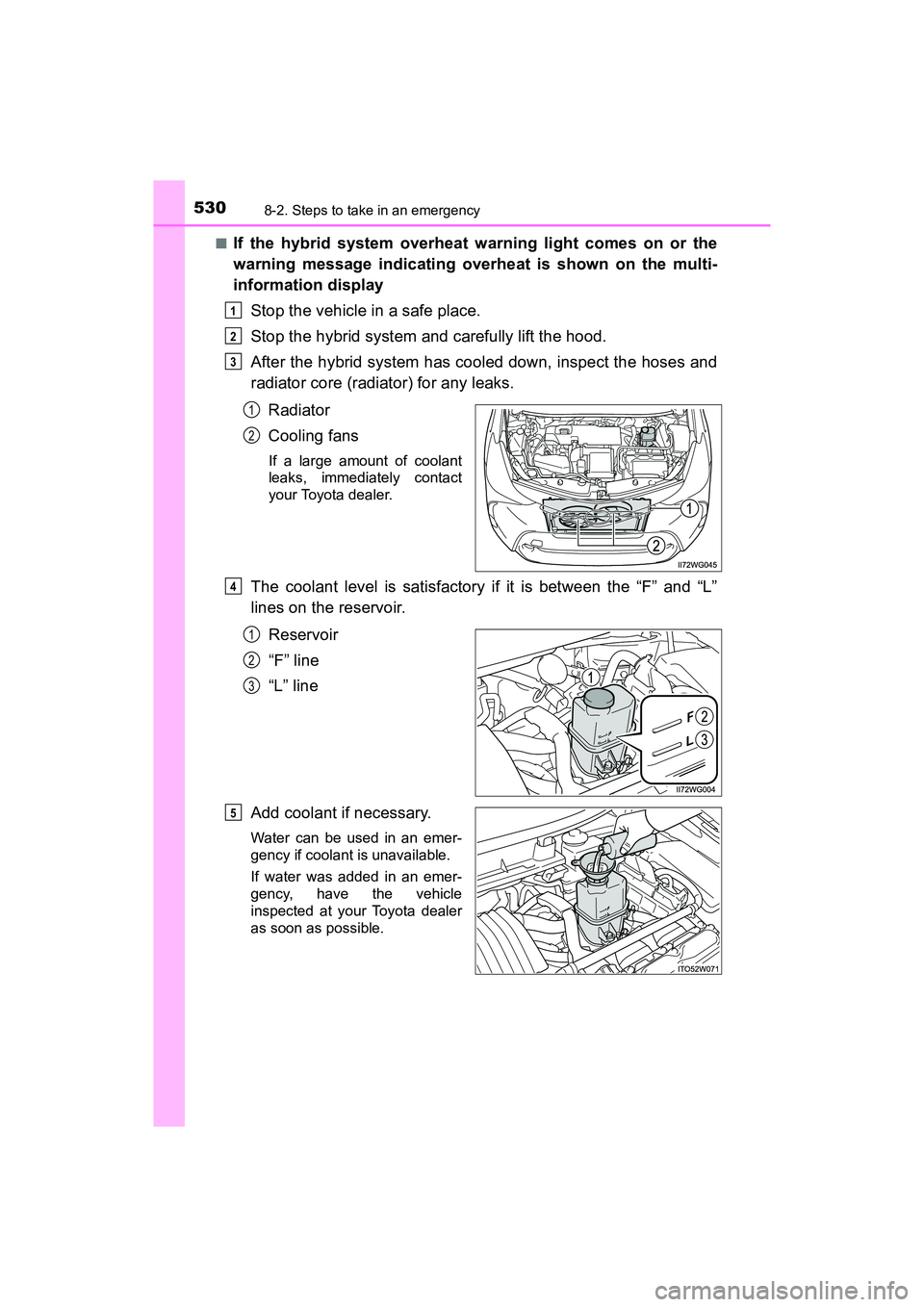
After the hybrid system has cooled down, inspect the hoses and
radiator core (radiator) for any leaks.
Radiator
Cooling fans
If a large amount of coolant
leaks, immediately contact
your Toyota dealer.
The coolant level is satisfactory if it is between the “F” and “L”
lines on the reservoir.Reservoir
“F” line
“L” line
Add coolant if necessary.
Water can be used in an emer-
gency if coolant is unavailable.
If water was added in an emer-
gency, have the vehicle
inspected at your Toyota dealer
as soon as possible.
1
2
3
1
2
4
1
2
3
5
Page 533 of 607
5318-2. Steps to take in an emergency
PRIUS v_OM_OM47B78U_(U)
8
When trouble arises
After stopping the hybrid system and waiting for 5 minutes or
more, start the hybrid system and check for the instrument clus-
ter or multi-information display.
If the hybrid system overheat warning light does not turn off or
the message does not disappear:
Stop the hybrid system and contact your Toyota dealer.
If the hybrid system overheat warning light does not come on or
the message is not displayed:
The hybrid system temperature has dropped and the vehicle may
be driven normally.
However, if the warning light comes on again frequently or the message
appears again frequently, contact your Toyota dealer.
WARNING
■When inspecting under the hood of your vehicle
Observe the following precautions.
Failure to do so may result in serious injury such as burns.
●If steam is seen coming from under the hood, do not open the hood until
the steam has subsided. The engine compartment may be very hot.
● After the hybrid system has been turned off, check that the indicator on the
power switch and the “READY” indicator are off.
When the hybrid system is operating, the gasoline engine may automati-
cally start, or the cooling fan may suddenly operate even if the gasoline
engine stops. Do not touch or approach rotating parts such as the fan,
which may lead to fingers or clothing (especially a tie, a scarf or a muffler)
getting caught, resulting in serious injury.
● Do not loosen the coolant reservoir cap while the hybrid system and radia-
tor are hot.
High temperature steam or coolant could spray out.
6
Page 561 of 607
559
PRIUS v_OM_OM47B78U_(U)
9-2. Customization
9
Vehicle specifications
Customizable features
When customizing vehicle features, ensure that the vehicle is parked
in a safe place with the parking brake set and the shift position in P.
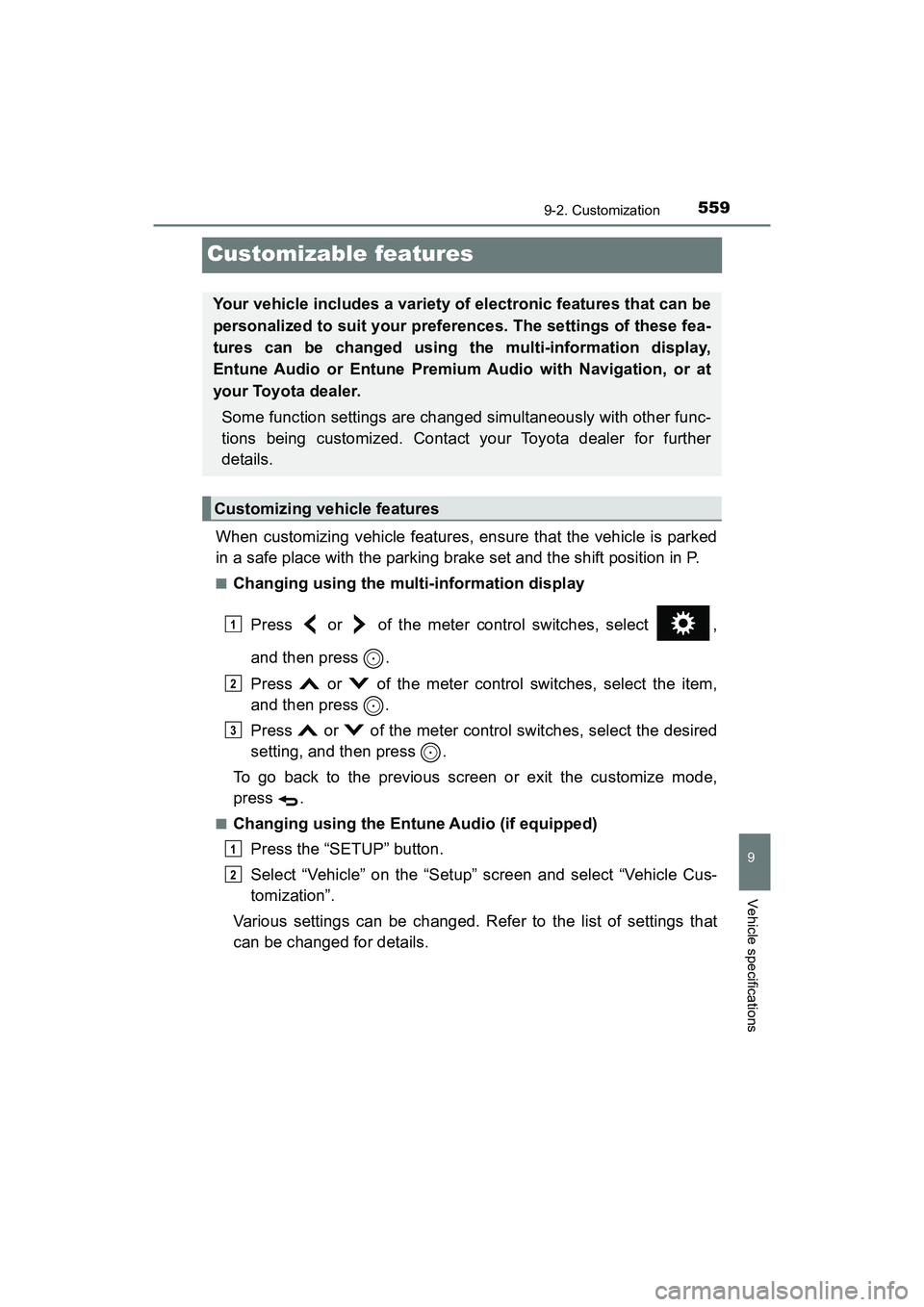
■Changing using the multi-information displayPress or of the meter control switches, select ,
and then press .
Press or of the meter control switches, select the item,
and then press .
Press or of the meter control switches, select the desired
setting, and then press .
To go back to the previous screen or exit the customize mode,
press .
■Changing using the Entune Audio (if equipped) Press the “SETUP” button.
Select “Vehicle” on the “Setup” screen and select “Vehicle Cus-
tomization”.
Various settings can be changed. Refer to the list of settings that
can be changed for details.
Your vehicle includes a variety of electronic features that can be
personalized to suit your preferences. The settings of these fea-
tures can be changed using the multi-information display,
Entune Audio or Entune Premium Audio with Navigation, or at
your Toyota dealer.
Some function settings are changed simultaneously with other func-
tions being customized. Contact your Toyota dealer for further
details.
Customizing vehicle features
1
2
3
1
2
Page 562 of 607
560
PRIUS v_OM_OM47B78U_(U)
9-2. Customization
■Changing using the Entune Premium Audio with Navigation (if
equipped)Press the “APPS” button on the navigation system.
Select “Setup” on the “APPS” screen.
Select “Vehicle” on the “Setup” screen and select “Vehicle Cus-
tomization”.
Various settings can be changed. Refer to the list of settings that
can be changed for details.
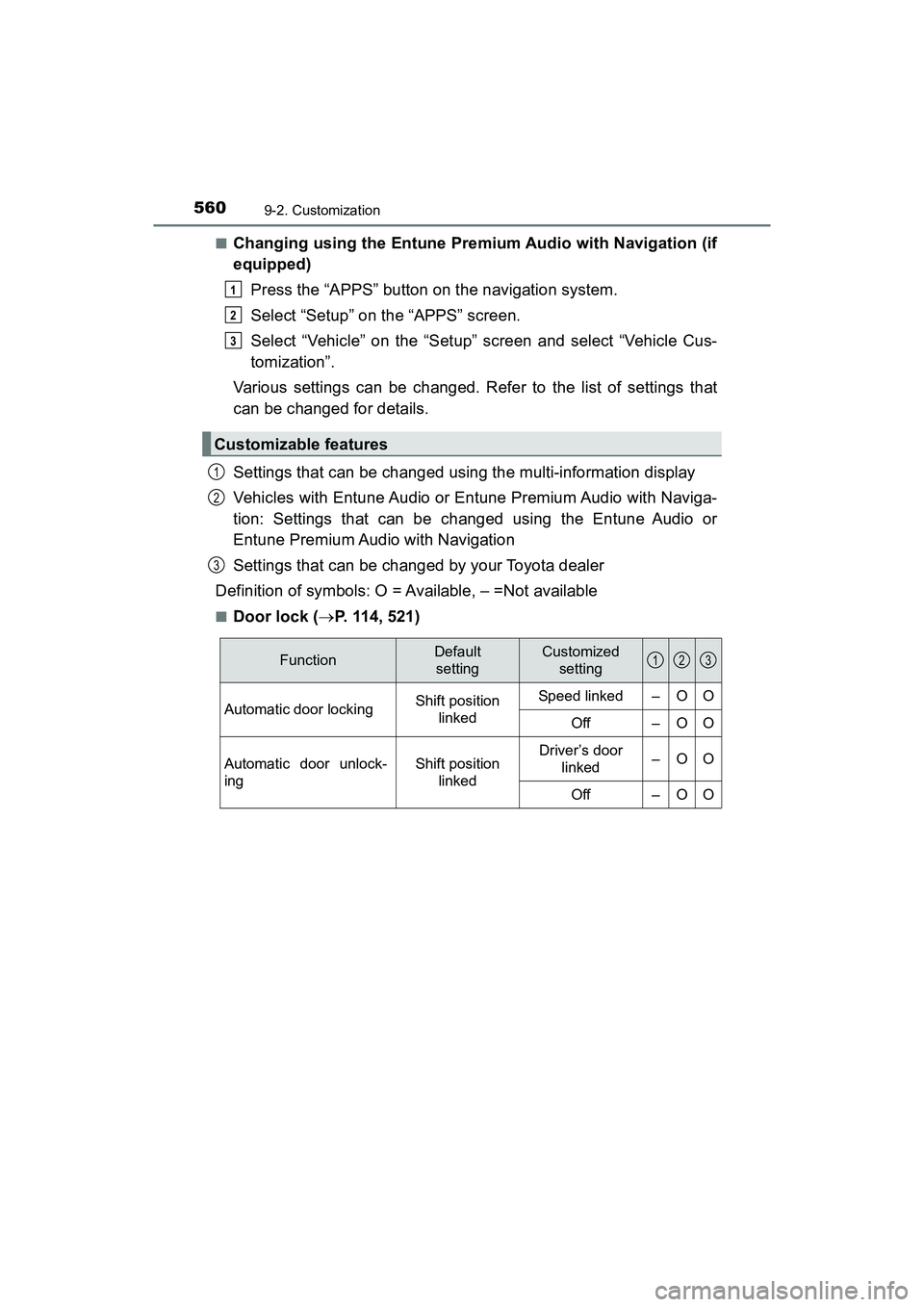
Settings that can be changed using the multi-information display
Vehicles with Entune Audio or Entune Premium Audio with Naviga-
tion: Settings that can be changed using the Entune Audio or
Entune Premium Audio with Navigation
Settings that can be changed by your Toyota dealer
Definition of symbols: O = Available, – =Not available
■Door lock ( P. 114, 521)
Customizable features
1
2
3
1
2
3
FunctionDefault
settingCustomized setting
Automatic door lockingShift position
linkedSpeed linked–OO
Off–OO
Automatic door unlock-
ingShift position linkedDriver’s door linked–OO
Off–OO
123
Page 566 of 607
564
PRIUS v_OM_OM47B78U_(U)
9-2. Customization
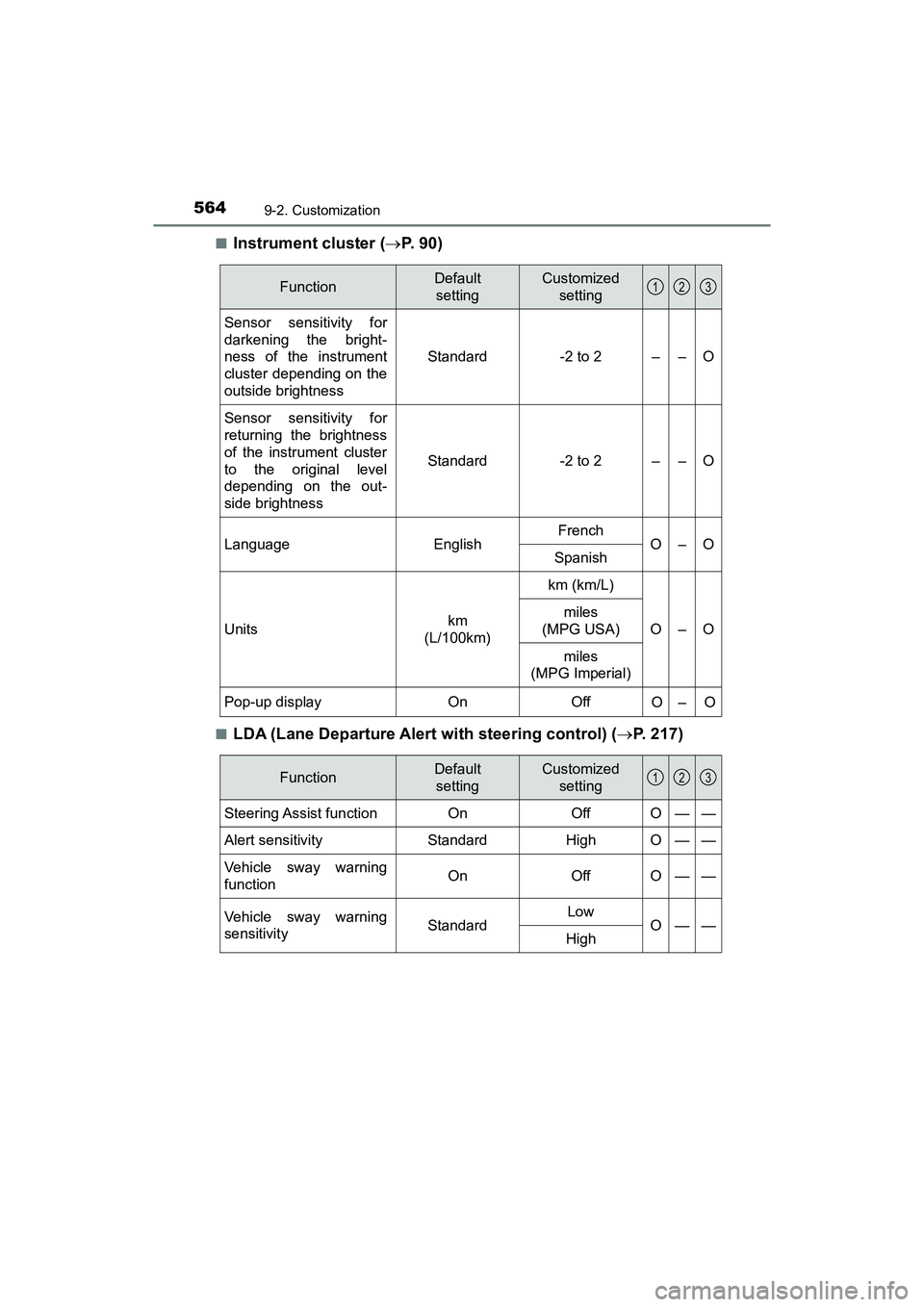
■Instrument cluster (P. 9 0 )
■LDA (Lane Departure Alert with steering control) ( P. 217)
FunctionDefault
settingCustomized setting
Sensor sensitivity for
darkening the bright-
ness of the instrument
cluster depending on the
outside brightness
Standard-2 to 2––O
Sensor sensitivity for
returning the brightness
of the instrument cluster
to the original level
depending on the out-
side brightness
Standard-2 to 2––O
LanguageEnglishFrenchO–OSpanish
Unitskm
(L/100km)
km (km/L)
O–O
miles
(MPG USA)
miles
(MPG Imperial)
Pop-up displayOnOffO–O
123
FunctionDefault
settingCustomized setting
Steering Assist functionOnOffO——
Alert sensitivityStandardHighO——
Vehicle sway warning
functionOnOffO——
Vehicle sway warning
sensitivityStandardLowO——High
123
Page 568 of 607
566
PRIUS v_OM_OM47B78U_(U)
9-2. Customization
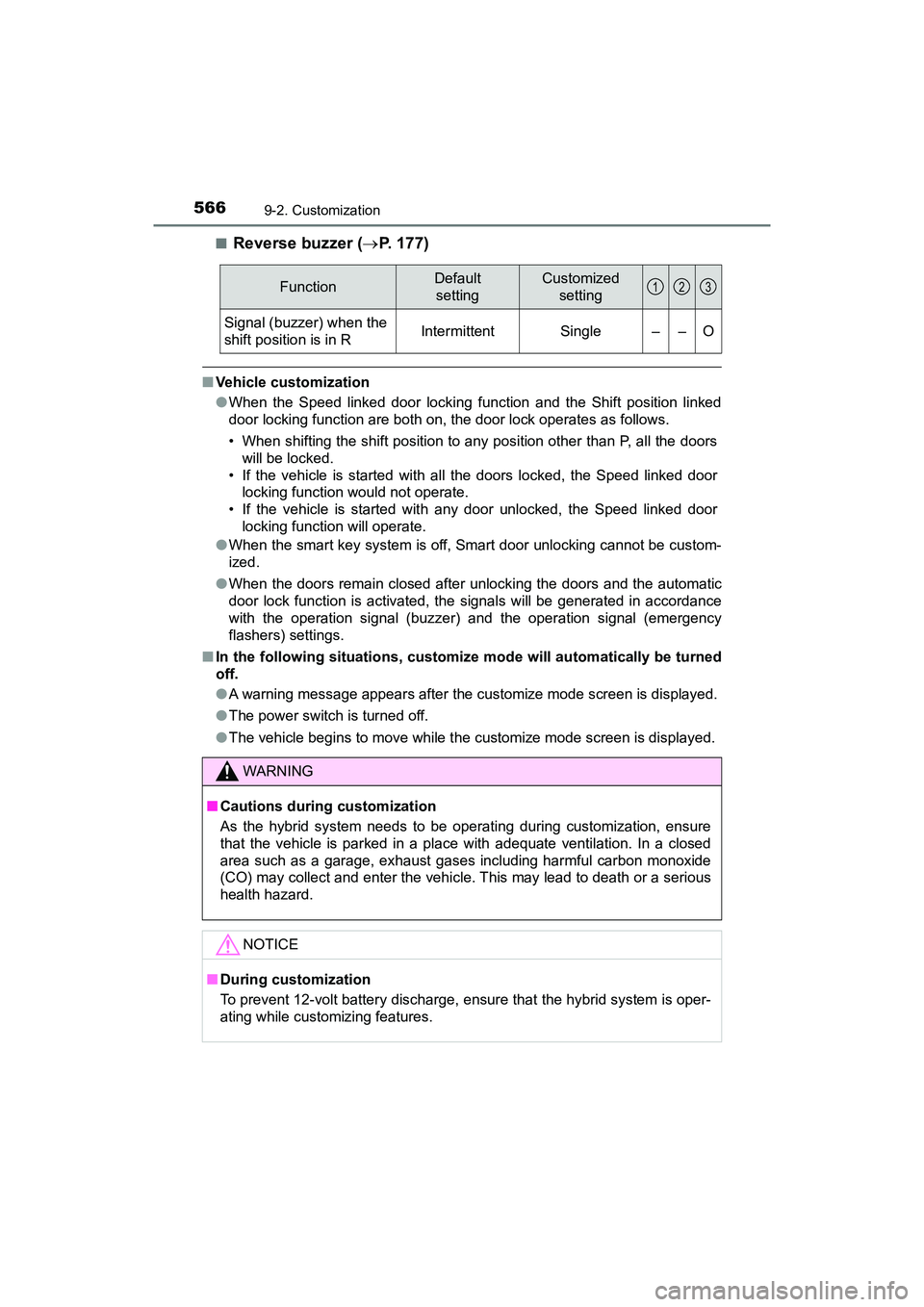
■Reverse buzzer (P. 177)
■Vehicle customization
●When the Speed linked door locking function and the Shift position linked
door locking function are both on, the door lock operates as follows.
• When shifting the shift position to any position other than P, all the doors
will be locked.
• If the vehicle is started with all the doors locked, the Speed linked door locking function would not operate.
• If the vehicle is started with any door unlocked, the Speed linked door locking function will operate.
● When the smart key system is off, Smart door unlocking cannot be custom-
ized.
● When the doors remain closed after unlocking the doors and the automatic
door lock function is activated, the signals will be generated in accordance
with the operation signal (buzzer) and the operation signal (emergency
flashers) settings.
■ In the following situations, customize mode will automatically be turned
off.
●A warning message appears after the customize mode screen is displayed.
● The power switch is turned off.
● The vehicle begins to move while the customize mode screen is displayed.
FunctionDefault
settingCustomized setting
Signal (buzzer) when the
shift position is in RIntermittentSingle––O
WARNING
■Cautions during customization
As the hybrid system needs to be operating during customization, ensure
that the vehicle is parked in a place with adequate ventilation. In a closed
area such as a garage, exhaust gases including harmful carbon monoxide
(CO) may collect and enter the vehicle. This may lead to death or a serious
health hazard.
NOTICE
■During customization
To prevent 12-volt battery discharge, ensure that the hybrid system is oper-
ating while customizing features.
123
Page 586 of 607
584What to do if... (Troubleshooting)
PRIUS v_OM_OM47B78U_(U)
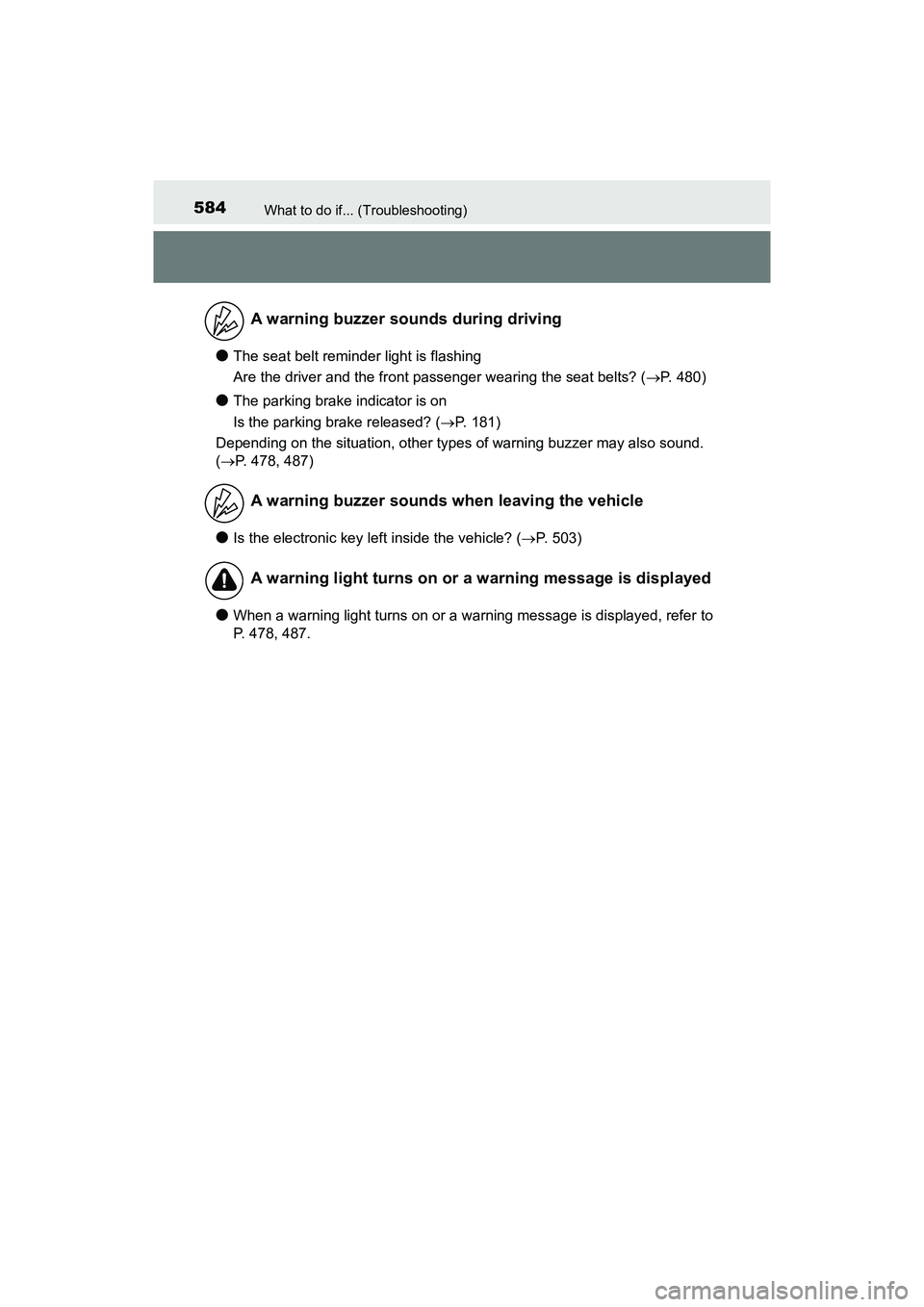
●The seat belt reminder light is flashing
Are the driver and the front passenger wearing the seat belts? (P. 480)
●The parking brake indicator is on
Is the parking brake released? (P. 181)
Depending on the situation, other types of warning buzzer may also sound.
( P. 478, 487)
●Is the electronic key left inside the vehicle? ( P. 503)
●When a warning light turns on or a warning message is displayed, refer to
P. 478, 487.
A warning buzzer sounds during driving
A warning buzzer sounds when leaving the vehicle
A warning light turns on or a warning message is displayed
Page 591 of 607
589Alphabetical index
PRIUS v_OM_OM47B78U_(U)
Child-protectors....................... 117
CleaningAluminum wheels.................. 395
Exterior ................................. 394
Interior................................... 398
Panoramic roof ..................... 397
Radar sensor ........................ 201
Seat belts .............................. 399
Clock ................................... 90, 381
Condenser................................ 421
Console box ............................. 372
Coolant Capacity ................................ 541
Checking ............................... 419
Preparing and checking before winter....................... 262
Cooling system ........................ 419
Hybrid system overheating......................... 528
Consumption screen ............... 103
Cruise control Dynamic radar cruise control................................. 227
Cup holders.............................. 373
Curtain shield airbags ............... 41
Customizable features ............ 559 Daytime running light
system.................................... 183
Defogger Outside rear view mirrors ..... 362
Rear window ......................... 362
Windshield ............................ 362
Dimension ................................ 536
Dinghy towing.......................... 167
Display Drive information .................... 96
Dynamic radar cruise control ................................ 227
Energy monitor ............... 96, 103
LDA (Lane Departure Alert)................................... 217
Multi-information display ......... 94
Trip information....................... 92
Warning messages ............... 487
Do-it-yourself maintenance .... 407
Door courtesy lights ............... 368 Location ................................ 368
Wattage ................................ 544D
Page 592 of 607
590Alphabetical index
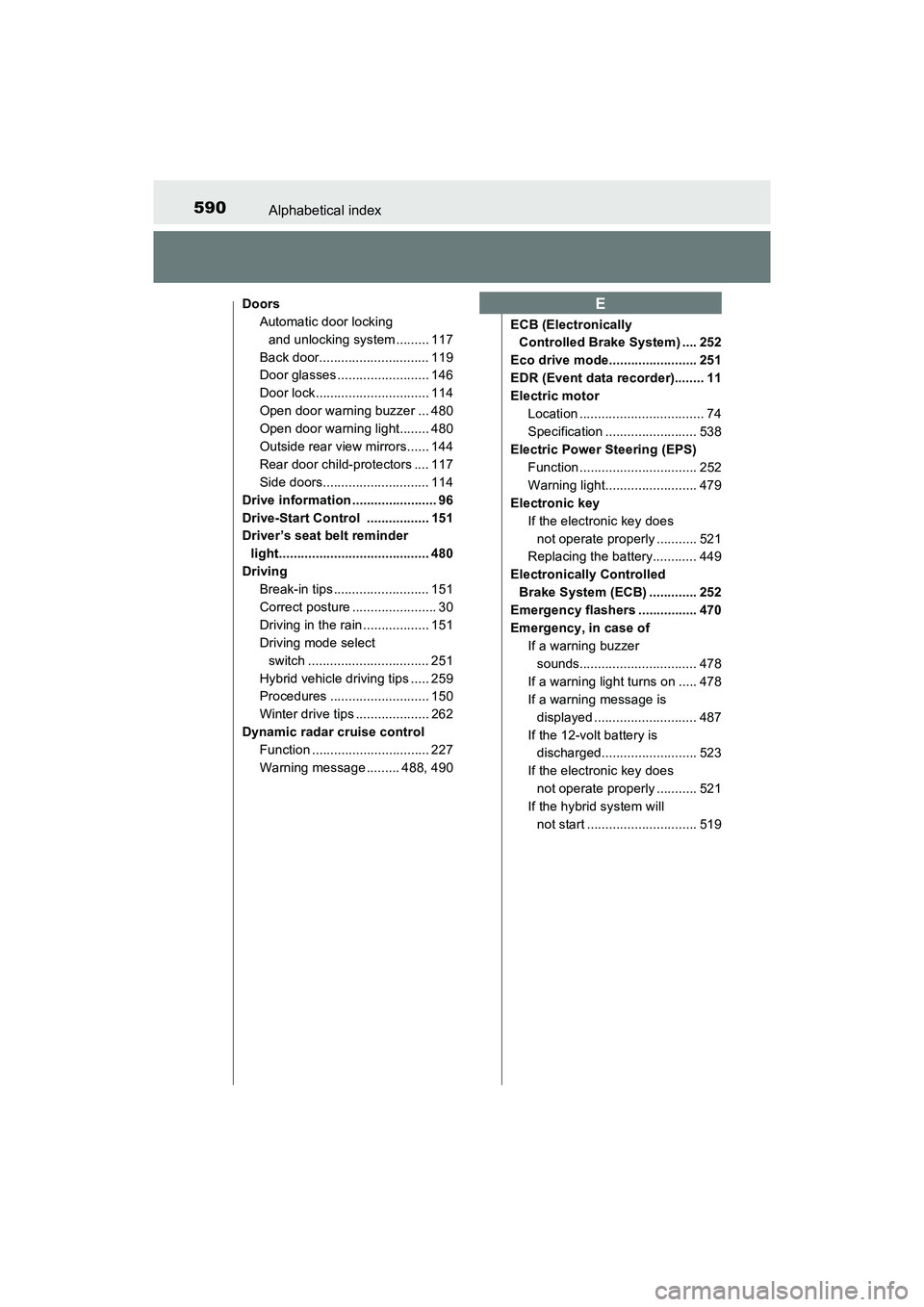
PRIUS v_OM_OM47B78U_(U)
DoorsAutomatic door locking and unlocking system ......... 117
Back door.............................. 119
Door glasses ......................... 146
Door lock............................... 114
Open door warning buzzer ... 480
Open door warning light........ 480
Outside rear view mirrors...... 144
Rear door child-protectors .... 117
Side doors............................. 114
Drive information ....................... 96
Drive-Start Control ................. 151
Driver’s seat belt reminder light......................................... 480
Driving Break-in tips .......................... 151
Correct posture ....................... 30
Driving in the rain .................. 151
Driving mode select
switch ................................. 251
Hybrid vehicle driving tips ..... 259
Procedures ........................... 150
Winter drive tips .................... 262
Dynamic radar cruise control Function ................................ 227
Warning message ......... 488, 490 ECB (Electronically
Controlled Brake System) .... 252
Eco drive mode........................ 251
EDR (Event data recorder)........ 11
Electric motor Location .................................. 74
Specification ......................... 538
Electric Power Steering (EPS)
Function ................................ 252
Warning light......................... 479
Electronic key If the electronic key does not operate properly ........... 521
Replacing the battery............ 449
Electronically Controlled Brake System (ECB) ............. 252
Emergency flashers ................ 470
Emergency, in case of If a warning buzzer sounds................................ 478
If a warning light turns on ..... 478
If a warning message is displayed ............................ 487
If the 12-volt battery is discharged.......................... 523
If the electronic key does not operate properly ........... 521
If the hybrid system will not start .............................. 519E
Page 596 of 607
594Alphabetical index
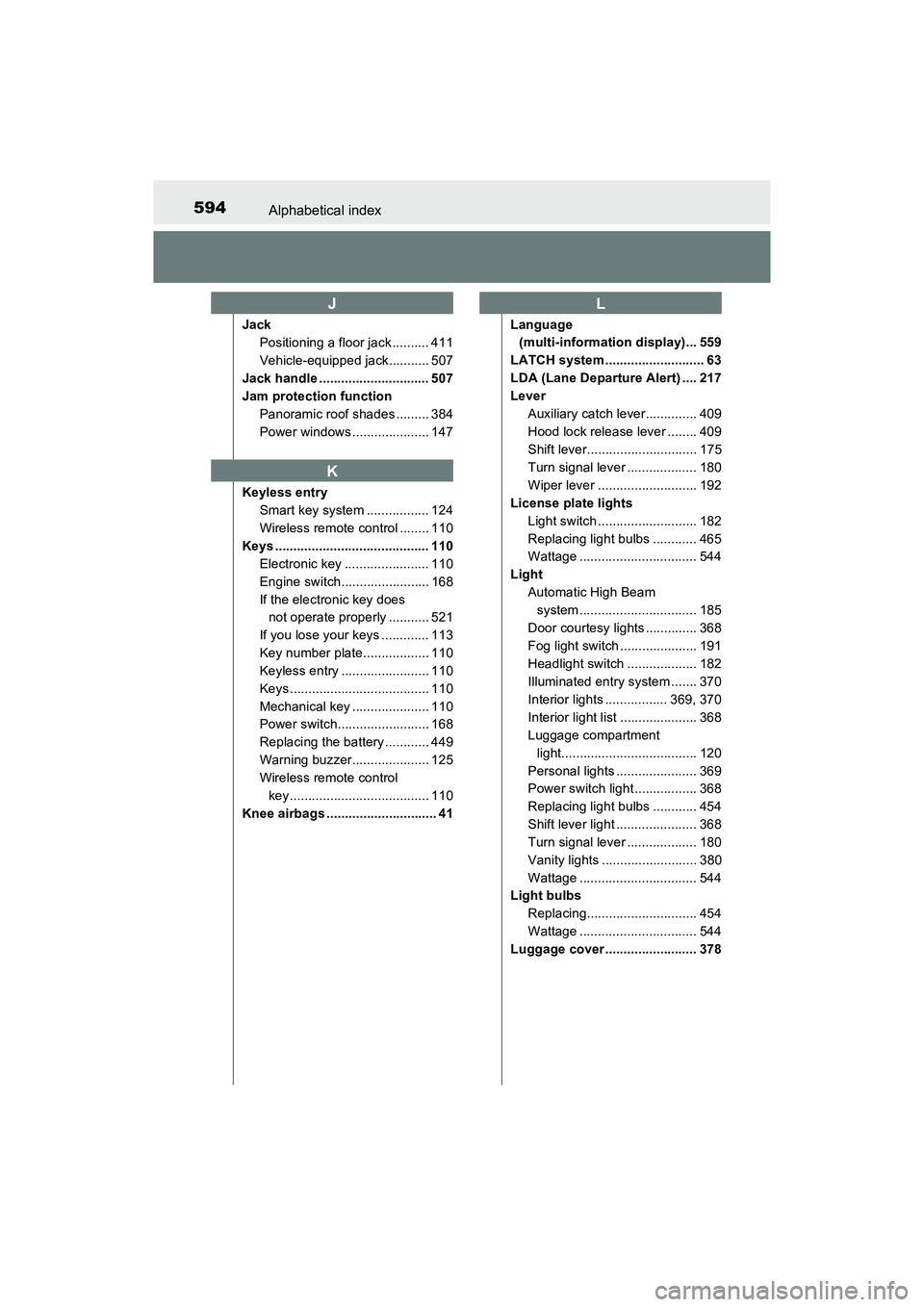
PRIUS v_OM_OM47B78U_(U)
JackPositioning a floor jack .......... 411
Vehicle-equipped jack........... 507
Jack handle .............................. 507
Jam protection function Panoramic roof shades ......... 384
Power windows ..................... 147
Keyless entry Smart key system ................. 124
Wireless remote control ........ 110
Keys .......................................... 110 Electronic key ....................... 110
Engine switch........................ 168
If the electronic key does not operate properly ........... 521
If you lose your keys ............. 113
Key number plate.................. 110
Keyless entry ........................ 110
Keys ...................................... 110
Mechanical key ..................... 110
Power switch......................... 168
Replacing the battery ............ 449
Warning buzzer..................... 125
Wireless remote control key...................................... 110
Knee airbags .............................. 41 Language
(multi-information display)... 559
LATCH system ........................... 63
LDA (Lane Departure Alert) .... 217
Lever Auxiliary catch lever.............. 409
Hood lock release lever ........ 409
Shift lever.............................. 175
Turn signal lever ................... 180
Wiper lever ........................... 192
License plate lights Light switch ........................... 182
Replacing light bulbs ............ 465
Wattage ................................ 544
Light Automatic High Beam system ................................ 185
Door courtesy lights .............. 368
Fog light switch ..................... 191
Headlight switch ................... 182
Illuminated entry system ....... 370
Interior lights ................. 369, 370
Interior light list ..................... 368
Luggage compartment light..................................... 120
Personal lights ...................... 369
Power switch light ................. 368
Replacing light bulbs ............ 454
Shift lever light ...................... 368
Turn signal lever ................... 180
Vanity lights .......................... 380
Wattage ................................ 544
Light bulbs
Replacing.............................. 454
Wattage ................................ 544
Luggage cover ......................... 378
J
K
L