change time TOYOTA PRIUS V 2018 User Guide
[x] Cancel search | Manufacturer: TOYOTA, Model Year: 2018, Model line: PRIUS V, Model: TOYOTA PRIUS V 2018Pages: 607, PDF Size: 41.96 MB
Page 235 of 607
PRIUS v_OM_OM47B78U_(U)
2334-5. Using the driving support systems
4
Driving
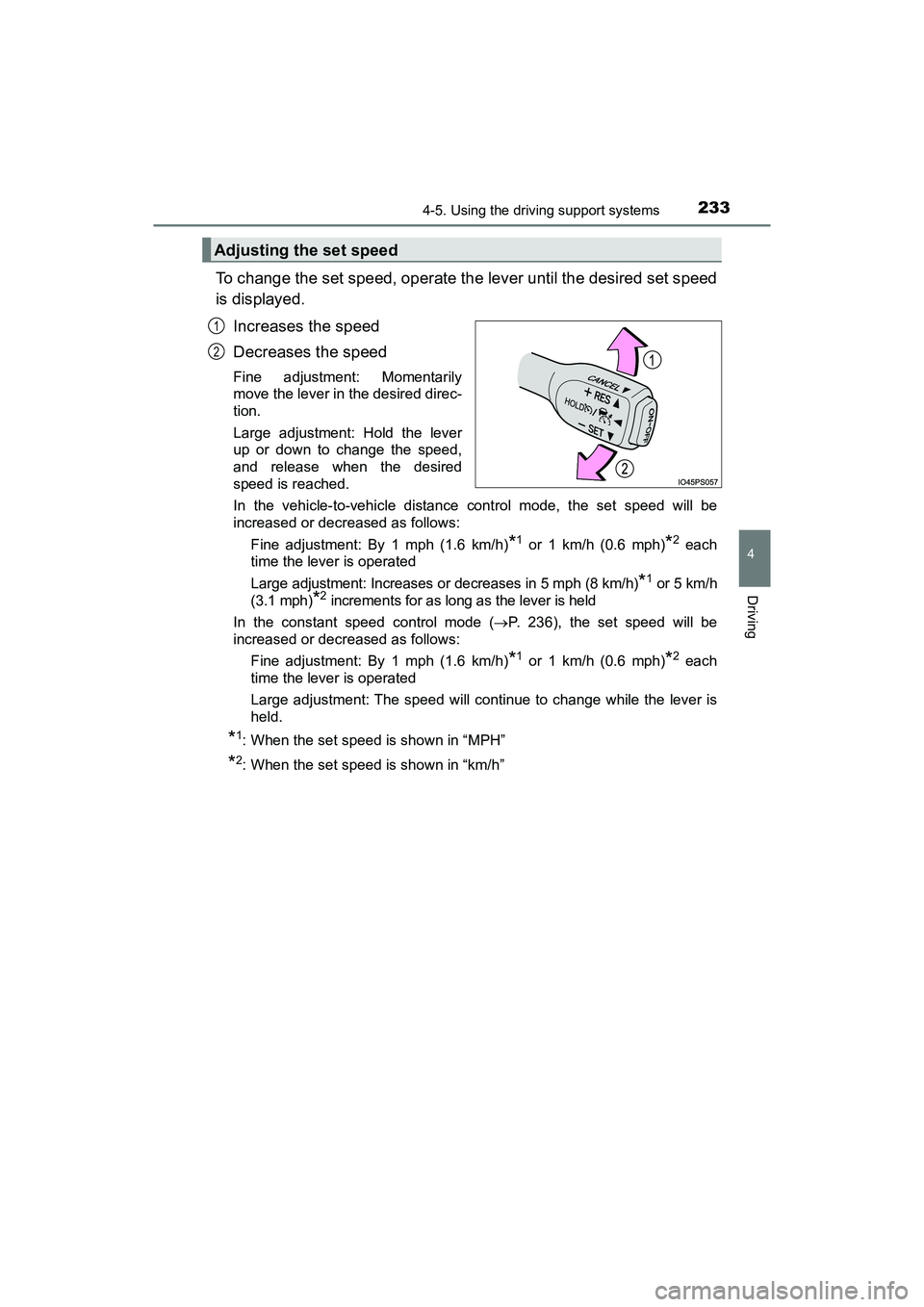
To change the set speed, operate the lever until the desired set speed
is displayed.Increases the speed
Decreases the speed
Fine adjustment: Momentarily
move the lever in the desired direc-
tion.
Large adjustment: Hold the lever
up or down to change the speed,
and release when the desired
speed is reached.
In the vehicle-to-vehicle distance control mode, the set speed will be
increased or decreased as follows: Fine adjustment: By 1 mph (1.6 km/h)
*1 or 1 km/h (0.6 mph)*2 each
time the lever is operated
Large adjustment: Increases or decreases in 5 mph (8 km/h)
*1 or 5 km/h
(3.1 mph)
*2 increments for as long as the lever is held
In the constant speed control mode ( P. 236), the set speed will be
increased or decreased as follows:
Fine adjustment: By 1 mph (1.6 km/h)
*1 or 1 km/h (0.6 mph)*2 each
time the lever is operated
Large adjustment: The speed will continue to change while the lever is
held.
*1: When the set speed is shown in “MPH”
*2: When the set speed is shown in “km/h”
Adjusting the set speed
1
2
Page 285 of 607
283
PRIUS v_OM_OM47B78U_(U)
5-3. Using the Multimedia system
5
Audio system
Selecting the audio source
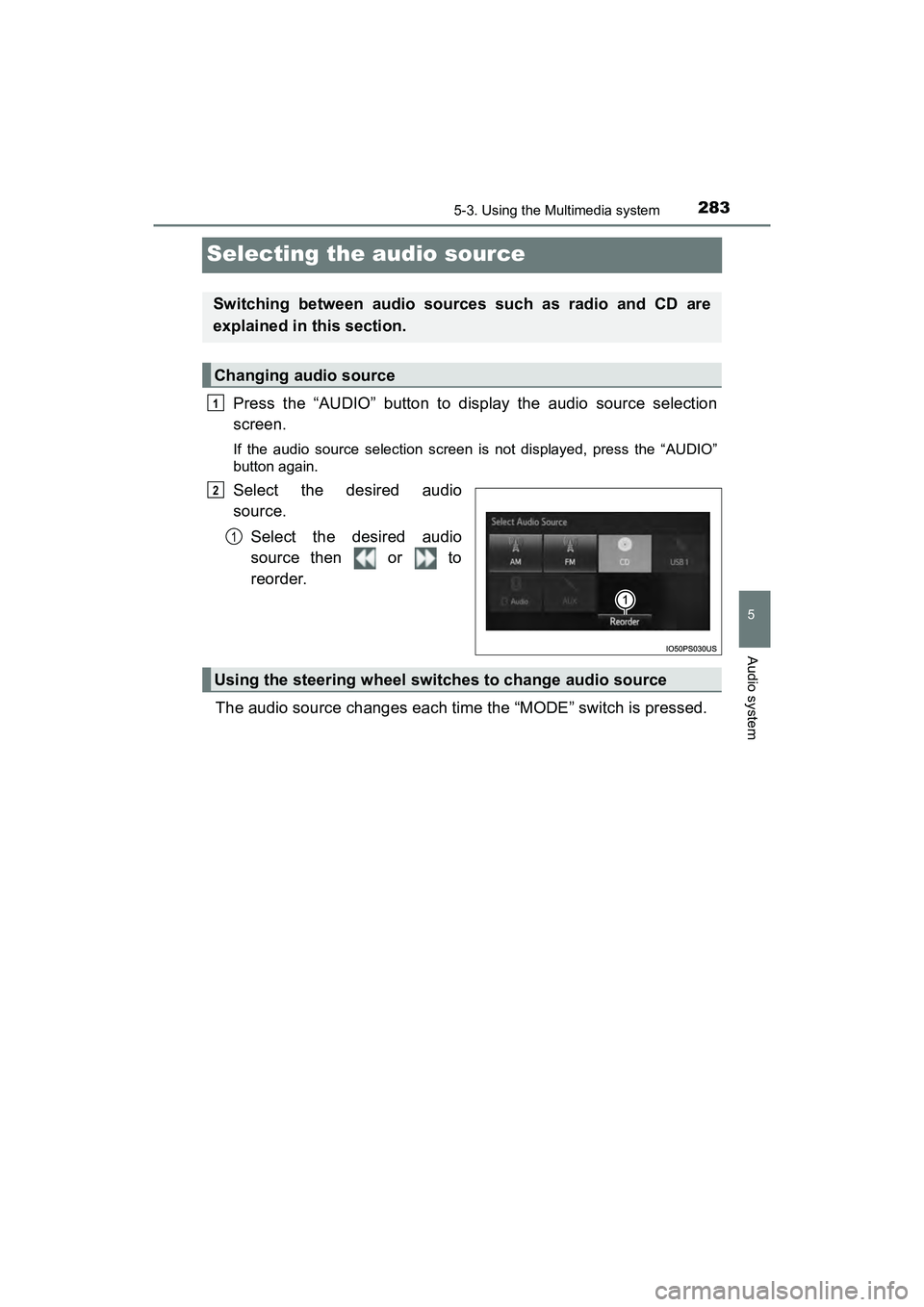
Press the “AUDIO” button to display the audio source selection
screen.
If the audio source selection screen is not displayed, press the “AUDIO”
button again.
Select the desired audio
source.Select the desired audio
source then or to
reorder.
The audio source changes each time the “MODE” switch is pressed.
Switching between audio sources such as radio and CD are
explained in this section.
Changing audio source
1
2
1
Using the steering wheel switches to change audio source
Page 290 of 607
2885-4. Using the radio
PRIUS v_OM_OM47B78U_(U)
Search for desired stations by turning the “TUNE SCROLL” knob or
pressing the “” or “ ” button on “SEEK/TRACK”.
Select “(add new)”.
To change the preset station to a different one, select and hold the preset
station.
Select “Yes”.
Select “OK” after setting the new preset station.
■Refreshing the station list
Select “Refresh” on the “Station List” screen.
To cancel the refresh, select “Cancel Refresh”.
■ Reception sensitivity
●Maintaining perfect radio reception at all times is difficult due to the continu-
ally changing position of the antenna, differences in signal strength and sur-
rounding objects, such as trains, transmitters, etc.
● The radio antenna is mounted on the roof. The antenna can be removed
from the base by turning it.
Setting station presets
1
2
3
4
Page 299 of 607
PRIUS v_OM_OM47B78U_(U)
2975-6. Using an external device
5
Audio system
■About iPod
●“Made for iPod” and “Made for iPhone” mean that an electronic accessory
has been designed to connect specifically to iPod or iPhone, respectively,
and has been certified by the developer to meet Apple performance stan-
dards.
● Apple is not responsible for the operation of this device or its compliance
with safety and regulatory standards. Please note that the use of this acces-
sory with iPod or iPhone may affect wireless performance.
● iPhone, iPod, iPod classic, iPod nano, and iPod touch are trademarks of
Apple Inc., registered in the U.S. and other countries. Lightning is a trade-
mark of Apple Inc.
■ iPod cover art
●Depending on the iPod and songs in the iPod, iPod cover art may be dis-
played.
● This function can be changed to on/off. ( P. 279)
● It may take time to display iPod cover art, and the iPod may not be operated
while the cover art display is in process.
● Only iPod cover art that is saved in JPEG format can be displayed.
■ iPod functions
●When an iPod is connected and the audio source is changed to iPod mode,
the iPod will resume play from the same point in which it was last used.
● Depending on the iPod that is connected to the system, certain functions
may not be available. If a function is unavailable due to a malfunction (as
opposed to a system specification), disconnecting the device and recon-
necting it may resolve the problem.
● While connected to the system, the iPod cannot be operated with its own
controls. It is necessary to use the controls of the vehicle’s audio system
instead.
● When the battery level of an iPod is very low, the iPod may not operate. If
so, charge the iPod before use.
● Compatible models ( P. 299)
Page 314 of 607
3125-7. Connecting Bluetooth®
PRIUS v_OM_OM47B78U_(U)
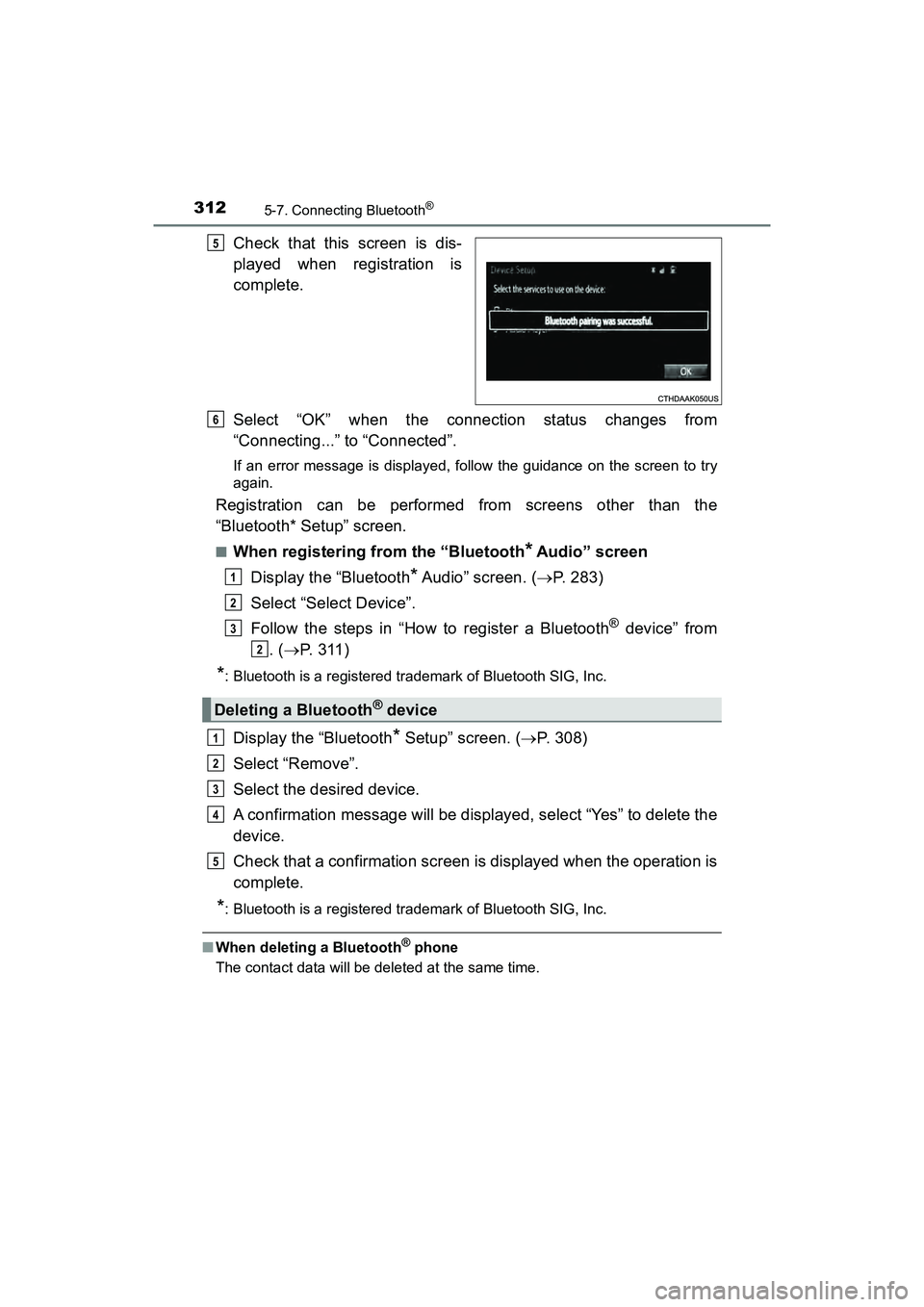
Check that this screen is dis-
played when registration is
complete.
Select “OK” when the connection status changes from
“Connecting...” to “Connected”.
If an error message is displayed, follow the guidance on the screen to try
again.
Registration can be performed from screens other than the
“Bluetooth* Setup” screen.
■When registering from the “Bluetooth* Audio” screen
Display the “Bluetooth
* Audio” screen. ( P. 283)
Select “Select Device”.
Follow the steps in “How to register a Bluetooth
® device” from
. ( P. 3 1 1 )
*: Bluetooth is a registered trademark of Bluetooth SIG, Inc.
Display the “Bluetooth* Setup” screen. ( P. 308)
Select “Remove”.
Select the desired device.
A confirmation message will be displayed, select “Yes” to delete the
device.
Check that a confirmation screen is displayed when the operation is
complete.
*: Bluetooth is a registered trademark of Bluetooth SIG, Inc.
■ When deleting a Bluetooth® phone
The contact data will be deleted at the same time.
5
Deleting a Bluetooth® device
6
1
2
3
2
1
2
3
4
5
Page 349 of 607
PRIUS v_OM_OM47B78U_(U)
3475-9. Bluetooth® phone
5
Audio system
In other situations
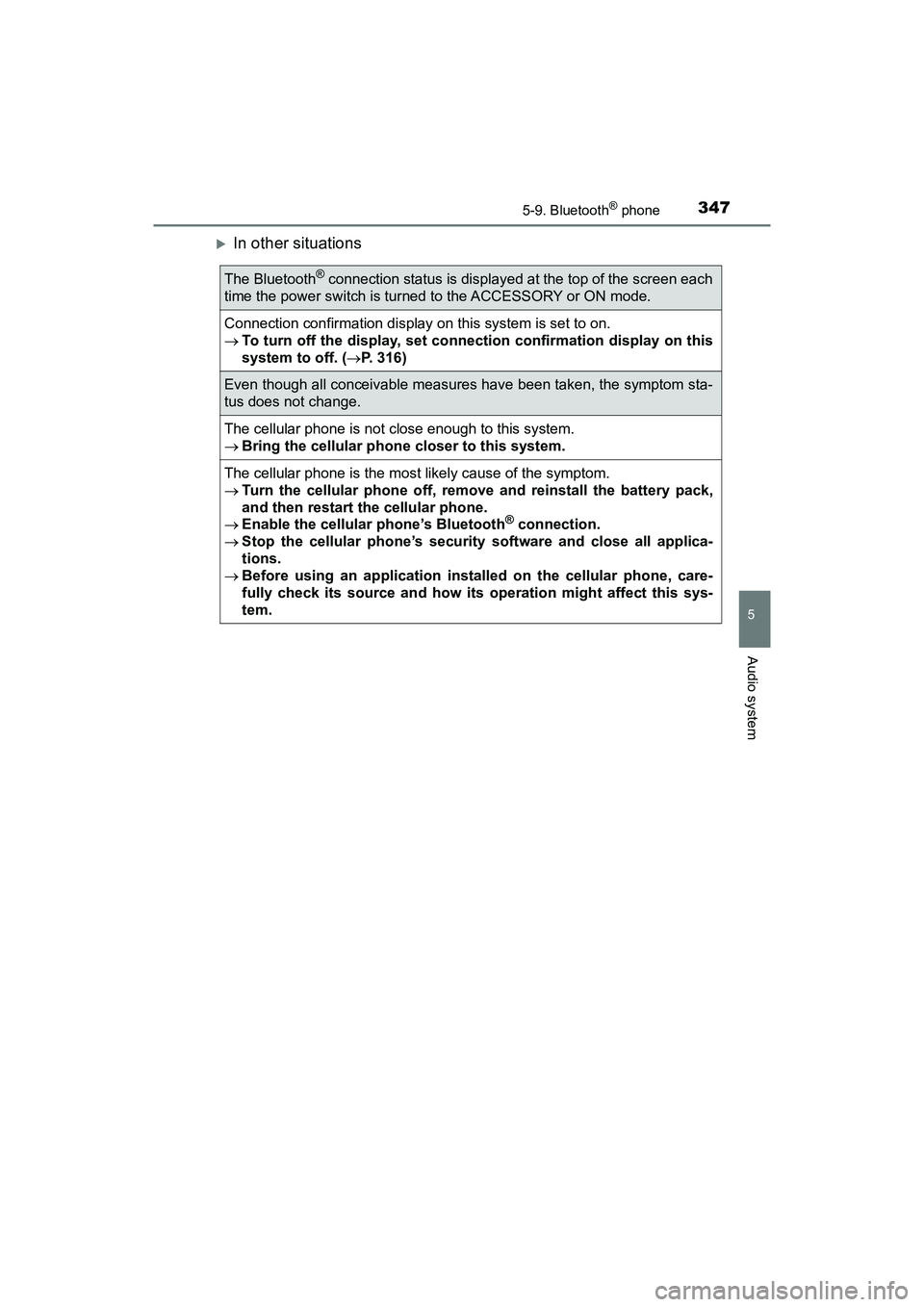
The Bluetooth® connection status is displayed at the top of the screen each
time the power switch is turned to the ACCESSORY or ON mode.
Connection confirmation display on this system is set to on.
To turn off the display, set connection confirmation display on this
system to off. ( P. 316)
Even though all conceivable measures have been taken, the symptom sta-
tus does not change.
The cellular phone is not close enough to this system.
Bring the cellular phone closer to this system.
The cellular phone is the most likely cause of the symptom.
Turn the cellular phone off, remo ve and reinstall the battery pack,
and then restart the cellular phone.
Enable the cellular phone’s Bluetooth
® connection.
Stop the cellular phone’s security software and close all applica-
tions.
Before using an application inst alled on the cellular phone, care-
fully check its source and how its operation might affect this sys-
tem.
Page 367 of 607
PRIUS v_OM_OM47B78U_(U)
3656-1. Using the air conditioning system and defogger
6
Interior features
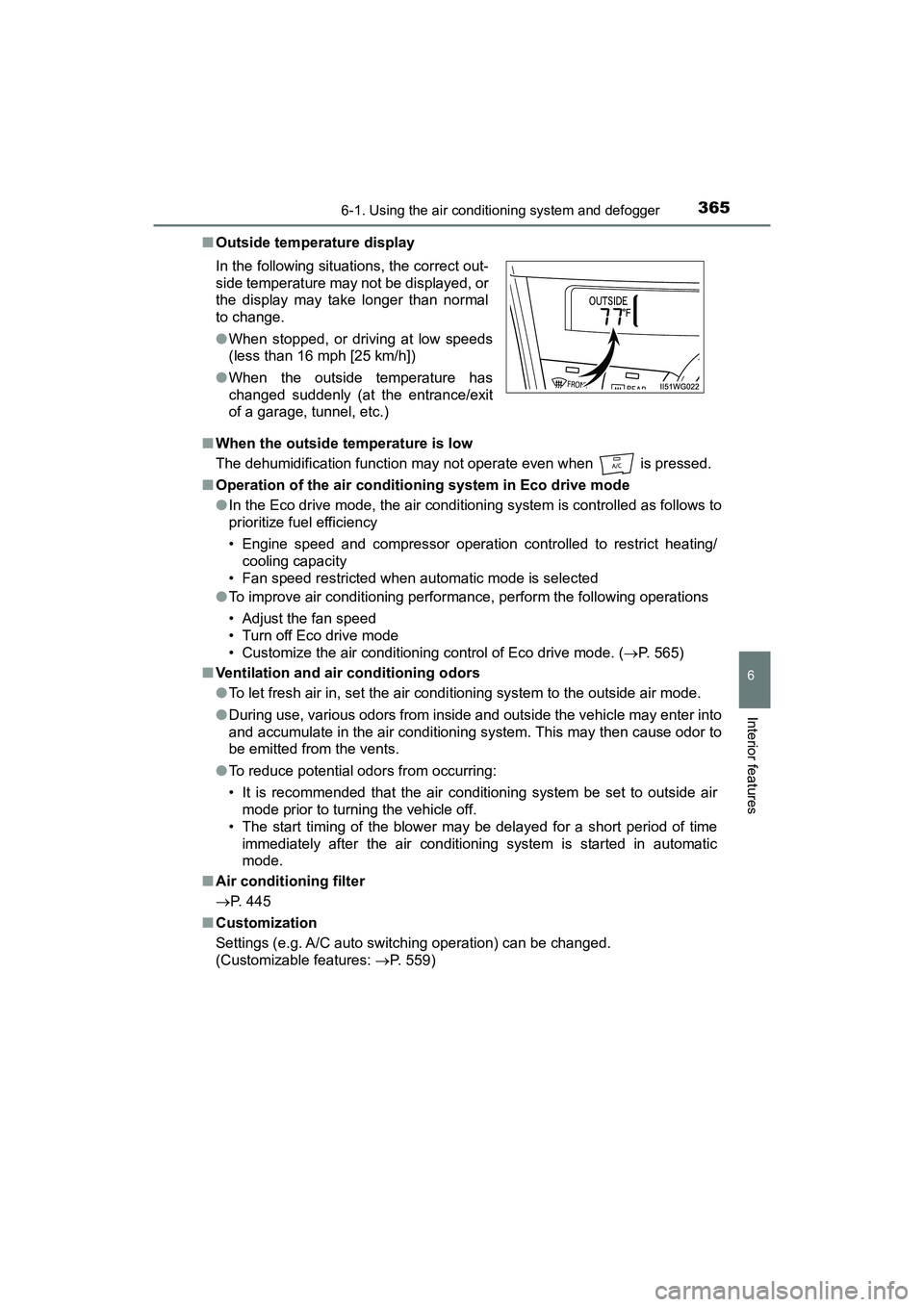
■Outside temperature display
■ When the outside temperature is low
The dehumidification function may not operate even when is pressed.
■ Operation of the air conditio ning system in Eco drive mode
● In the Eco drive mode, the air conditioning system is controlled as follows to
prioritize fuel efficiency
• Engine speed and compressor operation controlled to restrict heating/
cooling capacity
• Fan speed restricted when automatic mode is selected
● To improve air conditioning performance, perform the following operations
• Adjust the fan speed
• Turn off Eco drive mode
• Customize the air conditioning control of Eco drive mode. ( P. 565)
■ Ventilation and air conditioning odors
●To let fresh air in, set the air condi tioning system to the outside air mode.
● During use, various odors from inside and outside the vehicle may enter into
and accumulate in the air conditioning system. This may then cause odor to
be emitted from the vents.
● To reduce potential odors from occurring:
• It is recommended that the air conditioning system be set to outside air
mode prior to turning the vehicle off.
• The start timing of the blower may be delayed for a short period of time immediately after the air conditioning system is started in automatic
mode.
■ Air conditioning filter
P. 445
■ Customization
Settings (e.g. A/C auto switching operation) can be changed.
(Customizable features: P. 559)
In the following situations, the correct out-
side temperature may not be displayed, or
the display may take longer than normal
to change.
●
When stopped, or driving at low speeds
(less than 16 mph [25 km/h])
● When the outside temperature has
changed suddenly (at the entrance/exit
of a garage, tunnel, etc.)
Page 372 of 607
370
PRIUS v_OM_OM47B78U_(U)
6-2. Using the interior lights
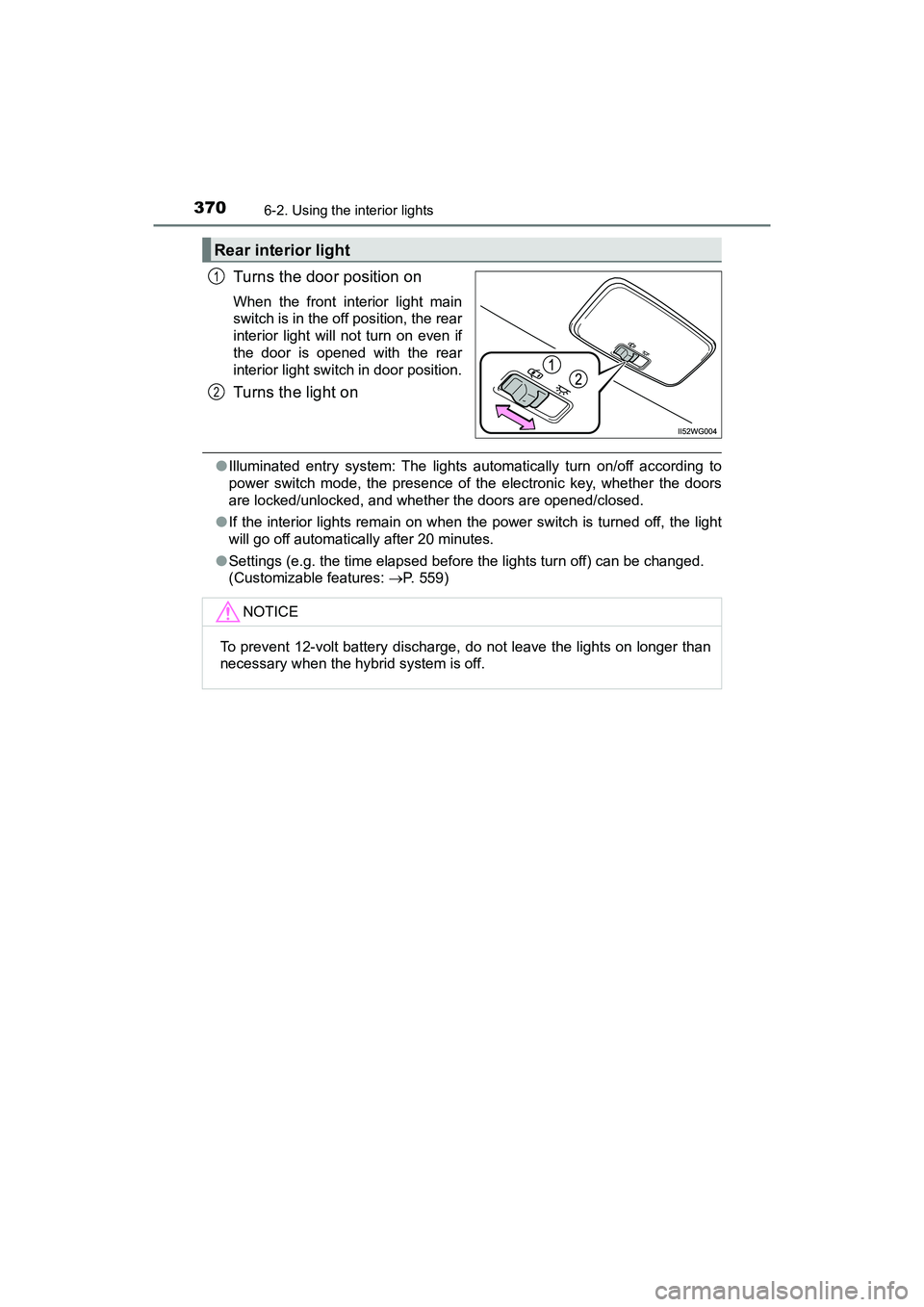
Turns the door position on
When the front interior light main
switch is in the off position, the rear
interior light will not turn on even if
the door is opened with the rear
interior light switch in door position.
Turns the light on
●Illuminated entry system: The lights automatically turn on/off according to
power switch mode, the presence of the electronic key, whether the doors
are locked/unlocked, and whether the doors are opened/closed.
● If the interior lights remain on when the power switch is turned off, the light
will go off automatically after 20 minutes.
● Settings (e.g. the time elapsed before the lights turn off) can be changed.
(Customizable features: P. 559)
Rear interior light
1
2
NOTICE
To prevent 12-volt battery discharge, do not leave the lights on longer than
necessary when the hybrid system is off.
Page 524 of 607
5228-2. Steps to take in an emergency
PRIUS v_OM_OM47B78U_(U)
Press the power switch.
In the event that the hybrid system still cannot be operated, contact
your Toyota dealer.
■ Stopping the hybrid system
Set the parking brake, shift the shift position to P and press the power switch
as you normally do when stopping the hybrid system.
■ Replacing the key battery
As the above procedure is a temporary measure, it is recommended that the
electronic key battery be replaced imm ediately when the battery is depleted.
( P. 449)
■ Changing power switch modes
Release the brake pedal and press the power switch in step above.
The hybrid system does not start and modes will be changed each time the
switch is pressed. ( P. 169)
■ When the electronic key does not work properly
●Make sure that the smart key system has not been deactivated in the cus-
tomization setting. If it is off, turn the function on.
(Customizable features: P. 559)
● Check if battery-saving mode is set. If it is set, cancel the function.
(P. 126)
4
3
Page 527 of 607
5258-2. Steps to take in an emergency
PRIUS v_OM_OM47B78U_(U)
8
When trouble arises
Make sure the “READY” indicator comes on. If the indicator light
does not come on, contact your Toyota dealer.
Once the hybrid system has started, remove the jumper cables in
the exact reverse order from which they were connected.
Close the exclusive jump starting terminal cover, and reinstall the
fuse box cover to its original position.
When installing, first hook the fuse box cover onto the two rear tabs.
Once the hybrid system starts, have the vehicle inspected at your
Toyota dealer as soon as possible.
■Starting the hybrid system when the 12-volt battery is discharged
The hybrid system cannot be started by push-starting.
■ To prevent 12-volt battery discharge
●Turn off the headlights and the audio system while the hybrid system is off.
● Turn off any unnecessary electrical components when the vehicle is running
at a low speed for an extended period, such as in heavy traffic.
■ Charging the 12-volt battery
The electricity stored in the 12-volt battery will discharge gradually even when
the vehicle is not in use, due to natural discharge and the draining effects of
certain electrical appliances. If the vehi cle is left for a long time, the 12-volt
battery may discharge, and the hybrid system may be unable to start. (The
12-volt battery recharges automatically while the hybrid system is operating.)
■ When recharging or replacing the 12-volt battery
●In some cases, it may not be possible to unlock the doors using the smart
key system when the 12-volt battery is discharged. Use the wireless remote
control or the mechanical key to lock or unlock the doors.
● The hybrid system may not start on the first attempt after the 12-volt battery
has recharged but will start normally after the second attempt. This is not a
malfunction.
● The power switch mode is memorized by the vehicle. When the 12-volt bat-
tery is reconnected, the system will return to the mode it was in before the
12-volt battery was discharged. Before disconnecting the 12-volt battery,
turn the power switch off. If you are unsure what mode the power switch was
in before the 12-volt battery discharged, be especially careful when recon-
necting the 12-volt battery.
● If the 12-volt battery discharges while the shift position is in P, it may not be
possible to shift the shift position to other positions. In this case, the vehicle
cannot be towed without lifting both front wheels because the front wheels
will be locked. ( P. 472)
● When the 12-volt battery is reconnected, start the hybrid system and con-
firm that the shift position can be changed to each position using the shift
position indicator.
6
7
8