steering TOYOTA PRIUS V 2018 User Guide
[x] Cancel search | Manufacturer: TOYOTA, Model Year: 2018, Model line: PRIUS V, Model: TOYOTA PRIUS V 2018Pages: 607, PDF Size: 41.96 MB
Page 54 of 607
521-1. For safe use
PRIUS v_OM_OM47B78U_(U)■
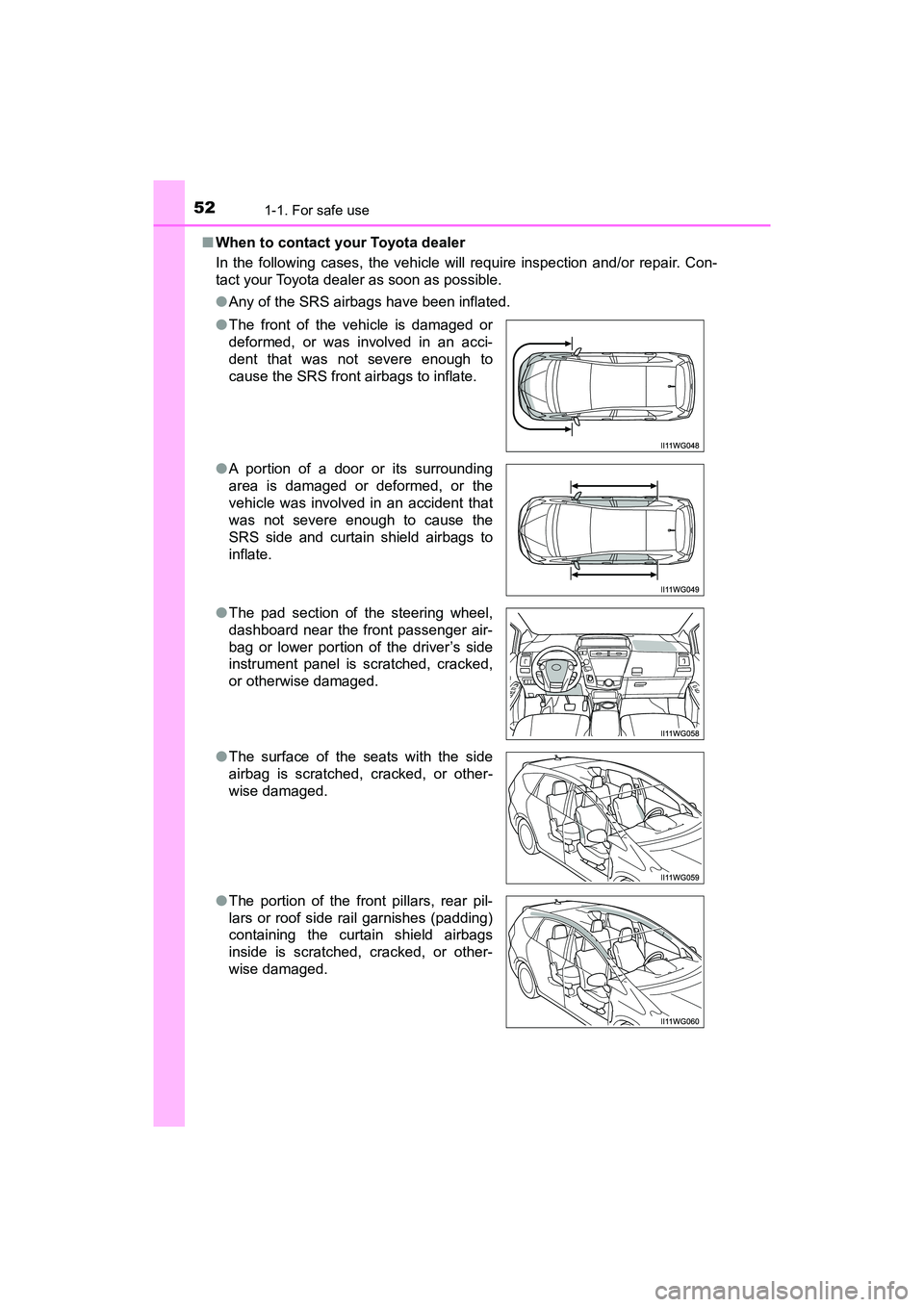
When to contact your Toyota dealer
In the following cases, the vehicle will require inspection and/or repair. Con-
tact your Toyota dealer as soon as possible.
●Any of the SRS airbags have been inflated.
● The front of the vehicle is damaged or
deformed, or was involved in an acci-
dent that was not severe enough to
cause the SRS front airbags to inflate.
● A portion of a door or its surrounding
area is damaged or deformed, or the
vehicle was involved in an accident that
was not severe enough to cause the
SRS side and curtain shield airbags to
inflate.
● The pad section of the steering wheel,
dashboard near the front passenger air-
bag or lower portion of the driver’s side
instrument panel is scratched, cracked,
or otherwise damaged.
● The surface of the seats with the side
airbag is scratched, cracked, or other-
wise damaged.
● The portion of the front pillars, rear pil-
lars or roof side rail garnishes (padding)
containing the curtain shield airbags
inside is scratched, cracked, or other-
wise damaged.
Page 89 of 607
PRIUS v_OM_OM47B78U_(U)
872. Instrument cluster
2
Instrument cluster
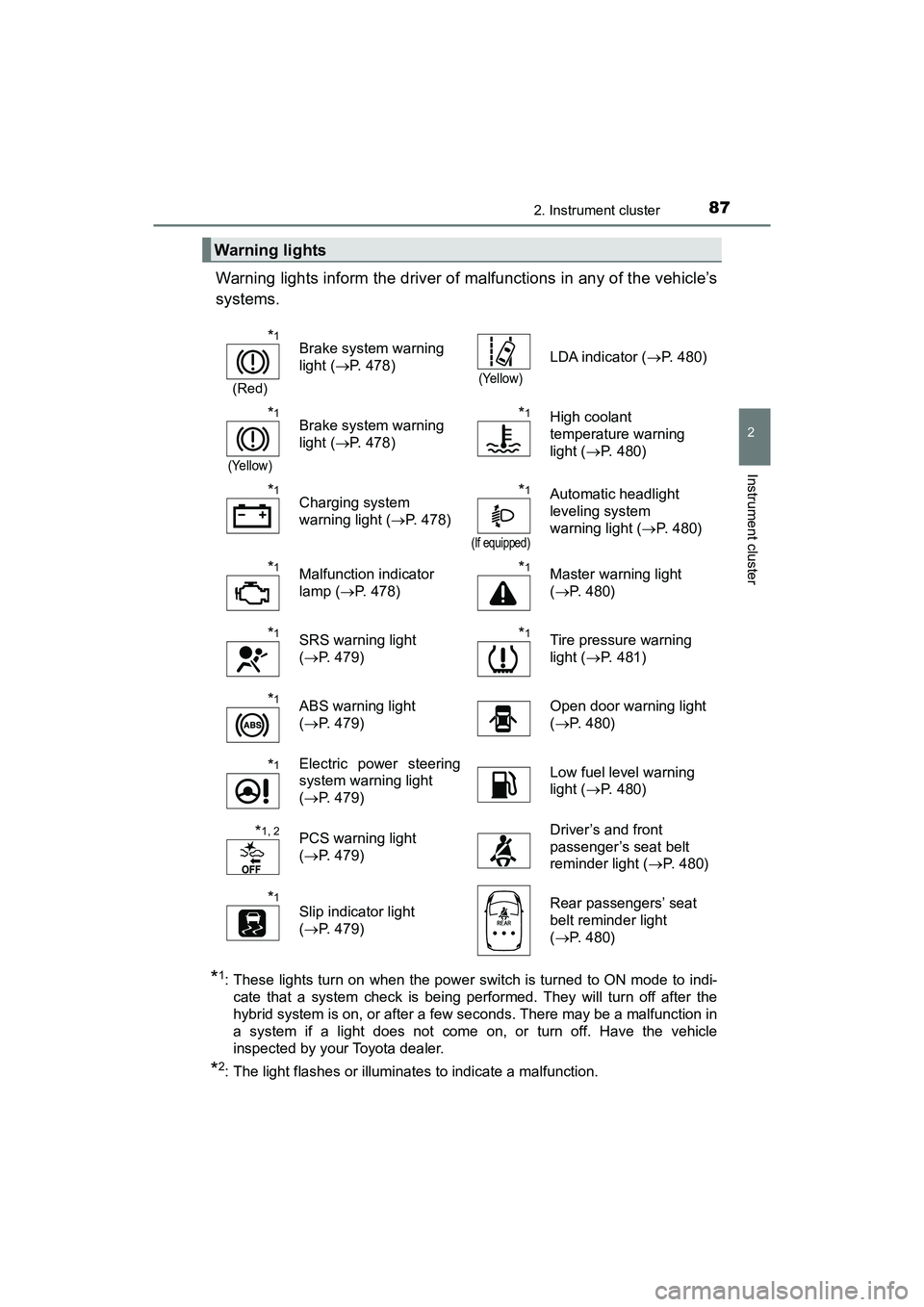
Warning lights inform the driver of malfunctions in any of the vehicle’s
systems.
*1: These lights turn on when the power switch is turned to ON mode to indi-cate that a system check is being performed. They will turn off after the
hybrid system is on, or after a few seconds. There may be a malfunction in
a system if a light does not come on, or turn off. Have the vehicle
inspected by your Toyota dealer.
*2: The light flashes or illuminates to indicate a malfunction.
Warning lights
*1
(Red)
Brake system warning
light ( P. 478)
(Yellow)
LDA indicator ( P. 480)
*1
(Yellow)
Brake system warning
light (P. 478)*1High coolant
temperature warning
light ( P. 480)
*1Charging system
warning light ( P. 478)*1
(If equipped)
Automatic headlight
leveling system
warning light ( P. 480)
*1Malfunction indicator
lamp (P. 478)*1Master warning light
(P. 480)
*1SRS warning light
(P. 479)*1Tire pressure warning
light ( P. 481)
*1ABS warning light
(P. 479) Open door warning light
(
P. 480)
*1Electric power steering
system warning light
(P. 479) Low fuel level warning
light (
P. 480)
*1, 2PCS warning light
(P. 479) Driver’s and front
passenger’s seat belt
reminder light (
P. 480)
*1Slip indicator light
(P. 479) Rear passengers’ seat
belt reminder light
(
P. 480)
Page 90 of 607
88
PRIUS v_OM_OM47B78U_(U)
2. Instrument cluster
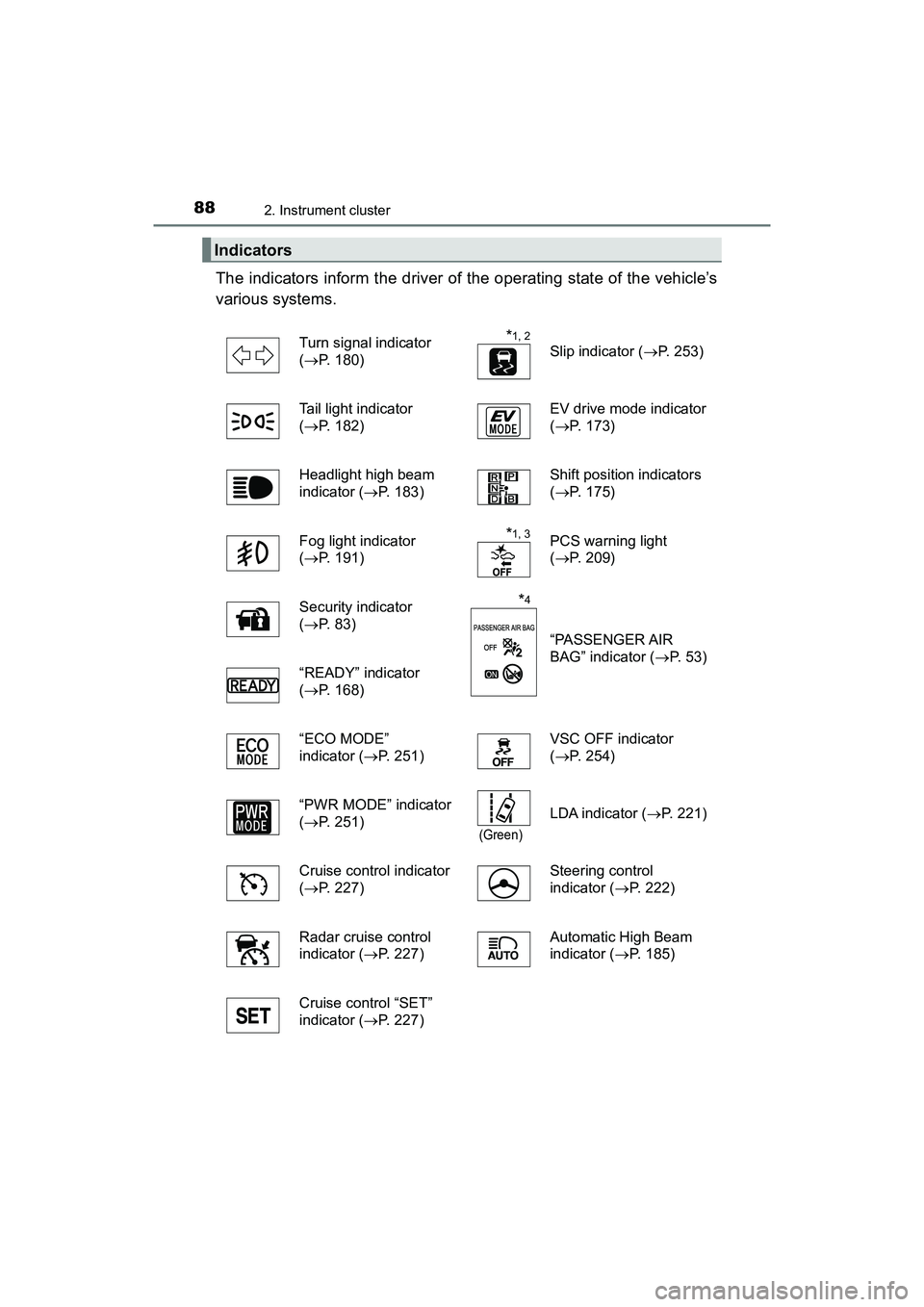
The indicators inform the driver of the operating state of the vehicle’s
various systems.
Indicators
Turn signal indicator
(P. 180)*1, 2
Slip indicator ( P. 253)
Tail light indicator
( P. 182) EV drive mode indicator
(
P. 173)
Headlight high beam
indicator (P. 183) Shift position indicators
(
P. 175)
Fog light indicator
( P. 191)
*1, 3PCS warning light
( P. 209)
Security indicator
( P. 8 3 )
*4
“PASSENGER AIR
BAG” indicator ( P. 53)
“READY” indicator
( P. 168)
“ECO MODE”
indicator (P. 251) VSC OFF indicator
(
P. 254)
“PWR MODE” indicator
( P. 251)
(Green)
LDA indicator ( P. 221)
Cruise control indicator
( P. 227) Steering control
indicator (
P. 222)
Radar cruise control
indicator (P. 227) Automatic High Beam
indicator (
P. 185)
Cruise control “SET”
indicator (P. 227)
Page 97 of 607
PRIUS v_OM_OM47B78U_(U)
952. Instrument cluster
2
Instrument cluster
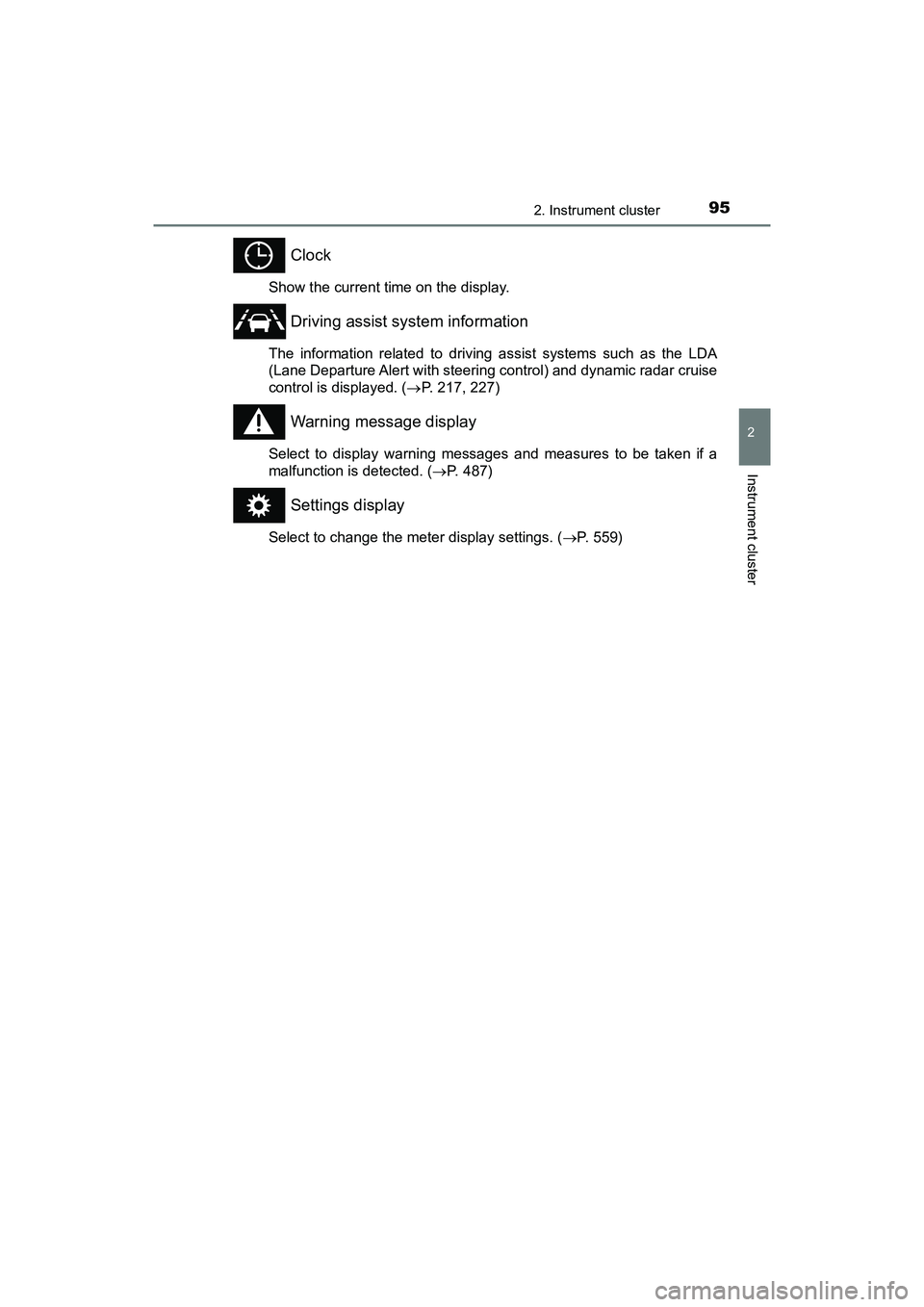
Clock
Show the current time on the display.
Driving assist system information
The information related to driving assist systems such as the LDA
(Lane Departure Alert with steering control) and dynamic radar cruise
control is displayed. (P. 217, 227)
Warning message display
Select to display warning messages and measures to be taken if a
malfunction is detected. ( P. 487)
Settings display
Select to change the meter display settings. ( P. 559)
Page 98 of 607
96
PRIUS v_OM_OM47B78U_(U)
2. Instrument cluster
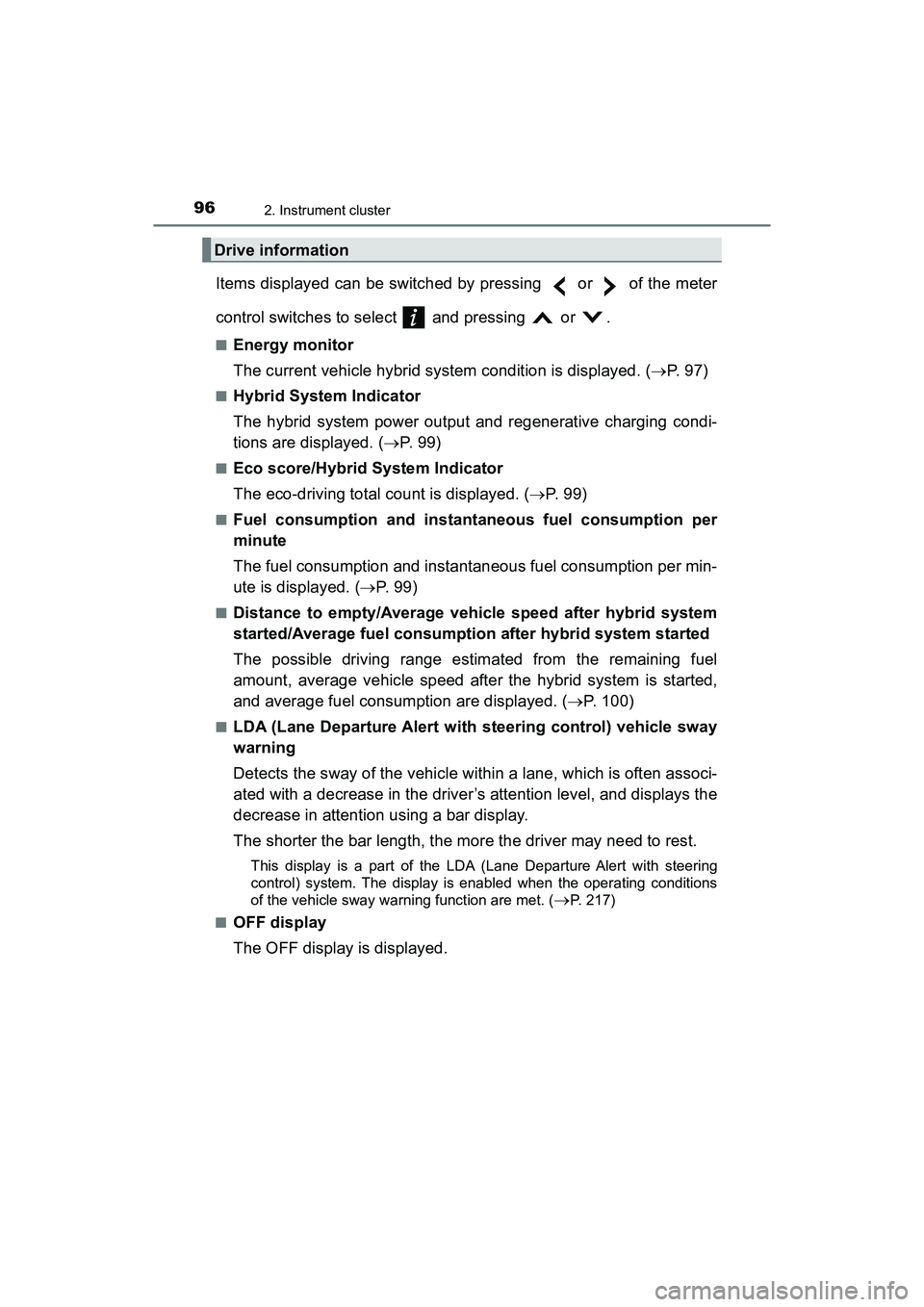
Items displayed can be switched by pressing or of the meter
control switches to select and pressing or .
■Energy monitor
The current vehicle hybrid system condition is displayed. (P. 97)
■Hybrid System Indicator
The hybrid system power output and regenerative charging condi-
tions are displayed. ( P. 9 9 )
■Eco score/Hybrid System Indicator
The eco-driving total count is displayed. ( P. 9 9 )
■Fuel consumption and instantaneous fuel consumption per
minute
The fuel consumption and instantaneous fuel consumption per min-
ute is displayed. ( P. 9 9 )
■Distance to empty/Average vehicle speed after hybrid system
started/Average fuel consumption after hybrid system started
The possible driving range estimated from the remaining fuel
amount, average vehicle speed after the hybrid system is started,
and average fuel consumption are displayed. ( P. 100)
■LDA (Lane Departure Alert with steering control) vehicle sway
warning
Detects the sway of the vehicle within a lane, which is often associ-
ated with a decrease in the driver’s attention level, and displays the
decrease in attention using a bar display.
The shorter the bar length, the more the driver may need to rest.
This display is a part of the LDA (Lane Departure Alert with steering
control) system. The display is enabled when the operating conditions
of the vehicle sway warning function are met. (
P. 217)
■
OFF display
The OFF display is displayed.
Drive information
Page 111 of 607
109
PRIUS v_OM_OM47B78U_(U)
3
Operation of
each component
3-1. Key information
Keys .................................. 110
3-2. Opening, closing and locking the doors
Side doors ......................... 114
Back door .......................... 119
Smart key system ............. 124
3-3. Adjusting the seats Front seats ........................ 131
Rear seats......................... 135
Head restraints.................. 138
3-4. Adjusting the steering wheel and mirrors
Steering wheel .................. 140
Inside rear view mirror ...... 142
Outside rear view mirrors ............................. 144
3-5. Opening and closing the windows
Power windows ................. 146
Page 142 of 607
1403-4. Adjusting the steering wheel and mirrors
PRIUS v_OM_OM47B78U_(U)
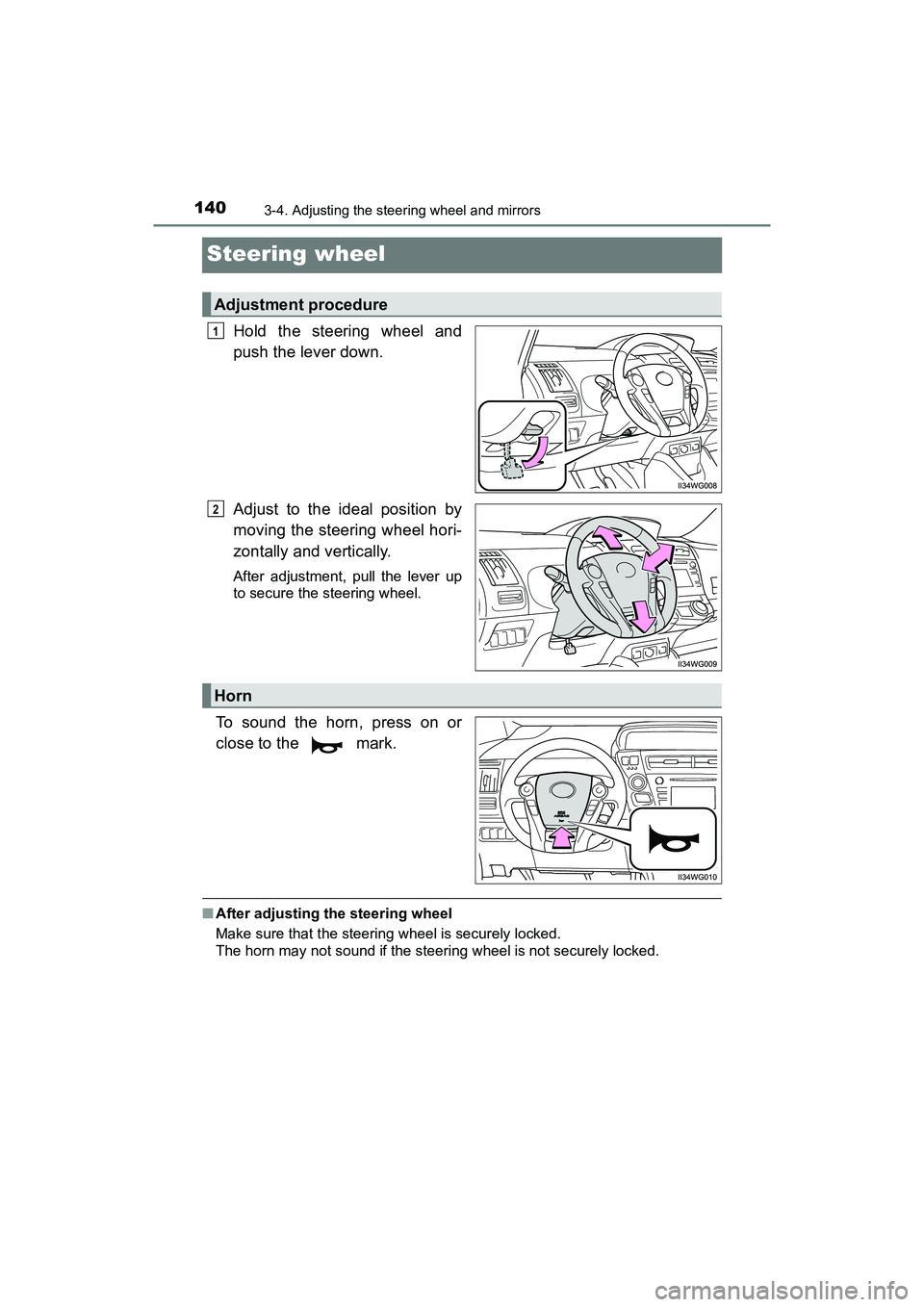
Steering wheel
Hold the steering wheel and
push the lever down.
Adjust to the ideal position by
moving the steering wheel hori-
zontally and vertically.
After adjustment, pull the lever up
to secure the steering wheel.
To sound the horn, press on or
close to the mark.
■After adjusting the steering wheel
Make sure that the steering wheel is securely locked.
The horn may not sound if the steering wheel is not securely locked.
Adjustment procedure
1
2
Horn
Page 143 of 607
1413-4. Adjusting the steering wheel and mirrors
3
Operation of each component
PRIUS v_OM_OM47B78U_(U)
WARNING
■While driving
Do not adjust the steering wheel while driving.
Doing so may cause the driver to mishandle the vehicle and cause an acci-
dent, resulting in death or serious injury.
■ After adjusting the steering wheel
Make sure that the steering wheel is securely locked.
Otherwise, the steering wheel may move suddenly, possibly causing an
accident, and resulting in death or serious injury.
Page 144 of 607
1423-4. Adjusting the steering wheel and mirrors
PRIUS v_OM_OM47B78U_(U)
Inside rear view mirror
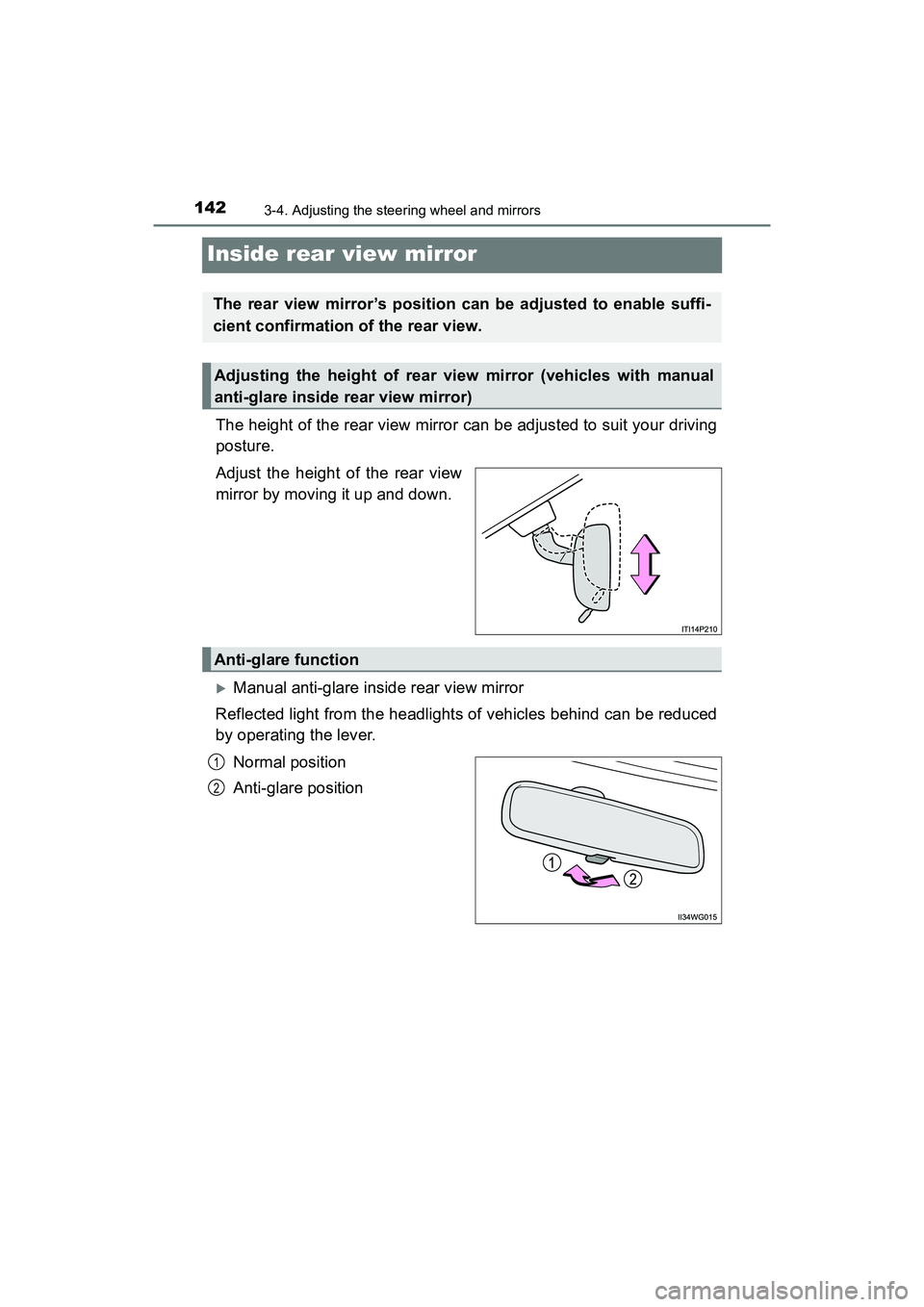
The height of the rear view mirror can be adjusted to suit your driving
posture.
Adjust the height of the rear view
mirror by moving it up and down.
Manual anti-glare inside rear view mirror
Reflected light from the headlights of vehicles behind can be reduced
by operating the lever.
Normal position
Anti-glare position
The rear view mirror’s position can be adjusted to enable suffi-
cient confirmation of the rear view.
Adjusting the height of rear view mirror (vehicles with manual
anti-glare inside rear view mirror)
Anti-glare function
1
2
Page 145 of 607
1433-4. Adjusting the steering wheel and mirrors
3
Operation of each component
PRIUS v_OM_OM47B78U_(U)
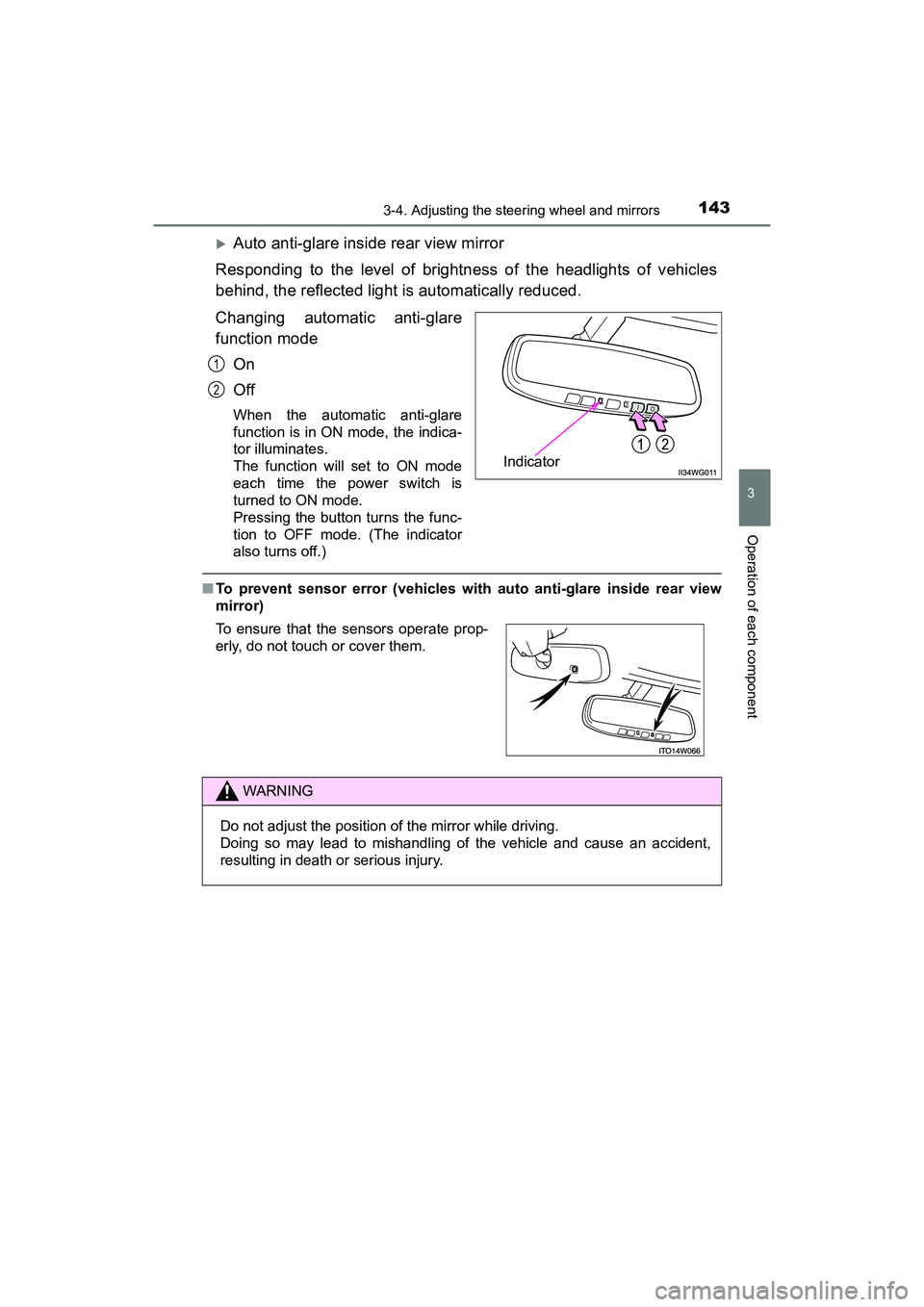
Auto anti-glare inside rear view mirror
Responding to the level of brightness of the headlights of vehicles
behind, the reflected light is automatically reduced.
Changing automatic anti-glare
function mode On
Off
When the automatic anti-glare
function is in ON mode, the indica-
tor illuminates.
The function will set to ON mode
each time the power switch is
turned to ON mode.
Pressing the button turns the func-
tion to OFF mode. (The indicator
also turns off.)
■To prevent sensor error (vehicles with auto anti-glare inside rear view
mirror)
Indicator
1
2
To ensure that the sensors operate prop-
erly, do not touch or cover them.
WARNING
Do not adjust the position of the mirror while driving.
Doing so may lead to mishandling of the vehicle and cause an accident,
resulting in death or serious injury.