key TOYOTA PRIUS V 2018 Owner's Manual
[x] Cancel search | Manufacturer: TOYOTA, Model Year: 2018, Model line: PRIUS V, Model: TOYOTA PRIUS V 2018Pages: 607, PDF Size: 41.96 MB
Page 129 of 607
PRIUS v_OM_OM47B78U_(U)
1273-2. Opening, closing and locking the doors
3
Operation of each component
■Note for the entry function
●Even when the electronic key is within the effective range (detection areas),
the system may not operate properly in the following cases:
• The electronic key is too close to the window or outside door handle, near
the ground, or in a high place when the doors are locked or unlocked.
• The electronic key is on the instrument panel, luggage room, floor, or in the door pockets or glove box when the hybrid system is started or power
switch modes are changed.
● Do not leave the electronic key on top of the instrument panel or near the
door pockets when exiting the vehicle. Depending on the radio wave recep-
tion conditions, it may be detected by the antenna outside the cabin and the
door will become lockable from the outside, possibly trapping the electronic
key inside the vehicle.
● As long as the electronic key is within the effective range, the doors may be
unlocked or locked by anyone. However, only the doors detecting the elec-
tronic key can be used to unlock the vehicle.
● Even if the electronic key is not inside the vehicle, it may be possible to start
the hybrid system if the electronic key is near the window.
● The doors may unlock if a large amount of water splashes on the door han-
dle, such as in the rain or in a car wash when the electronic key is within the
effective range. (The doors will automat ically be locked after approximately
60 seconds if the doors are not opened and closed.)
● If the wireless remote control is used to lock the doors when the electronic
key is near the vehicle, there is a possibility that the door may not be
unlocked by the entry function. (Use the wireless remote control to unlock
the doors.)
● Touching the door lock or unlock sensor while wearing gloves may delay or
prevent lock or unlock operation.
● When the lock operation is performed using the lock sensor, recognition sig-
nals will be shown up to two consecutive times. After this, no recognition
signals will be given.
● If the door handle becomes wet while the electronic key is within the effec-
tive range, the door may lock and unlock repeatedly. In that case, follow the
following correction procedures to wash the vehicle:
• Place the electronic key in a location 6 ft. (2 m) or more away from the
vehicle. (Take care to ensure that the key is not stolen.)
• Set the electronic key to battery-saving mode to disable the smart key system. ( P. 126)
● If the electronic key is inside the vehicle and a door handle becomes wet
during a car wash, a message may be shown on the multi-information dis-
play and a buzzer will sound outside the vehicle. To turn off the alarm, lock
all the doors.
● The lock sensor may not work properly if it comes into contact with ice,
snow, mud, etc. Clean the lock sensor and attempt to operate it again, or
use the lock sensor on the lower part of the door handle.
Page 130 of 607
128
PRIUS v_OM_OM47B78U_(U)
3-2. Opening, closing and locking the doors
●A sudden approach to the effective range or door handle may prevent the
doors from being unlocked. In this case, return the door handle to the origi-
nal position and check that the doors unlock before pulling the door handle
again.
● If there is another electronic key in the detection area, it may take slightly
longer to unlock the doors after the door handle is gripped.
■ When the vehicle is not driven for extended periods
●To prevent theft of the vehicle, do not leave the electronic key within 6 ft.
(2 m) of the vehicle.
● The smart key system can be deactivated in advance. ( P. 559)
■ To operate the system properly
Make sure to carry the electronic key when operating the system. Do not get
the electronic key too close to the vehicle when operating the system from the
outside of the vehicle.
Depending on the position and holding condition of the electronic key, the key
may not be detected correctly and the system may not operate properly. (The
alarm may go off accidentally, or the door lock prevention may not operate.)
■ If the smart key system does not operate properly
●Locking and unlocking the doors: Use the mechanical key. (P. 521)
● Starting the hybrid system: P. 521
■ Customization
Settings (e.g. smart key system) can be changed.
(Customizable features: P. 559)
■ If the smart key system has been d eactivated in a customized setting
● Unlocking and locking the doors:
Use the wireless remote control or mechanical key. ( P. 114, 521)
● Starting the hybrid system and changing power switch modes: P. 5 2 1
● Stopping the hybrid system: P. 169
Page 131 of 607
PRIUS v_OM_OM47B78U_(U)
1293-2. Opening, closing and locking the doors
3
Operation of each component
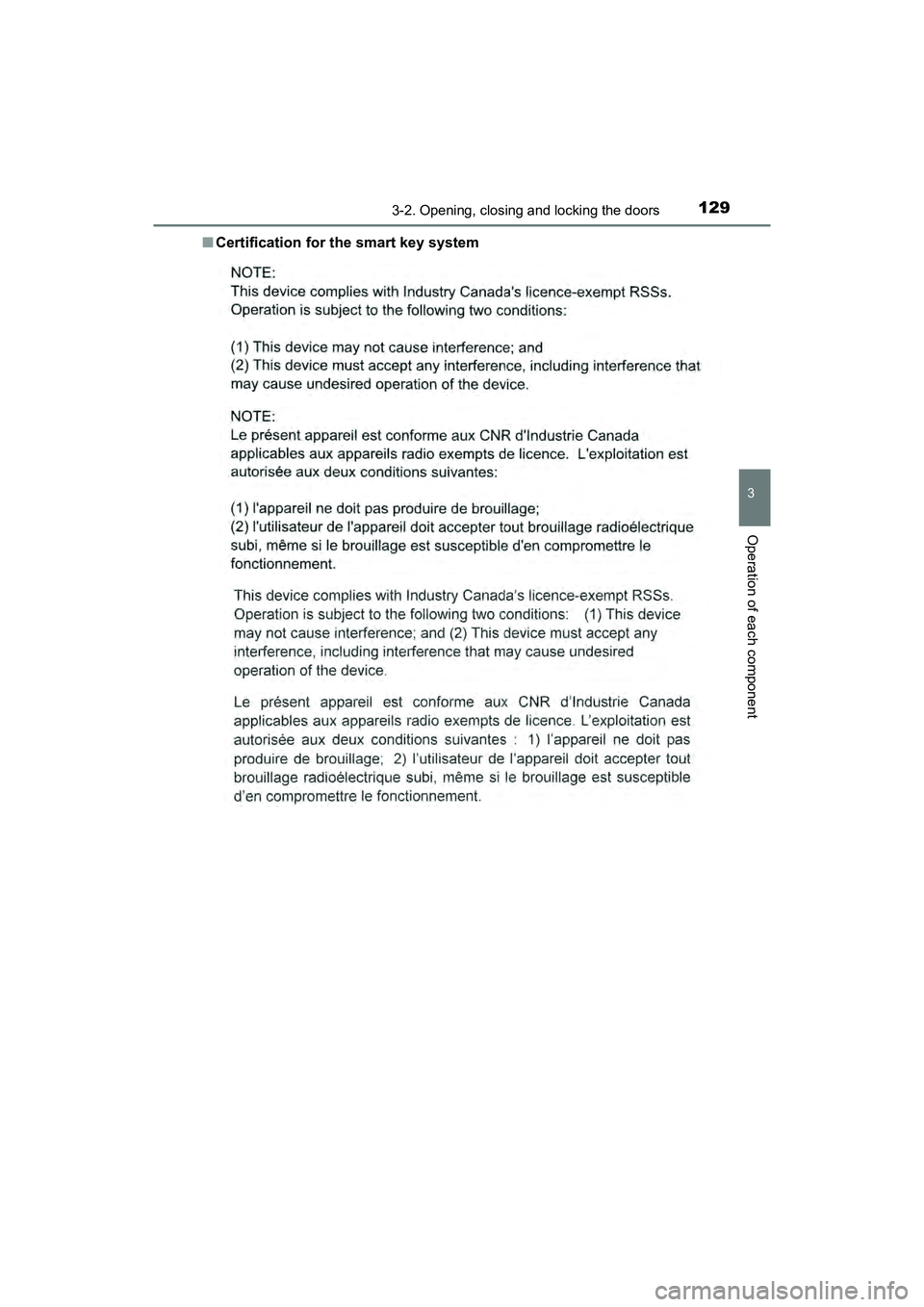
■Certification for the smart key system
Page 132 of 607
130
PRIUS v_OM_OM47B78U_(U)
3-2. Opening, closing and locking the doors
WARNING
■Caution regarding interference with electronic devices
●People with implantable cardiac pac emakers, cardiac resynchronization
therapy-pacemakers or implantable card ioverter defibrillators should keep
away from the smart key system antennas. ( P. 124)
The radio waves may affect the operation of such devices. If necessary,
the entry function can be disabled. Ask your Toyota dealer for details, such
as the frequency of radio waves and timing of the emitted radio waves.
Then, consult your doctor to see if you should disable the entry function.
● Users of any electrical medical device other than implantable cardiac
pacemakers, cardiac resynchronization therapy-pacemakers or implanta-
ble cardioverter defibrillators should consult the manufacturer of the
device for information about its operation under the influence of radio
waves.
Radio waves could have unexpected effects on the operation of such
medical devices.
Ask your Toyota dealer for details on disabling the entry function.
On vehicles with the Entune Audio or Entune Premium Audio with Naviga-
tion, the entry function can be disabled personally. (P. 559)
Page 150 of 607
148
PRIUS v_OM_OM47B78U_(U)
3-5. Opening and closing the windows
WARNING
Observe the following precautions.
Failing to do so may result in death or serious injury.
■Closing the windows
●The driver is responsible for all the power window operations, including the
operation for the passengers. In order to prevent accidental operation,
especially by a child, do not let a child operate the power windows. It is
possible for children and other passengers to have body parts caught in
the power window. Also, when riding with a child, it is recommended to use
the window lock switch. ( P. 146)
● When exiting the vehicle, turn the power switch off, carry the key and exit
the vehicle along with the child. There may be accidental operation, due to
mischief, etc., that may possibly lead to an accident.
■ Jam protection function
●Never use any part of your body to intentionally activate the up jam protec-
tion function.
● The up jam protection function may not work if something gets jammed
just before the window is fully closed. Be careful not to get any part of your
body jammed in the window.
■ Catch protection function
●Never use any part of your body or clothing to intentionally activate the
catch protection function.
● The catch protection function may not work if something gets caught just
before the window is fully opened. Be careful not to get any part of your
body or clothing caught in the window.
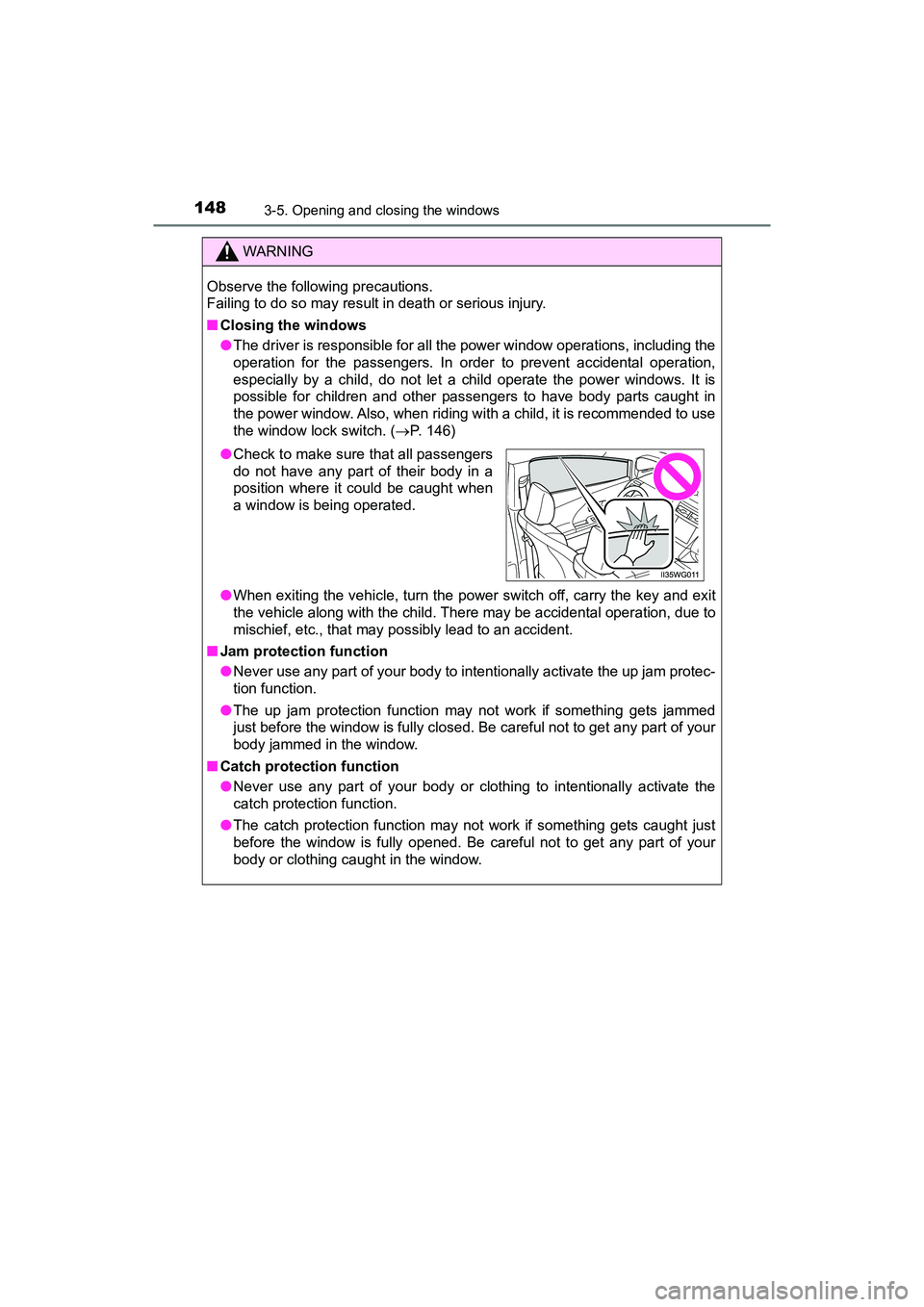
●Check to make sure that all passengers
do not have any part of their body in a
position where it could be caught when
a window is being operated.
Page 152 of 607
150
PRIUS v_OM_OM47B78U_(U)
4-1. Before driving
Driving the vehicle
P. 1 6 8
With the brake pedal depressed, shift the shift position to D.
( P. 175)
Check that the shift position indicator shows D.
Release the parking brake. ( P. 181)
Gradually release the brake pedal and gently depress the accelera-
tor pedal to accelerate the vehicle.
With the shift position in D, depress the brake pedal.
If necessary, set the parking brake.
If the vehicle is to be stopped for an extended period of time, shift the shift
position to P. (
P. 176)
Stop the vehicle completely.
Set the parking brake. ( P. 181)
Shift the shift position to P. ( P. 176)
Check that the shift position indicator shows P.
Press the power switch to stop the hybrid system.
Slowly release the brake pedal.
Lock the door, making sure that you have the electronic key on your
person.
If parking on a hill, block the wheels as needed.
The following procedures should be observed to ensure safe
driving:
Starting the hybrid system
Driving
Stopping
Parking the vehicle
1
2
3
1
2
1
2
3
4
5
6
Page 170 of 607
168
PRIUS v_OM_OM47B78U_(U)
4-2. Driving procedures
Power (ignition) switch
Check that the parking brake is set.
Firmly depress the brake pedal.
will be displayed on the multi-information display.
If it is not displayed, the hybrid system cannot be started.
When the shift position is N, the hybrid system cannot start. Shift the shift
position to P when starting the hybrid system. ( P. 176)
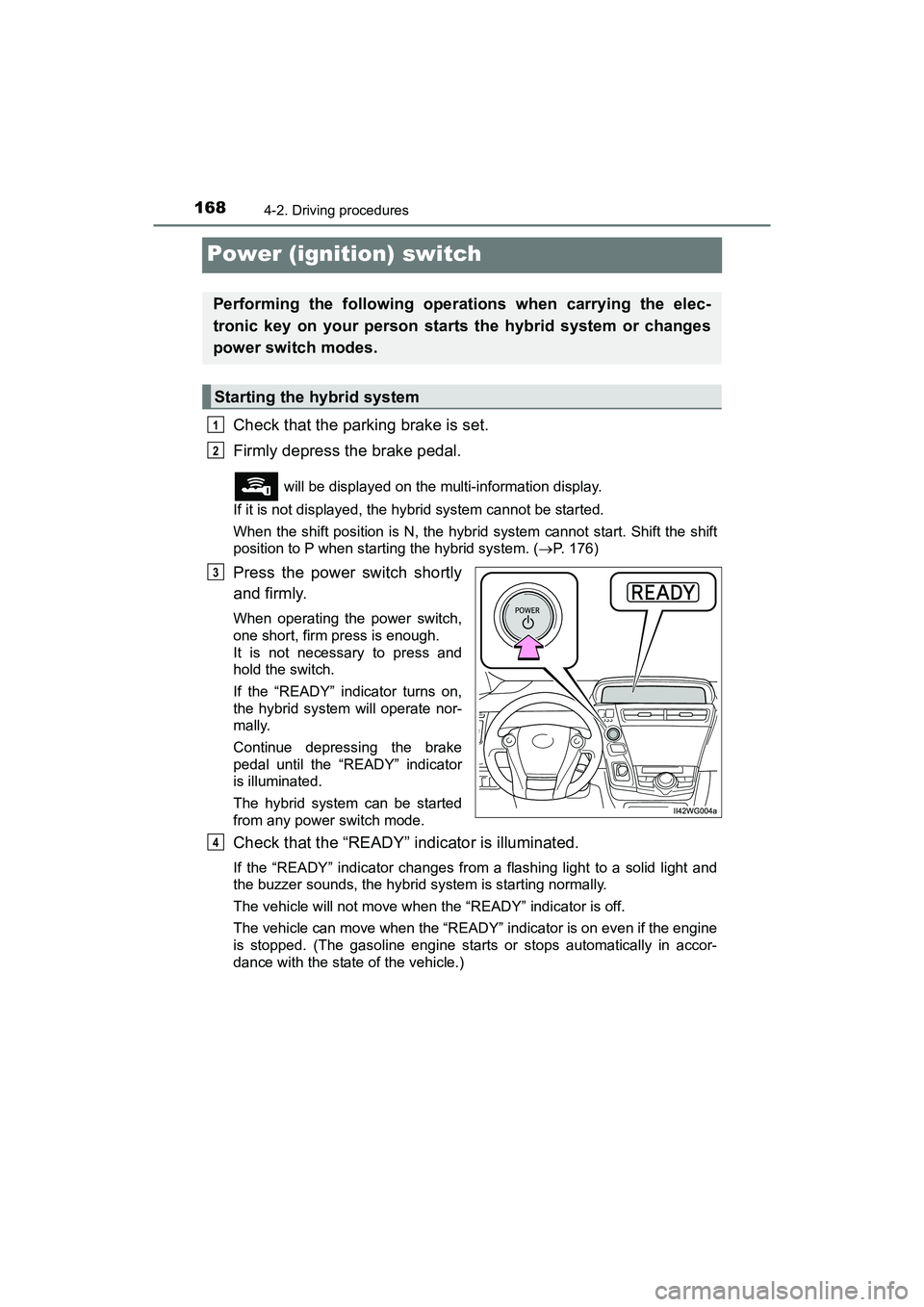
Press the power switch shortly
and firmly.
When operating the power switch,
one short, firm press is enough.
It is not necessary to press and
hold the switch.
If the “READY” indicator turns on,
the hybrid system will operate nor-
mally.
Continue depressing the brake
pedal until the “READY” indicator
is illuminated.
The hybrid system can be started
from any power switch mode.
Check that the “READY” indicator is illuminated.
If the “READY” indicator changes from a flashing light to a solid light and
the buzzer sounds, the hybrid system is starting normally.
The vehicle will not move when the “READY” indicator is off.
The vehicle can move when the “READY” indicator is on even if the engine
is stopped. (The gasoline engine starts or stops automatically in accor-
dance with the state of the vehicle.)
Performing the following operations when carrying the elec-
tronic key on your person starts the hybrid system or changes
power switch modes.
Starting the hybrid system
1
2
3
4
Page 172 of 607
170
PRIUS v_OM_OM47B78U_(U)
4-2. Driving procedures
■Auto power off function
If the vehicle is left in ACCESSORY mode for more than 20 minutes or ON
mode (the hybrid system is not operating) for more than an hour with the shift
position in P, the power switch will automatically turn off. However, this func-
tion cannot entirely prevent the 12-volt battery discharge. Do not leave the
vehicle with the power switch in ACCESSORY or ON mode for long periods
of time when the hybrid system is not operating.
■ Sounds and vibrations specific to a hybrid vehicle
P. 7 7
■ Electronic key battery depletion
P. 1 1 2
■ When the ambient temperature is low, such as during winter driving con-
ditions
When starting the hybrid system, the fl ashing time of the “READY” indicator
may be long. Leave the vehicle as it is until the “READY” indicator is steady
on, as steady means the vehicle is able to move.
■ Conditions affecting operation
P. 126
■ Note for the entry function
P. 127
■ If the hybrid system does not start
The immobilizer system may not have been deactivated. ( P. 8 3 )
Contact your Toyota dealer.
■ When “SMART KEY SYSTEM CHECK HAVE YOUR VEHICLE CHECKED
BY A DEALER” is displayed on the multi-information display
The system may be malfunctioning. Have the vehicle inspected by your
Toyota dealer immediately.
■ If the “READY” indicator does not come on
In the event that the “READY” indicator does not come on even after perform-
ing the proper procedures for starting th e vehicle, contact your Toyota dealer
immediately.
■ If the hybrid system is malfunctioning
P. 489
■ If the electronic key battery is depleted
P. 449
Page 186 of 607
184
PRIUS v_OM_OM47B78U_(U)
4-3. Operating the lights and wipers
■Automatic light off system
●When the headlights come on: The headlights and tail lights turn off 30 sec-
onds after a door is opened and closed if the power switch is turned to
ACCESSORY mode or turned off. (The lights turn off immediately if on
the key is pressed after all the doors are locked.)
● When only the tail lights come on: The tail lights turn off automatically if the
power switch is turned to ACCESSORY mode or turned off and the driver’s
door is opened.
To turn the lights on again, turn the power switch to ON mode, or turn the light
switch off once and then back to or .
■ Automatic headlight leveling system (Vehicles with LED headlights)
The level of the headlights is automatically adjusted according to the number
of passengers and the loading condition of the vehicle to ensure that the
headlights do not interfere with other road users.
■ Customization
Settings (e.g. light sensor sensitivity) can be changed.
(Customizable features: P. 559)
NOTICE
■To prevent 12-volt battery discharge
Do not leave the lights on longer than necessary when the hybrid system is
off.
Page 279 of 607
277
PRIUS v_OM_OM47B78U_(U)
5-2. Setup
5
Audio system
General settings
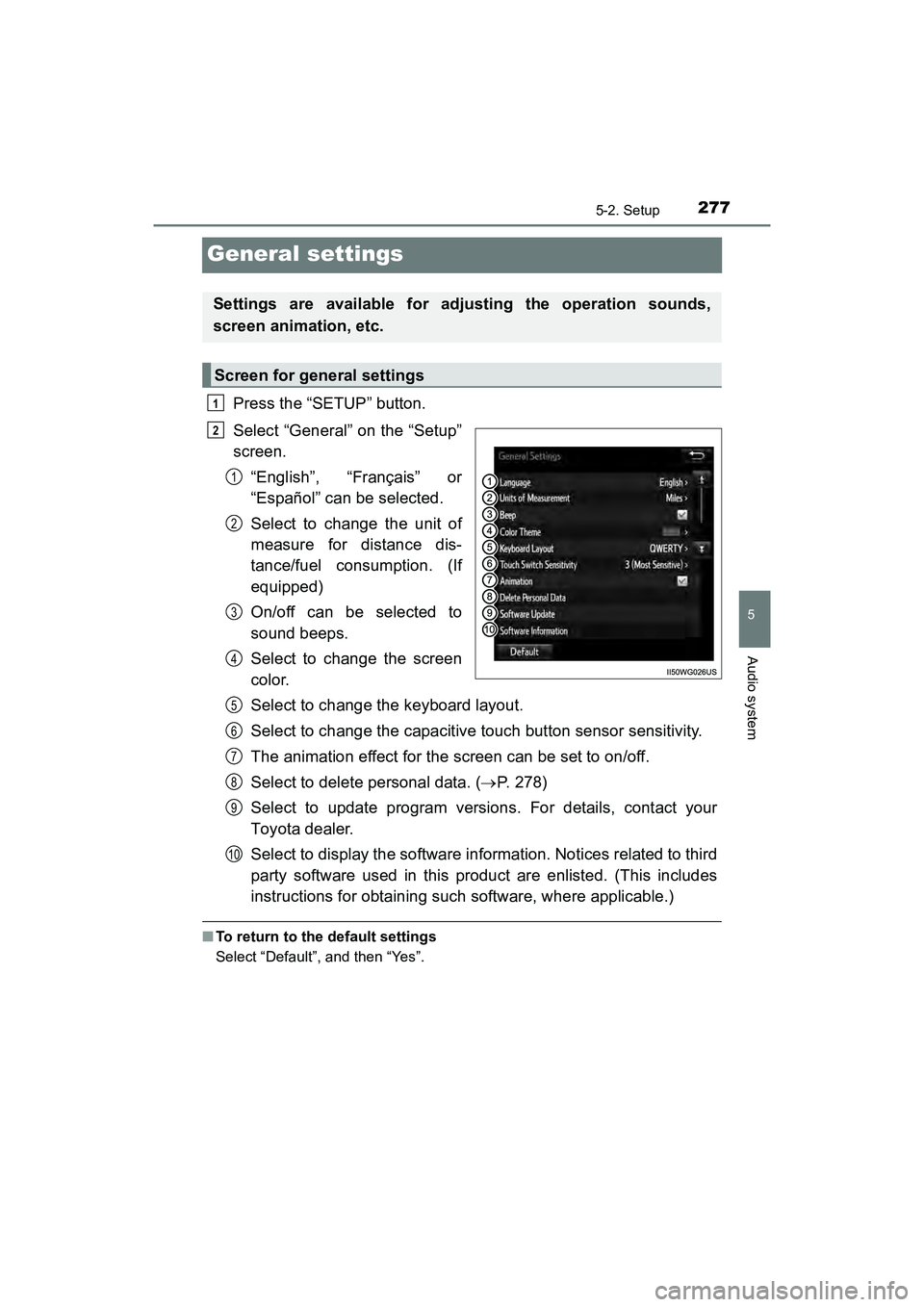
Press the “SETUP” button.
Select “General” on the “Setup”
screen.“English”, “Français” or
“Español” can be selected.
Select to change the unit of
measure for distance dis-
tance/fuel consumption. (If
equipped)
On/off can be selected to
sound beeps.
Select to change the screen
color.
Select to change the keyboard layout.
Select to change the capacitive touch button sensor sensitivity.
The animation effect for the screen can be set to on/off.
Select to delete personal data. ( P. 278)
Select to update program versions. For details, contact your
Toyota dealer.
Select to display the software information. Notices related to third
party software used in this product are enlisted. (This includes
instructions for obtaining such software, where applicable.)
■ To return to the default settings
Select “Default”, and then “Yes”.
Settings are available for adjusting the operation sounds,
screen animation, etc.
Screen for general settings
1
2
1
2
3
4
5
6
7
8
9
10