bluetooth TOYOTA PRIUS V 2018 Workshop Manual
[x] Cancel search | Manufacturer: TOYOTA, Model Year: 2018, Model line: PRIUS V, Model: TOYOTA PRIUS V 2018Pages: 607, PDF Size: 41.96 MB
Page 351 of 607
PRIUS v_OM_OM47B78U_(U)
3495-10. Bluetooth®
5
Audio system
■Bluetooth® antenna
The antenna is built into the display.
If the Bluetooth
® device is behind the seat or in the glove box or console box,
or is touching or covered by metal objects, the connection status may deterio-
rate.
■ Battery charge/signal status
●This display may not correspond exactl y with the portable audio player or
cellular phone itself.
● This system does not have a charging function.
● The portable audio player or cellular phone battery will be depleted quickly
when the device is connected to Bluetooth
®.
■ When using the Bluetooth
® audio and hands-free system at the same
time
The following problems may occur.
● The Bluetooth
® audio connection may be interrupted.
● Noise may be heard during Bluetooth
® audio playback.
■ About the contact in this system
The following data is stored for every registered cellular phone. When
another phone is connecting, you cannot read the registered data.
●Contact data
● Call history
● Favorite
● Message
When removing a Bluetooth
® phone from the system, the above-mentioned
data is also deleted.
■ About Bluetooth
®
The Bluetooth® word mark and logos are
registered trademarks owned by
Bluetooth SIG, Inc. and any use of such
marks by Panasonic Corporation is under
license. Other trademarks and trade
names are those of their respective own-
ers.
Page 352 of 607
3505-10. Bluetooth®
PRIUS v_OM_OM47B78U_(U)■
Compatible models
The Bluetooth
® audio system supports portable audio players with the follow-
ing specifications.
● Bluetooth
® specifications:
Ver. 2.0, or higher (Recommended: Ver. 3.0+EDR or higher)
● Profiles:
• A2DP (Advanced Audio Distribution Profile) Ver. 1.0, or higher
(Recommended: Ver. 1.2 or higher)
This is a profile to transmit stereo audio or high quality sound to the audio
system.
• AVRCP (Audio/Video Remote Control Profile) Ver. 1.0 or higher
(Recommended: Ver. 1.4 or higher)
This is a profile to allow remote control the A/V equipment.
However, please note that some functions may be limited depending on the
type of portable audio player connected.
The hands-free system supports cellular phones with the following specifica-
tions.
● Bluetooth
® specification:
Ver. 2.0 or higher (Recommended: Ver. 3.0+EDR or higher)
● Profiles:
• HFP (Hands Free Profile) Ver. 1.0 or higher (Recommended: Ver. 1.6 or
higher)
This is a profile to allow hands-free phone calls using a cellular phone or
head set. It has outgoing and incoming call functions.
• OPP (Object Push Profile) Ver. 1. 1 or higher (Recommended: Ver. 1.2)
This is a profile to transfer contact data. When a Bluetooth
® compatible
cellular phone has both PBAP and OPP, OPP cannot be used.
• PBAP (Phone Book Access Profile) Ver. 1.0 or higher (Recommended:
Ver. 1.1)
This is a profile to transfer contact data.
• MAP (Message Access Profile) Ver.1.0 or higher This is a profile to using phone message.
If the cellular phone does not support HFP, you cannot register it with the
hands-free system. OPP, PBAP or MAP services must be selected individu-
ally.
Page 353 of 607
PRIUS v_OM_OM47B78U_(U)
3515-10. Bluetooth®
5
Audio system
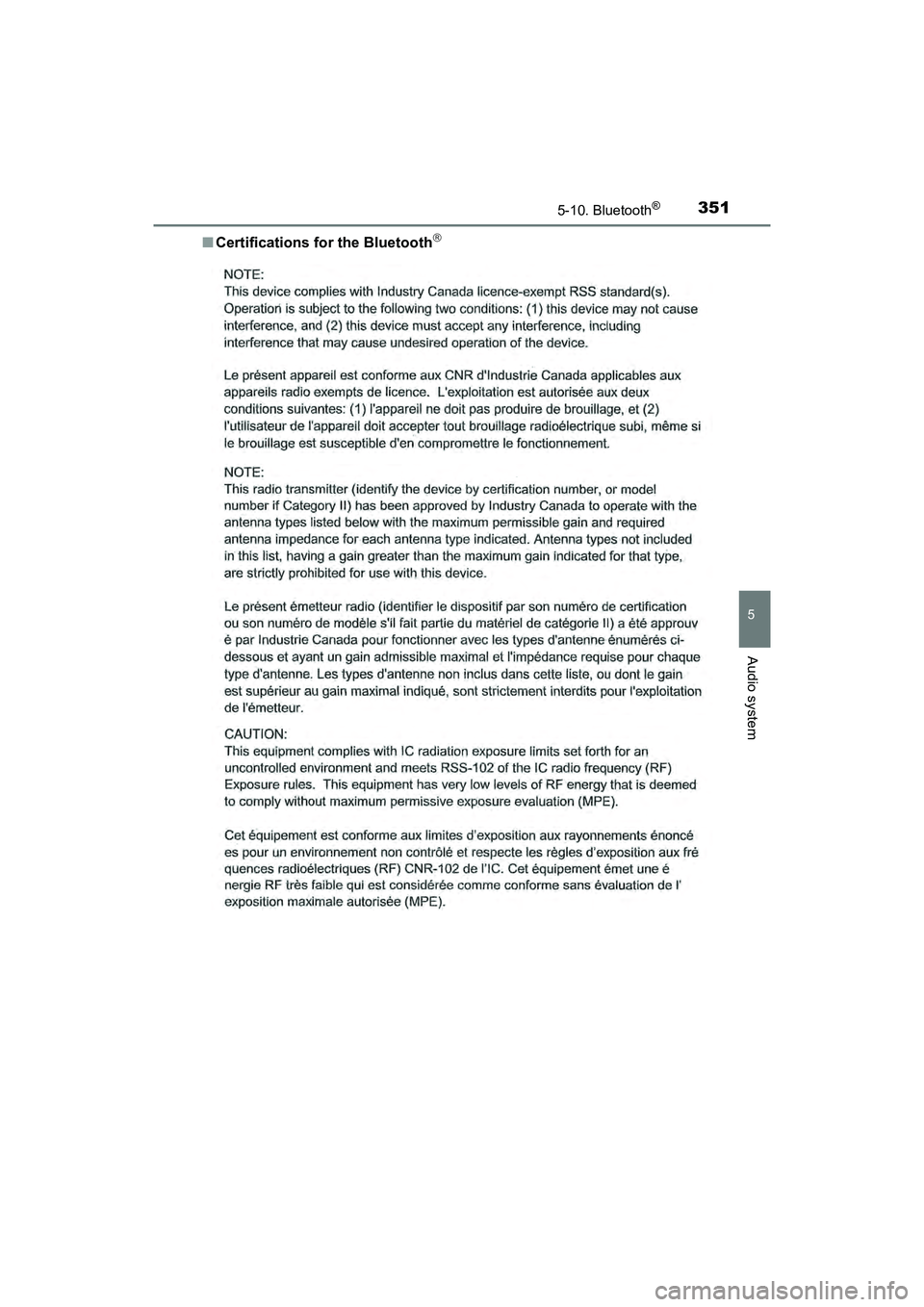
■Certifications for the Bluetooth
Page 354 of 607
3525-10. Bluetooth®
PRIUS v_OM_OM47B78U_(U)■
Reconnecting the portable audio player
If the portable audio player is disconnected due to poor reception, the system
automatically reconnects the portable audio player.
If you have switched off the portable audio player yourself, follow the instruc-
tions below to reconnect:
●Select the portable audio player again
● Enter the portable audio player
■ When you sell your car
Be sure to delete your personal data. ( P. 278)
WARNING
■While driving
Do not operate the portable audio player, cellular phone or connect a device
to the Bluetooth
® system.
■ Caution regarding interference with electronic devices
●Your audio unit is fitted with Bluetooth
® antennas. People with implantable
cardiac pacemakers, cardiac resynchronization therapy-pacemakers or
implantable cardioverter defibrillators should maintain a reasonable dis-
tance between themselves and the Bluetooth
® antennas. The radio waves
may affect the operation of such devices.
● Before using Bluetooth
® devices, users of any electrical medical device
other than implantable cardiac pacemakers, cardiac resynchronization
therapy-pacemakers or implantable cardioverter defibrillators should con-
sult the manufacturer of the device for information about its operation
under the influence of radio waves. Radio waves could have unexpected
effects on the operation of such medical devices.
NOTICE
■ When leaving the vehicle
Do not leave your portable audio player or cellular phone in the vehicle. The
inside of the vehicle may become hot, causing damage to the portable
audio player or cellular phone.
Page 359 of 607
PRIUS v_OM_OM47B78U_(U)
3575-11. Using the voice command system
5
Audio system
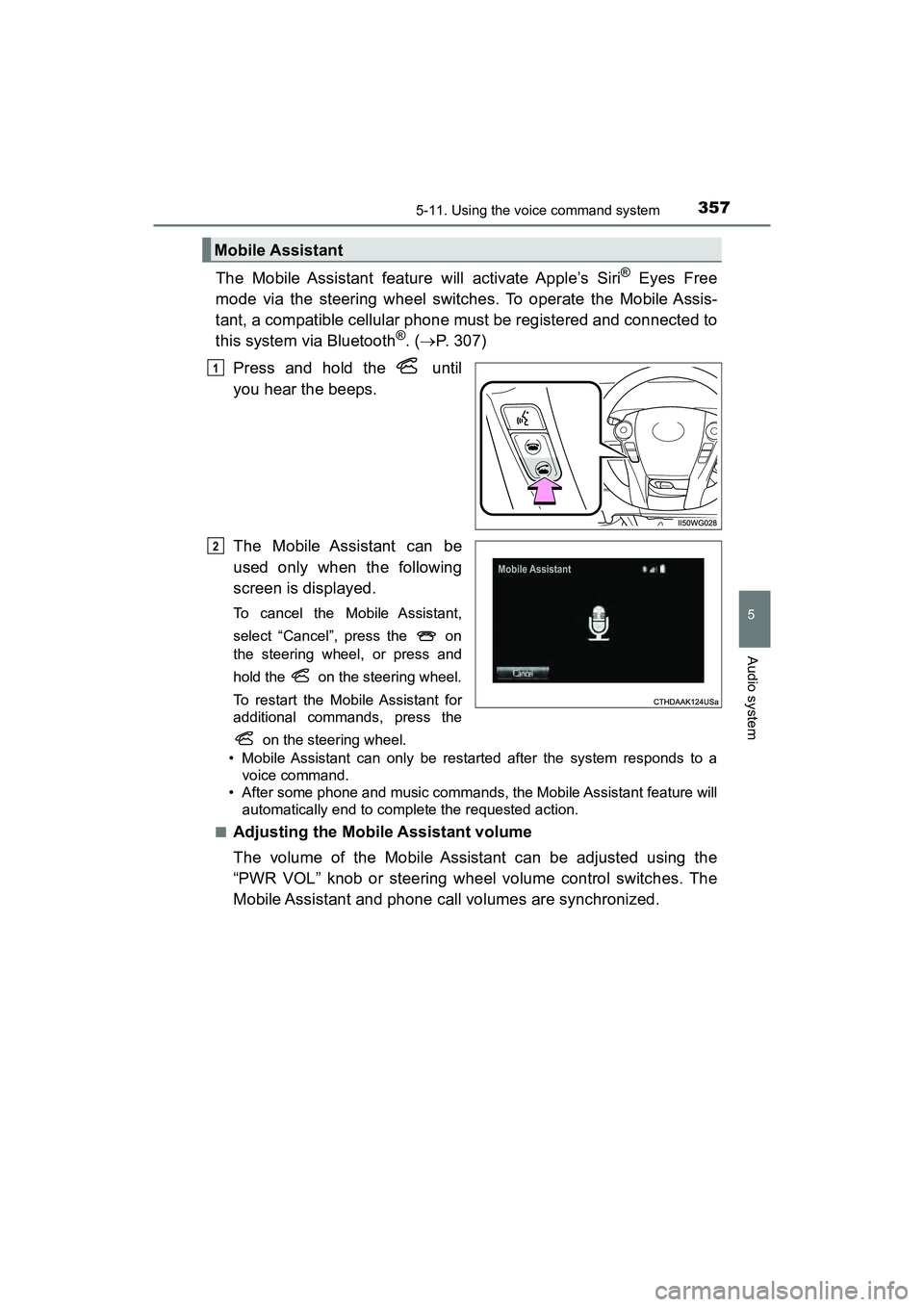
The Mobile Assistant feature will activate Apple’s Siri® Eyes Free
mode via the steering wheel switches. To operate the Mobile Assis-
tant, a compatible cellular phone must be registered and connected to
this system via Bluetooth
®. ( P. 307)
Press and hold the until
you hear the beeps.
The Mobile Assistant can be
used only when the following
screen is displayed.
To cancel the Mobile Assistant,
select “Cancel”, press the on
the steering wheel, or press and
hold the on the steering wheel.
To restart the Mobile Assistant for
additional commands, press the on the steering wheel.
• Mobile Assistant can only be restarted after the system responds to a voice command.
• After some phone and music commands, the Mobile Assistant feature will automatically end to complete the requested action.
■
Adjusting the Mobile Assistant volume
The volume of the Mobile Assistant can be adjusted using the
“PWR VOL” knob or steering wheel volume control switches. The
Mobile Assistant and phone call volumes are synchronized.
Mobile Assistant
1
2
Page 360 of 607
3585-11. Using the voice command system
PRIUS v_OM_OM47B78U_(U)
■Notes about Mobile Assistant
●The available features and functions may vary based on the iOS version
installed on the connected device.
● Some Siri
® features are limited in Eyes Free mode. If you attempt to use an
unavailable function, Siri® will inform you that the function is not available.
● If Siri
® is not enabled on the cellular phone connected via Bluetooth®, an
error message will be displayed on the screen.
● While a phone call is active, the Mobile Assistant cannot be used.
● If using the navigation feature of the cellular phone, ensure the active audio
source is Bluetooth
® audio or iPod in order to hear turn by turn direction
prompts.
Page 589 of 607
587Alphabetical index
PRIUS v_OM_OM47B78U_(U)
AntennaSmart key system ................. 124
Radio .................................... 288
Anti-lock brake system (ABS) ...................................... 252
Function ................................ 252
Warning light ......................... 479
Approach warning ................... 235
Armrest ..................................... 382
Assist grips .............................. 383
Audio input............................... 273
Audio system (Entune Audio) ...................... 269Antenna ................................ 288
Audio input ............................ 273
AUX port ............................... 305
Basic operations ................... 274
Bluetooth
® audio................... 317
CD player .............................. 289
iPod....................................... 295
MP3/WMA disc ..................... 289
Optimal use........................... 286
Portable music player ........... 273
Radio .................................... 287
Steering wheel audio switches.............................. 272
USB memory ........................ 300
Audio system (Entune Premium Audio with Navigation)
*
Automatic air conditioning systemAir conditioning filter ............. 445
Automatic air conditioning system ................................ 360 Automatic door locking
and unlocking systems ........ 117
Automatic headlight leveling system ..................... 184
Automatic High Beam ............. 185
Automatic light control
system.................................... 183
AUX port................................... 273
Auxiliary boxes ................ 375, 377
Back door ................................. 119
Back-up lights Replacing light bulbs ............ 464
Wattage ................................ 544
Battery (12-volt battery) Battery checking ................... 427
If the 12-volt battery is discharged.......................... 523
Preparing and checking
before winter ...................... 262
Warning light......................... 478
Battery (traction battery) .......... 78
Bluetooth
®............................... 348
Audio system ........................ 317
Hands-free system (for cellular phone) ............. 319
Registering/removing a Bluetooth
® device ........... 311
Selecting a Bluetooth®
device ................................. 313
Wireless communication....... 306
B
*: Refer to the “NAVIGATION SYSTEM OWNER’S MANUAL”.
Page 590 of 607
588Alphabetical index
PRIUS v_OM_OM47B78U_(U)
Bluetooth® audio ..................... 317
Bluetooth® phone .................... 319
Deleting the call history......... 339
Making a call ......................... 322
Managing the contacts.......... 335
Message function.................. 329
Phone settings ...................... 334
Receiving a call..................... 325
Speaking on the phone ......... 326
Bottle holders .......................... 373
Brake Fluid ...................................... 542
Parking brake........................ 181
Regenerative braking.............. 76
Warning light ......................... 478
Brake assist ............................. 252
Brake Override System ........... 151
Break-in tips ............................. 151
Brightness control Instrument panel light control ........................... 92
Card holder .............................. 375
Care Aluminum wheels.................. 395
Exterior ................................. 394
Interior................................... 398
Panoramic roof ..................... 397
Radar sensor ........................ 201
Seat belts .............................. 399
Cargo capacity ......................... 165
Cargo hooks............................. 376
CD player .................................. 289
Chains....................................... 263 Child restraint system............... 59
Booster seats definition .......... 60
Booster seat installation ......... 69
Convertible seat definition ...... 60
Convertible seat installation.... 67
Front passenger occupant classification system ............ 53
Infant seat definition ............... 60
Infant seat installation ............. 66
Installing CRS with LATCH system .................................. 64
Installing CRS with seat belt ....................................... 66
Installing CRS with top tether strap ........................... 70
LATCH system ....................... 63
Child safety ................................ 58
12-volt battery precautions......................... 429
Airbag precautions.................. 44
Back door precautions .......... 121
Child restraint system ............. 59
How your child should wear the seat belt ................. 36
Installing child restraints ......... 63
Power window lock switch .... 146
Power window precautions......................... 148
Rear door child-protectors .... 117
Removed key battery precautions......................... 450
Seat belt extender precautions........................... 40
Seat belt precautions .............. 38
Seat heater precautions ....... 367
C