wheel TOYOTA PRIUS V 2018 Workshop Manual
[x] Cancel search | Manufacturer: TOYOTA, Model Year: 2018, Model line: PRIUS V, Model: TOYOTA PRIUS V 2018Pages: 607, PDF Size: 41.96 MB
Page 285 of 607
283
PRIUS v_OM_OM47B78U_(U)
5-3. Using the Multimedia system
5
Audio system
Selecting the audio source
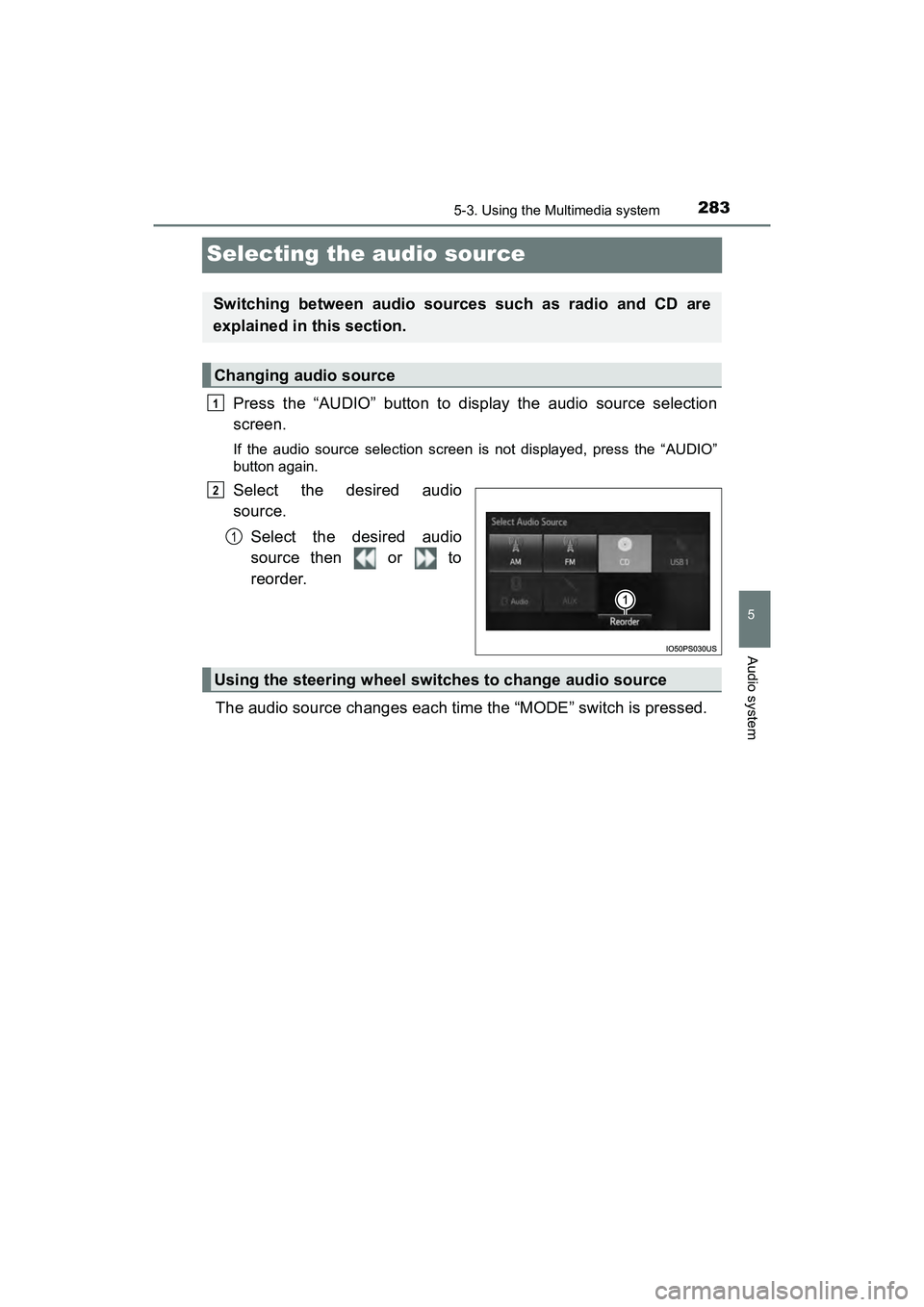
Press the “AUDIO” button to display the audio source selection
screen.
If the audio source selection screen is not displayed, press the “AUDIO”
button again.
Select the desired audio
source.Select the desired audio
source then or to
reorder.
The audio source changes each time the “MODE” switch is pressed.
Switching between audio sources such as radio and CD are
explained in this section.
Changing audio source
1
2
1
Using the steering wheel switches to change audio source
Page 321 of 607
319
PRIUS v_OM_OM47B78U_(U)
5-9. Bluetooth® phone
5
Audio system
Using a Bluetooth® Phone
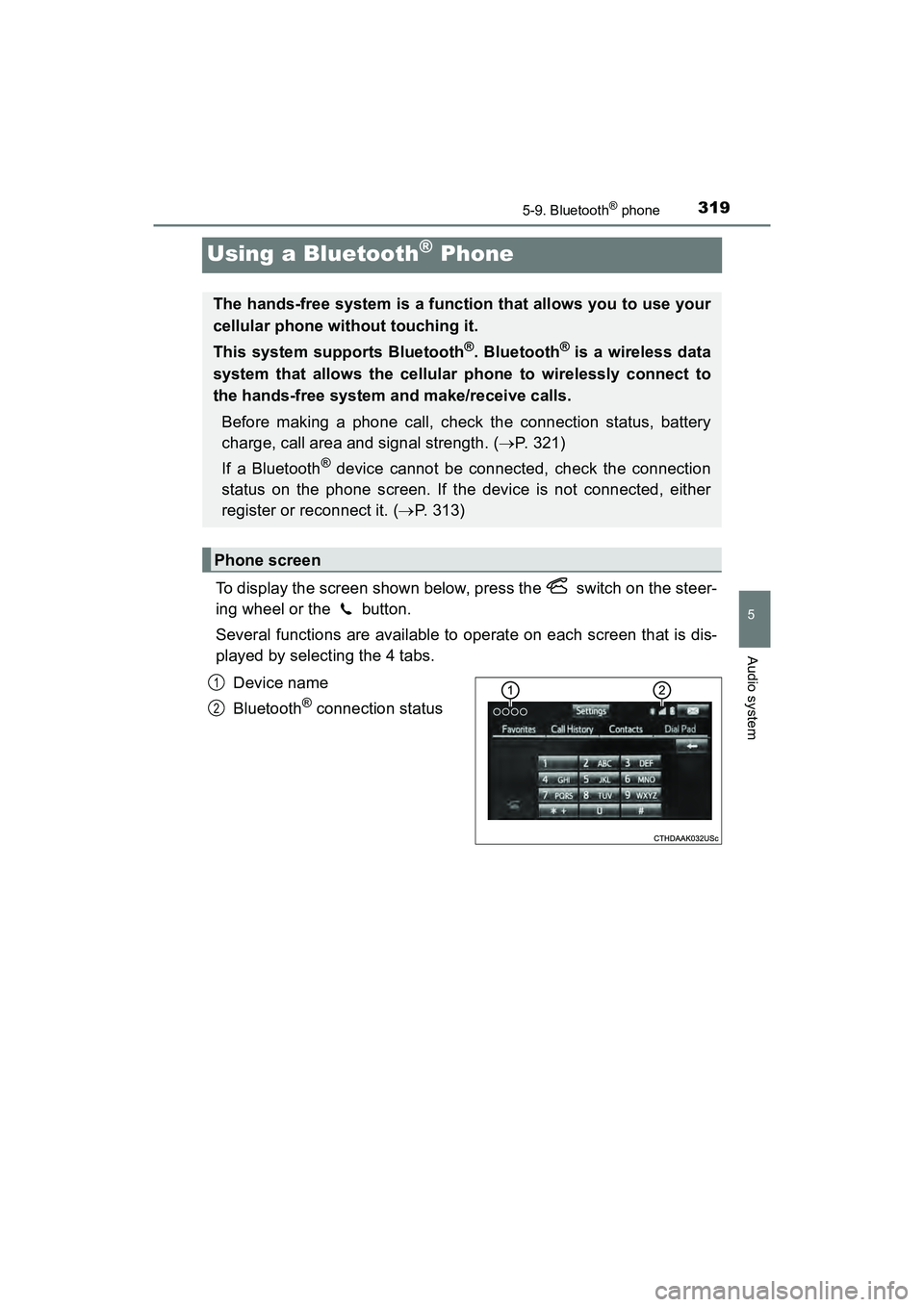
To display the screen shown below, press the switch on the steer-
ing wheel or the button.
Several functions are available to operate on each screen that is dis-
played by selecting the 4 tabs.Device name
Bluetooth
® connection status
The hands-free system is a function that allows you to use your
cellular phone without touching it.
This system supports Bluetooth
®. Bluetooth® is a wireless data
system that allows the cellular phone to wirelessly connect to
the hands-free system and make/receive calls.
Before making a phone call, check the connection status, battery
charge, call area and signal strength. ( P. 321)
If a Bluetooth
® device cannot be connected, check the connection
status on the phone screen. If the device is not connected, either
register or reconnect it. ( P. 313)
Phone screen
1
2
Page 324 of 607
322
PRIUS v_OM_OM47B78U_(U)
5-9. Bluetooth® phone
Making a call
Display the phone screen. (P. 319)
Select the “Dial Pad” tab and enter a phone number.
To delete the input phone number, select .
For the first digit, you can enter “+” by selecting “ ” for a while.
Press the switch on the steering wheel or select .
You can dial a number from the contact data imported from your cellu-
lar phone. The system has one contact list for each registered phone.
Up to 2500 contacts may be stored for each contact list. ( P. 322)
Display the phone screen. ( P. 319)
Select “Contacts” tab.
Choose the desired contact to call from the list.
Choose the number and then press the switch on the steering
wheel or select .
You can transfer the phone numbers in a Bluetooth
® phone to the sys-
tem.
Operation methods differ between PBAP (Phone Book Access Profile)
compatible and PBAP incompatible Bluetooth
® phones. If the cellular
phone does not support either PBAP or OPP (Object Push Profile)
service, you cannot transfer contacts.
Once a Bluetooth® phone is registered, you can make a call
using the following procedure:
Dialing
Dialing from the contacts list
When the contact is empty
1
2
3
1
2
3
4
Page 327 of 607
325
PRIUS v_OM_OM47B78U_(U)
5-9. Bluetooth® phone
5
Audio system
Receiving a call
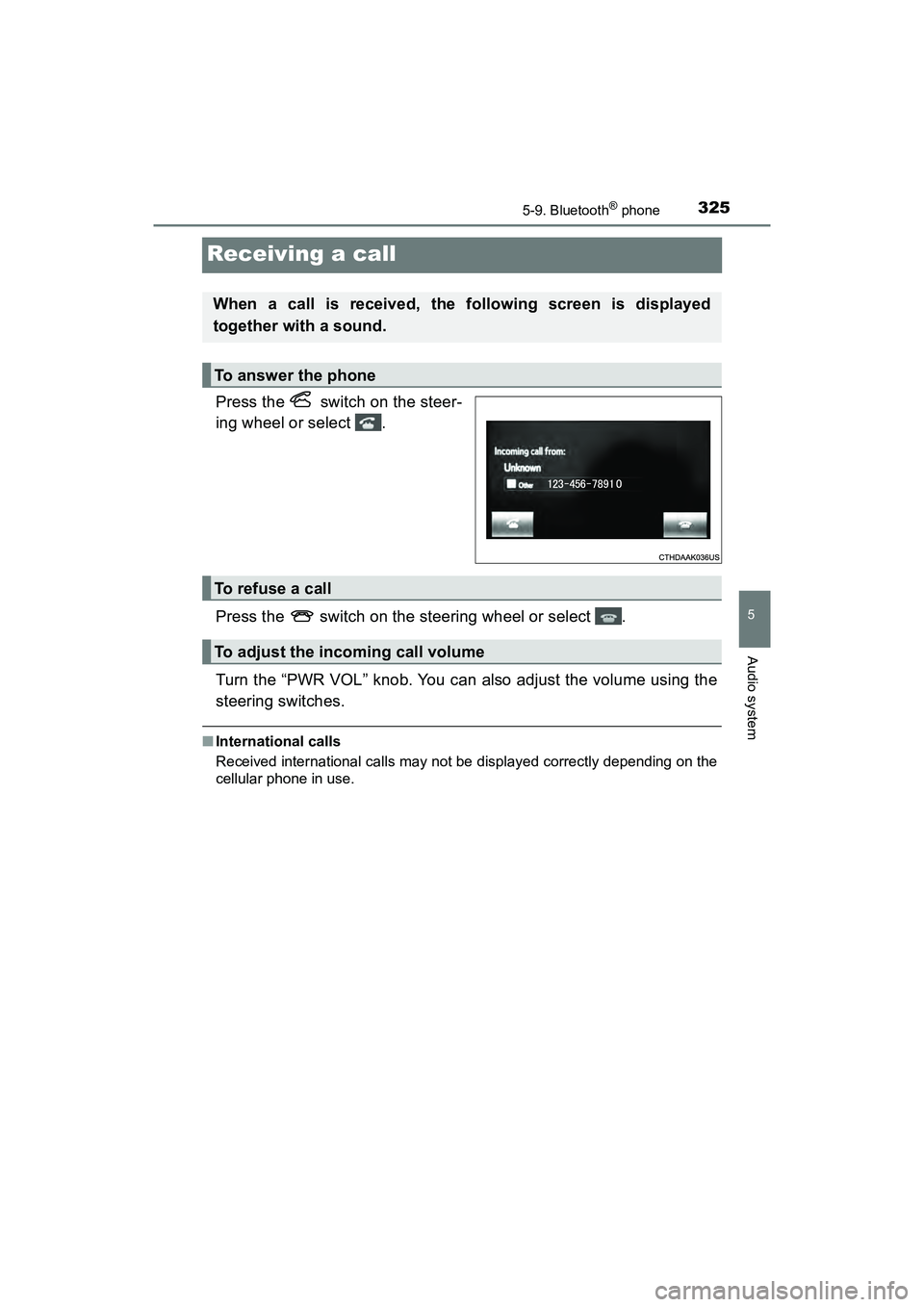
Press the switch on the steer-
ing wheel or select .
Press the switch on the steering wheel or select .
Turn the “PWR VOL” knob. You can also adjust the volume using the
steering switches.
■International calls
Received international calls may not be displayed correctly depending on the
cellular phone in use.
When a call is received, the following screen is displayed
together with a sound.
To answer the phone
To refuse a call
To adjust the incoming call volume
Page 330 of 607
3285-9. Bluetooth® phone
PRIUS v_OM_OM47B78U_(U)
Select “Handset Mode” to on from a hands-free call to a cellular
phone call.
Select “Handset Mode” to off from a cellular phone call to a hands-free
call.Select “Transmit Volume”.
Select the desired level for the transmit volume.
Select “OK”.
Press the switch on the steering wheel or select .
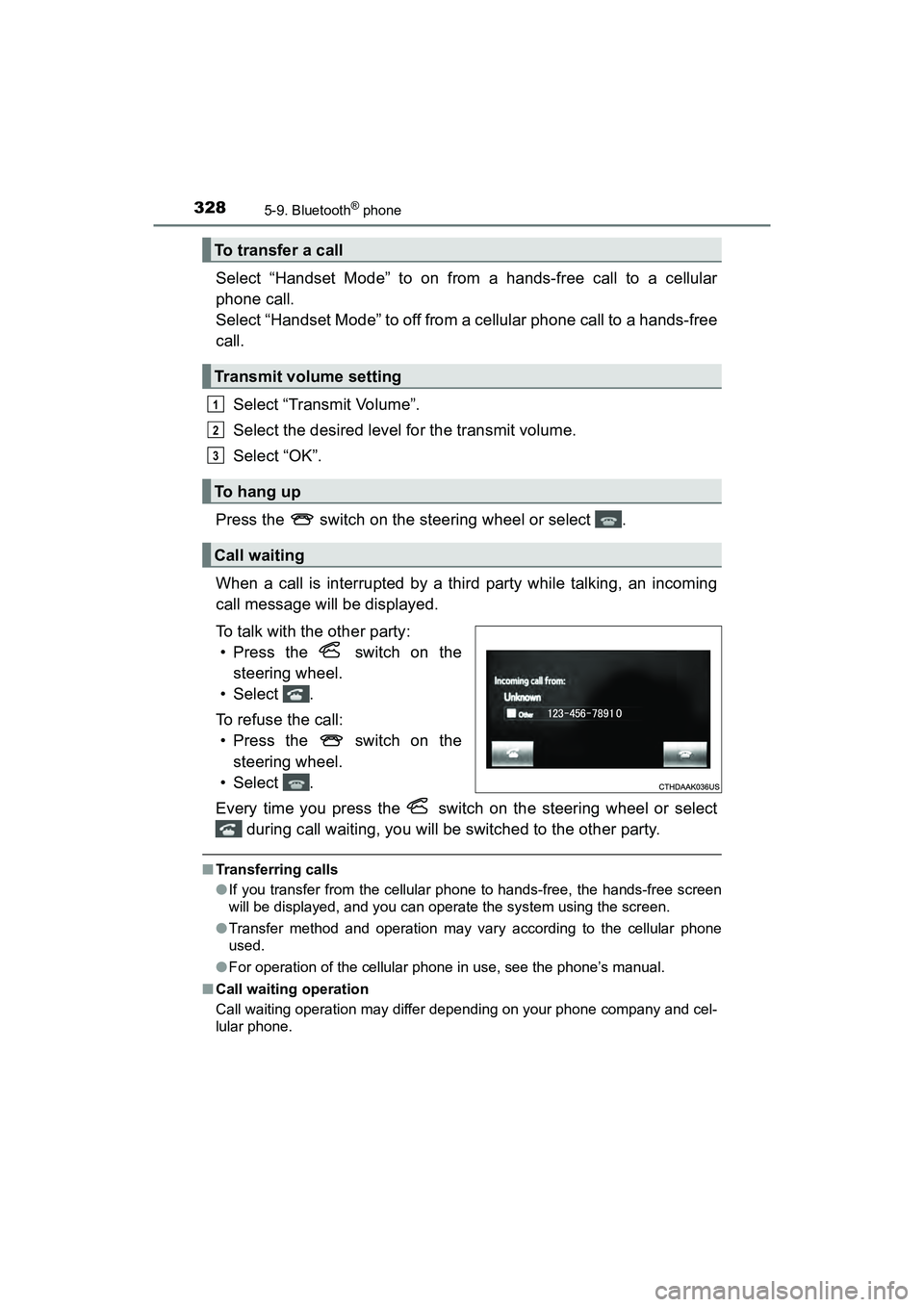
When a call is interrupted by a third party while talking, an incoming
call message will be displayed.
To talk with the other party: • Press the switch on the
steering wheel.
• Select .
To refuse the call: • Press the switch on the
steering wheel.
• Select .
Every time you press the switch on the steering wheel or select during call waiting, you will be switched to the other party.
■Transferring calls
●If you transfer from the cellular phone to hands-free, the hands-free screen
will be displayed, and you can operate the system using the screen.
● Transfer method and operation may vary according to the cellular phone
used.
● For operation of the cellular phone in use, see the phone’s manual.
■ Call waiting operation
Call waiting operation may differ depending on your phone company and cel-
lular phone.
To transfer a call
Transmit volume setting
To h a n g u p
Call waiting
1
2
3
Page 333 of 607
PRIUS v_OM_OM47B78U_(U)
3315-9. Bluetooth® phone
5
Audio system
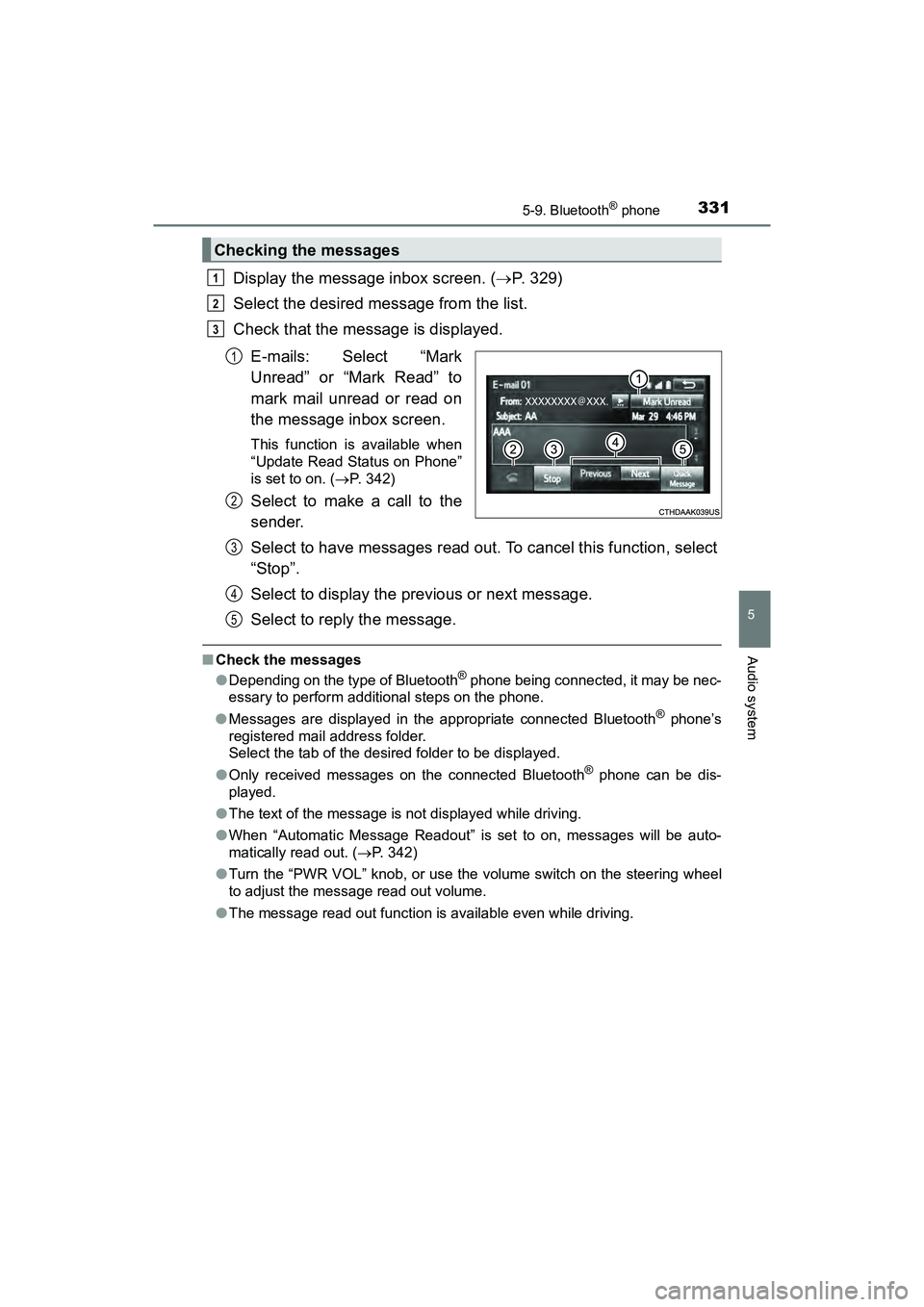
Display the message inbox screen. (P. 329)
Select the desired message from the list.
Check that the message is displayed.
E-mails: Select “Mark
Unread” or “Mark Read” to
mark mail unread or read on
the message inbox screen.
This function is available when
“Update Read Status on Phone”
is set to on. ( P. 342)
Select to make a call to the
sender.
Select to have messages read out. To cancel this function, select
“Stop”.
Select to display the previous or next message.
Select to reply the message.
■Check the messages
●Depending on the type of Bluetooth® phone being connected, it may be nec-
essary to perform additional steps on the phone.
● Messages are displayed in the appropriate connected Bluetooth
® phone’s
registered mail address folder.
Select the tab of the desired folder to be displayed.
● Only received messages on the connected Bluetooth
® phone can be dis-
played.
● The text of the message is not displayed while driving.
● When “Automatic Message Readout” is set to on, messages will be auto-
matically read out. ( P. 342)
● Turn the “PWR VOL” knob, or use the volume switch on the steering wheel
to adjust the message read out volume.
● The message read out function is available even while driving.
Checking the messages
1
2
3
1
2
3
4
5
Page 335 of 607
333
PRIUS v_OM_OM47B78U_(U)
5-9. Bluetooth® phone
5
Audio system
Using the steering wheel switches
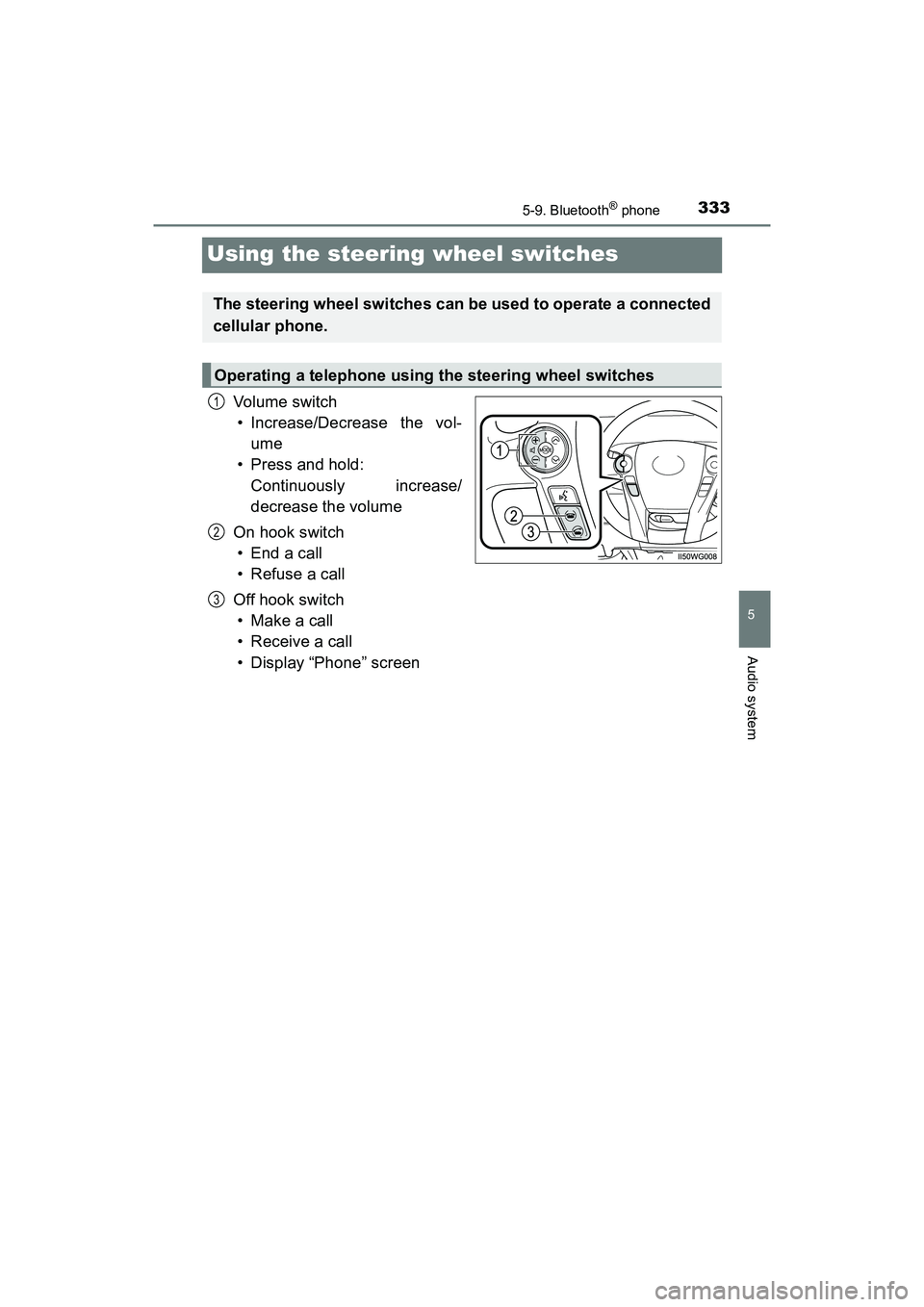
Vol um e s wit ch• Increase/Decrease the vol-
ume
• Press and hold:
Continuously increase/
decrease the volume
On hook switch •End a call
• Refuse a call
Off hook switch • Make a call
• Receive a call
• Display “Phone” screen
The steering wheel switches can be used to operate a connected
cellular phone.
Operating a telephone using the steering wheel switches
1
2
3
Page 359 of 607
PRIUS v_OM_OM47B78U_(U)
3575-11. Using the voice command system
5
Audio system
The Mobile Assistant feature will activate Apple’s Siri® Eyes Free
mode via the steering wheel switches. To operate the Mobile Assis-
tant, a compatible cellular phone must be registered and connected to
this system via Bluetooth
®. ( P. 307)
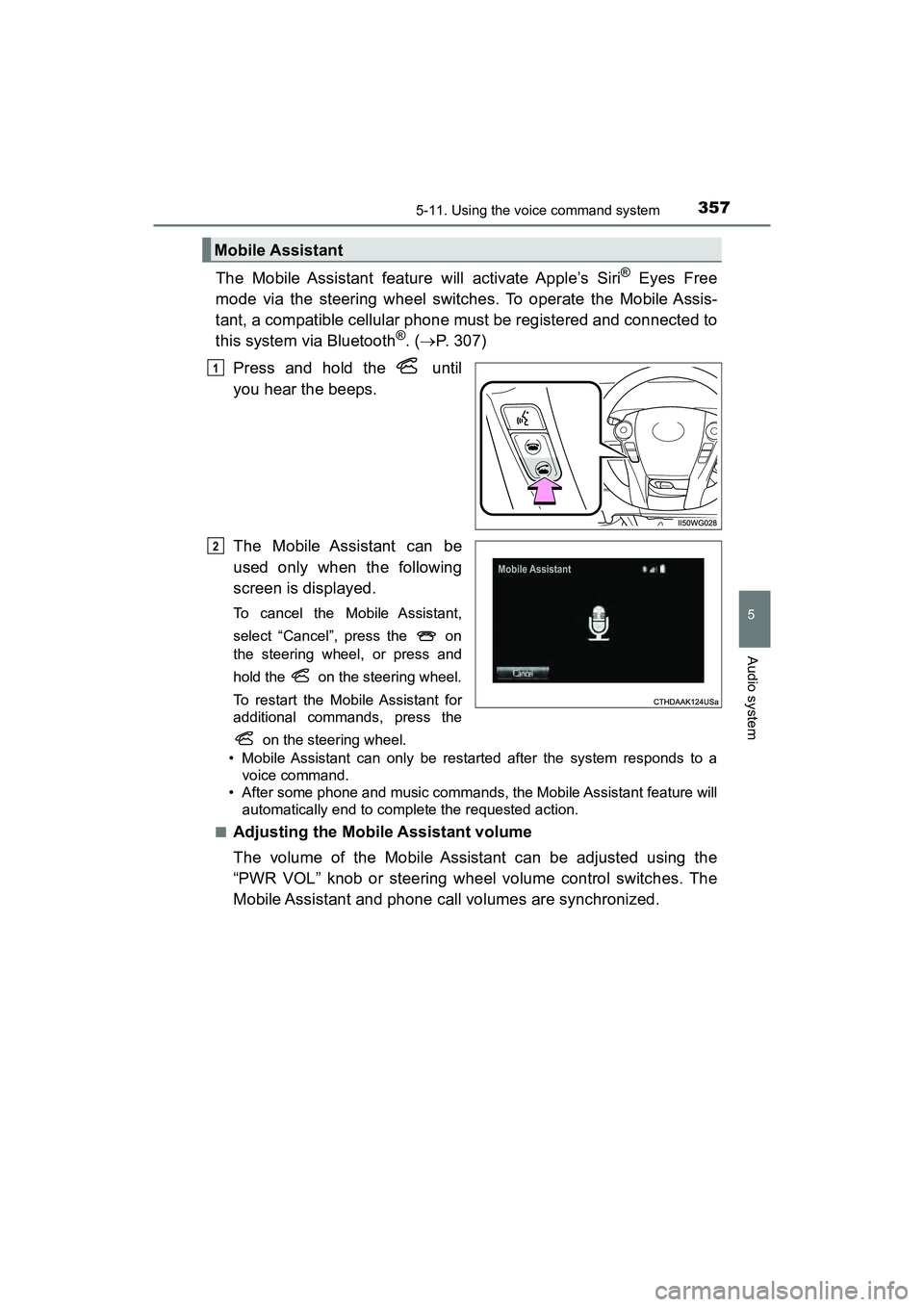
Press and hold the until
you hear the beeps.
The Mobile Assistant can be
used only when the following
screen is displayed.
To cancel the Mobile Assistant,
select “Cancel”, press the on
the steering wheel, or press and
hold the on the steering wheel.
To restart the Mobile Assistant for
additional commands, press the on the steering wheel.
• Mobile Assistant can only be restarted after the system responds to a voice command.
• After some phone and music commands, the Mobile Assistant feature will automatically end to complete the requested action.
■
Adjusting the Mobile Assistant volume
The volume of the Mobile Assistant can be adjusted using the
“PWR VOL” knob or steering wheel volume control switches. The
Mobile Assistant and phone call volumes are synchronized.
Mobile Assistant
1
2
Page 395 of 607
393
PRIUS v_OM_OM47B78U_(U)
7Maintenance and care
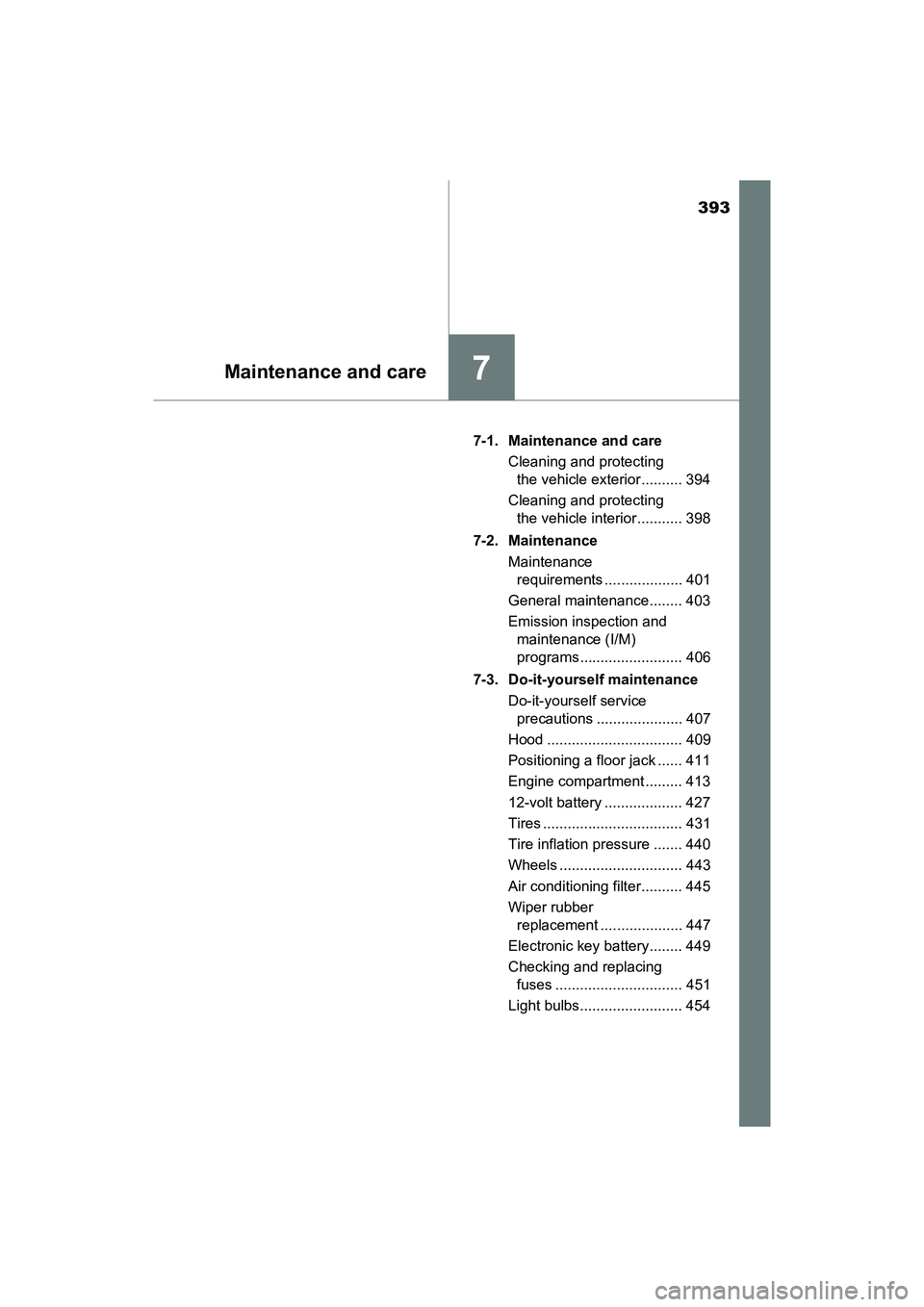
7-1. Maintenance and careCleaning and protecting the vehicle exterior .......... 394
Cleaning and protecting the vehicle interior ........... 398
7-2. Maintenance Maintenance requirements ................... 401
General maintenance........ 403
Emission inspection and maintenance (I/M)
programs ......................... 406
7-3. Do-it-yourself maintenance Do-it-yourself service precautions ..................... 407
Hood ................................. 409
Positioning a floor jack ...... 411
Engine compartment ......... 413
12-volt battery ................... 427
Tires .................................. 431
Tire inflation pressure ....... 440
Wheels .............................. 443
Air conditioning filter.......... 445
Wiper rubber replacement .................... 447
Electronic key battery........ 449
Checking and replacing fuses ............................... 451
Light bulbs......................... 454
Page 396 of 607
394
PRIUS v_OM_OM47B78U_(U)
7-1. Maintenance and care
Cleaning and protecting the vehicle exterior
●Working from top to bottom, liberally apply water to the vehicle
body, wheel wells and underside of the vehicle to remove any dirt
and dust.
● Wash the vehicle body using a sponge or soft cloth, such as a
chamois.
● For hard-to-remove marks, use car wash soap and rinse thoroughly
with water.
● Wipe away any water.
● Wax the vehicle when the waterproof coating deteriorates.
If water does not bead on a clean surface, apply wax when the vehicle
body is cool.
■Automatic car washes
●Fold the mirrors and remove the antenna before washing the vehicle. Start
washing from the front of the vehicle. Make sure to re-install the antenna
and extend the mirrors before driving.
● Brushes used in automatic car washes may scratch the vehicle surface and
harm your vehicle’s paint.
● Roof antenna and rear spoiler may not be washable in some automatic car
washes. There may also be an increased risk of damage to vehicle.
■ High pressure car washes
●Do not allow the nozzles of the car wash to come within close proximity of
the windows.
● Before using the car wash, check that the fuel filler door on your vehicle is
closed properly.
■ Note for a smart key system
If the door handle becomes wet while the electronic key is within the effective
range, the door may lock and unlock repeatedly. In that case, follow the fol-
lowing correction procedures to wash the vehicle:
●Place the key in a position 6 ft. (2 m) or more separate from the vehicle
while the vehicle is being washed. (Take care to ensure that the key is not
stolen.)
● Set the electronic key to battery-saving mode to disable the smart key sys-
tem. ( P. 126)
Perform the following to protect the vehicle and maintain it in
prime condition: