Alarm TOYOTA PROACE 2016 User Guide
[x] Cancel search | Manufacturer: TOYOTA, Model Year: 2016, Model line: PROACE, Model: TOYOTA PROACE 2016Pages: 516, PDF Size: 91.65 MB
Page 60 of 516
60
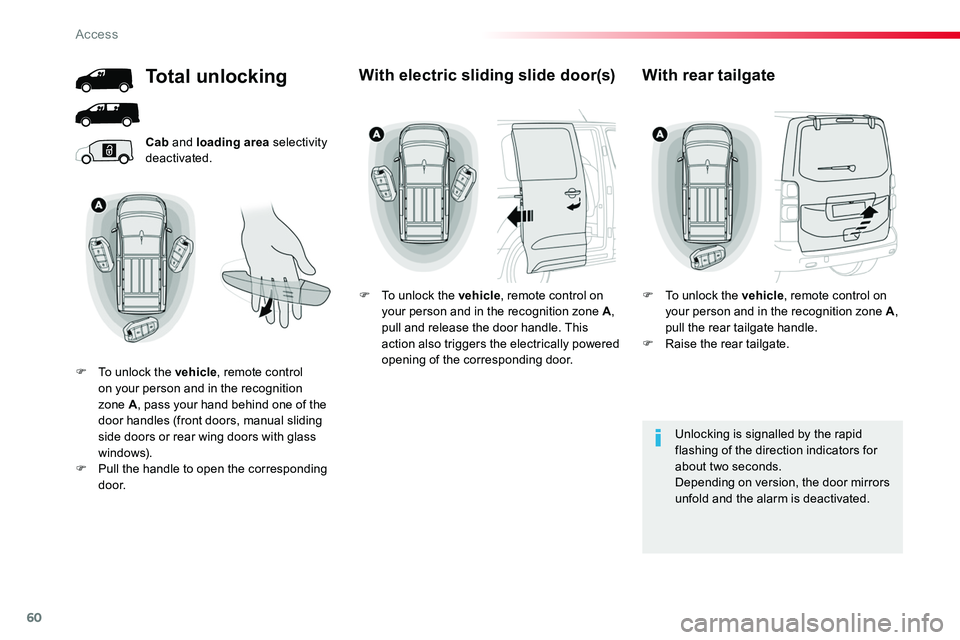
Cab and loading area selectivity deactivated.
Unlocking is signalled by the rapid flashing of the direction indicators for about two seconds.Depending on version, the door mirrors unfold and the alarm is deactivated.
Total unlocking
F To unlock the vehicle, remote control on your person and in the recognition zone A, pass your hand behind one of the door handles (front doors, manual sliding side doors or rear wing doors with glass windows).F Pull the handle to open the corresponding d o o r.
With electric sliding slide door(s)
F To unlock the vehicle, remote control on your person and in the recognition zone A, pull and release the door handle. This action also triggers the electrically powered opening of the corresponding door.
With rear tailgate
F To unlock the vehicle, remote control on your person and in the recognition zone A, pull the rear tailgate handle.F Raise the rear tailgate.
Access
Page 61 of 516
61
Depending on version, the door mirrors unfold only on unlocking the cab, the alarm is deactivated
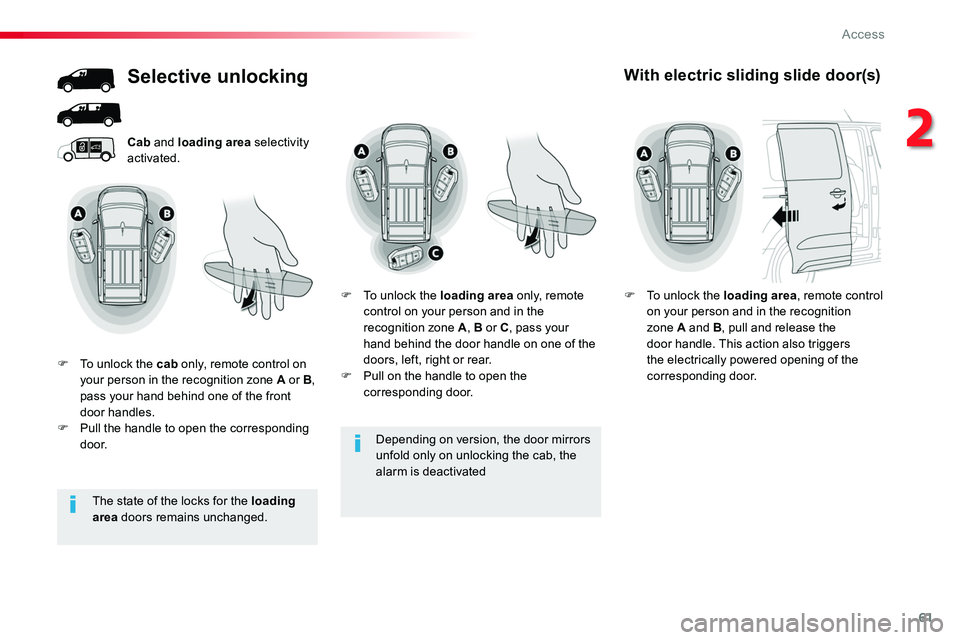
Cab and loading area selectivity activated.
Selective unlocking
F To unlock the cab only, remote control on your person in the recognition zone A or B, pass your hand behind one of the front door handles.F Pull the handle to open the corresponding d o o r.
F To unlock the loading area only, remote control on your person and in the recognition zone A, B or C, pass your hand behind the door handle on one of the doors, left, right or rear.F Pull on the handle to open the corresponding door.
With electric sliding slide door(s)
F To unlock the loading area, remote control on your person and in the recognition zone A and B, pull and release the door handle. This action also triggers the electrically powered opening of the corresponding door.
The state of the locks for the loading area doors remains unchanged.
2
Access
Page 63 of 516
63
Unlocking
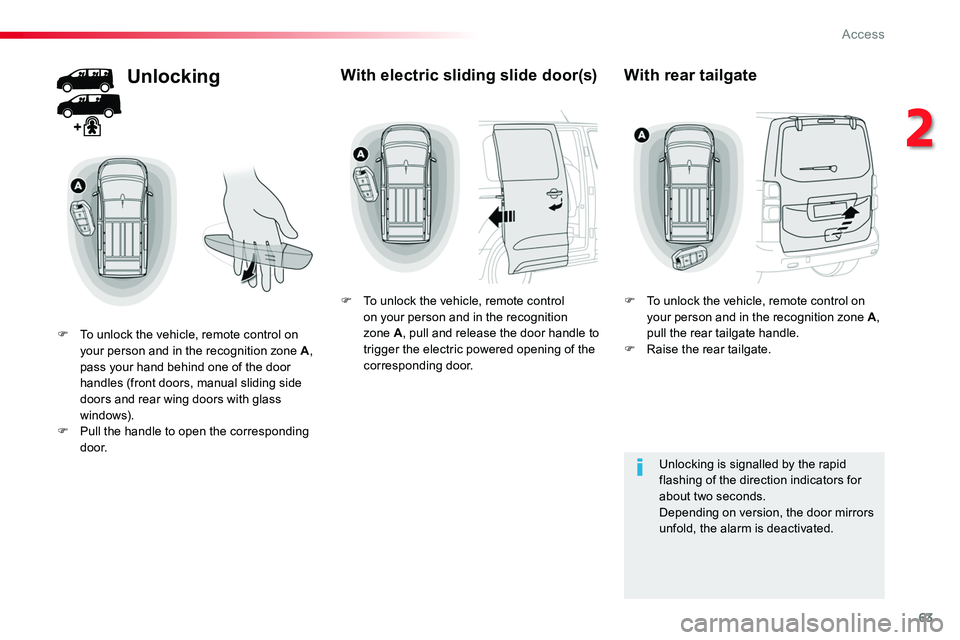
F To unlock the vehicle, remote control on your person and in the recognition zone A, pass your hand behind one of the door handles (front doors, manual sliding side doors and rear wing doors with glass windows).F Pull the handle to open the corresponding d o o r.
With electric sliding slide door(s)
F To unlock the vehicle, remote control on your person and in the recognition zone A, pull and release the door handle to trigger the electric powered opening of the corresponding door.
With rear tailgate
F To unlock the vehicle, remote control on your person and in the recognition zone A, pull the rear tailgate handle.F Raise the rear tailgate.
Unlocking is signalled by the rapid flashing of the direction indicators for about two seconds.Depending on version, the door mirrors unfold, the alarm is deactivated.
2
Access
Page 65 of 516
65
Driving with the doors locked may render access for the emergency services difficult in an emergency.
If your vehicle is not fitted with an alarm, locking is confirmed by fixed illumination of the direction indicators for about two seconds.Depending on version, the door mirrors fold at the same time.
Power door locking*
Power door locking renders the exterior and interior door controls inoperative.It also deactivates the manual central locking button.Therefore, never leave anyone inside the vehicle when it is power door locked.
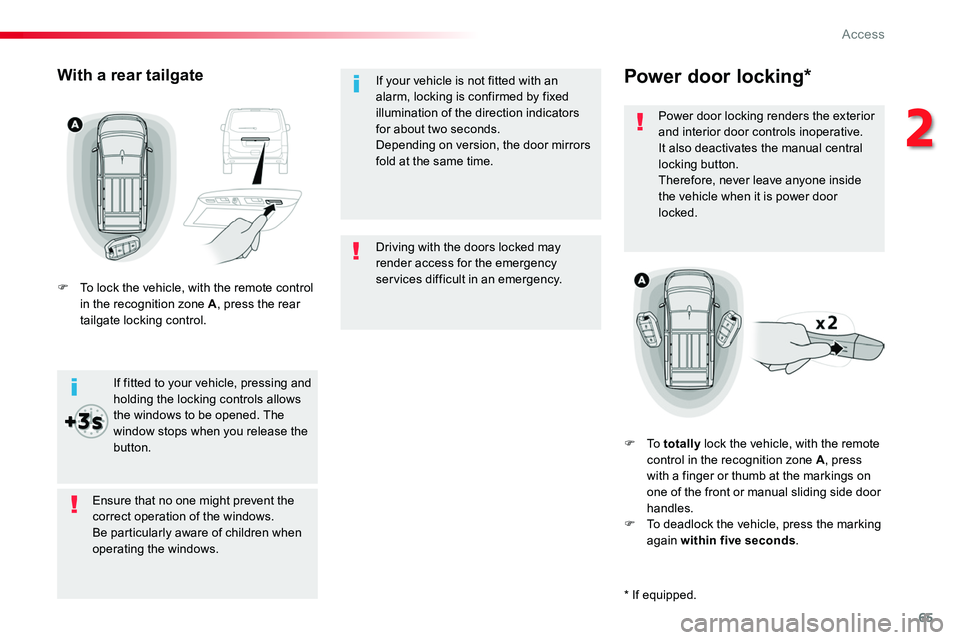
F To totally lock the vehicle, with the remote control in the recognition zone A, press with a finger or thumb at the markings on one of the front or manual sliding side door handles.F To deadlock the vehicle, press the marking again within five seconds.
Ensure that no one might prevent the correct operation of the windows.Be particularly aware of children when operating the windows.
If fitted to your vehicle, pressing and holding the locking controls allows the windows to be opened. The
window stops when you release the button.
With a rear tailgate
F To lock the vehicle, with the remote control in the recognition zone A, press the rear tailgate locking control.
* If equipped.
2
Access
Page 66 of 516
66
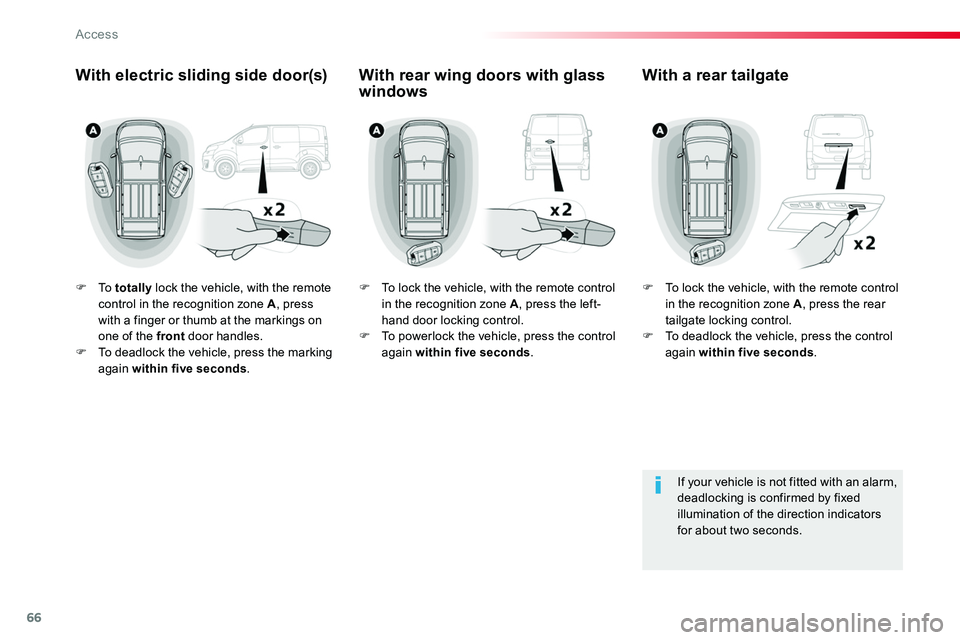
F To totally lock the vehicle, with the remote control in the recognition zone A, press with a finger or thumb at the markings on one of the front door handles.F To deadlock the vehicle, press the marking again within five seconds.
If your vehicle is not fitted with an alarm, deadlocking is confirmed by fixed illumination of the direction indicators for about two seconds.
With electric sliding side door(s)With a rear tailgateWith rear wing doors with glass windows
F To lock the vehicle, with the remote control in the recognition zone A, press the rear tailgate locking control.F To deadlock the vehicle, press the control again within five seconds.
F To lock the vehicle, with the remote control in the recognition zone A, press the left-hand door locking control.F To powerlock the vehicle, press the control again within five seconds.
Access
Page 68 of 516
68
B a c k- u p c o nt r o l (s)
If the alarm is activated, the audible signal triggered on opening a door with the key (integral with the remote control) will stop when the ignition is switched on.
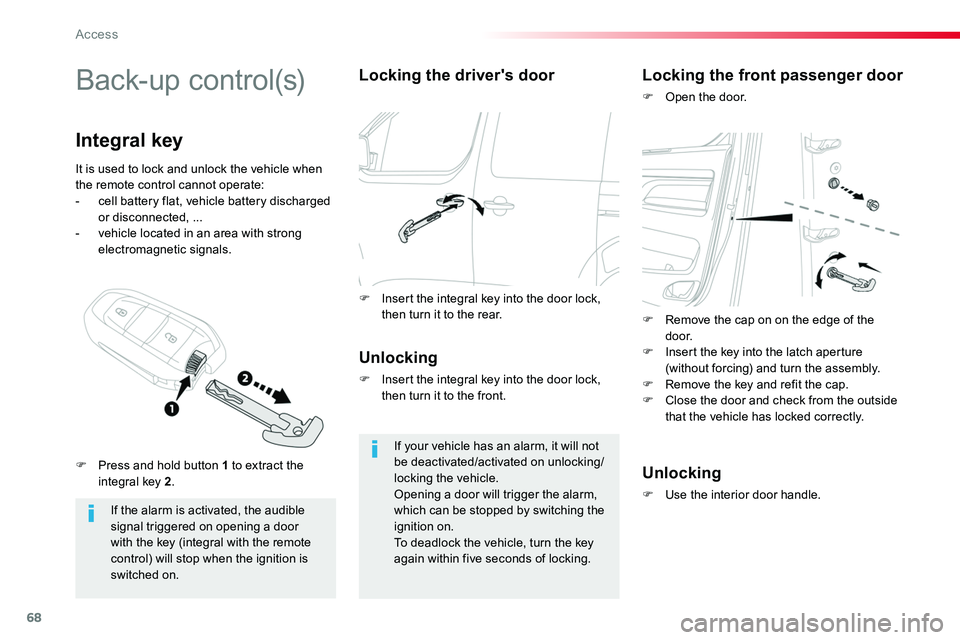
Integral key
Locking the driver's door
Unlocking
F Insert the integral key into the door lock, then turn it to the front.
If your vehicle has an alarm, it will not be deactivated/activated on unlocking/locking the vehicle.Opening a door will trigger the alarm, which can be stopped by switching the ignition on.To deadlock the vehicle, turn the key again within five seconds of locking.
Locking the front passenger door
F Open the door.
Unlocking
F Use the interior door handle.
It is used to lock and unlock the vehicle when the remote control cannot operate:- cell battery flat, vehicle battery discharged or disconnected, ...- vehicle located in an area with strong electromagnetic signals.
F Press and hold button 1 to extract the integral key 2.
F Insert the integral key into the door lock, then turn it to the rear.F Remove the cap on on the edge of the d o o r.F Insert the key into the latch aperture (without forcing) and turn the assembly.F Remove the key and refit the cap.F Close the door and check from the outside that the vehicle has locked correctly.
Access
Page 89 of 516
89
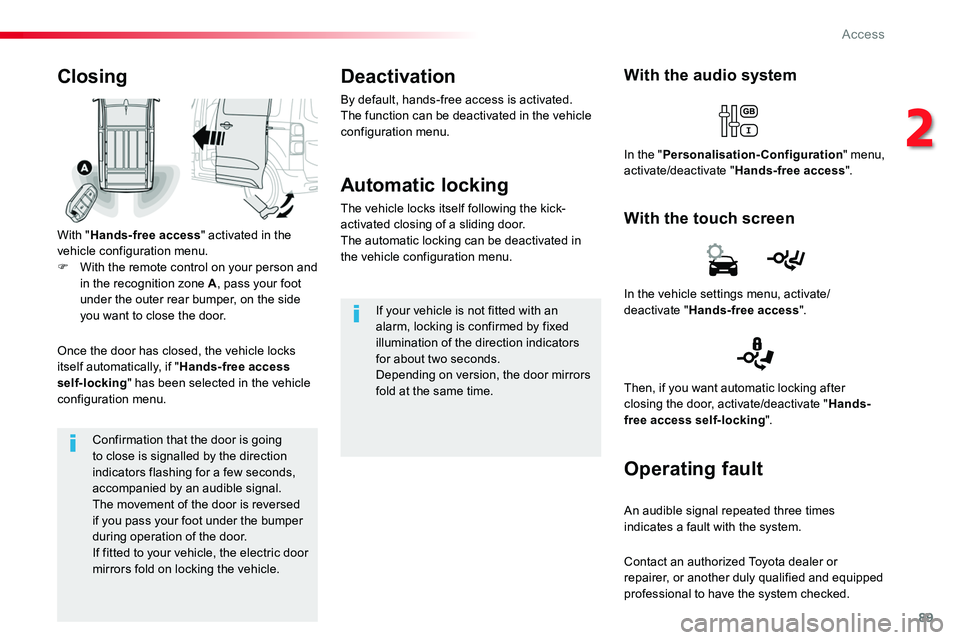
Confirmation that the door is going to close is signalled by the direction indicators flashing for a few seconds, accompanied by an audible signal.The movement of the door is reversed if you pass your foot under the bumper during operation of the door.If fitted to your vehicle, the electric door mirrors fold on locking the vehicle.
Closing
With "Hands-free access" activated in the vehicle configuration menu.F With the remote control on your person and in the recognition zone A, pass your foot under the outer rear bumper, on the side you want to close the door.
Once the door has closed, the vehicle locks itself automatically, if "Hands-free access self-locking" has been selected in the vehicle configuration menu.
With the audio system
With the touch screen
In the "Personalisation-Configuration" menu, activate/deactivate "Hands-free access".
Deactivation
By default, hands-free access is activated.The function can be deactivated in the vehicle configuration menu.
Automatic locking
The vehicle locks itself following the kick-activated closing of a sliding door.The automatic locking can be deactivated in the vehicle configuration menu.
If your vehicle is not fitted with an alarm, locking is confirmed by fixed illumination of the direction indicators for about two seconds.Depending on version, the door mirrors fold at the same time.
In the vehicle settings menu, activate/deactivate "Hands-free access".
Then, if you want automatic locking after closing the door, activate/deactivate "Hands-free access self-locking".
Operating fault
An audible signal repeated three times indicates a fault with the system.
Contact an authorized Toyota dealer or repairer, or another duly qualified and equipped
professional to have the system checked.
2
Access
Page 95 of 516
95
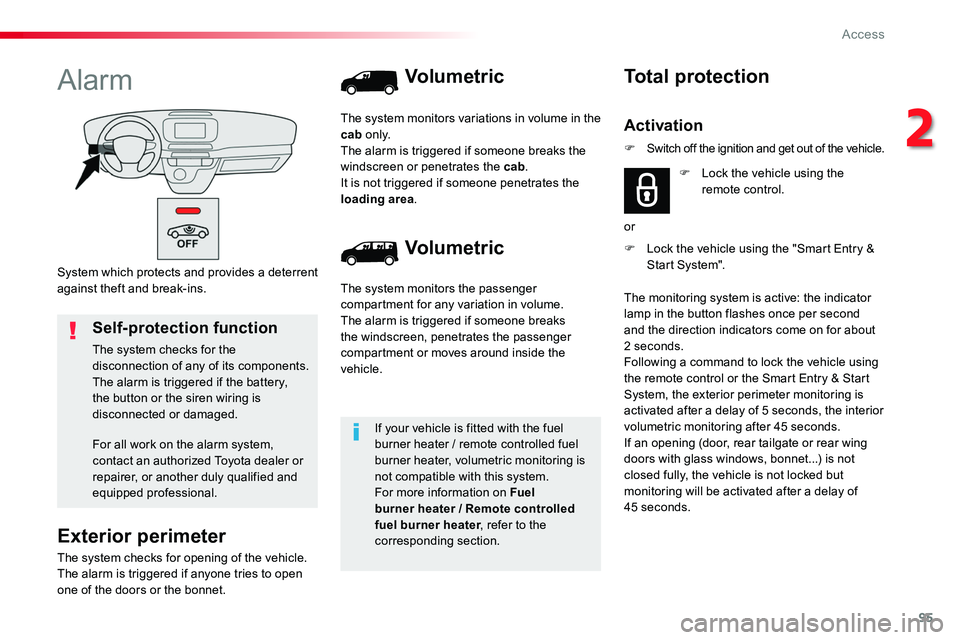
System which protects and provides a deterrent against theft and break-ins.
Alarm
Exterior perimeter
The system checks for opening of the vehicle.The alarm is triggered if anyone tries to open one of the doors or the bonnet.
Self-protection function
The system checks for the disconnection of any of its components.The alarm is triggered if the battery, the button or the siren wiring is disconnected or damaged.
For all work on the alarm system, contact an authorized Toyota dealer or repairer, or another duly qualified and equipped professional.
Volumetric
Volumetric
The system monitors the passenger compartment for any variation in volume.The alarm is triggered if someone breaks the windscreen, penetrates the passenger compartment or moves around inside the vehicle.
The system monitors variations in volume in the cab o n l y.The alarm is triggered if someone breaks the windscreen or penetrates the cab.It is not triggered if someone penetrates the loading area.
If your vehicle is fitted with the fuel burner heater / remote controlled fuel burner heater, volumetric monitoring is not compatible with this system.For more information on Fuel burner heater / Remote controlled fuel burner heater, refer to the corresponding section.
F Lock the vehicle using the "Smart Entry & Start System".
Total protection
Activation
F Lock the vehicle using the remote control.
or
The monitoring system is active: the indicator lamp in the button flashes once per second and the direction indicators come on for about 2 seconds.Following a command to lock the vehicle using the remote control or the Smart Entry & Start System, the exterior perimeter monitoring is activated after a delay of 5 seconds, the interior volumetric monitoring after 45 seconds.If an opening (door, rear tailgate or rear wing doors with glass windows, bonnet...) is not closed fully, the vehicle is not locked but monitoring will be activated after a delay of 45 seconds.
F Switch off the ignition and get out of the vehicle.
2
Access
Page 96 of 516
96
Deactivation
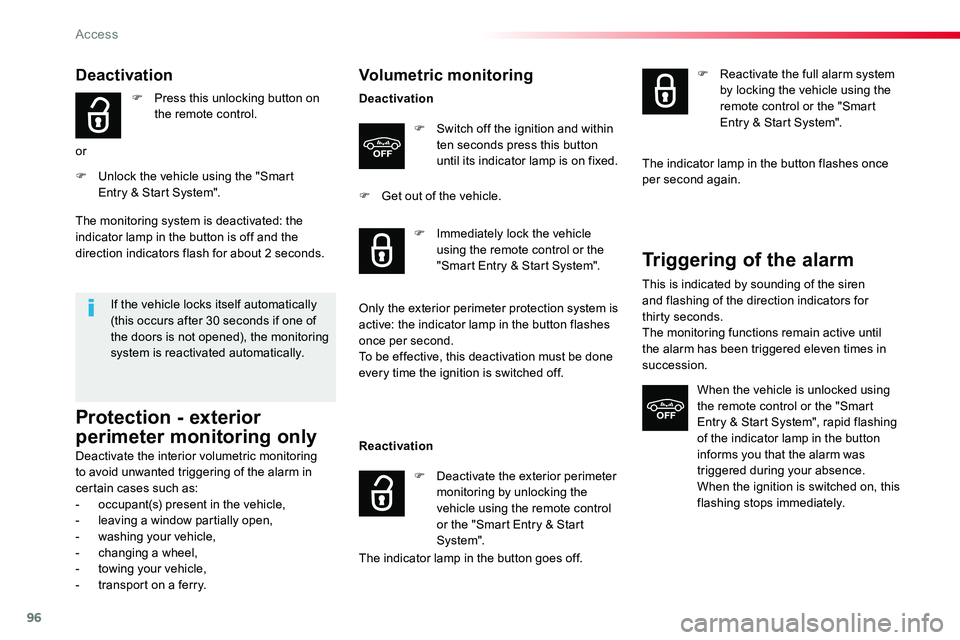
F Press this unlocking button on the remote control.
or
F Unlock the vehicle using the "Smart Entry & Start System".
If the vehicle locks itself automatically (this occurs after 30 seconds if one of the doors is not opened), the monitoring system is reactivated automatically.
The monitoring system is deactivated: the indicator lamp in the button is off and the direction indicators flash for about 2 seconds.
Protection - exterior
perimeter monitoring only
Deactivate the interior volumetric monitoring to avoid unwanted triggering of the alarm in certain cases such as:- occupant(s) present in the vehicle,- leaving a window partially open,- washing your vehicle,- changing a wheel,- towing your vehicle,- transport on a ferry.
Volumetric monitoring
Deactivation
F Switch off the ignition and within ten seconds press this button until its indicator lamp is on fixed.
F Get out of the vehicle.
Reactivation
The indicator lamp in the button goes off.
F Immediately lock the vehicle using the remote control or the "Smart Entry & Start System".
Only the exterior perimeter protection system is active: the indicator lamp in the button flashes once per second.To be effective, this deactivation must be done every time the ignition is switched off.
F Deactivate the exterior perimeter monitoring by unlocking the vehicle using the remote control or the "Smart Entry & Start System".
F Reactivate the full alarm system by locking the vehicle using the remote control or the "Smart Entry & Start System".
The indicator lamp in the button flashes once per second again.
Triggering of the alarm
This is indicated by sounding of the siren and flashing of the direction indicators for thirty seconds.The monitoring functions remain active until the alarm has been triggered eleven times in succession.
When the vehicle is unlocked using the remote control or the "Smart Entry & Start System", rapid flashing
of the indicator lamp in the button informs you that the alarm was triggered during your absence.When the ignition is switched on, this flashing stops immediately.
Access
Page 97 of 516
97
Failure of the remote control
To deactivate the monitoring functions:F Unlock the vehicle using the key (integral with the remote control with Smart Entry & Start System) in the driver's door lock.F Open the door; the alarm is triggered.F Switch on the ignition; the alarm stops. The indicator lamp in the button goes off.
Locking the vehicle without
activating the alarm
F Lock or deadlock the vehicle using the key (integral with the remote control with Smart Entry & Start System) in the driver's door lock.
Operating fault
When the ignition is switched on, fixed illumination of the indicator lamp in the button indicates a fault in the system.Have it checked by an authorized Toyota dealer or repairer, or another duly qualified and equipped professional.
Automatic activation
This function is either not available, an option or is standard.2 minutes after the last opening (door or boot) is closed, the system is activated automatically.
F To avoid triggering the alarm on entering the vehicle, first press the unlocking button on the remote control or unlock the vehicle using the "Smart Entry & Start System".
2
Access