lock TOYOTA PROACE 2022 Service Manual
[x] Cancel search | Manufacturer: TOYOTA, Model Year: 2022, Model line: PROACE, Model: TOYOTA PROACE 2022Pages: 360, PDF Size: 70.79 MB
Page 76 of 360
76
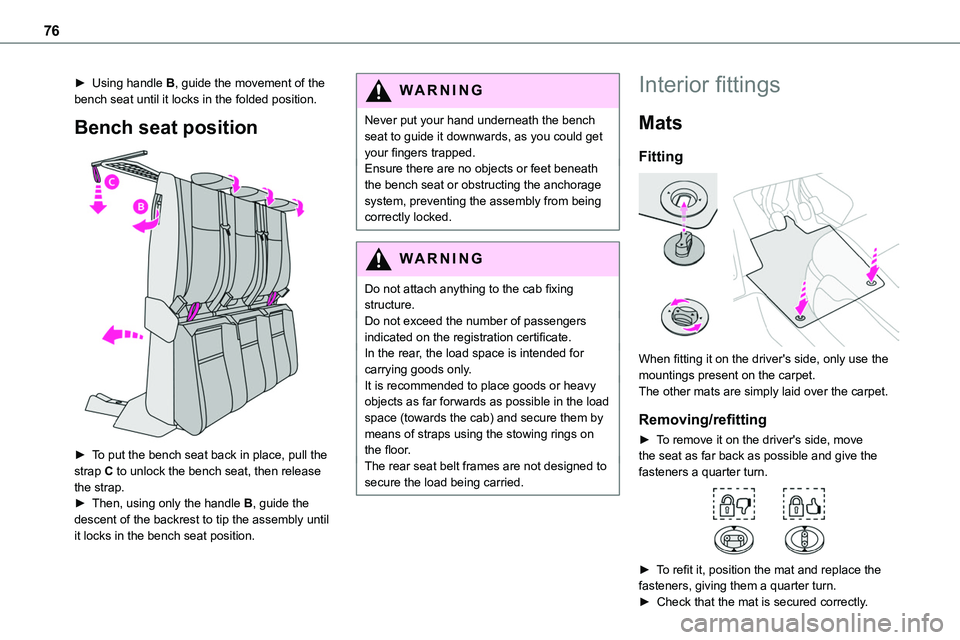
► Using handle B, guide the movement of the bench seat until it locks in the folded position.
Bench seat position
► To put the bench seat back in place, pull the strap C to unlock the bench seat, then release the strap.► Then, using only the handle B, guide the descent of the backrest to tip the assembly until
it locks in the bench seat position.
WARNI NG
Never put your hand underneath the bench seat to guide it downwards, as you could get your fingers trapped.Ensure there are no objects or feet beneath the bench seat or obstructing the anchorage system, preventing the assembly from being correctly locked.
WARNI NG
Do not attach anything to the cab fixing structure.Do not exceed the number of passengers indicated on the registration certificate.In the rear, the load space is intended for carrying goods only.It is recommended to place goods or heavy objects as far forwards as possible in the load space (towards the cab) and secure them by means of straps using the stowing rings on the floor.The rear seat belt frames are not designed to secure the load being carried.
Interior fittings
Mats
Fitting
When fitting it on the driver's side, only use the mountings present on the carpet.The other mats are simply laid over the carpet.
Removing/refitting
► To remove it on the driver's side, move the seat as far back as possible and give the fasteners a quarter turn.
► To refit it, position the mat and replace the
fasteners, giving them a quarter turn.► Check that the mat is secured correctly.
Page 78 of 360
78
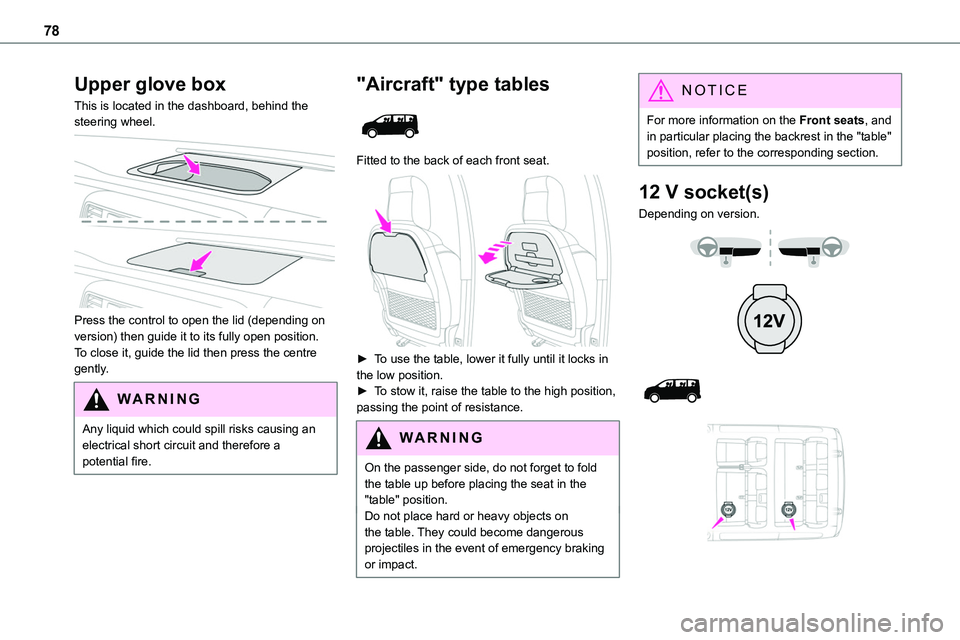
Upper glove box
This is located in the dashboard, behind the steering wheel.
Press the control to open the lid (depending on version) then guide it to its fully open position.To close it, guide the lid then press the centre gently.
WARNI NG
Any liquid which could spill risks causing an electrical short circuit and therefore a potential fire.
"Aircraft" type tables
Fitted to the back of each front seat.
► To use the table, lower it fully until it locks in the low position.► To stow it, raise the table to the high position, passing the point of resistance.
WARNI NG
On the passenger side, do not forget to fold the table up before placing the seat in the "table" position.Do not place hard or heavy objects on the table. They could become dangerous projectiles in the event of emergency braking or impact.
NOTIC E
For more information on the Front seats, and in particular placing the backrest in the "table" position, refer to the corresponding section.
12 V socket(s)
Depending on version.
Page 82 of 360
82
WARNI NG
To avoid the risk of injury or accident, the load must be made stable so that it cannot slide, tip over, fall or be thrown. To do this, use only retaining straps that conform to current standards (DIN for example).For more information on putting straps in place, refer to the manufacturer’s user guide.
There must not be any empty space between the components of the load.To prevent the load sliding, there must not be any empty space between the load and the panels of the vehicle.As well as the straps, optimise the stability of the load with stable handling equipment (wedges, rigid blocks of wood or padding).
WARNI NG
When washing your vehicle, never clean the inside directly using a water jet.
Seating area fittings
High load retaining net
This allows the use of the entire loading capacity, up to the roof:
– behind the front seats in row 1, when the rear seats (and bench seats) in rows 2 and 3 are folded or removed,– behind the rear seats (and bench seats) in row 2, when the rear seats (and bench seats) in row 3 are folded or removed.
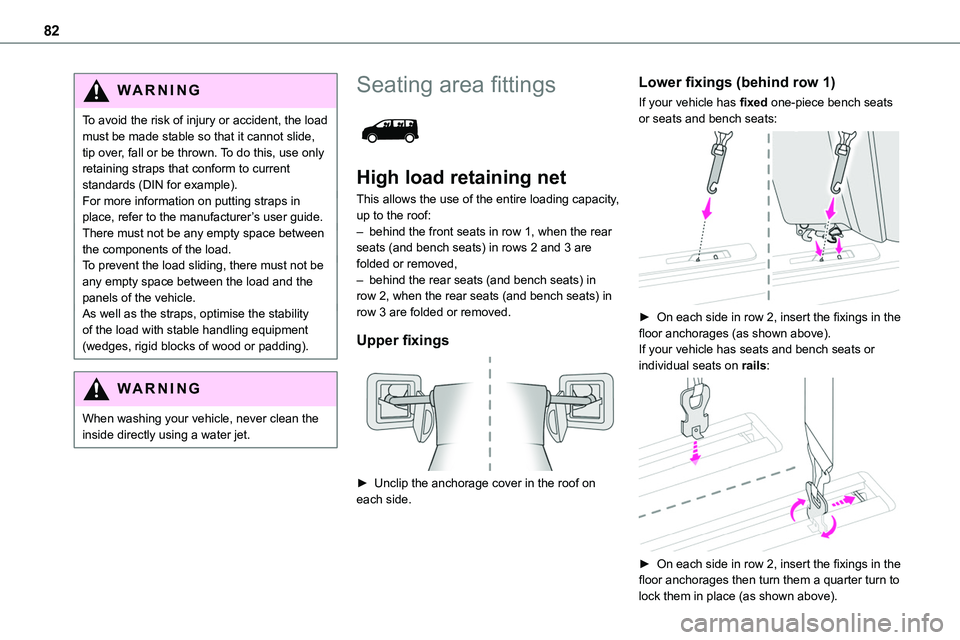
Upper fixings
► Unclip the anchorage cover in the roof on each side.
Lower fixings (behind row 1)
If your vehicle has fixed one-piece bench seats or seats and bench seats:
► On each side in row 2, insert the fixings in the floor anchorages (as shown above).If your vehicle has seats and bench seats or individual seats on rails:
► On each side in row 2, insert the fixings in the floor anchorages then turn them a quarter turn to lock them in place (as shown above).
Page 83 of 360
83
Ease of use and comfort
3
Place them as close as possible to the end of the rail.
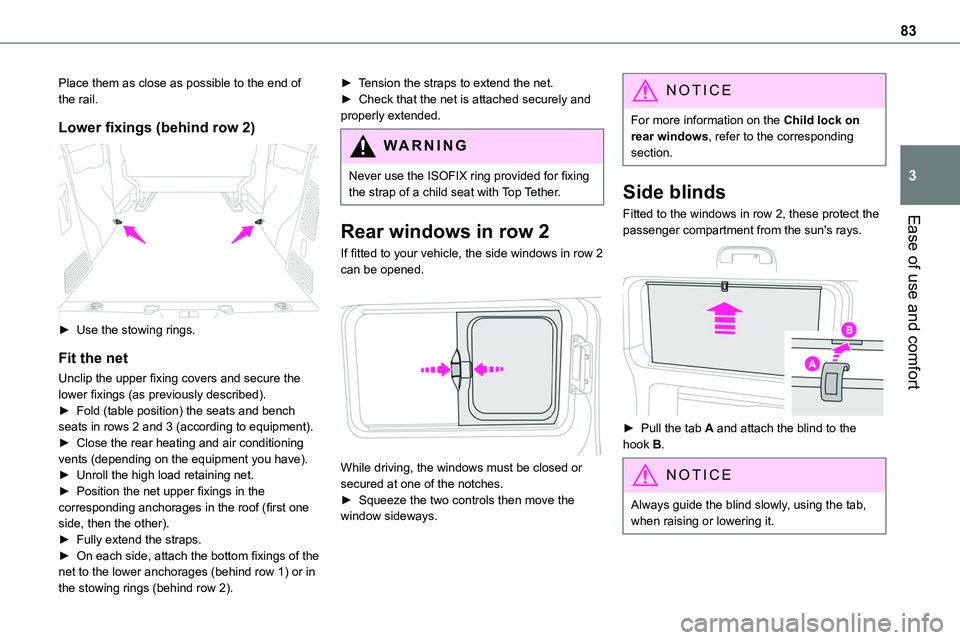
Lower fixings (behind row 2)
► Use the stowing rings.
Fit the net
Unclip the upper fixing covers and secure the lower fixings (as previously described).► Fold (table position) the seats and bench seats in rows 2 and 3 (according to equipment).► Close the rear heating and air conditioning vents (depending on the equipment you have).► Unroll the high load retaining net.► Position the net upper fixings in the corresponding anchorages in the roof (first one side, then the other).
► Fully extend the straps.► On each side, attach the bottom fixings of the net to the lower anchorages (behind row 1) or in the stowing rings (behind row 2).
► Tension the straps to extend the net.► Check that the net is attached securely and properly extended.
WARNI NG
Never use the ISOFIX ring provided for fixing the strap of a child seat with Top Tether.
Rear windows in row 2
If fitted to your vehicle, the side windows in row 2 can be opened.
While driving, the windows must be closed or secured at one of the notches.► Squeeze the two controls then move the window sideways.
NOTIC E
For more information on the Child lock on rear windows, refer to the corresponding section.
Side blinds
Fitted to the windows in row 2, these protect the
passenger compartment from the sun's rays.
► Pull the tab A and attach the blind to the hook B.
NOTIC E
Always guide the blind slowly, using the tab, when raising or lowering it.
Page 85 of 360
85
Ease of use and comfort
3
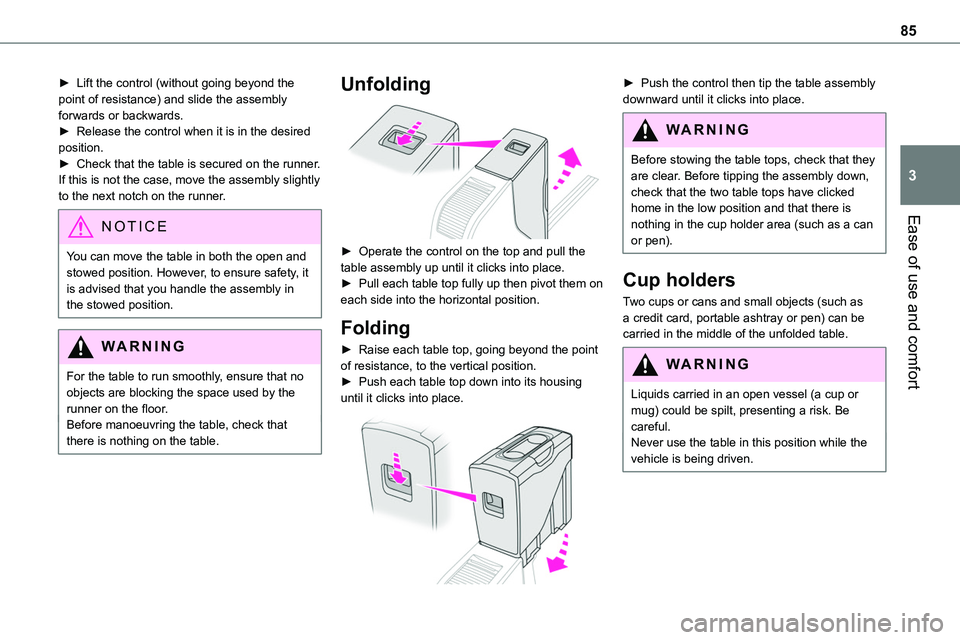
► Lift the control (without going beyond the point of resistance) and slide the assembly forwards or backwards.► Release the control when it is in the desired position.► Check that the table is secured on the runner. If this is not the case, move the assembly slightly to the next notch on the runner.
NOTIC E
You can move the table in both the open and stowed position. However, to ensure safety, it is advised that you handle the assembly in the stowed position.
WARNI NG
For the table to run smoothly, ensure that no objects are blocking the space used by the runner on the floor.Before manoeuvring the table, check that there is nothing on the table.
Unfolding
► Operate the control on the top and pull the table assembly up until it clicks into place.► Pull each table top fully up then pivot them on each side into the horizontal position.
Folding
► Raise each table top, going beyond the point of resistance, to the vertical position.► Push each table top down into its housing until it clicks into place.
► Push the control then tip the table assembly downward until it clicks into place.
WARNI NG
Before stowing the table tops, check that they are clear. Before tipping the assembly down, check that the two table tops have clicked home in the low position and that there is nothing in the cup holder area (such as a can or pen).
Cup holders
Two cups or cans and small objects (such as a credit card, portable ashtray or pen) can be carried in the middle of the unfolded table.
WARNI NG
Liquids carried in an open vessel (a cup or mug) could be spilt, presenting a risk. Be careful.Never use the table in this position while the vehicle is being driven.
Page 86 of 360
86
Removal
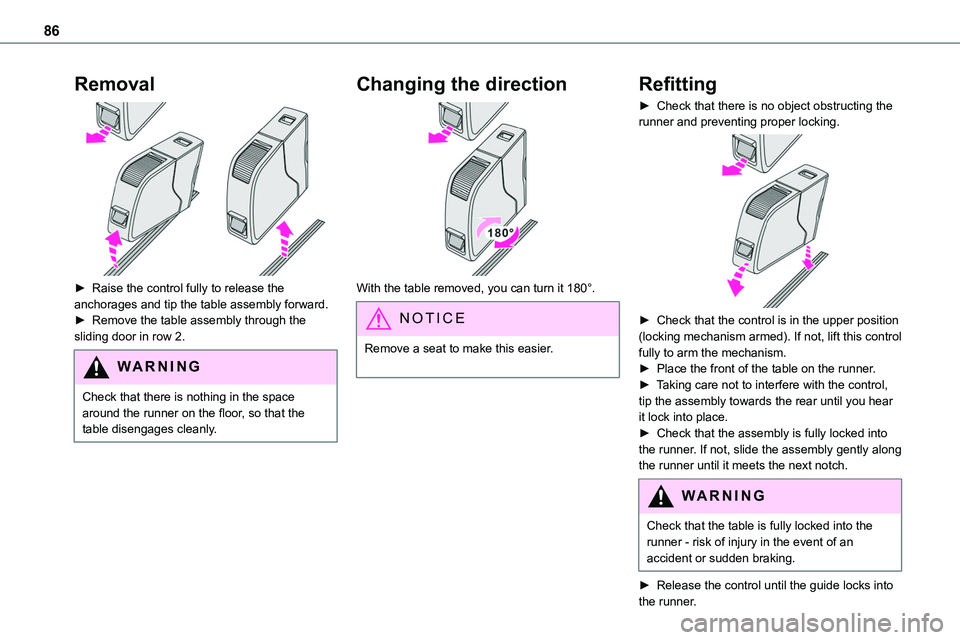
► Raise the control fully to release the anchorages and tip the table assembly forward. ► Remove the table assembly through the sliding door in row 2.
WARNI NG
Check that there is nothing in the space around the runner on the floor, so that the table disengages cleanly.
Changing the direction
With the table removed, you can turn it 180°.
NOTIC E
Remove a seat to make this easier.
Refitting
► Check that there is no object obstructing the runner and preventing proper locking.
► Check that the control is in the upper position (locking mechanism armed). If not, lift this control fully to arm the mechanism.► Place the front of the table on the runner.► Taking care not to interfere with the control, tip the assembly towards the rear until you hear it lock into place.► Check that the assembly is fully locked into the runner. If not, slide the assembly gently along the runner until it meets the next notch.
WARNI NG
Check that the table is fully locked into the runner - risk of injury in the event of an accident or sudden braking.
► Release the control until the guide locks into the runner.
Page 95 of 360
95
Ease of use and comfort
3
Programming
With a TOYOTA Pro Touch with navigation system, use the remote control to start/stop the additional heating.With a Bluetooth® audio system or a TOYOTA Pro Touch, use the remote control to start/stop the additional heating and/or adjust the pre-heating times.
With Bluetooth® audio system
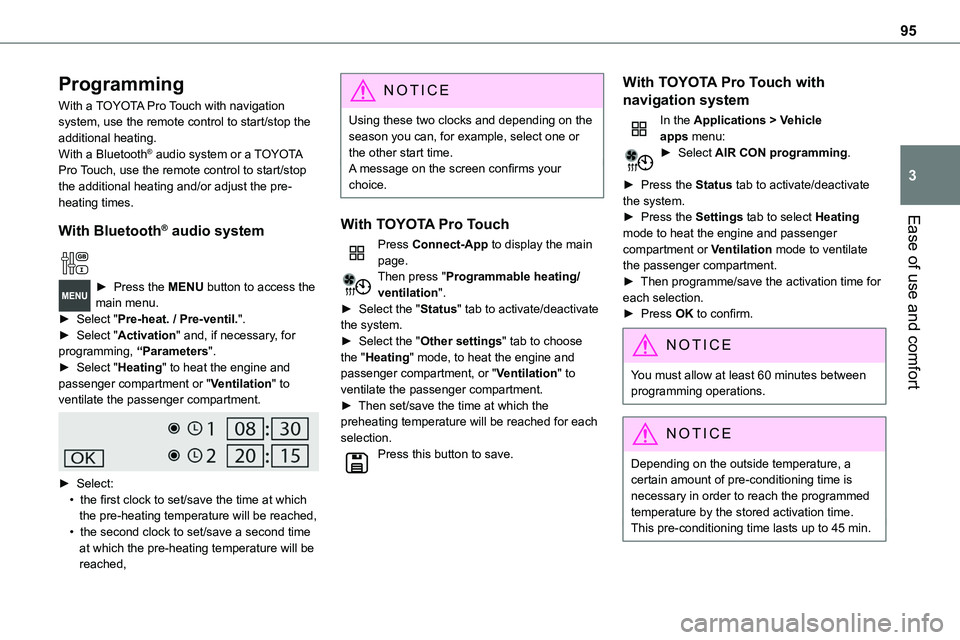
► Press the MENU button to access the main menu. ► Select "Pre-heat. / Pre-ventil.".► Select "Activation" and, if necessary, for programming, “Parameters".► Select "Heating" to heat the engine and passenger compartment or "Ventilation" to ventilate the passenger compartment.
► Select:• the first clock to set/save the time at which the pre-heating temperature will be reached,• the second clock to set/save a second time at which the pre-heating temperature will be reached,
N OTIC E
Using these two clocks and depending on the season you can, for example, select one or the other start time.A message on the screen confirms your choice.
With TOYOTA Pro Touch
Press Connect-App to display the main page.Then press "Programmable heating/ventilation".► Select the "Status" tab to activate/deactivate the system.► Select the "Other settings" tab to choose the "Heating" mode, to heat the engine and passenger compartment, or "Ventilation" to ventilate the passenger compartment.► Then set/save the time at which the preheating temperature will be reached for each selection.Press this button to save.
With TOYOTA Pro Touch with
navigation system
In the Applications > Vehicle apps menu:► Select AIR CON programming.
► Press the Status tab to activate/deactivate the system.► Press the Settings tab to select Heating
mode to heat the engine and passenger compartment or Ventilation mode to ventilate the passenger compartment.► Then programme/save the activation time for each selection.► Press OK to confirm.
NOTIC E
You must allow at least 60 minutes between programming operations.
NOTIC E
Depending on the outside temperature, a certain amount of pre-conditioning time is necessary in order to reach the programmed temperature by the stored activation time.This pre-conditioning time lasts up to 45 min.
Page 98 of 360
98
A/C preconditioning
(Electric)
This function allows you to programme the temperature in the passenger compartment to reach a pre-defined, non-modifiable temperature (approx. 21°C) before you enter the vehicle, on the days and at the times of your choice.This function is available when the vehicle is
connected or not connected.
Programming
With Bluetooth® audio system
Temperature pre-conditioning is not available with the Bluetooth® audio system.
With TOYOTA Pro Touch or TOYOTA Pro Touch with navigation system
Programming can be carried out from a smartphone using the MyToyota application (Available soon).For more information on the Remotely-operable functions, refer to the corresponding section.
With TOYOTA Pro Touch with navigation system
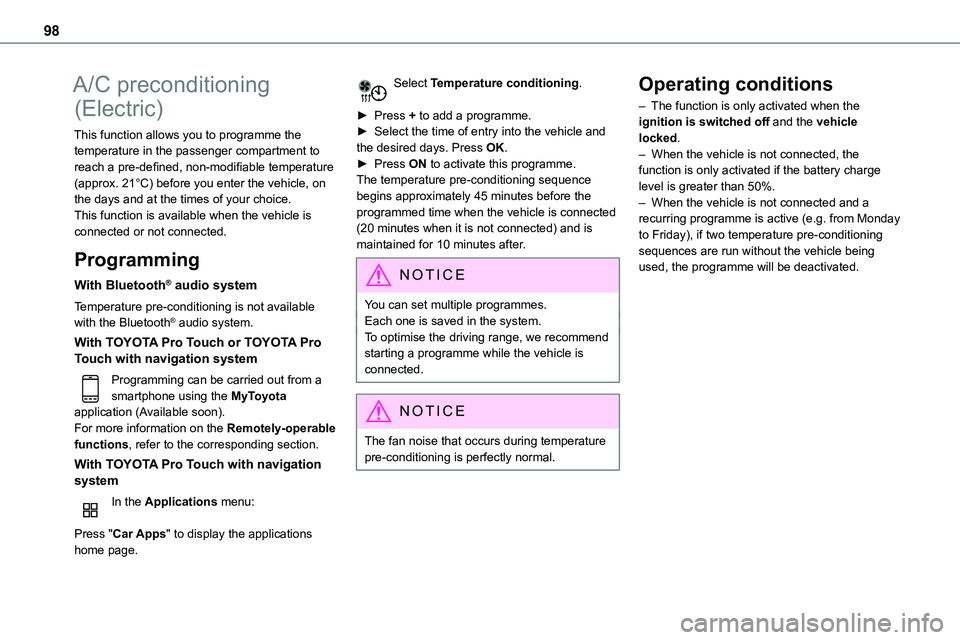
In the Applications menu:
Press "Car Apps" to display the applications home page.
Select Temperature conditioning.
► Press + to add a programme.► Select the time of entry into the vehicle and the desired days. Press OK.► Press ON to activate this programme.The temperature pre-conditioning sequence begins approximately 45 minutes before the programmed time when the vehicle is connected
(20 minutes when it is not connected) and is maintained for 10 minutes after.
NOTIC E
You can set multiple programmes.Each one is saved in the system.To optimise the driving range, we recommend starting a programme while the vehicle is connected.
NOTIC E
The fan noise that occurs during temperature pre-conditioning is perfectly normal.
Operating conditions
– The function is only activated when the ignition is switched off and the vehicle locked.– When the vehicle is not connected, the function is only activated if the battery charge level is greater than 50%.– When the vehicle is not connected and a recurring programme is active (e.g. from Monday
to Friday), if two temperature pre-conditioning sequences are run without the vehicle being used, the programme will be deactivated.
Page 99 of 360
99
Ease of use and comfort
3
Courtesy lamp(s)
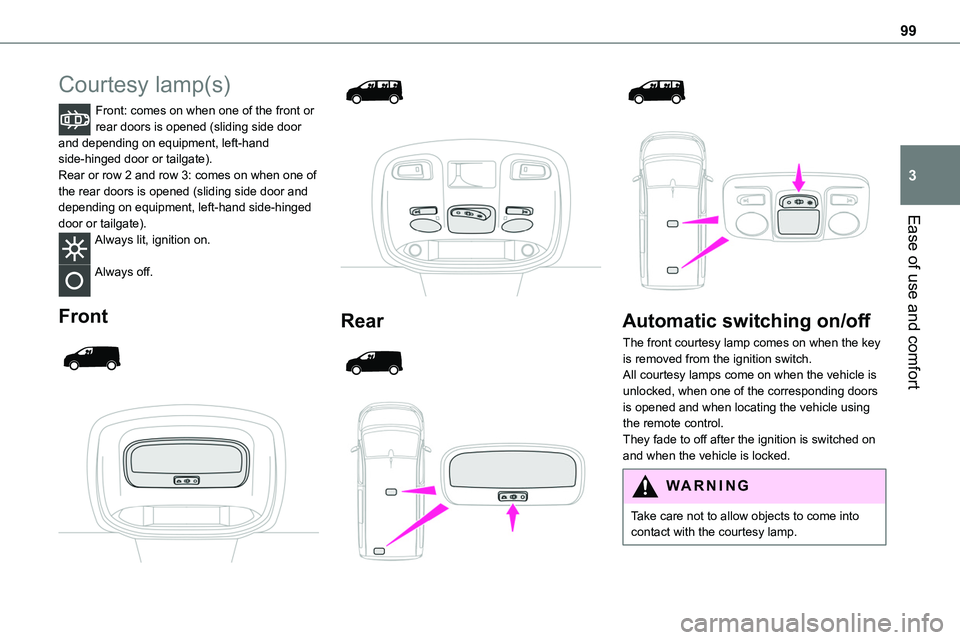
Front: comes on when one of the front or rear doors is opened (sliding side door and depending on equipment, left-hand side-hinged door or tailgate).Rear or row 2 and row 3: comes on when one of the rear doors is opened (sliding side door and depending on equipment, left-hand side-hinged
door or tailgate).Always lit, ignition on.
Always off.
Front
Rear
Automatic switching on/off
The front courtesy lamp comes on when the key is removed from the ignition switch.All courtesy lamps come on when the vehicle is unlocked, when one of the corresponding doors is opened and when locating the vehicle using the remote control.
They fade to off after the ignition is switched on and when the vehicle is locked.
WARNI NG
Take care not to allow objects to come into contact with the courtesy lamp.
Page 104 of 360
104
Exterior welcome lighting
The remote operation of the lighting makes your approach to the vehicle easier in poor light. It is activated when the lighting control is in the "AUTO" position and the level of light detected by the sunshine sensor is low.
Switching on
Press this button on the remote control or
on one of the front door handles with the "Smart Entry & Start" system.The dipped beam headlamps and sidelamps come on; your vehicle is also unlocked.
Switching off
The exterior welcome lighting switches off automatically after a set time, when the ignition is switched on or on locking the vehicle.
Programming
With audio system or touch screen
The activation, deactivation and duration of the welcome lighting can be set via the vehicle configuration menu.
Automatic headlamp
dipping
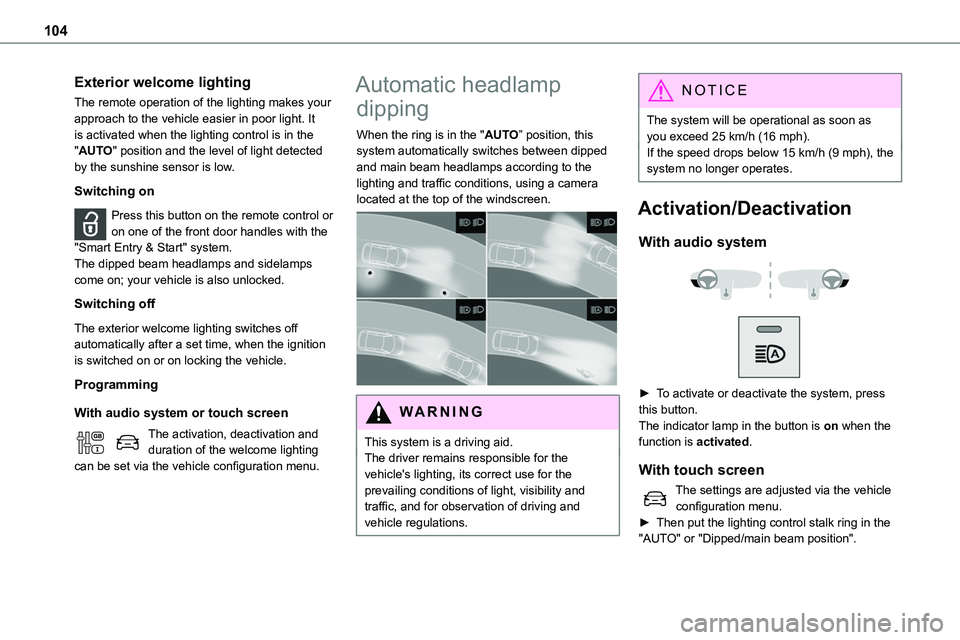
When the ring is in the "AUTO” position, this system automatically switches between dipped and main beam headlamps according to the lighting and traffic conditions, using a camera located at the top of the windscreen.
WARNI NG
This system is a driving aid.The driver remains responsible for the vehicle's lighting, its correct use for the prevailing conditions of light, visibility and traffic, and for observation of driving and vehicle regulations.
NOTIC E
The system will be operational as soon as you exceed 25 km/h (16 mph).If the speed drops below 15 km/h (9 mph), the system no longer operates.
Activation/Deactivation
With audio system
► To activate or deactivate the system, press this button.The indicator lamp in the button is on when the
function is activated.
With touch screen
The settings are adjusted via the vehicle configuration menu.► Then put the lighting control stalk ring in the "AUTO" or "Dipped/main beam position".