instrument panel TOYOTA PROACE CITY EV 2021 User Guide
[x] Cancel search | Manufacturer: TOYOTA, Model Year: 2021, Model line: PROACE CITY EV, Model: TOYOTA PROACE CITY EV 2021Pages: 320, PDF Size: 75.81 MB
Page 19 of 320
19
Instruments
1
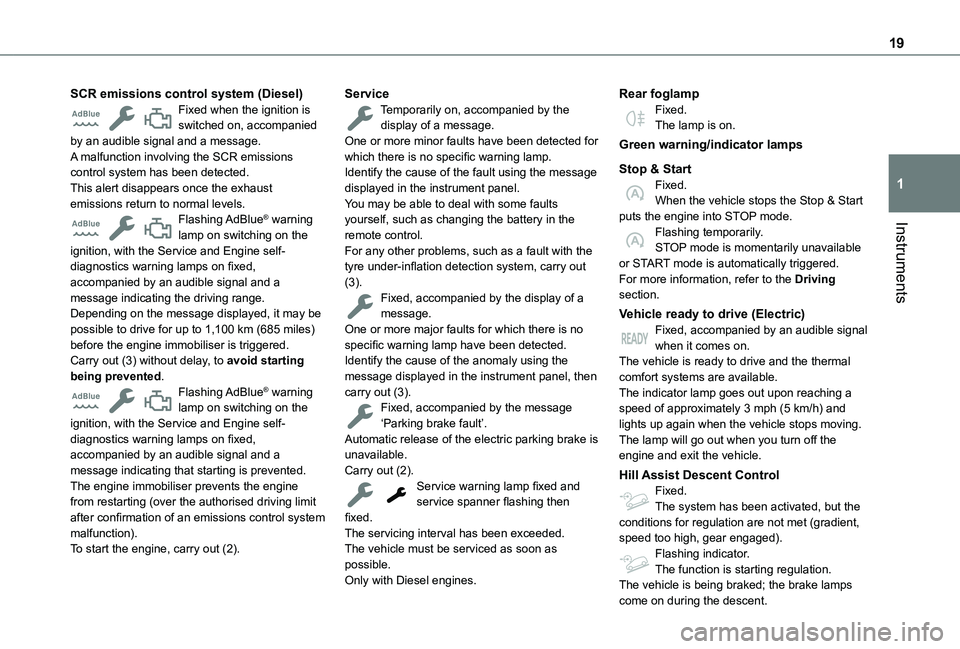
SCR emissions control system (Diesel)Fixed when the ignition is switched on, accompanied by an audible signal and a message.A malfunction involving the SCR emissions control system has been detected.This alert disappears once the exhaust emissions return to normal levels.Flashing AdBlue® warning lamp on switching on the ignition, with the Service and Engine self-diagnostics warning lamps on fixed, accompanied by an audible signal and a message indicating the driving range.Depending on the message displayed, it may be possible to drive for up to 1,100 km (685 miles) before the engine immobiliser is triggered.Carry out (3) without delay, to avoid starting being prevented.Flashing AdBlue® warning lamp on switching on the ignition, with the Service and Engine self-diagnostics warning lamps on fixed,
accompanied by an audible signal and a message indicating that starting is prevented.The engine immobiliser prevents the engine from restarting (over the authorised driving limit after confirmation of an emissions control system malfunction).To start the engine, carry out (2).
ServiceTemporarily on, accompanied by the display of a message.One or more minor faults have been detected for which there is no specific warning lamp.Identify the cause of the fault using the message displayed in the instrument panel.You may be able to deal with some faults yourself, such as changing the battery in the remote control.For any other problems, such as a fault with the tyre under-inflation detection system, carry out (3).Fixed, accompanied by the display of a message.One or more major faults for which there is no specific warning lamp have been detected.Identify the cause of the anomaly using the message displayed in the instrument panel, then carry out (3).Fixed, accompanied by the message ‘Parking brake fault’.Automatic release of the electric parking brake is
unavailable.Carry out (2).Service warning lamp fixed and service spanner flashing then fixed.The servicing interval has been exceeded.The vehicle must be serviced as soon as possible.Only with Diesel engines.
Rear foglampFixed.The lamp is on.
Green warning/indicator lamps
Stop & StartFixed.When the vehicle stops the Stop & Start puts the engine into STOP mode.Flashing temporarily.STOP mode is momentarily unavailable or START mode is automatically triggered.For more information, refer to the Driving section.
Vehicle ready to drive (Electric)Fixed, accompanied by an audible signal when it comes on.The vehicle is ready to drive and the thermal comfort systems are available.The indicator lamp goes out upon reaching a speed of approximately 3 mph (5 km/h) and lights up again when the vehicle stops moving.The lamp will go out when you turn off the
engine and exit the vehicle.
Hill Assist Descent ControlFixed.The system has been activated, but the conditions for regulation are not met (gradient, speed too high, gear engaged).Flashing indicator.The function is starting regulation.The vehicle is being braked; the brake lamps
come on during the descent.
Page 20 of 320
20
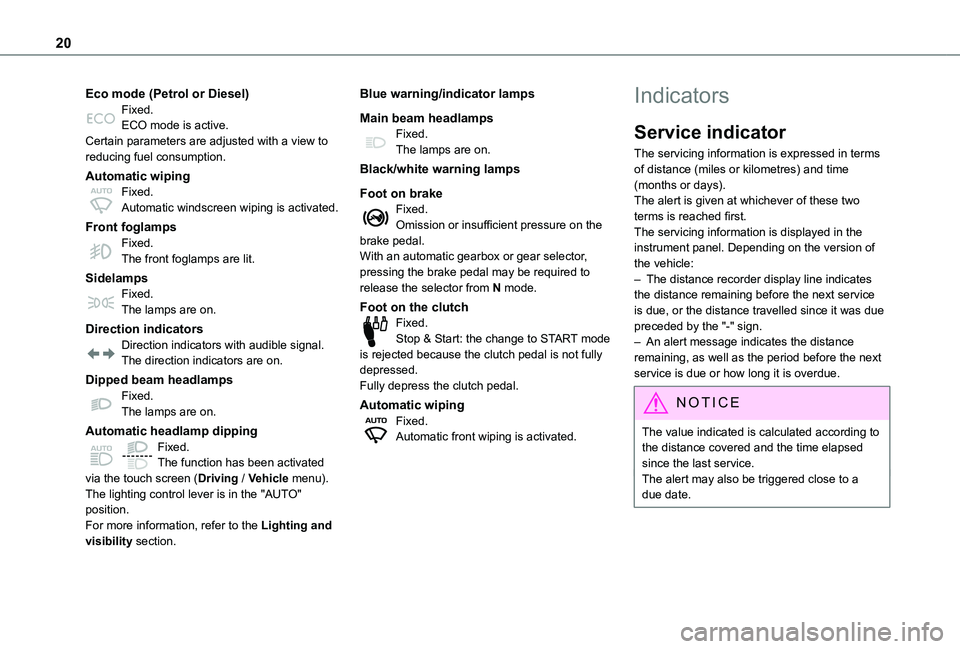
Eco mode (Petrol or Diesel)Fixed.ECO mode is active.Certain parameters are adjusted with a view to reducing fuel consumption.
Automatic wipingFixed.Automatic windscreen wiping is activated.
Front foglampsFixed.The front foglamps are lit.
SidelampsFixed.The lamps are on.
Direction indicatorsDirection indicators with audible signal.The direction indicators are on.
Dipped beam headlampsFixed.The lamps are on.
Automatic headlamp dipping
Fixed.The function has been activated via the touch screen (Driving / Vehicle menu).The lighting control lever is in the "AUTO" position.For more information, refer to the Lighting and visibility section.
Blue warning/indicator lamps
Main beam headlampsFixed.The lamps are on.
Black/white warning lamps
Foot on brakeFixed.Omission or insufficient pressure on the brake pedal.With an automatic gearbox or gear selector, pressing the brake pedal may be required to release the selector from N mode.
Foot on the clutchFixed.Stop & Start: the change to START mode is rejected because the clutch pedal is not fully depressed.Fully depress the clutch pedal.
Automatic wipingFixed.Automatic front wiping is activated.
Indicators
Service indicator
The servicing information is expressed in terms of distance (miles or kilometres) and time (months or days).The alert is given at whichever of these two terms is reached first.The servicing information is displayed in the instrument panel. Depending on the version of the vehicle:– The distance recorder display line indicates the distance remaining before the next service is due, or the distance travelled since it was due preceded by the "-" sign.– An alert message indicates the distance remaining, as well as the period before the next service is due or how long it is overdue.
NOTIC E
The value indicated is calculated according to the distance covered and the time elapsed since the last service.The alert may also be triggered close to a due date.
Page 21 of 320
21
Instruments
1
Service spannerLights up temporarily when the ignition is switched on.Between 3,000 km (1,800 miles) and 1,000 km (600 miles) remain before the next service is due.Fixed, when the ignition is switched on.The service is due in less than 1,000 km (600 miles).Have your vehicle serviced very soon.
Service spanner flashingFlashing then fixed, when the ignition is switched on.(With Diesel engines, combined with the Service warning lamp.)The servicing interval has been exceeded.Have your vehicle serviced as soon as possible.
Resetting the service indicator
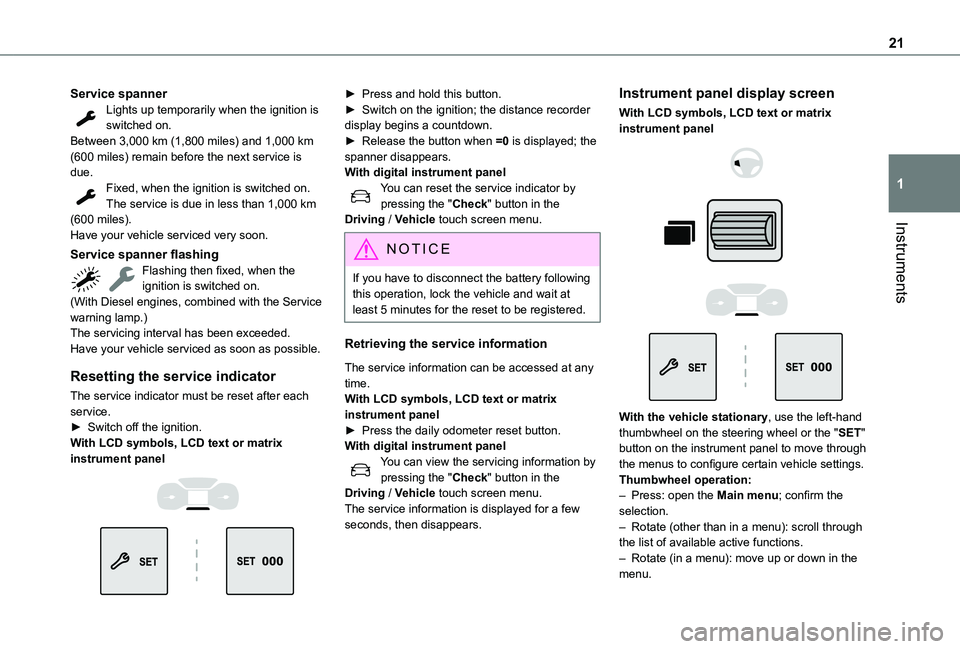
The service indicator must be reset after each service.► Switch off the ignition.With LCD symbols, LCD text or matrix
instrument panel
► Press and hold this button.► Switch on the ignition; the distance recorder display begins a countdown.► Release the button when =0 is displayed; the spanner disappears.With digital instrument panelYou can reset the service indicator by pressing the "Check" button in the Driving / Vehicle touch screen menu.
NOTIC E
If you have to disconnect the battery following this operation, lock the vehicle and wait at least 5 minutes for the reset to be registered.
Retrieving the service information
The service information can be accessed at any time.With LCD symbols, LCD text or matrix instrument panel► Press the daily odometer reset button.With digital instrument panelYou can view the servicing information by pressing the "Check" button in the Driving / Vehicle touch screen menu.The service information is displayed for a few seconds, then disappears.
Instrument panel display screen
With LCD symbols, LCD text or matrix instrument panel
With the vehicle stationary, use the left-hand thumbwheel on the steering wheel or the "SET" button on the instrument panel to move through the menus to configure certain vehicle settings.
Thumbwheel operation:– Press: open the Main menu; confirm the selection.– Rotate (other than in a menu): scroll through the list of available active functions.– Rotate (in a menu): move up or down in the menu.
Page 22 of 320
22
With digital instrument panelThe configuration of some parameters of the vehicle is done by pressing the "Check" button in the Driving / Vehicle touch screen menu.
Distance recorders
The total and trip distances are displayed for thirty seconds when the ignition is switched off, when the driver's door is opened and when the vehicle is locked or unlocked.
Total distance recorder
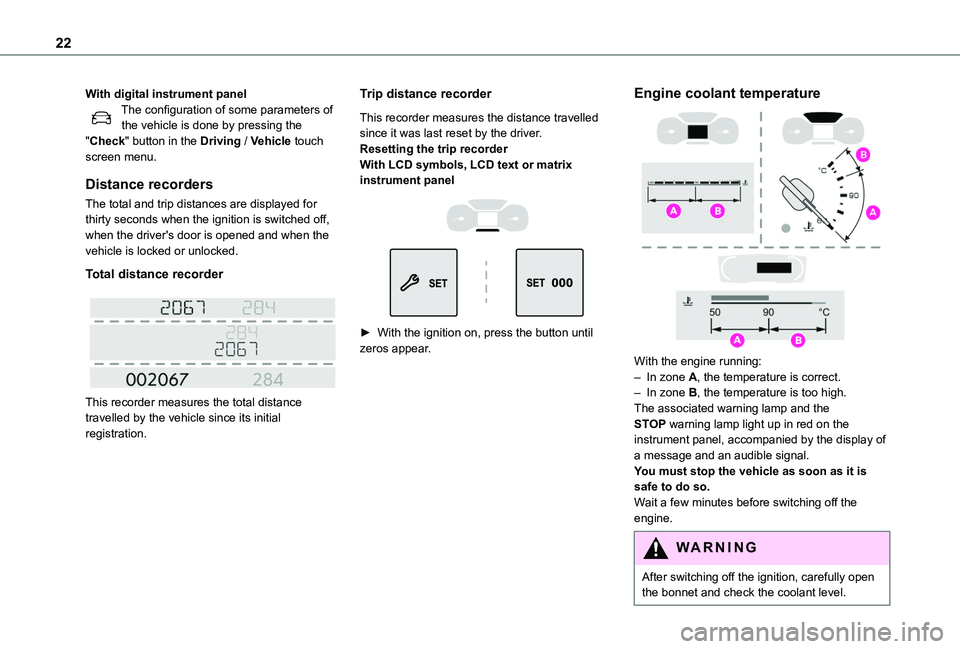
This recorder measures the total distance travelled by the vehicle since its initial registration.
Trip distance recorder
This recorder measures the distance travelled since it was last reset by the driver.Resetting the trip recorderWith LCD symbols, LCD text or matrix instrument panel
► With the ignition on, press the button until zeros appear.
Engine coolant temperature
With the engine running:– In zone A, the temperature is correct.– In zone B, the temperature is too high. The associated warning lamp and the STOP warning lamp light up in red on the instrument panel, accompanied by the display of a message and an audible signal.You must stop the vehicle as soon as it is safe to do so.Wait a few minutes before switching off the engine.
WARNI NG
After switching off the ignition, carefully open the bonnet and check the coolant level.
Page 23 of 320
23
Instruments
1
NOTIC E
For more information on Checking levels, refer to the corresponding section.
Checking
After driving for a few minutes, the temperature and pressure in the cooling system increase.To top up the level:► wait at least one hour for the engine to cool,► unscrew the cap by two turns to allow the pressure to drop,► when the pressure has dropped, remove the cap,► top up the level to the "MAX" mark.For more information on Checking levels, refer to the corresponding section.
WARNI NG
Be aware of the risk of scalding when topping up the coolant. Do not fill above the maximum level (indicated on the reservoir).
Engine oil level indicator
(Depending on version)On versions fitted with an electric gauge, the engine oil level status is displayed on the instrument panel for a few seconds when the ignition is switched on, at the same time as the servicing information.
NOTIC E
The level read will only be correct if the vehicle is on level ground and the engine has been off for more than 30 minutes.
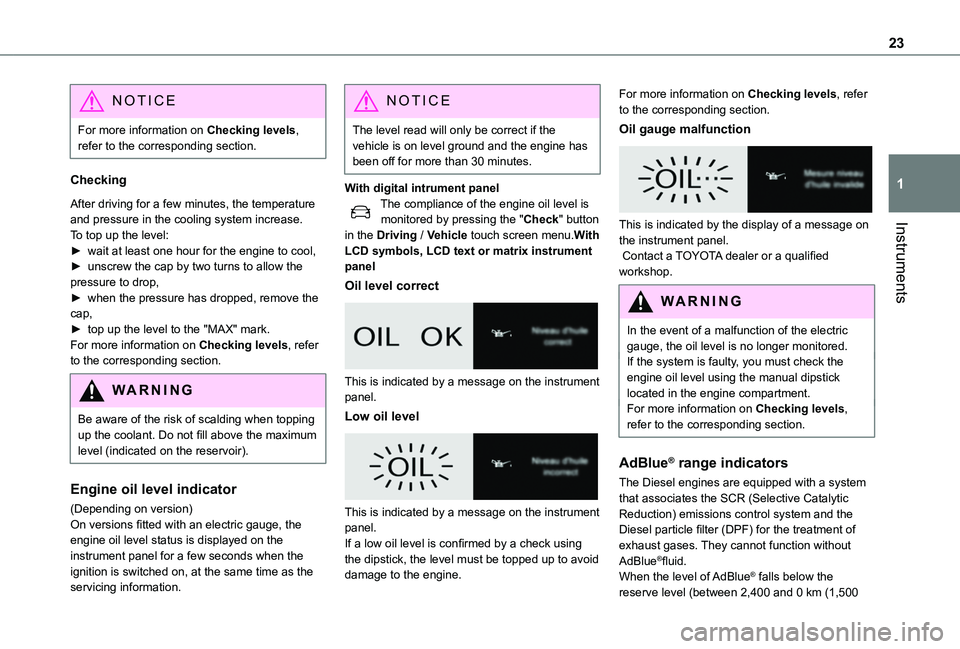
With digital intrument panelThe compliance of the engine oil level is monitored by pressing the "Check" button in the Driving / Vehicle touch screen menu.With LCD symbols, LCD text or matrix instrument panel
Oil level correct
This is indicated by a message on the instrument panel.
Low oil level
This is indicated by a message on the instrument panel.If a low oil level is confirmed by a check using the dipstick, the level must be topped up to avoid damage to the engine.
For more information on Checking levels, refer to the corresponding section.
Oil gauge malfunction
This is indicated by the display of a message on the instrument panel. Contact a TOYOTA dealer or a qualified workshop.
WARNI NG
In the event of a malfunction of the electric gauge, the oil level is no longer monitored.If the system is faulty, you must check the engine oil level using the manual dipstick located in the engine compartment.For more information on Checking levels, refer to the corresponding section.
AdBlue® range indicators
The Diesel engines are equipped with a system that associates the SCR (Selective Catalytic Reduction) emissions control system and the Diesel particle filter (DPF) for the treatment of
exhaust gases. They cannot function without AdBlue®fluid.When the level of AdBlue® falls below the reserve level (between 2,400 and 0 km (1,500
Page 24 of 320
24
miles and 0 miles)), a warning lamp lights up when the ignition is switched on and an estimate of the distance that can be travelled before engine starting is prevented is displayed in the instrument panel.
WARNI NG
The engine starting prevention system required by regulations is activated
automatically once the AdBlue® tank is empty.
It is then no longer possible to start the engine until the minimum level of AdBlue® has been topped up.
Manual display of the range
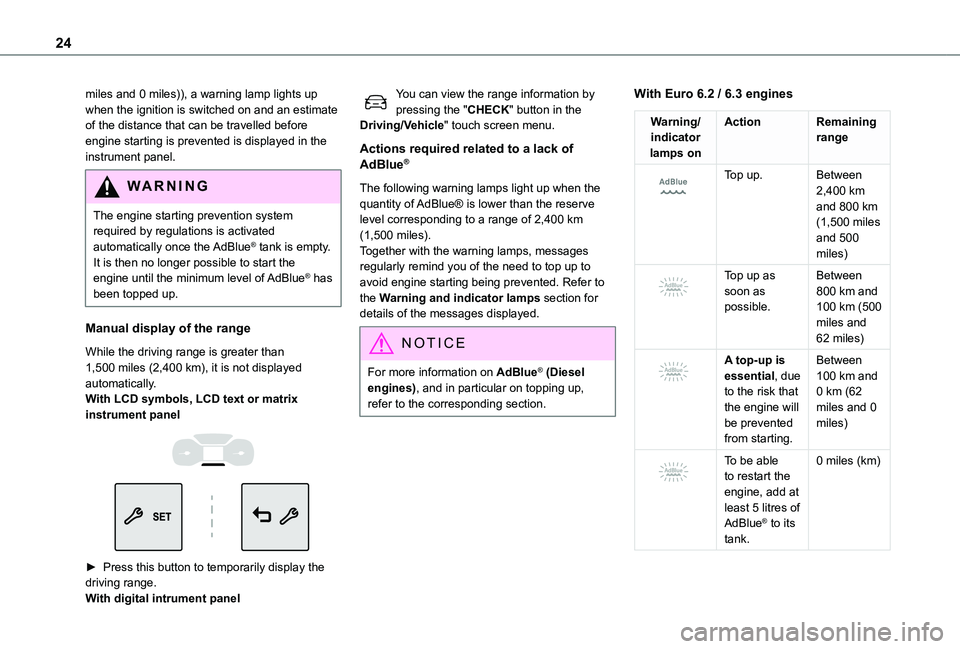
While the driving range is greater than 1,500 miles (2,400 km), it is not displayed automatically.With LCD symbols, LCD text or matrix instrument panel
► Press this button to temporarily display the driving range. With digital intrument panel
You can view the range information by pressing the "CHECK" button in the Driving/Vehicle" touch screen menu.
Actions required related to a lack of AdBlue®
The following warning lamps light up when the quantity of AdBlue® is lower than the reserve level corresponding to a range of 2,400 km (1,500 miles).Together with the warning lamps, messages regularly remind you of the need to top up to avoid engine starting being prevented. Refer to the Warning and indicator lamps section for details of the messages displayed.
NOTIC E
For more information on AdBlue® (Diesel engines), and in particular on topping up, refer to the corresponding section.
With Euro 6.2 / 6.3 engines
Warning/indicator lamps on
ActionRemaining range
Top up.Between 2,400 km and 800 km (1,500 miles and 500
miles)
Top up as soon as possible.
Between 800 km and 100 km (500 miles and 62 miles)
A top-up is essential, due to the risk that the engine will be prevented from starting.
Between 100 km and 0 km (62 miles and 0 miles)
To be able to restart the engine, add at least 5 litres of AdBlue® to its tank.
0 miles (km)
Page 26 of 320
26
NOTIC E
With the ignition off, opening the driver's door activates the indicator, which moves to the "neutral" position: between ECO and CHARGE.
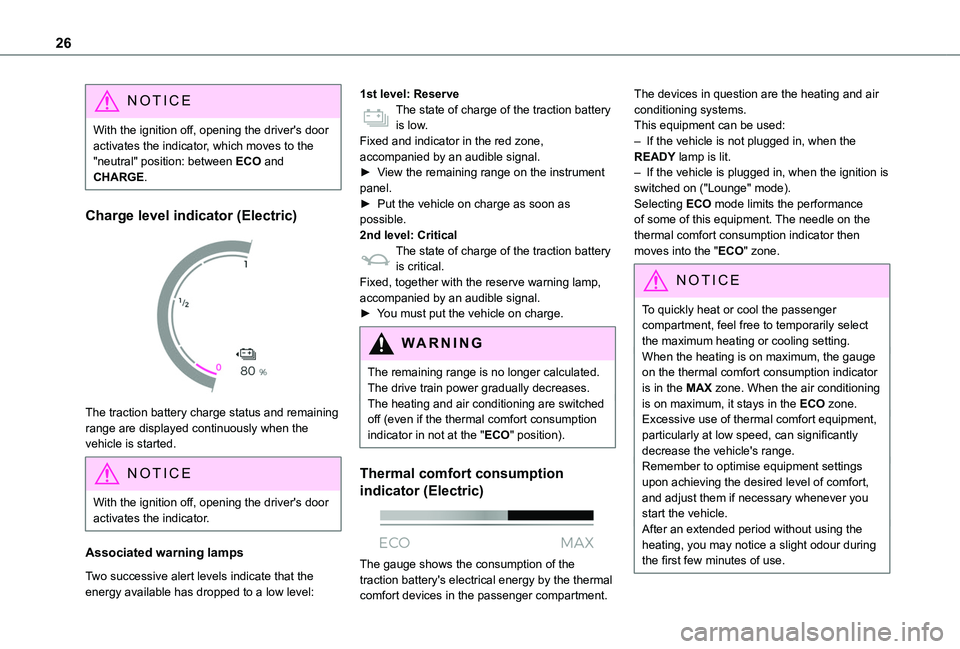
Charge level indicator (Electric)
The traction battery charge status and remaining range are displayed continuously when the vehicle is started.
NOTIC E
With the ignition off, opening the driver's door activates the indicator.
Associated warning lamps
Two successive alert levels indicate that the energy available has dropped to a low level:
1st level: ReserveThe state of charge of the traction battery is low.Fixed and indicator in the red zone, accompanied by an audible signal.► View the remaining range on the instrument panel.► Put the vehicle on charge as soon as possible.2nd level: CriticalThe state of charge of the traction battery is critical.Fixed, together with the reserve warning lamp, accompanied by an audible signal.► You must put the vehicle on charge.
WARNI NG
The remaining range is no longer calculated. The drive train power gradually decreases.The heating and air conditioning are switched off (even if the thermal comfort consumption indicator in not at the "ECO" position).
Thermal comfort consumption
indicator (Electric)
The gauge shows the consumption of the traction battery's electrical energy by the thermal comfort devices in the passenger compartment.
The devices in question are the heating and air conditioning systems.This equipment can be used:– If the vehicle is not plugged in, when the READY lamp is lit.– If the vehicle is plugged in, when the ignition is switched on ("Lounge" mode).Selecting ECO mode limits the performance of some of this equipment. The needle on the thermal comfort consumption indicator then moves into the "ECO" zone.
NOTIC E
To quickly heat or cool the passenger compartment, feel free to temporarily select the maximum heating or cooling setting.When the heating is on maximum, the gauge on the thermal comfort consumption indicator is in the MAX zone. When the air conditioning is on maximum, it stays in the ECO zone.Excessive use of thermal comfort equipment, particularly at low speed, can significantly decrease the vehicle's range.Remember to optimise equipment settings upon achieving the desired level of comfort, and adjust them if necessary whenever you start the vehicle.After an extended period without using the heating, you may notice a slight odour during the first few minutes of use.
Page 27 of 320
27
Instruments
1
Lighting dimmer
This control lets you manually adjust the brightness of the instrument panel according to the exterior light level.
With LCD symbols, LCD text
or matrix instrument panel
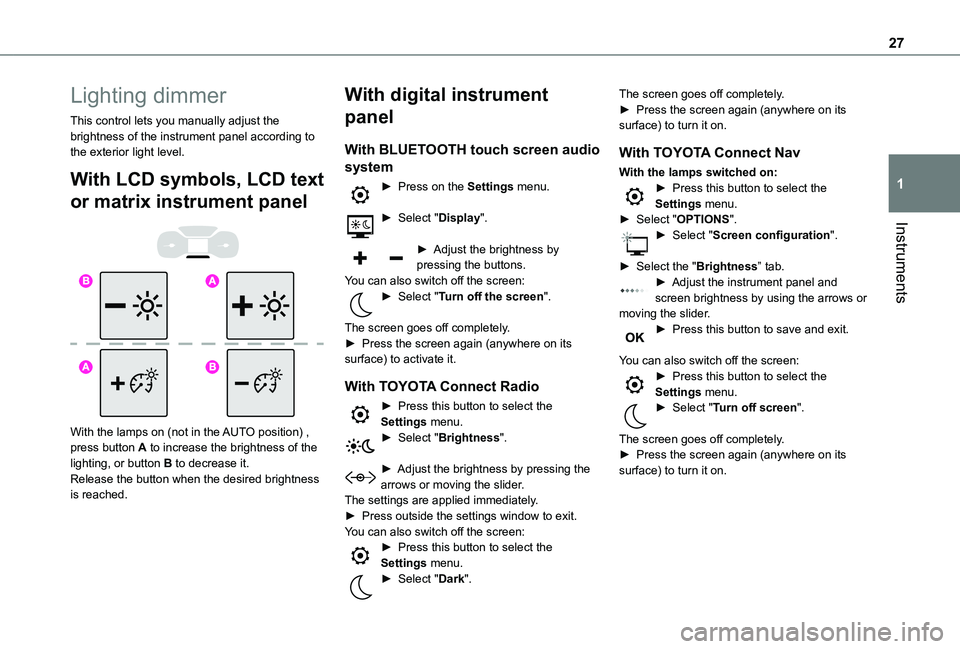
With the lamps on (not in the AUTO position) , press button A to increase the brightness of the lighting, or button B to decrease it.Release the button when the desired brightness is reached.
With digital instrument
panel
With BLUETOOTH touch screen audio
system
► Press on the Settings menu.
► Select "Display".
► Adjust the brightness by pressing the buttons.You can also switch off the screen:► Select "Turn off the screen".
The screen goes off completely.► Press the screen again (anywhere on its surface) to activate it.
With TOYOTA Connect Radio
► Press this button to select the Settings menu.► Select "Brightness".
► Adjust the brightness by pressing the arrows or moving the slider.The settings are applied immediately.► Press outside the settings window to exit.You can also switch off the screen:► Press this button to select the Settings menu.► Select "Dark".
The screen goes off completely.► Press the screen again (anywhere on its surface) to turn it on.
With TOYOTA Connect Nav
With the lamps switched on:► Press this button to select the Settings menu.► Select "OPTIONS".► Select "Screen configuration".
► Select the "Brightness” tab.► Adjust the instrument panel and screen brightness by using the arrows or moving the slider.► Press this button to save and exit.
You can also switch off the screen:► Press this button to select the Settings menu.► Select "Turn off screen".
The screen goes off completely.
► Press the screen again (anywhere on its surface) to turn it on.
Page 32 of 320
32
Setting the date and time
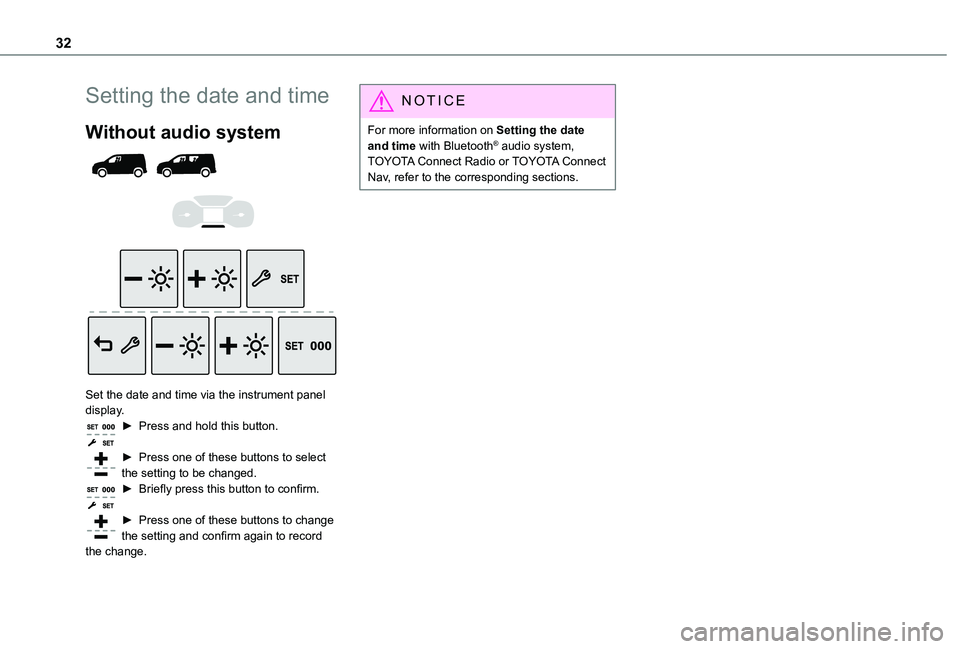
Without audio system
Set the date and time via the instrument panel display.► Press and hold this button.
► Press one of these buttons to select the setting to be changed.► Briefly press this button to confirm.
► Press one of these buttons to change the setting and confirm again to record the change.
NOTIC E
For more information on Setting the date and time with Bluetooth® audio system, TOYOTA Connect Radio or TOYOTA Connect Nav, refer to the corresponding sections.
Page 45 of 320
45
Access
2
For more information on Anti-intrusion security, refer to the corresponding section.
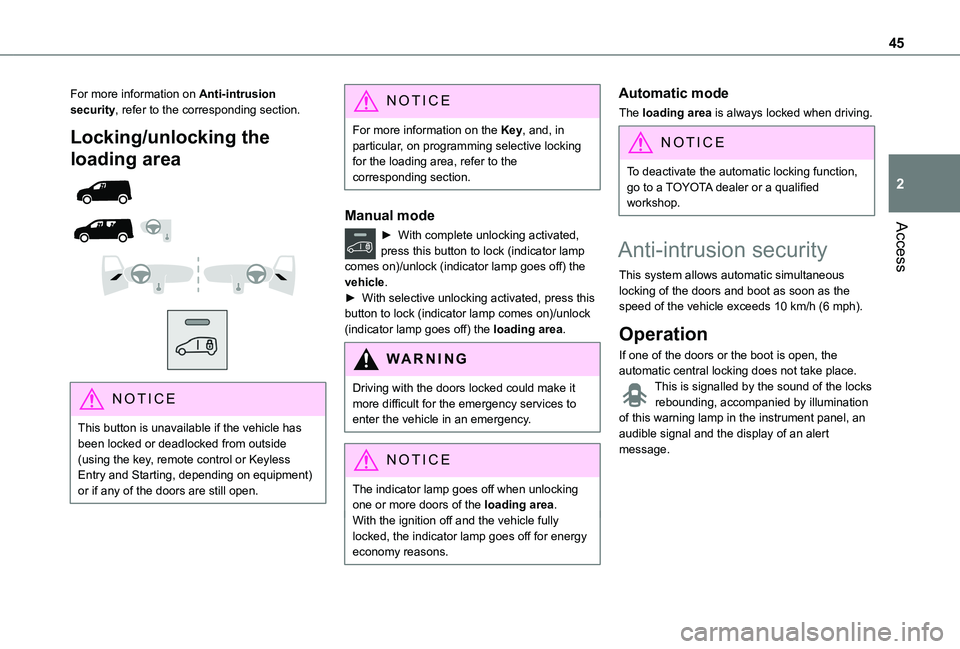
Locking/unlocking the
loading area
NOTIC E
This button is unavailable if the vehicle has been locked or deadlocked from outside (using the key, remote control or Keyless Entry and Starting, depending on equipment) or if any of the doors are still open.
NOTIC E
For more information on the Key, and, in particular, on programming selective locking for the loading area, refer to the corresponding section.
Manual mode
► With complete unlocking activated, press this button to lock (indicator lamp comes on)/unlock (indicator lamp goes off) the vehicle.► With selective unlocking activated, press this button to lock (indicator lamp comes on)/unlock (indicator lamp goes off) the loading area.
WARNI NG
Driving with the doors locked could make it more difficult for the emergency services to enter the vehicle in an emergency.
NOTIC E
The indicator lamp goes off when unlocking one or more doors of the loading area.With the ignition off and the vehicle fully locked, the indicator lamp goes off for energy
economy reasons.
Automatic mode
The loading area is always locked when driving.
NOTIC E
To deactivate the automatic locking function, go to a TOYOTA dealer or a qualified workshop.
Anti-intrusion security
This system allows automatic simultaneous locking of the doors and boot as soon as the speed of the vehicle exceeds 10 km/h (6 mph).
Operation
If one of the doors or the boot is open, the automatic central locking does not take place.This is signalled by the sound of the locks rebounding, accompanied by illumination of this warning lamp in the instrument panel, an audible signal and the display of an alert message.