alarm TOYOTA PROACE EV 2021 User Guide
[x] Cancel search | Manufacturer: TOYOTA, Model Year: 2021, Model line: PROACE EV, Model: TOYOTA PROACE EV 2021Pages: 360, PDF Size: 68.91 MB
Page 49 of 360
49
Access
2
Alarm
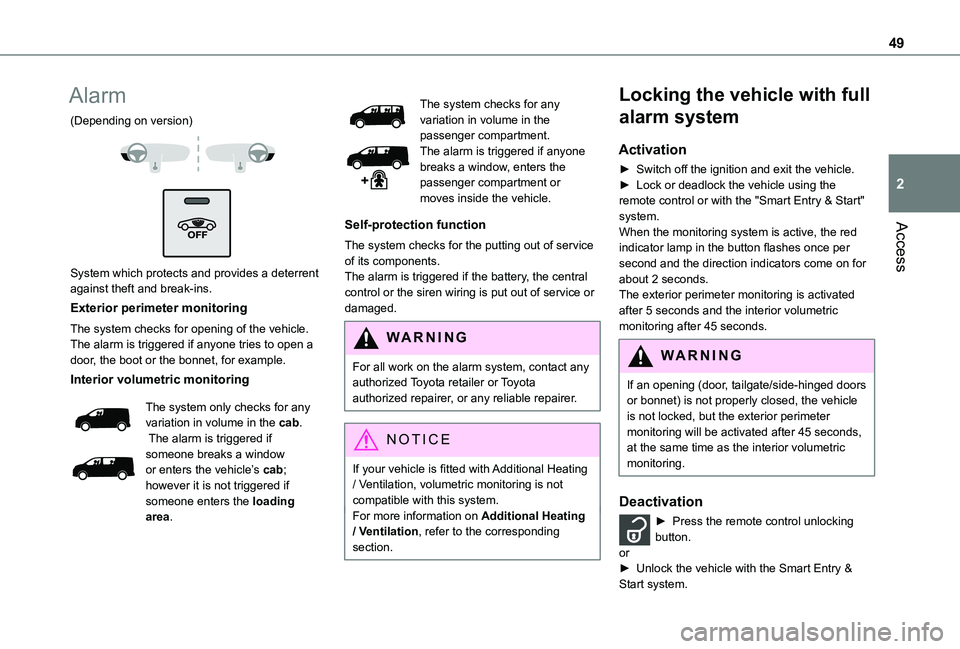
(Depending on version)
System which protects and provides a deterrent against theft and break-ins.
Exterior perimeter monitoring
The system checks for opening of the vehicle.The alarm is triggered if anyone tries to open a door, the boot or the bonnet, for example.
Interior volumetric monitoring
The system only checks for any variation in volume in the cab. The alarm is triggered if
someone breaks a window or enters the vehicle’s cab; however it is not triggered if someone enters the loading area.
The system checks for any variation in volume in the passenger compartment.The alarm is triggered if anyone breaks a window, enters the passenger compartment or moves inside the vehicle.
Self-protection function
The system checks for the putting out of service of its components.The alarm is triggered if the battery, the central control or the siren wiring is put out of service or damaged.
WARNI NG
For all work on the alarm system, contact any authorized Toyota retailer or Toyota authorized repairer, or any reliable repairer.
NOTIC E
If your vehicle is fitted with Additional Heating / Ventilation, volumetric monitoring is not compatible with this system.For more information on Additional Heating / Ventilation, refer to the corresponding section.
Locking the vehicle with full
alarm system
Activation
► Switch off the ignition and exit the vehicle.► Lock or deadlock the vehicle using the remote control or with the "Smart Entry & Start" system.When the monitoring system is active, the red indicator lamp in the button flashes once per second and the direction indicators come on for about 2 seconds.The exterior perimeter monitoring is activated after 5 seconds and the interior volumetric monitoring after 45 seconds.
WARNI NG
If an opening (door, tailgate/side-hinged doors or bonnet) is not properly closed, the vehicle is not locked, but the exterior perimeter monitoring will be activated after 45 seconds, at the same time as the interior volumetric monitoring.
Deactivation
► Press the remote control unlocking button.or► Unlock the vehicle with the Smart Entry & Start system.
Page 50 of 360
50
The monitoring system is deactivated: the indicator lamp in the button goes off and the direction indicators flash for about 2 seconds.
NOTIC E
When the vehicle automatically locks itself again (as happens if a door or the boot is not opened within 30 seconds of unlocking), the monitoring system is also reactivated
automatically.
Triggering of the alarm
This is indicated by sounding of the siren and flashing of the direction indicators for 30 seconds.The monitoring functions remain active until the alarm has been triggered ten times in succession.When the vehicle is unlocked, rapid flashing of the indicator lamp in the button indicates that the alarm was triggered during your absence. When the ignition is switched on, this flashing stops immediately.
Locking the vehicle
with exterior perimeter
monitoring only
Deactivate the interior volumetric monitoring to avoid the unwanted triggering of the alarm, in certain cases such as:
– Slightly open window.– Washing the vehicle.– Changing a wheel.– Towing the vehicle.– Transport on a ship or ferry.
Deactivating interior volumetric
monitoring
► Switch off the ignition and within 10 seconds press the alarm button until the indicator lamp is on fixed.► Exit the vehicle.► Immediately lock the vehicle using the remote control or the "Smart Entry & Start" system.Only exterior perimeter monitoring is activated; the red indicator lamp in the button flashes every second.To take effect, this deactivation must be performed whenever the ignition is switched off.
Reactivating interior volumetric
monitoring
► Deactivate exterior perimeter monitoring by unlocking the vehicle using the remote control or the "Smart Entry & Start" system.The indicator lamp in the button goes off.► Reactivate the full alarm system by locking the vehicle using the remote control or the "Smart Entry & Start" system.The red indicator lamp in the button once again flashes every second.
Locking the vehicle without
activating the alarm
► Lock or deadlock the vehicle using the key (integral to the remote control) in the driver's door lock.
Failure of the remote control
To deactivate the monitoring functions:► unlock the vehicle using the key (integral to the remote control) in the driver's door lock,► open the door; the alarm is triggered,► switch on the ignition; the alarm stops; the indicator lamp in the button goes off.
Malfunction
When the ignition is switched on, the fixed lighting of the red indicator lamp in the button indicates a system malfunction.Have it checked by any authorized Toyota retailer or Toyota authorized repairer, or any reliable repairer.
Automatic activation
(Depending on the country of sale)The system is activated automatically 2 minutes after the last door or the boot is closed.► To avoid triggering the alarm on entering the vehicle, first press the unlocking button on the remote control or unlock the vehicle using the “Smart Entry & Start” system.
Page 244 of 360
244
WARNI NG
The replacement of a fuse not shown in the allocation tables could cause a serious malfunction of the vehicle.Consult any authorized Toyota retailer or Toyota authorized repairer, or any reliable repairer.
GoodFaulty
Tweezers
NOTIC E
Installing electrical accessoriesThe vehicle's electrical system is designed to
operate with standard or optional equipment.Before fitting other electrical equipment or accessories to your vehicle, contact any authorized Toyota retailer or Toyota
authorized repairer, or any reliable repairer.
WARNI NG
TOYOTA accepts no responsibility for the cost incurred in repairing the vehicle or for rectifying malfunctions resulting from the installation of accessories not supplied or not recommended by TOYOTA and not installed in accordance with its recommendations, in particular when the combined power consumption of all of the additional equipment connected exceeds 10 milliamperes.
NOTIC E
For more information on installing a towbar or TAXI type equipment, contact any authorized Toyota retailer or Toyota authorized repairer, or any reliable repairer.
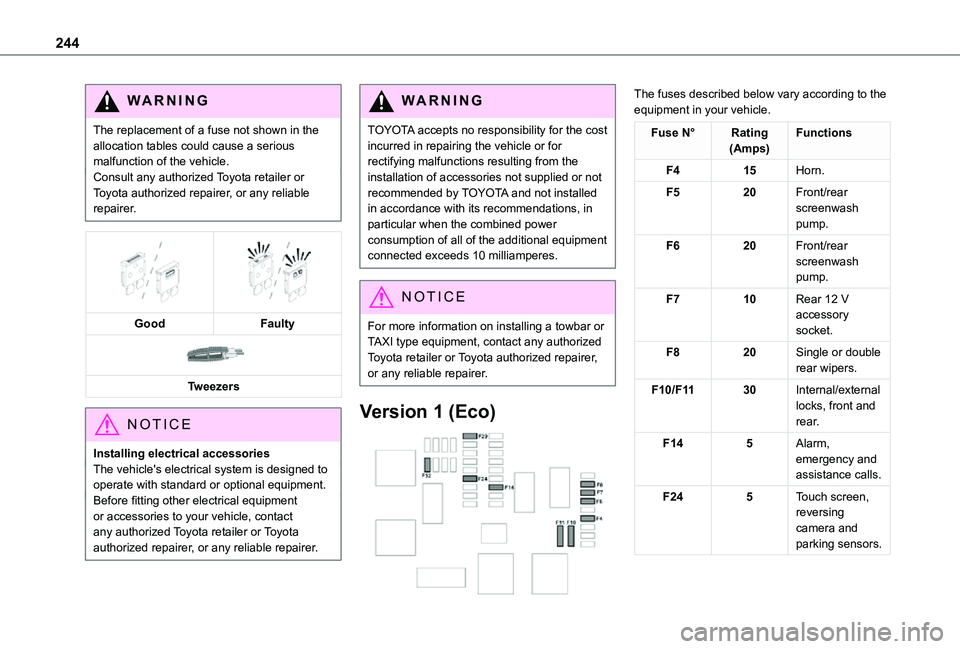
Version 1 (Eco)
The fuses described below vary according to the equipment in your vehicle.
Fuse N°Rating(Amps)Functions
F415Horn.
F520Front/rear screenwash pump.
F620Front/rear screenwash pump.
F710Rear 12 V accessory socket.
F820Single or double rear wipers.
F10/F1130Internal/external locks, front and rear.
F145Alarm, emergency and assistance calls.
F245Touch screen, reversing camera and parking sensors.
Page 245 of 360
245
In the event of a breakdown
8
Fuse N°Rating(Amps)Functions
F2920Audio system, touch screen, CD player, navigation.
F3215Front 12 V accessory socket.
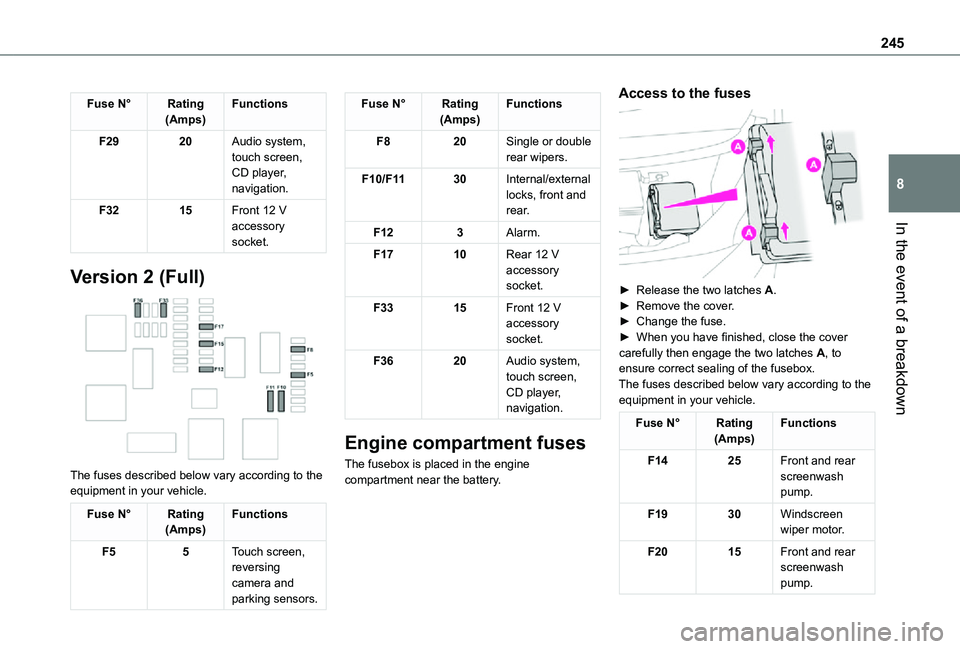
Version 2 (Full)
The fuses described below vary according to the equipment in your vehicle.
Fuse N°Rating(Amps)Functions
F55Touch screen, reversing camera and
parking sensors.
Fuse N°Rating(Amps)Functions
F820Single or double rear wipers.
F10/F1130Internal/external locks, front and rear.
F123Alarm.
F1710Rear 12 V accessory socket.
F3315Front 12 V accessory socket.
F3620Audio system, touch screen, CD player, navigation.
Engine compartment fuses
The fusebox is placed in the engine compartment near the battery.
Access to the fuses
► Release the two latches A.► Remove the cover.► Change the fuse.► When you have finished, close the cover carefully then engage the two latches A, to ensure correct sealing of the fusebox.The fuses described below vary according to the equipment in your vehicle.
Fuse N°Rating(Amps)Functions
F1425Front and rear screenwash pump.
F1930Windscreen wiper motor.
F2015Front and rear screenwash pump.
Page 318 of 360
318
A
ABS 11 2Accelerated charging unit (Wallbox) 202Accessories 109, 154Access to the 3rd row 64, 66Access to the spare wheel 234Active Safety Brake 185–187AdBlue® 19, 221AdBlue® tank 222Additive, Diesel 218–219Adjusting head restraints 54Adjusting seat 52–54Adjusting the air distribution 89–90Adjusting the air flow 89–90Adjusting the date 29, 288, 314Adjusting the height and reach of the steering wheel 57Adjusting the lumbar support 52Adjusting the seat angle 52, 54Adjusting the seat belt height 11 7Adjusting the temperature 89–90
Adjusting the time 29, 288, 314Advice on care and maintenance 200, 225Advice on driving 8, 148–149Airbags 120, 122–123, 126Airbags, curtain 122–123Airbags, front 121, 123, 127Airbags, lateral 121, 123Air conditioning 87, 90, 92, 92–93Air conditioning, digital 91Air conditioning, dual-zone automatic 89–90
Air conditioning, manual 88, 91Air intake 89–91Air vents 87Alarm 49–50Android Auto connection 284, 304Anti-lock braking system (ABS) 11 2Anti-pinch 82Antitheft / Immobiliser 31Apple CarPlay connection 284, 304Applications 304Area, loading 32–33, 40–41, 80Armrest, front 55, 75Assistance call 11 0–111Assistance, emergency braking 11 2, 186Audible warning 111Audio streaming (Bluetooth) 270, 282–283, 309
B
Battery 2 11, 246
Battery, 12 V 218, 246–249Battery, ancillaries 246Battery, charging 247–248Battery, remote control 38–39, 95Bench seat, one-piece, fixed 64–65Blind, panoramic roof 82Blind spot monitoring system 191Blind spot sensors 190Blinds, side 82Bluetooth (hands-free) 271, 285–286, 310
Bluetooth (telephone) 285–286, 310–3 11Bodywork 225Bonnet 214–215Boot 48Boot lid 35–36, 38, 48Bottle holder 75Brake discs 220Brake lamps 241, 243Brakes 219–220Braking 165Braking assistance system 11 2Braking, automatic emergency 185–187Braking, dynamic emergency 156–158Brightness 287Bulbs 238Bulbs (changing) 237, 241
C
Capacity, fuel tank 197, 199Cap, fuel filler 197, 199
Care of the bodywork 225CD 269, 282CD, MP3 269, 282Central locking 30, 35, 39Changing a bulb 237, 241, 243Changing a bulb (side-hinged doors) 241Changing a fuse 243–245Changing a wheel 233Changing a wiper blade 107–108Changing the remote control battery 38