time TOYOTA PROACE EV 2021 Manual PDF
[x] Cancel search | Manufacturer: TOYOTA, Model Year: 2021, Model line: PROACE EV, Model: TOYOTA PROACE EV 2021Pages: 360, PDF Size: 68.91 MB
Page 227 of 360
227
In the event of a breakdown
8
Warning triangle
This reflective and dismantlable device is to be installed on the side of the road when a vehicle is broken down or damaged.
WARNI NG
Before getting out of the vehicleTurn on the hazard warning lamps, then put on the safety vest to assemble and install the
triangle.
Assembling and placing the
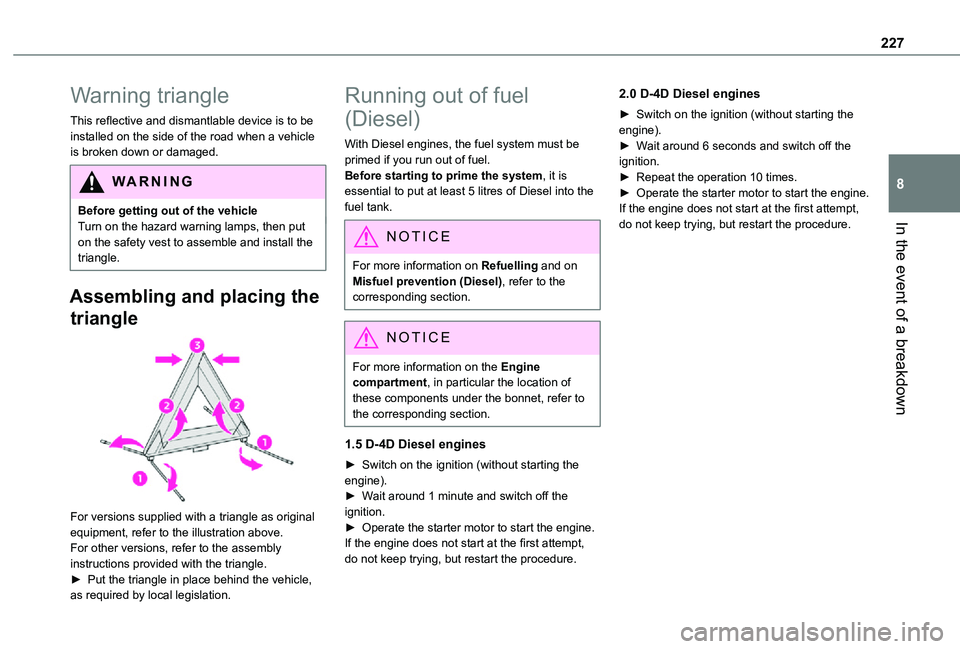
triangle
For versions supplied with a triangle as original equipment, refer to the illustration above.
For other versions, refer to the assembly instructions provided with the triangle.► Put the triangle in place behind the vehicle, as required by local legislation.
Running out of fuel
(Diesel)
With Diesel engines, the fuel system must be primed if you run out of fuel.Before starting to prime the system, it is essential to put at least 5 litres of Diesel into the fuel tank.
NOTIC E
For more information on Refuelling and on Misfuel prevention (Diesel), refer to the corresponding section.
NOTIC E
For more information on the Engine compartment, in particular the location of these components under the bonnet, refer to the corresponding section.
1.5 D-4D Diesel engines
► Switch on the ignition (without starting the engine).► Wait around 1 minute and switch off the ignition.► Operate the starter motor to start the engine.If the engine does not start at the first attempt,
do not keep trying, but restart the procedure.
2.0 D-4D Diesel engines
► Switch on the ignition (without starting the engine).► Wait around 6 seconds and switch off the ignition.► Repeat the operation 10 times.► Operate the starter motor to start the engine.If the engine does not start at the first attempt, do not keep trying, but restart the procedure.
Page 238 of 360
238
WARNI NG
The headlamps have polycarbonate lenses with a protective coating:– Do not clean them with a dry or abrasive cloth, nor with detergent or solvent products.– Use a sponge and soapy water or a pH neutral product.– When using a high-pressure washer on persistent marks, do not keep the lance directed towards the headlamps, lamps or their edges for too long, so as not to damage their protective coating and seals.
WARNI NG
Changing a bulb must only be done with the ignition off and after the headlamp / lamp has been switched off for several minutes - risk of serious burns!Do not touch the bulb directly with your fingers; use a lint-free cloth.It is essential only to use anti-ultraviolet (UV) type bulbs, so as not to damage the headlamp.Always replace a failed bulb with a new bulb of the same type and specification. To avoid lighting imbalance, replace the bulbs in pairs.
NOTIC E
Halogen bulbs (Hx)To ensure good quality lighting, check that the bulb is correctly positioned in its housing.
WARNI NG
Opening the bonnet/Accessing the bulbsProceed with caution when the engine is hot - risk of burns!Take care with objects or clothing that could be caught in the blades of the cooling fan - risk of strangulation!
WARNI NG
After changing a bulbTo refit, carry out the operations in reverse order to removal.Close the protective cover very carefully to guarantee the sealing of the lamps.
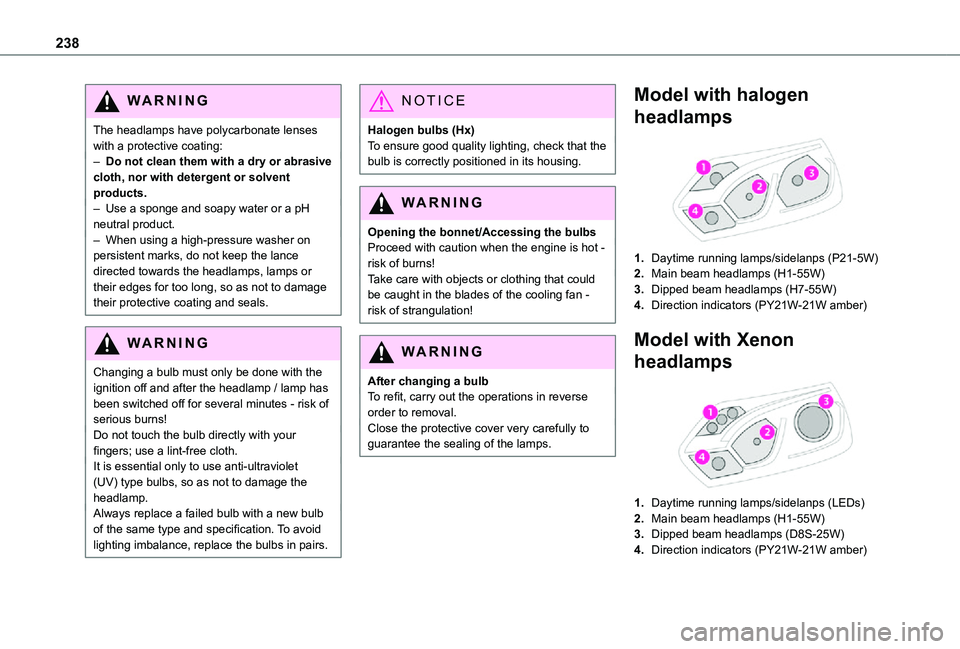
Model with halogen
headlamps
1.Daytime running lamps/sidelanps (P21-5W)
2.Main beam headlamps (H1-55W)
3.Dipped beam headlamps (H7-55W)
4.Direction indicators (PY21W-21W amber)
Model with Xenon
headlamps
1.Daytime running lamps/sidelanps (LEDs)
2.Main beam headlamps (H1-55W)
3.Dipped beam headlamps (D8S-25W)
4.Direction indicators (PY21W-21W amber)
Page 239 of 360
239
In the event of a breakdown
8
WARNI NG
Be aware of the zone behind the right lamp (vehicle direction), which may be hot with a risk of burning (degassing hoses).
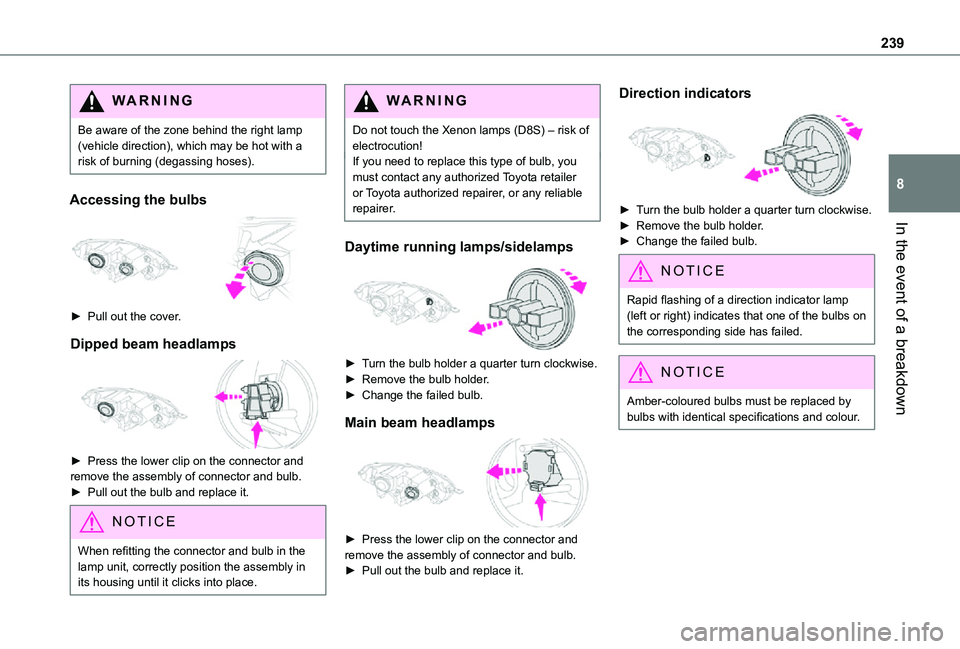
Accessing the bulbs
► Pull out the cover.
Dipped beam headlamps
► Press the lower clip on the connector and remove the assembly of connector and bulb.► Pull out the bulb and replace it.
NOTIC E
When refitting the connector and bulb in the lamp unit, correctly position the assembly in its housing until it clicks into place.
WARNI NG
Do not touch the Xenon lamps (D8S) – risk of electrocution!If you need to replace this type of bulb, you must contact any authorized Toyota retailer or Toyota authorized repairer, or any reliable repairer.
Daytime running lamps/sidelamps
► Turn the bulb holder a quarter turn clockwise.► Remove the bulb holder.► Change the failed bulb.
Main beam headlamps
► Press the lower clip on the connector and remove the assembly of connector and bulb. ► Pull out the bulb and replace it.
Direction indicators
► Turn the bulb holder a quarter turn clockwise.► Remove the bulb holder.► Change the failed bulb.
NOTIC E
Rapid flashing of a direction indicator lamp (left or right) indicates that one of the bulbs on the corresponding side has failed.
NOTIC E
Amber-coloured bulbs must be replaced by bulbs with identical specifications and colour.
Page 240 of 360
240
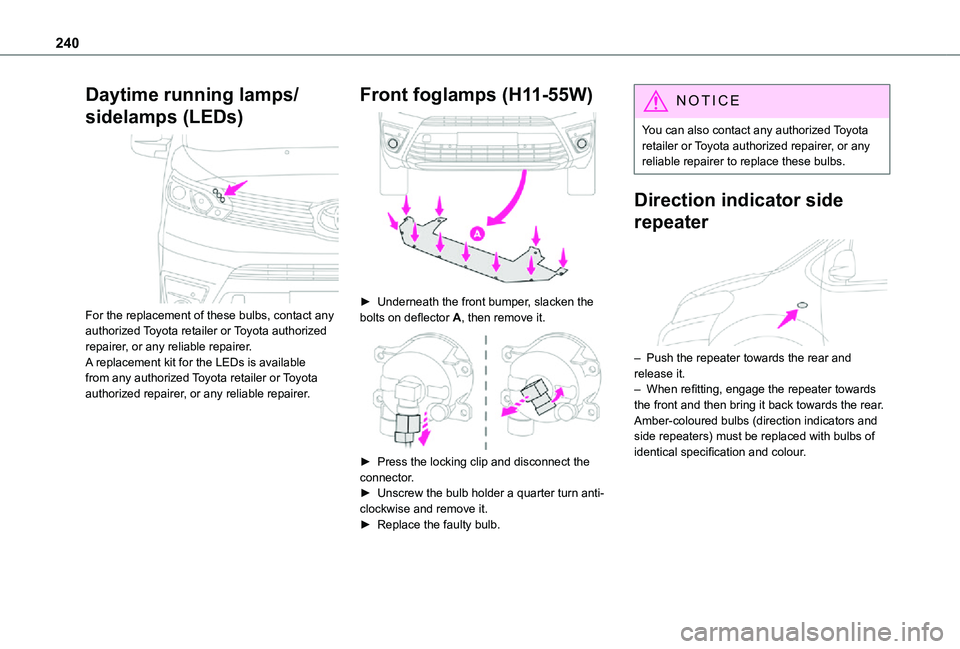
Daytime running lamps/
sidelamps (LEDs)
For the replacement of these bulbs, contact any authorized Toyota retailer or Toyota authorized repairer, or any reliable repairer.A replacement kit for the LEDs is available from any authorized Toyota retailer or Toyota authorized repairer, or any reliable repairer.
Front foglamps (H11-55W)
► Underneath the front bumper, slacken the bolts on deflector A, then remove it.
► Press the locking clip and disconnect the connector.► Unscrew the bulb holder a quarter turn anti-clockwise and remove it.► Replace the faulty bulb.
NOTIC E
You can also contact any authorized Toyota retailer or Toyota authorized repairer, or any reliable repairer to replace these bulbs.
Direction indicator side
repeater
– Push the repeater towards the rear and release it.– When refitting, engage the repeater towards the front and then bring it back towards the rear.Amber-coloured bulbs (direction indicators and side repeaters) must be replaced with bulbs of
identical specification and colour.
Page 249 of 360
249
In the event of a breakdown
8
► Switch off all electricity-consuming devices (audio system, wipers, lamps, etc.).► Switch off the ignition and wait for 4 minutes.After accessing the battery, it is only necessary to disconnect the (+) terminal.
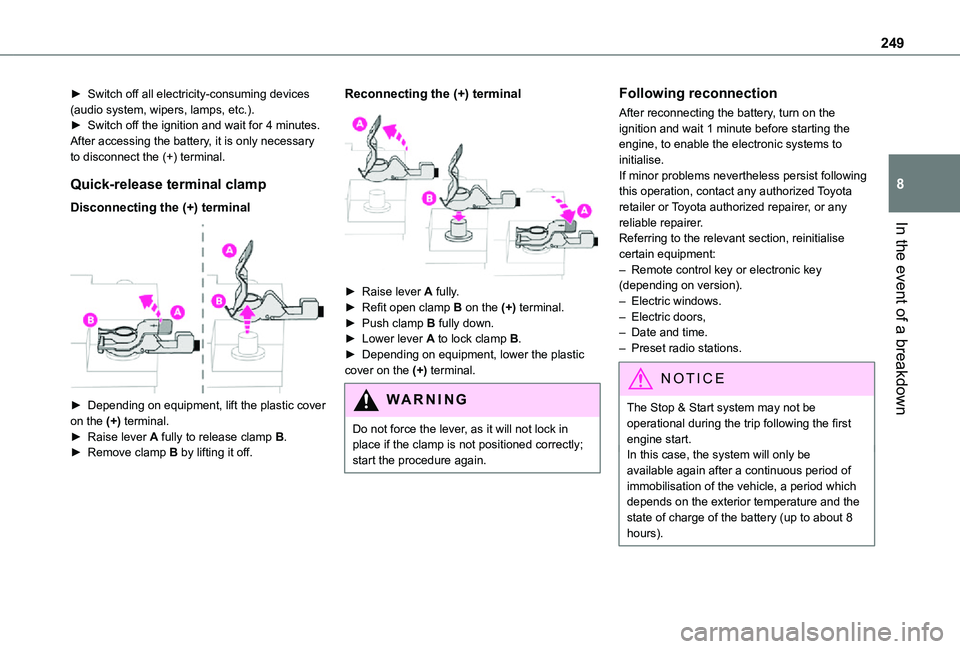
Quick-release terminal clamp
Disconnecting the (+) terminal
► Depending on equipment, lift the plastic cover on the (+) terminal.► Raise lever A fully to release clamp B.
► Remove clamp B by lifting it off.
Reconnecting the (+) terminal
► Raise lever A fully.► Refit open clamp B on the (+) terminal.► Push clamp B fully down.► Lower lever A to lock clamp B.► Depending on equipment, lower the plastic cover on the (+) terminal.
WARNI NG
Do not force the lever, as it will not lock in place if the clamp is not positioned correctly; start the procedure again.
Following reconnection
After reconnecting the battery, turn on the ignition and wait 1 minute before starting the engine, to enable the electronic systems to initialise.If minor problems nevertheless persist following this operation, contact any authorized Toyota retailer or Toyota authorized repairer, or any reliable repairer.Referring to the relevant section, reinitialise certain equipment:– Remote control key or electronic key (depending on version).– Electric windows.– Electric doors,– Date and time.– Preset radio stations.
NOTIC E
The Stop & Start system may not be operational during the trip following the first engine start.
In this case, the system will only be available again after a continuous period of immobilisation of the vehicle, a period which depends on the exterior temperature and the state of charge of the battery (up to about 8 hours).
Page 252 of 360
252
Engine technical data and
towed loads
Engines
The engine characteristics are given in the vehicle's registration document, as well as in sales brochures.Only the values available at the time of publication are presented in the tables.Contact any authorized Toyota retailer or Toyota authorized repairer, or any reliable repairer to obtain missing values.
NOTIC E
The maximum power corresponds to the value type-approved on a test bed, under conditions defined by European legislation (Directive 1999/99/EC).
For more information, contact a any authorized Toyota retailer or Toyota authorized repairer, or any reliable repairer.
Weights and towed loads
The weights and towed loads relating to the vehicle are indicated on the registration document, as well as in sales brochures.These values are also indicated on the manufacturer's plate or label.
For more information, contact a any authorized Toyota retailer or Toyota authorized repairer, or any reliable repairer.The GTW (Gross Train Weight) and towed load values indicated are valid up to a maximum altitude of 1,000 metres. The towed load value must be reduced by 10% for each additional 1,000 metres of altitude.The maximum authorised nose weight corresponds to the weight permitted on the towball.
WARNI NG
When exterior temperatures are high, the vehicle performance may be limited in order to protect the engine. When the exterior temperature is higher than 37°C, reduce the towed weight.
WARNI NG
Towing even with a lightly loaded vehicle can adversely affect its road holding.Braking distances are increased when towing a trailer.When using a vehicle to tow, never exceed a speed of 62 mph (100 km/h) (observe the local legislation in force).
Page 265 of 360
265
Bluetooth® audio system
10
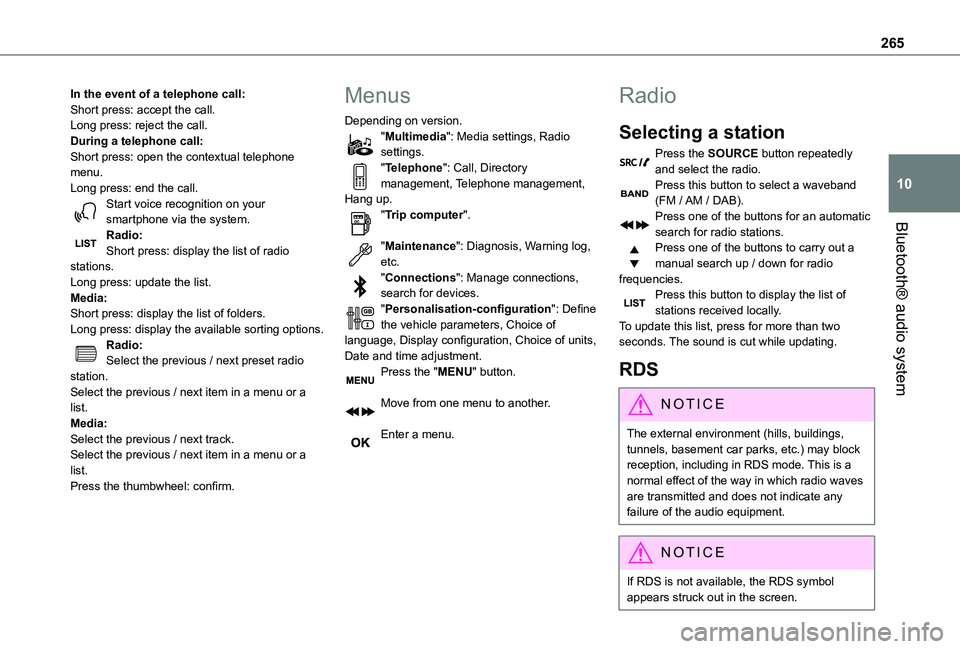
In the event of a telephone call:Short press: accept the call.Long press: reject the call.During a telephone call:Short press: open the contextual telephone menu.Long press: end the call.Start voice recognition on your smartphone via the system.Radio:Short press: display the list of radio stations.Long press: update the list.Media:Short press: display the list of folders.Long press: display the available sorting options.Radio:Select the previous / next preset radio station.Select the previous / next item in a menu or a list.Media:Select the previous / next track.
Select the previous / next item in a menu or a list.Press the thumbwheel: confirm.
Menus
Depending on version."Multimedia": Media settings, Radio settings."Telephone": Call, Directory management, Telephone management, Hang up."Trip computer".
"Maintenance": Diagnosis, Warning log, etc."Connections": Manage connections, search for devices."Personalisation-configuration": Define the vehicle parameters, Choice of language, Display configuration, Choice of units, Date and time adjustment.Press the "MENU" button.
Move from one menu to another.
Enter a menu.
Radio
Selecting a station
Press the SOURCE button repeatedly and select the radio.Press this button to select a waveband (FM / AM / DAB).Press one of the buttons for an automatic search for radio stations.Press one of the buttons to carry out a manual search up / down for radio frequencies.Press this button to display the list of stations received locally.To update this list, press for more than two seconds. The sound is cut while updating.
RDS
NOTIC E
The external environment (hills, buildings, tunnels, basement car parks, etc.) may block reception, including in RDS mode. This is a normal effect of the way in which radio waves are transmitted and does not indicate any failure of the audio equipment.
NOTIC E
If RDS is not available, the RDS symbol appears struck out in the screen.
Page 268 of 360
268
Select "Multimedia" and confirm.
Select "DAB / FM auto tracking" and confirm.
NOTIC E
If "DAB / FM auto tracking" tracking is enabled, there is a lag of a few seconds when the system switches to the analogue FM
station sometimes with a change in volume.
WARNI NG
If the "DAB" station you are listening to is not available on FM ("DAB/FM" option struck out), or if "DAB / FM auto tracking" is not on, the sound will be cut when the digital signal is too weak.
Media
USB port
Insert the USB memory stick into the USB port or connect the USB device to the USB port using a suitable cable (not supplied).The system changes automatically to "USB" source.
WARNI NG
To protect the system, do not use a USB hub.
NOTIC E
Any additional devices connected to the system must comply with the standard applicable to the product and/or the standard IEC 60950-1.
The system builds playlists (in temporary memory); this operation can take from a few seconds to several minutes at the first connection.Reduce the number of non-music files and the number of folders to reduce the waiting time. Playlists are updated every time a new USB memory stick is connected.
NOTIC E
When the USB port is used, the portable device charges automatically.
Play mode
The play modes available are:– Normal: the tracks are played in order, depending on the classification of the selected files.– Random: the tracks in an album or folder are played in a random order.– Random on all media: all of the tracks saved in the media are played in random order.– Repeat: the tracks played are only those from the current album or folder.Press this button to display the contextual menu for the Media function.Press this button to select the chosen play mode.Press this button to confirm.
The choice made is displayed at the top of the screen.
Choosing a track to play
Press one of these buttons to go to the previous / next track.Press one of these buttons to go to the previous / next folder.
Page 269 of 360
269
Bluetooth® audio system
10
File classification
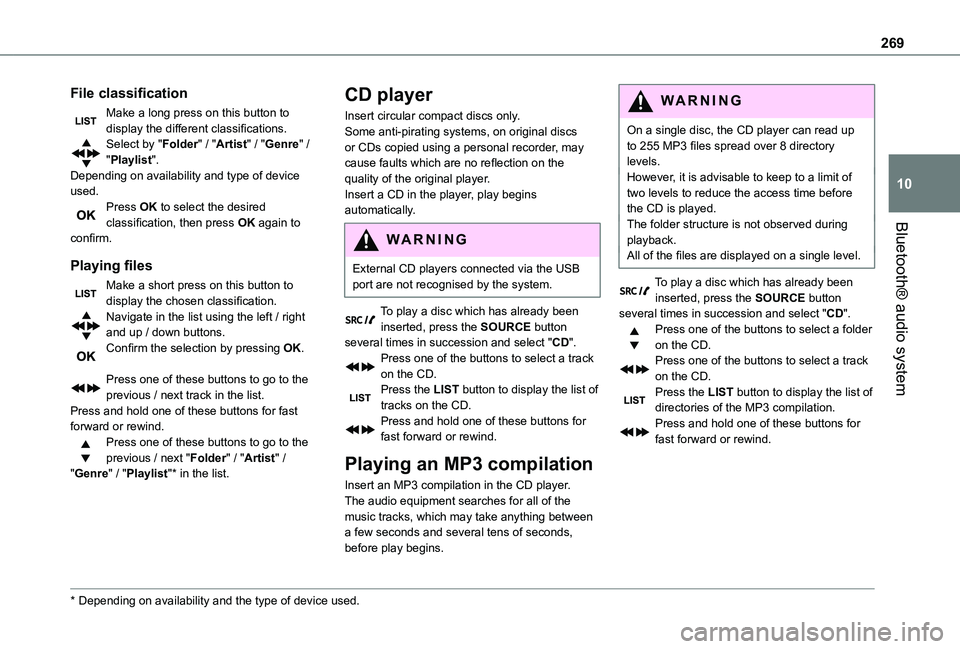
Make a long press on this button to display the different classifications.Select by "Folder" / "Artist" / "Genre" / "Playlist".Depending on availability and type of device used.Press OK to select the desired classification, then press OK again to confirm.
Playing files
Make a short press on this button to display the chosen classification.Navigate in the list using the left / right and up / down buttons.Confirm the selection by pressing OK.
Press one of these buttons to go to the previous / next track in the list.Press and hold one of these buttons for fast forward or rewind.Press one of these buttons to go to the
previous / next "Folder" / "Artist" / "Genre" / "Playlist"* in the list.
* Depending on availability and the type of device used.
CD player
Insert circular compact discs only.Some anti-pirating systems, on original discs or CDs copied using a personal recorder, may cause faults which are no reflection on the quality of the original player.Insert a CD in the player, play begins automatically.
W ARNI NG
External CD players connected via the USB port are not recognised by the system.
To play a disc which has already been inserted, press the SOURCE button several times in succession and select "CD".Press one of the buttons to select a track on the CD.Press the LIST button to display the list of tracks on the CD.Press and hold one of these buttons for fast forward or rewind.
Playing an MP3 compilation
Insert an MP3 compilation in the CD player.The audio equipment searches for all of the music tracks, which may take anything between a few seconds and several tens of seconds, before play begins.
WARNI NG
On a single disc, the CD player can read up to 255 MP3 files spread over 8 directory levels.However, it is advisable to keep to a limit of two levels to reduce the access time before the CD is played.The folder structure is not observed during playback.All of the files are displayed on a single level.
To play a disc which has already been inserted, press the SOURCE button several times in succession and select "CD".Press one of the buttons to select a folder on the CD.Press one of the buttons to select a track on the CD.Press the LIST button to display the list of directories of the MP3 compilation.Press and hold one of these buttons for fast forward or rewind.
Page 271 of 360
271
Bluetooth® audio system
10
Telephone
Pairing a Bluetooth®
telephone
WARNI NG
As a safety measure and because they require prolonged attention on the part of the
driver, the operations for pairing of the Bluetooth mobile telephone with the Bluetooth hands-free system of your audio system must be carried out with the vehicle stationary and the ignition on.
NOTIC E
Activate the telephone's Bluetooth function and ensure that it is "visible to all" (telephone configuration).
NOTIC E
The services available depend on the network, the SIM card and the compatibility of the Bluetooth telephone used.Check the instructions for your telephone and with your service provider for the services to which you have access.
Procedure from the telephone
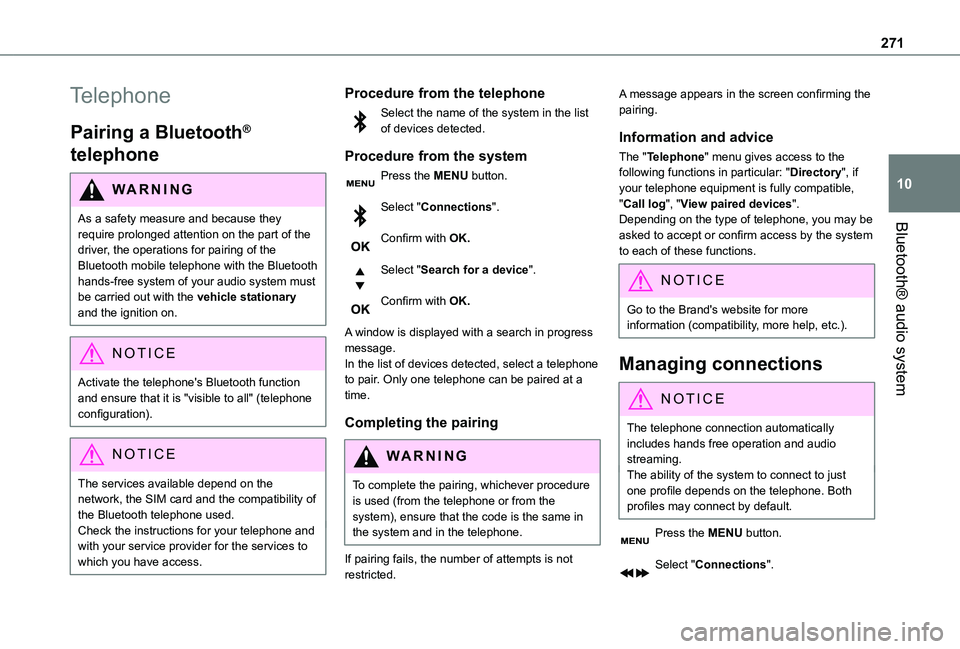
Select the name of the system in the list of devices detected.
Procedure from the system
Press the MENU button.
Select "Connections".
Confirm with OK.
Select "Search for a device".
Confirm with OK.
A window is displayed with a search in progress message.In the list of devices detected, select a telephone to pair. Only one telephone can be paired at a time.
Completing the pairing
WARNI NG
To complete the pairing, whichever procedure is used (from the telephone or from the system), ensure that the code is the same in the system and in the telephone.
If pairing fails, the number of attempts is not restricted.
A message appears in the screen confirming the pairing.
Information and advice
The "Telephone" menu gives access to the following functions in particular: "Directory", if your telephone equipment is fully compatible, "Call log", "View paired devices".Depending on the type of telephone, you may be asked to accept or confirm access by the system to each of these functions.
NOTIC E
Go to the Brand's website for more information (compatibility, more help, etc.).
Managing connections
NOTIC E
The telephone connection automatically includes hands free operation and audio streaming.The ability of the system to connect to just one profile depends on the telephone. Both profiles may connect by default.
Press the MENU button.
Select "Connections".