mirror TOYOTA PROACE VERSO 2020 Owner's Guide
[x] Cancel search | Manufacturer: TOYOTA, Model Year: 2020, Model line: PROACE VERSO, Model: TOYOTA PROACE VERSO 2020Pages: 418, PDF Size: 39.32 MB
Page 314 of 418
314
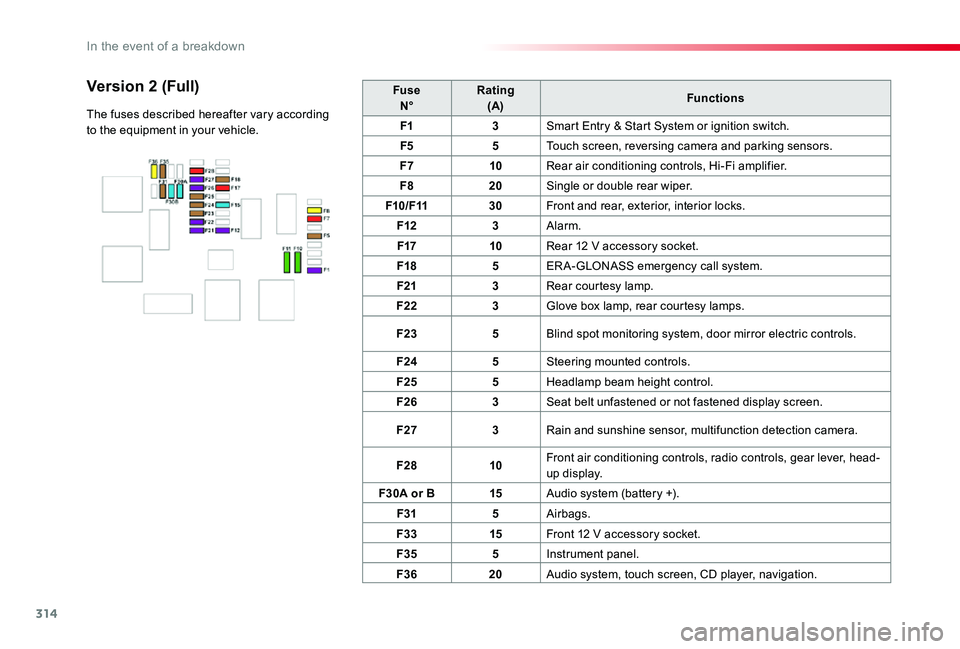
FuseN°Rating(A)Functions
F13Smart Entry & Start System or ignition switch.
F55Touch screen, reversing camera and parking sensors.
F710Rear air conditioning controls, Hi-Fi amplifier.
F820Single or double rear wiper.
F10/F1130Front and rear, exterior, interior locks.
F123Alarm.
F1710Rear 12 V accessory socket.
F185ER A-GLONASS emergency call system.
F213Rear courtesy lamp.
F223Glove box lamp, rear courtesy lamps.
F235Blind spot monitoring system, door mirror electric controls.
F245Steering mounted controls.
F255Headlamp beam height control.
F263Seat belt unfastened or not fastened display screen.
F273Rain and sunshine sensor, multifunction detection camera.
F2810Front air conditioning controls, radio controls, gear lever, head-up display.
F30A or B15Audio system (battery +).
F315Airbags.
F3315Front 12 V accessory socket.
F355Instrument panel.
F3620Audio system, touch screen, CD player, navigation.
Version 2 (Full)
The fuses described hereafter vary according to the equipment in your vehicle.
In the event of a breakdown
Page 323 of 418
323
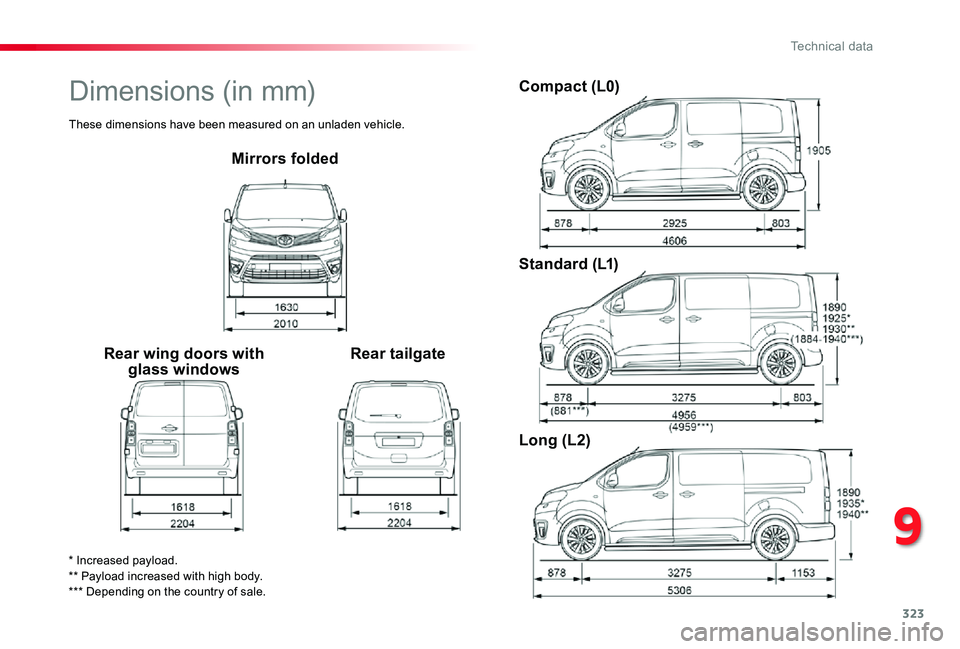
Mirrors folded
Rear wing doors with glass windowsRear tailgate
Compact (L0)
Standard (L1)
Long (L2)
* Increased payload.** Payload increased with high body.*** Depending on the country of sale.
Dimensions (in mm)
These dimensions have been measured on an unladen vehicle.
9
Technical data
Page 331 of 418
331
Toyota Pro Touch with
navigation system
GPS navigation -
Applications - Multimedia
audio system - Bluetooth®
telephone
The various functions and settings described differ according to the version and configuration of the vehicle.
For safety reasons and because they require continued attention on the part of the driver, the following operations must be carried out with the vehicle stationary and the ignition switched off:- Using a smartphone.- Pairing a Bluetooth mobile phone to the hands-free Bluetooth system of the audio system.- Smartphone connection operations for CarPlay®, MirrorLinkTM or Android Auto (certain applications interrupt their display when the vehicle starts to move again).- Watching a video (the video stops when the vehicle starts to move again).- The configuration of profiles.
The system is protected in such a way that it will only operate in the vehicle.The display of the message Energy Economy Mode signals that a change to standby is imminent.
First steps
With the engine running, a press mutes the sound.With the ignition off, a press turns the system on.
Increase or decrease the volume using the wheel or the "plus" or "minus" buttons (depending on the equipment).
Use the menu buttons on either side of or below the touch screen for access to the menus, then press the virtual buttons in the touch screen.
Depending on the model, use the "Source" or "Menu" buttons to access the rolling menus, then press the virtual buttons in the touch screen.
Display the rolling menus at any time by pressing the screen briefly with three fingers.
All of the touch areas of the screen are white.Press the back arrow to go back a level.Press "OK" to confirm.
ContentsFirst steps 331Steering mounted controls 332Menus 333Voice commands 334Navigation 342Connected navigation 344Applications 347Radio 350DAB (Digital Audio Broadcasting) radio 352Media 352Telephone 354Frequently asked questions 360
.
Toyota Pro Touch with navigation system
Page 333 of 418
333
FM 87.5 MHz
Decrease volume.Mute by pressing the volume increase and decrease buttons simultaneously (depending on equipment).Restore the sound by pressing one of the two volume buttons.
Media (short press): change the multimedia source.
Telephone (short press): start telephone call.Call in progress (short press): access telephone menu.Telephone (long press): reject an incoming call, end call ; when no call is in progress, access telephone menu.
Radio (rotate): automatic search for the previous/next station.Media (rotate): previous/next track, move in a list.Short press: confirm a selection ; if nothing selected, access to presets.
Applications
Depending on equipment/Depending on version.Operate certain applications on a smartphone connected via CarPlay®, MirrorLinkTM (available depending on the country) or Android Auto.Check the state of the Bluetooth®
and Wi-Fi connections.
Menus
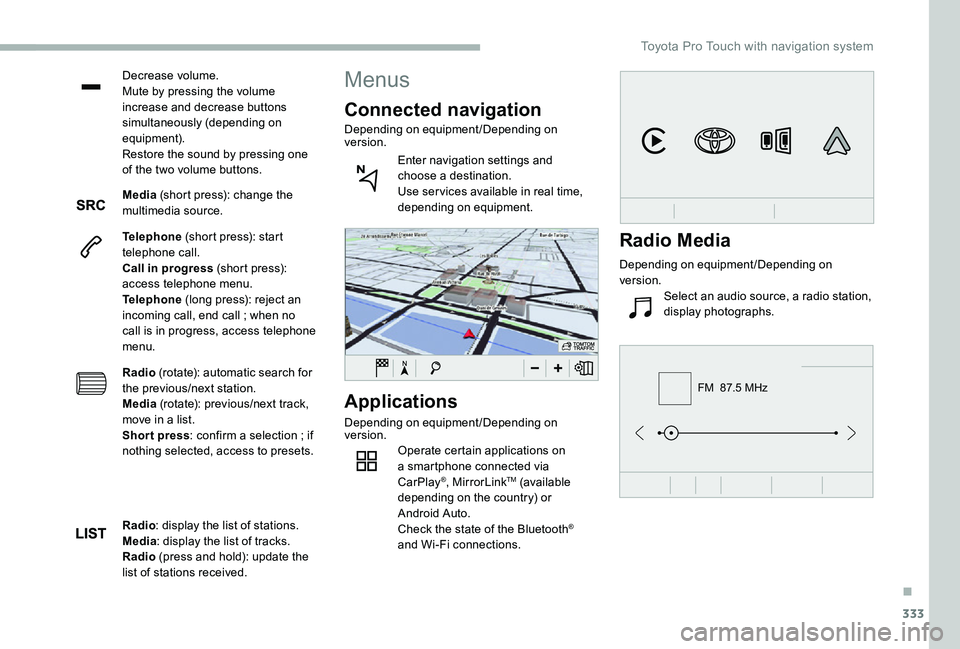
Connected navigation
Depending on equipment/Depending on version.
Enter navigation settings and choose a destination.Use ser vices available in real time, depending on equipment.
Radio: display the list of stations.Media: display the list of tracks.Radio (press and hold): update the list of stations received.
Radio Media
Depending on equipment/Depending on version.
Select an audio source, a radio station, display photographs.
.
Toyota Pro Touch with navigation system
Page 345 of 418
345
OR
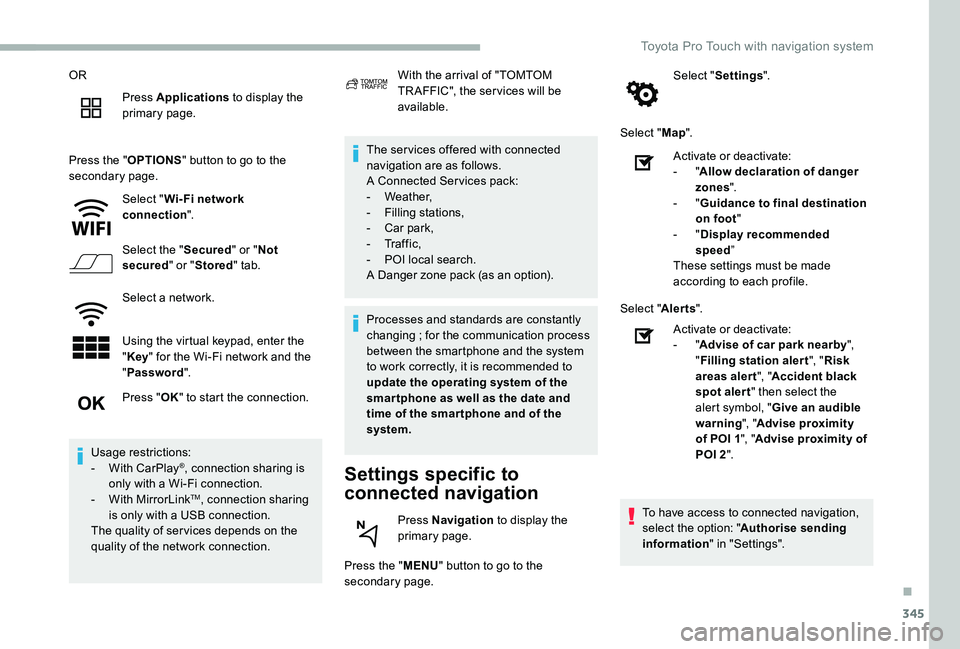
Press Applications to display the primary page.
Press the "OPTIONS" button to go to the secondary page.
Select "Wi- Fi network connection".
Select the "Secured" or "Not secured" or "Stored" tab.
Select a network.
Using the virtual keypad, enter the "Key" for the Wi-Fi network and the "Password".
The ser vices offered with connected navigation are as follows.A Connected Ser vices pack:- Weather,- Filling stations,- Car park,
- Tr a f f i c ,- POI local search.A Danger zone pack (as an option).
Settings specific to
connected navigation
Press the "MENU" button to go to the secondary page.
Select "Settings".
Select "Map".
Press "OK" to start the connection.
Usage restrictions:- With CarPlay®, connection sharing is only with a Wi-Fi connection.- With MirrorLinkTM, connection sharing is only with a USB connection.The quality of ser vices depends on the quality of the network connection.
With the arrival of "TOMTOM TR AFFIC", the ser vices will be available.
Processes and standards are constantly changing ; for the communication process between the smartphone and the system to work correctly, it is recommended to update the operating system of the smar tphone as well as the date and time of the smar tphone and of the system.
Press Navigation to display the primary page.
Activate or deactivate:- "Allow declaration of danger zones".- "Guidance to final destination on foot"- "Display recommended speed”These settings must be made according to each profile.
Select "Alerts".
Activate or deactivate:- "Advise of car park nearby", "Filling station alert", "Risk areas alert", "Accident black spot alert" then select the alert symbol, "Give an audible warning", "Advise proximity of POI 1", "Advise proximity of POI 2".
To have access to connected navigation, select the option: "Authorise sending information" in "Settings".
.
Toyota Pro Touch with navigation system
Page 347 of 418
347
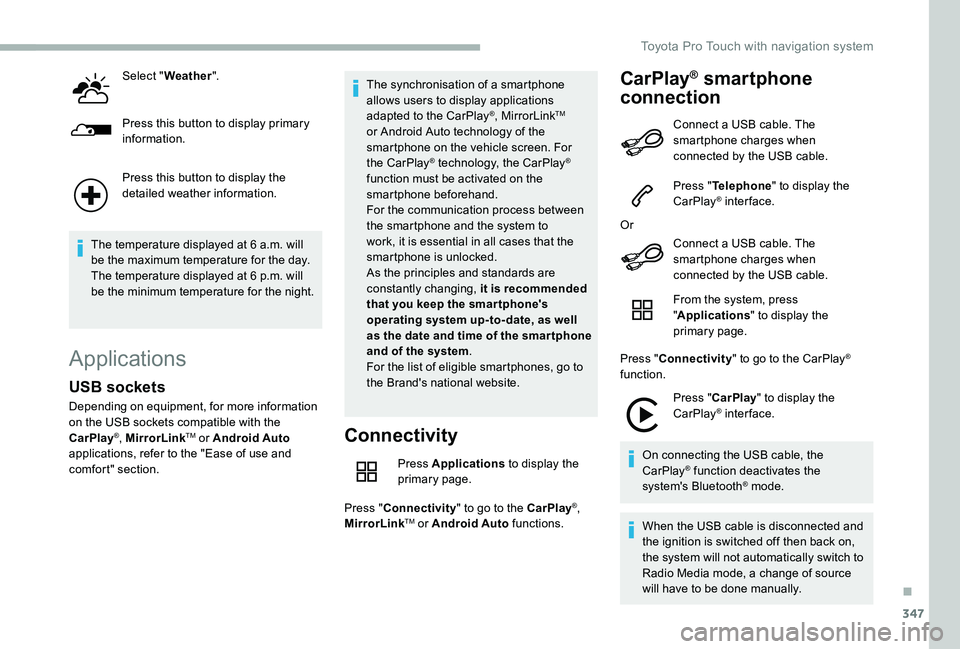
Select "Weather".
Press this button to display primary information.
Press this button to display the detailed weather information.
The temperature displayed at 6 a.m. will be the maximum temperature for the day.The temperature displayed at 6 p.m. will be the minimum temperature for the night.
Applications
Connectivity
Press Applications to display the primary page.
Press "Connectivity" to go to the CarPlay®, MirrorLinkTM or Android Auto functions.
CarPlay® smartphone
connection
USB sockets
Depending on equipment, for more information on the USB sockets compatible with the CarPlay®, MirrorLinkTM or Android Auto applications, refer to the "Ease of use and comfort" section.
The synchronisation of a smartphone allows users to display applications adapted to the CarPlay®, MirrorLinkTM or Android Auto technology of the smartphone on the vehicle screen. For the CarPlay® technology, the CarPlay® function must be activated on the smartphone beforehand.For the communication process between the smartphone and the system to work, it is essential in all cases that the smartphone is unlocked.As the principles and standards are constantly changing, it is recommended that you keep the smar tphone's operating system up-to- date, as well as the date and time of the smar tphone and of the system.For the list of eligible smartphones, go to the Brand's national website.
Connect a USB cable. The smartphone charges when connected by the USB cable.
Press "Telephone" to display the CarPlay® inter face.
Or
Connect a USB cable. The
smartphone charges when connected by the USB cable.
From the system, press "Applications" to display the primary page.
Press "Connectivity" to go to the CarPlay® function.
Press "CarPlay" to display the CarPlay® inter face.
On connecting the USB cable, the CarPlay® function deactivates the system's Bluetooth® mode.
When the USB cable is disconnected and the ignition is switched off then back on, the system will not automatically switch to Radio Media mode, a change of source will have to be done manually.
.
Toyota Pro Touch with navigation system
Page 348 of 418
348
MirrorLinkTM smartphone
connection
The "MirrorLinkTM" function requires the use of a compatible smartphone and compatible applications.
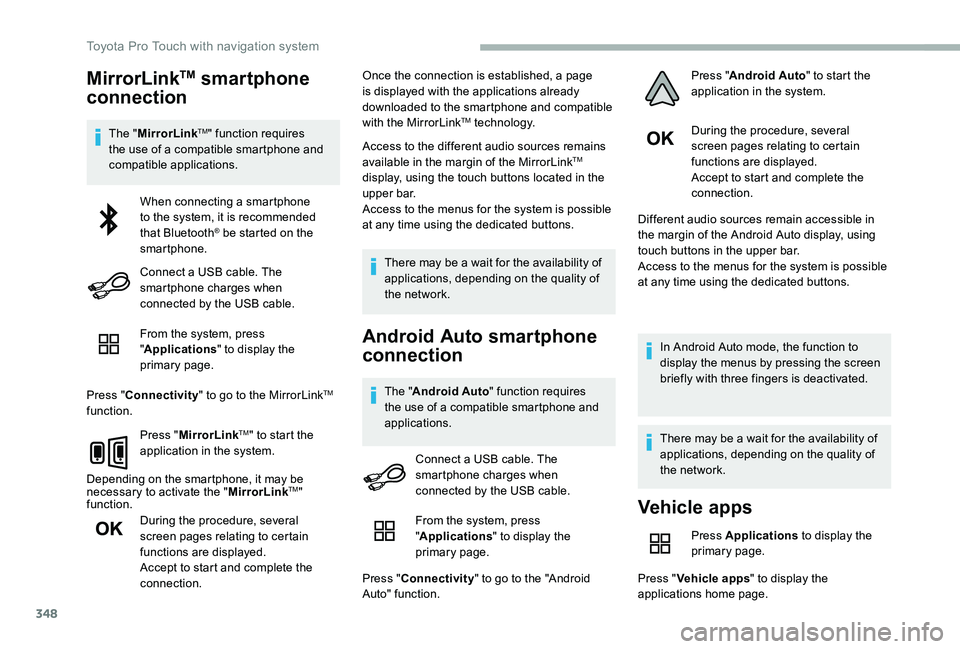
From the system, press "Applications" to display the primary page.
Press "Connectivity" to go to the MirrorLinkTM function.
Press "MirrorLinkTM" to start the application in the system.
Depending on the smartphone, it may be necessary to activate the "MirrorLinkTM" function.
During the procedure, several screen pages relating to certain functions are displayed.Accept to start and complete the connection.
Once the connection is established, a page is displayed with the applications already downloaded to the smartphone and compatible with the MirrorLinkTM technology.
Access to the different audio sources remains available in the margin of the MirrorLinkTM display, using the touch buttons located in the upper bar.Access to the menus for the system is possible at any time using the dedicated buttons.
There may be a wait for the availability of applications, depending on the quality of the network.
Android Auto smartphone
connection
The "Android Auto" function requires the use of a compatible smartphone and applications.
During the procedure, several screen pages relating to certain functions are displayed.Accept to start and complete the connection.
Different audio sources remain accessible in the margin of the Android Auto display, using touch buttons in the upper bar.Access to the menus for the system is possible at any time using the dedicated buttons.
In Android Auto mode, the function to display the menus by pressing the screen briefly with three fingers is deactivated.
There may be a wait for the availability of applications, depending on the quality of the network.
When connecting a smartphone to the system, it is recommended that Bluetooth® be started on the smartphone.
Connect a USB cable. The smartphone charges when connected by the USB cable.
Connect a USB cable. The smartphone charges when connected by the USB cable.
Vehicle apps
Press Applications to display the primary page.
Press "Vehicle apps" to display the applications home page.
From the system, press "Applications" to display the
primary page.
Press "Connectivity" to go to the "Android Auto" function.
Press "Android Auto" to start the application in the system.
Toyota Pro Touch with navigation system
Page 367 of 418
367
To y o t a P r o To u c h
Multimedia audio system -
Applications - Bluetooth®
telephone
The various functions and settings described differ according to the version and configuration of the vehicle.
For safety reasons and because they require continued attention on the part of the driver, the following operations must be carried out with the vehicle stationary and the ignition on:- Using a smartphone.- Pairing a Bluetooth mobile phone to the hands-free Bluetooth system of the car radio.- Smartphone connection operations for CarPlay®, MirrorLinkTM or Android Auto (certain applications interrupt their display when the vehicle starts to move again).- The configuration of profiles.
The system is protected in such a way that it will only operate in the vehicle.The display of the message Energy Economy Mode signals that a change to standby is imminent.
First steps
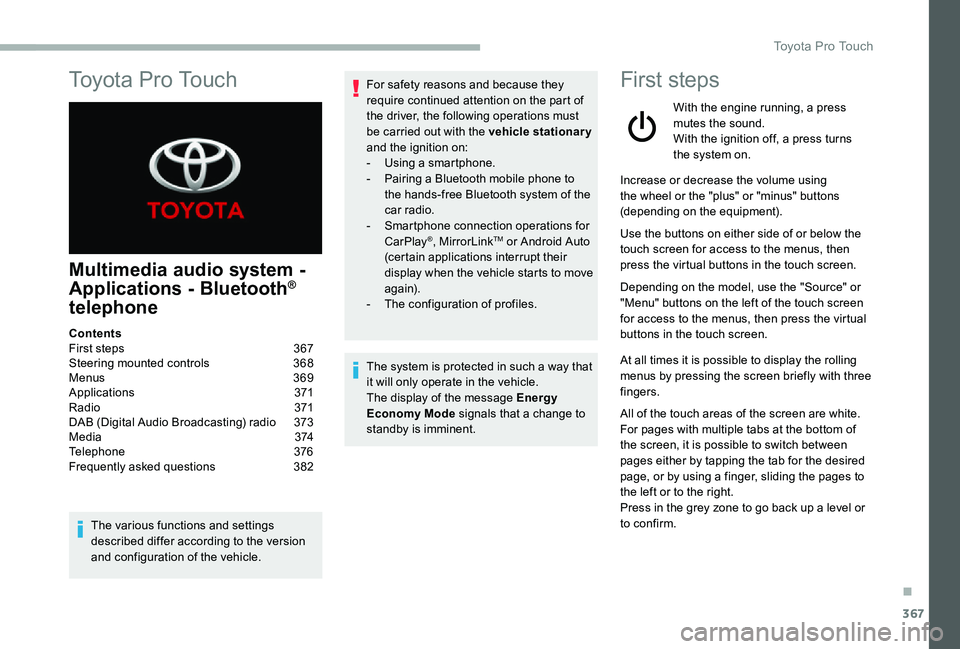
With the engine running, a press mutes the sound.With the ignition off, a press turns the system on.
Increase or decrease the volume using the wheel or the "plus" or "minus" buttons (depending on the equipment).
Use the buttons on either side of or below the touch screen for access to the menus, then press the virtual buttons in the touch screen.
Depending on the model, use the "Source" or "Menu" buttons on the left of the touch screen for access to the menus, then press the virtual buttons in the touch screen.
At all times it is possible to display the rolling menus by pressing the screen briefly with three fingers.
All of the touch areas of the screen are white.For pages with multiple tabs at the bottom of
the screen, it is possible to switch between pages either by tapping the tab for the desired page, or by using a finger, sliding the pages to the left or to the right.Press in the grey zone to go back up a level or to confirm.
ContentsFirst steps 367Steering mounted controls 368Menus 369Applications 371R adi o 371DAB (Digital Audio Broadcasting) radio 373M e d i a 3 74Telephone 376Frequently asked questions 382
.
Toyota Pro Touch
Page 370 of 418
370
21,518,5
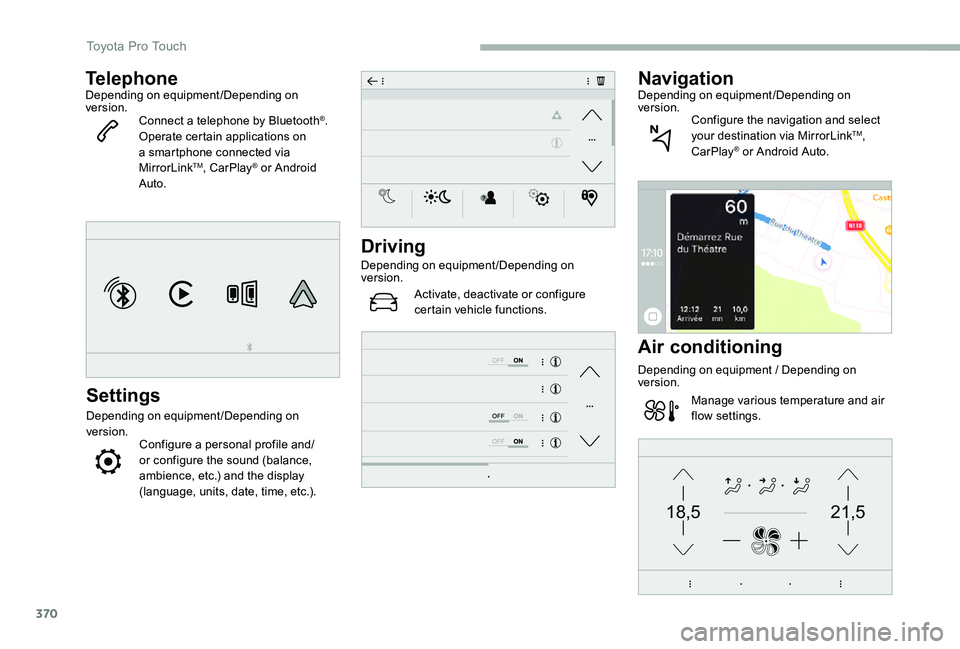
TelephoneDepending on equipment/Depending on version.Connect a telephone by Bluetooth®.Operate certain applications on a smartphone connected via MirrorLinkTM, CarPlay® or Android Auto.
Settings
Depending on equipment/Depending on version.Configure a personal profile and/or configure the sound (balance, ambience, etc.) and the display (language, units, date, time, etc.).
Driving
Depending on equipment/Depending on version.
Activate, deactivate or configure certain vehicle functions.
NavigationDepending on equipment/Depending on version.Configure the navigation and select your destination via MirrorLinkTM, CarPlay® or Android Auto.
Air conditioning
Depending on equipment / Depending on version.
Manage various temperature and air flow settings.
Toyota Pro Touch
Page 376 of 418
376
It is recommended that file names are less than 20 characters long and do not contain any special characters (e.g. « » ? . ; ù) so as to avoid any reading or display problems.
Use only USB memory sticks in FAT32 format (File Allocation Table).
It is recommended that the original USB cable for the portable device be used.
In order to be able to play a burned CDR or
CDRW, select standards ISO 9660 level 1, 2, or Joliet, if possible, when burning the CD.If the disc is burned in another format, it may not be played correctly.It is recommended that the same burning standard be always used on an individual disc, with the lowest speed possible (4x maximum) for the best acoustic quality.In the particular case of a multi-session CD, the Joliet standard is recommended.
TelephoneMirrorLinkTM smartphone
connection
The "MirrorLinkTM" function requires a compatible smartphone and applications.
Telephone not connected by Bluetooth®
Connect a USB cable. The smartphone charges when connected by the USB cable.
From the system, press "Telephone" to display the primary page.
Press "MirrorLinkTM" to start the application in the system.
Depending on the smartphone, it may be necessary to activate the "MirrorLinkTM" function.
During the procedure, several screen pages relating to certain functions are displayed.Accept to start and complete the connection.
When connecting a smartphone to the system, it is recommended that Bluetooth® be started on the smartphone.
Telephone connected by Bluetooth®
From the system, press "Telephone" to display the primary
page.
USB sockets
Depending on equipment, for more information on the USB sockets compatible with the CarPlay®, MirrorLinkTM or Android Auto applications, refer to the "Ease of use and comfort" section.
The synchronisation of a smartphone allows users to display applications adapted to the CarPlay®, MirrorLinkTM or Android Auto technology of the smartphone on the vehicle screen. For the CarPlay® technology, the CarPlay® function must be activated on the smartphone beforehand.For the communication process between the smartphone and the system to work, it is essential in all cases that the smartphone is unlocked.As the principles and standards are constantly changing, it is recommended that you keep the smar tphone's operating system up-to- date, as well as the date and time of the smar tphone and of the system.For the list of eligible smartphones, go to the Brand's national website.
Connect a USB cable. The smartphone charges when connected by the USB cable.
Toyota Pro Touch