automatic TOYOTA RAV4 2010 XA30 / 3.G User Guide
[x] Cancel search | Manufacturer: TOYOTA, Model Year: 2010, Model line: RAV4, Model: TOYOTA RAV4 2010 XA30 / 3.GPages: 513, PDF Size: 9.05 MB
Page 145 of 513
145
2-1. Driving procedures
2
When driving
■
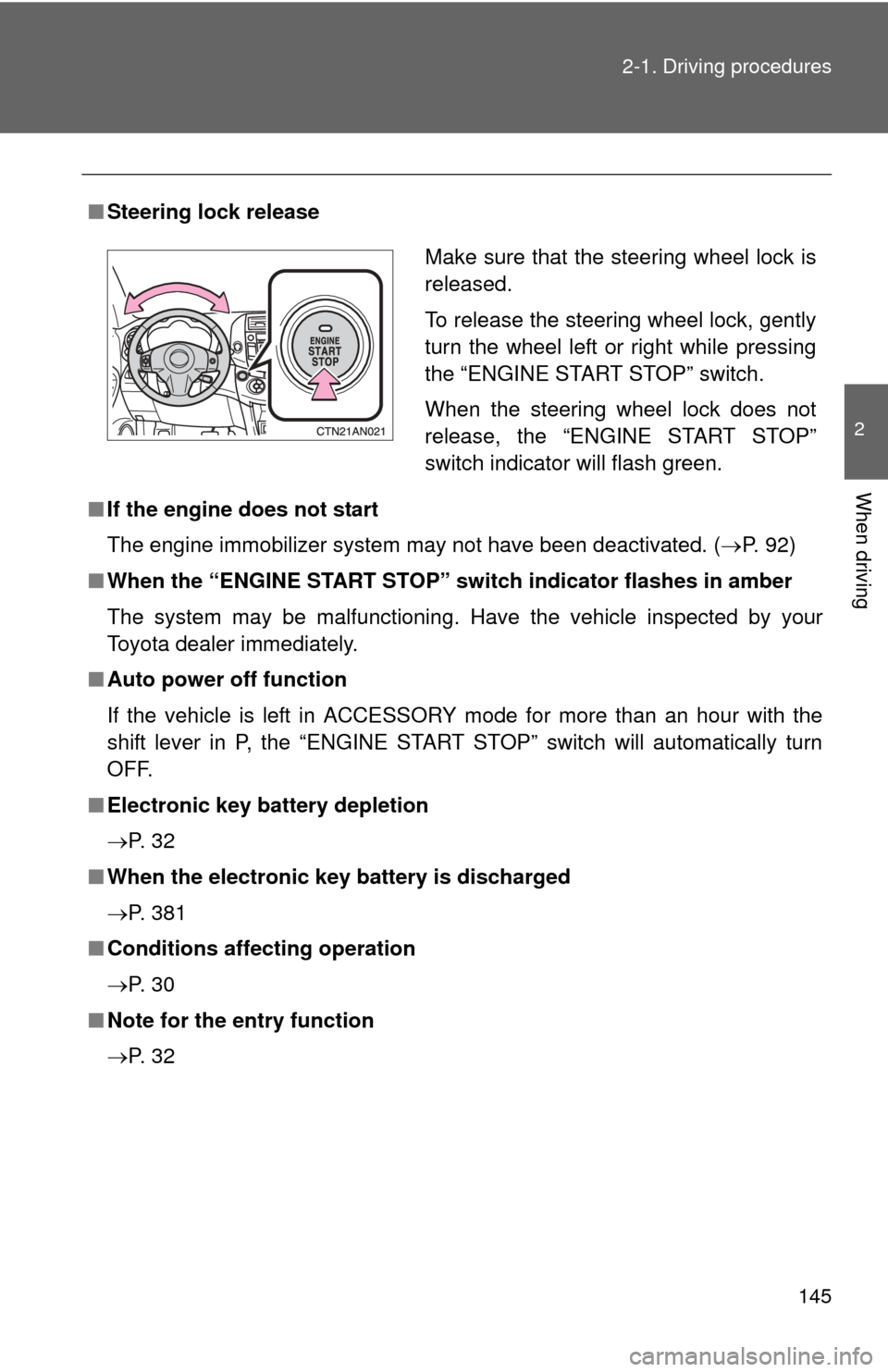
Steering lock release
■ If the engine does not start
The engine immobilizer system may not have been deactivated. ( P. 92)
■ When the “ENGINE START STOP” sw itch indicator flashes in amber
The system may be malfunctioning. Have the vehicle inspected by your
Toyota dealer immediately.
■ Auto power off function
If the vehicle is left in ACCESSORY mode for more than an hour with the
shift lever in P, the “ENGINE START STOP” switch will automatically turn
OFF.
■ Electronic key battery depletion
P. 3 2
■ When the electronic key battery is discharged
P. 381
■ Conditions affecting operation
P. 3 0
■ Note for the entry function
P. 3 2
Make sure that the steering wheel lock is
released.
To release the steering wheel lock, gently
turn the wheel left or right while pressing
the “ENGINE START STOP” switch.
When the steering wheel lock does not
release, the “ENGINE START STOP”
switch indicator will flash green.
Page 150 of 513
150
2-1. Driving procedures
Automatic transmission
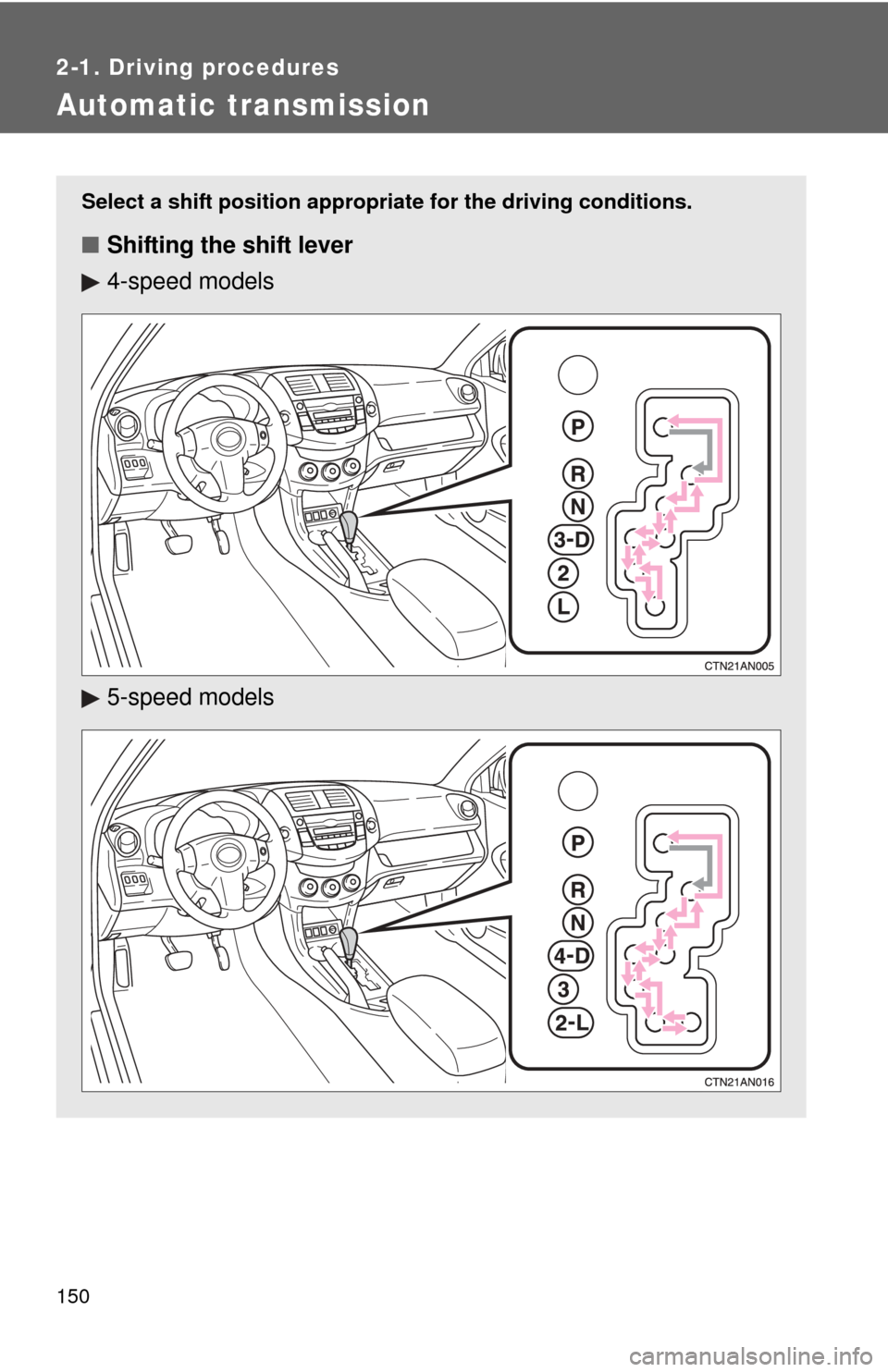
Select a shift position appropriate for the driving conditions.
■Shifting the shift lever
4-speed models
5-speed models
Page 157 of 513
157
2-2. Instrument cluster
2
When driving
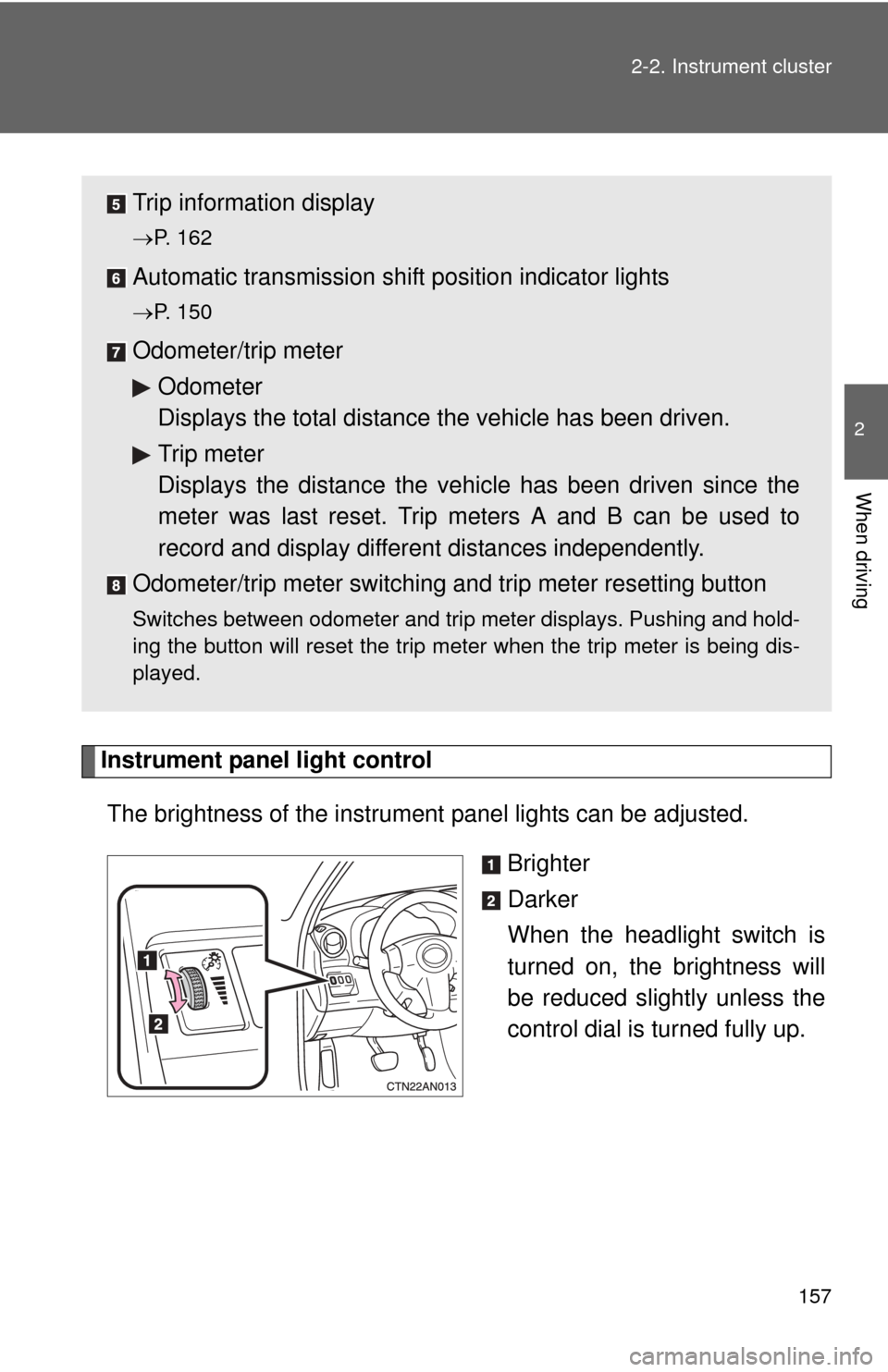
Instrument panel light control
The brightness of the instrument panel lights can be adjusted.
Brighter
Darker
When the headlight switch is
turned on, the brightness will
be reduced slightly unless the
control dial is turned fully up.
Trip information display
P. 162
Automatic transmission shift position indicator lights
P. 150
Odometer/trip meterOdometer
Displays the total distance the vehicle has been driven.
Trip meter
Displays the distance the vehi cle has been driven since the
meter was last reset. Trip meters A and B can be used to
record and display different distances independently.
Odometer/trip meter switching and trip meter resetting button
Switches between odometer and trip meter displays. Pushing and hold-
ing the button will reset the trip meter when the trip meter is being dis-
played.
Page 165 of 513
165
2
When driving
2-3. Operating the lights and wipers
Headlight switch
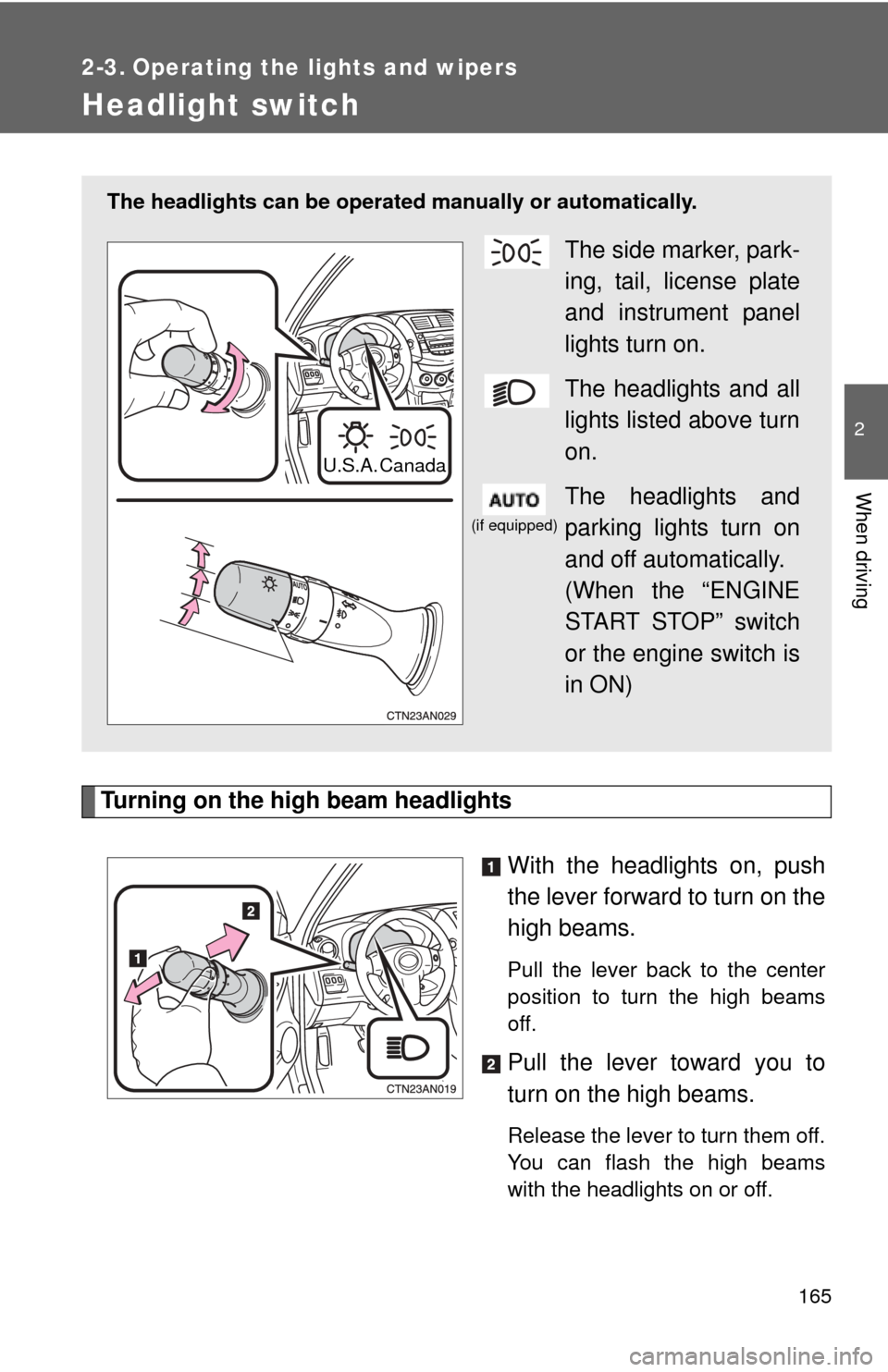
Turning on the high beam headlightsWith the headlights on, push
the lever forward to turn on the
high beams.
Pull the lever back to the center
position to turn the high beams
off.
Pull the lever toward you to
turn on the high beams.
Release the lever to turn them off.
You can flash the high beams
with the headlights on or off.
The headlights can be operated manually or automatically.
The side marker, park-
ing, tail, license plate
and instrument panel
lights turn on.
The headlights and all
lights listed above turn
on.
The headlights and
parking lights turn on
and off automatically.
(When the “ENGINE
START STOP” switch
or the engine switch is
in ON)
U.S.A. Canada
(if equipped)
Page 166 of 513
166 2-3. Operating the lights and wipers
■Daytime running light system (if equipped)
To make your vehicle more visible to other drivers, the headlights turn on
automatically (at a reduced intensity) whenever the engine is started and the
parking brake is released. Daytime running lights are not designed for use at
night.
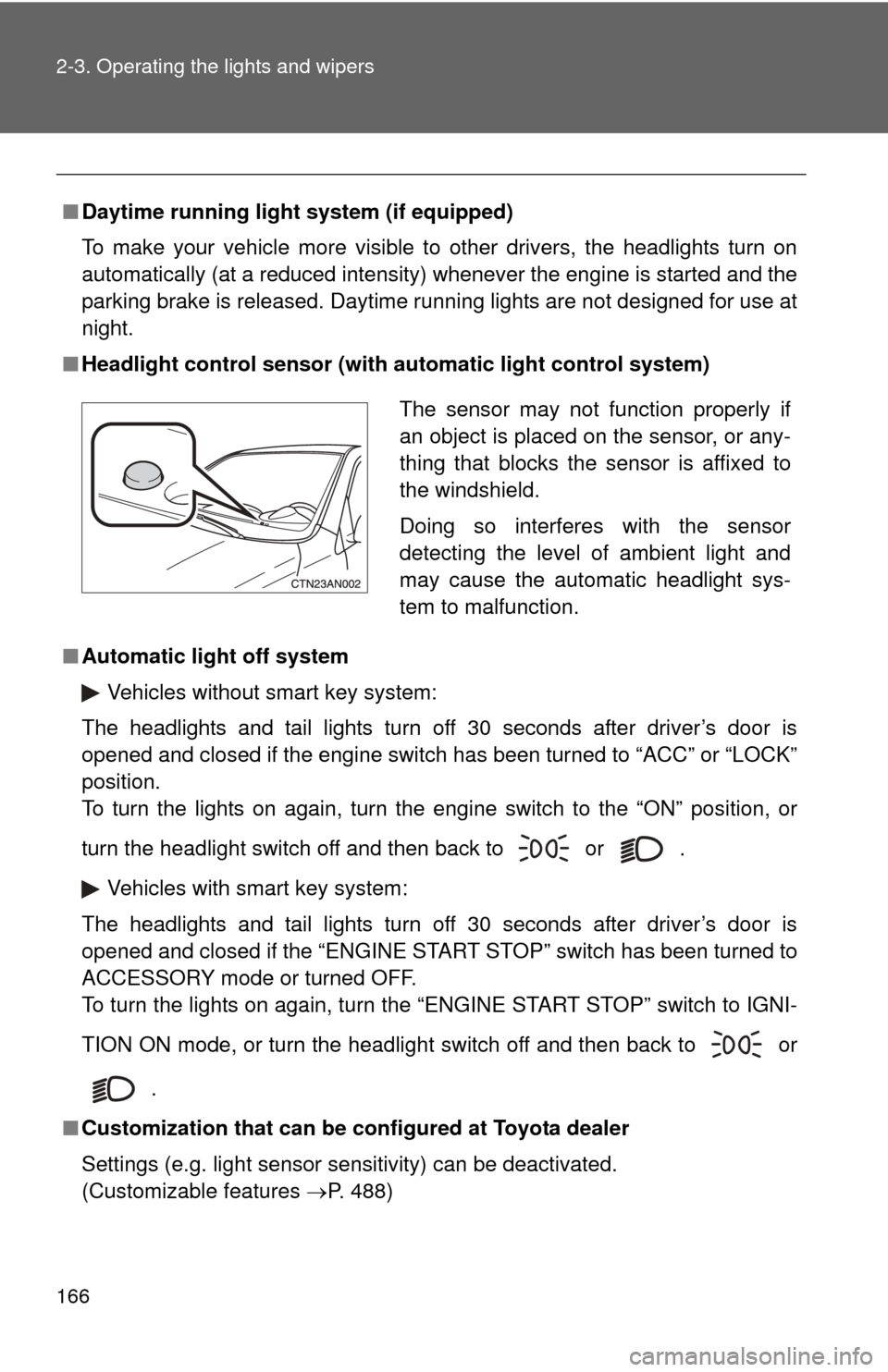
■ Headlight control sensor (with au tomatic light control system)
■ Automatic light off system
Vehicles without smart key system:
The headlights and tail lights turn off 30 seconds after driver’s door is
opened and closed if the engine switch has been turned to “ACC” or “LOCK”
position.
To turn the lights on again, turn the engine switch to the “ON” position, or
turn the headlight switch off and then back to or .
Vehicles with smart key system:
The headlights and tail lights turn off 30 seconds after driver’s door is
opened and closed if the “ENGINE START STOP” switch has been turned to
ACCESSORY mode or turned OFF.
To turn the lights on again, turn the “ENGINE START STOP” switch to IGNI-
TION ON mode, or turn the headlight switch off and then back to or
.
■ Customization that can be co nfigured at Toyota dealer
Settings (e.g. light sensor sensitivity) can be deactivated.
(Customizable features P. 488)
The sensor may not function properly if
an object is placed on the sensor, or any-
thing that blocks the sensor is affixed to
the windshield.
Doing so interferes with the sensor
detecting the level of ambient light and
may cause the automatic headlight sys-
tem to malfunction.
Page 170 of 513
170 2-3. Operating the lights and wipers
■The windshield wipers and washer can be operated when
Vehicles without smart key system
The engine switch is in the “ON” position.
Vehicles with smart key system
The “ENGINE START STOP” switch is in IGNITION ON mode.
■ If no windshield washer fluid sprays
Check that the washer nozzles are not blocked and if there is washer fluid in
the windshield washer fluid reservoir.
NOTICE
■When the windshield is dry
Do not use the wipers, as they may damage the windshield.
■ When there is no washer fluid spray from the nozzle
Damage to the washer fluid pump may be caused if the lever is pulled
toward you and held continually.
■ When a nozzle is blocked
Do not try to clear it with a pin or other object. The nozzle will be damaged.
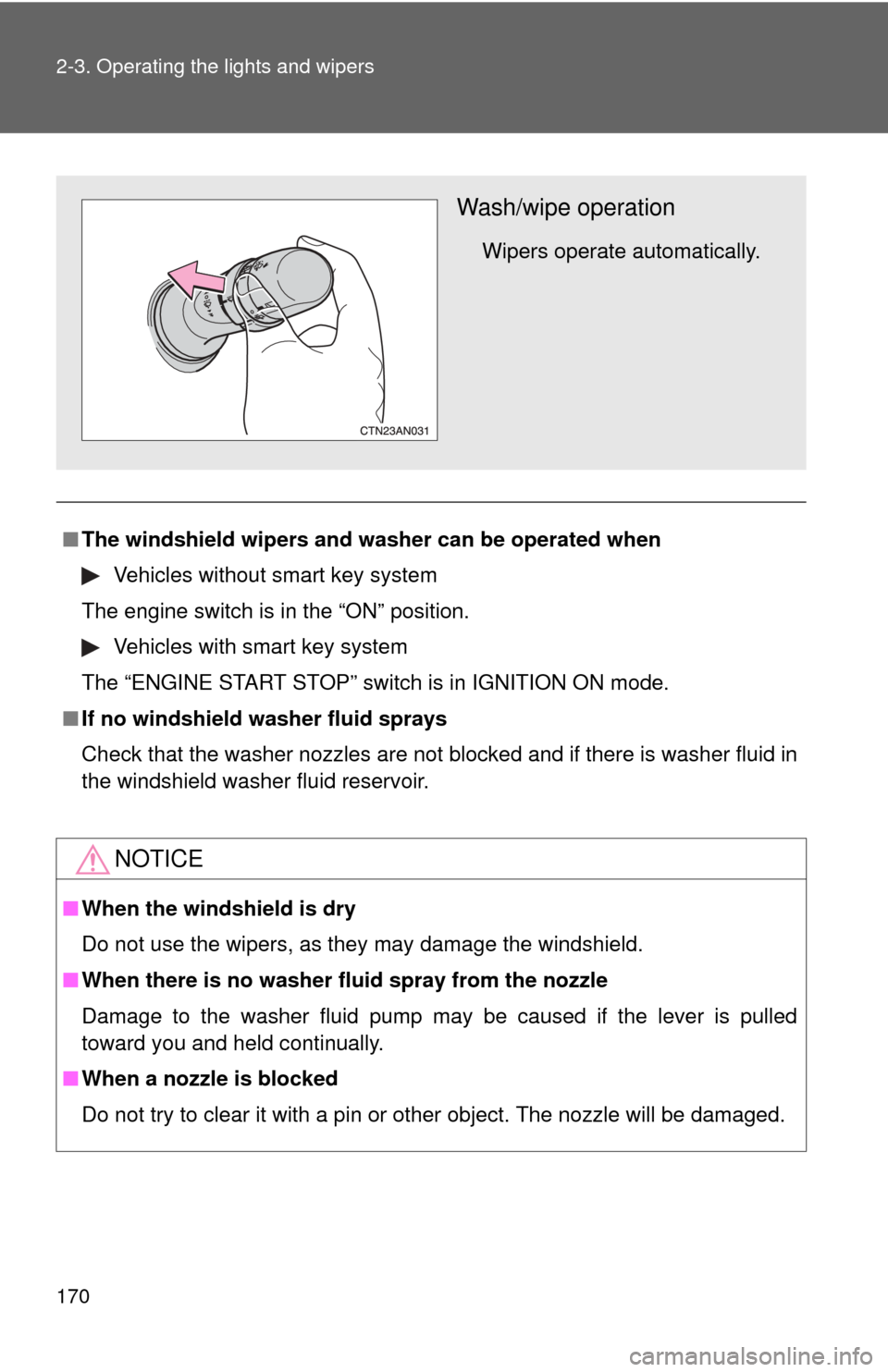
Wash/wipe operation
Wipers operate automatically.
Page 174 of 513
174 2-4. Using other driving systems
■Coast braking function
●Holding the lever down to decrease the set speed activates the brake
system automatically, decelerating the vehicle quickly.
While the brake system is operating, the stop lights and high mounted
stoplight will turn on.
● A sound may be heard from the engine compartment during the opera-
tion of the brake system. The sound means the brake system is operat-
ing and it does not indicate a malfunction.
■ Automatic cruise control cancellation
The set speed is automatically cancelled in any of the following situations.
●Actual vehicle speed falls more than 10 mph (16 km/h) below the preset
vehicle speed.
At this time, the memorized set speed is not retained.
● Actual vehicle speed is below 25 mph (40 km/h).
● Enhanced VSC is activated.
■ If the cruise control indicator light flashes
Turn the “ON-OFF” button off once, and then reactivate the system.
If the cruise control speed cannot be set or if the cruise control cancels
immediately after being activated, there may be a malfunction in the cruise
control system. Contact your Toyota dealer and have your Toyota inspected.
CAUTION
■To avoid operating the cruise control by mistake
Keep the “ON-OFF” button off when not in use.
■ Situations unsuitable for cruise control
Do not use cruise control in any of the following situations.
Doing so may result in control of the vehicle being lost and could cause an
accident resulting in death or serious injury.
●In heavy traffic
● On roads with sharp bends
● On winding roads
● On slippery roads, such as those covered with rain, ice or snow
● On steep hills
Page 180 of 513
180
2-4. Using other driving systems
Driving assist systems
To help enhance driving safety and performance, the following sys-
tems operate automatically in res ponse to various driving situations.
Be aware, however, that these systems are supplementary and
should not be relied upon too h eavily when operating the vehicle.
■ABS (Anti-lock Brake System)
Helps to prevent wheel lock when the brakes are applied suddenly, or if
the brakes are applied while driving on a slippery road surface.
■Brake assist
Generates an increased level of braking force after the brake pedal is
depressed, when the system detects a panic stop situation.
■Enhanced VSC (Enhanced Vehicle Stability Control)
Helps the driver to control skidding when swerving suddenly or turning
on slippery road surfaces.
■TRAC (Traction Control)
Maintains drive power and prevents the drive wheels from spinning
when starting the vehicle or accelerating on slippery roads.
■AUTO LSD function (2WD models)
The AUTO LSD function is activated when the system is in TRAC off
mode. It operates when one of the drive wheels is spinning, such as
when the wheel is spinning freely on ice or mud. The system applies
the brakes to the spinning wheel and transfers some of the torque to
the other wheel to secure drive power.
■Active torque control 4WD system (4WD models)
Automatically switches from front-wheel drive to four-wheel drive
(4WD) according to the driving conditions, helping to ensure reliable
handling and stability. Examples of conditions where the system will
switch to 4WD are when cornering, going uphill, starting off or acceler-
ating, and when the road surface is slippery due to snow, rain, etc.
■EPS (Electric Power Steering)
Employs an electric motor to reduce the amount of effort needed to turn
the steering wheel.
Page 184 of 513

184 2-4. Using other driving systems
■Automatic reactivation of TRAC and Enhanced VSC
Vehicles without smart key system
Turning the engine switch OFF after turning off the TRAC and Enhanced
VSC systems will automatically re-enable them.
Vehicles with smart key system
Turning the “ENGINE START STOP” switch OFF after turning off the TRAC
and Enhanced VSC systems will automatically re-enable them.
■ Automatic TRAC reactivation
2WD models
If only the TRAC system is turned off, the TRAC system will be reactivated
while vehicle speed is increased. 4WD models
If only the TRAC system is turned off, the TRAC system will turn on when
vehicle speed increases.
■ Automatic TRAC and Enha nced VSC reactivation
If the TRAC and Enhanced VSC systems are turned off, the systems will not
turn on even when vehicle speed increases.
■ Sounds and vibrations caused by the ABS, TRAC and Enhanced VSC
● A sound may be heard from the engine compartment when the engine is
started or just after the vehicle begins to move. This sound does not indi-
cate that a malfunction has occurred in any of these systems.
● Any of the following conditions may occur when the above systems are
operating. None of these indicates that a malfunction has occurred.
• Vibrations may be felt through the vehicle body and steering.
• A motor sound may be heard after the vehicle comes to a stop.
• The brake pedal may pulsate slightly when the ABS is activated.
• The brake pedal may move down slightly after the ABS is activated.
■ When the AUTO LSD function operates continuously
The brake actuator may overheat. In that case, the system will stop the
AUTO LSD function, a buzzer will sound and the slip indicator will stay on
steady. Refrain from using the AUTO LSD function until the slip indicator
goes off. (There is no problem with continuing driving normally.)
Page 191 of 513

191
2-4. Using other
driving systems
2
When driving
CAUTION
■Conditions which may affect the downhill assist control system opera-
tion
● Do not rely too heavily on the downhill assist control system. On extremely
steep inclines, icy surfaces or muddy roads, the vehicle may slip and the
system may not be able to maintain the constant low vehicle speed of
about 3 mph (5 km/h), leading to an accident causing death or serious
injury.
● Do not shift the shift lever to R while driving forward, or to D while driving
backward. Doing so may cause the wheels to lock up, leading to an acci-
dent causing death or serious injury. In addition, excessive stress will be
applied to the automatic transmission, possibly resulting in damage.