differ TOYOTA RAV4 2010 XA30 / 3.G User Guide
[x] Cancel search | Manufacturer: TOYOTA, Model Year: 2010, Model line: RAV4, Model: TOYOTA RAV4 2010 XA30 / 3.GPages: 513, PDF Size: 9.05 MB
Page 214 of 513
214 2-5. Driving information
Trailer towing tipsYour vehicle will handle differently when towing a trailer. The 3 main
causes of vehicle-trailer accidents are driver error, excessive speed
and improper trailer loading. Keep the following in mind when towing.
● Before starting out, check the trailer lights and the vehicle-trailer
connections. Recheck after driving a short distance.
● Practice turning, stopping and reve rsing with the trailer attached in
an area away from traffic until you become accustomed to the feel
of the vehicle.
NOTICE
■ When installing a trailer hitch
●Use only the position recommended by your Toyota dealer. Do not install
the trailer hitch on the bumper; this may cause body damage.
● Do not use axle-mounted hitches, as they can cause damage to the axle
housing, wheel bearings, wheels or tires.
■ Brakes
Toyota recommends trailers with brakes that conform to all applicable fed-
eral and state/provincial regulations.
■ Safety chain
A safety chain must always be used between the towing vehicle and the
trailer. Leave sufficient slack in the chain for turns. The chain should cross
under the trailer tongue to prevent the tongue from dropping to the ground in
the case that it becomes damaged or separated. For the correct safety chain
installation procedure, ask your Toyota dealer.
■ Do not directly splice trailer lights
Directly splicing trailer lights may damage your vehicle's electrical system
and cause a malfunction.
Page 224 of 513
224 3-1. Using the air conditioning system and defogger
■Using the system in recirculated air mode
The windows will fog up more easily if the recirculated air mode is used for
an extended period.
■ Window defogger feature
Recirculated air mode may automatically be switched to outside air mode in
situations where the windows need to be defogged.
■ When outside air temperat ure approaches 32°F (0°C)
The air conditioning system may not operate even when
is pressed.
■ When the indicator light on flashes
Press
and turn off the air conditioning system before turning it on once
more. There may be a problem in the ai r conditioning system if the indicator
light keeps flashing. Turn the air conditioning system off and have it
inspected by your Toyota dealer.
■ When
is selected for the air outlets used
For your driving comfort, air flowing to the feet may be warmer than air flow-
ing to the upper body depending on the position of the temperature setting.
■ Air conditioning odors
●During use, various odors from inside and outside the vehicle may enter
into and accumulate in the air conditioning system. This may then cause
odor to be emitted from the vents.
● To reduce potential odors from occurring:
It is recommended that the air conditioning system be set to outside air
mode prior to turning the vehicle off.
CAUTION
■To prevent the windshield from fogging up
Do not set the air outlet selection dial to during cool air operation in
extremely humid weather. The difference between the temperature of the
outside air and that of the windshield can cause the outer surface of the
windshield to fog up, blocking your vision.
Page 233 of 513
233
3-1. Using the air conditioning system
and defogger
3
Interior features
CAUTION
■To prevent the windshield from fogging up
Do not use during cool air operation in extremely humid weather. The
difference between the temperature of the outside air and that of the wind-
shield can cause the outer surface of the windshield to fog up, blocking your
vision.
NOTICE
■To prevent battery discharge
Do not leave the air conditioning system on longer than necessary when the
engine is off.
Page 243 of 513
242 3-2. Using the audio system
■When the battery is disconnected
Station presets are erased.
■ Reception sensitivity
●Cargo loaded on the roof luggage carrier, especially metal objects, may
adversely affect the reception of XM
® Satellite Radio.
● Maintaining perfect radio reception at all times is difficult due to the con-
tinually changing position of the antenna, differences in signal strength
and surrounding objects, such as trains, transmitters, etc.
● The radio antenna is mounted on the roof. The antenna can be removed
from the base by turning it.
■ XM
® Satellite Radio (if equipped)
An XM
® Satellite Radio is a tuner designed exclusively to receive broadcasts
provided under a separate subscription. Availability is limited to the 48 con-
tiguous states and 10 Canadian provinces.
● XM
® subscriptions
For detailed information about XM® Satellite Radio or to subscribe:
U.S.A.
Visit on the web at www.xmradio.com
or call 1-800-967-2346.
Canada
Visit on the web at www.xmradio.ca
or call 1-877-438-9677.
● Radio ID
You will need the radio ID when activating XM
® service or reporting a
problem. Select “CH000” using , and the receiver's 8-character ID
number will appear.
● Satellite tuner
The tuner supports only Audio Services (Music and Talk) and the accom-
panying Text Information of XM
® Satellite Radio.
Page 245 of 513
244 3-2. Using the audio system
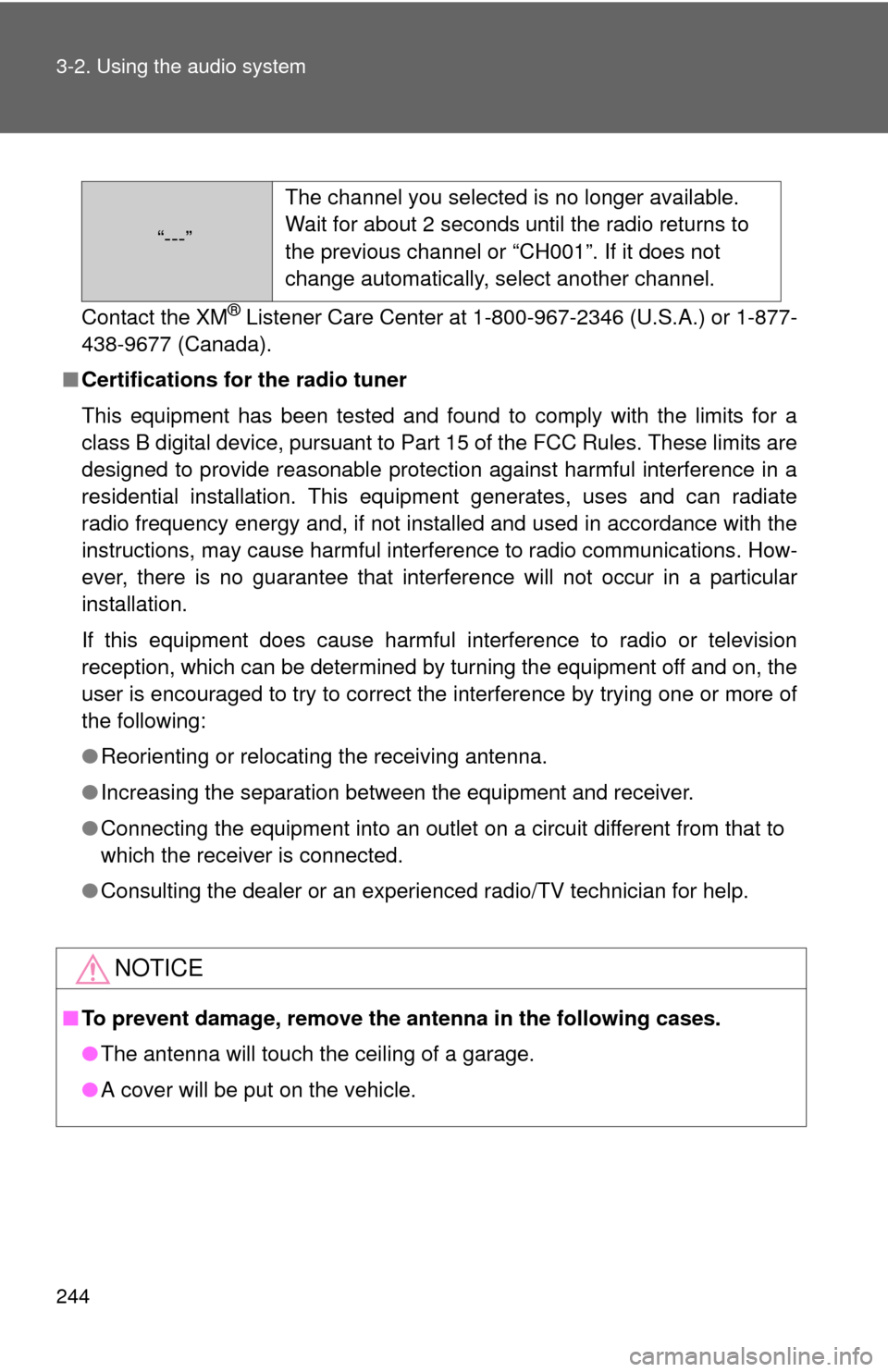
Contact the XM® Listener Care Center at 1-800-967-2346 (U.S.A.) or 1-877-
438-9677 (Canada).
■ Certifications for the radio tuner
This equipment has been tested and found to comply with the limits for a
class B digital device, pursuant to Part 15 of the FCC Rules. These limits are
designed to provide reasonable protection against harmful interference in a
residential installation. This equipment generates, uses and can radiate
radio frequency energy and, if not installed and used in accordance with the
instructions, may cause harmful interference to radio communications. How-
ever, there is no guarantee that interference will not occur in a particular
installation.
If this equipment does cause harmful interference to radio or television
reception, which can be determined by turning the equipment off and on, the
user is encouraged to try to correct the interference by trying one or more of
the following:
●Reorienting or relocating the receiving antenna.
● Increasing the separation between the equipment and receiver.
● Connecting the equipment into an outlet on a circuit different from that to
which the receiver is connected.
● Consulting the dealer or an experienc ed radio/TV technician for help.
NOTICE
■To prevent damage, remove the antenna in the following cases.
● The antenna will touch the ceiling of a garage.
● A cover will be put on the vehicle.
“---” The channel you selected is no longer available.
Wait for about 2 seconds until the radio returns to
the previous channel or “CH001”. If it does not
change automatically, select another channel.
Page 269 of 513
268 3-3. Using the hands-free phone system (for cellular phone)
NOTICE:
This equipment has been tested and found to comply with the limits for a
Class B digital device, pursuant to Part 15 of the FCC Rules. These limits
are designed to provide reasonable protection against harmful interference
in a residential installation. This equipment generates, uses and can radiate
radio frequency energy and, if not installed and used in accordance with the
instructions, may cause harmful interference to radio communications. How-
ever, there is no guarantee that interference will not occur in a particular
installation. If this equipment does cause harmful interference to radio or
television reception, which can be determined by turning the equipment off
and on, the user is encouraged to try to correct the interference by one or
more of the following measures:
● Reorient or relocate the receiving antenna.
● Increase the separation between the equipment and receiver.
● Connect the equipment into an outlet on a circuit different from that to
which the receiver is connected.
● Consult the dealer or an experienc ed radio/TV technician for help.
FCC WARNING:
Changes or modifications in construction not expressly approved by the
party responsible for compliance could void the user's authority to operate
the equipment.
CAUTION:
Radio Frequency Radiation Exposure
This equipment complies with FCC/IC radiation exposure limits set forth for
uncontrolled equipment and meets the FCC radio frequency (RF) Exposure
Guidelines in Supplement C to OET65 and RSS-102 of the IC radio fre-
quency (RF) Exposure rules. This equipment has very low levels of RF
energy that it deemed to comply without maximum permissive exposure
evaluation (MPE). But it is desirable that it should be installed and operated
with at least 20 cm and more between the radiator and person’s body
(excluding extremities: hands, wrists, feet and legs).
Co-location:
This transmitter must not be co-located or operated in conjunction with any
other antenna or transmitter.
Page 323 of 513
322
3-6. Other interior features
Floor mat
CAUTION
Observe the following precautions.
Failure to do so may cause the driver's floor mat to slip, possibly interfering
with the pedals while driving. An unexpectedly high speed may result or it may
become difficult to stop the vehicle, leading to a serious accident.
■When installing the driver's floor mat
●Do not use floor mats designed for other models or different model year
vehicles, even if they are Toyota Genuine floor mats.
● Only use floor mats designed for the driver's seat.
● Always install the floor mat securely using the retaining hooks (clips) pro-
vided.
● Do not use two or more floor mats on top of each other.
● Do not place the floor mat bottom-side up or upside-down.
■ Before driving
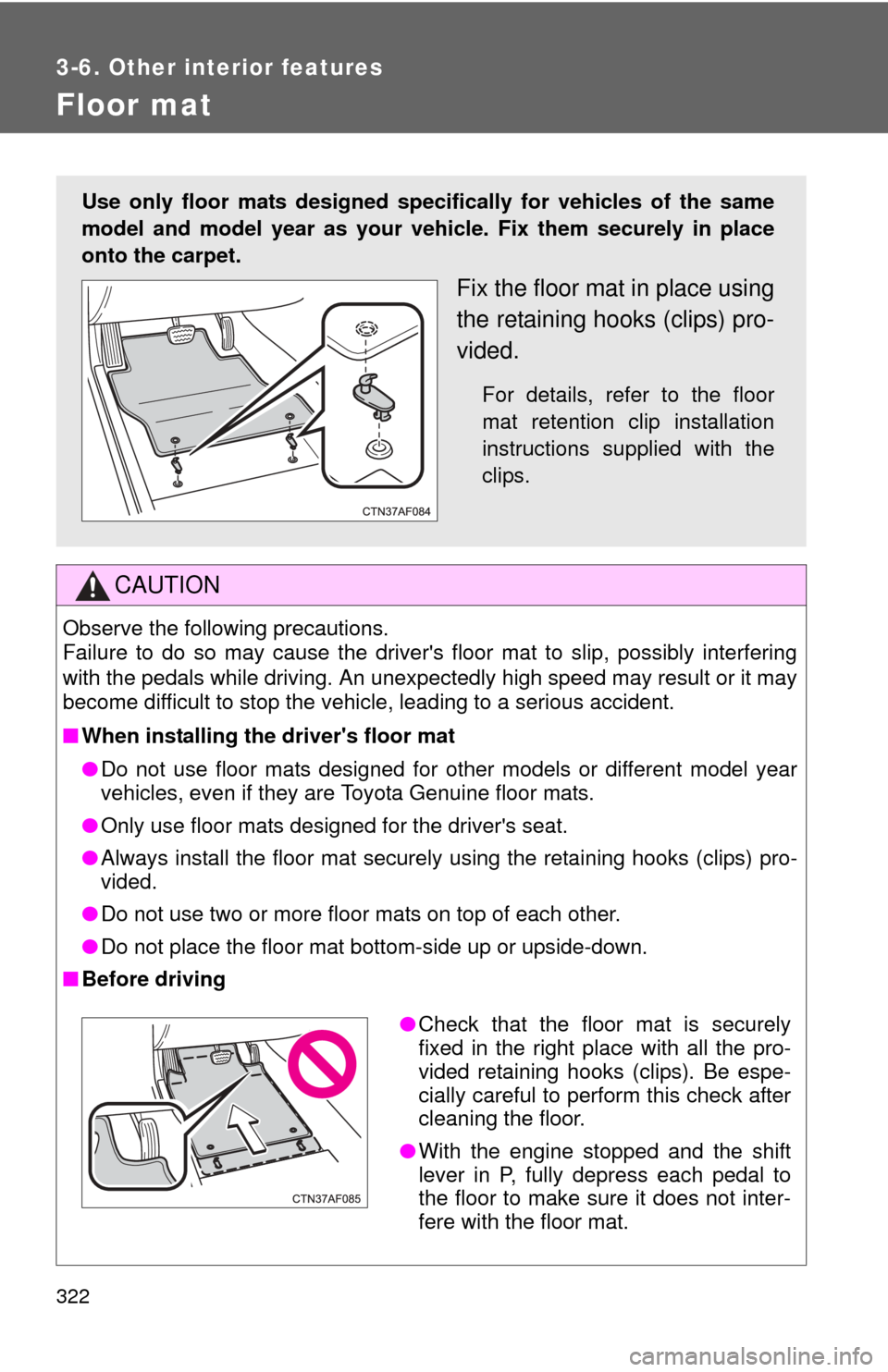
Use only floor mats designed specifically for vehicles of the same
model and model year as your vehic le. Fix them securely in place
onto the carpet.
Fix the floor mat in place using
the retaining hooks (clips) pro-
vided.
For details, refer to the floor
mat retention clip installation
instructions supplied with the
clips.
● Check that the floor mat is securely
fixed in the right place with all the pro-
vided retaining hooks (clips). Be espe-
cially careful to perform this check after
cleaning the floor.
● With the engine stopped and the shift
lever in P, fully depress each pedal to
the floor to make sure it does not inter-
fere with the floor mat.
Page 371 of 513
370 4-3. Do-it-yourself maintenance
■Tire pressure warning system certification
FCC ID: PAXPMV107J
FCC ID: HYQ13BCX
IC ID: 3729A-PMV107J
IC ID: 1551A-13BCXFor vehicles sold in the U.S.A.
This device complies with Part 15 of the FCC Rules. Operation is subject
to the following two conditions: (1) This device may not cause harmful
interference, and (2) this device must accept any interference received,
including interference that may cause undesired operation.
FCC WARNING:
Changes or modifications not expre ssly approved by the party responsi-
ble for compliance could void the user's authority to operate the equip-
ment.
For vehicles sold in Canada
Operation is subject to the following two conditions: (1) this device may
not cause interference, and (2) this de vice must accept any interference,
including interference that may caus e undesired operation of the device.
CAUTION
■When inspecting or replacing tires
Observe the following precautions to prevent accidents. Failure to do so
may cause damage to parts of the drive train, as well as dangerous han-
dling characteristics, which may lead to an accident resulting in death or
serious injury.
●Do not mix tires of different makes, models or tread patterns.
Also, do not mix tires of remarkably different treadwear.
●Do not use tire sizes other than those recommended by Toyota.
●Do not mix differently constructed ti res (radial, bias-belted or bias-ply
tires).
●Do not mix summer, all season and snow tires.
●Do not tow the vehicle with the spare tire installed.
Page 377 of 513
376
4-3. Do-it-yourself maintenance
Wheels
If a wheel is bent, cracked or heavily corroded, it should be
replaced.
Otherwise, the tire may separate from the wheel or cause loss of
handling control.
■Wheel selection
When replacing wheels, care should be taken to ensure that
they are equivalent to those removed in load capacity, diameter,
rim width, and inset*.
Replacement wheels are available at your Toyota dealer.
*: Conventionally referred to as “offset”.
Toyota does not recommend using:
●Wheels of different sizes or types
● Used wheels
● Bent wheels that have been straightened
■ Aluminum wheel precautions
●Use only Toyota wheel nuts and wrenches designed for use
with your aluminum wheels.
● When rotating, repairing or changing your tires, check that the
wheel nuts are still tight after driving 1000 miles (1600 km).
● Be careful not to damage the aluminum wheels when using
tire chains.
● Use only Toyota genuine balance weights or equivalent and a
plastic or rubber hammer when balancing your wheels.
Page 378 of 513
377
4-3. Do-it-yourself maintenance
4
Maintenance and care
■When replacing wheels (vehicles with a tire pressure warning sys-
tem)
The wheels of your Toyota are equipped with tire pressure warning
valves and transmitters that allow the tire pressure warning system to
provide advanced warning in the event of a loss in tire inflation pressure.
Whenever wheels are replaced, the tire pressure warning valves and
transmitters must be installed. (
P. 367)
CAUTION
■When replacing wheels
●Do not use wheels that are a different size from those recommended in
the Owner’s Manual, as this may re sult in loss of handling control.
●Never use an inner tube in a leaking wheel which is designed for a
tubeless tire. Doing so may result in an accident, causing serious
injury or death.
NOTICE
■Replacing tire pressure warning valves and transmitters (vehicles
with a tire pressure warning system)
●Because tire repair or replacement may affect the tire pressure
warning valves and transmitters, make sure to have tires serviced by
your Toyota dealer or other qualified service shop. In addition, make
sure to purchase your tire pressure warning valves and transmitters at
your Toyota dealer.
●Ensure that only genuine Toyota wheels are used on your vehicle.
Tire pressure warning valves and transmitters may not work properly
with non-genuine wheels.