sensor TOYOTA RAV4 2013 XA40 / 4.G User Guide
[x] Cancel search | Manufacturer: TOYOTA, Model Year: 2013, Model line: RAV4, Model: TOYOTA RAV4 2013 XA40 / 4.GPages: 624, PDF Size: 9.82 MB
Page 220 of 624
220
RAV4_OM_OM42809U_(U)
4-3. Operating the lights and wipers
■Automatic light off system
When the light switch is in AUTO: The lights turn off 30 seconds after the
engine switch is turned to the “LOCK” position (vehicles without a smart key
system) or off (vehicles with a smart key system) and a door is opened and all
of the doors are closed. (The lights turn off immediately if on the key is
pressed while all the doors are locked.)
To turn the lights on again, turn the engine switch to the “ON” position (vehi-
cles without a smart key system) or to IGNITION ON mode (vehicles with a
smart key system), or turn the light switch off, then turn it to or to .
When the light switch is in the position other than AUTO: If any of the doors is
kept open and the engine switch is in the “LOCK” position (vehicles without a
smart key system) or off (vehicles with a smart key system), the lights auto-
matically turn off after 20 minutes.
■ Light reminder buzzer
Vehicles without a smart key system
A buzzer sounds when the engine switch is turned to the “LOCK” position, the
key is removed and the driver’s door is opened while the lights are turned on.
Vehicles with a smart key system
A buzzer sounds when the engine switch is turned off and the driver’s door is
opened while the lights are turned on.
■ Customization
Settings (e.g. light sensor sensitivity) can be changed.
(Customizable features: P. 579)
NOTICE
■To prevent battery discharge
Do not leave the lights on longer than necessary when the engine is not
running.
Page 221 of 624
221
RAV4_OM_OM42809U_(U)
4-3. Operating the lights and wipers
4
Driving
Automatic High Beam
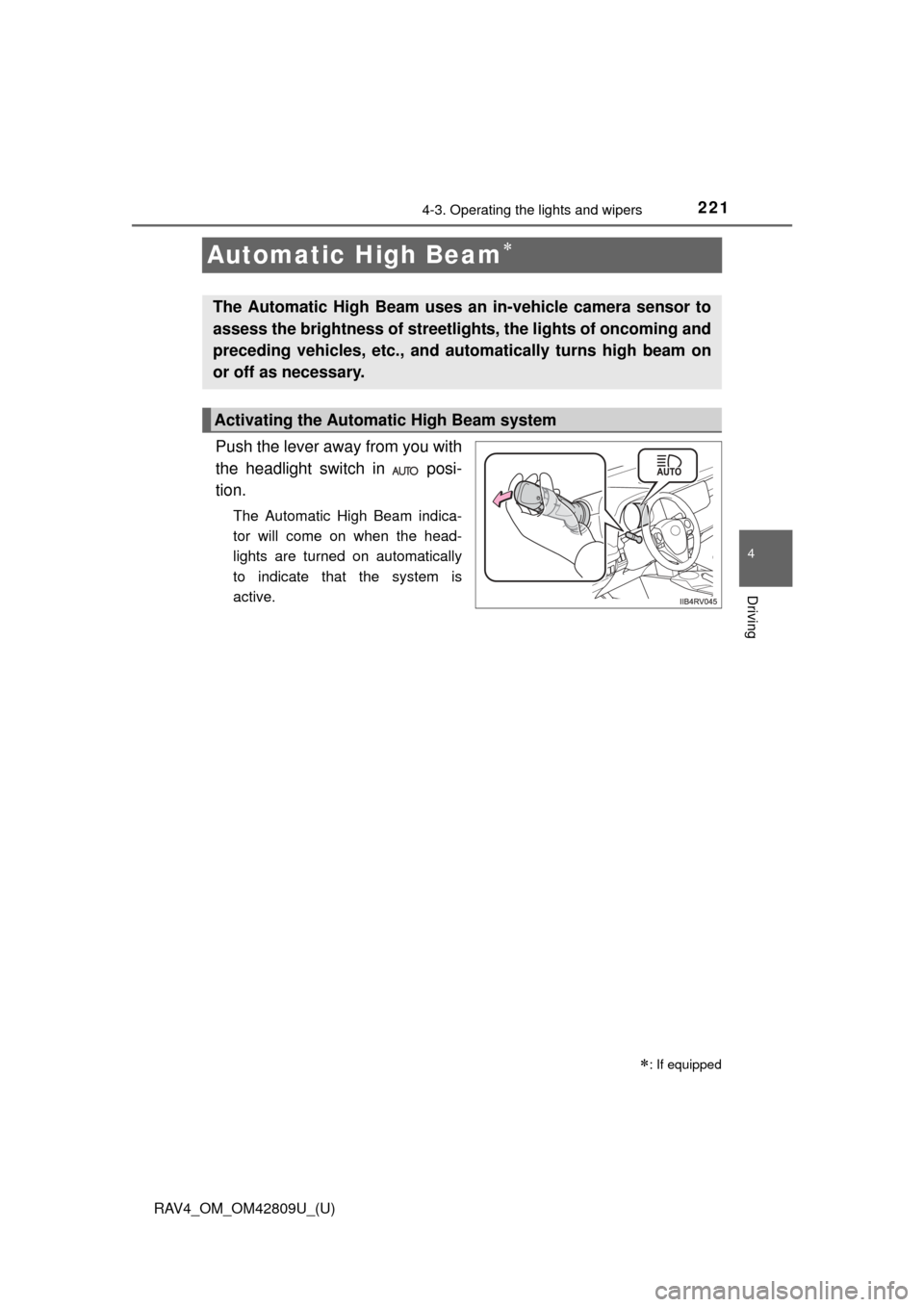
Push the lever away from you with
the headlight switch in posi-
tion.
The Automatic High Beam indica-
tor will come on when the head-
lights are turned on automatically
to indicate that the system is
active.
: If equipped
The Automatic High Beam uses an in-vehicle camera sensor to
assess the brightness of streetlights, the lights of oncoming and
preceding vehicles, etc., and au tomatically turns high beam on
or off as necessary.
Activating the Automatic High Beam system
Page 224 of 624
224
RAV4_OM_OM42809U_(U)
4-3. Operating the lights and wipers
■The Automatic High Beam can be operated when
Vehicles without a smart key system
The engine switch is in the “ON” position.
Vehicles with a smart key system
The engine switch is in IGNITION ON mode.
■ Camera sensor detection information
●High beam may not be automatically turned off in the following situations:
• When oncoming vehicles suddenly appear from a curve
• When the vehicle is cut in front of by another
• When oncoming or preceding vehicles are hidden from sight due to
repeated curves, road dividers or roadside trees
• When oncoming vehicles appear from the faraway lane on wide road
• When oncoming or preceding vehicles have no lights
● High beam may be turned off if an oncoming vehicle that is using fog lights
without using the headlights is detected.
● House lights, street lights, red traffic signals, and illuminated billboards or
signs may cause the high beam to turn off.
● The following factors may affect the amount of time taken to turn high beam
on or off:
• The brightness of headlights, fog lights, and tail lights of oncoming and
preceding vehicles
• The movement and direction of oncoming and preceding vehicles
• When a oncoming or preceding vehicle only has operational lights on one side
• When a oncoming or preceding vehicle is a two-wheeled vehicle
• The condition of the road (gradient, curve, condition of the road surface etc.)
• The number of passengers and amount of luggage
● High beam may be turned on or off when unexpected by the driver.
Page 225 of 624

RAV4_OM_OM42809U_(U)
2254-3. Operating the lights and wipers
4
Driving
●In the situations below, the system may not be able to correctly detect the
surrounding brightness levels, and may flash or expose nearby pedestrians
to the high beam. Therefore, you should consider turning the high beams on
or off manually rather than relying on the Automatic High Beam system.
• In bad weather (rain, snow, fog, sandstorms etc.)
• The windshield is obscured by fog, mist, ice, dirt etc.
• The windshield is cracked or damaged.
• The camera sensor is deformed or dirty.
• Surrounding brightness levels are equal to those of headlights, tail lights
or fog lights.
• Vehicles ahead have headlights that are either switched off, dirty, are changing color, or are not aimed properly.
• When driving through an area of in termittently changing brightness and
darkness.
• When frequently and repeatedly driving ascending/descending roads, or roads with rough, bumpy or uneven surfaces (such as stone-paved
roads, gravel tracks etc.).
• When frequently and repeatedly taking curves or driving on a winding road.
• There is a highly reflective object ahead of the vehicle, such as a sign or a mirror.
• The vehicle’s headlights are damaged or dirty.
• The vehicle is listing or tilting, due to a flat tire, a trailer being towed etc.
• The high beam and low beam are repeatedly being switched between in an abnormal manner.
• The driver believes that the high beam may be causing problems or dis- tress to other drivers or pedestrians nearby.
Page 226 of 624
226
RAV4_OM_OM42809U_(U)
4-3. Operating the lights and wipers
■Temporarily lowering sensor sensitivity
The sensitivity of the sensor can be temporarily lowered.
Vehicles without a smart key system: Turn the engine switch to the
“LOCK” position while the following conditions are met.
Vehicles with a smart key system: Turn the engine switch off while the fol-
lowing conditions are met.
• The headlight switch is in .
• The headlight switch lever is in high beam position. Vehicles without a smart key system: Turn the engine switch to the “ON”
position.
Vehicles with a smart key system: Turn the engine switch to IGNITION
ON mode.
Within 5 seconds after , repeat pulling the headlight switch lever to the
original position then pushing it to the high beam position quickly 9 times,
then leave the lever in high beam position.
Automatic High Beam (headlights) may turn on even the vehicle is stopped.
■ If the Automatic High Beam indicator turns to yellow...
It may indicate a malfunction in the system. Contact your Toyota dealer.
■ Customization
The Automatic High Beam can be turned off.
(Customizable features: P. 579)
CAUTION
■Limitations of the Automatic High Beam
Do not rely on the Automatic High Beam. Always drive safely, taking care to
observe your surroundings and turning high beam on or off manually if nec-
essary.
1
2
32
Page 227 of 624
RAV4_OM_OM42809U_(U)
2274-3. Operating the lights and wipers
4
Driving
NOTICE
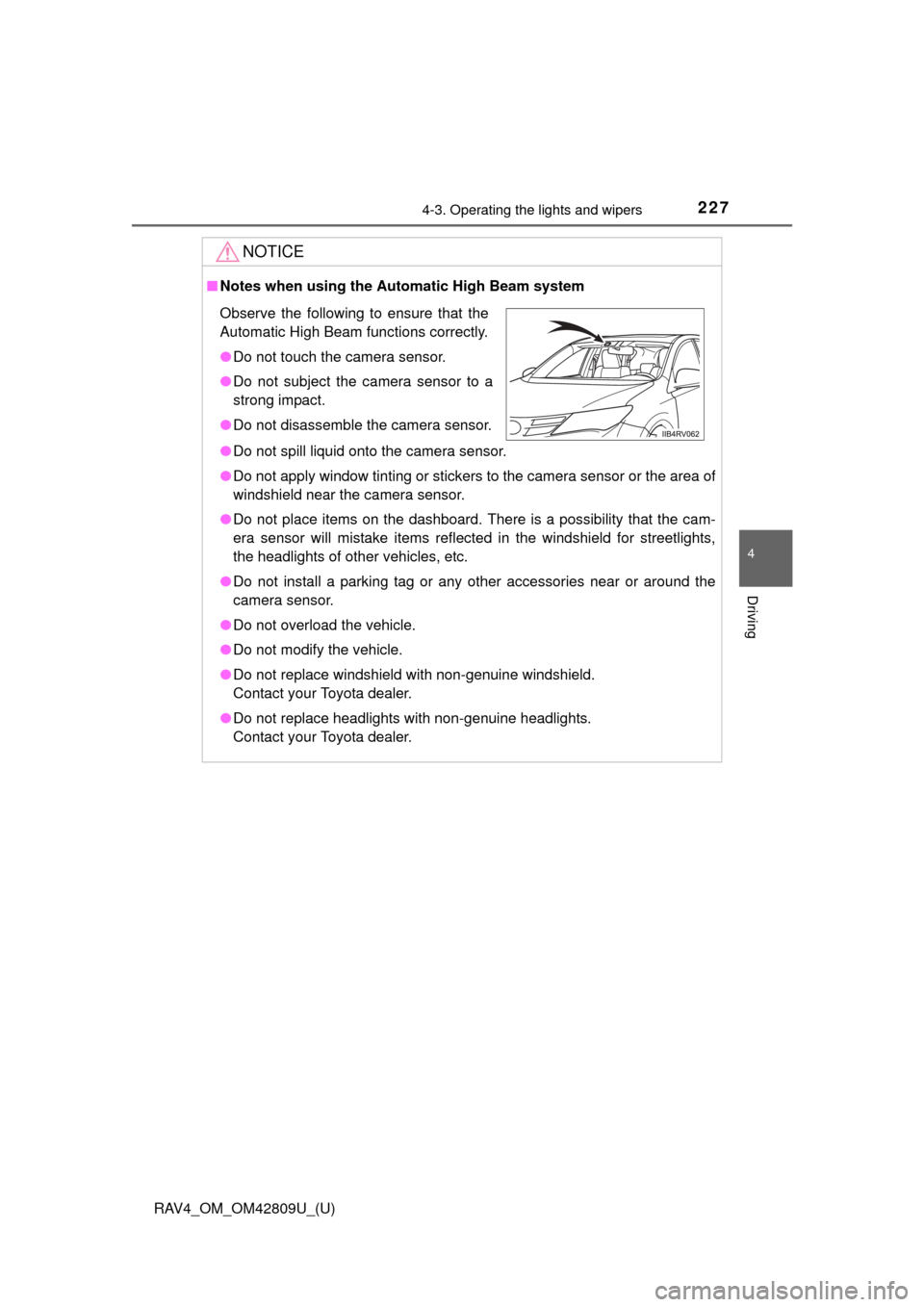
■Notes when using the Au tomatic High Beam system
● Do not spill liquid onto the camera sensor.
● Do not apply window tinting or stickers to the camera sensor or the area\
of
windshield near the camera sensor.
● Do not place items on the dashboard. There is a possibility that the cam-
era sensor will mistake items reflected in the windshield for streetlights,
the headlights of other vehicles, etc.
● Do not install a parking tag or any other accessories near or around the
camera sensor.
● Do not overload the vehicle.
● Do not modify the vehicle.
● Do not replace windshield with non-genuine windshield.
Contact your Toyota dealer.
● Do not replace headlights with non-genuine headlights.
Contact your Toyota dealer.
Observe the following to ensure that the
Automatic High Beam functions correctly.
●Do not touch the camera sensor.
● Do not subject the camera sensor to a
strong impact.
● Do not disassemble the camera sensor.
Page 245 of 624
245
RAV4_OM_OM42809U_(U)
4-5. Using the driving support systems
4
Driving
LDA (Lane Departure Alert)
While driving on a road that has lane markers, this system recognizes
the lane markers using a camera as a sensor to alert the driver when
the vehicle deviates from its lane.
If the system judges that the vehicle may deviate from its lane, it alerts
the driver using beeping and indi cations on the instrument cluster.
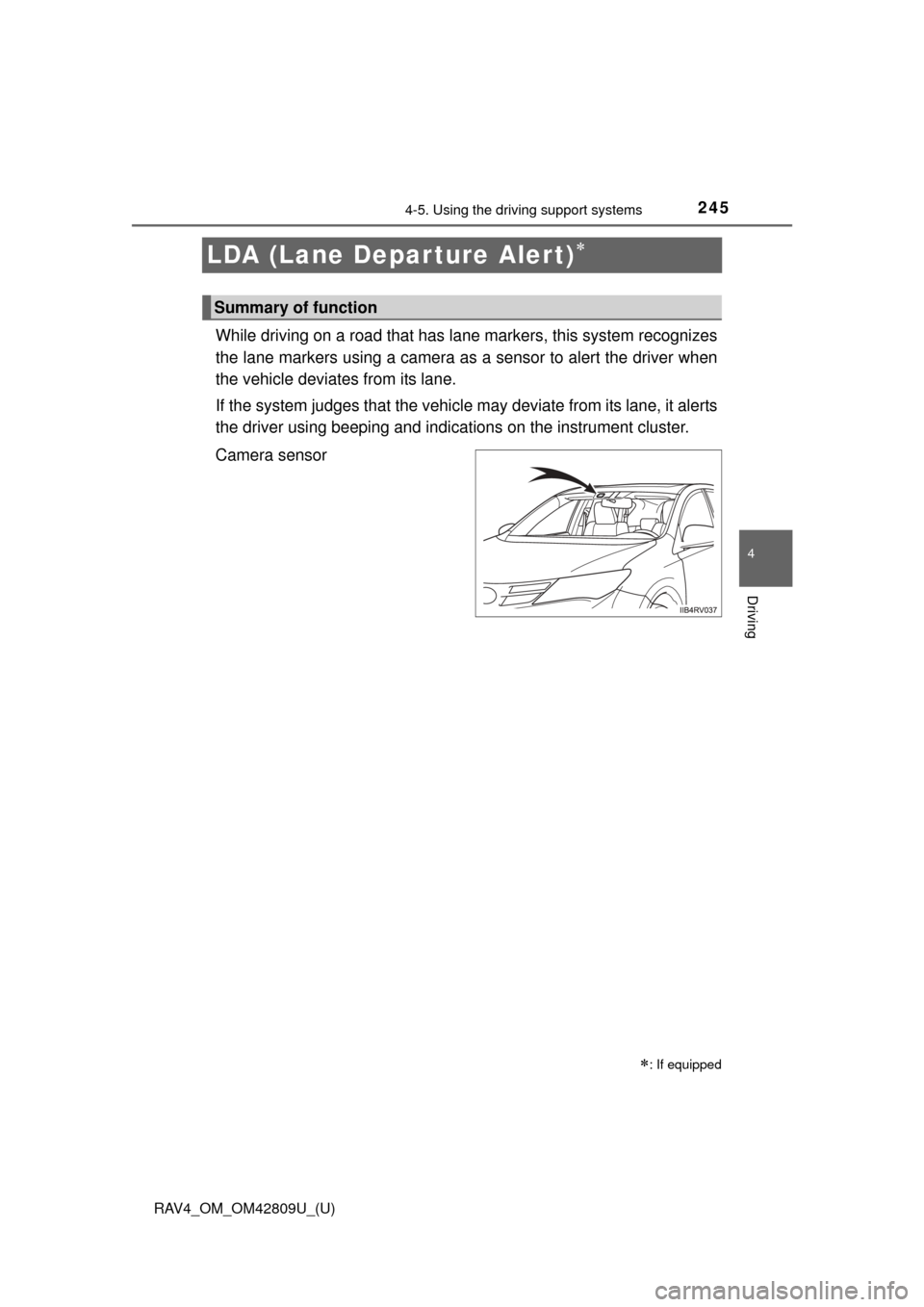
Camera sensor
: If equipped
Summary of function
Page 248 of 624
248
RAV4_OM_OM42809U_(U)
4-5. Using the driving support systems
■Temporary cancelation of the LDA system
If any of the following occurs, the LDA system will be temporarily canceled.
The function will resume after the necessary operating conditions have
returned.
●The vehicle speed deviates from the operating range of the LDA system.
● The turn signal lever is operated.
● When the lane lines cannot be recognized while driving.
● When the lane departure warning function is activated.
The lane departure warning function will not operate again for a several sec-
onds after it has been activated, even if the vehicle leaves the lane again.
■ The lane departure warning
It may be difficult to hear the sensory warning depending on the road condi-
tions.
■ After the vehicle has been parked in the sun
The LDA system may not be available and the LDA indicator comes on in yel-
low for a while after driving has started.
When the temperature in the cabin decreases and the temperature around
the camera sensor ( P. 245) becomes suitable for its operation, the func-
tions will begin to operate.
■ Conditions in which the function may not operate correctly
In the following conditions, the LDA system may not operate, or it may not be
possible to ensure adequate performance. Also, the camera sensor may be
unable to recognize lane markers causing the lane departure warning func-
tion to operate incorrectly. However, this does not indicate a malfunction.
●When driving through an area with no lane markers, such as a tollbooth, a
crossing or before a ticket checkpoint
● When driving on a sharp curve
● When lane markers are extremely narrow or extremely wide
● When the vehicle leans to one side an unusual amount due to a heavy load
or improper tire inflation pressure
● When the following distance between your vehicle and the vehicle ahead is
extremely short
● When the lane markers are yellow (these may be more difficult for the sys-
tem to recognize compared to white markers.)
● When the lane markers are broken, “Botts’ dots”, “Raised pavement marker”
or stones
● When the lane markers are on a curb etc.
● When lane markers are obscured or partially obscured by sand, dirt, etc.
Page 251 of 624
RAV4_OM_OM42809U_(U)
2514-5. Using the driving support systems
4
Driving
NOTICE
■To prevent damage to or incorr ect operation of the LDA system
● Do not modify the headlights or attach stickers to the surface of the lights.
● Do not modify the suspension or replace it with non-genuine parts.
● Do not install or place anything on the hood or the grille. Also, do not install
a grille guard (bull bars, kangaroo bar etc.).
● If your windshield needs repairs, contact your Toyota dealer.
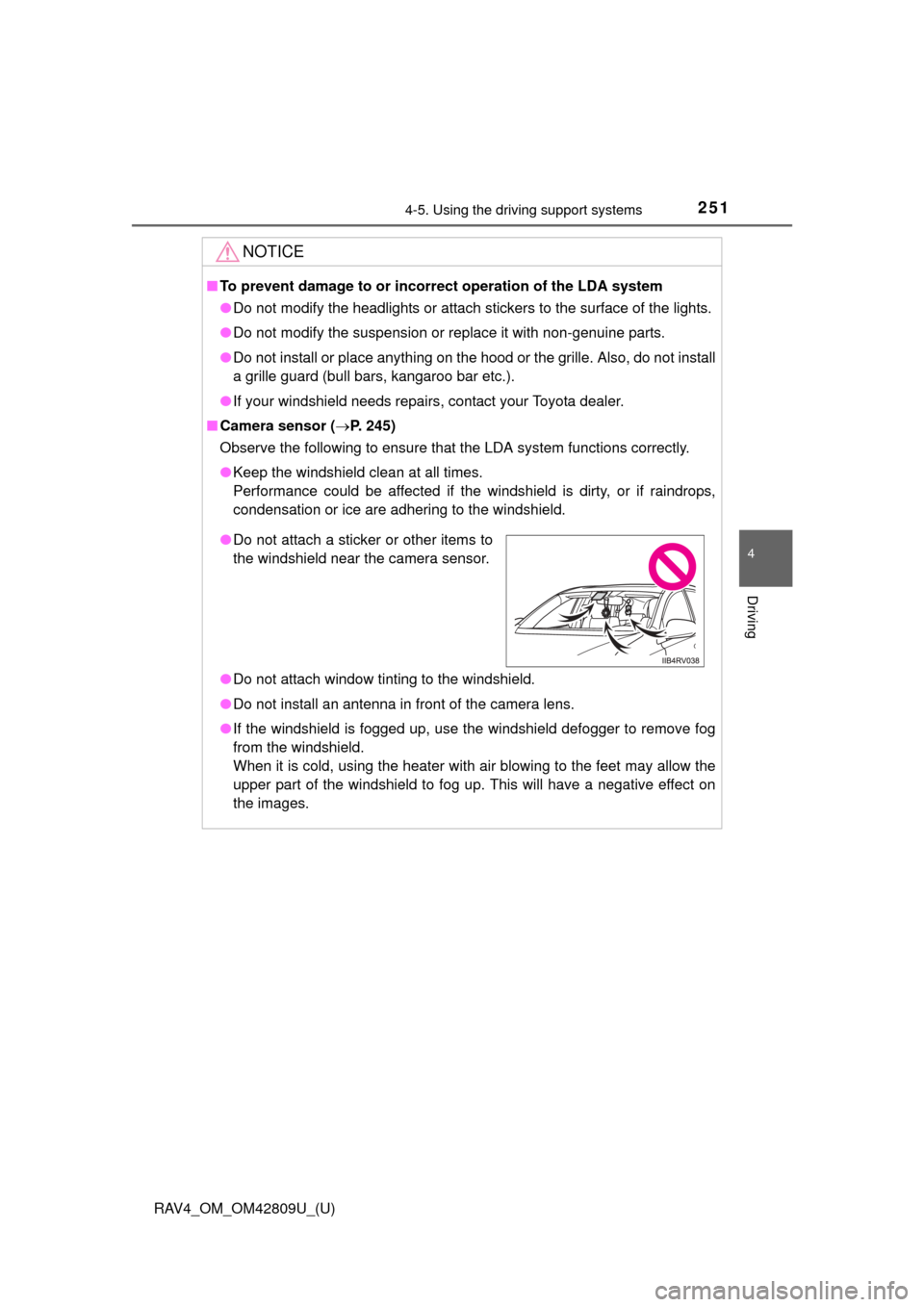
■ Camera sensor ( P. 245)
Observe the following to ensure that the LDA system functions correctly.
● Keep the windshield clean at all times.
Performance could be affected if the windshield is dirty, or if raindrops,
condensation or ice are adhering to the windshield.
● Do not attach window tinting to the windshield.
● Do not install an antenna in front of the camera lens.
● If the windshield is fogged up, use the windshield defogger to remove fog
from the windshield.
When it is cold, using the heater with air blowing to the feet may allow the
upper part of the windshield to fog up. This will have a negative effect on
the images.
●Do not attach a sticker or other items to
the windshield near the camera sensor.
Page 252 of 624
252
RAV4_OM_OM42809U_(U)
4-5. Using the driving support systems
NOTICE
●Do not scratch the camera lens, or let it get dirty.
When cleaning the inside of the windshield, be careful not to get any glass
cleaner etc. on the lens. Also, do not touch the lens.
For lens repair, contact your Toyota dealer.
● Do not change the installation position or direction of the camera sensor or
remove it. The direction of the camera sensor is precisely adjusted.
● Do not subject the camera sensor to strong impact or force, and do not
disassemble the camera sensor.
● Do not replace windshield with non-genuine windshield.
Contact your Toyota dealer.