seats TOYOTA RAV4 2013 XA40 / 4.G Owner's Manual
[x] Cancel search | Manufacturer: TOYOTA, Model Year: 2013, Model line: RAV4, Model: TOYOTA RAV4 2013 XA40 / 4.GPages: 624, PDF Size: 9.82 MB
Page 143 of 624
143
RAV4_OM_OM42809U_(U)
3-3. Adjusting the seats
3
Operation of each component
Driving position memor y
Check that the shift lever is in P.
Turn the engine switch to the “ON” position (vehicles without a
smart key system) or IGNITION ON mode (vehicles with a smart
key system).
Adjust the driver’s seat position.
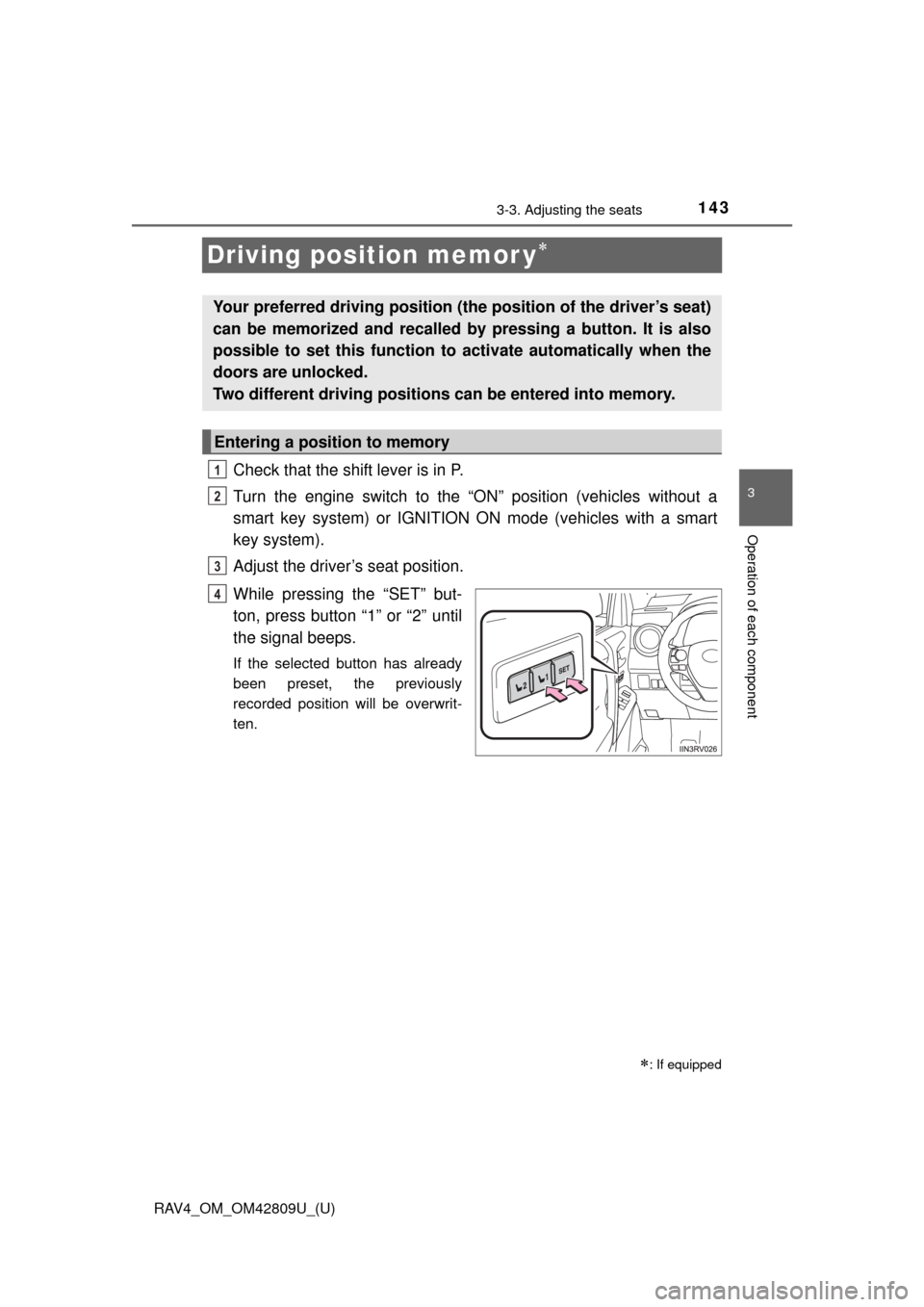
While pressing the “SET” but-
ton, press button “1” or “2” until
the signal beeps.
If the selected button has already
been preset, the previously
recorded position will be overwrit-
ten.
: If equipped
Your preferred driving position (th e position of the driver’s seat)
can be memorized and recalled by pressing a button. It is also
possible to set this function to activate automatically when the
doors are unlocked.
Two different driving positions can be entered into memory.
Entering a position to memory
1
2
3
4
Page 144 of 624
144
RAV4_OM_OM42809U_(U)
3-3. Adjusting the seats
Check that the shift lever is in P.
Turn the engine switch to the “ON” position (vehicles without a
smart key system) or IGNITION ON mode (vehicles with a smart
key system).
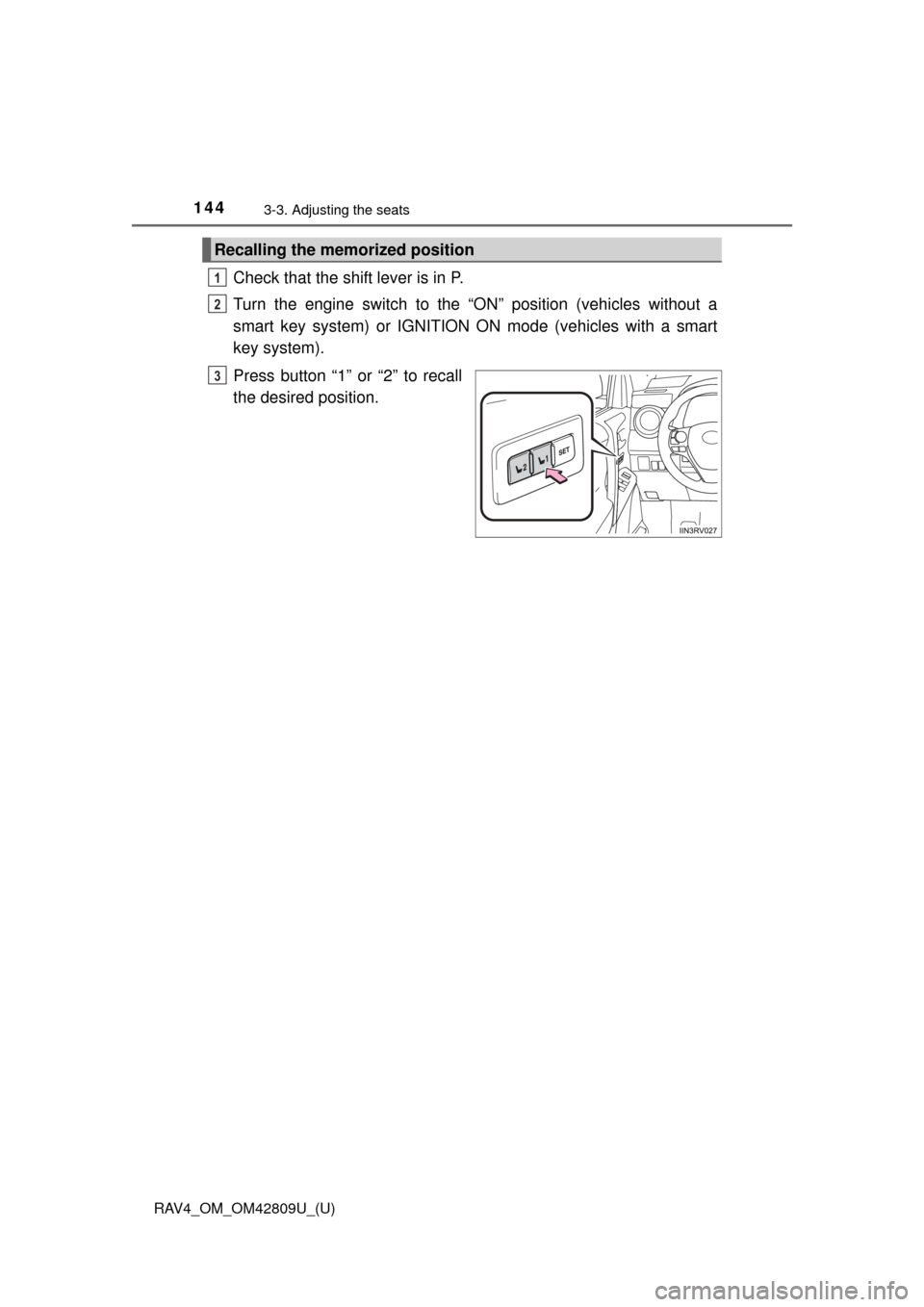
Press button “1” or “2” to recall
the desired position.
Recalling the memorized position
1
2
3
Page 145 of 624
RAV4_OM_OM42809U_(U)
1453-3. Adjusting the seats
3
Operation of each component
A desired driving position can be recalled linked with the unlocking of
the door.
■Setting procedure
Record your driving position to button “1” or “2” before performing
the following:
Carrying only the key to which you want to link the driving position,
shift the shift lever to P and then close the driver’s door.
If 2 or more keys are in the vehicle, the driving position cannot be
linked properly.
Turn the engine switch to IGNITION ON mode and recall the
position which you want to link.
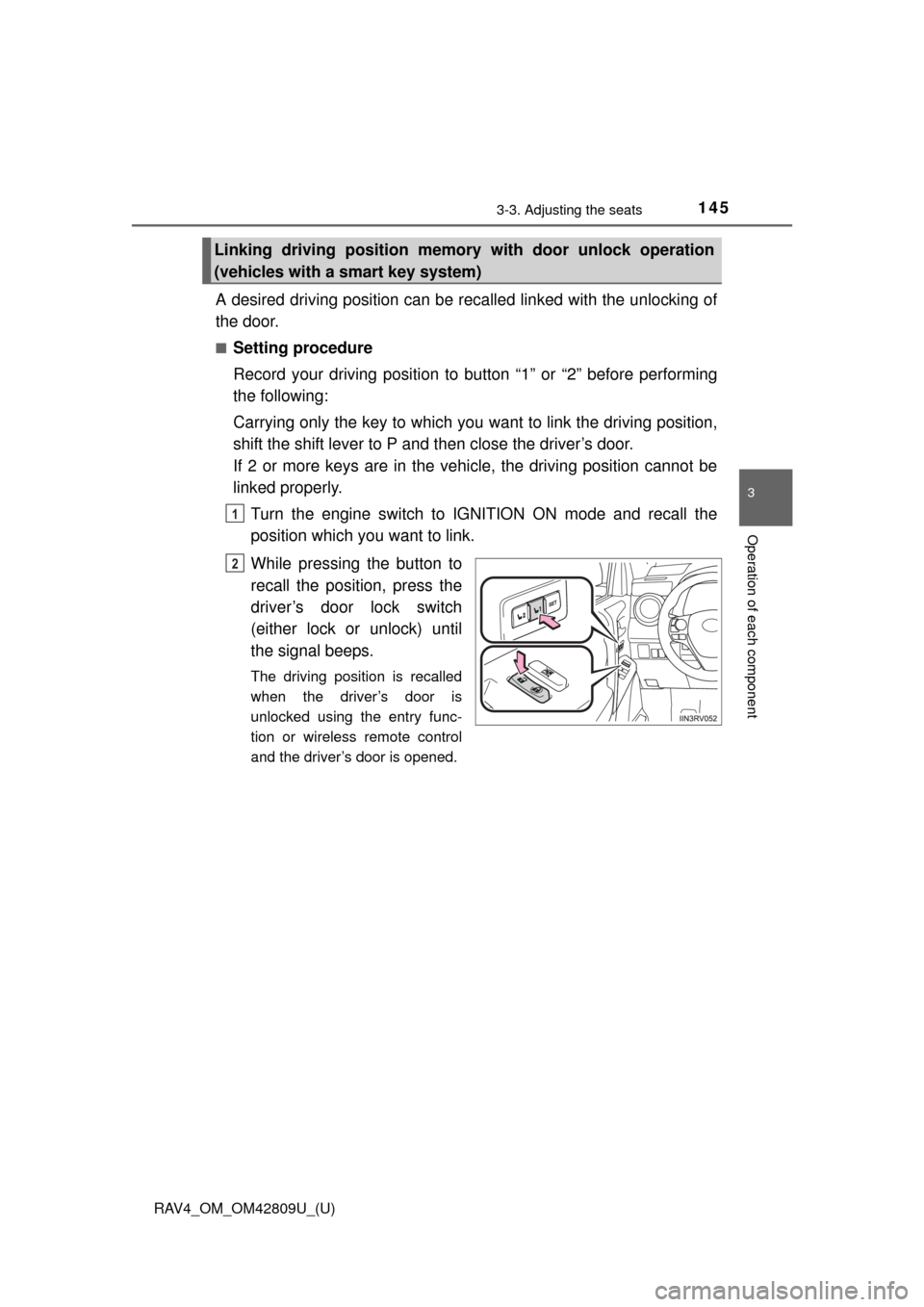
While pressing the button to
recall the position, press the
driver’s door lock switch
(either lock or unlock) until
the signal beeps.
The driving position is recalled
when the driver’s door is
unlocked using the entry func-
tion or wireless remote control
and the driver’s door is opened.
Linking driving position memo ry with door unlock operation
(vehicles with a smart key system)
1
2
Page 146 of 624
146
RAV4_OM_OM42809U_(U)
3-3. Adjusting the seats
■Cancelation procedure
Carry only the key for which you want to cancel the linked door
unlock operation.
If 2 or more keys are in the vehicle, the driving position cannot be
canceled properly.
Turn the engine switch to IGNITION ON mode.
While pressing the “SET” button, press the driver’s door lock
switch (either lock or unlock) until the signal beeps.
■When you want to stop the position recall operation part-way through
Perform any of the following operations:
● Press the “SET” button.
● Press button “1” or “2”.
● Adjust the seat using the switches.
■ Operating the driving position memo ry after turning the engine off
Memorized seat positions can be activated up to 180 seconds after the
driver’s door is opened and another 60 seconds after it is closed again.
■ If the battery is disconnected
The memorized positions are erased when the battery is disconnected.
CAUTION
■Seat adjustment caution
Take care during seat adjustment so that the seat does not strike the rear
passenger or squeeze your body against the steering wheel.
1
2
Page 147 of 624
147
RAV4_OM_OM42809U_(U)
3-3. Adjusting the seats
3
Operation of each component
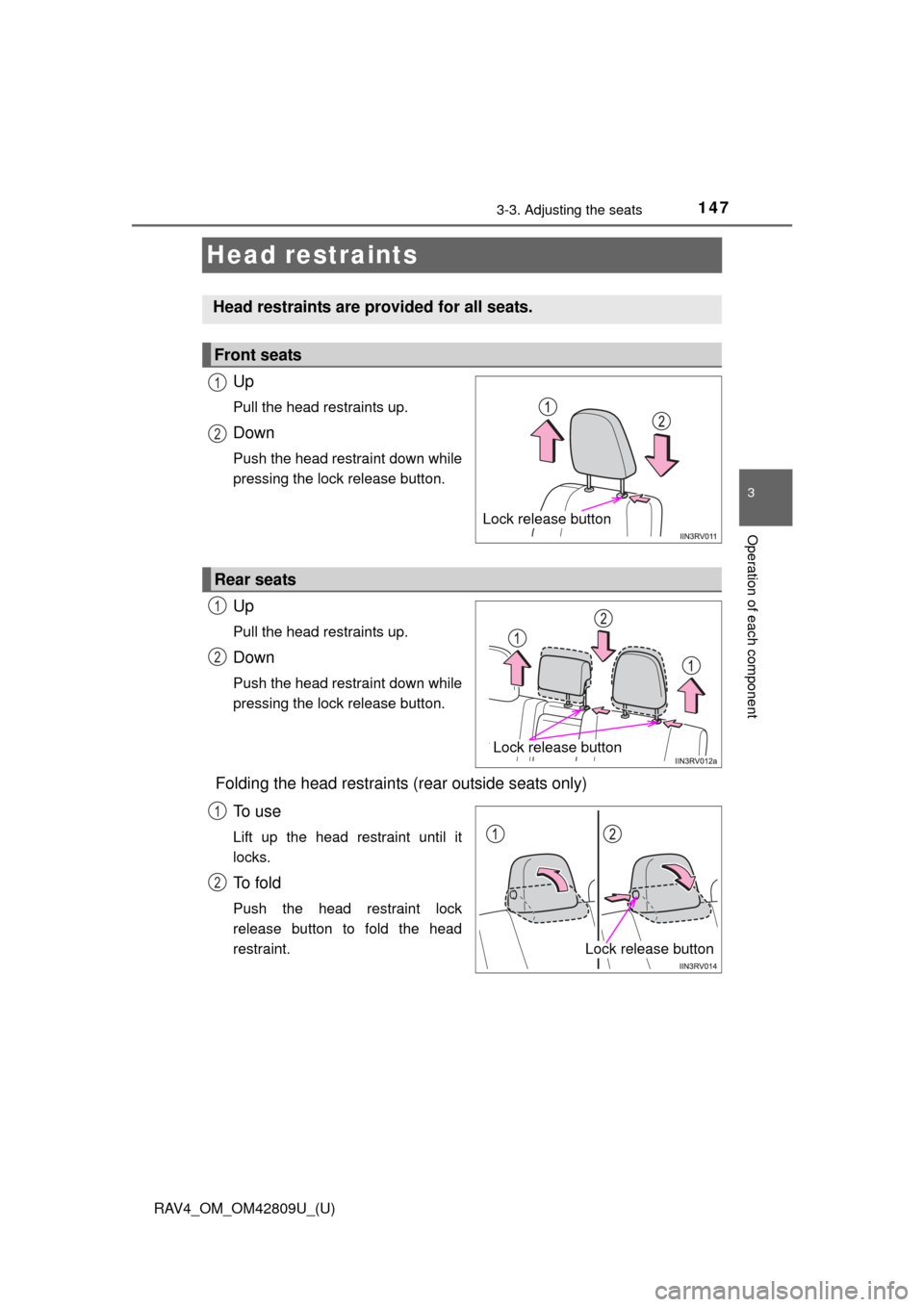
Head restraints
Up
Pull the head restraints up.
Down
Push the head restraint down while
pressing the lock release button.
Up
Pull the head restraints up.
Down
Push the head restraint down while
pressing the lock release button.
Folding the head restraints (rear outside seats only)To u s e
Lift up the head restraint until it
locks.
To f o l d
Push the head restraint lock
release button to fold the head
restraint.
Head restraints are provided for all seats.
Front seats
Lock release button
1
2
Rear seats
Lock release button
1
2
Lock release button
1
2
Page 148 of 624
148
RAV4_OM_OM42809U_(U)
3-3. Adjusting the seats
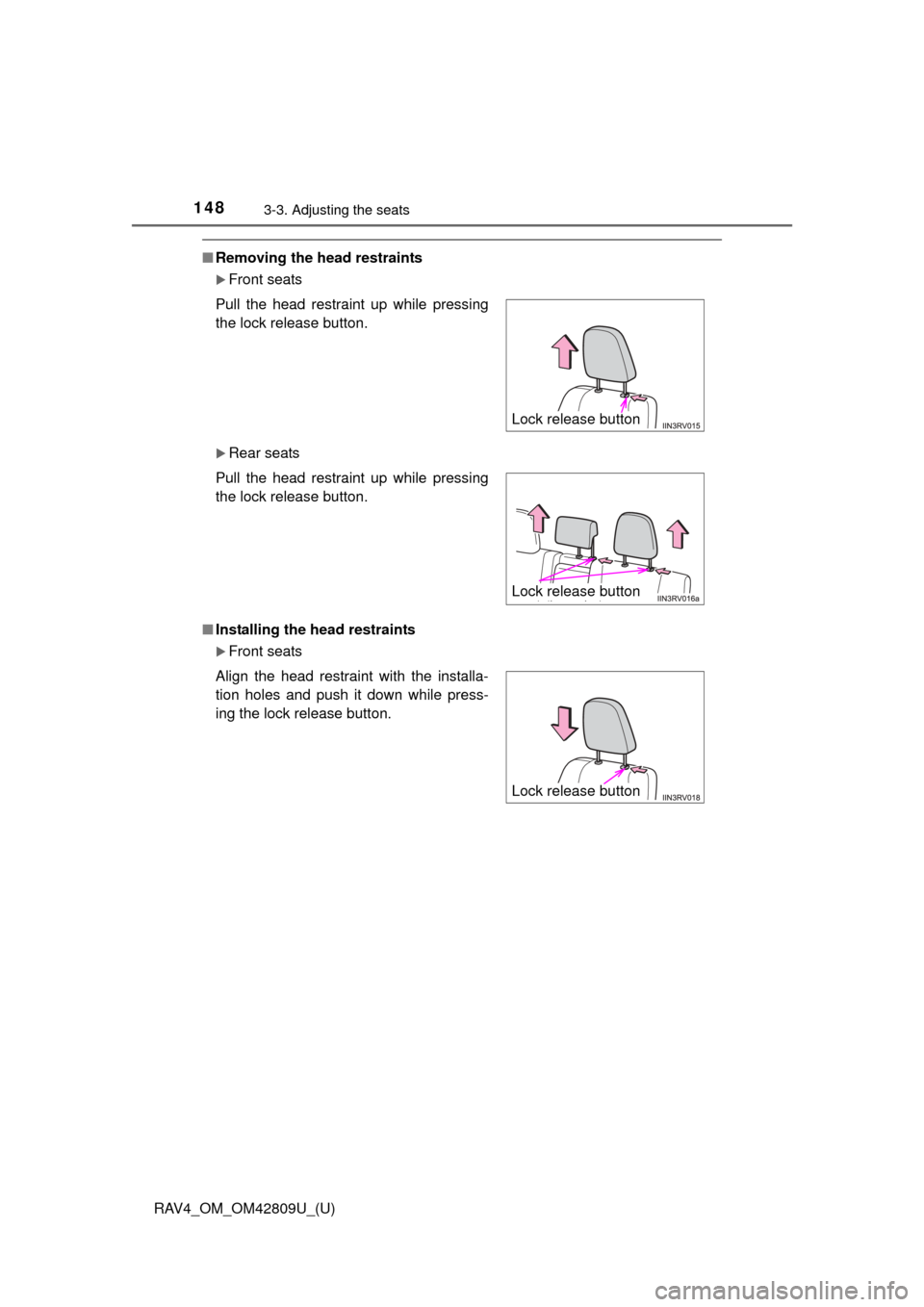
■Removing the head restraints
Front seats
Rear seats
■ Installing the head restraints
Front seats
Pull the head restraint up while pressing
the lock release button.
Pull the head restraint up while pressing
the lock release button.
Align the head restraint with the installa-
tion holes and push it down while press-
ing the lock release button.
Lock release button
Lock release button
Lock release button
Page 149 of 624
RAV4_OM_OM42809U_(U)
1493-3. Adjusting the seats
3
Operation of each component
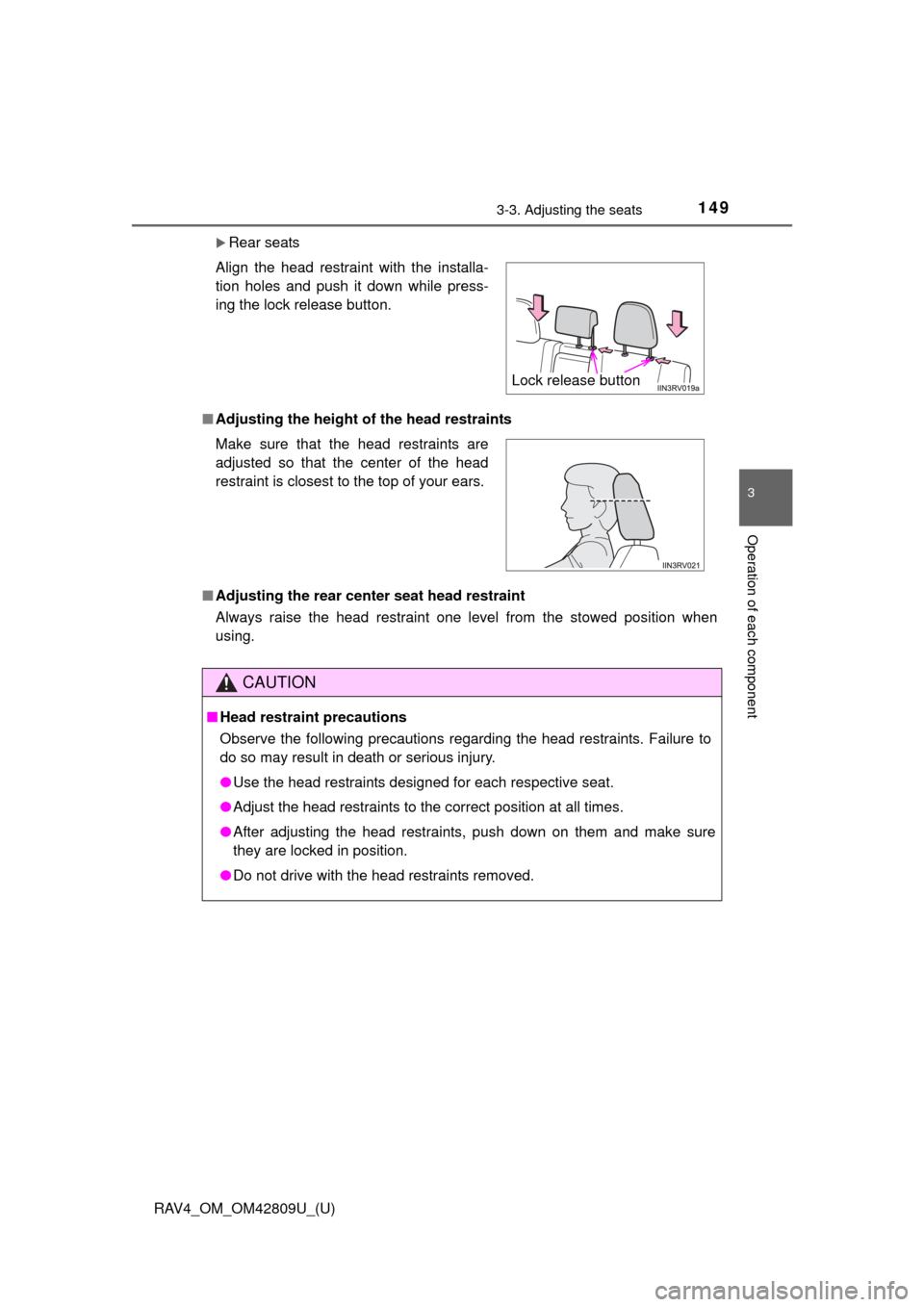
Rear seats
■ Adjusting the height of the head restraints
■ Adjusting the rear center seat head restraint
Always raise the head restraint one level from the stowed position when
using. Align the head restraint with the installa-
tion holes and push it down while press-
ing the lock release button.
Make sure that the head restraints are
adjusted so that the center of the head
restraint is closest to the top of your ears.
CAUTION
■Head restraint precautions
Observe the following precautions regarding the head restraints. Failure to
do so may result in death or serious injury.
●Use the head restraints designed for each respective seat.
● Adjust the head restraints to the correct position at all times.
● After adjusting the head restraints, push down on them and make sure
they are locked in position.
● Do not drive with the head restraints removed.
Lock release button
Page 178 of 624
178
RAV4_OM_OM42809U_(U)
4-1. Before driving
CAUTION
■Things that must not be carried in the luggage compartment
The following things may cause a fire if loaded in the luggage compartment:
●Receptacles containing gasoline
● Aerosol cans
■ Storage precautions
Observe the following precautions.
Failure to do so may prevent the pedals from being depressed properly,
may block the driver’s vision, or may result in items hitting the driver or pas-
sengers, possibly causing an accident.
●Stow cargo and luggage in the luggage compartment whenever possible.
● Do not stack anything in the luggage compartment higher than the seat-
backs.
● Do not place cargo or luggage in or on the following locations.
• At the feet of the driver
• On the front passenger or rear seats (when stacking items)
• On the luggage cover (if equipped)
• On the instrument panel
• On the dashboard
● Secure all items in the occupant compartment.
● When you fold down the rear seats, long items should not be place directly
behind the front seats.
● Never allow anyone to ride in the luggage compartment. It is not designed
for passengers. They should ride in their seats with their seat belts prop-
erly fastened. Otherwise, they are much more likely to suffer serious bodily
injury, in the event of sudden braking, sudden swerving or an accident.
Page 382 of 624
382
RAV4_OM_OM42809U_(U)
5-4. Using the storage features
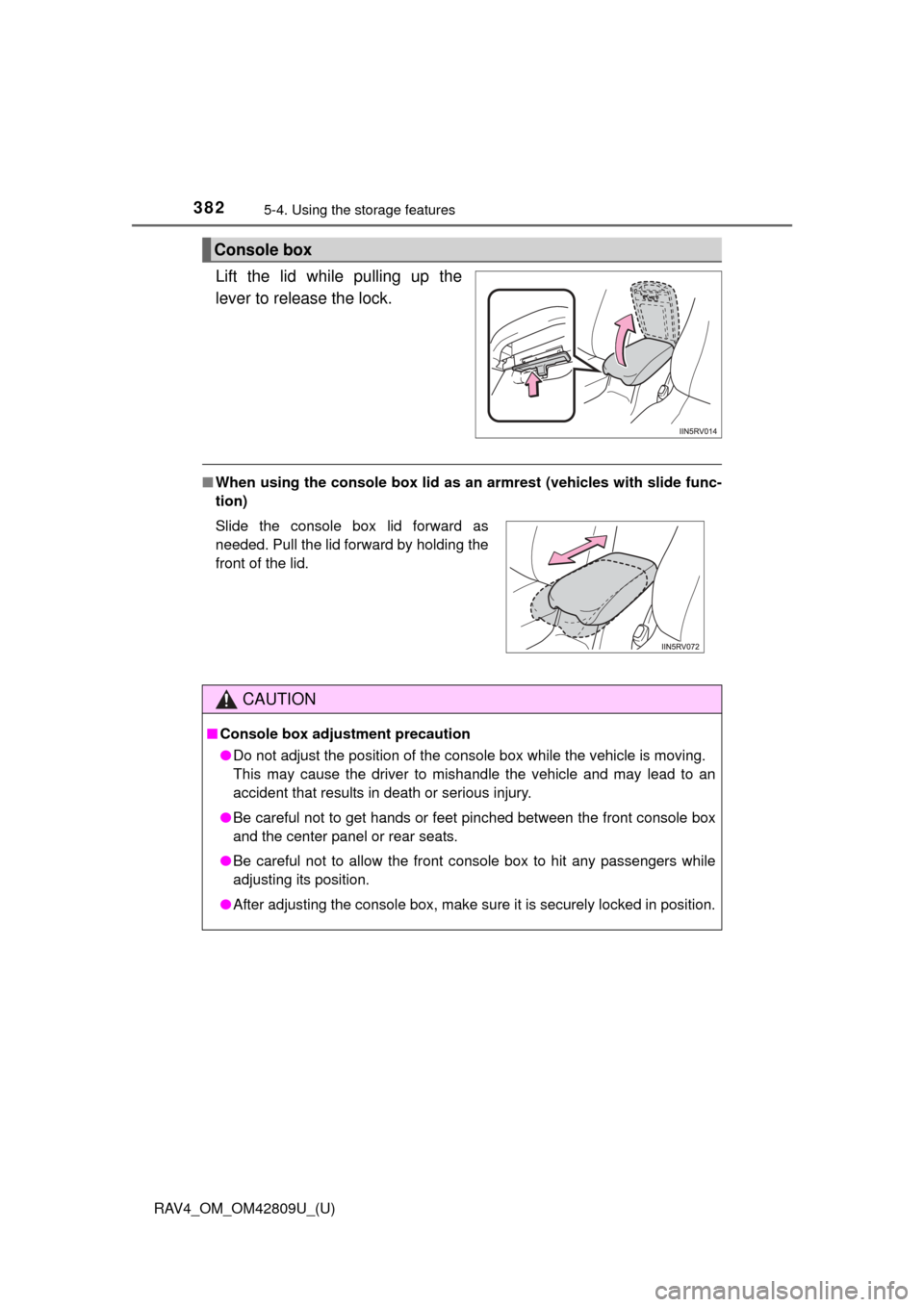
Lift the lid while pulling up the
lever to release the lock.
■When using the console box lid as an armrest (vehicles with slide func-
tion)
Console box
Slide the console box lid forward as
needed. Pull the lid forward by holding the
front of the lid.
CAUTION
■ Console box adjustment precaution
●Do not adjust the position of the console box while the vehicle is moving.
This may cause the driver to mishandle the vehicle and may lead to an
accident that results in death or serious injury.
● Be careful not to get hands or feet pinched between the front console box
and the center panel or rear seats.
● Be careful not to allow the front console box to hit any passengers while
adjusting its position.
● After adjusting the console box, make sure it is securely locked in positi\
on.
Page 410 of 624
410
RAV4_OM_OM42809U_(U)
6-1. Maintenance and care
NOTICE
■Cleaning detergents
●Do not use the following types of detergent, as they may discolor the vehi-
cle interior or cause streaks or damage to painted surfaces:
• Non-seat portions: Organic substances such as benzene or gasoline,
alkaline or acidic solutions, dye, and bleach
• Seats: Alkaline or acidic solutions, such as thinner, benzene, and alcohol
● Do not use polish wax or polish cleaner. The instrument panel’s or other
interior part’s painted surface may be damaged.
■ Preventing damage to leather surfaces
Observe the following precautions to avoid damage to and deterioration of
leather surfaces:
●Remove any dust or dirt from leather surfaces immediately.
● Do not expose the vehicle to direct sunlight for extended periods of time.
Park the vehicle in the shade, especially during summer.
● Do not place items made of vinyl, plastic, or containing wax on the uphol-
stery, as they may stick to the leather surface if the vehicle interior heats
up significantly.
■ Water on the floor
Do not wash the vehicle floor with water.
Vehicle systems such as the audio system may be damaged if water comes
into contact with electrical components such as the audio system above or
under the floor of the vehicle. Water may also cause the body to rust.