display audio system TOYOTA RAV4 2013 XA40 / 4.G Owners Manual
[x] Cancel search | Manufacturer: TOYOTA, Model Year: 2013, Model line: RAV4, Model: TOYOTA RAV4 2013 XA40 / 4.GPages: 624, PDF Size: 9.82 MB
Page 7 of 624
7
1
8 7
6
5
4
3
2
RAV4_OM_OM42809U_(U)
9
What to do if... (Troubleshooting) .................... 604
Alphabetical index...................... 609
Index
For vehicles with a Display Audio sy stem, refer to the “Display Audio
System Owner’s Manual” for information regarding the equipment
listed below.
• Navigation system
• Audio system• Rear view monitor system
Page 17 of 624
17Pictorial index
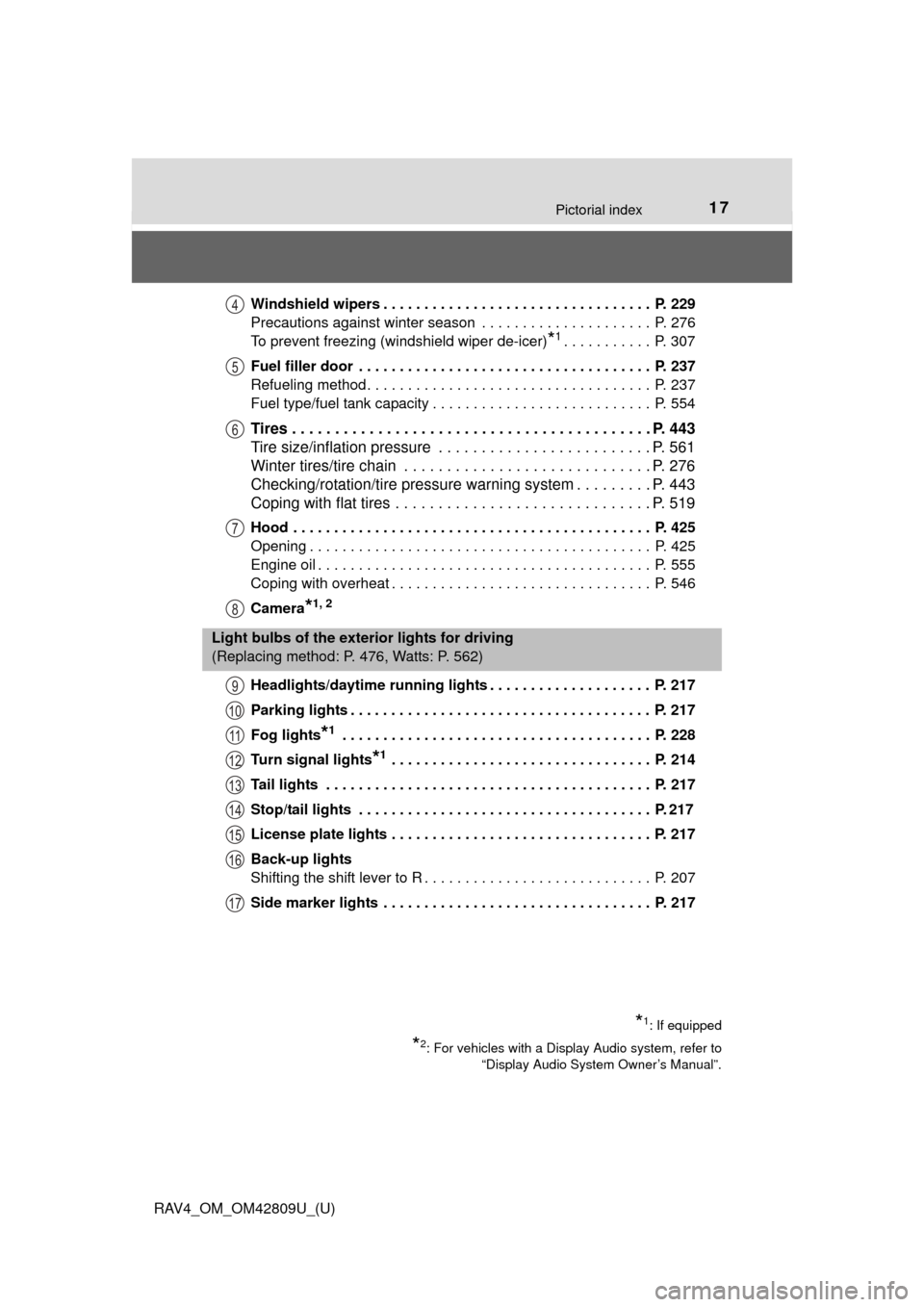
RAV4_OM_OM42809U_(U)Windshield wipers . . . . . . . . . . . . . . . . . . . . . . . . . . . . . . . . . P. 229
Precautions against winter season . . . . . . . . . . . . . . . . . . . . . P. 276
To prevent freezing (windshield wiper de-icer)
*1. . . . . . . . . . . P. 307
Fuel filler door . . . . . . . . . . . . . . . . . . . . . . . . . . . . . . . . . . . . P. 237
Refueling method. . . . . . . . . . . . . . . . . . . . . . . . . . . . . . . . . . . P. 237
Fuel type/fuel tank capacity . . . . . . . . . . . . . . . . . . . . . . . . . . . P. 554
Tires . . . . . . . . . . . . . . . . . . . . . . . . . . . . . . . . . . . . . . . . . . P. 443
Tire size/inflation pressure . . . . . . . . . . . . . . . . . . . . . . . . . P. 561
Winter tires/tire chain . . . . . . . . . . . . . . . . . . . . . . . . . . . . . P. 276
Checking/rotation/tire pressure warning system . . . . . . . . . P. 443
Coping with flat tires . . . . . . . . . . . . . . . . . . . . . . . . . . . . . . P. 519
Hood . . . . . . . . . . . . . . . . . . . . . . . . . . . . . . . . . . . . . . . . . . . . P. 425
Opening . . . . . . . . . . . . . . . . . . . . . . . . . . . . . . . . . . . . . . . . . . P. 425
Engine oil . . . . . . . . . . . . . . . . . . . . . . . . . . . . . . . . . . . . . . . . . P. 555
Coping with overheat . . . . . . . . . . . . . . . . . . . . . . . . . . . . . . . . P. 546
Camera
*1, 2
Headlights/daytime running lights . . . . . . . . . . . . . . . . . . . . P. 217
Parking lights . . . . . . . . . . . . . . . . . . . . . . . . . . . . . . . . . . . . . P. 217
Fog lights
*1 . . . . . . . . . . . . . . . . . . . . . . . . . . . . . . . . . . . . . . P. 228
Turn signal lights
*1 . . . . . . . . . . . . . . . . . . . . . . . . . . . . . . . . P. 214
Tail lights . . . . . . . . . . . . . . . . . . . . . . . . . . . . . . . . . . . . . . . . P. 217
Stop/tail lights . . . . . . . . . . . . . . . . . . . . . . . . . . . . . . . . . . . . P. 217
License plate lights . . . . . . . . . . . . . . . . . . . . . . . . . . . . . . . . P. 217
Back-up lights
Shifting the shift lever to R . . . . . . . . . . . . . . . . . . . . . . . . . . . . P. 207
Side marker lights . . . . . . . . . . . . . . . . . . . . . . . . . . . . . . . . . P. 217
4
5
6
7
8
Light bulbs of the exterior lights for driving
(Replacing method: P. 476, Watts: P. 562)
*1: If equipped
*2: For vehicles with a Display Audio system, refer to “Display Audio System Owner’s Manual”.
9
10
11
12
13
14
15
16
17
Page 19 of 624
19Pictorial index
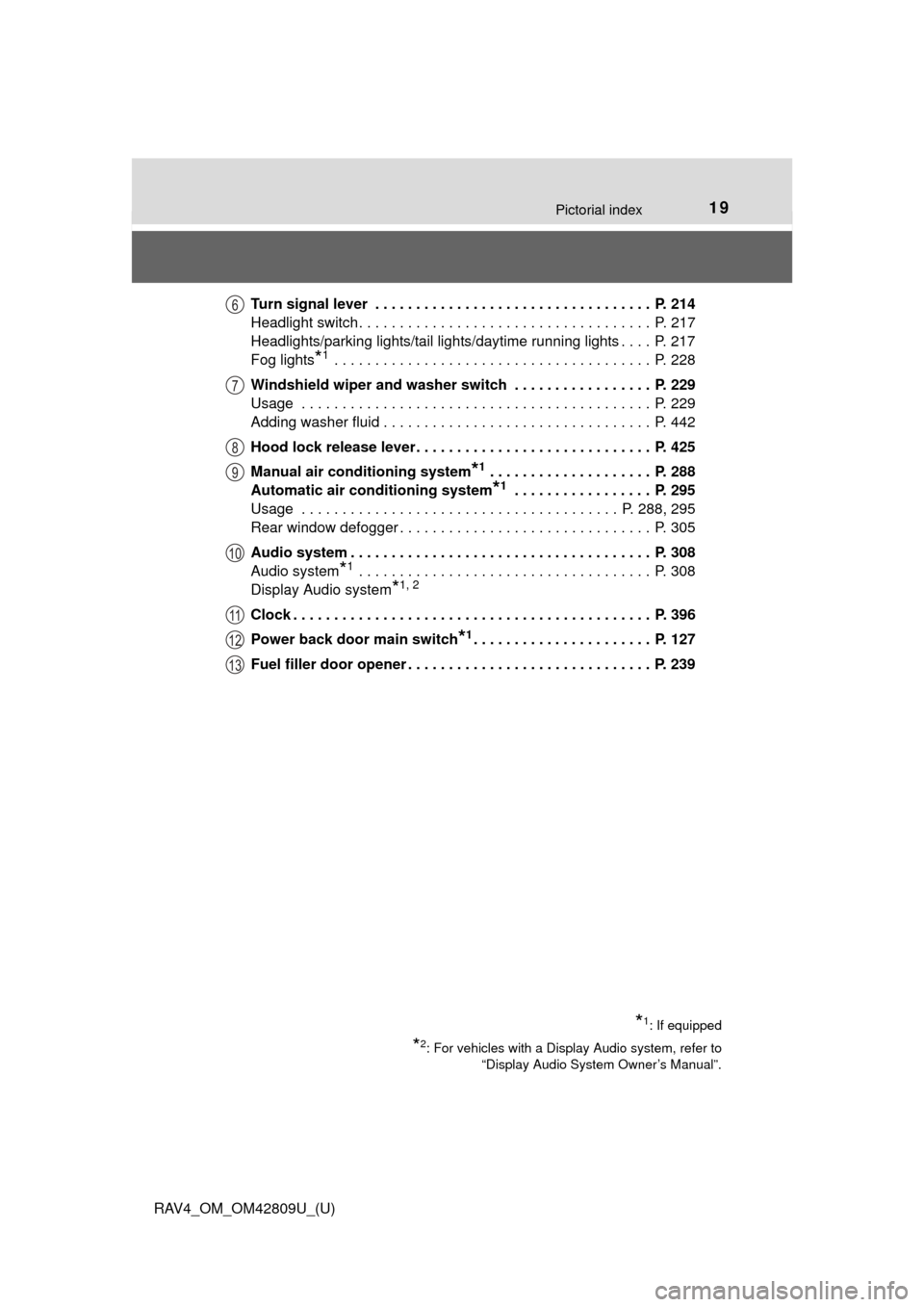
RAV4_OM_OM42809U_(U)Turn signal lever . . . . . . . . . . . . . . . . . . . . . . . . . . . . . . . . . . P. 214
Headlight switch. . . . . . . . . . . . . . . . . . . . . . . . . . . . . . . . . . . . P. 217
Headlights/parking lights/tail lights/daytime running lights . . . . P. 217
Fog lights
*1 . . . . . . . . . . . . . . . . . . . . . . . . . . . . . . . . . . . . . . . P. 228
Windshield wiper and washer switch . . . . . . . . . . . . . . . . . P. 229
Usage . . . . . . . . . . . . . . . . . . . . . . . . . . . . . . . . . . . . . . . . . . . P. 229
Adding washer fluid . . . . . . . . . . . . . . . . . . . . . . . . . . . . . . . . . P. 442
Hood lock release lever. . . . . . . . . . . . . . . . . . . . . . . . . . . . . P. 425
Manual air conditioning system
*1 . . . . . . . . . . . . . . . . . . . . P. 288
Automatic air conditioning system
*1 . . . . . . . . . . . . . . . . . P. 295
Usage . . . . . . . . . . . . . . . . . . . . . . . . . . . . . . . . . . . . . . . P. 288, 295
Rear window defogger . . . . . . . . . . . . . . . . . . . . . . . . . . . . . . . P. 305
Audio system . . . . . . . . . . . . . . . . . . . . . . . . . . . . . . . . . . . . . P. 308
Audio system
*1 . . . . . . . . . . . . . . . . . . . . . . . . . . . . . . . . . . . . P. 308
Display Audio system
*1, 2
Clock . . . . . . . . . . . . . . . . . . . . . . . . . . . . . . . . . . . . . . . . . . . . P. 396
Power back door main switch
*1. . . . . . . . . . . . . . . . . . . . . . P. 127
Fuel filler door opener . . . . . . . . . . . . . . . . . . . . . . . . . . . . . . P. 239
*1: If equipped
*2: For vehicles with a Display Audio system, refer to “Display Audio System Owner’s Manual”.
6
7
8
9
10
11
12
13
Page 21 of 624
21Pictorial index
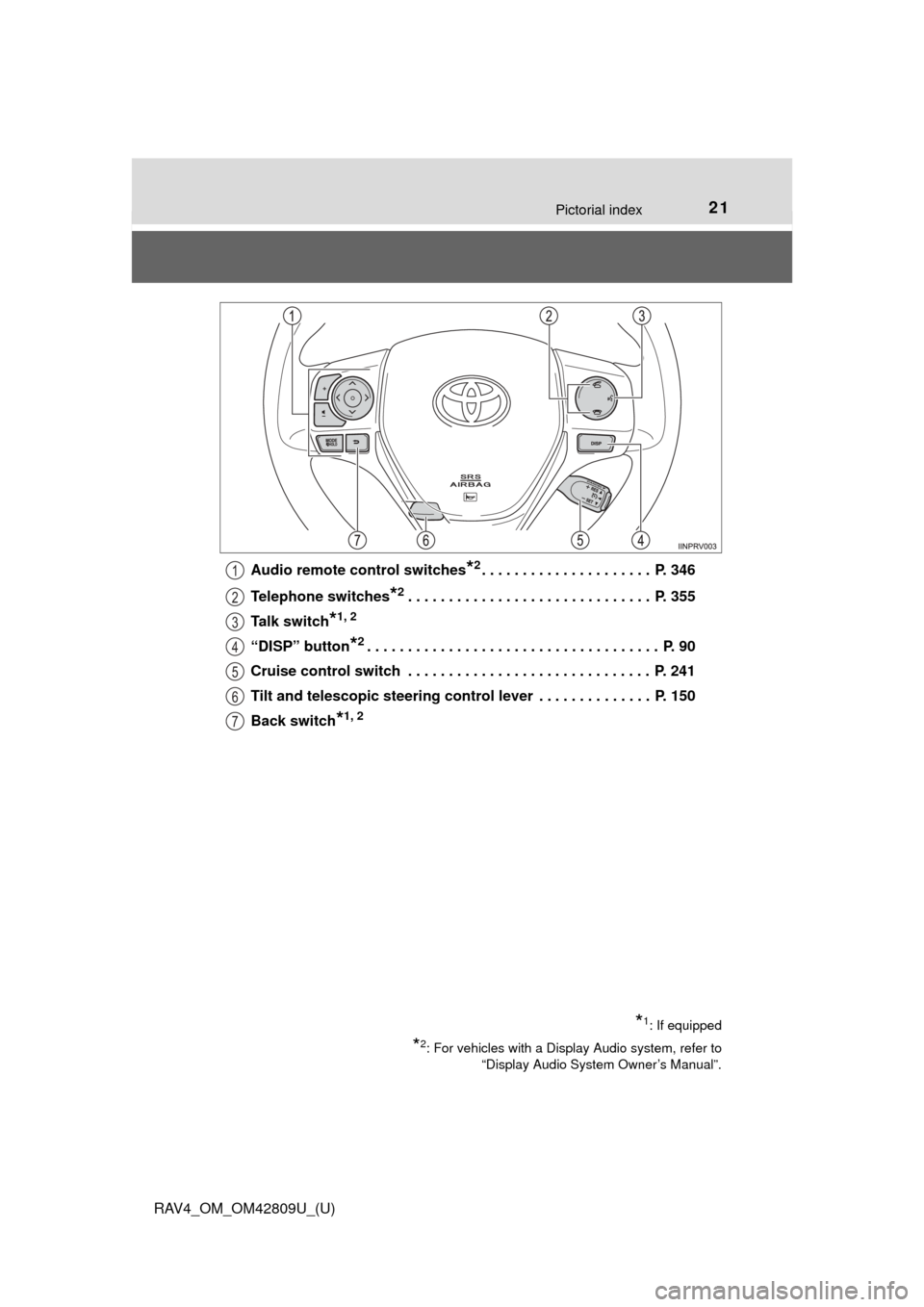
RAV4_OM_OM42809U_(U)Audio remote control switches
*2. . . . . . . . . . . . . . . . . . . . . P. 346
Telephone switches
*2. . . . . . . . . . . . . . . . . . . . . . . . . . . . . . P. 355
Talk switch
*1, 2
“DISP” button*2. . . . . . . . . . . . . . . . . . . . . . . . . . . . . . . . . . . . P. 90
Cruise control switch . . . . . . . . . . . . . . . . . . . . . . . . . . . . . . P. 241
Tilt and telescopic steering control lever . . . . . . . . . . . . . . P. 150
Back switch
*1, 2
*1: If equipped
*2: For vehicles with a Display Audio system, refer to “Display Audio System Owner’s Manual”.
1
2
3
4
5
6
7
Page 23 of 624
23Pictorial index
RAV4_OM_OM42809U_(U)
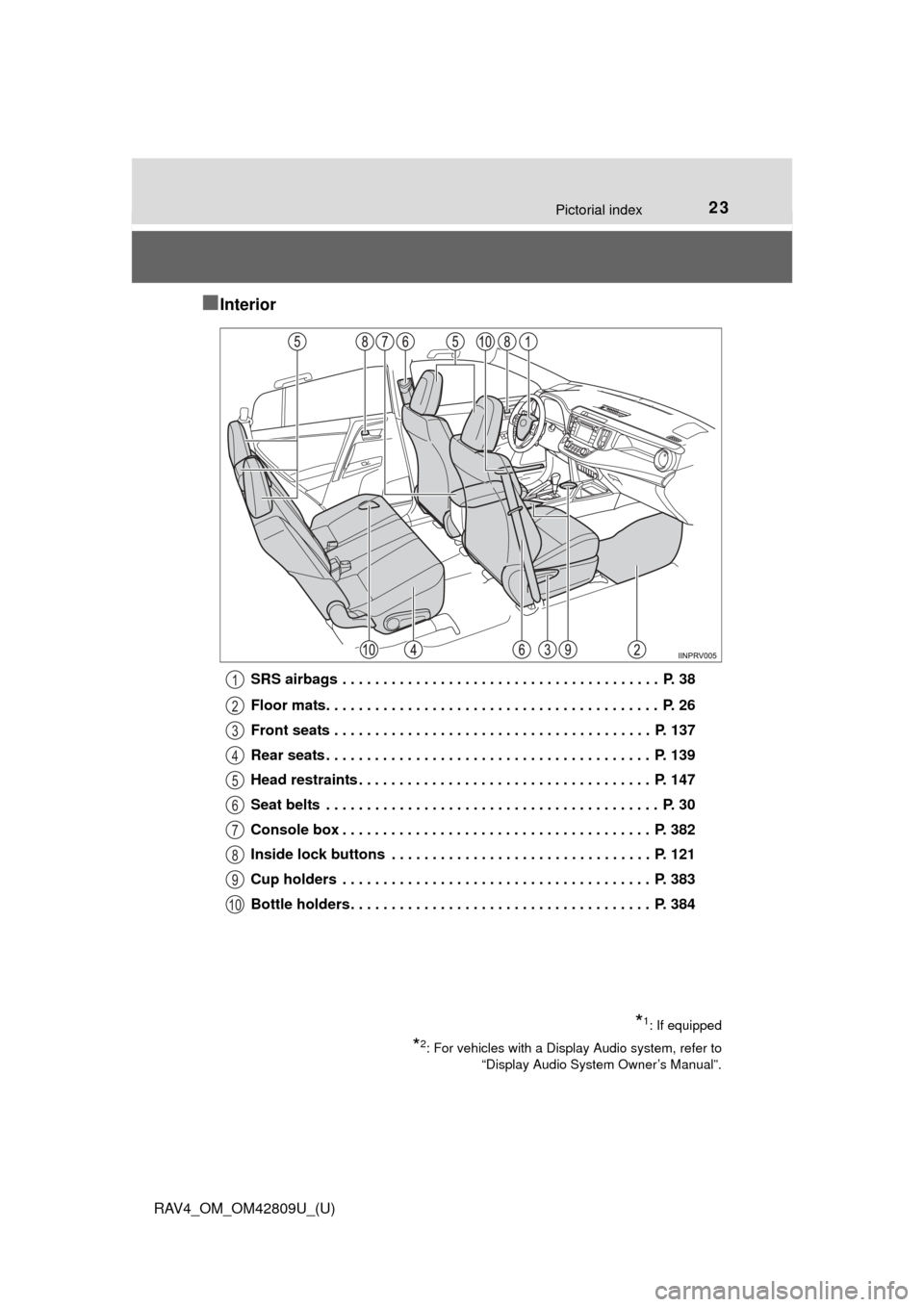
■Interior
SRS airbags . . . . . . . . . . . . . . . . . . . . . . . . . . . . . . . . . . . . . . . P. 38
Floor mats. . . . . . . . . . . . . . . . . . . . . . . . . . . . . . . . . . . . . . . . . P. 26
Front seats . . . . . . . . . . . . . . . . . . . . . . . . . . . . . . . . . . . . . . . P. 137
Rear seats . . . . . . . . . . . . . . . . . . . . . . . . . . . . . . . . . . . . . . . . P. 139
Head restraints . . . . . . . . . . . . . . . . . . . . . . . . . . . . . . . . . . . . P. 147
Seat belts . . . . . . . . . . . . . . . . . . . . . . . . . . . . . . . . . . . . . . . . . P. 30
Console box . . . . . . . . . . . . . . . . . . . . . . . . . . . . . . . . . . . . . . P. 382
Inside lock buttons . . . . . . . . . . . . . . . . . . . . . . . . . . . . . . . . P. 121
Cup holders . . . . . . . . . . . . . . . . . . . . . . . . . . . . . . . . . . . . . . P. 383
Bottle holders. . . . . . . . . . . . . . . . . . . . . . . . . . . . . . . . . . . . . P. 384
*1: If equipped
*2: For vehicles with a Display Audio system, refer to“Display Audio System Owner’s Manual”.
1
2
3
4
5
6
7
8
9
10
Page 308 of 624
308
RAV4_OM_OM42809U_(U)
5-2. Using the audio system
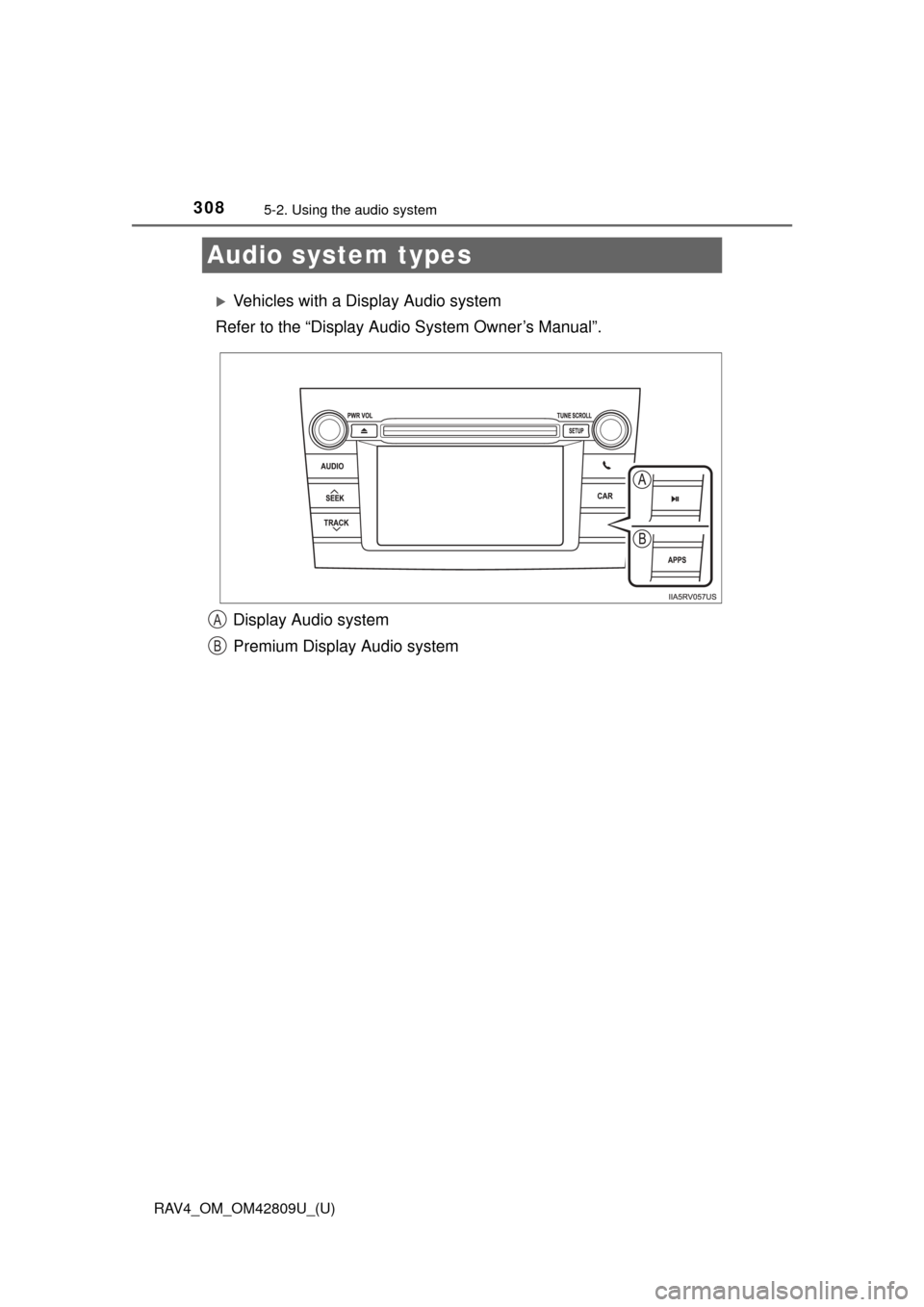
Audio system types
Vehicles with a Display Audio system
Refer to the “Display Audi o System Owner’s Manual”.
Display Audio system
Premium Display Audio system
A
B
Page 309 of 624
RAV4_OM_OM42809U_(U)
3095-2. Using the audio system
5
Interior features
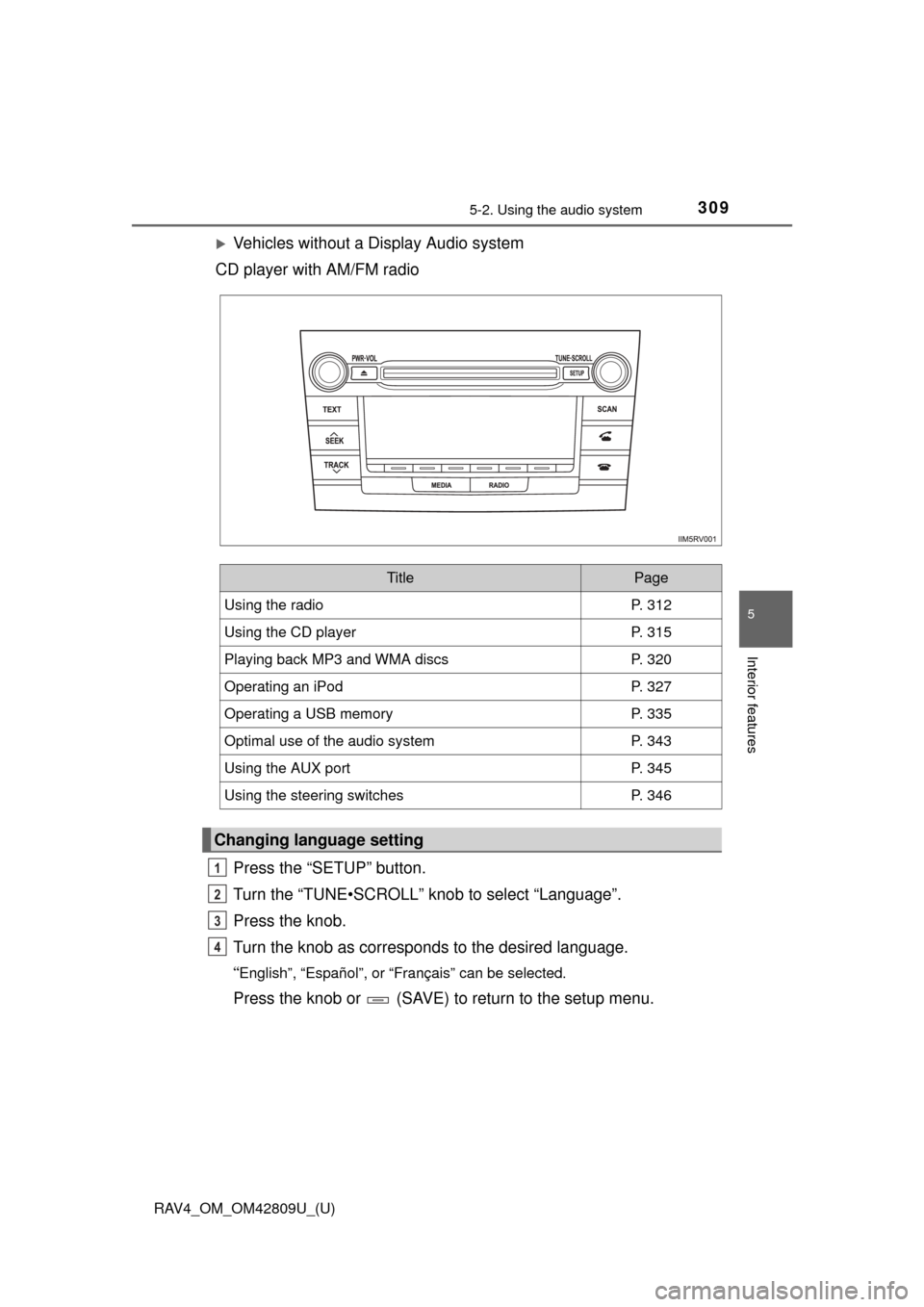
Vehicles without a Display Audio system
CD player with AM/FM radio
Press the “SETUP” button.
Turn the “TUNE•SCROLL” knob to select “Language”.
Press the knob.
Turn the knob as corresponds to the desired language.
“English”, “Español”, or “Français” can be selected.
Press the knob or (SAVE) to return to the setup menu.
TitlePage
Using the radioP. 312
Using the CD playerP. 315
Playing back MP3 and WMA discsP. 320
Operating an iPodP. 327
Operating a USB memoryP. 335
Optimal use of the audio systemP. 343
Using the AUX portP. 345
Using the steering switchesP. 346
Changing language setting
1
2
3
4
Page 310 of 624
310
RAV4_OM_OM42809U_(U)
5-2. Using the audio system
■Using cellular phones
Interference may be heard through the audio system’s speakers if a cellular
phone is being used inside or close to the vehicle while the audio system is
operating.
CAUTION
■Certification for the disc player
●Part 15 of the FCC Rules
FCC Warning:
Changes or modifications not expressly approved by the party responsi-
ble for compliance could void the user’s authority to operate the device.
● Laser products
• Do not take this unit apart or attempt to make any changes yourself.
This is an intricate unit that uses a laser pickup to retrieve information
from the surface of compact discs. The laser is carefully shielded so
that its rays remain inside the cabinet. Therefore, never try to disassem-
ble the player or alter any of its parts since you may be exposed to laser
rays and dangerous voltages.
• This product utilizes a laser. Use of controls or adjustments or performance of procedures other than
those specified herein may result in hazardous radiation exposure.
■ Certification for the Display Audio system
FCC ID: BABFT0017A
FCC ID: BABFT0032A
IC: 2024B-FT0017A
IC: 2024B-FT0032A
For vehicles sold in the U.S.A. and Puerto Rico
This device complies with part 15 of the FCC Rules. Operation is subject to
the following two conditions: (1) This device may not cause harmful interfer-
ence, and (2) this device must accept any interference received, including
interference that may cause undesired operation.
Page 312 of 624
312
RAV4_OM_OM42809U_(U)
5-2. Using the audio system
Using the radio
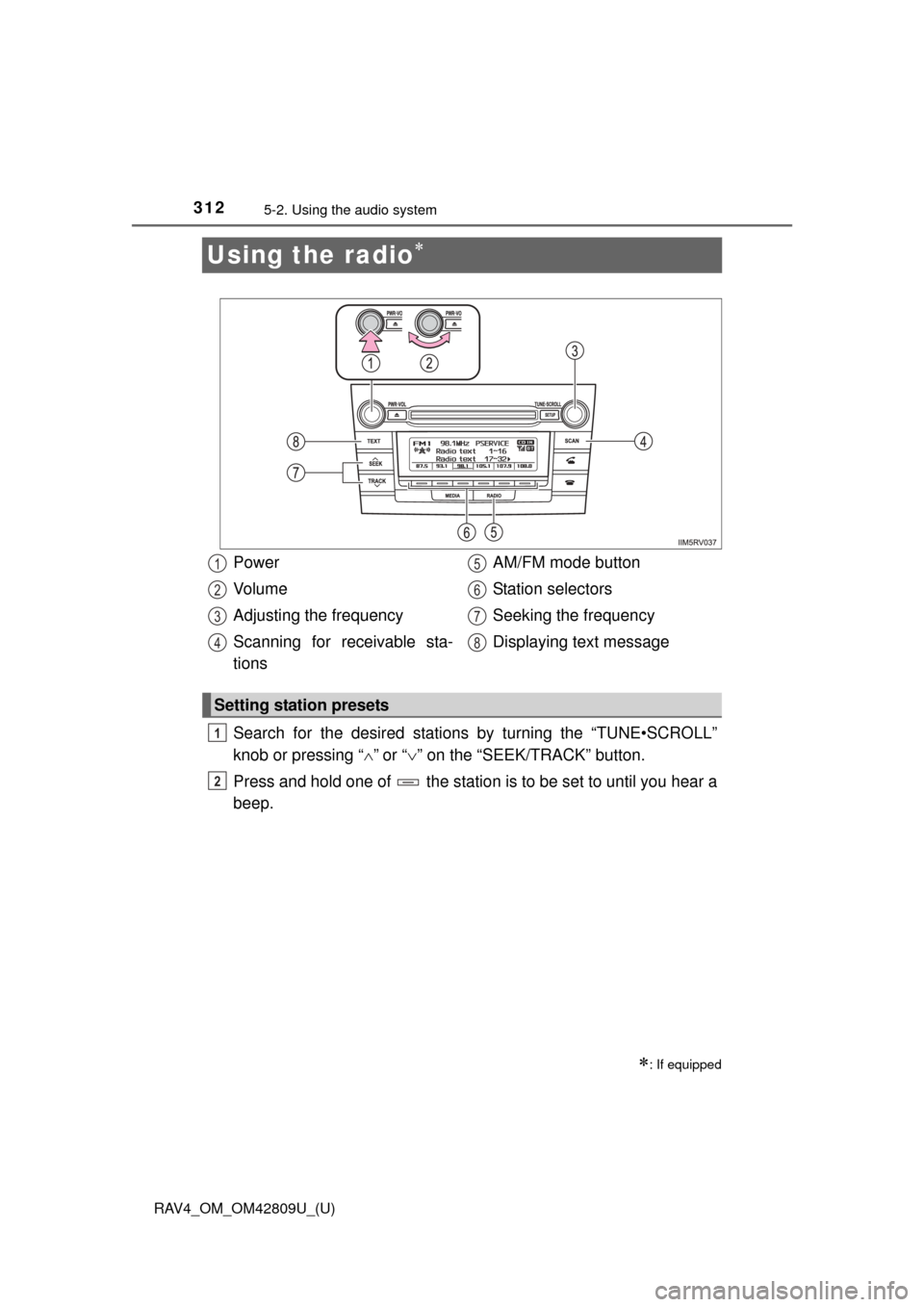
Search for the desired stations by turning the “TUNE•SCROLL”
knob or pressing “”
or “ ” on the “SEEK/TRACK” button.
Press and hold one of the station is to be set to until you hear a
beep.
: If equipped
Power
Vo l u m e
Adjusting the frequency
Scanning for receivable sta-
tions AM/FM mode button
Station selectors
Seeking the frequency
Displaying text message
Setting station presets
1
2
3
4
5
6
7
8
1
2
Page 313 of 624
RAV4_OM_OM42809U_(U)
3135-2. Using the audio system
5
Interior features
■Scanning the preset radio stationsPress and hold the “SCAN” button until you hear a beep.
Preset stations will be played for 5 seconds each.
To cancel, press the button again.
When the desired station is reached, press the button again.
■Scanning all the radio stations within rangePress the “SCAN” button.
All the stations with reception will be played for 5 seconds each.
To cancel, press the button again.
When the desired station is reached, press the button again.
Press the “TEXT” button to display or hide the radio texts.
If there are following texts, is displayed.
Press the button to display the remaining texts.
Scanning radio stations
Switching the display
1
2
1
2