remote control TOYOTA RAV4 2013 XA40 / 4.G Owners Manual
[x] Cancel search | Manufacturer: TOYOTA, Model Year: 2013, Model line: RAV4, Model: TOYOTA RAV4 2013 XA40 / 4.GPages: 624, PDF Size: 9.82 MB
Page 2 of 624
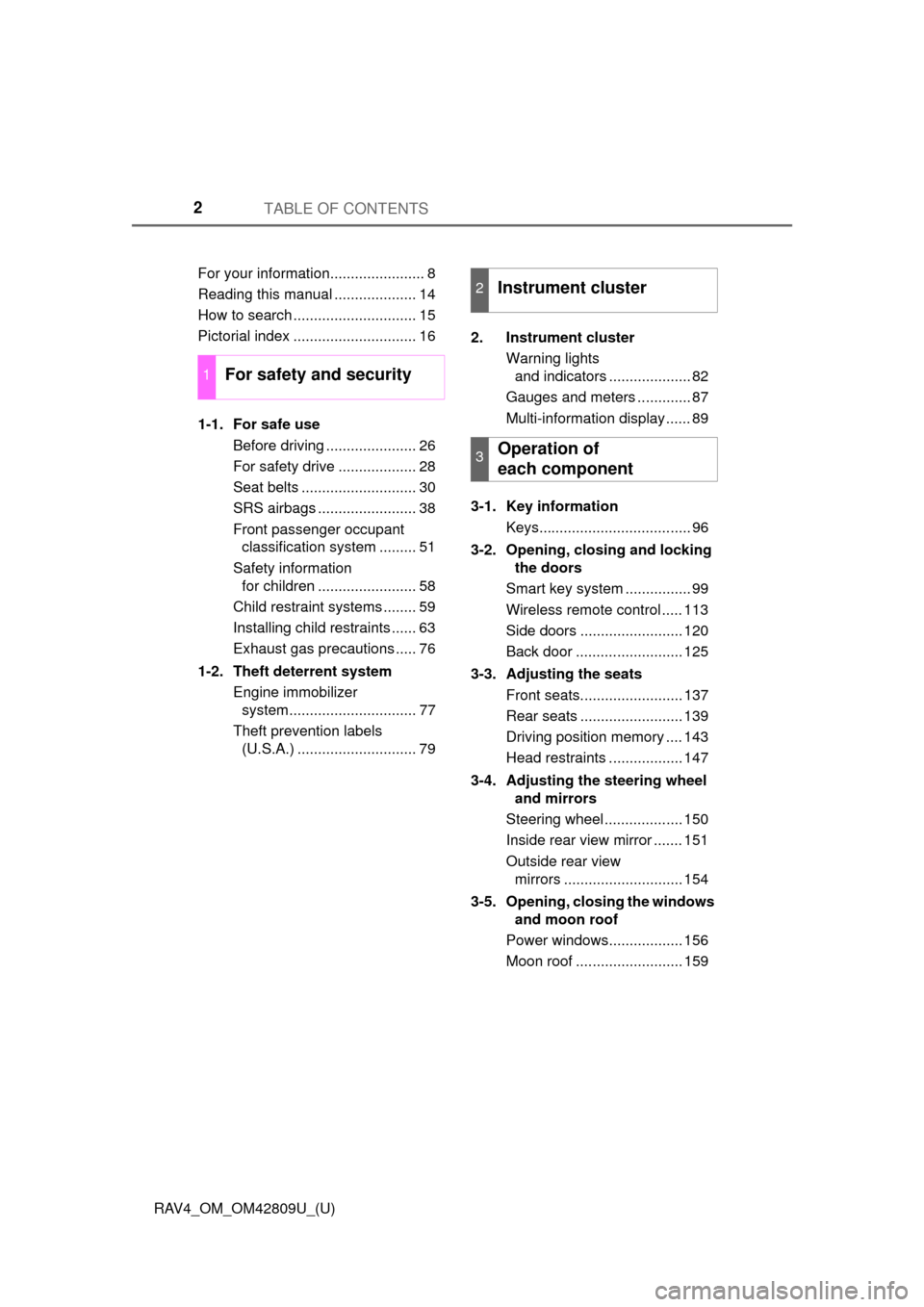
TABLE OF CONTENTS2
RAV4_OM_OM42809U_(U)For your information....................... 8
Reading this manual .................... 14
How to search .............................. 15
Pictorial index .............................. 16
1-1. For safe use
Before driving ...................... 26
For safety drive ................... 28
Seat belts ............................ 30
SRS airbags ........................ 38
Front passenger occupant classification system ......... 51
Safety information for children ........................ 58
Child restraint systems ........ 59
Installing child restraints ...... 63
Exhaust gas precautions ..... 76
1-2. Theft deterrent system Engine immobilizer system............................... 77
Theft prevention labels (U.S.A.) ............................. 79 2. Instrument cluster
Warning lights and indicators .................... 82
Gauges and meters ............. 87
Multi-information display ...... 89
3-1. Key information Keys..................................... 96
3-2. Opening, closing and locking the doors
Smart key system ................ 99
Wireless remote control ..... 113
Side doors ......................... 120
Back door .......................... 125
3-3. Adjusting the seats Front seats......................... 137
Rear seats ......................... 139
Driving position memory .... 143
Head restraints .................. 147
3-4. Adjusting the steering wheel and mirrors
Steering wheel ................... 150
Inside rear view mirror ....... 151
Outside rear view mirrors ............................. 154
3-5. Opening, closing the windows and moon roof
Power windows.................. 156
Moon roof .......................... 159
1For safety and security
2Instrument cluster
3Operation of
each component
Page 5 of 624
5
1
8 7
6
5
4
3
2
RAV4_OM_OM42809U_(U)
9
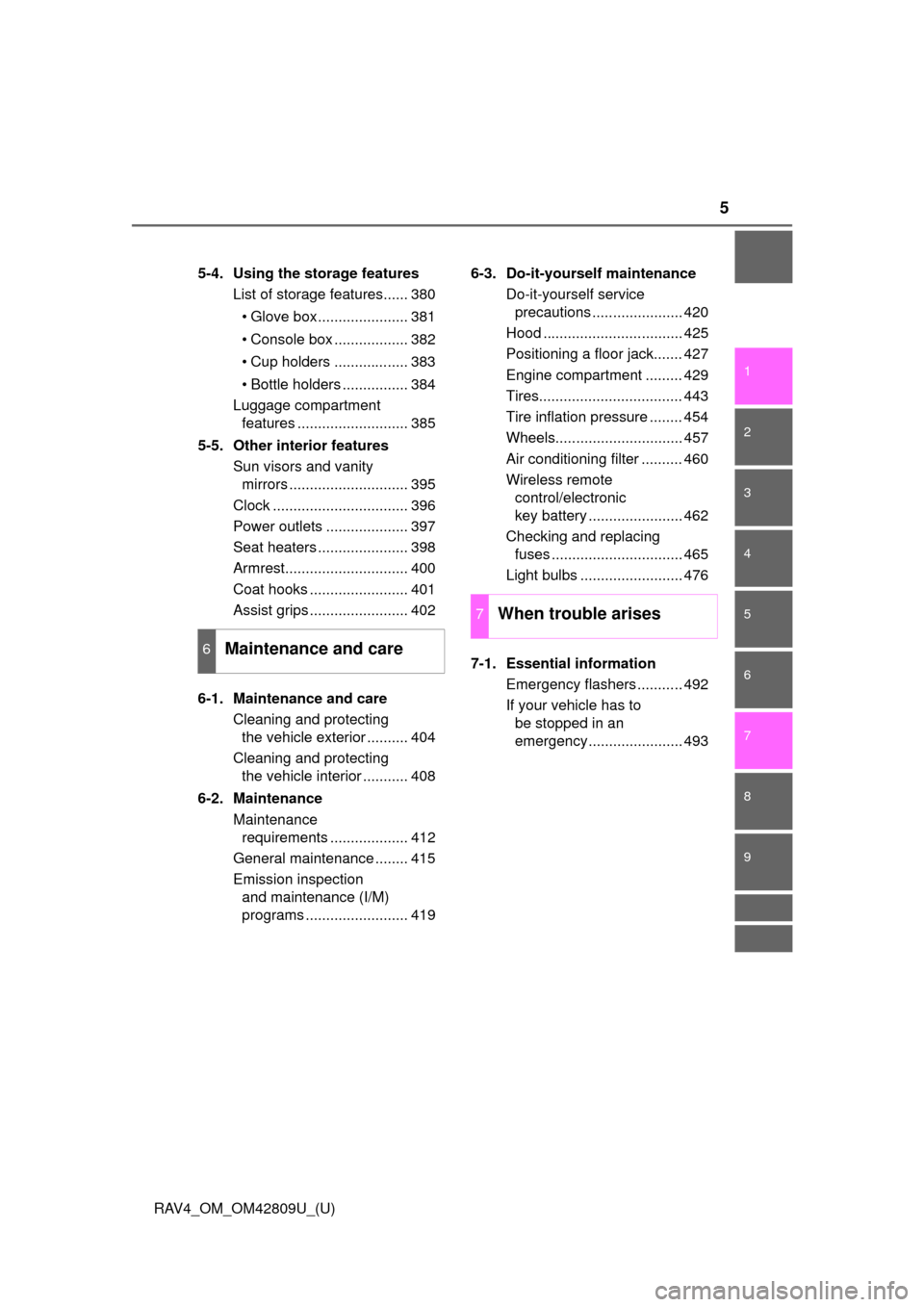
5-4. Using the storage featuresList of storage features...... 380
• Glove box...................... 381
• Console box .................. 382
• Cup holders .................. 383
• Bottle holders ................ 384
Luggage compartment features ........................... 385
5-5. Other interior features Sun visors and vanity mirrors ............................. 395
Clock ................................. 396
Power outlets .................... 397
Seat heaters ...................... 398
Armrest.............................. 400
Coat hooks ........................ 401
Assist grips ........................ 402
6-1. Maintenance and care Cleaning and protecting the vehicle exterior .......... 404
Cleaning and protecting the vehicle interior ........... 408
6-2. Maintenance Maintenance requirements ................... 412
General maintenance ........ 415
Emission inspection and maintenance (I/M)
programs ......................... 419 6-3. Do-it-yourself maintenance
Do-it-yourself service precautions ...................... 420
Hood .................................. 425
Positioning a floor jack....... 427
Engine compartment ......... 429
Tires................................... 443
Tire inflation pressure ........ 454
Wheels............................... 457
Air conditioning filter .......... 460
Wireless remote control/electronic
key battery ....................... 462
Checking and replacing fuses ................................ 465
Light bulbs ......................... 476
7-1. Essential information Emergency flashers ........... 492
If your vehicle has to be stopped in an
emergency....................... 493
6Maintenance and care
7When trouble arises
Page 21 of 624
21Pictorial index
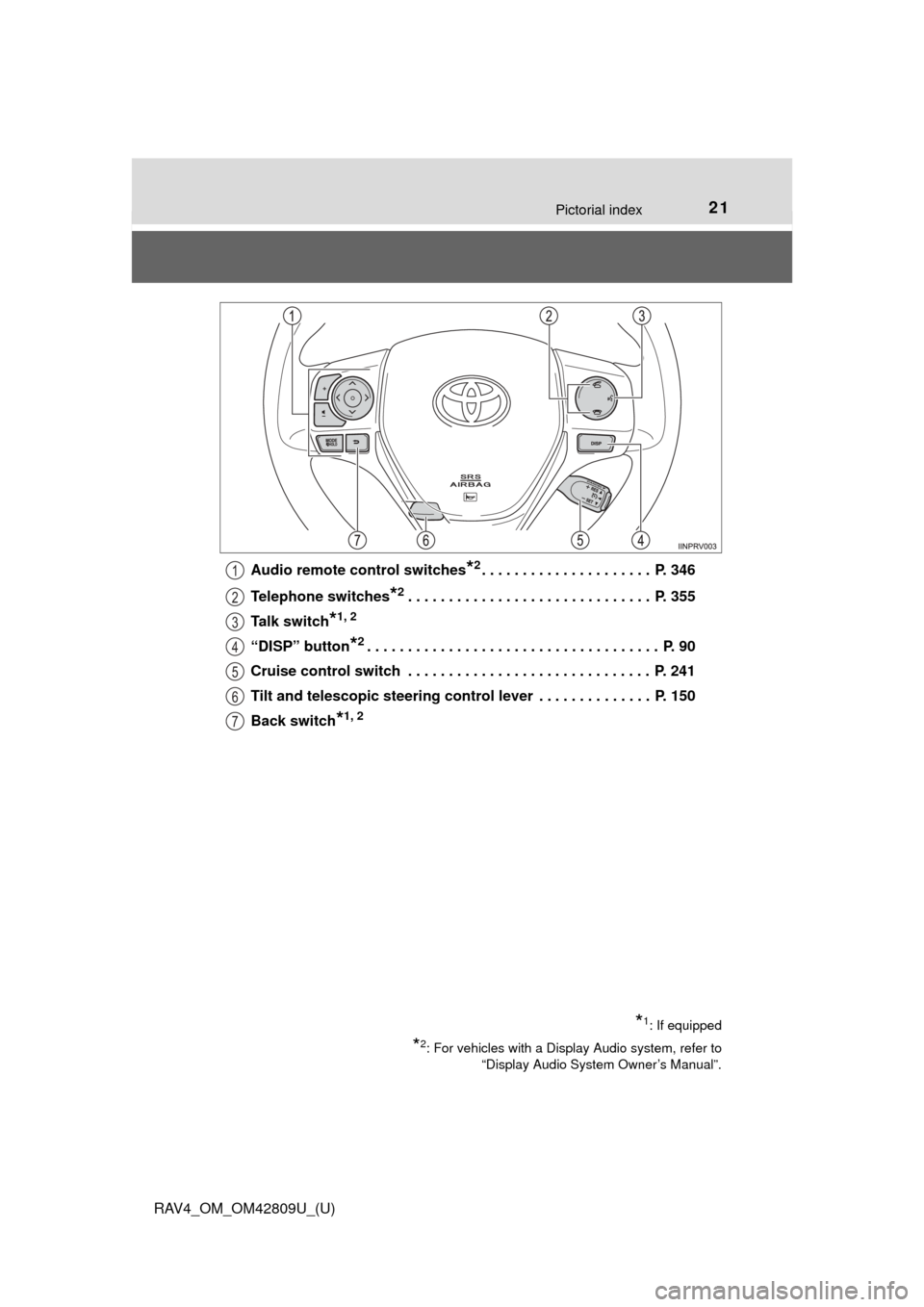
RAV4_OM_OM42809U_(U)Audio remote control switches
*2. . . . . . . . . . . . . . . . . . . . . P. 346
Telephone switches
*2. . . . . . . . . . . . . . . . . . . . . . . . . . . . . . P. 355
Talk switch
*1, 2
“DISP” button*2. . . . . . . . . . . . . . . . . . . . . . . . . . . . . . . . . . . . P. 90
Cruise control switch . . . . . . . . . . . . . . . . . . . . . . . . . . . . . . P. 241
Tilt and telescopic steering control lever . . . . . . . . . . . . . . P. 150
Back switch
*1, 2
*1: If equipped
*2: For vehicles with a Display Audio system, refer to “Display Audio System Owner’s Manual”.
1
2
3
4
5
6
7
Page 95 of 624
95
RAV4_OM_OM42809U_(U)
3
Operation of
each component
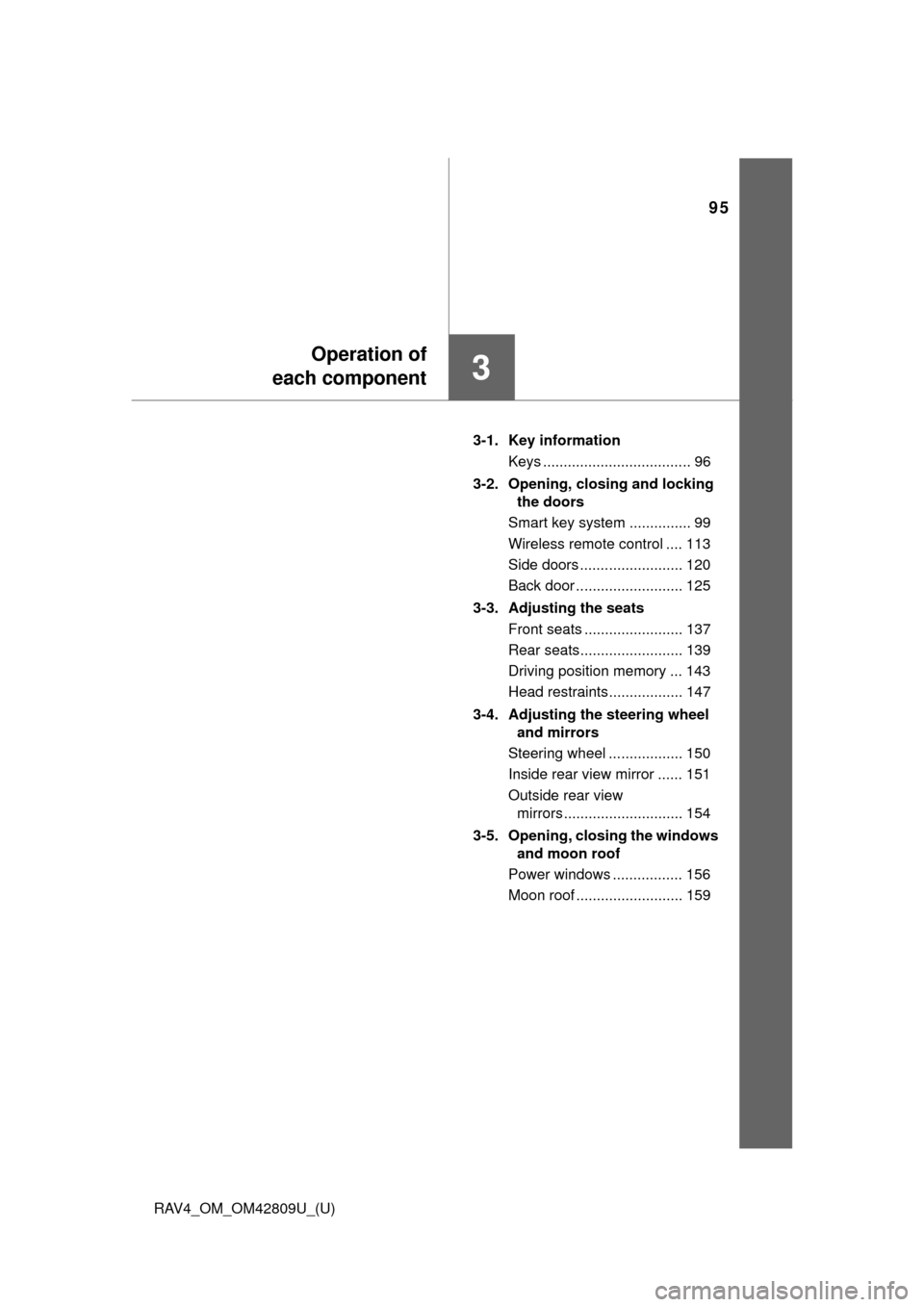
3-1. Key information
Keys .................................... 96
3-2. Opening, closing and locking the doors
Smart key system ............... 99
Wireless remote control .... 113
Side doors ......................... 120
Back door .......................... 125
3-3. Adjusting the seats Front seats ........................ 137
Rear seats......................... 139
Driving position memory ... 143
Head restraints.................. 147
3-4. Adjusting the steering wheel and mirrors
Steering wheel .................. 150
Inside rear view mirror ...... 151
Outside rear view mirrors ............................. 154
3-5. Opening, closing the windows and moon roof
Power windows ................. 156
Moon roof .......................... 159
Page 96 of 624
96
RAV4_OM_OM42809U_(U)
3-1. Key information
Keys
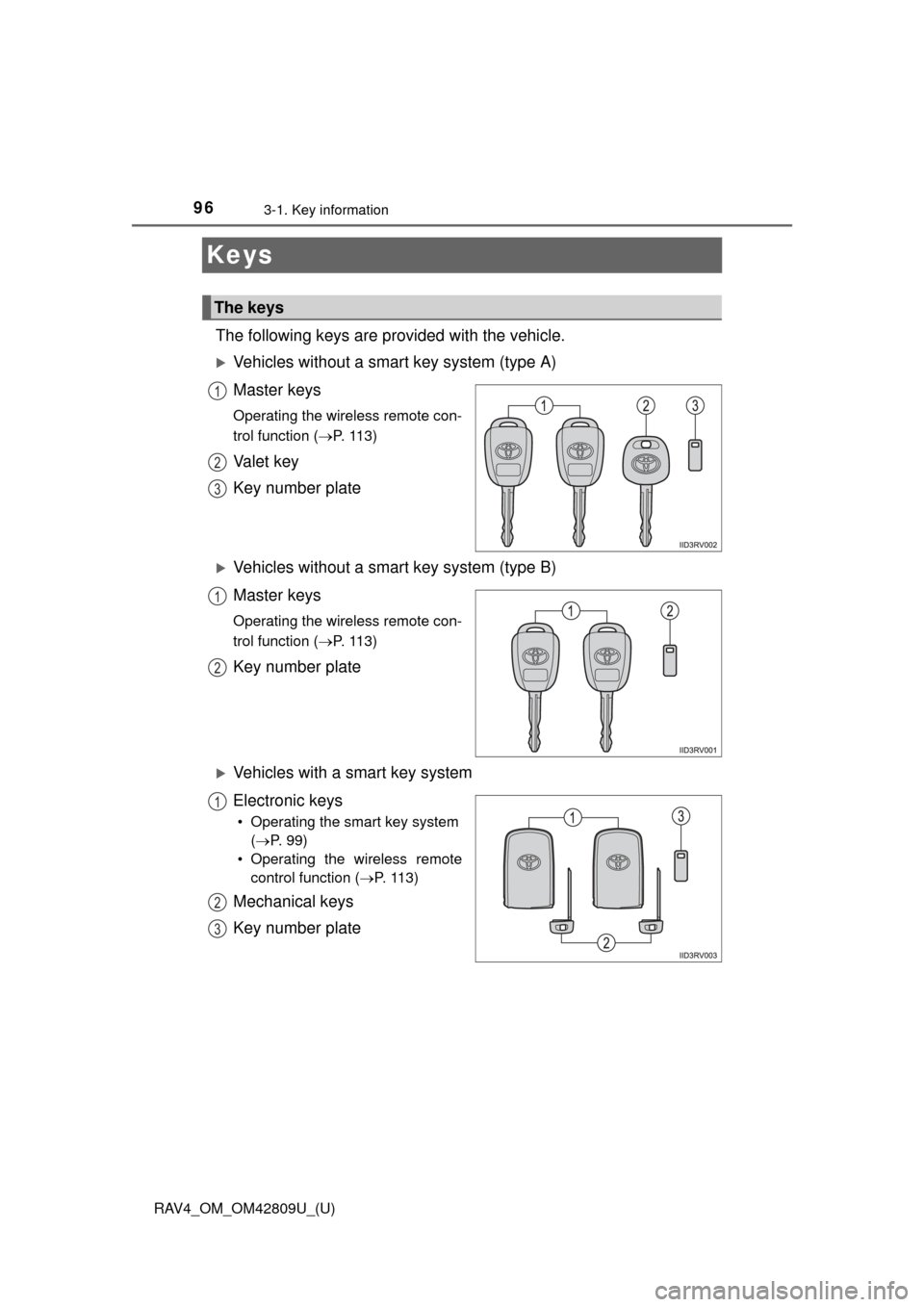
The following keys are provided with the vehicle.
Vehicles without a smart key system (type A)
Master keys
Operating the wireless remote con-
trol function (P. 113)
Va l e t k e y
Key number plate
Vehicles without a smart key system (type B)
Master keys
Operating the wireless remote con-
trol function (P. 113)
Key number plate
Vehicles with a smart key system
Electronic keys
• Operating the smart key system
( P. 99)
• Operating the wireless remote control function ( P. 113)
Mechanical keys
Key number plate
The keys
1
2
3
1
2
1
2
3
Page 97 of 624
RAV4_OM_OM42809U_(U)
973-1. Key information
3
Operation of each component
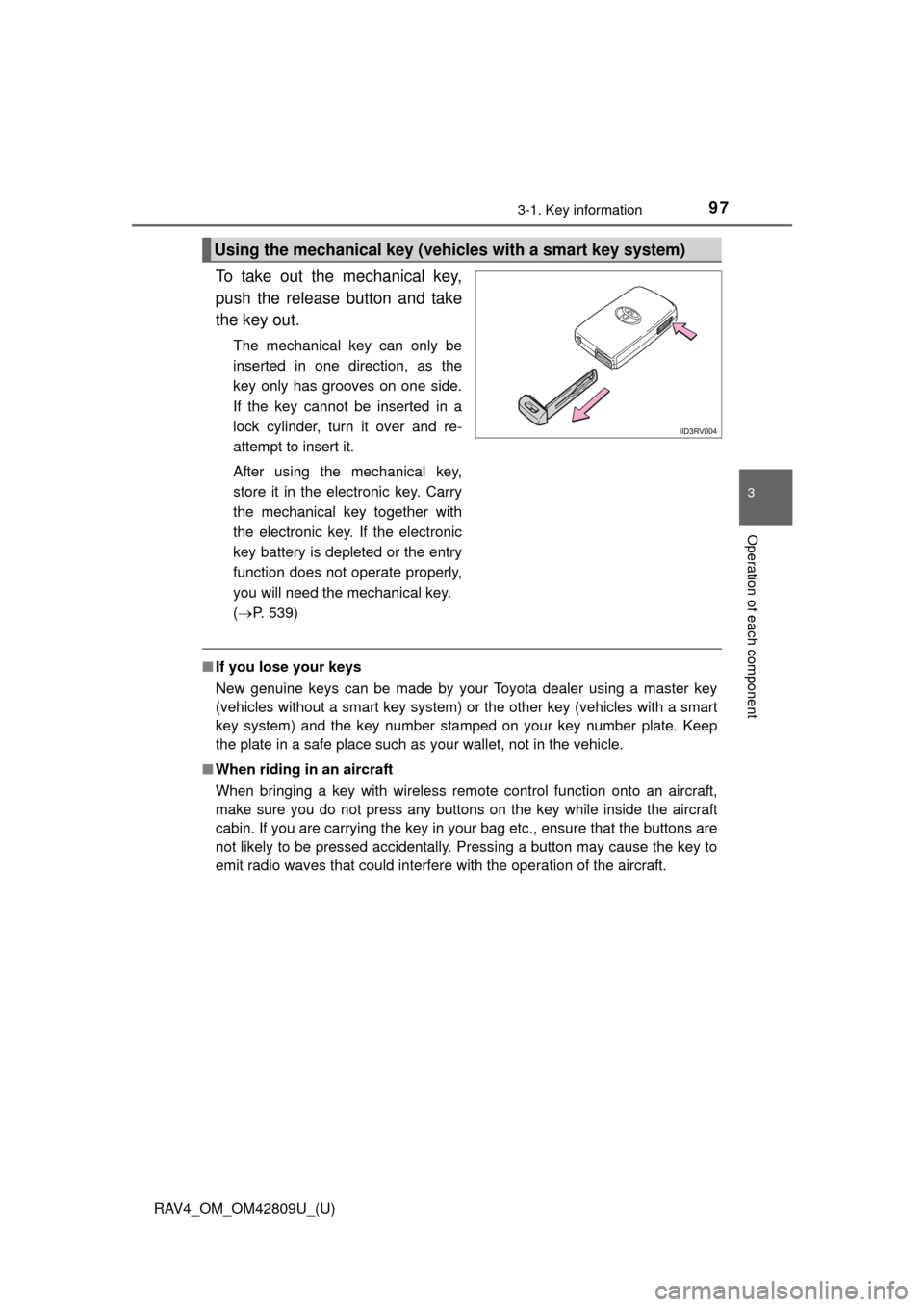
To take out the mechanical key,
push the release button and take
the key out.
The mechanical key can only be
inserted in one direction, as the
key only has grooves on one side.
If the key cannot be inserted in a
lock cylinder, turn it over and re-
attempt to insert it.
After using the mechanical key,
store it in the electronic key. Carry
the mechanical key together with
the electronic key. If the electronic
key battery is depleted or the entry
function does not operate properly,
you will need the mechanical key.
( P. 539)
■If you lose your keys
New genuine keys can be made by your Toyota dealer using a master key
(vehicles without a smart key system) or the other key (vehicles with a smart
key system) and the key number stam ped on your key number plate. Keep
the plate in a safe place such as your wallet, not in the vehicle.
■ When riding in an aircraft
When bringing a key with wireless remote control function onto an aircraft,
make sure you do not press any buttons on the key while inside the aircraft
cabin. If you are carrying the key in your bag etc., ensure that the buttons are
not likely to be pressed accidentally. Pressing a button may cause the key to
emit radio waves that could interfere with the operation of the aircraft.
Using the mechanical key (vehic les with a smart key system)
Page 105 of 624
RAV4_OM_OM42809U_(U)
1053-2. Opening, closing and locking the doors
3
Operation of each component
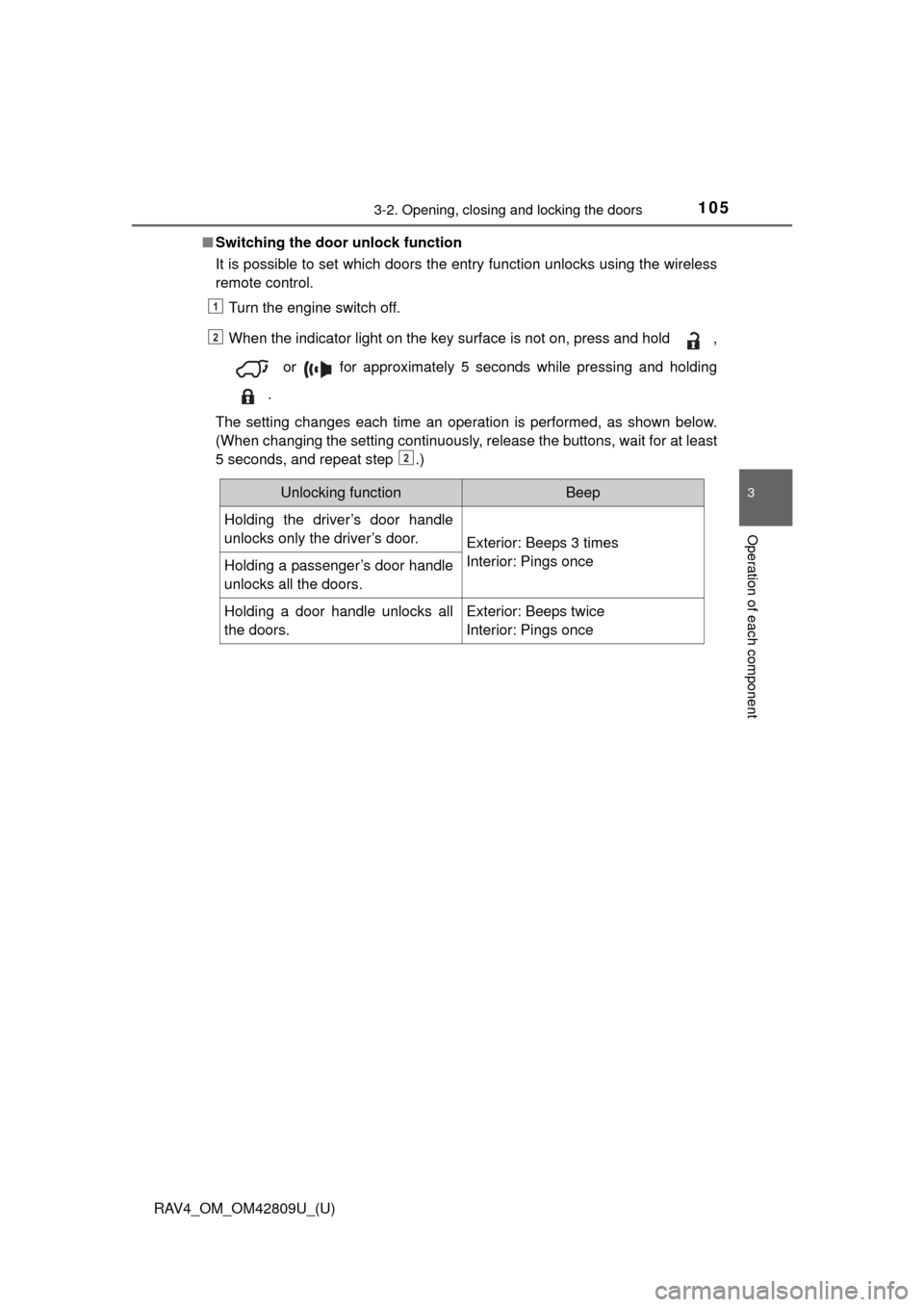
■Switching the door unlock function
It is possible to set which doors the entry function unlocks using the wireless
remote control.
Turn the engine switch off.
When the indicator light on the key surface is not on, press and hold ,
or for approximately 5 seconds while pressing and holding
.
The setting changes each time an operation is performed, as shown below.
(When changing the setting continuously, release the buttons, wait for at least
5 seconds, and repeat step .)
1
2
2
Unlocking functionBeep
Holding the driver’s door handle
unlocks only the driver’s door.
Exterior: Beeps 3 times
Interior: Pings once
Holding a passenger’s door handle
unlocks all the doors.
Holding a door handle unlocks all
the doors.Exterior: Beeps twice
Interior: Pings once
Page 106 of 624
106
RAV4_OM_OM42809U_(U)
3-2. Opening, closing and locking the doors
■Battery-saving function
The battery-saving function will be activated in order to prevent the electronic
key battery and the vehicle battery from being discharged while the vehicle is
not in operation for a long time.
●In the following situations, the smart key system may take some time to
unlock the doors.
• The electronic key has been left in an area of approximately 6 ft. (2 m) of
the outside of the vehicle for 10 minutes or longer.
• The smart key system has not been used for 5 days or longer.
● If the smart key system has not been used for 14 days or longer, the doors
cannot be unlocked at any doors except the driver’s door. In this case, take
hold of the driver’s door handle, or use the wireless remote control or the
mechanical key, to unlock the doors.
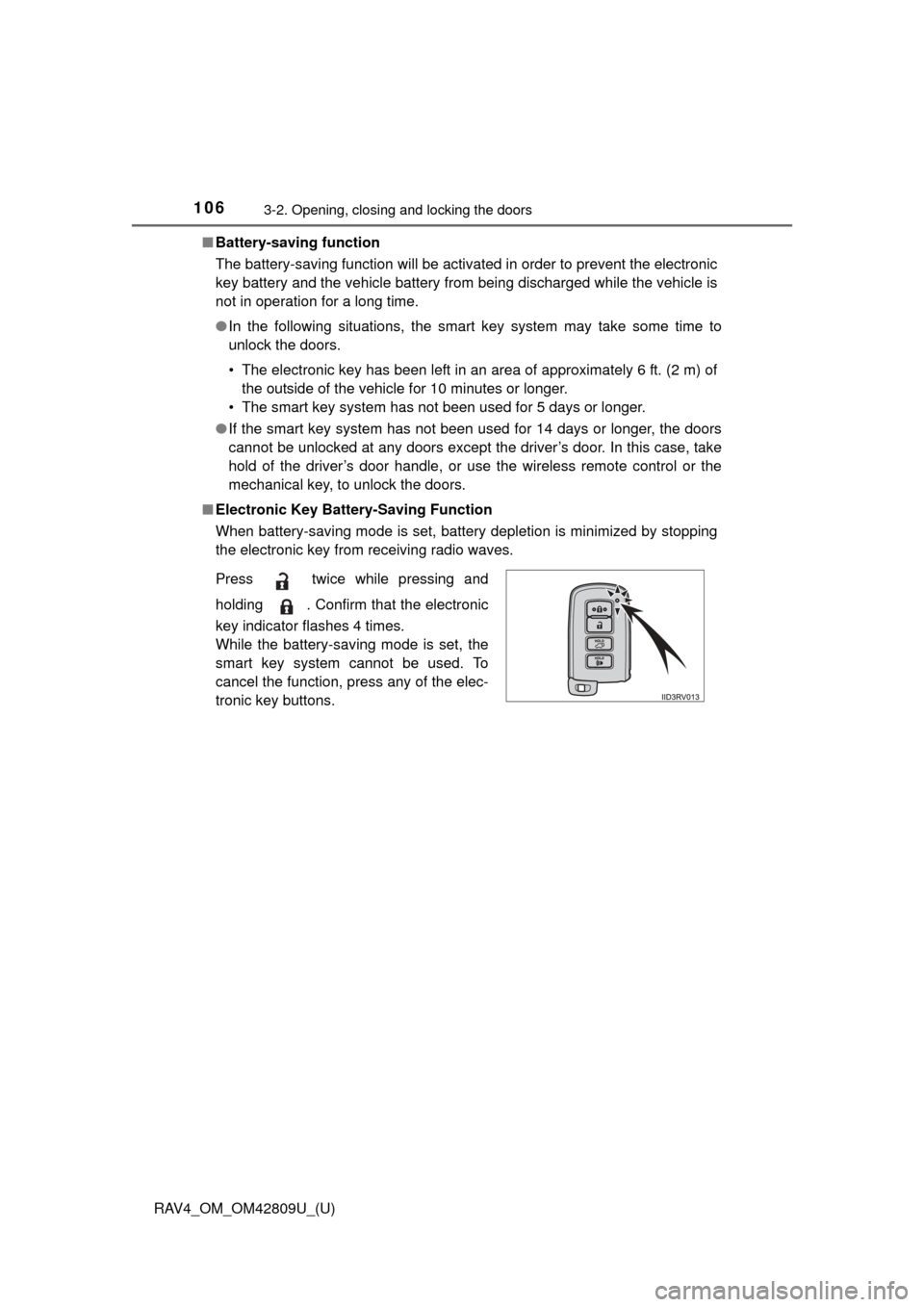
■ Electronic Key Battery-Saving Function
When battery-saving mode is set, battery depletion is minimized by stopping
the electronic key from receiving radio waves.
Press twice while pressing and
holding . Confirm that the electronic
key indicator flashes 4 times.
While the battery-saving mode is set, the
smart key system cannot be used. To
cancel the function, press any of the elec-
tronic key buttons.
Page 107 of 624

RAV4_OM_OM42809U_(U)
1073-2. Opening, closing and locking the doors
3
Operation of each component
■Conditions affecting operation
The smart key system uses weak radio waves. In the following situations, the
communication between the electronic key and the vehicle may be affected,
preventing the smart key system, wireless remote control and engine immobi-
lizer system from operating properly. (Ways of coping: P. 539)
● When the electronic key battery is depleted
● Near a TV tower, electric power plant, gas station, radio station, large dis-
play, airport or other facility that generates strong radio waves or electrical
noise
● When carrying a portable radio, cellular phone, cordless phone or other
wireless communication device
● When the electronic key is in contact with, or is covered by the following
metallic objects
• Cards to which aluminum foil is attached
• Cigarette boxes that have aluminum foil inside
• Metallic wallets or bags
• Coins
• Hand warmers made of metal
• Media such as CDs and DVDs
● When other wireless keys (that emit radio waves) are being used nearby
● When carrying the electronic key together with the following devices that
emit radio waves
• Another vehicle’s electronic key or a wireless key that emits radio waves
• Personal computers or personal digital assistants (PDAs)
• Digital audio players
• Portable game systems
● If window tint with a metallic content or metallic objects are attached to the
rear window
● When the electronic key is placed near a battery charger or electronic
devices
Page 108 of 624

108
RAV4_OM_OM42809U_(U)
3-2. Opening, closing and locking the doors
■Note for the entry function
●Even when the electronic key is within the effective range (detection areas),
the system may not operate properly in the following cases:
• The electronic key is too close to the window or outside door handle, near
the ground, or in a high place when the doors are locked or unlocked.
• The electronic key is near the ground or in a high place, or too close to
the rear bumper center when the back door is opened.
• The electronic key is on the instrument panel, luggage cover or floor, or in the door pockets or glove box when the engine is started or engine switch
modes are changed.
● Do not leave the electronic key on top of the instrument panel or near the
door pockets when exiting the vehicle. Depending on the radio wave recep-
tion conditions, it may be detected by the antenna outside the cabin and the
door will become lockable from the outside, possibly trapping the electronic
key inside the vehicle.
● As long as the electronic key is within the effective range, the doors may be
locked or unlocked by anyone. However, only the doors detecting the elec-
tronic key can be used to unlock the vehicle.
● Even if the electronic key is not inside the vehicle, it may be possible to start
the engine if the electronic key is near the window.
● The doors may unlock or lock if a large amount of water splashes on the
door handle, such as in the rain or in a car wash when the electronic key is
within the effective range. (The doors will automatically be locked after
approximately 60 seconds if the doors are not opened and closed.)
● If the wireless remote control is used to lock the doors when the electronic
key is near the vehicle, there is a possibility that the door may not be
unlocked by the entry function. (Use the wireless remote control to unlock
the doors.)