engine TOYOTA RAV4 2015 XA40 / 4.G Owners Manual
[x] Cancel search | Manufacturer: TOYOTA, Model Year: 2015, Model line: RAV4, Model: TOYOTA RAV4 2015 XA40 / 4.GPages: 732, PDF Size: 12.43 MB
Page 317 of 732
RAV4_OM_OM42A78U_(U)
3175-1. Using the air conditioning system and defogger
5
Interior features
■Operating conditions
Vehicles without a smart key system
The engine switch is in the “ON” position.
Vehicles with a smart key system
The engine switch is in IGNITION ON mode.
■ The outside rear view mirror defogge rs (vehicles with outside rear view
mirror defoggers)
Turning the rear window defogger on will turn the outside rear view mirror
defoggers on.
CAUTION
■ When the outside rear view mirror defoggers are on (vehicles with out-
side rear view mirror defoggers)
Do not touch the rear view mirror surfaces, as they can become very hot
and burn you.
NOTICE
■ To prevent battery discharge
Turn the defoggers off when the engine is off.
Page 318 of 732
318
RAV4_OM_OM42A78U_(U)
5-1. Using the air conditioning system and defogger
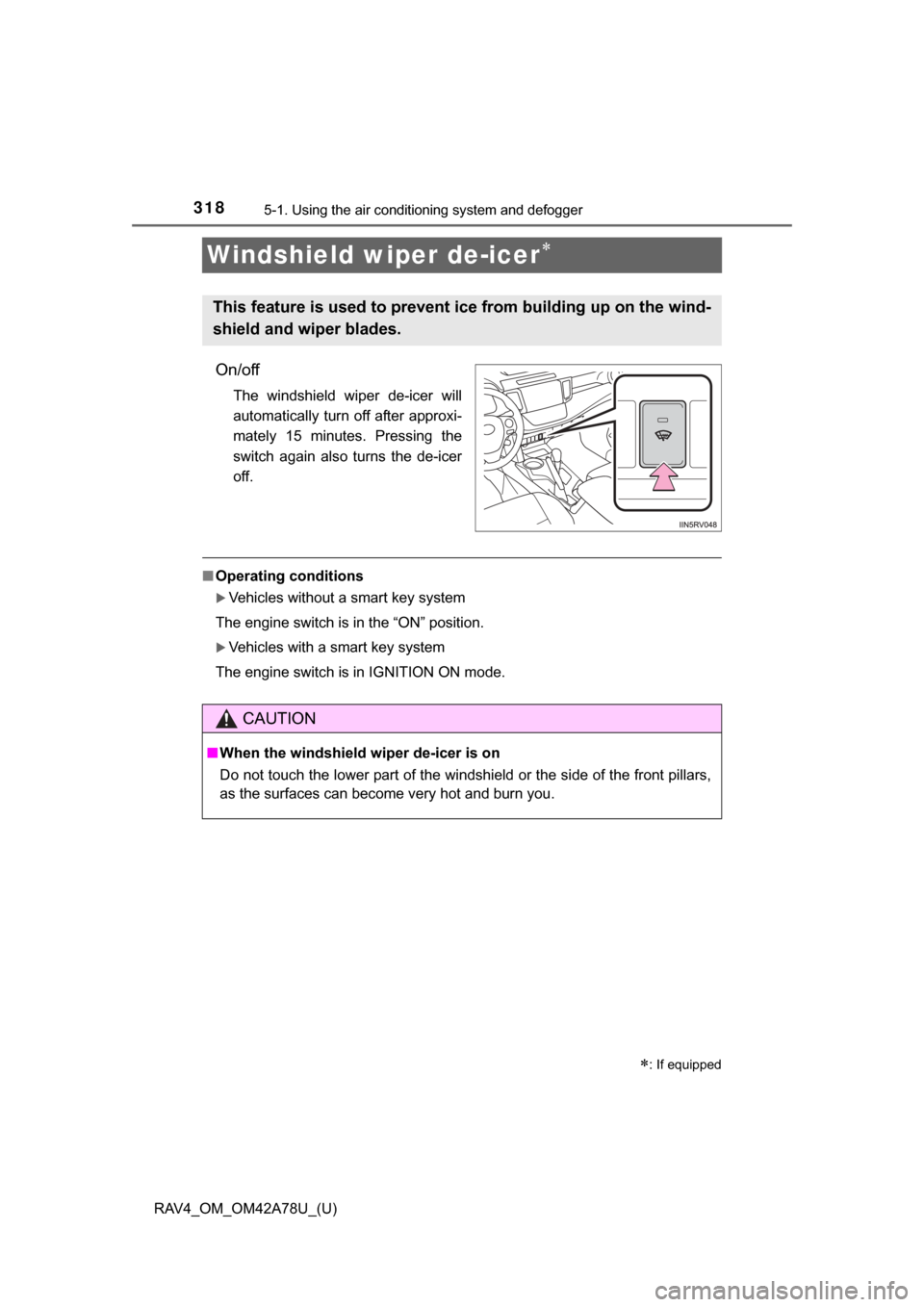
Windshield wiper de-icer
On/off
The windshield wiper de-icer will
automatically turn off after approxi-
mately 15 minutes. Pressing the
switch again also turns the de-icer
off.
■Operating conditions
Vehicles without a smart key system
The engine switch is in the “ON” position.
Vehicles with a smart key system
The engine switch is in IGNITION ON mode.
: If equipped
This feature is used to prevent ice from building up on the wind-
shield and wiper blades.
CAUTION
■ When the windshield wiper de-icer is on
Do not touch the lower part of the windshield or the side of the front pillars,
as the surfaces can become very hot and burn you.
Page 321 of 732
RAV4_OM_OM42A78U_(U)
3215-2. Using the audio system
5
Interior features
■Using cellular phones
Interference may be heard through the audio system’s speakers if a cellular
phone is being used inside or close to the vehicle while the audio system is
operating.
CAUTION
■Certification for the disc player
● Part 15 of the FCC Rules
FCC Warning:
Changes or modifications not expressly approved by the party responsi-
ble for compliance could void the user’s authority to operate the device.
● Laser products
• Do not take this unit apart or attempt to make any changes yourself.
This is an intricate unit that uses a laser pickup to retrieve information
from the surface of compact discs. The laser is carefully shielded so
that its rays remain inside the cabinet. Therefore, never try to disassem-
ble the player or alter any of its parts since you may be exposed to laser
rays and dangerous voltages.
• This product utilizes a laser. Use of controls or adjustments or performance of procedures other than
those specified herein may result in hazardous radiation exposure.
NOTICE
■To prevent battery discharge
Do not leave the audio system on longer than necessary with the engine is
stopped.
■ To avoid damaging the audio system
Take care not to spill drinks or other fluids over the audio system.
Page 380 of 732
380
RAV4_OM_OM42A78U_(U)
5-2. Using the audio system
Select “Passkey” using the “TUNE•SCROLL” knob.
Select a 4 to 8-digit passkey using the knob.
Input the number 1 digit at a time.
When the entire number to be registered as a passkey has been
input, press (ENTER).
If the passkey to be registered has 8 digits, pressing (ENTER) is not
necessary.
If “BT power” is set to on, the registered device will be connected
automatically when the engine switch is turned to the “ACC” position
(vehicles without a smart key sy stem) or ACCESSORY mode (vehi-
cles with a smart key system).
Select “BT Power” using the “TUNE•SCROLL” knob.
Select “ON” or “OFF” using the knob.
Select “Bluetooth
* info” using the “TUNE•SCROLL” knob.
● Displaying the device name
Select “Device name” using the “TUNE•SCROLL” knob.
● Displaying the device address
Select “Device address” using the “TUNE•SCROLL” knob.
*: Bluetooth is a registered trademark of Bluetooth SIG, Inc.
Changing the passkey
Setting automatic connection of the device on or off
Displaying the device status
1
2
3
1
2
Page 381 of 732
RAV4_OM_OM42A78U_(U)
3815-2. Using the audio system
5
Interior features
If the “Display setting” is set to on, the portable player connection sta-
tus will be displayed when the engine sw itch is turned to the “ACC” or
“ON” position (vehicles without a smart key system) or ACCESSORY
or IGNITION ON mode (vehicl es with a smart key system).
Select “Display setting” us ing the “TUNE•SCROLL” knob.
Select “ON” or “OFF” using the knob.
Select “Initialize” using the “TUNE•SCROLL” knob.
● Initializing the sound settings
Select “Sound setting” using the “TUNE•SCROLL” knob and press
(YES).
For details about sound settings: P. 382
●Initializing the device information
Select “Car device info” using the “TUNE•SCROLL” knob and press
(YES).
Automatic connection of a portable device, automatic connection confirma-
tion display and the passkey will be initialized.
● Initializing all the settings
Select “All initialize” using the “TUNE•SCROLL” knob and press
(YES).
■The number of Bluetooth® device that can be registered
Up to 5 Bluetooth
® device can be registered in the system.
■ Bluetooth
® audio/phone system functions
Certain functions may not be available during driving.
Setting the automatic connection confirmation display to on or
off
Initialization
1
2
Page 393 of 732
RAV4_OM_OM42A78U_(U)
3935-3. Using the audio system (Entune Audio)
5
Interior features
Select to change on/off.
Select to change on/off.
■Using cellular phones
Interference may be heard through the audio system’s speakers if a cellular
phone is being used inside or close to the vehicle while the audio system is
operating.
Random playback
Repeat play
CAUTION
■Laser product
This product is a class 1 laser product.
Do not open the cover of the player or attempt to repair the unit yourself.
Refer servicing to qualified personnel.
● Laser products
• Do not take this unit apart or attempt to make any changes yourself.
This is an intricate unit that uses a laser pickup to retrieve information
from the surface of compact discs. The laser is carefully shielded so
that its rays remain inside the cabinet. Therefore, never try to disassem-
ble the player or alter any of its parts since you may be exposed to laser
rays and dangerous voltages.
• This product utilizes a laser. Use of controls or adjustments or performance of procedures other than
those specified herein may result in hazardous radiation exposure.
THE USE OF OPTICAL INSTRUMENTS WITH THIS PRODUCT WILL
INCREASE EYE HAZARD.
NOTICE
■To prevent battery discharge
Do not leave the audio system on longer than necessary when the engine is
off.
■ To avoid damaging the audio system
Take care not to spill drinks or other fluids on the audio system.
Page 396 of 732
396
RAV4_OM_OM42A78U_(U)
5-3. Using the audio system (Entune Audio)
An image can be copied from a USB memory and used as the startup
and screen off Images.
When the engine switch is in the “ACC” or “ON” position (vehicles
without a smart key system) or ACCESSORY or IGNITION ON mode
(vehicles with a smart ke y system), the initial screen will be displayed.
When “Screen Off” on the “Setup” screen is selected, the screen is
turned off and the desired screen off image that is set is displayed.
(To turn the screen off: P. 394)
■Transferring images
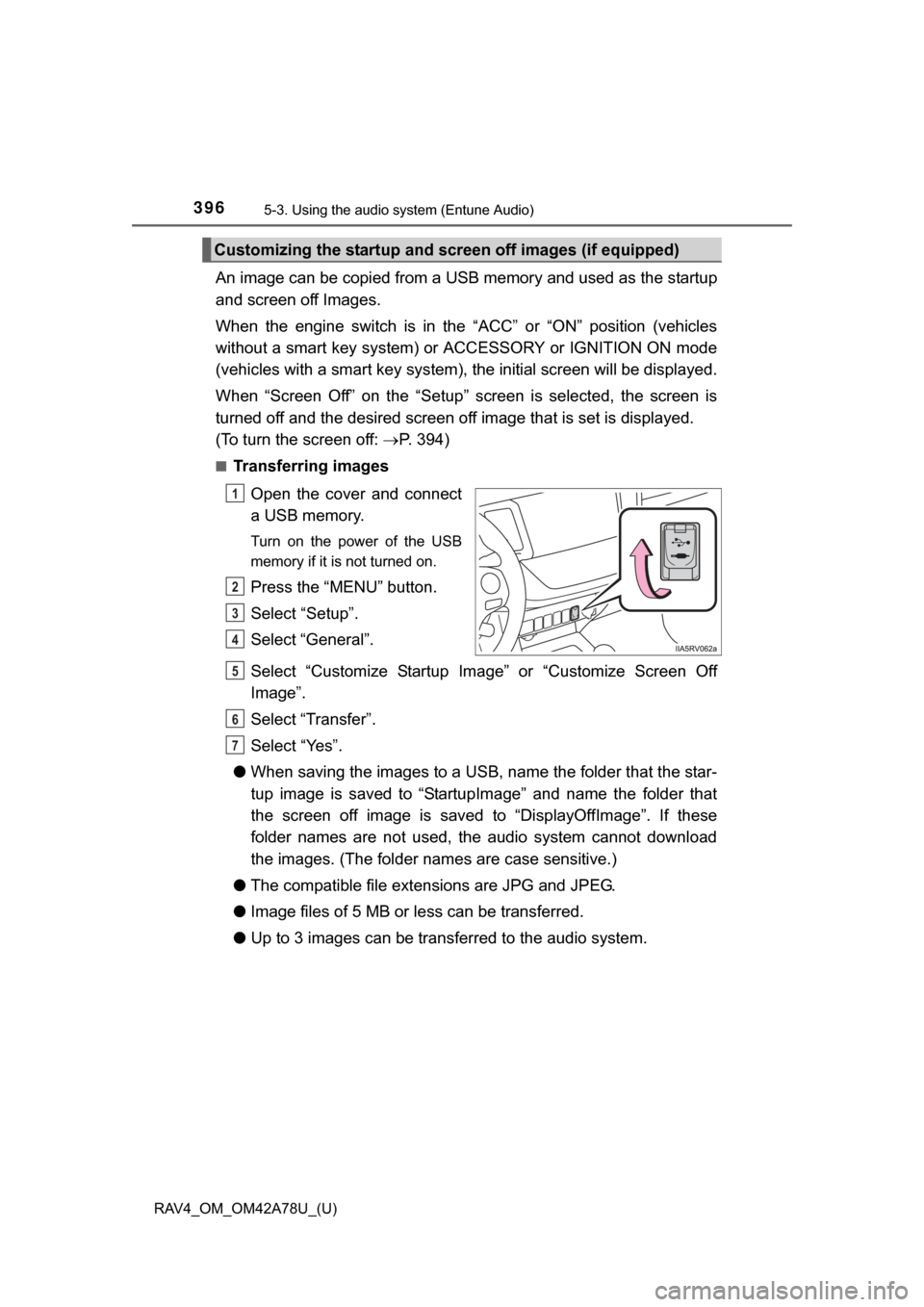
Open the cover and connect
a USB memory.
Turn on the power of the USB
memory if it is not turned on.
Press the “MENU” button.
Select “Setup”.
Select “General”.
Select “Customize Startup Image” or “Customize Screen Off
Image”.
Select “Transfer”.
Select “Yes”.
● When saving the images to a USB, name the folder that the star-
tup image is saved to “StartupImage” and name the folder that
the screen off image is saved to “DisplayOffImage”. If these
folder names are not used, the audio system cannot download
the images. (The folder nam es are case sensitive.)
● The compatible file extensions are JPG and JPEG.
● Image files of 5 MB or le ss can be transferred.
● Up to 3 images can be transferred to the audio system.
Customizing the startup and sc reen off images (if equipped)
1
2
3
4
5
6
7
Page 434 of 732
434
RAV4_OM_OM42A78U_(U)
5-3. Using the audio system (Entune Audio)
To turn auto connection mode on, set “Bluetooth* Power” to on.
( P. 438)
*: Bluetooth is a registered trademark of Bluetooth SIG, Inc.
When you register a phone, auto co nnection will be activated. Always
set it to this mode and leave the Bluetooth® phone in a place where a
connection can be established.
When the engine switch is turned to the “ACC” or “ON” position (vehicles
without a smart key system) or ACCESSORY or IGNITION ON mode
(vehicles with a smart key system), the system will search for a nearby cel-
lular phone you have registered.
Next, the system automatically connects with the most recent of the
phones connected to in the past. Then, the connection result is displayed.
When auto connection has failed or “Bluetooth* Power” is turned off,
you must connec t the Bluetooth® device manually.
*: Bluetooth is a registered trademark of Bluetooth SIG, Inc.
Follow the steps in “Connecting a Bluetooth® device” from .
( P. 433)
Registering an additional device
Select “Select Device” on the Bluetooth
® audio control screen.
For more information: P. 4 3 1
Selecting a registered device
Select “Select Device” on the Bluetooth
® audio control screen.
For more information: P. 4 3 3
Auto connection
Manual connection
Connecting a Bluetooth® audio player
1
1
2
1
2
Page 435 of 732

RAV4_OM_OM42A78U_(U)
4355-3. Using the audio system (Entune Audio)
5
Interior features
■Reconnecting a Bluetooth® phone
If the system cannot connect due to poor signal strength with the engine
switch in the “ACC” or “ON” position (vehicles without a smart key system) or
ACCESSORY or IGNITION ON mode (vehi cles with a smart key system), the
system will automatically attempt to reconnect.
If the phone is turned off, the system will not attempt to reconnect. In this
case, the connection must be made manually, or the phone must be rese-
lected.
Page 472 of 732
472
RAV4_OM_OM42A78U_(U)
5-3. Using the audio system (Entune Audio)
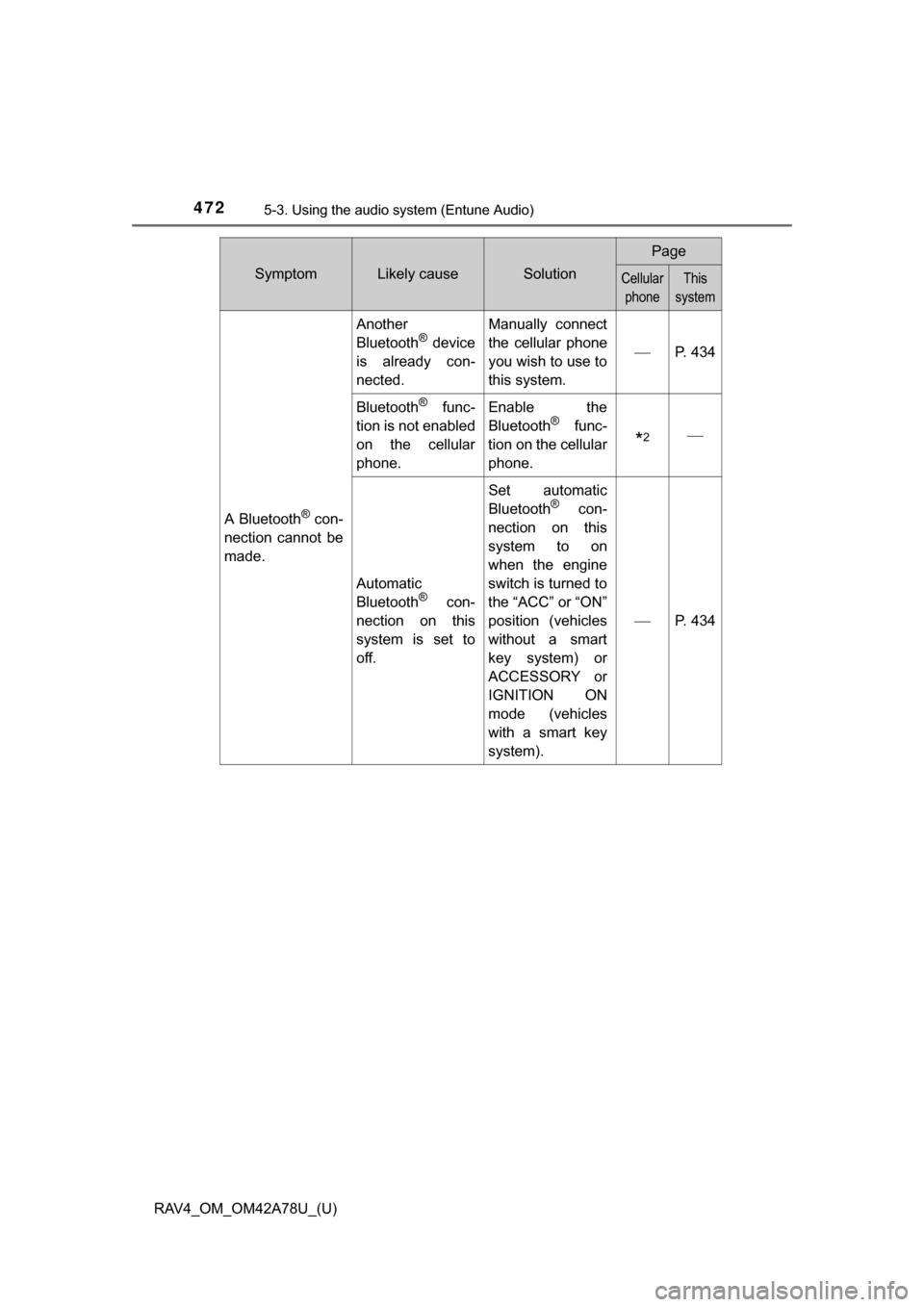
A Bluetooth® con-
nection cannot be
made.
Another
Bluetooth® device
is already con-
nected.
Manually connect
the cellular phone
you wish to use to
this system.
P. 434
Bluetooth® func-
tion is not enabled
on the cellular
phone.Enable the
Bluetooth® func-
tion on the cellular
phone.
*2
Automatic
Bluetooth® con-
nection on this
system is set to
off.
Set automatic
Bluetooth® con-
nection on this
system to on
when the engine
switch is turned to
the “ACC” or “ON”
position (vehicles
without a smart
key system) or
ACCESSORY or
IGNITION ON
mode (vehicles
with a smart key
system).
P. 434
SymptomLikely causeSolution
Page
Cellular phoneThis
system