fog light TOYOTA RAV4 2016 XA40 / 4.G Owners Manual
[x] Cancel search | Manufacturer: TOYOTA, Model Year: 2016, Model line: RAV4, Model: TOYOTA RAV4 2016 XA40 / 4.GPages: 741, PDF Size: 14.31 MB
Page 3 of 741
3
RAV4_OM_OM42A41U_(U)
1
9 8
7
6 4 3
2
10
5
4-1. Before drivingDriving the vehicle ............. 166
Cargo and luggage............ 176
Vehicle load limits ............. 180
Trailer towing..................... 181
Dinghy towing.................... 195
4-2. Driving procedures Engine (ignition) switch (vehicles without
smart key system) ........... 196
Engine (ignition) switch (vehicles with
smart key system) ........... 198
Automatic transmission ..... 203
Turn signal lever................ 210
Parking brake .................... 211
4-3. Operating the lights and wipers
Headlight switch ................ 212
Automatic High Beam ....... 216
Fog light switch ................. 220
Windshield wipers and washer ..................... 221
Rear window wiper and washer ..................... 225 4-4. Refueling
Opening the fuel tank cap................................... 228
4-5. Using the driving support systems
Toyota Safety Sense P ...... 231
PCS (Pre-Collision System)..... 238
LDA (Lane Departure Alert with steering
control) ............................ 252
Dynamic radar cruise control.............................. 260
Cruise control .................... 272
Intuitive parking assist ....... 277
Rear view monitor system ............................. 286
All-wheel drive lock switch (AWD models) ...... 296
Driving assist systems ....... 297
BSM (Blind Spot Monitor)......... 305
• The Blind Spot Monitor function.......................... 309
• The Rear Cross Traffic Alert function ................. 312
4-6. Driving tips Winter driving tips .............. 315
Utility vehicle precautions ...................... 319
4Driving
Page 5 of 741
5
RAV4_OM_OM42A41U_(U)
1
9 8
7
6 4 3
2
10
5
5-17. Using an external deviceiPod player operation ........ 417
USB memory device player operation .............. 422
Using the AUX port ........... 427
5-18. Connecting Bluetooth
®
Preparations to use wireless
communication ................ 428
Registering a Bluetooth
®
audio player for the
first time .......................... 431
Registering a Bluetooth
®
phone for the
first time .......................... 432
Registering a Bluetooth
®
device.............................. 433
Connecting a Bluetooth
®
device.............................. 435
Displaying a Bluetooth
®
device details .................. 437
Detailed Bluetooth
®
settings............................ 438
5-19. Bluetooth
® Audio
Listening to Bluetooth®
Audio ............................... 440
5-20. Bluetooth
® Phone
Using a Bluetooth®
Phone.............................. 442
Making a call ..................... 444
Receiving a call ................. 447
Speaking on the phone ..... 448
Bluetooth
® phone
message function ............ 451
Using the steering wheel switches ................ 456
Bluetooth
® phone
settings............................ 457 5-21. Phonebook
Contact/Call History Settings ........................... 459
5-22. Bluetooth
®
What to do if... (Troubleshooting) ............ 469
Bluetooth
®......................... 473
5-23. Other function Voice command system ............................. 478
6-1. Using the air conditioning system and defogger
Manual air conditioning system ............................. 484
Automatic air conditioning system .... 490
Heated steering wheel/ seat heaters..................... 499
6-2. Using the interior lights Interior lights list................. 501• Interior lights.................. 502
• Personal lights............... 502
6-3. Using the storage features List of storage features ...... 504• Glove box ...................... 505
• Console box .................. 505
• Cup holders ................... 506
• Bottle holders ................ 507
• Auxiliary box .................. 507
Luggage compartment features ........................... 508
6Interior features
Page 14 of 741
14Pictorial index
RAV4_OM_OM42A41U_(U)
Pictorial index
■
Exterior
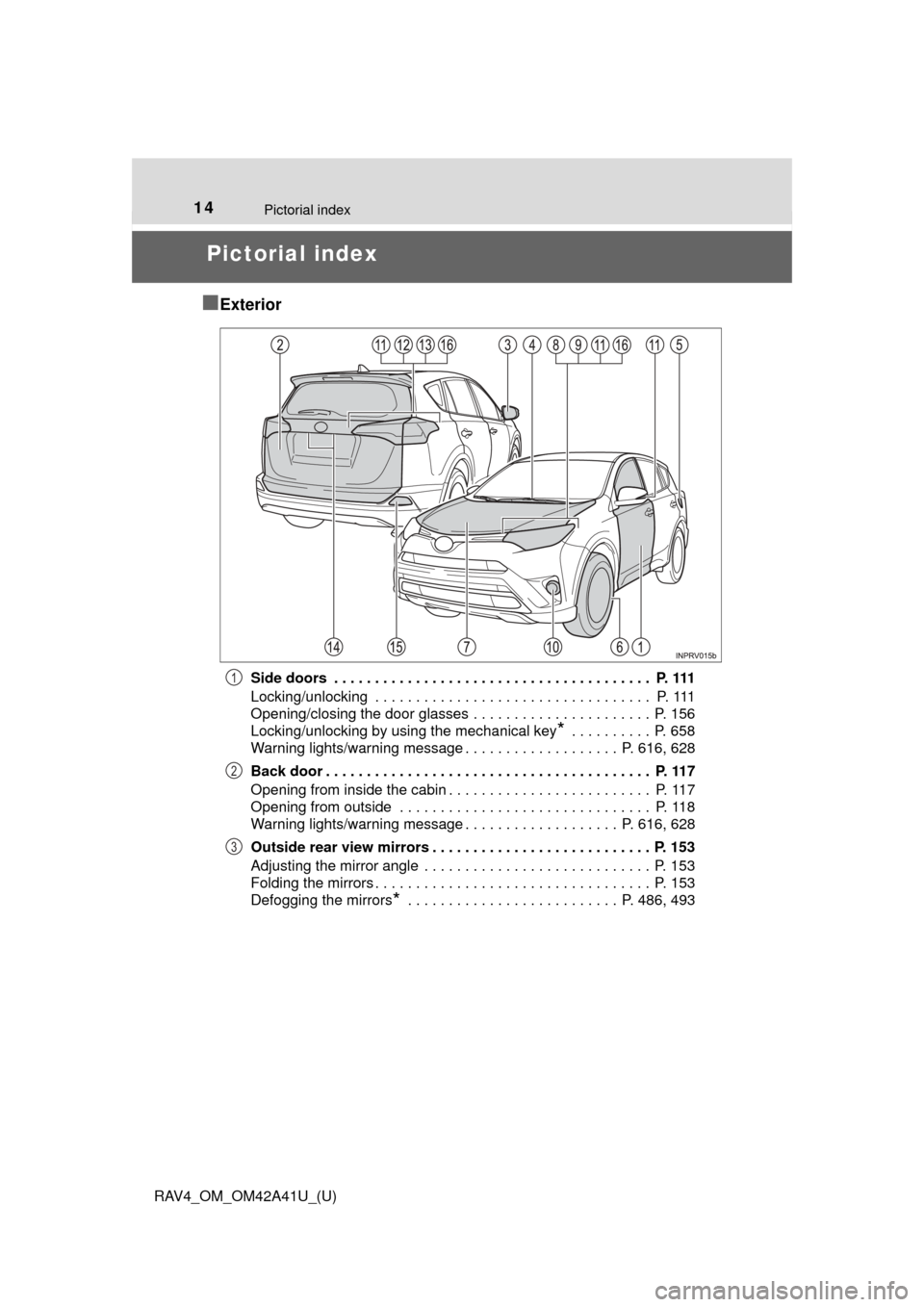
Side doors . . . . . . . . . . . . . . . . . . . . . . . . . . . . . . . . . . . . . . . P. 111
Locking/unlocking . . . . . . . . . . . . . . . . . . . . . . . . . . . . . . . . . . P. 111
Opening/closing the door glasses . . . . . . . . . . . . . . . . . . . . . . P. 156
Locking/unlocking by using the mechanical key
* . . . . . . . . . . P. 658
Warning lights/warning message . . . . . . . . . . . . . . . . . . . P. 616, 628
Back door . . . . . . . . . . . . . . . . . . . . . . . . . . . . . . . . . . . . . . . . P. 117
Opening from inside the cabin . . . . . . . . . . . . . . . . . . . . . . . . . P. 117
Opening from outside . . . . . . . . . . . . . . . . . . . . . . . . . . . . . . . P. 118
Warning lights/warning message . . . . . . . . . . . . . . . . . . . P. 616, 628
Outside rear view mirrors . . . . . . . . . . . . . . . . . . . . . . . . . . . P. 153
Adjusting the mirror angle . . . . . . . . . . . . . . . . . . . . . . . . . . . . P. 153
Folding the mirrors . . . . . . . . . . . . . . . . . . . . . . . . . . . . . . . . . . P. 153
Defogging the mirrors
* . . . . . . . . . . . . . . . . . . . . . . . . . . P. 486, 493
1
2
3
Page 15 of 741
15Pictorial index
RAV4_OM_OM42A41U_(U)Windshield wipers . . . . . . . . . . . . . . . . . . . . . . . . . . . . . . . . . P. 221
Precautions against winter season . . . . . . . . . . . . . . . . . . . . . P. 315
To prevent freezing (windshield wiper de-icer)
*. . . . . . . . P. 486, 493
Fuel filler door . . . . . . . . . . . . . . . . . . . . . . . . . . . . . . . . . . . . P. 228
Refueling method . . . . . . . . . . . . . . . . . . . . . . . . . . . . . . . . . . . P. 228
Fuel type/fuel tank capacity . . . . . . . . . . . . . . . . . . . . . . . . . . . P. 672
Tires . . . . . . . . . . . . . . . . . . . . . . . . . . . . . . . . . . . . . . . . . . P. 565
Tire size/inflation pressure . . . . . . . . . . . . . . . . . . . . . . . . . P. 677
Winter tires/tire chain . . . . . . . . . . . . . . . . . . . . . . . . . . . . . P. 315
Checking/rotation/tire pressure warning system
*. . . . . . . . P. 565
Coping with flat tires . . . . . . . . . . . . . . . . . . . . . . . . . . . . . . P. 642
Hood . . . . . . . . . . . . . . . . . . . . . . . . . . . . . . . . . . . . . . . . . . . . P. 551
Opening . . . . . . . . . . . . . . . . . . . . . . . . . . . . . . . . . . . . . . . . . . P. 551
Engine oil . . . . . . . . . . . . . . . . . . . . . . . . . . . . . . . . . . . . . . . . . P. 673
Coping with overheat . . . . . . . . . . . . . . . . . . . . . . . . . . . . . . . . P. 664
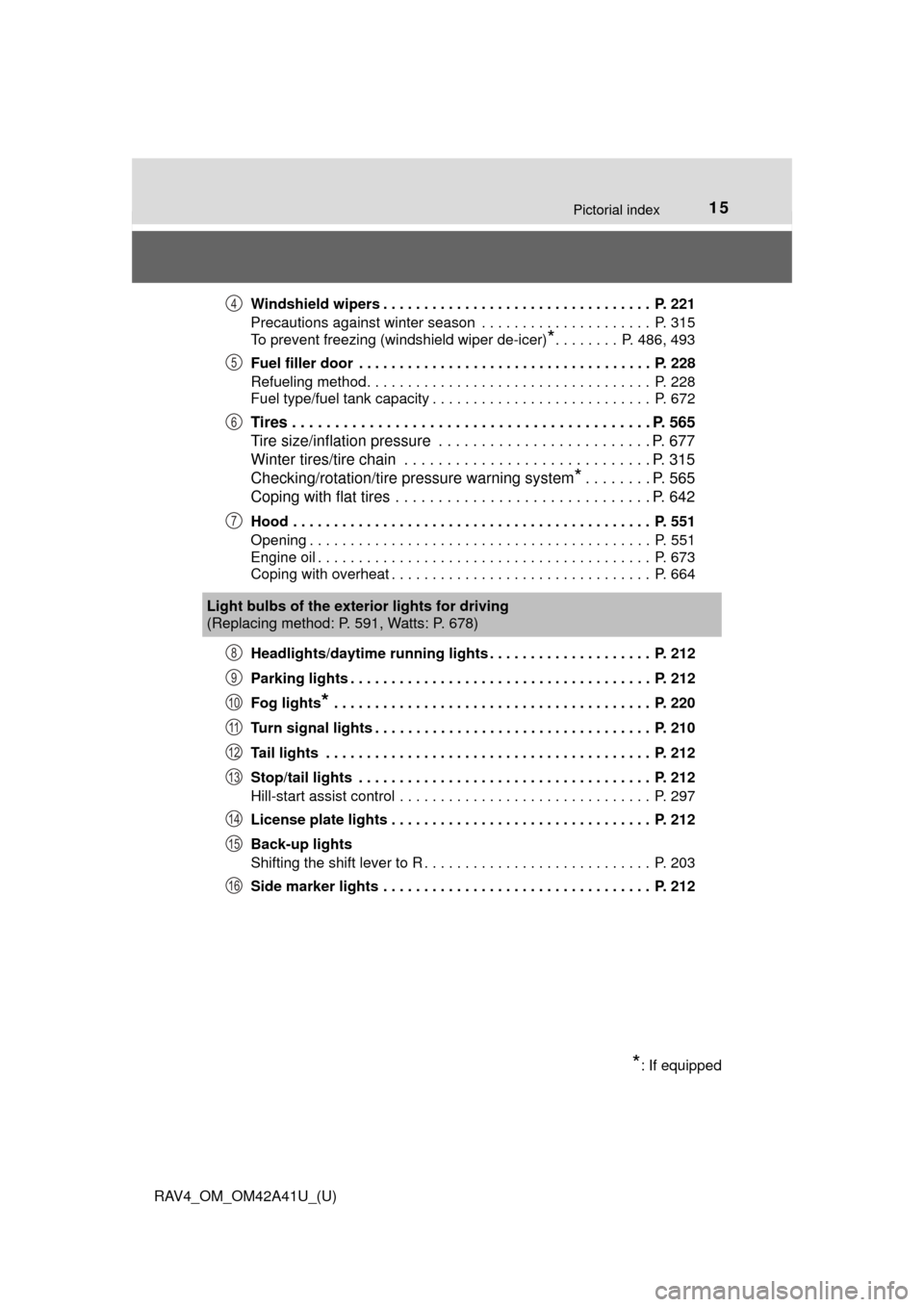
Headlights/daytime running lights . . . . . . . . . . . . . . . . . . . . P. 212
Parking lights . . . . . . . . . . . . . . . . . . . . . . . . . . . . . . . . . . . . . P. 212
Fog lights
* . . . . . . . . . . . . . . . . . . . . . . . . . . . . . . . . . . . . . . . P. 220
Turn signal lights . . . . . . . . . . . . . . . . . . . . . . . . . . . . . . . . . . P. 210
Tail lights . . . . . . . . . . . . . . . . . . . . . . . . . . . . . . . . . . . . . . . . P. 212
Stop/tail lights . . . . . . . . . . . . . . . . . . . . . . . . . . . . . . . . . . . . P. 212
Hill-start assist control . . . . . . . . . . . . . . . . . . . . . . . . . . . . . . . P. 297
License plate lights . . . . . . . . . . . . . . . . . . . . . . . . . . . . . . . . P. 212
Back-up lights
Shifting the shift lever to R . . . . . . . . . . . . . . . . . . . . . . . . . . . . P. 203
Side marker lights . . . . . . . . . . . . . . . . . . . . . . . . . . . . . . . . . P. 212
4
5
6
7
Light bulbs of the exter ior lights for driving
(Replacing method: P. 591, Watts: P. 678)
*: If equipped
8
9
10
11
12
13
14
15
16
Page 17 of 741
17Pictorial index
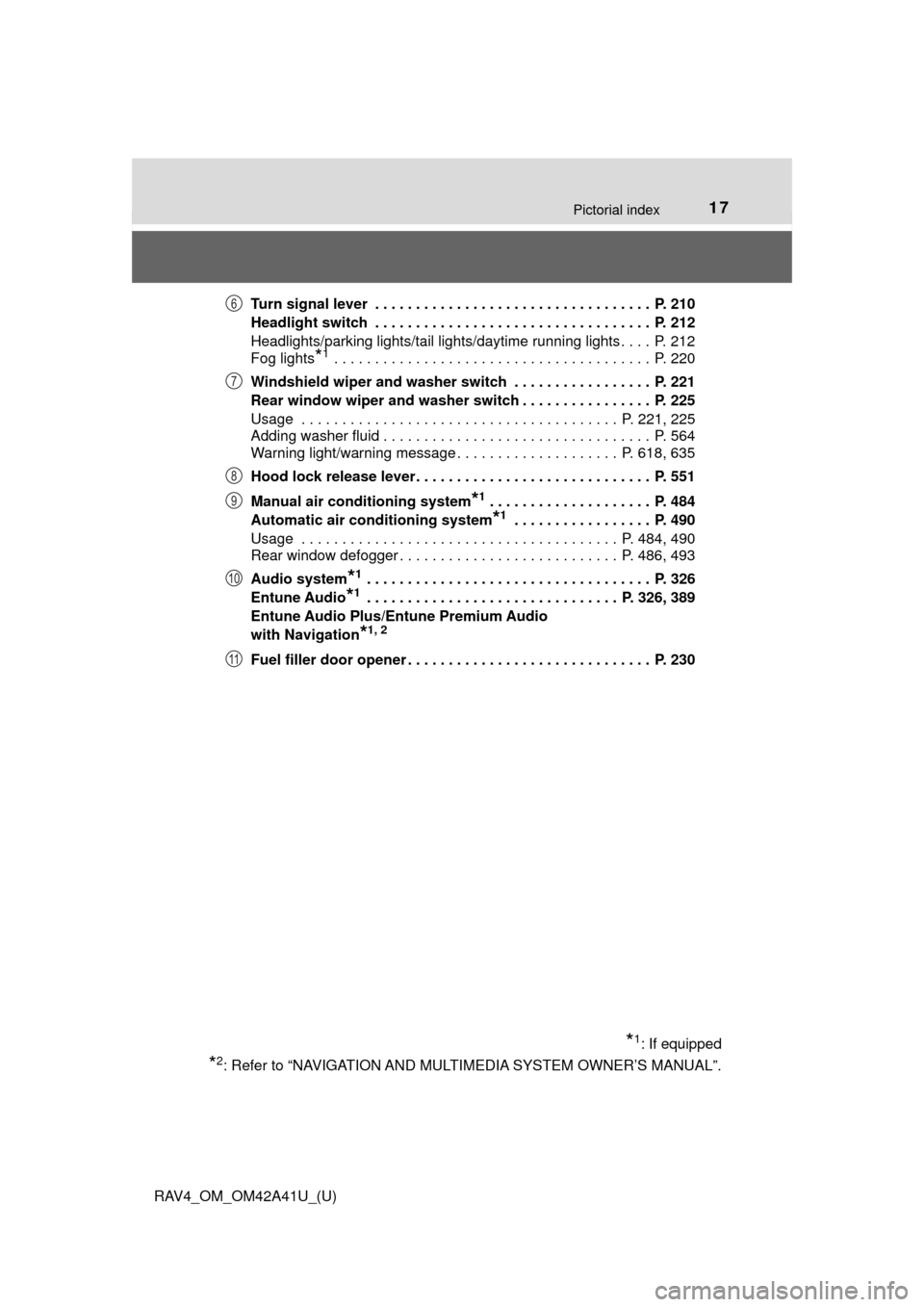
RAV4_OM_OM42A41U_(U)Turn signal lever . . . . . . . . . . . . . . . . . . . . . . . . . . . . . . . . . . P. 210
Headlight switch . . . . . . . . . . . . . . . . . . . . . . . . . . . . . . . . . . P. 212
Headlights/parking lights/tail lights/daytime running lights . . . . P. 212
Fog lights
*1 . . . . . . . . . . . . . . . . . . . . . . . . . . . . . . . . . . . . . . . P. 220
Windshield wiper and washer switch . . . . . . . . . . . . . . . . . P. 221
Rear window wiper and washer switch . . . . . . . . . . . . . . . . P. 225
Usage . . . . . . . . . . . . . . . . . . . . . . . . . . . . . . . . . . . . . . . P. 221, 225
Adding washer fluid . . . . . . . . . . . . . . . . . . . . . . . . . . . . . . . . . P. 564
Warning light/warning message . . . . . . . . . . . . . . . . . . . . P. 618, 635
Hood lock release lever. . . . . . . . . . . . . . . . . . . . . . . . . . . . . P. 551
Manual air conditioning system
*1 . . . . . . . . . . . . . . . . . . . . P. 484
Automatic air conditioning system
*1 . . . . . . . . . . . . . . . . . P. 490
Usage . . . . . . . . . . . . . . . . . . . . . . . . . . . . . . . . . . . . . . . P. 484, 490
Rear window defogger . . . . . . . . . . . . . . . . . . . . . . . . . . . P. 486, 493
Audio system
*1 . . . . . . . . . . . . . . . . . . . . . . . . . . . . . . . . . . . P. 326
Entune Audio
*1 . . . . . . . . . . . . . . . . . . . . . . . . . . . . . . . P. 326, 389
Entune Audio Plus/Entune Premium Audio
with Navigation
*1, 2
Fuel filler door opener . . . . . . . . . . . . . . . . . . . . . . . . . . . . . . P. 230
*1: If equipped
*2: Refer to “NAVIGATION AND MULT IMEDIA SYSTEM OWNER’S MANUAL”.
6
7
8
9
10
11
Page 81 of 741
RAV4_OM_OM42A41U_(U)
812. Instrument cluster
2
Instrument cluster
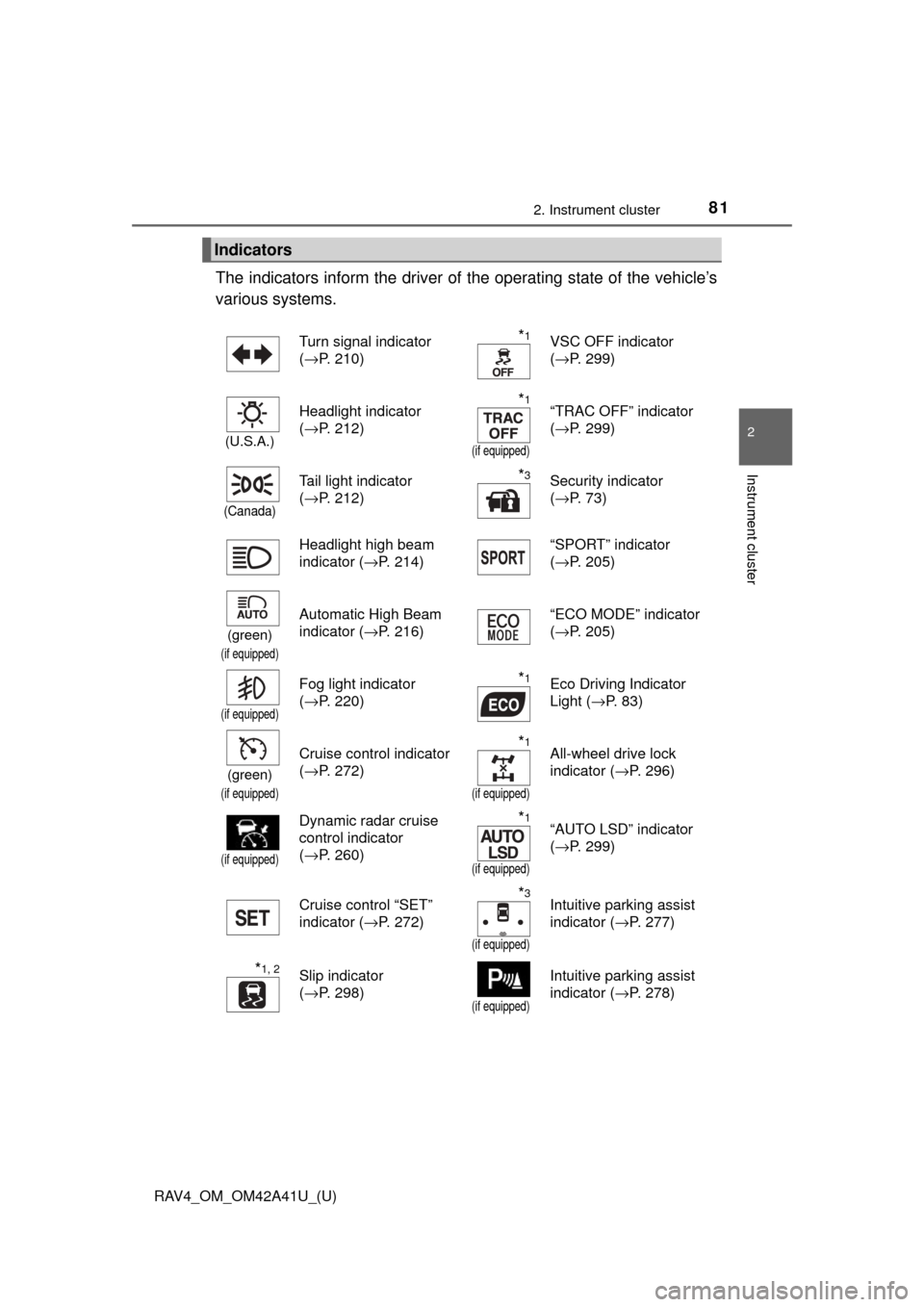
The indicators inform the driver of the operating state of the vehicle’s
various systems.
Indicators
Turn signal indicator
( →P. 210)*1VSC OFF indicator
(→P. 299)
(U.S.A.)
Headlight indicator
(→P. 212)*1
(if equipped)
“TRAC OFF” indicator
(→P. 299)
(Canada)
Tail light indicator
(→P. 212)*3Security indicator
(→P. 73)
Headlight high beam
indicator ( →P. 214) “SPORT” indicator
(
→P. 205)
(green)
(if equipped)
Automatic High Beam
indicator ( →P. 216) “ECO MODE” indicator
(
→P. 205)
(if equipped)
Fog light indicator
(→P. 220)*1Eco Driving Indicator
Light ( →P. 83)
(green)
(if equipped)
Cruise control indicator
(→P. 272)*1
(if equipped)
All-wheel drive lock
indicator ( →P. 296)
(if equipped)
Dynamic radar cruise
control indicator
(→P. 260)*1
(if equipped)
“AUTO LSD” indicator
(→P. 299)
Cruise control “SET”
indicator ( →P. 272)
*3
(if equipped)
Intuitive parking assist
indicator (→P. 277)
*1, 2Slip indicator
(→P. 298)
(if equipped)
Intuitive parking assist
indicator ( →P. 278)
Page 165 of 741
165
RAV4_OM_OM42A41U_(U)
4Driving
4-1. Before drivingDriving the vehicle ............. 166
Cargo and luggage ........... 176
Vehicle load limits ............. 180
Trailer towing..................... 181
Dinghy towing ................... 195
4-2. Driving procedures Engine (ignition) switch (vehicles without
smart key system) ........... 196
Engine (ignition) switch (vehicles with
smart key system) ........... 198
Automatic transmission ..... 203
Turn signal lever................ 210
Parking brake .................... 211
4-3. Operating the lights and wipers
Headlight switch ................ 212
Automatic High Beam ....... 216
Fog light switch ................. 220
Windshield wipers and washer ..................... 221
Rear window wiper and washer ..................... 225 4-4. Refueling
Opening the fuel tank cap .................................. 228
4-5. Using the driving support systems
Toyota Safety Sense P ..... 231
PCS (Pre-Collision System) .... 238
LDA (Lane Departure Alert with steering
control) ............................ 252
Dynamic radar cruise control ............................. 260
Cruise control .................... 272
Intuitive parking assist....... 277
Rear view monitor system ............................ 286
All-wheel drive lock switch (AWD models) ..... 296
Driving assist systems ...... 297
BSM (Blind Spot Monitor) ........ 305
• The Blind Spot Monitor function ......................... 309
• The Rear Cross Traffic Alert function ................. 312
4-6. Driving tips Winter driving tips ............. 315
Utility vehicle precautions ..................... 319
Page 218 of 741

218
RAV4_OM_OM42A41U_(U)
4-3. Operating the lights and wipers
■Camera sensor detection information
●The high beam may not be automatically turned off in the following situa-
tions:
• When oncoming vehicles suddenly appear from a curve
• When the vehicle is cut in front of by another vehicle
• When vehicles ahead are hidden from sight due to repeated curves, road
dividers or roadside trees
• When vehicles ahead appear from the faraway lane on wide road
• When vehicles ahead have no lights
● The high beam may be turned off if a vehicle ahead that is using fog lights
without using the headlights is detected.
● House lights, street lights, traffic signals, and illuminated billboards or signs
may cause the high beam to switch to the low beams, or the low beams to
remain on.
● The following factors may affect the amount of time taken to turn the high
beam on or off:
• The brightness of headlights, fog lights, and tail lights of vehicles ahe\
ad
• The movement and direction of vehicles ahead
• When a vehicle ahead only has operational lights on one side
• When a vehicle ahead is a two-wheeled vehicle
• The condition of the road (gradient, curve, condition of the road surface
etc.)
• The number of passengers and amount of luggage
● The high beam may be turned on or off when the driver does not expect it.
● Bicycles or similar objects may not be detected.
● In the situations shown below, the system may not be able to accurately
detect surrounding brightness levels. This may cause the low beams to
remain on or the high beams to cause problems for pedestrians, vehicles
ahead or other parties. In these cases, manually switch between the high
and low beams.
• In bad weather (rain, snow, fog, sandstorms etc.)
• The windshield is obscured by fog, mist, ice, dirt etc.
• The windshield is cracked or damaged.
• The camera sensor is deformed or dirty.
• The camera sensor temperature is extremely high.
• Surrounding brightness levels are equal to those of headlights, tail lights
or fog lights.
• Vehicles ahead have headlights that are either switched off, dirty, are changing color, or are not aimed properly.
• When driving through an area of in termittently changing brightness and
darkness.
• When frequently and repeatedly driving ascending/descending roads, or roads with rough, bumpy or uneven surfaces (such as stone-paved
roads, gravel tracks etc.).
• When frequently and repeatedly taking curves or driving on a winding road.
Page 220 of 741
220
RAV4_OM_OM42A41U_(U)
4-3. Operating the lights and wipers
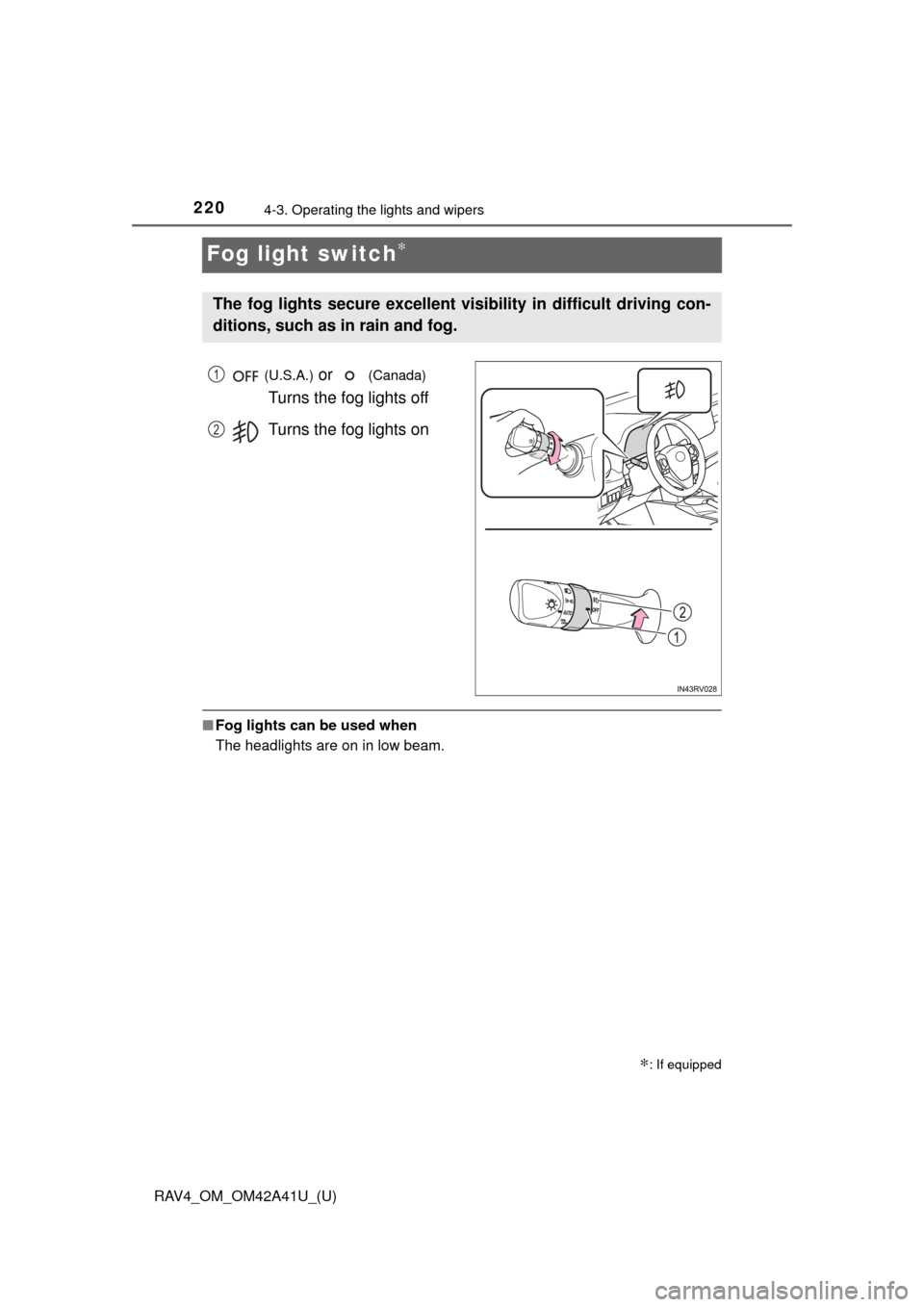
Fog light switch∗
(U.S.A.) or (Canada)
Turns the fog lights off
Turns the fog lights on
■ Fog lights can be used when
The headlights are on in low beam.
∗: If equipped
The fog lights secure excellent visibility in difficult driving con-
ditions, such as in rain and fog.
1
2
Page 235 of 741
RAV4_OM_OM42A41U_(U)
2354-5. Using the driving support systems
4
Driving
WARNING
■To avoid malfunction of the camera sensor
Observe the following precautions.
Otherwise, the camera sensor may not operate properly, possibly leading to
an accident resulting in death or serious injury.
● Keep the windshield clean at all times.
• If the windshield is dirty or covered with an oily film, water droplets,
snow, etc., clear the windshield.
• If a glass coating agent is applied to the windshield, it will still be \
neces- sary to use the windshield wipers to remove water droplets from the
area of the windshield in front of the camera sensor.
• If the inner side of the windshield where the camera sensor is installed is dirty, contact your Toyota dealer.
● If the part of the windshield in front of the camera sensor is fogged up or
covered with condensation or ice, use the windshield defogger to remove
the fog, condensation or ice. ( →P. 485, 493)
● If water droplets cannot be properly removed from the area of the wind-
shield in front of the camera sensor by the windshield wipers, replace the
wiper insert or wiper blade.
If the wiper inserts or wiper blades need to be replaced, contact your Toy-
ota dealer.
● Do not attach window tinting to the windshield.
● Replace the windshield if it is damaged or cracked.
If the windshield needs to be replaced, contact your Toyota dealer.
● Do not get the camera sensor wet.
● Do not allow bright lights to shine into the camera sensor.
● Do not dirty or damage the camera sensor.
When cleaning the inside of the windshield, do not allow glass cleaner to
contact the lens. Also, do not touch the lens. If the lens is dirty or dam-
aged, contact your Toyota dealer.
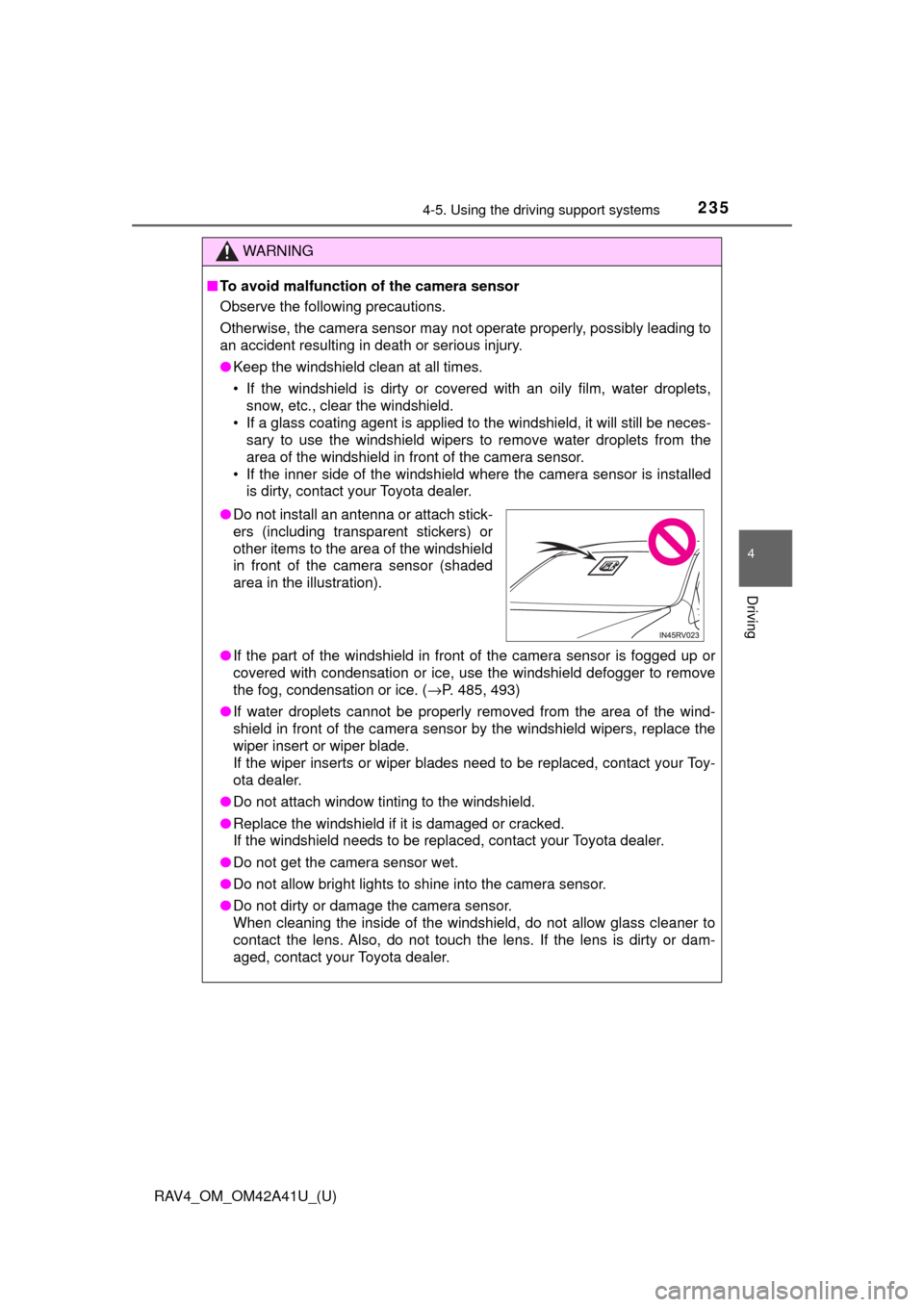
●Do not install an antenna or attach stick-
ers (including transparent stickers) or
other items to the area of the windshield
in front of the camera sensor (shaded
area in the illustration).