Ratio TOYOTA RAV4 2017 XA40 / 4.G User Guide
[x] Cancel search | Manufacturer: TOYOTA, Model Year: 2017, Model line: RAV4, Model: TOYOTA RAV4 2017 XA40 / 4.GPages: 741, PDF Size: 19.55 MB
Page 50 of 741

501-1. For safe use
RAV4_OM_OM0R005U_(U)■
Adult*1
Condition and operation in the fr
ont passenger occupant classi-
fication system
Indicator/
warning light
“AIR BAG ON” and “AIR BAG OFF” indicator lights“AIR BAG ON”
SRS warning lightOff
Seat belt reminder lightOff*2 or
flashing
*3
Devices
Front passenger airbag
ActivatedSide airbag
on the front passenger seat
Curtain shield airbag
in the front passenger side
Front passenger seat cushion airbag
Activated*2
or
deactivated
*3
Front passenger’s seat belt pretensioner and force limiterActivated
Page 75 of 741
751-2. Theft deterrent system
RAV4_OM_OM0R005U_(U)
1
For safety and security
For vehicles sold in Canada
WARNING
■Certification for the engine immobilizer system
Changes or modifications not expressly approved by the party responsible
for compliance could void the user’s authority to operate the equipment.
NOTICE
■To ensure the system operates correctly
Do not modify or remove the system. If modified or removed, the proper
operation of the system cannot be guaranteed.
Page 78 of 741
78
RAV4_OM_OM0R005U_(U)
2. Instrument cluster
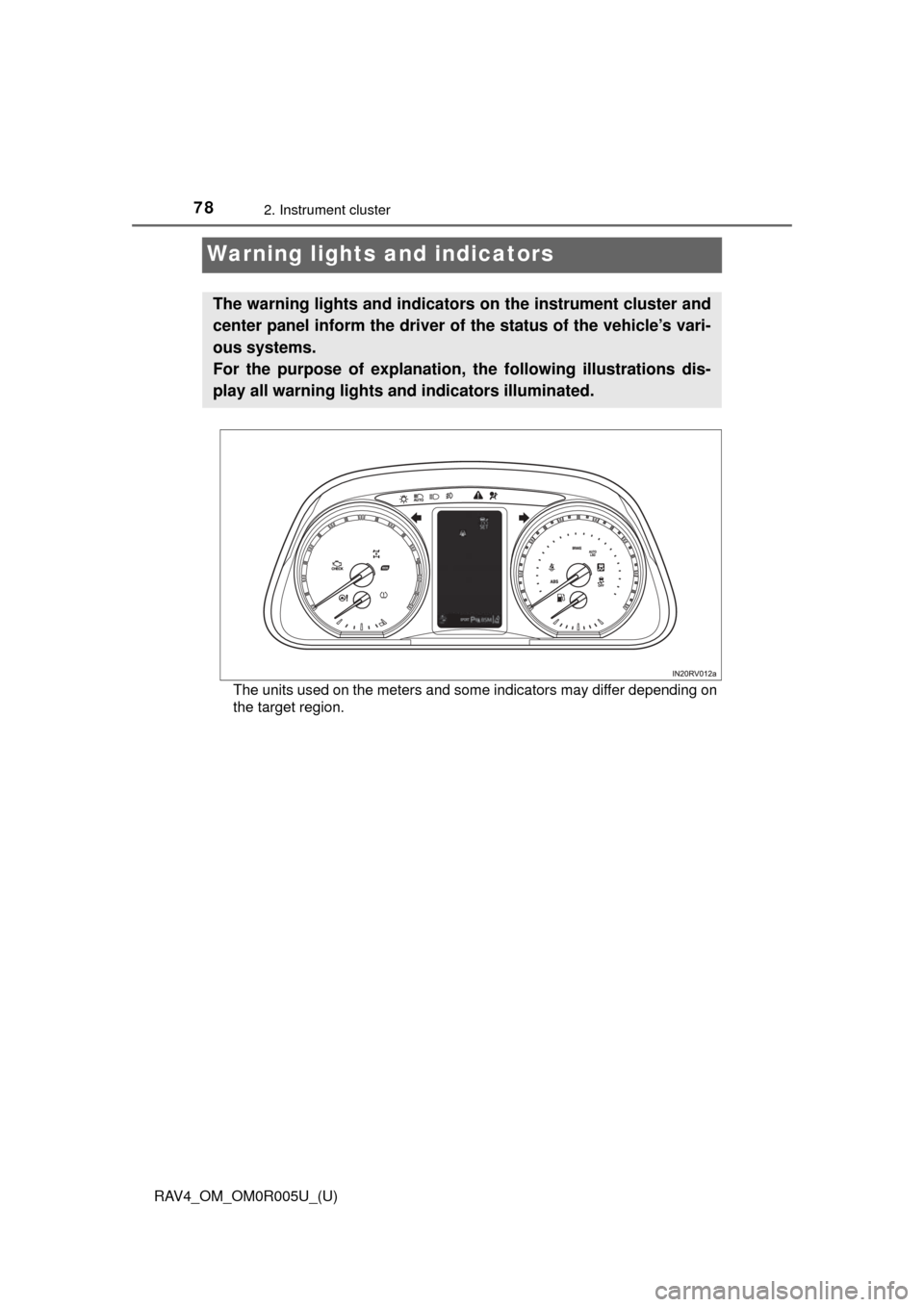
Warning lights and indicators
The units used on the meters and some indicators may differ depending on
the target region.
The warning lights and indicators on the instrument cluster and
center panel inform the driver of the status of the vehicle’s vari-
ous systems.
For the purpose of explanation, the following illustrations dis-
play all warning lights and indicators illuminated.
Page 82 of 741
82
RAV4_OM_OM0R005U_(U)
2. Instrument cluster
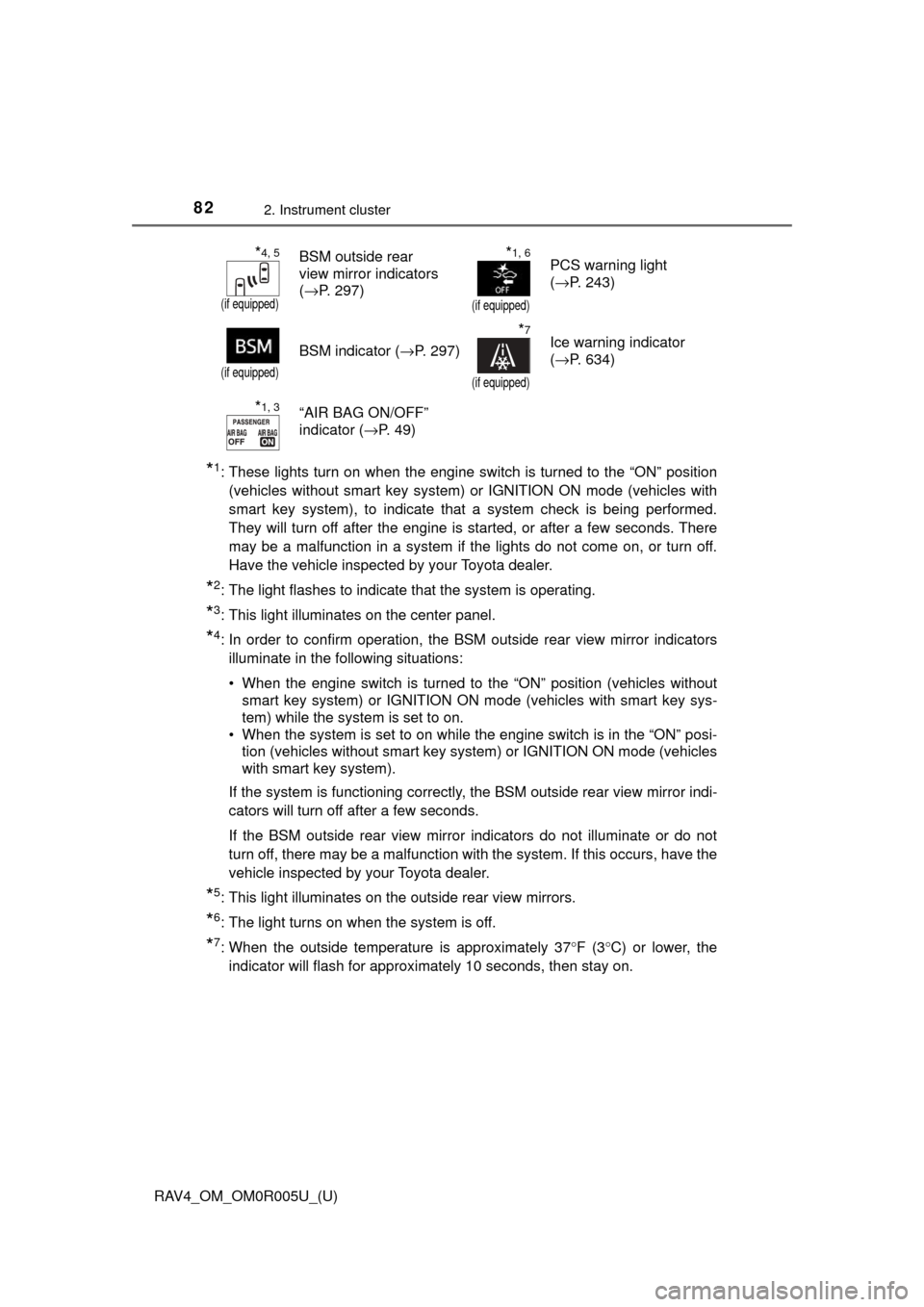
*1: These lights turn on when the engine switch is turned to the “ON” position(vehicles without smart key system) or IGNITION ON mode (vehicles with
smart key system), to indicate that a system check is being performed.
They will turn off after the engine is started, or after a few seconds. There
may be a malfunction in a system if the lights do not come on, or turn off.
Have the vehicle inspected by your Toyota dealer.
*2: The light flashes to indicate that the system is operating.
*3: This light illuminates on the center panel.
*4: In order to confirm operation, the BS M outside rear view mirror indicators
illuminate in the following situations:
• When the engine switch is turned to the “ON” position (vehicles without smart key system) or IGNITION ON mode (vehicles with smart key sys-
tem) while the system is set to on.
• When the system is set to on while the engine switch is in the “ON” posi- tion (vehicles without smart key system) or IGNITION ON mode (vehicles
with smart key system).
If the system is functioning correctly, the BSM outside rear view mirror indi-
cators will turn off after a few seconds.
If the BSM outside rear view mirror indicators do not illuminate or do not
turn off, there may be a malfunction with the system. If this occurs, have the
vehicle inspected by your Toyota dealer.
*5: This light illuminates on the outside rear view mirrors.
*6: The light turns on when the system is off.
*7: When the outside temperature is approximately 37° F (3°C) or lower, the
indicator will flash for approximately 10 seconds, then stay on.
*4, 5
(if equipped)
BSM outside rear
view mirror indicators
( →P. 297)*1, 6
(if equipped)
PCS warning light
(→P. 243)
(if equipped)
BSM indicator ( →P. 297)
*7
(if equipped)
Ice warning indicator
(→P. 634)
*1, 3“AIR BAG ON/OFF”
indicator ( →P. 4 9 )
Page 83 of 741
RAV4_OM_OM0R005U_(U)
832. Instrument cluster
2
Instrument cluster
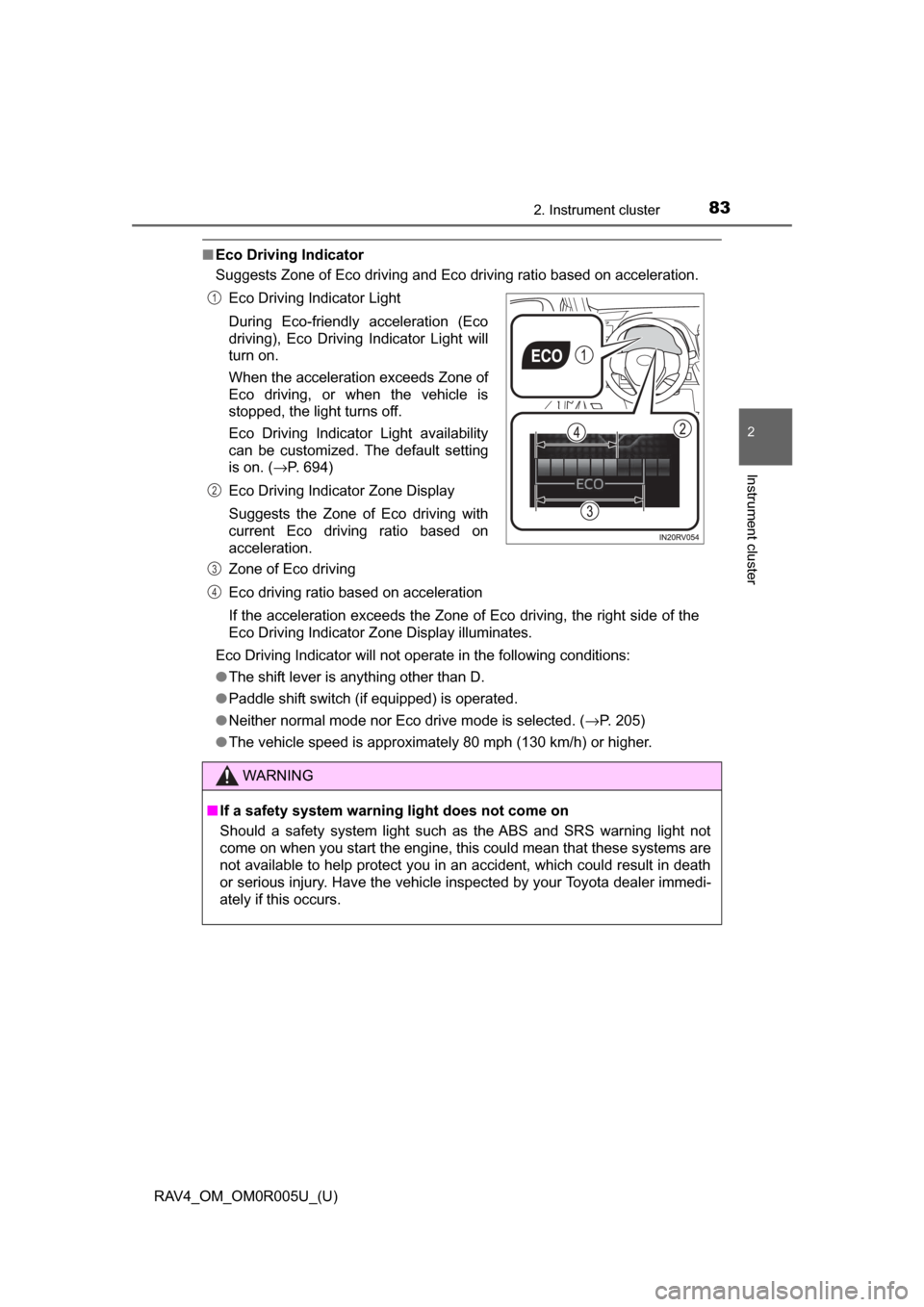
■Eco Driving Indicator
Suggests Zone of Eco driving and Eco driving ratio based on acceleration.
Eco Driving Indicator will not operate in the following conditions:
● The shift lever is anything other than D.
● Paddle shift switch (if equipped) is operated.
● Neither normal mode nor Eco drive mode is selected. ( →P. 205)
● The vehicle speed is approximately 80 mph (130 km/h) or higher. Eco Driving Indicator Light
During Eco-friendly acceleration (Eco
driving), Eco Driving Indicator Light will
turn on.
When the acceleration exceeds Zone of
Eco driving, or when the vehicle is
stopped, the light turns off.
Eco Driving Indicator Light availability
can be customized. The default setting
is on. ( →P. 694)
Eco Driving Indicator Zone Display
Suggests the Zone of Eco driving with
current Eco driving ratio based on
acceleration.
Zone of Eco driving
Eco driving ratio based on acceleration
If the acceleration exceeds the Zone of Eco driving, the right side of the
Eco Driving Indicator Zone Display illuminates.
WARNING
■ If a safety system warning light does not come on
Should a safety system light such as the ABS and SRS warning light not
come on when you start the engine, this could mean that these systems are
not available to help protect you in an accident, which could result in death
or serious injury. Have the vehicle inspected by your Toyota dealer immedi-
ately if this occurs.
1
2
3
4
Page 92 of 741
92
RAV4_OM_OM0R005U_(U)
2. Instrument cluster
■System check display
After turning the engine switch to IGNITION ON mode, opening image is dis-
played while system operation is checked. When the system check is com-
plete, the normal screen will return.
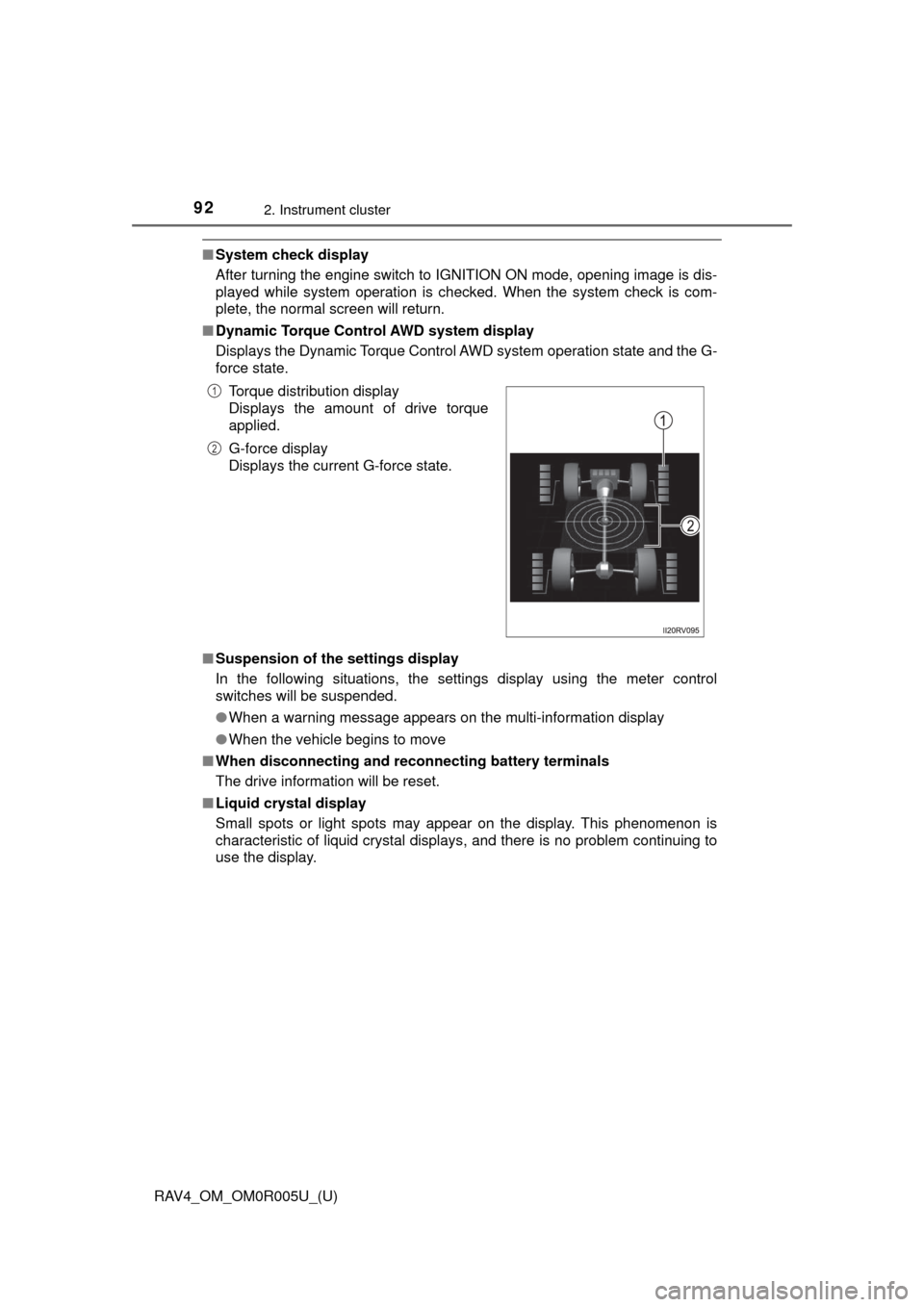
■ Dynamic Torque Control AWD system display
Displays the Dynamic Torque Control AWD system operation state and the G-
force state.
■ Suspension of the settings display
In the following situations, the settings display using the meter control
switches will be suspended.
●When a warning message appears on the multi-information display
● When the vehicle begins to move
■ When disconnecting and reco nnecting battery terminals
The drive information will be reset.
■ Liquid crystal display
Small spots or light spots may appear on the display. This phenomenon is
characteristic of liquid crystal displays, and there is no problem continuing to
use the display.Torque distribution display
Displays the amount of drive torque
applied.
G-force display
Displays the current G-force state.
1
2
Page 93 of 741
RAV4_OM_OM0R005U_(U)
932. Instrument cluster
2
Instrument cluster
WARNING
■Caution for use while driving
For safety, avoid operating the meter control switches while driving as much
as possible, and do not look continuously at the multi-information display
while driving. Stop the vehicle and operate the meter control switches. Fail-
ure to do so may cause a steering wheel operation error, resulting in an
unexpected accident.
■ Cautions during setting up the display
As the engine needs to be running during setting up the display, ensure that
the vehicle is parked in a place with adequate ventilation. In a closed area
such as a garage, exhaust gases including harmful carbon monoxide (CO)
may collect and enter the vehicle. This may lead to death or a serious
health hazard.
NOTICE
■During setting up the display
To prevent battery discharge, ensure that the engine is running while setting
up the display features.
Page 97 of 741
97
RAV4_OM_OM0R005U_(U)
3
Operation of
each component
3-1. Key information
Keys .................................... 98
3-2. Opening, closing and locking the doors
Side doors ......................... 107
Back door .......................... 113
Smart key system ............. 130
3-3. Adjusting the seats Front seats ........................ 139
Rear seats......................... 141
Driving position memory ... 144
Head restraints.................. 146
3-4. Adjusting the steering wheel and mirrors
Steering wheel .................. 149
Inside rear view mirror ...... 151
Outside rear view mirrors ............................. 153
3-5. Opening, closing the windows and moon roof
Power windows ................. 156
Moon roof .......................... 160
Page 99 of 741
RAV4_OM_OM0R005U_(U)
993-1. Key information
3
Operation of each component
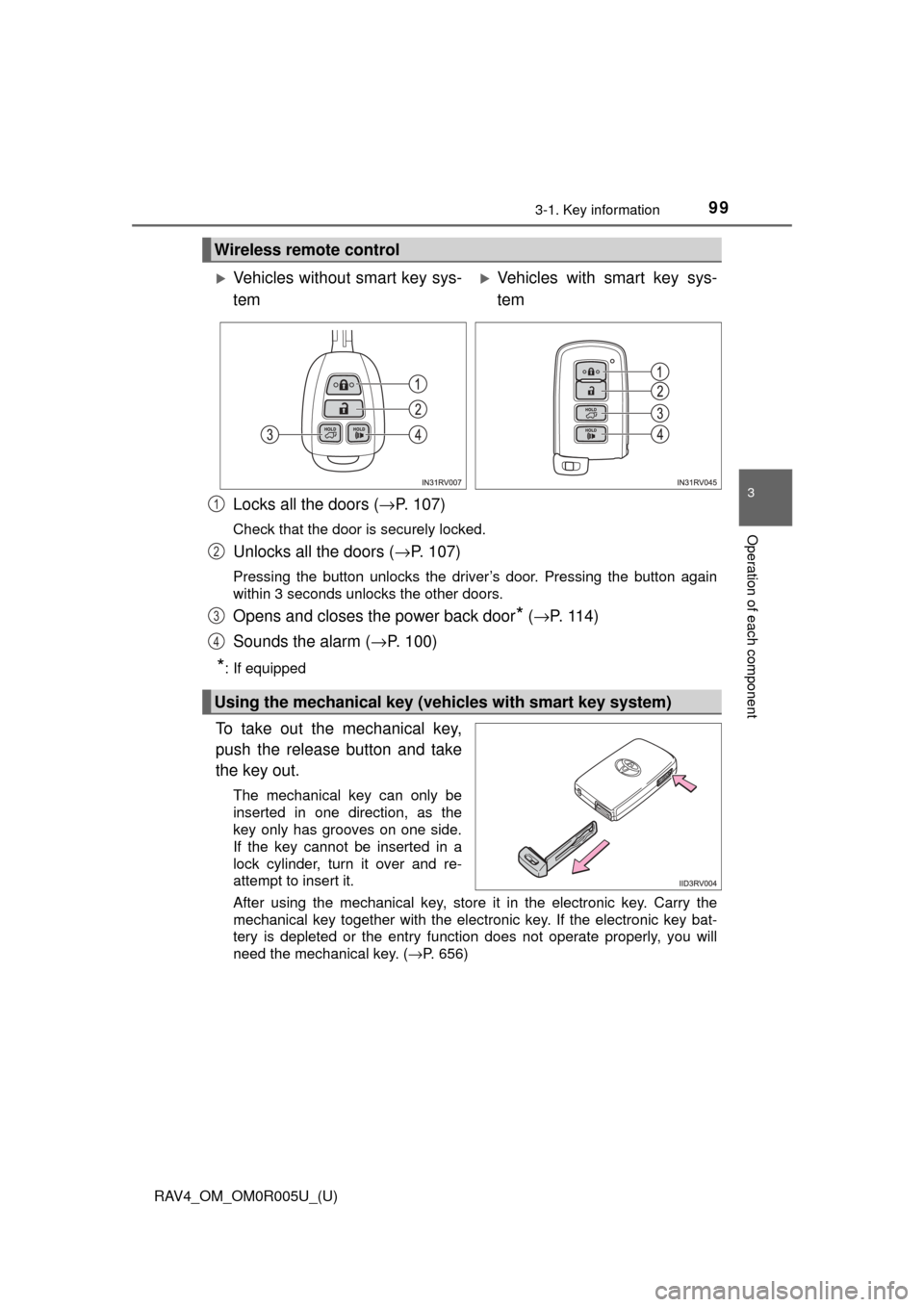
Locks all the doors (→P. 107)
Check that the door is securely locked.
Unlocks all the doors ( →P. 107)
Pressing the button unlocks the driver’s door. Pressing the button again
within 3 seconds unlocks the other doors.
Opens and closes the power back door* (→ P. 11 4 )
Sounds the alarm ( →P. 100)
*: If equipped
To take out the mechanical key,
push the release button and take
the key out.
The mechanical key can only be
inserted in one direction, as the
key only has grooves on one side.
If the key cannot be inserted in a
lock cylinder, turn it over and re-
attempt to insert it.
After using the mechanical key, store it in the electronic key. Carry the
mechanical key together with the electronic key. If the electronic key bat-
tery is depleted or the entry function does not operate properly, you will
need the mechanical key. ( →P. 656)
Wireless remote control
Vehicles without smart key sys-
temVehicles with smart key sys-
tem
Using the mechanical key (veh icles with smart key system)
1
2
3
4
Page 100 of 741
100
RAV4_OM_OM0R005U_(U)
3-1. Key information
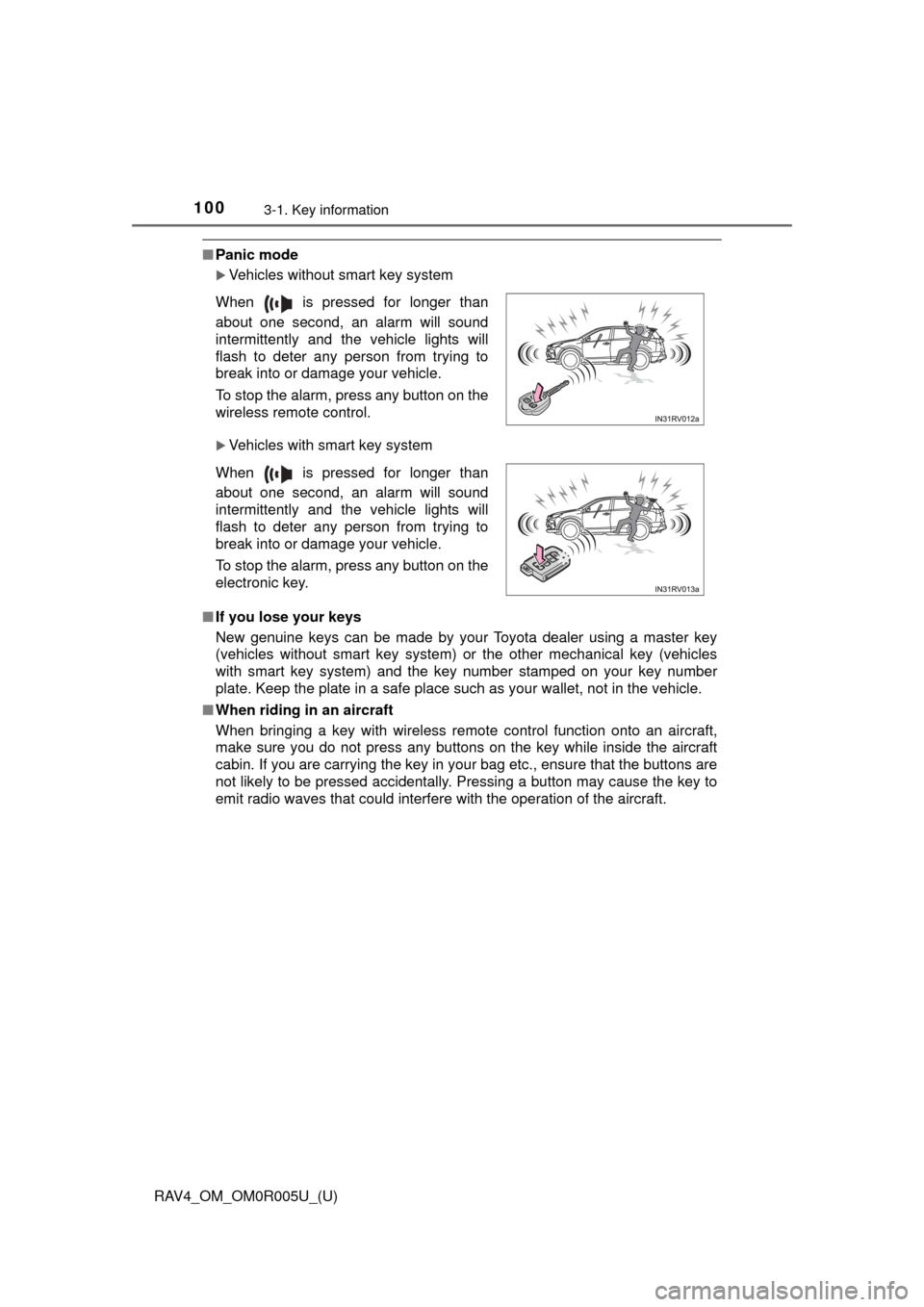
■Panic mode
Vehicles without smart key system
Vehicles with smart key system
■ If you lose your keys
New genuine keys can be made by your Toyota dealer using a master key
(vehicles without smart key system) or the other mechanical key (vehicles
with smart key system) and the key number stamped on your key number
plate. Keep the plate in a safe place such as your wallet, not in the vehicle.
■ When riding in an aircraft
When bringing a key with wireless remote control function onto an aircraft,
make sure you do not press any buttons on the key while inside the aircraft
cabin. If you are carrying the key in your bag etc., ensure that the buttons are
not likely to be pressed accidentally. Pressing a button may cause the key to
emit radio waves that could interfere with the operation of the aircraft. When is pressed for longer than
about one second, an alarm will sound
intermittently and the vehicle lights will
flash to deter any person from trying to
break into or damage your vehicle.
To stop the alarm, press any button on the
wireless remote control.
When is pressed for longer than
about one second, an alarm will sound
intermittently and the vehicle lights will
flash to deter any person from trying to
break into or damage your vehicle.
To stop the alarm, press any button on the
electronic key.