fog light TOYOTA RAV4 2018 Owners Manual (in English)
[x] Cancel search | Manufacturer: TOYOTA, Model Year: 2018, Model line: RAV4, Model: TOYOTA RAV4 2018Pages: 744, PDF Size: 13.78 MB
Page 3 of 744
3
RAV4_OM_OM0R012U_(U)
1
9 8
7
6 4 3
2
10
5
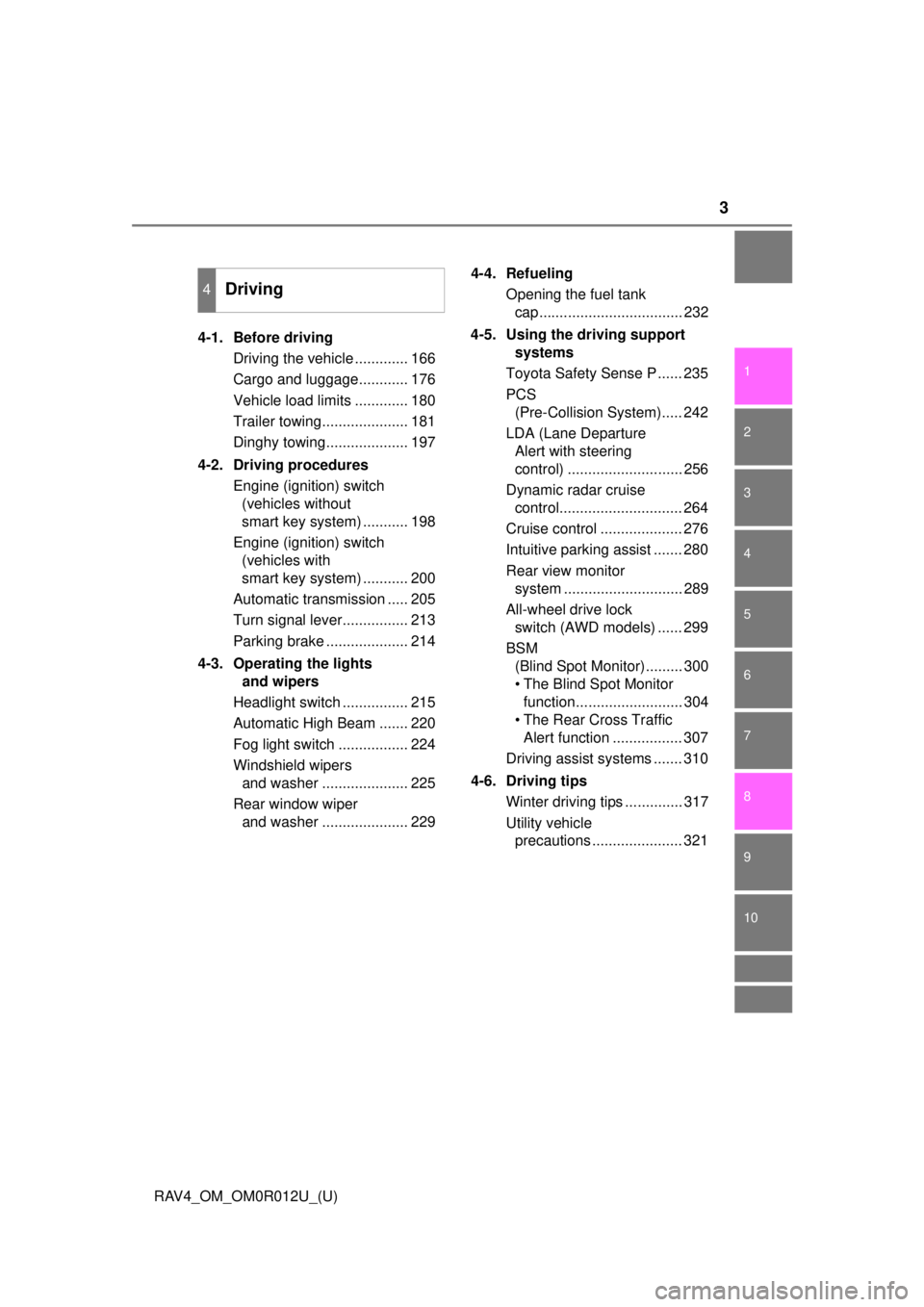
4-1. Before drivingDriving the vehicle ............. 166
Cargo and luggage............ 176
Vehicle load limits ............. 180
Trailer towing..................... 181
Dinghy towing.................... 197
4-2. Driving procedures Engine (ignition) switch (vehicles without
smart key system) ........... 198
Engine (ignition) switch (vehicles with
smart key system) ........... 200
Automatic transmission ..... 205
Turn signal lever................ 213
Parking brake .................... 214
4-3. Operating the lights and wipers
Headlight switch ................ 215
Automatic High Beam ....... 220
Fog light switch ................. 224
Windshield wipers and washer ..................... 225
Rear window wiper and washer ..................... 229 4-4. Refueling
Opening the fuel tank cap................................... 232
4-5. Using the driving support systems
Toyota Safety Sense P ...... 235
PCS (Pre-Collision System)..... 242
LDA (Lane Departure Alert with steering
control) ............................ 256
Dynamic radar cruise control.............................. 264
Cruise control .................... 276
Intuitive parking assist ....... 280
Rear view monitor system ............................. 289
All-wheel drive lock switch (AWD models) ...... 299
BSM (Blind Spot Monitor)......... 300
• The Blind Spot Monitor function.......................... 304
• The Rear Cross Traffic Alert function ................. 307
Driving assist systems ....... 310
4-6. Driving tips Winter driving tips .............. 317
Utility vehicle precautions ...................... 321
4Driving
Page 5 of 744
5
RAV4_OM_OM0R012U_(U)
1
9 8
7
6 4 3
2
10
5
5-17. Using an external deviceiPod player operation ........ 420
USB memory device player operation .............. 425
Using the AUX port ........... 430
5-18. Connecting Bluetooth
®
Preparations to use wireless
communication ................ 431
Registering a Bluetooth
®
audio player for the
first time .......................... 434
Registering a Bluetooth
®
phone for the
first time .......................... 435
Registering a Bluetooth
®
device.............................. 436
Connecting a Bluetooth
®
device.............................. 438
Displaying a Bluetooth
®
device details .................. 440
Detailed Bluetooth
®
settings............................ 441
5-19. Bluetooth
® Audio
Listening to Bluetooth®
Audio ............................... 443
5-20. Bluetooth
® Phone
Using a Bluetooth®
Phone.............................. 445
Making a call ..................... 447
Receiving a call ................. 450
Speaking on the phone ..... 451
Bluetooth
® phone
message function ............ 454
Using the steering wheel switches ................ 459
Bluetooth
® phone
settings............................ 460 5-21. Phonebook
Contact/Call History Settings ........................... 462
5-22. Bluetooth
®
What to do if... (Troubleshooting) ............ 472
Bluetooth
®......................... 476
5-23. Other function Voice command system ............................. 482
6-1. Using the air conditioning system and defogger
Manual air conditioning system ............................. 488
Automatic air conditioning system .... 494
Heated steering wheel/ seat heaters..................... 503
6-2. Using the interior lights Interior lights list................. 505• Interior lights.................. 506
• Personal lights............... 506
6-3. Using the storage features List of storage features ...... 508• Glove box ...................... 509
• Console box .................. 509
• Cup holders ................... 510
• Bottle holders ................ 511
• Auxiliary box .................. 511
Luggage compartment features ........................... 512
6Interior features
Page 15 of 744
15Pictorial index
RAV4_OM_OM0R012U_(U)Windshield wipers . . . . . . . . . . . . . . . . . . . . . . . . . . . . . . . . . P. 225
Precautions against winter season . . . . . . . . . . . . . . . . . . . . . P. 317
To prevent freezing (windshield wiper de-icer)
*. . . . . . . . P. 490, 497
Fuel filler door . . . . . . . . . . . . . . . . . . . . . . . . . . . . . . . . . . . . P. 232
Refueling method . . . . . . . . . . . . . . . . . . . . . . . . . . . . . . . . . . . P. 232
Fuel type/fuel tank capacity . . . . . . . . . . . . . . . . . . . . . . . . . . . P. 674
Tires . . . . . . . . . . . . . . . . . . . . . . . . . . . . . . . . . . . . . . . . . . P. 569
Tire size/inflation pressure . . . . . . . . . . . . . . . . . . . . . . . . . P. 679
Winter tires/tire chain . . . . . . . . . . . . . . . . . . . . . . . . . . . . . P. 317
Checking/rotation/tire pressure warning system
*. . . . . . . . P. 569
Coping with flat tires . . . . . . . . . . . . . . . . . . . . . . . . . . . . . . P. 645
Hood . . . . . . . . . . . . . . . . . . . . . . . . . . . . . . . . . . . . . . . . . . . . P. 555
Opening . . . . . . . . . . . . . . . . . . . . . . . . . . . . . . . . . . . . . . . . . . P. 555
Engine oil . . . . . . . . . . . . . . . . . . . . . . . . . . . . . . . . . . . . . . . . . P. 675
Coping with overheat . . . . . . . . . . . . . . . . . . . . . . . . . . . . . . . . P. 666
Headlights/daytime running lights
(halogen headlights) . . . . . . . . . . . . . . . . . . . . . . . . . . . . . . . P. 215
Headlights (LED headlights) . . . . . . . . . . . . . . . . . . . . . . . . . P. 215
Parking lights (halogen headlights) . . . . . . . . . . . . . . . . . . . P. 215
Parking lights/daytime running lights
(LED headlights) . . . . . . . . . . . . . . . . . . . . . . . . . . . . . . . . . . P. 215
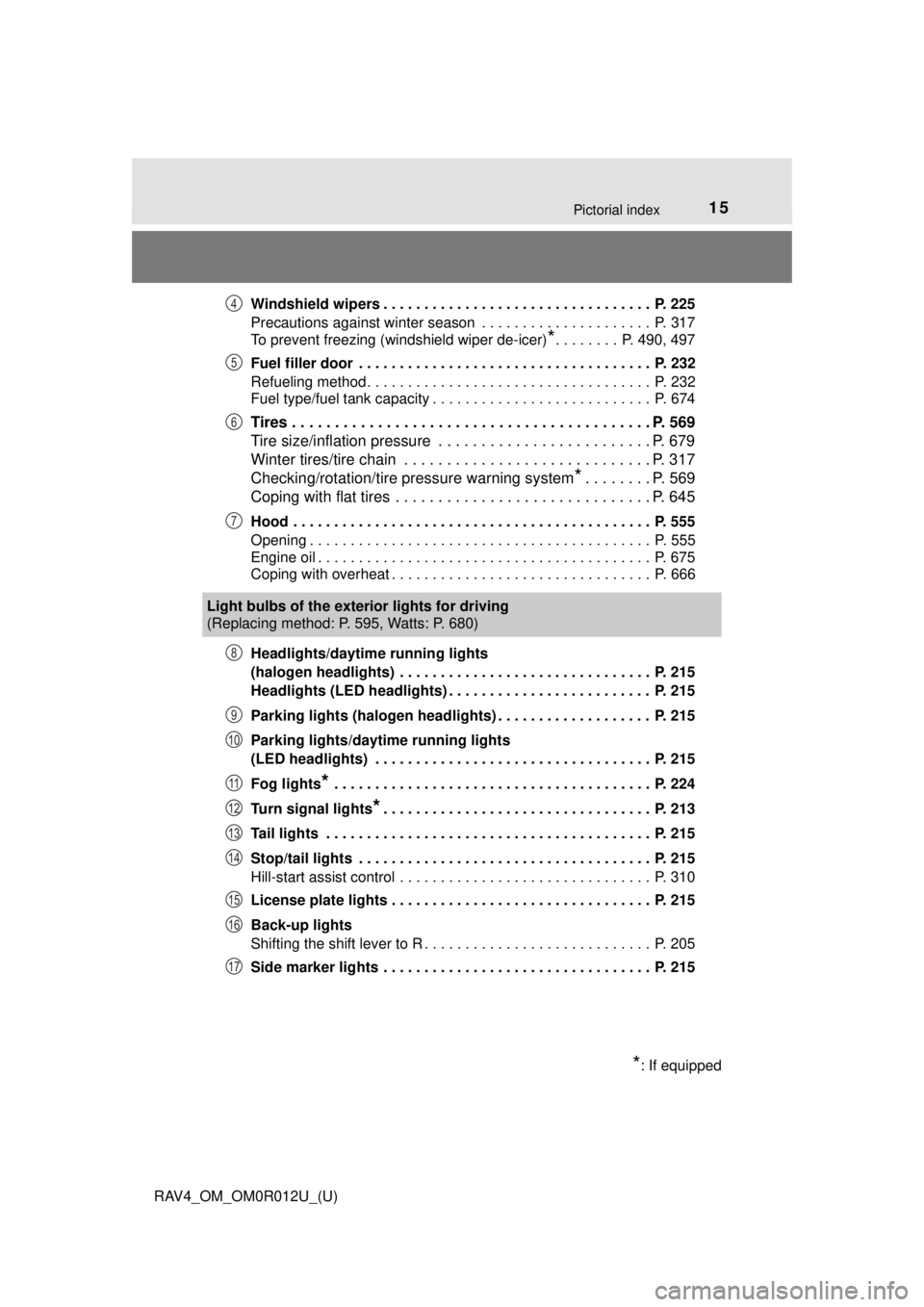
Fog lights
* . . . . . . . . . . . . . . . . . . . . . . . . . . . . . . . . . . . . . . . P. 224
Turn signal lights
*. . . . . . . . . . . . . . . . . . . . . . . . . . . . . . . . . P. 213
Tail lights . . . . . . . . . . . . . . . . . . . . . . . . . . . . . . . . . . . . . . . . P. 215
Stop/tail lights . . . . . . . . . . . . . . . . . . . . . . . . . . . . . . . . . . . . P. 215
Hill-start assist control . . . . . . . . . . . . . . . . . . . . . . . . . . . . . . . P. 310
License plate lights . . . . . . . . . . . . . . . . . . . . . . . . . . . . . . . . P. 215
Back-up lights
Shifting the shift lever to R . . . . . . . . . . . . . . . . . . . . . . . . . . . . P. 205
Side marker lights . . . . . . . . . . . . . . . . . . . . . . . . . . . . . . . . . P. 215
4
5
6
7
Light bulbs of the exter ior lights for driving
(Replacing method: P. 595, Watts: P. 680)
*: If equipped
8
9
10
11
12
13
14
15
16
17
Page 17 of 744
17Pictorial index
RAV4_OM_OM0R012U_(U)Turn signal lever . . . . . . . . . . . . . . . . . . . . . . . . . . . . . . . . . . P. 213
Headlight switch . . . . . . . . . . . . . . . . . . . . . . . . . . . . . . . . . . P. 215
Headlights/parking lights/tail lights/daytime running lights . . . . P. 215
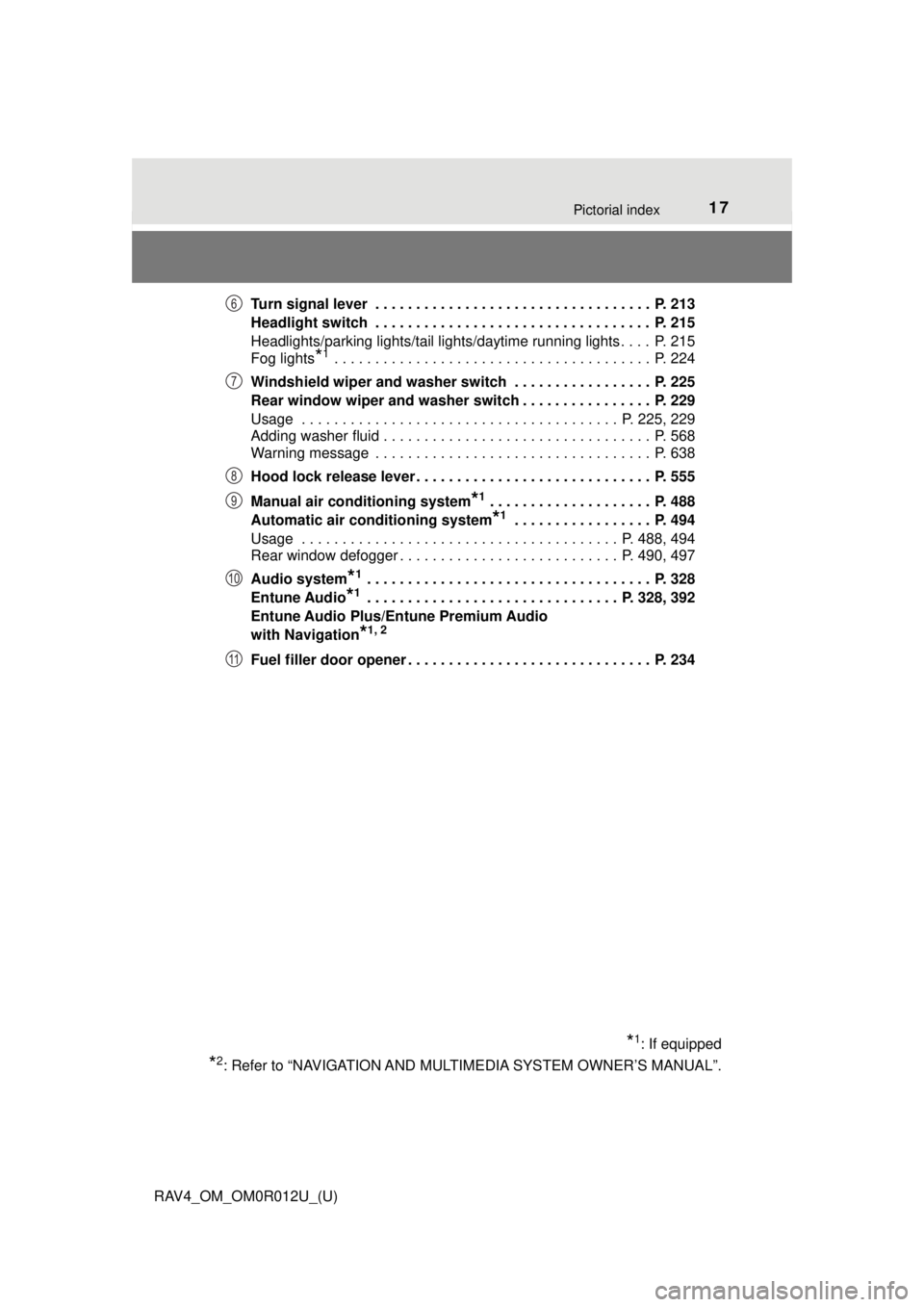
Fog lights
*1 . . . . . . . . . . . . . . . . . . . . . . . . . . . . . . . . . . . . . . . P. 224
Windshield wiper and washer switch . . . . . . . . . . . . . . . . . P. 225
Rear window wiper and washer switch . . . . . . . . . . . . . . . . P. 229
Usage . . . . . . . . . . . . . . . . . . . . . . . . . . . . . . . . . . . . . . . P. 225, 229
Adding washer fluid . . . . . . . . . . . . . . . . . . . . . . . . . . . . . . . . . P. 568
Warning message . . . . . . . . . . . . . . . . . . . . . . . . . . . . . . . . . . P. 638
Hood lock release lever. . . . . . . . . . . . . . . . . . . . . . . . . . . . . P. 555
Manual air conditioning system
*1 . . . . . . . . . . . . . . . . . . . . P. 488
Automatic air conditioning system
*1 . . . . . . . . . . . . . . . . . P. 494
Usage . . . . . . . . . . . . . . . . . . . . . . . . . . . . . . . . . . . . . . . P. 488, 494
Rear window defogger . . . . . . . . . . . . . . . . . . . . . . . . . . . P. 490, 497
Audio system
*1 . . . . . . . . . . . . . . . . . . . . . . . . . . . . . . . . . . . P. 328
Entune Audio
*1 . . . . . . . . . . . . . . . . . . . . . . . . . . . . . . . P. 328, 392
Entune Audio Plus/Entune Premium Audio
with Navigation
*1, 2
Fuel filler door opener . . . . . . . . . . . . . . . . . . . . . . . . . . . . . . P. 234
*1: If equipped
*2: Refer to “NAVIGATION AND MULT IMEDIA SYSTEM OWNER’S MANUAL”.
6
7
8
9
10
11
Page 81 of 744
RAV4_OM_OM0R012U_(U)
812. Instrument cluster
2
Instrument cluster
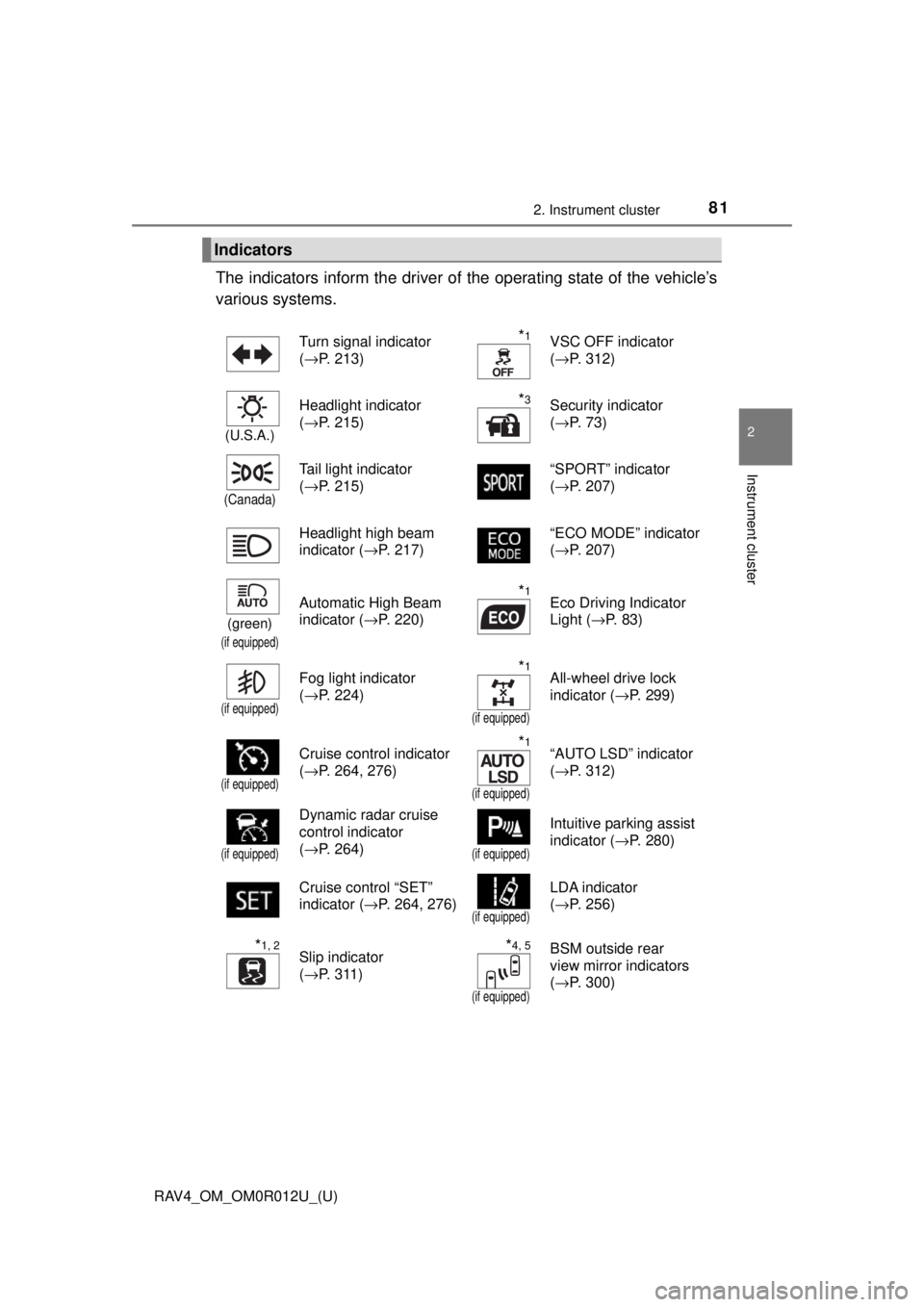
The indicators inform the driver of the operating state of the vehicle’s
various systems.
Indicators
Turn signal indicator
( →P. 213)*1VSC OFF indicator
(→P. 312)
(U.S.A.)
Headlight indicator
(→P. 215)*3Security indicator
(→P. 73)
(Canada)
Tail light indicator
(→P. 215) “SPORT” indicator
(
→P. 207)
Headlight high beam
indicator ( →P. 217) “ECO MODE” indicator
(
→P. 207)
(green)
(if equipped)
Automatic High Beam
indicator ( →P. 220)*1Eco Driving Indicator
Light (→P. 83)
(if equipped)
Fog light indicator
(→P. 224)*1
(if equipped)
All-wheel drive lock
indicator ( →P. 299)
(if equipped)
Cruise control indicator
(→P. 264, 276)*1
(if equipped)
“AUTO LSD” indicator
(→P. 312)
(if equipped)
Dynamic radar cruise
control indicator
(→P. 264)
(if equipped)
Intuitive parking assist
indicator ( →P. 280)
Cruise control “SET”
indicator ( →P. 264, 276)
(if equipped)
LDA indicator
(→P. 256)
*1, 2Slip indicator
(→P. 311)*4, 5
(if equipped)
BSM outside rear
view mirror indicators
(→P. 300)
Page 165 of 744
165
RAV4_OM_OM0R012U_(U)
4Driving
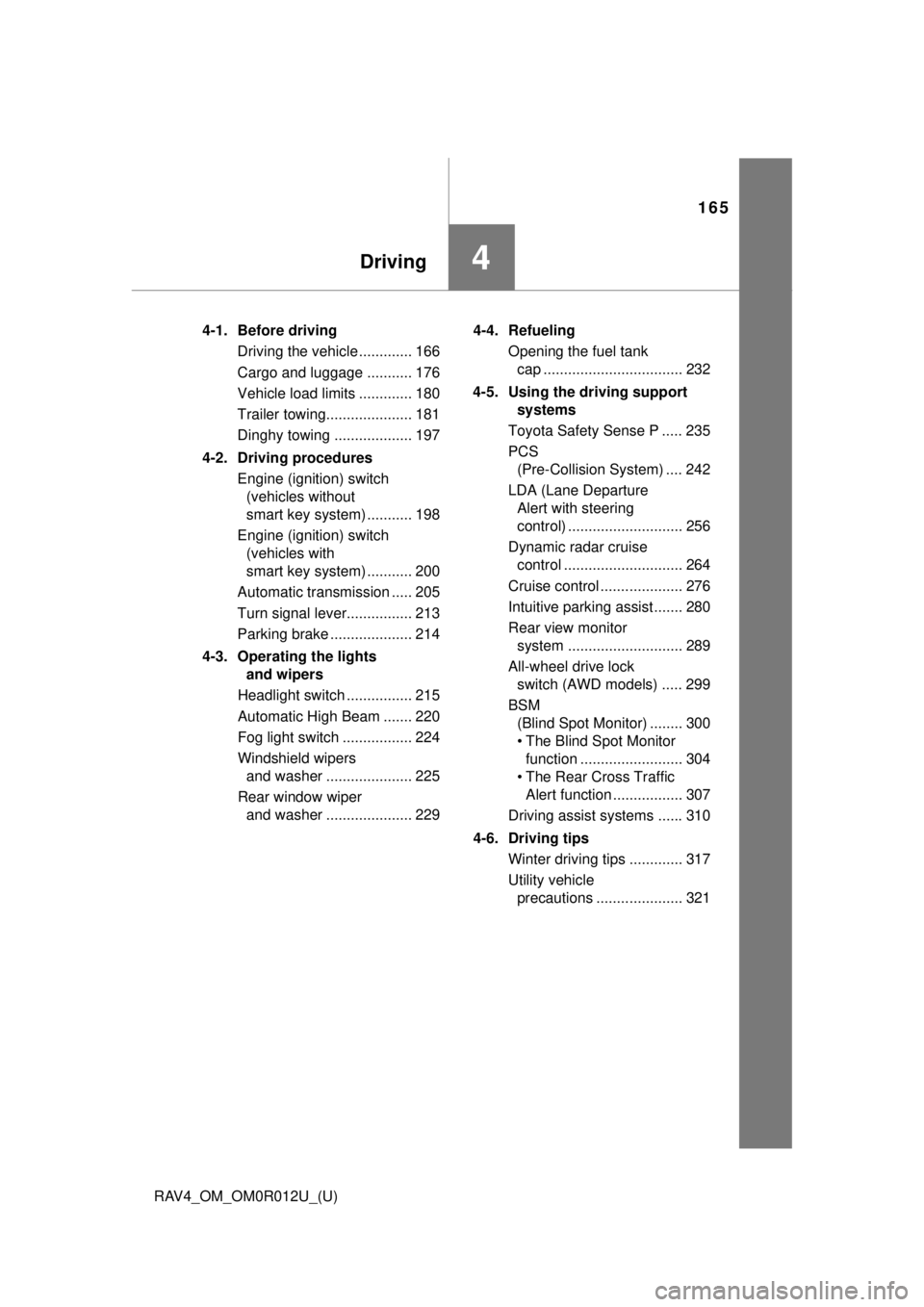
4-1. Before drivingDriving the vehicle ............. 166
Cargo and luggage ........... 176
Vehicle load limits ............. 180
Trailer towing..................... 181
Dinghy towing ................... 197
4-2. Driving procedures Engine (ignition) switch (vehicles without
smart key system) ........... 198
Engine (ignition) switch (vehicles with
smart key system) ........... 200
Automatic transmission ..... 205
Turn signal lever................ 213
Parking brake .................... 214
4-3. Operating the lights and wipers
Headlight switch ................ 215
Automatic High Beam ....... 220
Fog light switch ................. 224
Windshield wipers and washer ..................... 225
Rear window wiper and washer ..................... 229 4-4. Refueling
Opening the fuel tank cap .................................. 232
4-5. Using the driving support systems
Toyota Safety Sense P ..... 235
PCS (Pre-Collision System) .... 242
LDA (Lane Departure Alert with steering
control) ............................ 256
Dynamic radar cruise control ............................. 264
Cruise control .................... 276
Intuitive parking assist....... 280
Rear view monitor system ............................ 289
All-wheel drive lock switch (AWD models) ..... 299
BSM (Blind Spot Monitor) ........ 300
• T he Blind Spot Monitor
function ......................... 304
• T he Rear Cross Traffic
Alert function ................. 307
Driving assist systems ...... 310
4-6. Driving tips Winter driving tips ............. 317
Utility vehicle precautions ..................... 321
Page 222 of 744

222
RAV4_OM_OM0R012U_(U)
4-3. Operating the lights and wipers
■Camera sensor detection information
●The high beam may not be automatically turned off in the following situa-
tions:
• When oncoming vehicles suddenly appear from a curve
• When the vehicle is cut in front of by another vehicle
• When vehicles ahead are hidden from sight due to repeated curves, road
dividers or roadside trees
• When vehicles ahead appear from the faraway lane on wide road
• When vehicles ahead have no lights
● The high beam may be turned off if a vehicle ahead that is using fog lights
without using the headlights is detected.
● House lights, street lights, traffic signals, and illuminated billboards or signs
may cause the high beam to switch to the low beams, or the low beams to
remain on.
● The following factors may affect the amount of time taken to turn the high
beam on or off:
• The brightness of headlights, fog lights, and tail lights of vehicles ahe\
ad
• The movement and direction of vehicles ahead
• When a vehicle ahead only has operational lights on one side
• When a vehicle ahead is a two-wheeled vehicle
• The condition of the road (gradient, curve, condition of the road surface
etc.)
• The number of passengers and amount of luggage
● The high beam may be turned on or off when the driver does not expect it.
● Bicycles or similar objects may not be detected.
● In the situations shown below, the system may not be able to accurately
detect surrounding brightness levels. This may cause the low beams to
remain on or the high beams to cause problems for pedestrians, vehicles
ahead or other parties. In these cases, manually switch between the high
and low beams.
• In bad weather (rain, snow, fog, sandstorms etc.)
• The windshield is obscured by fog, mist, ice, dirt etc.
• The windshield is cracked or damaged.
• The camera sensor is deformed or dirty.
• The camera sensor temperature is extremely high.
• Surrounding brightness levels are equal to those of headlights, tail lights
or fog lights.
• Vehicles ahead have headlights that are either switched off, dirty, are changing color, or are not aimed properly.
• When driving through an area of in termittently changing brightness and
darkness.
• When frequently and repeatedly driving ascending/descending roads, or roads with rough, bumpy or uneven surfaces (such as stone-paved
roads, gravel tracks etc.).
• When frequently and repeatedly taking curves or driving on a winding road.
Page 224 of 744
224
RAV4_OM_OM0R012U_(U)
4-3. Operating the lights and wipers
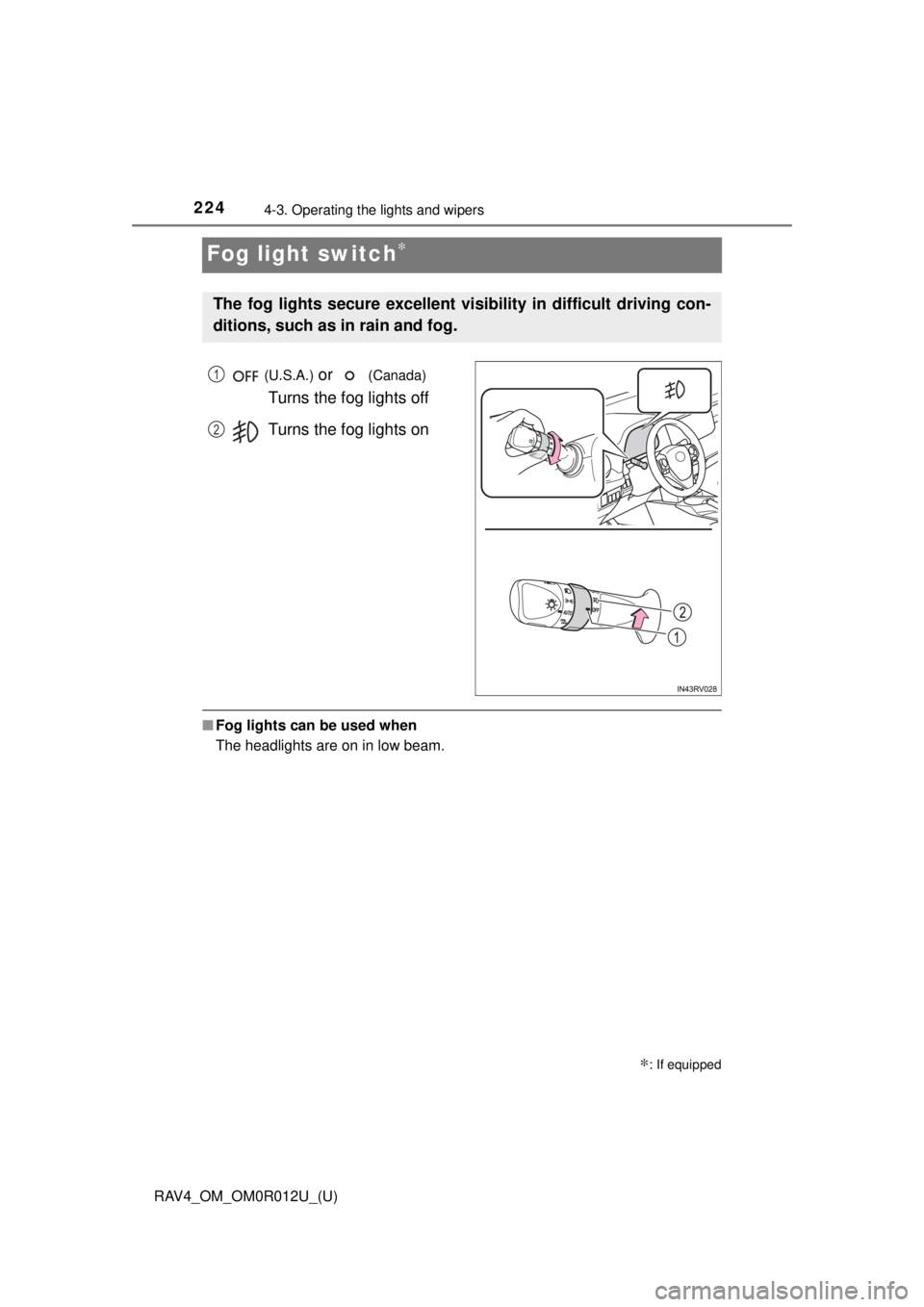
Fog light switch∗
(U.S.A.) or (Canada)
Turns the fog lights off
Turns the fog lights on
■ Fog lights can be used when
The headlights are on in low beam.
∗: If equipped
The fog lights secure excellent visibility in difficult driving con-
ditions, such as in rain and fog.
1
2
Page 239 of 744
RAV4_OM_OM0R012U_(U)
2394-5. Using the driving support systems
4
Driving
WARNING
■To avoid malfunction of the camera sensor
Observe the following precautions.
Otherwise, the camera sensor may not operate properly, possibly leading to
an accident resulting in death or serious injury.
● Keep the windshield clean at all times.
• If the windshield is dirty or covered with an oily film, water droplets,
snow, etc., clear the windshield.
• If a glass coating agent is applied to the windshield, it will still be \
neces- sary to use the windshield wipers to remove water droplets, etc. from
the area of the windshield in front of the camera sensor.
• If the inner side of the windshield where the camera sensor is installed is dirty, contact your Toyota dealer.
● If the part of the windshield in front of the camera sensor is fogged up or
covered with condensation or ice, use the windshield defogger to remove
the fog, condensation or ice. ( →P. 489, 497)
● If water droplets cannot be properly removed from the area of the wind-
shield in front of the camera sensor by the windshield wipers, replace the
wiper insert or wiper blade.
If the wiper inserts or wiper blades need to be replaced, contact your Toy-
ota dealer.
● Do not attach window tinting to the windshield.
● Replace the windshield if it is damaged or cracked.
If the windshield needs to be replaced, contact your Toyota dealer.
● Do not get the camera sensor wet.
● Do not allow bright lights to shine into the camera sensor.
● Do not dirty or damage the camera sensor.
When cleaning the inside of the windshield, do not allow glass cleaner to
contact the lens. Also, do not touch the lens. If the lens is dirty or dam-
aged, contact your Toyota dealer.
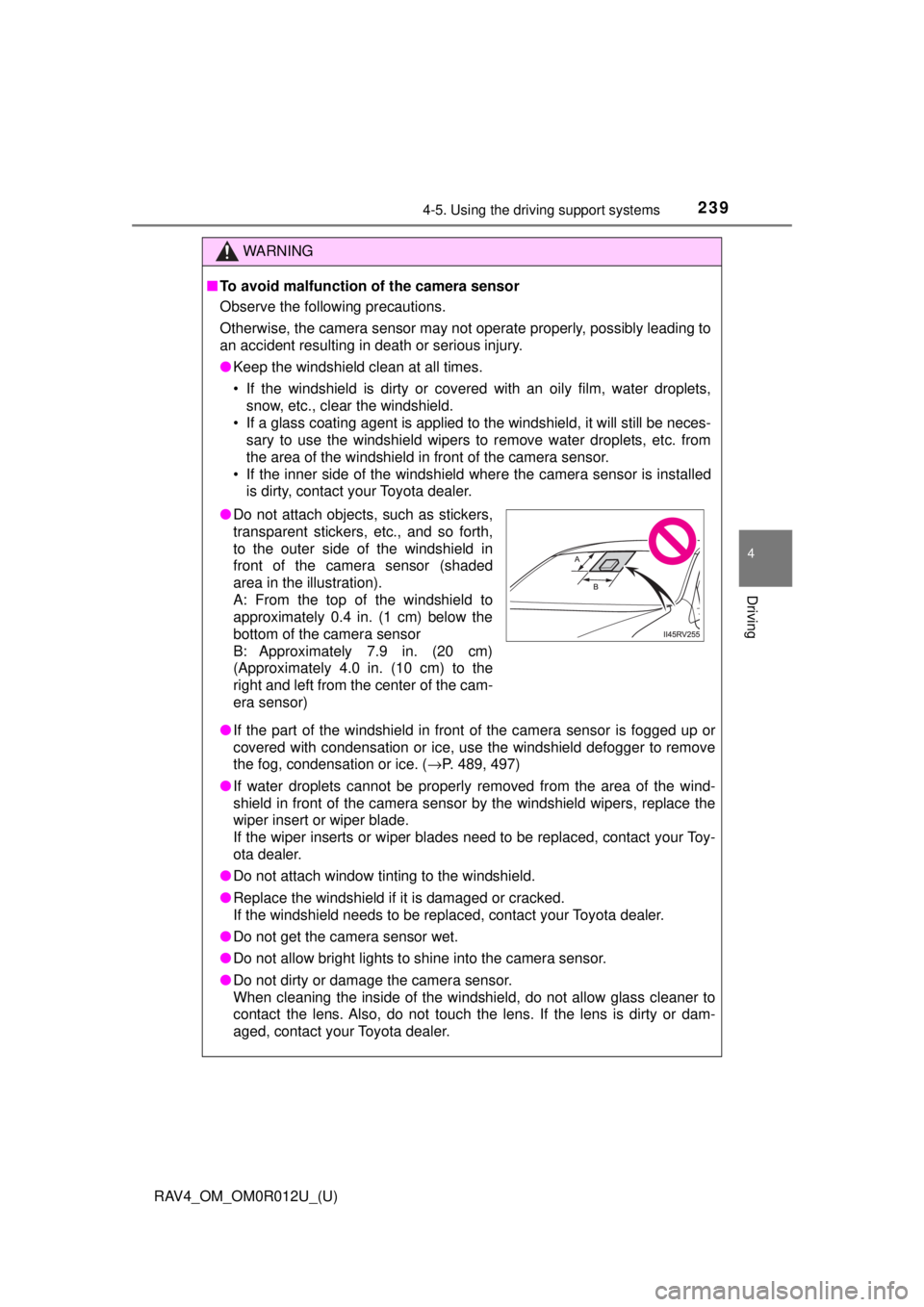
●Do not attach objects, such as stickers,
transparent stickers, etc., and so forth,
to the outer side of the windshield in
front of the camera sensor (shaded
area in the illustration).
A: From the top of the windshield to
approximately 0.4 in. (1 cm) below the
bottom of the camera sensor
B: Approximately 7.9 in. (20 cm)
(Approximately 4.0 in. (10 cm) to the
right and left from the center of the cam-
era sensor)
Page 253 of 744
RAV4_OM_OM0R012U_(U)
2534-5. Using the driving support systems
4
Driving
• If the sun or other light is shining directly on a vehicle ahead
• If a vehicle cuts in front of your vehicle or emerges from beside a vehicle
• If a vehicle ahead makes an abrupt maneuver (such as sudden swerving,
acceleration or deceleration)
• When suddenly cutting behind a preceding vehicle
• When driving in inclement weather such as heavy rain, fog, snow or a sandstorm
• When the vehicle is hit by water, snow, dust, etc. from a vehicle ahead
• When driving through steam or smoke
• When driving in a place where the surrounding brightness changes sud- denly, such as at the entrance or exit of a tunnel
• When a very bright light, such as the sun or the headlights of oncoming traffic, shines directly into the camera sensor
• When the surrounding area is dim, such as at dawn or dusk, or while at night or in a tunnel
• After the engine has started the vehicle has not been driven for a certain
amount of time
• While making a left/right turn and for a few seconds after making a left/ right turn
• While driving on a curve and for a few seconds after driving on a curve
• If your vehicle is skidding
• If the wheels are misaligned
• If a wiper blade is blocking the camera sensor
• The vehicle is wobbling.
• The vehicle is being driven at extremely high speeds.
• When driving on a hill
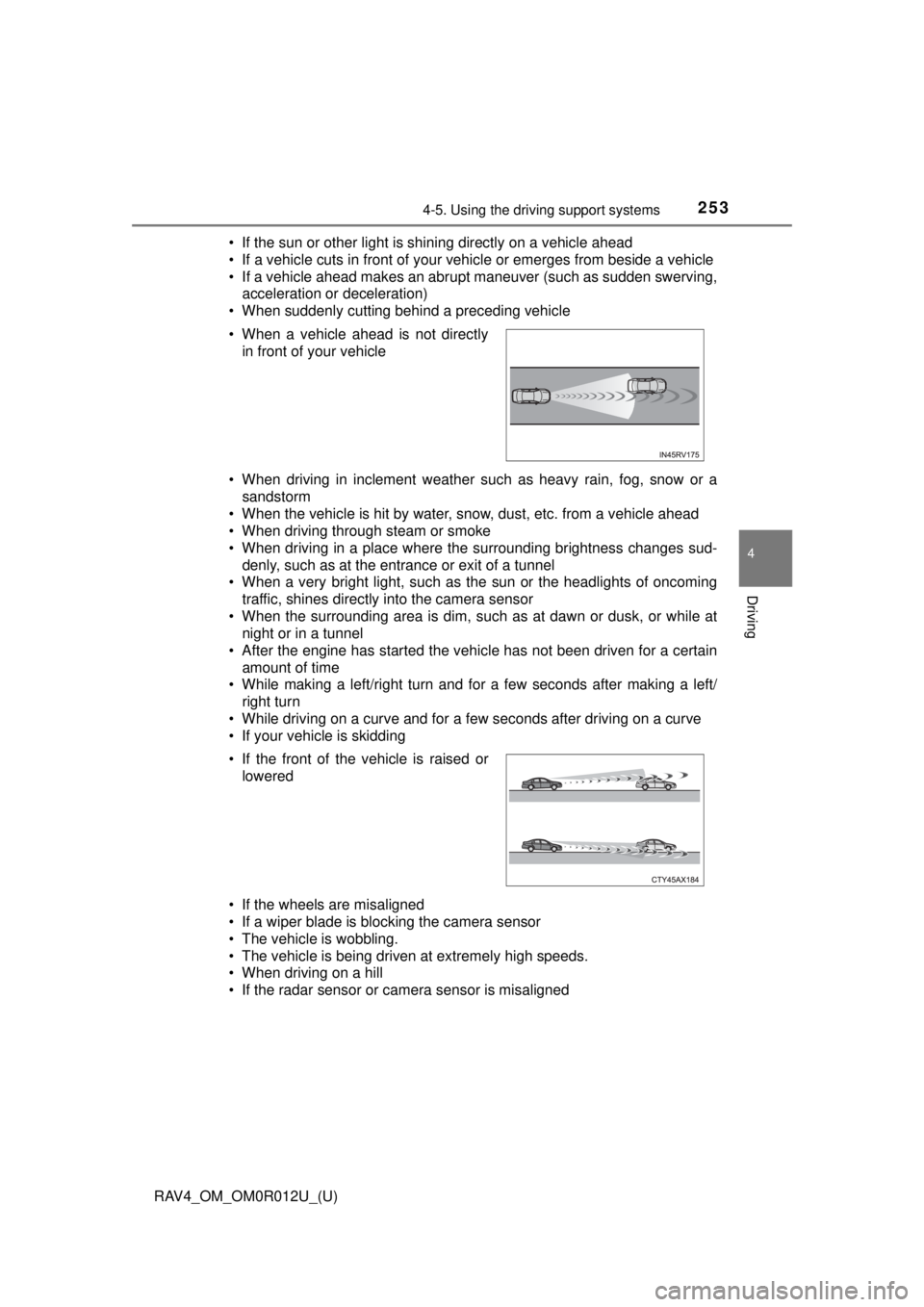
• If the radar sensor or camera sensor is misaligned • When a vehicle ahead is not directly in front of your vehicle
• If the front of the vehicle is raised or lowered