phone TOYOTA RAV4 2022 Manual Online
[x] Cancel search | Manufacturer: TOYOTA, Model Year: 2022, Model line: RAV4, Model: TOYOTA RAV4 2022Pages: 748, PDF Size: 22.93 MB
Page 484 of 748
4845-15. Phone settings
4Transfer the contact data to
the system using a
Bluetooth
® phone.
This operation may be unnec-
essary depending on the type
of Bluetooth
® phone.
To cancel this function, select
“Cancel”.
5 Check that a confirmation
screen is displayed when the
operation is complete.
Backed-up contact data
(“vCard” formatted) can be
transferred from USB device or
Bluetooth
® phone to this sys-
tem.
1 Connect a USB device.
( P.418)
2 Select “Transfer Contacts
from Device”.
3 Select “From USB”.
4 Select “USB 1” or “USB 2”
when the multiple USB
devices are connected. If a
USB device is connected,
skip this procedure.
5 Select “Replace Contacts” or
“Add Contact”. If the contact
is already registered, skip
this procedure.
“Replace Contacts”: Select to trans-
fer the contact fro m the connected
USB device or Bluetooth
® phone
and replace the current one.
“Add Contact”: Select to transfer the desired contact data from the
connected USB device or
Bluetooth
® phone to add to the cur-
rent one.
6 Select a desired file from
vCard file list.
7 Check that a confirmation
screen is displayed when the
operation is complete.
●Depending on the type of
Bluetooth® phone used and num-
ber of files, it may take time to dis-
play vCard file lists and download
contacts.
●Downloading may not complete
correctly in the following cases:
• If the engine switch is turned off during downloading.
• If the USB device or Bluetooth
®
phone is removed before down-
loading is complete.
New contact data can be regis-
tered.
Up to 4 numbers per person can
be registered. For PBAP com-
patible Bluetooth
® phones, this
function is available when “Auto-
matic Transfer” is set to off.
( P.481)
1 Select “New Contact”.
2 Enter the name and select
“OK”.
3 Enter the phone number and
select “OK”.
4 Select the phone type for the
phone number.
From USB device
Registering a new contact
to the contacts list
Page 485 of 748
4855-15. Phone settings
5
Audio
5To add another number to
this contact, select “Yes”.
■Registering a new contact
in a different way (from the
call history screen)
1 Display the phone top
screen. ( P.463)
2 Select “History” and select a
contact not yet registered in
the contact list.
3 Select “Add to Contacts”.
4 Follow the steps in “Register-
ing a new contact to the con-
tacts list” from step 2.
( P.484)
For PBAP compatible
Bluetooth
® phones, this function
is available when “Automatic
Transfer” is set to off. ( P.481)
1 Select “Edit Contact”.
2 Select the desired contact.
3 Select next to the name
or desired number.
4 Enter the name or the phone
number and select “OK”.
For PBAP compatible
Bluetooth
® phones, this function
is available when “Automatic
Transfer” is set to off. ( P.481)
1 Select “Delete Contacts”. 2
Select the desired contact
and select “Delete”.
3 Select “Yes” when the confir-
mation screen appears.
●Multiple data can be selected and
deleted at the same time.
●When a Bluetooth® phone is
deleted, the contact data will be
deleted at the same time.
Up to 15 contacts (maximum of
4 numbers per contact) can be
registered in the favorites list.
■Registering the contacts in
the favorites list
1 Select “Add Favorite”.
2 Select the desired contact to
add to the favorites list.
Dimmed contacts are already
stored as a favorite.
3 Check that a confirmation
screen is displayed when the
operation is complete.
When 15 contacts have
already been registered to the
favorites list
1 When 15 contacts have
already been registered to
the favorites list, a registered
contact needs to be replaced.
Select “Yes” when the confir-
mation screen appears to
replace a contact.
2 Select the contact to be
replaced.
Editing the contact data
Deleting the contact data
Favorites list setting
Page 486 of 748
4865-15. Phone settings
3Check that a confirmation
screen is displayed when the
operation is complete.
■Registering contacts in the
favorites list in a different
way (from the contact
details screen)
1 Display the phone top
screen. ( P.463)
2 Select “Contacts” and select
the desired contact.
3 Select “Add Favorite”.
4 Check that a confirmation
screen is displayed when the
operation is complete.
■Deleting favorites from the
favorites list
1 Select “Remove Favorite”.
2 Select the desired contacts
and select “Remove”.
3 Select “Yes” when the confir-
mation screen appears.
4 Check that a confirmation
screen is displayed when the
operation is complete.
■Deleting favorites from the
favorites list in a different
way (from the contact
details screen)
1 Display the phone top
screen. ( P.463)
2 Select “Favorites” or “Con-
tacts” and then select the
favorite you wish to delete.
3 Select “Remove Favorite”. 4
Select “Yes” when the confir-
mation screen appears.
5 Check that a confirmation
screen is displayed when the
operation is complete.
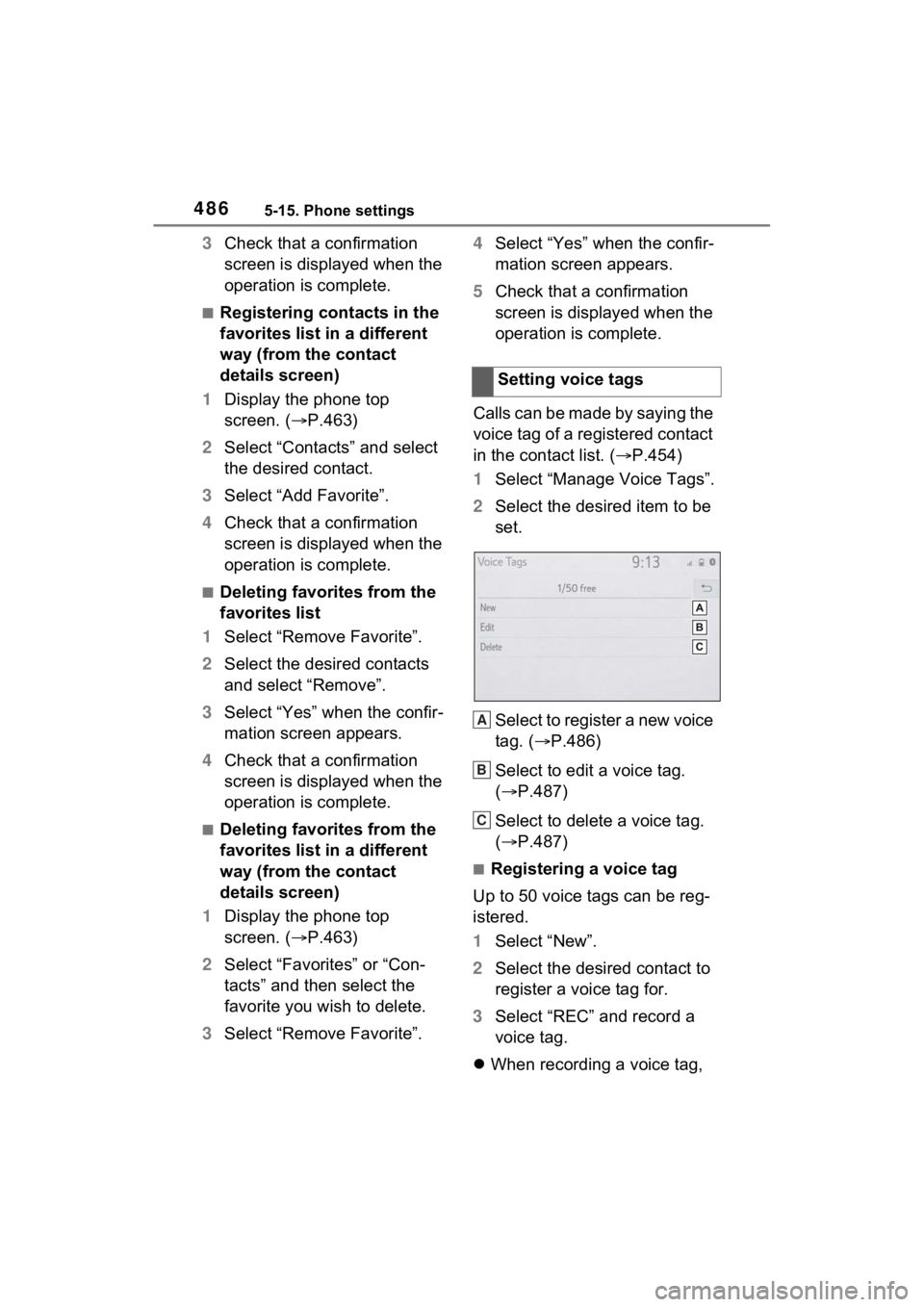
Calls can be made by saying the
voice tag of a registered contact
in the contact list. ( P.454)
1 Select “Manage Voice Tags”.
2 Select the desired item to be
set.
Select to register a new voice
tag. ( P.486)
Select to edit a voice tag.
( P.487)
Select to delete a voice tag.
( P.487)
■Registering a voice tag
Up to 50 voice tags can be reg-
istered.
1 Select “New”.
2 Select the desired contact to
register a voice tag for.
3 Select “REC” and record a
voice tag.
When recording a voice tag, Setting voice tags
A
B
C
Page 487 of 748
4875-15. Phone settings
5
Audio
do so in a quiet area.
“Play”: Select to play the voice tag.
4Select “OK” when voice tag
registration is complete.
■Editing a voice tag
1 Select “Edit”.
2 Select the desired contact to
edit.
3 Follow the steps in “Register-
ing a voice tag” from step 3 .
( P.486)
■Deleting the voice tag
1 Select “Delete”.
2 Select the desired contact
and select “Delete”.
3 Select “Yes” when the confir-
mation screen appears.
●Multiple data can be selected and
deleted at the same time.
●Voice tags are deleted when the
set language of the system is
changed. ( P.410)
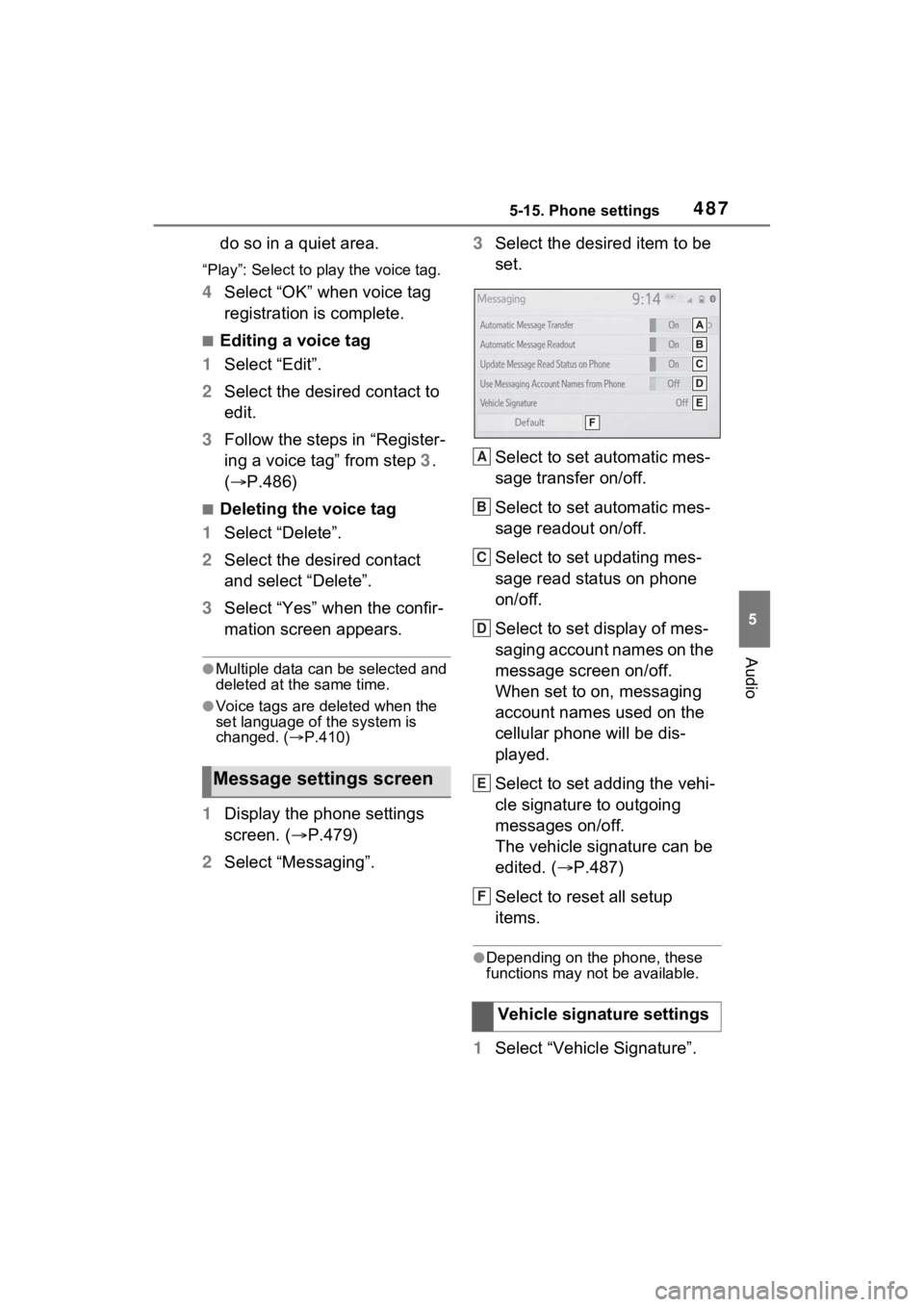
1 Display the phone settings
screen. ( P.479)
2 Select “Messaging”. 3
Select the desired item to be
set.
Select to set automatic mes-
sage transfer on/off.
Select to set automatic mes-
sage readout on/off.
Select to set updating mes-
sage read status on phone
on/off.
Select to set display of mes-
saging account names on the
message screen on/off.
When set to on, messaging
account names used on the
cellular phone will be dis-
played.
Select to set adding the vehi-
cle signature to outgoing
messages on/off.
The vehicle signature can be
edited. ( P.487)
Select to reset all setup
items.
●Depending on the phone, these
functions may not be available.
1 Select “Vehicle Signature”.
Message settings screen
Vehicle signature settings
A
B
C
D
E
F
Page 488 of 748
4885-15. Phone settings
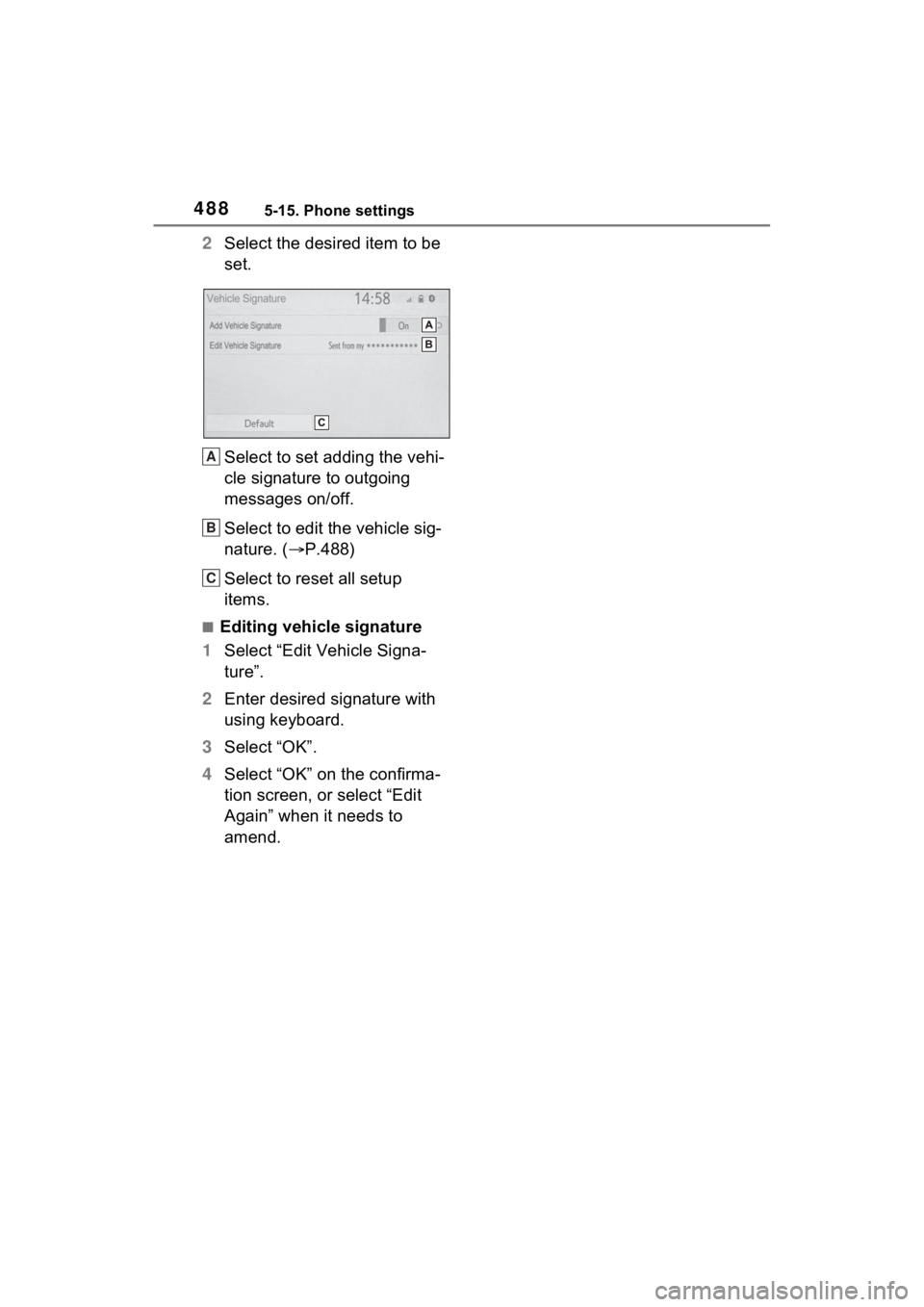
2Select the desired item to be
set.
Select to set adding the vehi-
cle signature to outgoing
messages on/off.
Select to edit the vehicle sig-
nature. ( P.488)
Select to reset all setup
items.
■Editing vehicle signature
1 Select “Edit Vehicle Signa-
ture”.
2 Enter desired signature with
using keyboard.
3 Select “OK”.
4 Select “OK” on the confirma-
tion screen, or select “Edit
Again” when it needs to
amend.
A
B
C
Page 489 of 748
4895-16. What to do if... (Bluetooth®)
5
Audio
5-16.What to do if... (Bluetooth®)
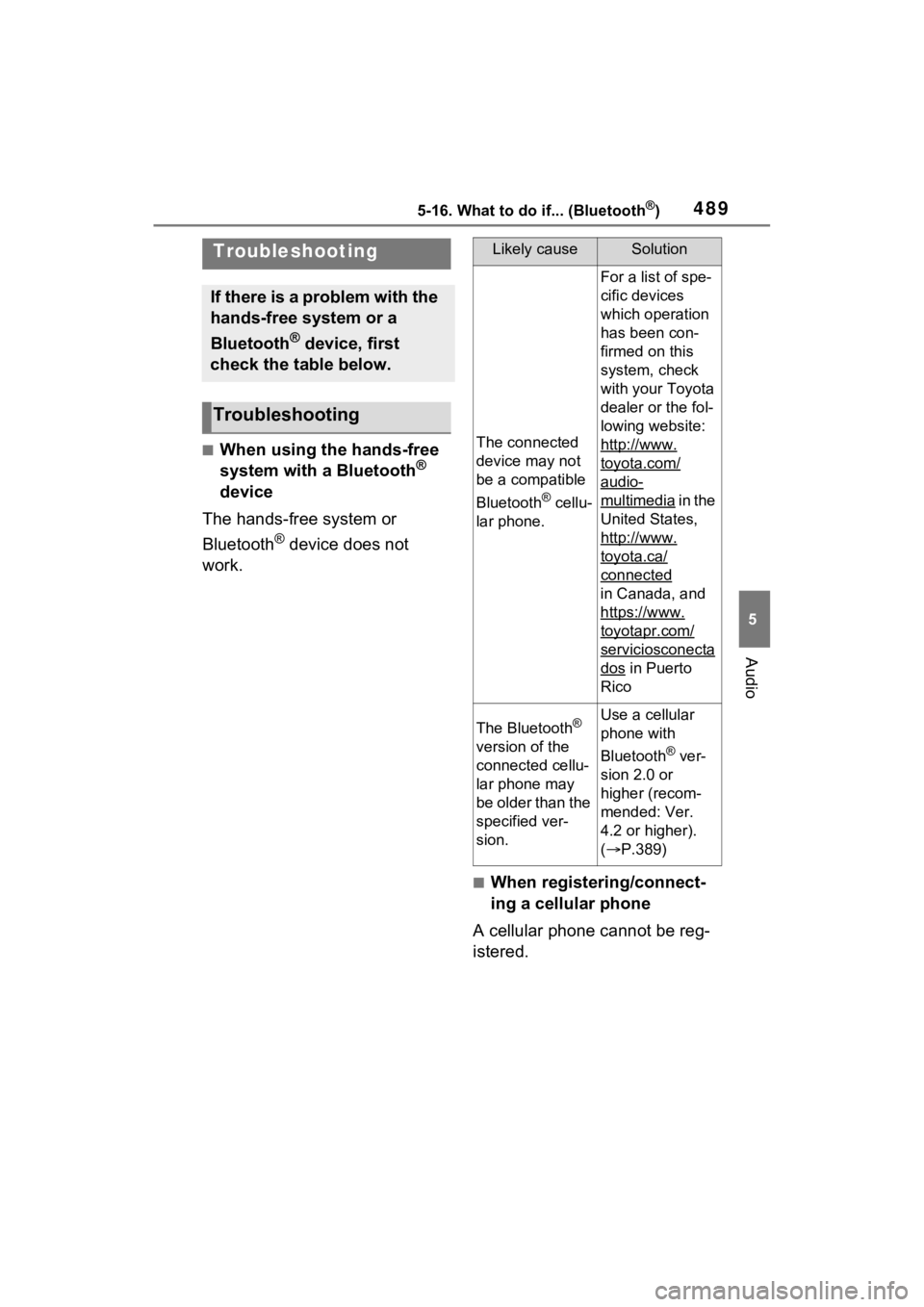
■When using the hands-free
system with a Bluetooth®
device
The hands-free system or
Bluetooth
® device does not
work.
■When registering/connect-
ing a cellular phone
A cellular phone cannot be reg-
istered.
Troubleshooting
If there is a problem with the
hands-free system or a
Bluetooth
® device, first
check the table below.
Troubleshooting
Likely causeSolution
The connected
device may not
be a compatible
Bluetooth
® cellu-
lar phone.
For a list of spe-
cific devices
which operation
has been con-
firmed on this
system, check
with your Toyota
dealer or the fol-
lowing website:
http://www.
toyota.com/
audio-
multimedia i n t h e
United States,
http://www.
toyota.ca/
connected
in Canada, and
https://www.
toyotapr.com/
serviciosconecta
dos in Puerto
Rico
The Bluetooth®
version of the
connected cellu-
lar phone may
be older than the
specified ver-
sion.Use a cellular
phone with
Bluetooth
® ver-
sion 2.0 or
higher (recom-
mended: Ver.
4.2 or higher).
( P.389)
Page 490 of 748
4905-16. What to do if... (Bluetooth®)
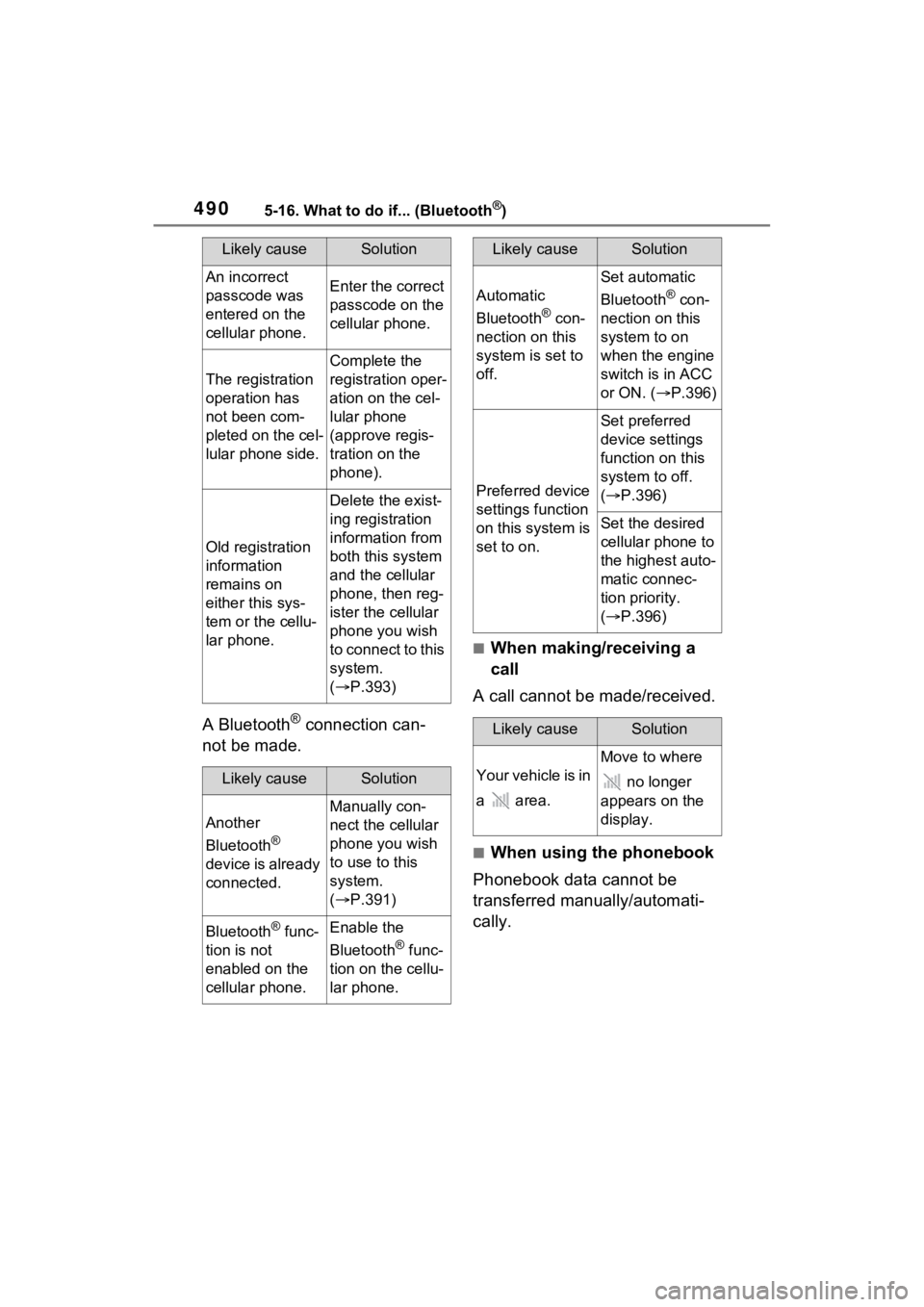
A Bluetooth® connection can-
not be made.
■When making/receiving a
call
A call cannot be made/received.
■When using the phonebook
Phonebook data cannot be
transferred manually/automati-
cally.
Likely causeSolution
An incorrect
passcode was
entered on the
cellular phone.Enter the correct
passcode on the
cellular phone.
The registration
operation has
not been com-
pleted on the cel-
lular phone side.
Complete the
registration oper-
ation on the cel-
lular phone
(approve regis-
tration on the
phone).
Old registration
information
remains on
either this sys-
tem or the cellu-
lar phone.
Delete the exist-
ing registration
information from
both this system
and the cellular
phone, then reg-
ister the cellular
phone you wish
to connect to this
system.
( P.393)
Likely causeSolution
Another
Bluetooth
®
device is already
connected.
Manually con-
nect the cellular
phone you wish
to use to this
system.
( P.391)
Bluetooth® func-
tion is not
enabled on the
cellular phone.Enable the
Bluetooth
® func-
tion on the cellu-
lar phone.
Automatic
Bluetooth
® con-
nection on this
system is set to
off.
Set automatic
Bluetooth
® con-
nection on this
system to on
when the engine
switch is in ACC
or ON. ( P.396)
Preferred device
settings function
on this system is
set to on.
Set preferred
device settings
function on this
system to off.
( P.396)
Set the desired
cellular phone to
the highest auto-
matic connec-
tion priority.
( P.396)
Likely causeSolution
Your vehicle is in
a area.
Move to where
no longer
appears on the
display.
Likely causeSolution
Page 491 of 748
4915-16. What to do if... (Bluetooth®)
5
Audio
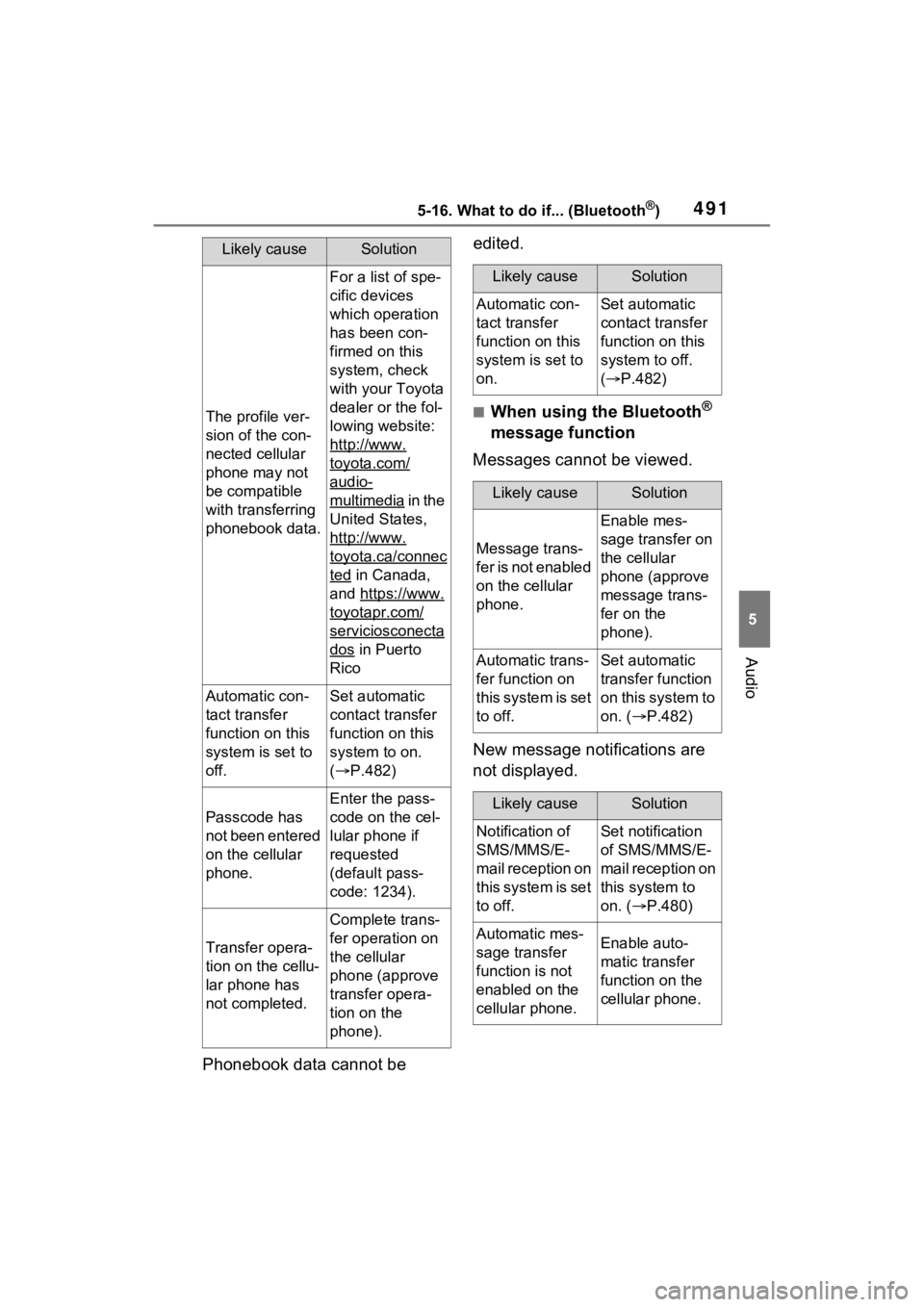
Phonebook data cannot be edited.
■When using the Bluetooth®
message function
Messages cannot be viewed.
New message notifications are
not displayed.
Likely causeSolution
The profile ver-
sion of the con-
nected cellular
phone may not
be compatible
with transferring
phonebook data.
For a list of spe-
cific devices
which operation
has been con-
firmed on this
system, check
with your Toyota
dealer or the fol-
lowing website:
http://www.
toyota.com/
audio-
multimedia in the
United States,
http://www.
toyota.ca/connec
ted in Canada,
and https://www.
toyotapr.com/
serviciosconecta
dos in Puerto
Rico
Automatic con-
tact transfer
function on this
system is set to
off.Set automatic
contact transfer
function on this
system to on.
( P.482)
Passcode has
not been entered
on the cellular
phone.
Enter the pass-
code on the cel-
lular phone if
requested
(default pass-
code: 1234).
Transfer opera-
tion on the cellu-
lar phone has
not completed.
Complete trans-
fer operation on
the cellular
phone (approve
transfer opera-
tion on the
phone).
Likely causeSolution
Automatic con-
tact transfer
function on this
system is set to
on.Set automatic
contact transfer
function on this
system to off.
( P.482)
Likely causeSolution
Message trans-
f e r i s n o t e n a b l e d
on the cellular
phone.
Enable mes-
sage transfer on
the cellular
phone (approve
message trans-
fer on the
phone).
Automatic trans-
fer function on
this system is set
to off.Set automatic
transfer function
on this system to
on. ( P.482)
Likely causeSolution
Notification of
SMS/MMS/E-
mail reception on
this system is set
to off.Set notification
of SMS/MMS/E-
mail reception on
this system to
on. ( P.480)
Automatic mes-
sage transfer
function is not
enabled on the
cellular phone.Enable auto-
matic transfer
function on the
cellular phone.
Page 492 of 748
4925-16. What to do if... (Bluetooth®)
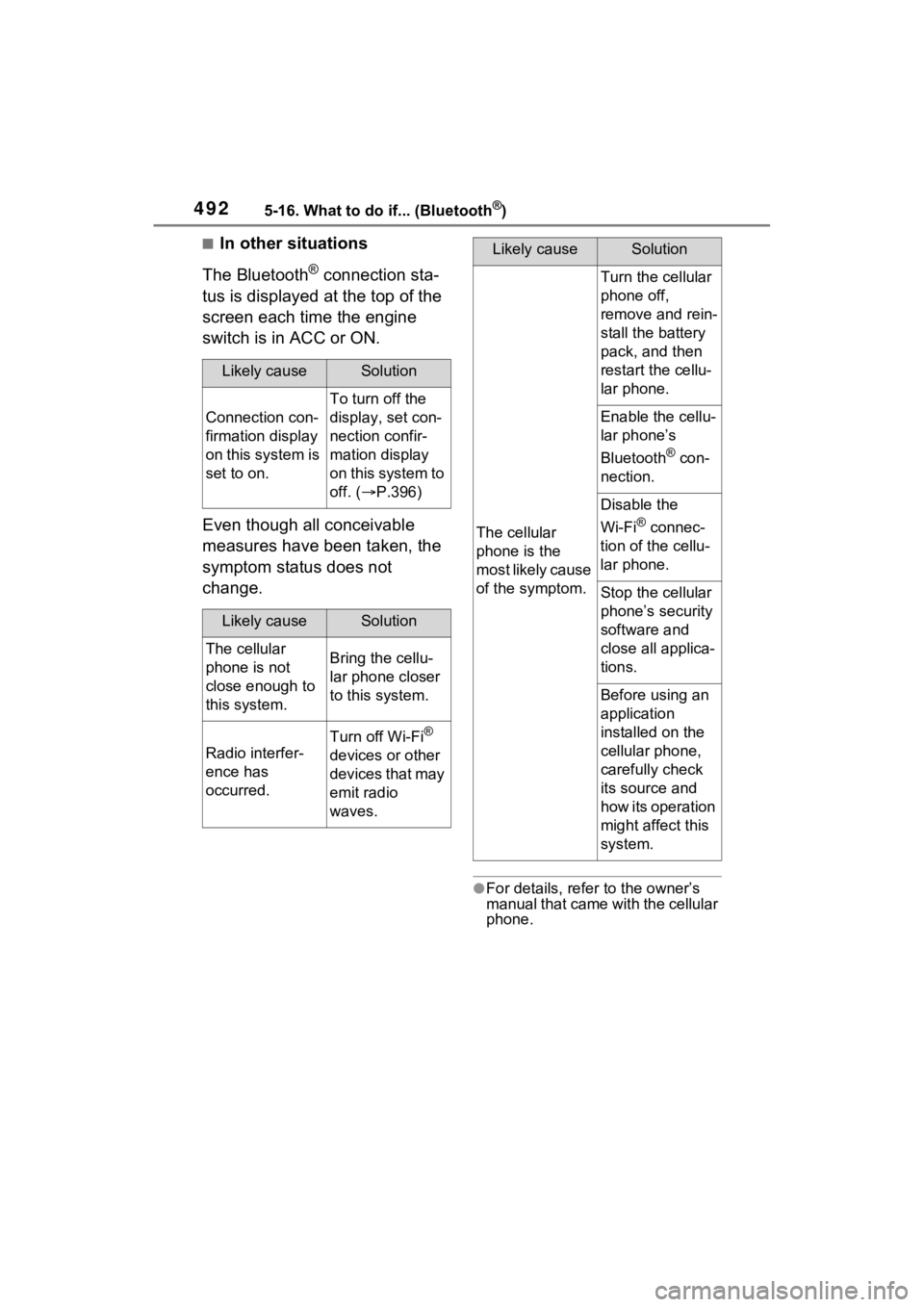
■In other situations
The Bluetooth
® connection sta-
tus is displayed at the top of the
screen each time the engine
switch is in ACC or ON.
Even though all conceivable
measures have been taken, the
symptom status does not
change.
●For details, refer to the owner’s
manual that came with the cellular
phone.
Likely causeSolution
Connection con-
firmation display
on this system is
set to on.
To turn off the
display, set con-
nection confir-
mation display
on this system to
off. ( P.396)
Likely causeSolution
The cellular
phone is not
close enough to
this system.Bring the cellu-
lar phone closer
to this system.
Radio interfer-
ence has
occurred.
Turn off Wi-Fi®
devices or other
devices that may
emit radio
waves.
The cellular
phone is the
most likely cause
of the symptom.
Turn the cellular
phone off,
remove and rein-
stall the battery
pack, and then
restart the cellu-
lar phone.
Enable the cellu-
lar phone’s
Bluetooth
® con-
nection.
Disable the
Wi-Fi
® connec-
tion of the cellu-
lar phone.
Stop the cellular
phone’s security
software and
close all applica-
tions.
Before using an
application
installed on the
cellular phone,
carefully check
its source and
how its operation
might affect this
system.
Likely causeSolution
Page 493 of 748
4935-17. Connected Services overview
5
Audio
5-17.Connected Services overview
*: This function is not made avail-able in some countries or areas.
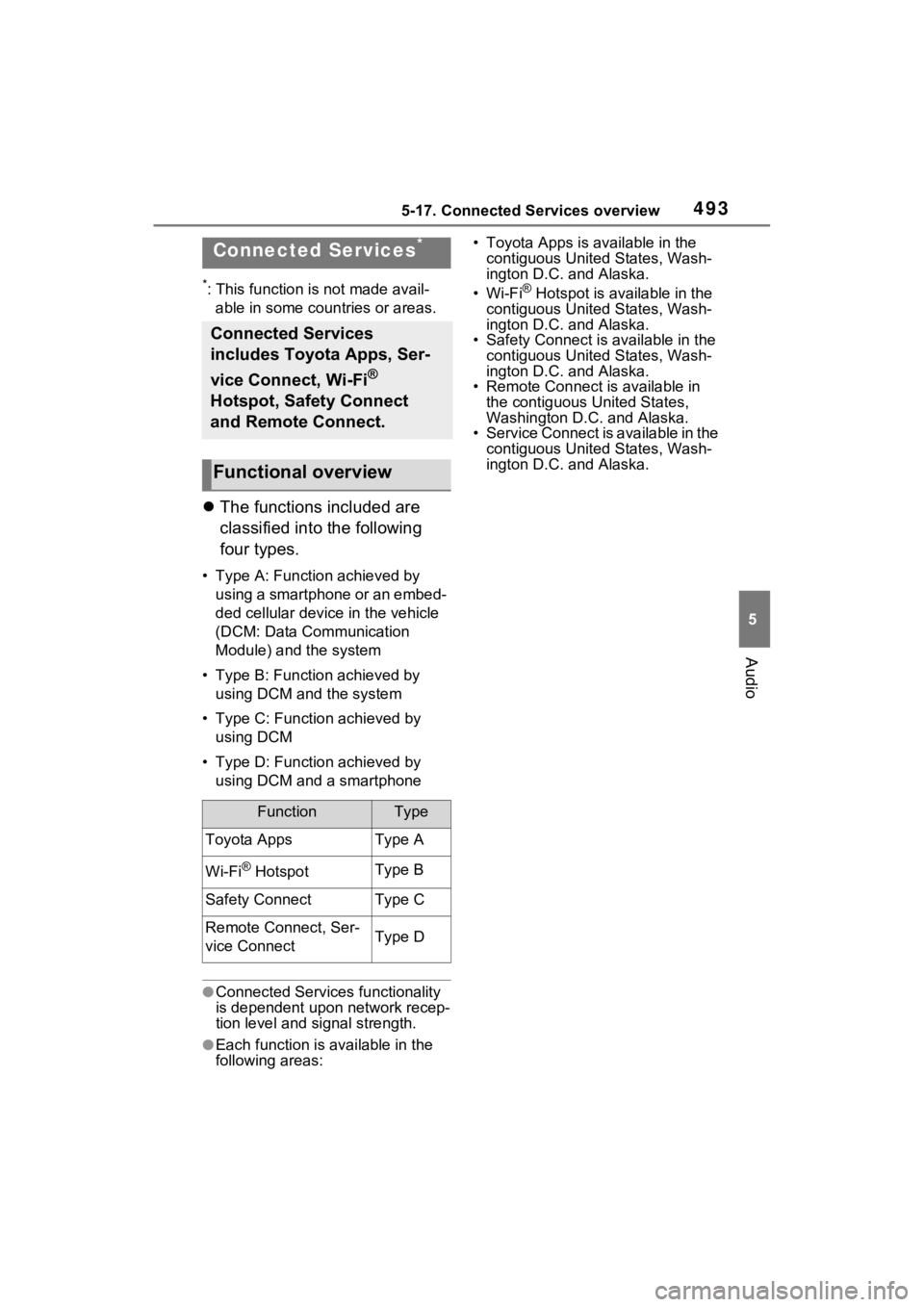
The functions included are
classified into the following
four types.
• Type A: Function achieved by
using a smartphone or an embed-
ded cellular device in the vehicle
(DCM: Data Communication
Module) and the system
• Type B: Function achieved by using DCM and the system
• Type C: Function achieved by using DCM
• Type D: Function achieved by using DCM and a smartphone
●Connected Services functionality
is dependent upon network recep-
tion level and signal strength.
●Each function is available in the
following areas: • Toyota Apps is available in the
contiguous United States, Wash-
ington D.C. and Alaska.
•Wi-Fi
® Hotspot is available in the
contiguous United States, Wash-
ington D.C. and Alaska.
• Safety Connect is available in the
contiguous United States, Wash-
ington D.C. and Alaska.
• Remote Connect is available in
the contiguous United States,
Washington D.C. and Alaska.
• Service Connect is available in the
contiguous United States, Wash-
ington D.C. and Alaska.
Connected Services*
Connected Services
includes Toyota Apps, Ser-
vice Connect, Wi-Fi
®
Hotspot, Safety Connect
and Remote Connect.
Functional overview
FunctionType
Toyota AppsType A
Wi-Fi® HotspotType B
Safety ConnectType C
Remote Connect, Ser-
vice ConnectType D