radio TOYOTA RAV4 2023 User Guide
[x] Cancel search | Manufacturer: TOYOTA, Model Year: 2023, Model line: RAV4, Model: TOYOTA RAV4 2023Pages: 574, PDF Size: 17.31 MB
Page 143 of 574
1433-2. Opening, closing and locking the doors
3
Before driving
■When the vehicle is not driven
for extended periods
●To prevent theft of the vehicle, do
not leave the electronic key within
6 ft. (2 m) of the vehicle.
●The smart key system can be
deactivated in advance. ( P.515)
●Battery-saving mode can reduce
the power consumption of elec-
tronic keys. (P.141)
■To operate the system properly
Make sure to carry the electronic
key when operating the system. Do
not get the electronic key too close
to the vehicle when operating the
system from the ou tside of the vehi-
cle.
Depending on the position and hold-
ing condition of the electronic key,
the key may not be detected cor-
rectly and the system may not oper-
ate properly. (The alarm may go off
accidentally, or the door lock pre-
vention may not operate.)
■If the smart key system does
not operate properly
●Locking and unlocking the doors:
Use the mechanical key.
( P.475)
●Starting the engine: P.475
■Customization
Settings (e.g. smart key system)
can be changed.
(Customizable features: P.514)
If the smart key system has been
deactivated in a customized setting,
refer to the explanations for the fol-
lowing operations.
●Locking and unlocking the doors:
Use the wireless remote control or
mechanical key. ( P.119, 475)
●Starting the engine and changing
engine switch modes: P.475
●Stopping the engine: P.206
WARNING
■Caution regarding interfer-
ence with electronic devices
●People with implantable car-
diac pacemakers, cardiac
resynchronization therapy-
pacemakers or implantable car-
dioverter defibrillators should
maintain a reasonable distance
between themselves and the
smart key system antennas.
( P.139)
The radio waves may affect the
operation of such devices. If
necessary, the e ntry function
can be disabled. Ask your
Toyota dealer for details, such
as the frequency of radio waves
and timing of the emitted radio
waves. Then, consult your doc-
tor to see if you should disable
the entry function.
●Users of any electrical medical
device other than implantable
cardiac pacemakers, cardiac
resynchronization therapy-
pacemakers or implantable car-
dioverter defibrillators should
consult the manufacturer of the
device for information about its
operation under the influence of
radio waves.
Radio waves could have unex-
pected effects on the operation
of such medical devices.
Ask your Toyota dealer for details
on disabling the entry function.
Page 162 of 574
1623-4. Adjusting the steering wheel and mirrors
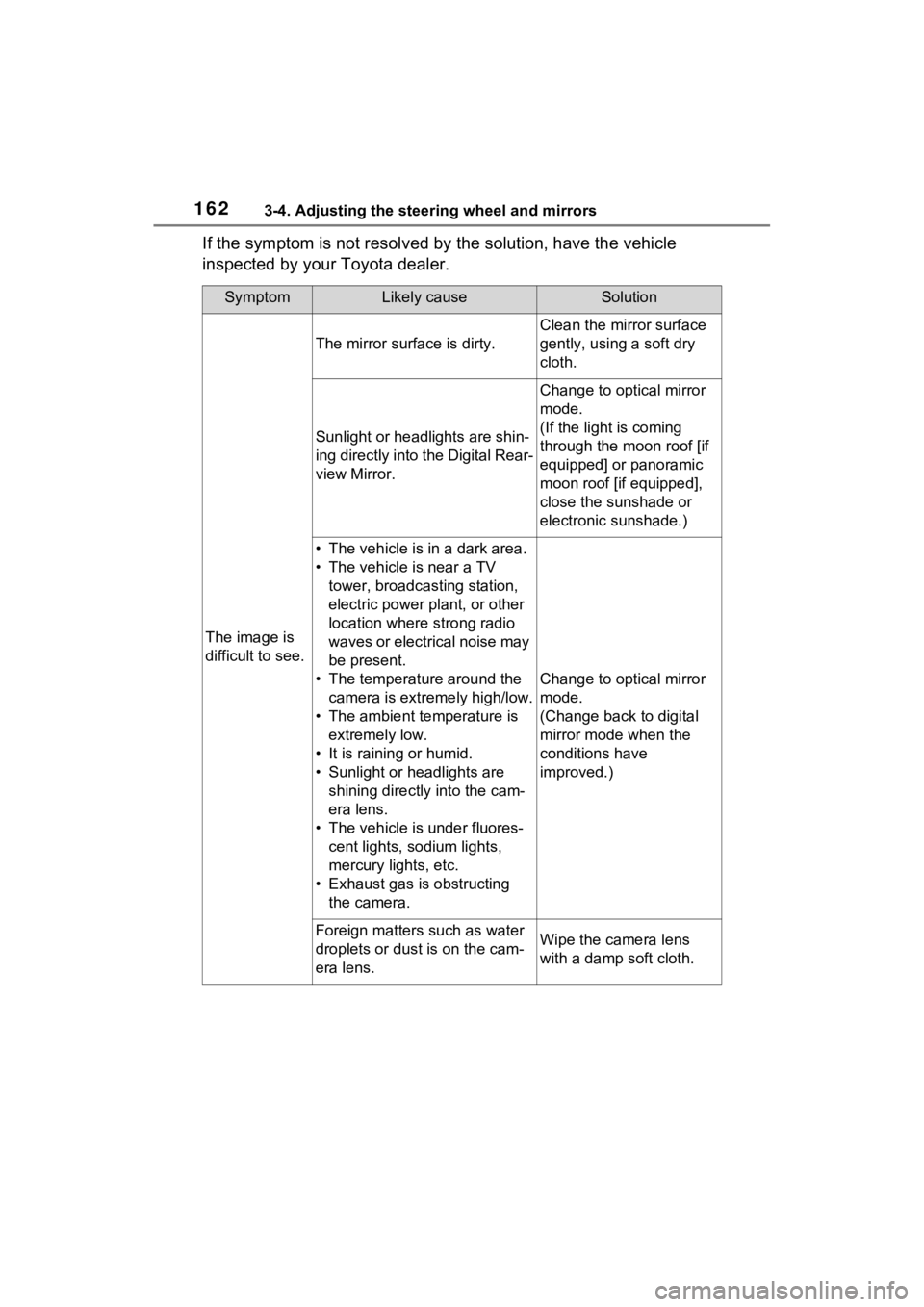
If the symptom is not resolved by the solution, have the vehicle
inspected by your Toyota dealer.
SymptomLikely causeSolution
The image is
difficult to see.
The mirror surface is dirty.
Clean the mirror surface
gently, using a soft dry
cloth.
Sunlight or headlights are shin-
ing directly into the Digital Rear-
view Mirror.
Change to optical mirror
mode.
(If the light is coming
through the moon roof [if
equipped] or panoramic
moon roof [if equipped],
close the sunshade or
electronic sunshade.)
• The vehicle is in a dark area.
• The vehicle is near a TV tower, broadcasting station,
electric power plant, or other
location where strong radio
waves or electrical noise may
be present.
• The temperature around the camera is extremely high/low.
• The ambient te mperature is
extremely low.
• It is raining or humid.
• Sunlight or headlights are shining directly into the cam-
era lens.
• The vehicle is under fluores- cent lights, sodium lights,
mercury lights, etc.
• Exhaust gas is obstructing the camera.
Change to optical mirror
mode.
(Change back to digital
mirror mode when the
conditions have
improved.)
Foreign matters such as water
droplets or dust is on the cam-
era lens.Wipe the camera lens
with a damp soft cloth.
Page 247 of 574
2474-5. Using the driving support systems
4
Driving
objects that may contact your
vehicle, such as thick grass, tree
branches, or a banner
• When driving through steam or smoke
• When driving near an object that reflects radio waves, such as a
large truck or guardrail
• When driving near a TV tower, broadcasting station, electric
power plant, radar equipped vehi-
cles, etc., or other location where
strong radio waves or electrical
noise may be present
• When there are many things which can reflect the radio waves
of the radar in the vicinity (tunnels,
truss bridges, gravel roads, snow
covered road that have tracks,
etc.)
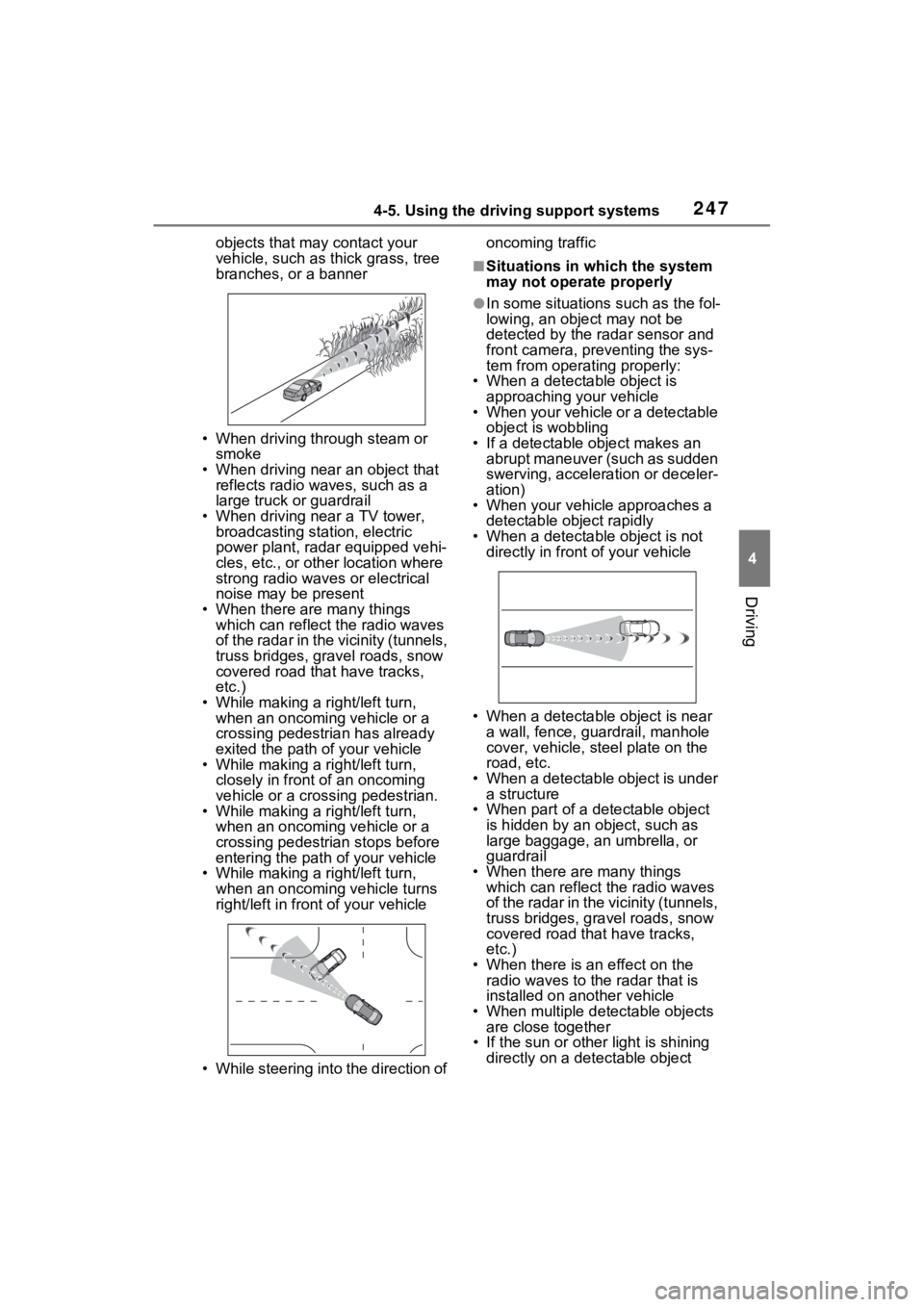
• While making a right/left turn, when an oncoming vehicle or a
crossing pedestrian has already
exited the path of your vehicle
• While making a right/left turn, closely in front of an oncoming
vehicle or a crossing pedestrian.
• While making a right/left turn, when an oncoming vehicle or a
crossing pedestrian stops before
entering the path of your vehicle
• While making a right/left turn,
when an oncoming vehicle turns
right/left in front of your vehicle
• While steering into the direction of oncoming traffic
■Situations in which the system
may not operate properly
●In some situations such as the fol-
lowing, an object may not be
detected by the radar sensor and
front camera, pre
venting the sys-
tem from opera ting properly:
• When a detectable object is
approaching your vehicle
• When your vehicle or a detectable object is wobbling
• If a detectable object makes an abrupt maneuver (such as sudden
swerving, acceleration or deceler-
ation)
• When your vehicle approaches a detectable object rapidly
• When a detectable object is not
directly in front of your vehicle
• When a detectable object is near
a wall, fence, gua rdrail, manhole
cover, vehicle, steel plate on the
road, etc.
• When a detectable object is under a structure
• When part of a detectable object is hidden by an object, such as
large baggage, an umbrella, or
guardrail
• When there are many things which can reflect the radio waves
of the radar in the vicinity (tunnels,
truss bridges, gravel roads, snow
covered road that have tracks,
etc.)
• When there is an effect on the radio waves to the radar that is
installed on another vehicle
• When multiple det ectable objects
are close together
• If the sun or other light is shining
directly on a detectable object
Page 365 of 574
3655-4. Using the other interior features
5
Interior features
Repeatedly flashes 4 times
continuously (Orange)
■The wireless charger can be
operated when
The engine switch is in ACC or ON.
■Usable portable devices
●Qi standard wireless charge stan-
dard can be used on compatible
devices. However, not all Qi stan-
dard devices and compatibility are
guaranteed.
●Starting with mobile phones and
smartphones, it is aimed for low
power electrically supplied porta-
ble devices of no more than 5W.
●However, chargin g exceeding 5 W
is supported by the following por-
table devices.
• Charging at 7.5 W or less is sup- ported by iPhone’s that support
7.5 W charging.
• Charging at 10 W or less is sup- ported by portable devices compli-
ant with EPP output as defined by
WPC standard Ver1.2.4.
■Using the smart key system
If the smart key system detects the
key while a device is being charged,
charging will be temporarily
stopped.
■When covers and accessories
are attached to portable devices
Do not charge in situations where cover and accessories not able to
handle Qi are attached to the porta-
ble device. Depending on the type
of cover (including the certain genu-
ine manufacture
parts) and acces-
sory, it may not be possible to
charge. When charging is not per-
formed even with the portable
device placed on the charge area,
remove the cover and accessories.
■While charging, noise enters
the AM radio
●Turn off the wireless charger and
confirm that the noise has
decreased. If the noise
decreases, continuously pushing
the power supply switch of the
wireless charger for 2 seconds,
the frequency of the charger can
be changed and the noise can be
reduced. Also, on that occasion,
the operation indicator light will
flash orange 2 times.
●iPhone’s use a particular fre-
quency for rapid charging.
Depending on the iOS version,
rapid charging may not be per-
formed while switching frequen-
cies.
■Important points of the wireless
charger
●If the electronic key cannot be
detected within the vehicle inte-
rior, charging c annot be done.
When the door is opened and
closed, charging may be tempo-
rarily suspended.
●When charging, the wireless
charging device and portable
device will get warmer, however
this is not a malfunction.
When a portable device gets
warm while char ging, charging
may stop due to the protection
function on the portable device
side. In this case, when the tem-
perature of the portable device
drops significantly, charge again.
The fan may start operating to lower
the temperature inside the wireless
charger, however this is not a mal-
Suspected causesHandling method
Safety shut-
down resulting
when the tem-
perature within
the wireless
charger
exceeded the set
valueStop charging,
remove the por-
table device from
the charging
tray, wait for the
temperature to
drop, and then
start charging
again.
Page 407 of 574
4096-3. Do-it-yourself maintenance
6
Maintenance and care
operate properly.
• If non-genuine Toyota wheels are used.
• A tire has been replaced with a tire that is not an OE (Original
Equipment) tire.
• A tire has been replaced with a tire that is not of the specified size.
• Tire chains, etc. are equipped.
• An auxiliary-supported run-flat tire
is equipped.
• If a window tint that affects the
radio wave signals is installed.
• If there is a lot of snow or ice on the vehicle, particularly around the
wheels or wheel housings.
• If the tire inflation pressure is extremely higher than the speci-
fied level.
• If wheels without tire pressure warning valves a nd transmitters
are used.
• If the ID code on the tire pressure warning valves and transmitters is
not registered in the tire pressure
warning computer.
●Performance may be affected in
the following situations.
• Near a TV tower, electric power
plant, gas station , radio station,
large display, airpo rt or other facil-
ity that generates strong radio
waves or electrical noise
• When carrying a portable radio, cellular phone, cordless phone or
other wireless communication
device
If tire position information is not cor-
rectly displayed due to the radio
wave conditions, the display may be
corrected by driving and changing
the radio wave conditions.
●When the vehicle is parked, the
time taken for the warning to start
or go off could be extended.
●When tire inflation pressure
declines rapidly for example when
a tire has burst, the warning may
not function.
■Warning performance of the tire
pressure warning system
The warning of the tire pressure
warning system w ill change in
accordance with the conditions
under which it was initialized. For
this reason, the system may give a
warning even if th e tire pressure
does not reach a low enough level,
or if the pressure is higher than the
pressure that was adjusted to when
the system was initialized.
When replacing tires or wheels,
tire pressure warning valves and
transmitters must also be
installed.
When new tire pressure warning
valves and transmitters are
installed, new ID codes must be
registered in the tire pressure
warning computer and the tire
pressure warning system must
be initialized. ( P.413)
■When replacing the tires and
wheels
If the ID code of the tire pressure
warning valve and tr ansmitter is not
registered, the tire pressure warning
system will not work properly. After
driving for about 20 minutes, the tire
pressure warning light blinks for 1
minute and stays on to indicate a
system malfunction.
Installing tire pressure
warning valves and trans-
mitters (if equipped)
Page 501 of 574
5038-1. Specifications
8
Vehicle specifications
■Temperature A, B, C
The temperature grades are A
(the highest), B, and C, repre-
senting the tire’s resistance to
the generation of heat and its
ability to dissipate heat when
tested under controlled condi-
tions on a specified indoor labo-
ratory test wheel.
Sustained high temperature can
cause the material of the tire to
degenerate and reduce tire life, and
excessive temperature can lead to
sudden tire failure.
Grade C corresponds to a level of performance which all passenger
car tires must meet under the Fed-
eral Motor Vehicle Safety Standard
No. 109.
Grades B and A represent higher
levels of performance on the labo-
ratory test wheel than the minimum
required by law.
Warning: The temperature grades
of a tire assume tha
t it is properly
inflated and not overloaded.
Excessive speed, underinflation, or
excessive loading, either sepa-
rately or in combination, can cause
heat buildup and possible tire fail-
ure.
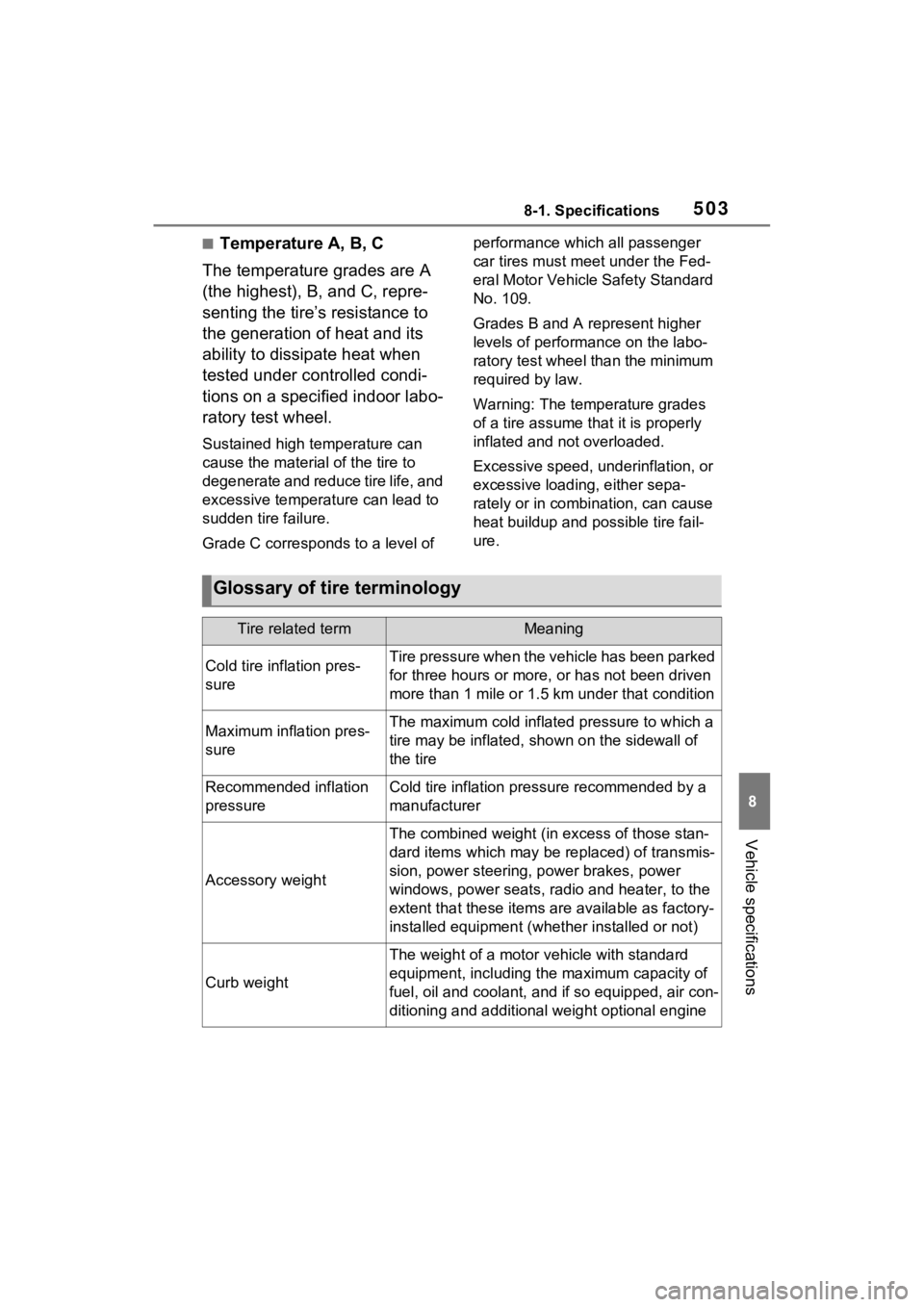
Glossary of tire terminology
Tire related termMeaning
Cold tire inflation pres-
sureTire pressure when the vehicle has been parked
for three hours or more, or has not been driven
more than 1 mile or 1.5 km under that condition
Maximum inflation pres-
sureThe maximum cold inflated pressure to which a
tire may be inflated, shown on the sidewall of
the tire
Recommended inflation
pressureCold tire inflation pressure recommended by a
manufacturer
Accessory weight
The combined weight (in excess of those stan-
dard items which may be replaced) of transmis-
sion, power steering, power brakes, power
windows, power seats, radio and heater, to the
extent that these items are available as factory-
installed equipment (whether installed or not)
Curb weight
The weight of a motor vehicle with standard
equipment, including th e maximum capacity of
fuel, oil and coolant, and if so equipped, air con-
ditioning and additional weight optional engine
Page 534 of 574
5369-1. For owners
*: Vehicles with LED projector headlights
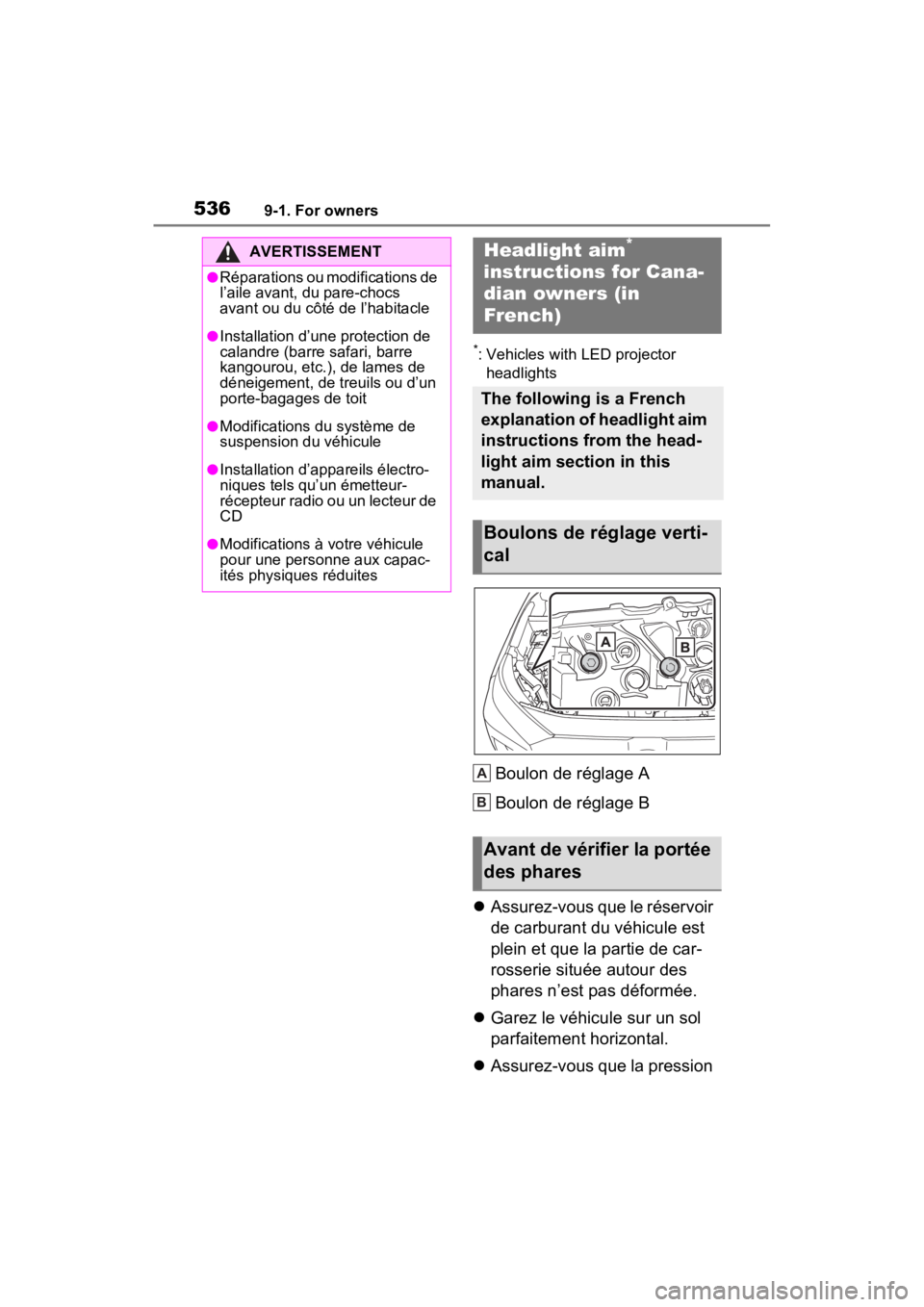
Boulon de réglage A
Boulon de réglage B
Assurez-vous que le réservoir
de carburant du véhicule est
plein et que la partie de car-
rosserie située autour des
phares n’est pas déformée.
Garez le véhicule sur un sol
parfaitement horizontal.
Assurez-vous que la pression
AVERTISSEMENT
●Réparations ou modifications de
l’aile avant, du pare-chocs
avant ou du côté de l’habitacle
●Installation d’une protection de
calandre (barre safari, barre
kangourou, etc.), de lames de
déneigement, de treuils ou d’un
porte-bagages de toit
●Modifications du système de
suspension du véhicule
●Installation d’appareils électro-
niques tels qu’un émetteur-
récepteur radio ou un lecteur de
CD
●Modifications à votre véhicule
pour une personne aux capac-
ités physiques réduites
Headlight aim*
instructions for Cana-
dian owners (in
French)
The following is a French
explanation of headlight aim
instructions from the head-
light aim section in this
manual.
Boulons de réglage verti-
cal
Avant de vérifier la portée
des phares
A
B
Page 538 of 574
540What to do if... (Troubleshooting)
1-1.What to do if... (Troubleshooting)What to do if... (Troubleshooting)
If you lose your keys or
mechanical keys, new genu-
ine keys or mechanical keys
can be made by your Toyota
dealer. ( P.474)
Vehicles with smart key sys-
tem:
If you lose your electronic
keys, the risk of vehicle theft
increases significantly. Con-
tact your Toyota dealer imme-
diately. ( P.474)
Is the key battery weak or
depleted? ( P.425)
Vehicles with smart key sys-
tem:
Is the engine switch in ON?
When locking the doors, turn
the engine switch to OFF.
( P.207)
Vehicles with smart key sys-
tem:
Is the electronic key left inside
the vehicle?
When locking the doors,
make sure that you have the
electronic key on your person.
The function may not operate
properly due to the condition
of the radio wave. ( P.117,
141)
Is the child-protector lock set?
The rear door cannot be
opened from inside the vehi-
cle when the lock is set. Open
the rear door from outside
and then unlock the child-pro-
tector lock. ( P.124)
Is the shift lever in P?
( P.203)
Is the battery discharged?
( P.476)
Did you press the engine
If you have a problem,
check the following before
contacting your Toyota
dealer.
The doors cannot be
locked, unlocked, opened
or closed
You lose your keys
The doors cannot be
locked or unlocked
The rear door cannot be
opened
If you think something is
wrong
The engine does not start
(vehicles without smart
key system)
The engine does not start
(vehicles with smart key
system)