hood open TOYOTA RAV4 2023 Owners Manual
[x] Cancel search | Manufacturer: TOYOTA, Model Year: 2023, Model line: RAV4, Model: TOYOTA RAV4 2023Pages: 574, PDF Size: 17.31 MB
Page 4 of 574
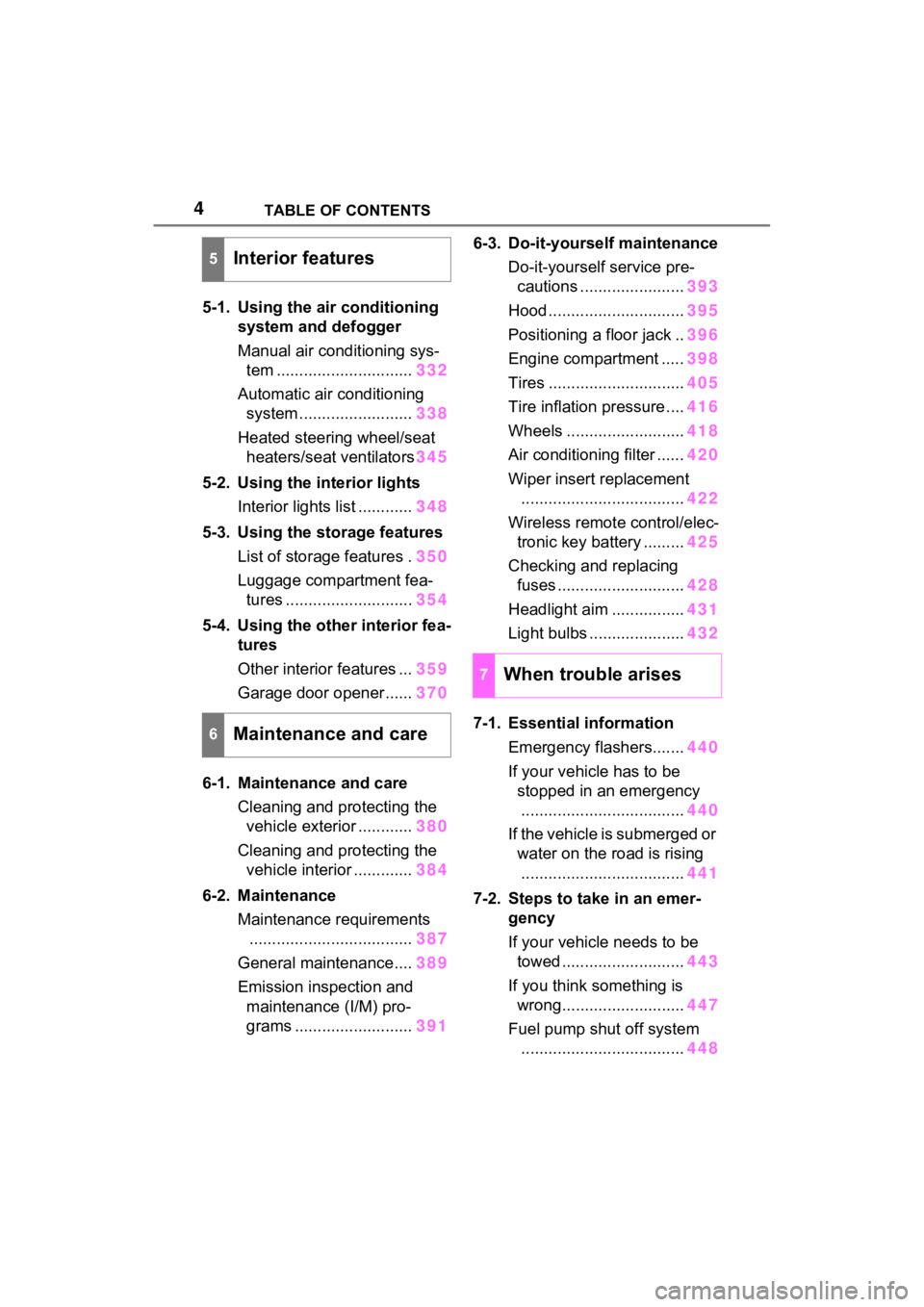
4TABLE OF CONTENTS
5-1. Using the air conditioning
system and defogger
Manual air conditioning sys-
tem .............................. 332
Automatic air conditioning system ......................... 338
Heated steering wheel/seat heaters/seat ventilators 345
5-2. Using the interior lights Interior lights list ............ 348
5-3. Using the storage features List of storage features . 350
Luggage compartment fea- tures ............................ 354
5-4. Using the other interior fea- tures
Other interior features ... 359
Garage door opener...... 370
6-1. Maintenance and care Cleaning and protecting the vehicle exterior ............ 380
Cleaning and protecting the vehicle interior ............. 384
6-2. Maintenance Maintenance requirements.................................... 387
General maintenance.... 389
Emission inspection and maintenance (I/M) pro-
grams .......................... 3916-3. Do-it-yourself maintenance
Do-it-yourself service pre-cautions ....................... 393
Hood .............................. 395
Positioning a floor jack .. 396
Engine compartment ..... 398
Tires .............................. 405
Tire inflation pressure .... 416
Wheels .......................... 418
Air conditioning filter ...... 420
Wiper insert replacement .................................... 422
Wireless remote control/elec- tronic key battery ......... 425
Checking and replacing fuses ............................ 428
Headlight aim ................ 431
Light bulbs ..................... 432
7-1. Essential information Emergency flashers....... 440
If your vehicle has to be stopped in an emergency
.................................... 440
If the vehicle is submerged or water on the road is rising
.................................... 441
7-2. Steps to take in an emer- gency
If your vehicle needs to be towed ........................... 443
If you think something is wrong........................... 447
Fuel pump shut off system .................................... 448
5Interior features
6Maintenance and care
7When trouble arises
Page 15 of 574
15Pictorial index
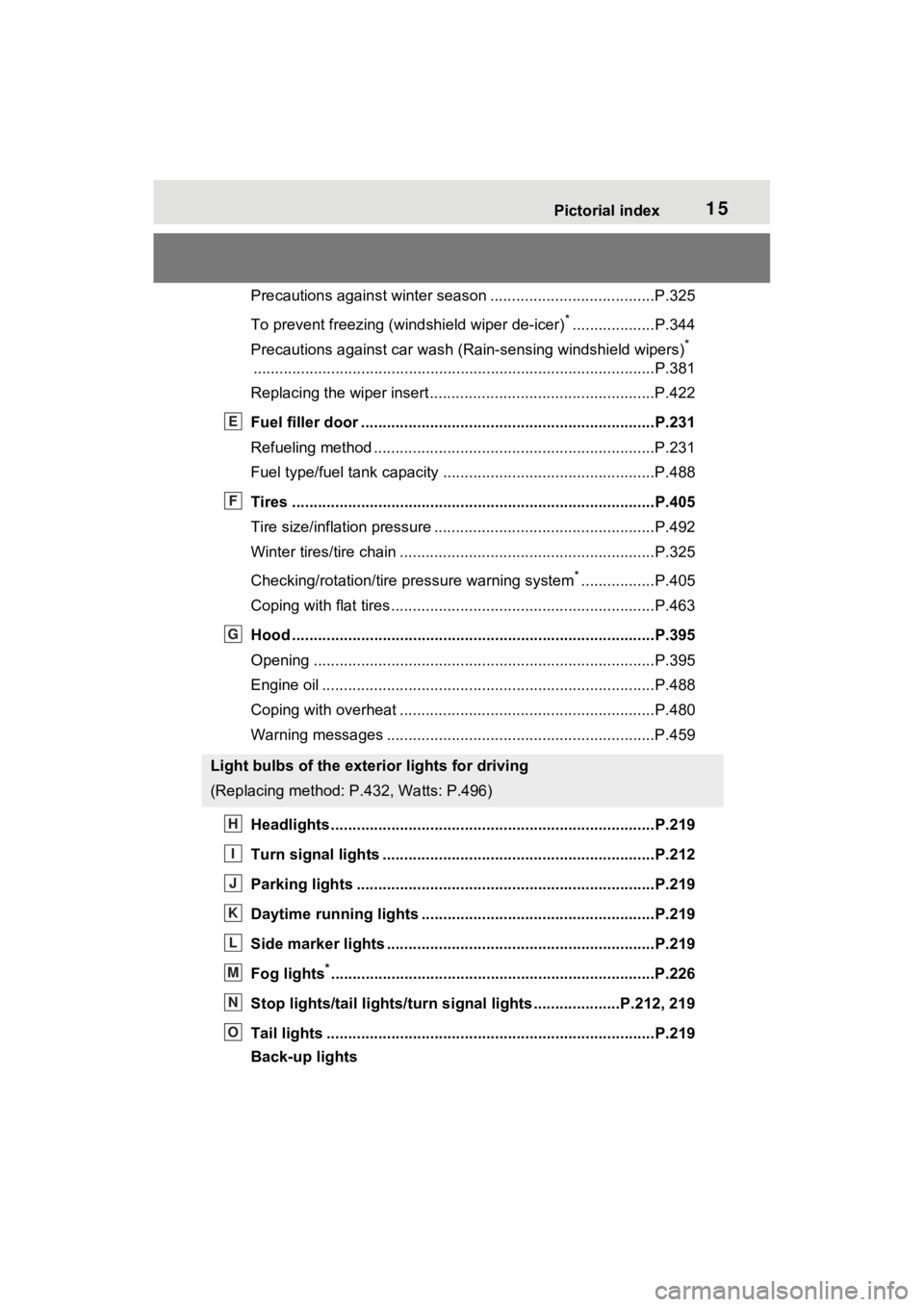
Precautions against winter season ......................................P.325
To prevent freezing (windshield wiper de-icer)
*...................P.344
Precautions against car wash (R ain-sensing windshield wipers)
*
............................................................... ..............................P.381
Replacing the wiper insert ..................................... ...............P.422
Fuel filler door ............................................... .....................P.231
Refueling method ............................................... ..................P.231
Fuel type/fuel tan k capacity .................................................P.488
Tires ....................................................................................P.405
Tire size/inflation pressure ................................... ................P.492
Winter tires/tire chain ........................................ ...................P.325
Checking/rotation/tire pressure warning system
*.................P.405
Coping with flat tires......................................... ....................P.463
Hood ....................................................................................P.395
Opening ........................................................ .......................P.395
Engine oil ..................................................... ........................P.488
Coping with overheat ........................................... ................P.480
Warning messages ..............................................................P.459
Headlights..................................................... ......................P.219
Turn signal lights ...............................................................P.212
Parking lights .....................................................................P.219
Daytime running lights .. ....................................................P.219
Side marker lights ............................................. .................P.219
Fog lights
*............................................................... ............P.226
Stop lights/tail lights/turn s ignal lights ....................P.212, 219
Tail lights .................................................... ........................P.219
Back-up lights
Light bulbs of the exterior lights for driving
(Replacing method: P .432, Watts: P.496)
E
F
G
H
I
J
K
L
M
N
O
Page 18 of 574

18Pictorial index
Turn signal lever ................................................................P.212
Headlight switch ................................................................P.219
Headlights/parking lights/tail lights/
license plate lights/daytime running lights ............................P.219
Fog lights
*1............................................................... ............P.226
Windshield wiper and washer switch ..............................P.226
Rear window wiper and washer switch ...........................P.229
Usage.......................................................... .................P.226, 229
Adding washer fluid ..............................................................P.404
Warning messages ..............................................................P.459
Emergency flasher switch ....................................... ..........P.440
Hood lock release lever ........................................ .............P.395
Tilt and telescopic steering lock release lever ................P.153
Adjustment ..................................................... ......................P.153
Air conditioning system ............................. ...............P.332, 338
Usage.......................................................... .................P.332, 338
Rear window defogger ........................................... ......P.333, 340
Audio system
*2
Fuel filler door opener lever .................................. ............P.232
*1: If equipped
*2: Refer to “MULTIMEDIA OWNER’S MANUAL”.
E
F
G
H
I
J
K
L
Page 49 of 574
491-2. Child safety
1
For safety and security
1-2.Child safety
Riding with children
Observe the following pre-
cautions when children are
in the vehicle.
Use a child restraint system
appropriate for the child,
until the child becomes
large enough to properly
wear the vehicle’s seat belt.
It is recommended that chil-
dren sit in the rear seats to
avoid accidental contact
with the shift lever, wiper
switch, etc.
Use the rear door child-pro-
tector lock or the window
lock switch to avoid children
opening the door while driv-
ing or operating the power
window accidentally.
( P.124, 169)
Do not let small children
operate equipment which
may catch or pinch body
parts, such as the power
window, hood, back door,
seats, etc.
WARNING
■When children are in the vehi-
cle
Never leave children unattended
in the vehicle, and never allow
children to have or use the key.
Children may be able to start the
vehicle or shift the vehicle into
neutral. There is also a danger
that children ma y injure them-
selves by playing with the side
windows, the moon roof (if
equipped), the panoramic moon
roof (if equipped) or other features
of the vehicle. In addition, heat
build-up or extremely cold tem-
peratures inside the vehicle can
be fatal to children.
Page 71 of 574
711-4. Theft deterrent system
1
For safety and security
*: If equipped
NOTICE
■To ensure the system oper-
ates correctly
Do not modify or remove the sys-
tem. If modified or removed, the
proper operation of the system
cannot be guaranteed.
Alarm*
The alarm uses light and
sound to give an alert when
an intrusion is detected.
The alarm is triggered in the
following situations when
the alarm is set:
Vehicles without smart key
system: A locked door is
unlocked or opened in any
way other than using the
wireless remote control or
key. (The doors will lock
again automatically.)
Vehicles with smart key
system: A locked door is
unlocked or opened in any
way other than using the
entry function, wireless
remote control or mechani-
cal key. (The doors will lock
again automatically.)
For Canada: A locked door
is unlocked or opened in
any way other than using
the entry function (if
equipped) or wireless
remote control. (The doors
will lock again automati-
cally.)
The hood is opened.
Page 72 of 574
721-4. Theft deterrent system
■Items to check before lock-
ing the vehicle
To prevent unexpected trigger-
ing of the alarm and vehicle
theft, make sure of the following:
Nobody is in the vehicle.
The side windows and moon
roof (if equipped) or pan-
oramic moon roof (if
equipped) are closed before
the alarm is set.
No valuables or other per-
sonal items are left in the
vehicle.
■Setting
Close the doors and hood, and
lock all the doors. The system
will be set automatically after 30
seconds.
Except for Canada, the alarm
can also be set using the
mechanical key.
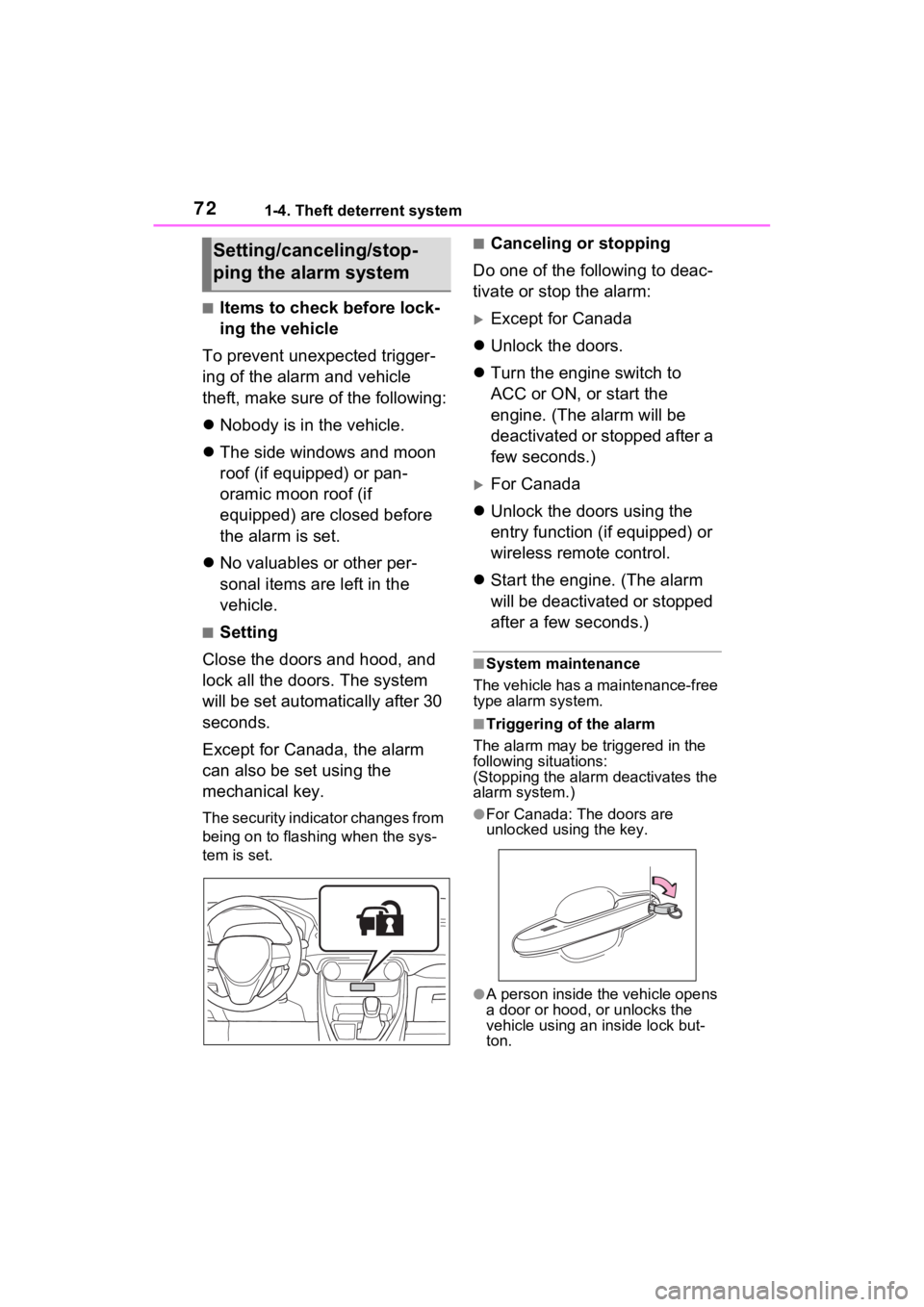
The security indicator changes from
being on to flashing when the sys-
tem is set.
■Canceling or stopping
Do one of the following to deac-
tivate or stop the alarm:
Except for Canada
Unlock the doors.
Turn the engine switch to
ACC or ON, or start the
engine. (The alarm will be
deactivated or stopped after a
few seconds.)
For Canada
Unlock the doors using the
entry function (if equipped) or
wireless remote control.
Start the engine. (The alarm
will be deactivated or stopped
after a few seconds.)
■System maintenance
The vehicle has a maintenance-free
type alarm system.
■Triggering of the alarm
The alarm may be triggered in the
following situations:
(Stopping the alarm deactivates the
alarm system.)
●For Canada: The doors are
unlocked using the key.
●A person inside the vehicle opens
a door or hood, or unlocks the
vehicle using an inside lock but-
ton.
Setting/canceling/stop-
ping the alarm system
Page 124 of 574
1243-2. Opening, closing and locking the doors
Vehicles with smart key system
The door cannot be locked if the
engine switch is in ACC or ON, or
the electronic key is left inside the
vehicle.
Depending on the position of the
electronic key, the key may not be
detected correctly and the door may
be locked.
■Open door warning buzzer
If the vehicle speed reaches 3 mph
(5 km/h), a buzzer sounds to indi-
cate that the door(s) or the hood is
not fully closed.
The open door(s) or hood is dis-
played on the multi-information dis-
play.
■When all the doors are locked
with the entry function (vehicles
with smart key system), wire-
less remote control or key
●The doors cannot be unlocked
with the door lock switch.
●The door lock switch can be reset
by unlocking all the doors with the
entry function (vehicles with smart
key system), wireless remote con-
trol or key.
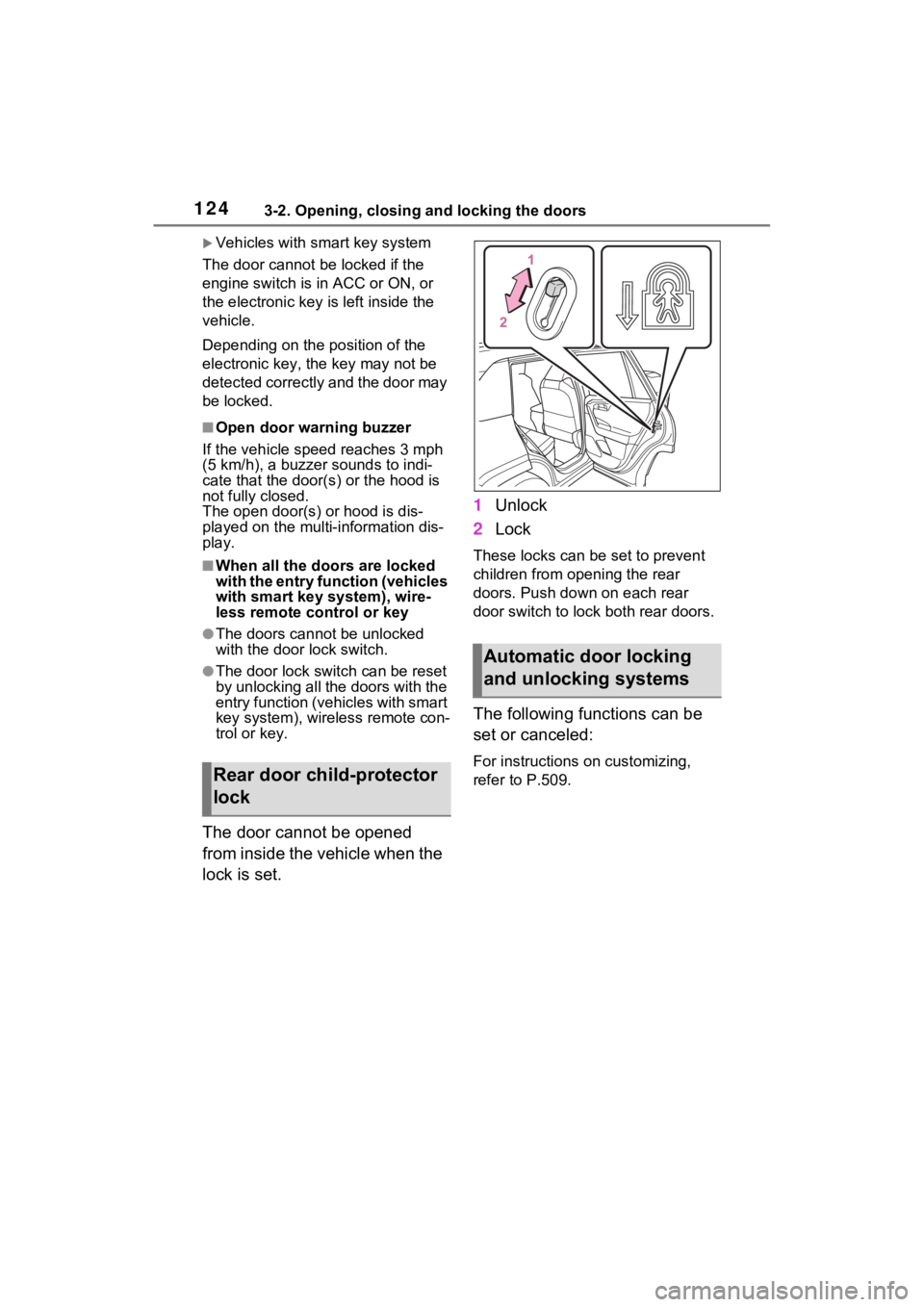
The door cannot be opened
from inside the vehicle when the
lock is set. 1
Unlock
2 Lock
These locks can be set to prevent
children from opening the rear
doors. Push down on each rear
door switch to lock both rear doors.
The following functions can be
set or canceled:
For instructions on customizing,
refer to P.509.Rear door child-protector
lock
Automatic door locking
and unlocking systems
Page 237 of 574
2374-5. Using the driving support systems
4
Driving
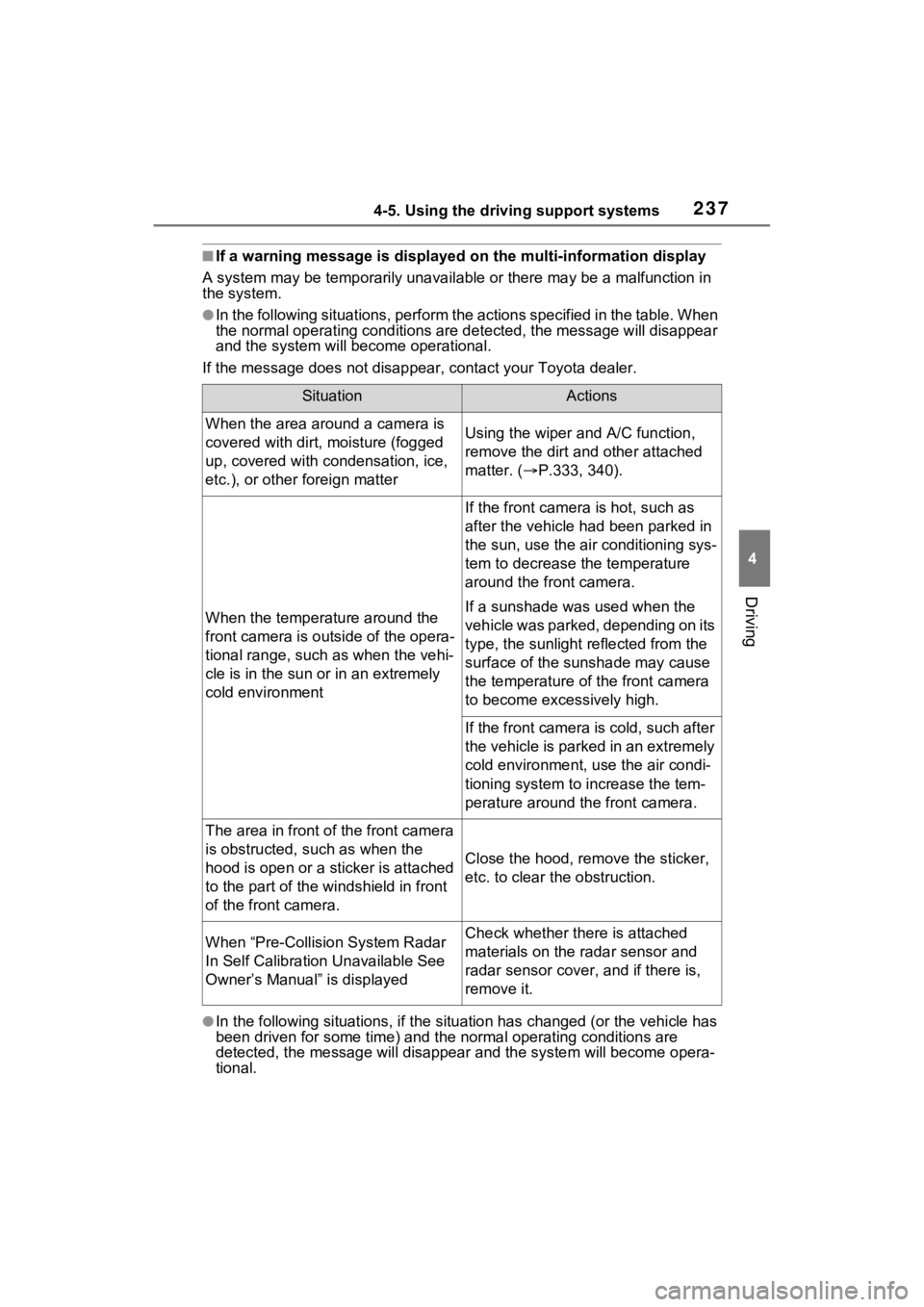
■If a warning message is displayed on the multi-information display
A system may be temporarily unava ilable or there may be a malfunction in
the system.
●In the following situations, perform the actions specified in t he table. When
the normal operating conditions are detected, the message will disappear
and the system will be come operational.
If the message does not disapp ear, contact your Toyota dealer.
●In the following situations, if the situation has changed (or the vehicle has
been driven for some time) and the normal operating conditions are
detected, the message will disappear and the system will become opera-
tional.
SituationActions
When the area around a camera is
covered with dirt, moisture (fogged
up, covered with condensation, ice,
etc.), or other foreign matterUsing the wiper and A/C function,
remove the dirt and other attached
matter. ( P.333, 340).
When the temperature around the
front camera is outside of the opera-
tional range, such as when the vehi-
cle is in the sun or in an extremely
cold environment
If the front camera is hot, such as
after the vehicle had been parked in
the sun, use the air conditioning sys-
tem to decrease the temperature
around the front camera.
If a sunshade was used when the
vehicle was parked, depending on its
type, the sunlight reflected from the
surface of the sunshade may cause
the temperature of the front camera
to become excessively high.
If the front camera is cold, such after
the vehicle is parked in an extremely
cold environment, use the air condi-
tioning system to increase the tem-
perature around the front camera.
The area in front o f the front camera
is obstructed, such as when the
hood is open or a sticker is attached
to the part of the win dshield in front
of the front camera.
Close the hood, rem ove the sticker,
etc. to clear the obstruction.
When “Pre-Collisio n System Radar
In Self Calibration Unavailable See
Owner’s Manual” is displayedCheck whether there is attached
materials on the radar sensor and
radar sensor cover , and if there is,
remove it.
Page 306 of 574

3064-5. Using the driving support systems
the vehicle is stopped by the
dynamic radar cruise control with
full-speed range when in vehicle-
to-vehicle distance control mode)
• The D shift position is selected.
• The driver’s seat belt is fastened.
• The driver’s door is closed.
• The selected driv ing mode is not
snow mode (AWD models).
• Mud & Sand or Rock & Dirt mode is not selected for Multi-terrain
Select (AWD models).
• The windshield defogger is off. (vehicles without a manual air
conditioning system)
• The accelerator pedal is not being depressed.
• The engine is adequately warmed
up.
• The outside temperature is 23°F (- 5°C) or higher.
• The hood is closed. ( P.307)
●In the following situations, the
engine may not be stopped by the
Stop & Start syste m. This is not a
malfunction of the Stop & Start
system.
• When the air conditioning system is being used.
• When the battery is undergoing a periodic recharge.
• When the battery is not sufficiently
charged, such as if the vehicle
has been parked for a long time
and the battery charge has
decreased, the e lectric load is
large, the battery fluid tempera-
ture is excessively low or the bat-
tery has deteriorated.
• When the brake booster vacuum is low.
• When the elapsed time since the engine was restarted is short.
• When the vehicle is stopped fre-
quently, such as when in a traffic
jam.
• When the engine coolant tem- perature or transmission fluid tem-
perature is extremely low or high.
• When the vehicle is stopped on a steep incline.
• When the steering wheel is being operated.
• When the vehicle is being driven in a high altitude area.
• When the battery fluid tempera- ture is extremely low or high.
• For a while after the battery termi- nals have been disconnected and
reconnected.
●When the engine is stopped by
the Stop & Star t system, the
engine will be restarted automati-
cally if any of the following condi-
tions are met:
(To enable the engine to be
stopped by the Stop & Start sys-
tem again, drive the vehicle.)
• The air conditioning system is turned on. (vehicles without a
manual air conditioning system)
• The windshield defogger is turned on. (vehicles without a manual air
conditioning system)
• The shift lever is shifted from D or P.
• The shift lever is shifted from P.
(When the engine is stopped by
the Stop & Start system when the
shift lever is in P.)
• The driver’s seat belt is unfas- tened.
• The driver’s door is opened.
• The driving mode is changed to
snow mode (AWD models).
• Mud & Sand or Rock & Dirt mode
is selected for Mult i-terrain Select
(AWD models).
• The Stop & Start cancel switch is
pressed.
• The steering wheel is operated.
• The accelerator pedal is depressed.
• The vehicle starts to roll on an incline.
●When the engine is stopped by
the Stop & Star t system, the
engine may restart automatically
in the following situations: (To
enable the engine to be stopped
by the Stop & Start system again,
drive the vehicle.)
• When the brake pedal is pumped
or strongly depressed.
• When the air conditioning system is being used.
• When a switch of the air condition-
Page 307 of 574
3074-5. Using the driving support systems
4
Driving
ing system is operated (windshield
defogger switch, etc.).
• If the battery charge becomes low.
■When the hood is opened
●If the hood is opened while the
engine is stopped by the Stop &
Start system, the engine will stall
and will not be able to be restarted
by the automatic engine start
function. In this case, restart the
engine using the normal engine
starting procedure. ( P.203, 204)
●If the hood is closed after the
engine is started with the hood
open, the Stop & Start system will
not operate. Close the hood, turn
the engine switch t o OFF, wait 30
seconds or more, and then start
the engine.
■Air conditioning system opera-
tion while the engine is stopped
by the Stop & Start system
Vehicles with an automatic air con-
ditioning system: When the air con-
ditioning is in automatic mode and
the engine is stopped by the Stop &
Start system, the fan may operate at
a low speed in order to prevent the
temperature in the cabin from
increasing or decreasing or may be
stopped.
To prioritize air conditioning system
performance when the vehicle is
stopped, disable the Stop & Start
system by pressing the Stop & Start
cancel switch.
●If the windshield is fogged up
Turn the windshield defogger on.
( P.333, 340)
If the windshield fogs up frequently,
press the Stop & Start cancel switch
to disable the Stop & Start system.
●If an odor is emitted from the air
conditioning system
• Vehicles with a manual air condi- tioning system:
If the idling stop time setting is set
to “Extended”, change it to “Stan-
dard”. If an odor is emitted when the idling stop time setting is set to
“Standard”, press the Stop & Start
cancel switch to deactivate the
Stop & Start system.
• Vehicles with an automatic air
conditioning system:
Press the Stop & Start cancel
switch to deactivate the Stop &
Start system.
■Changing the idling stop time
with the air conditioning system
on
The length of time the Stop & Start
system will operate when the air
conditioning system is on can be
changed in of the multi-informa-
tion display ( P.98, 107). (The
length of time the Stop & Start sys-
tem will operate when the air condi-
tioning system is off cannot be
changed.)
■Displaying the Stop & Start sys-
tem status
After Start:
Displays the cumulative time that
the engine is stopped by the Stop &
Start system from when the engine
is started until the engine is
stopped.
This item is reset each time the
engine stops.
■Multi-information display mes-
sages
If the following situations,
and a message may be displayed
on the multi-information display.
●When the engine cannot be
stopped by the Stop & Start sys-
tem “Press Brake More to Acti-
vate”
• The brake pedal is not sufficiently